The PromptsRush journal
TutorialsHow to Build Multi-Agent Workflows With Gemini Managed Agents
Gemini Managed Agents can't nest subagents yet, so your code is the orchestrator. Learn to save specialist agents, run them in parallel, hand off files between sandboxes, and add hooks, budgets, triggers and webhooks.
Advertisement
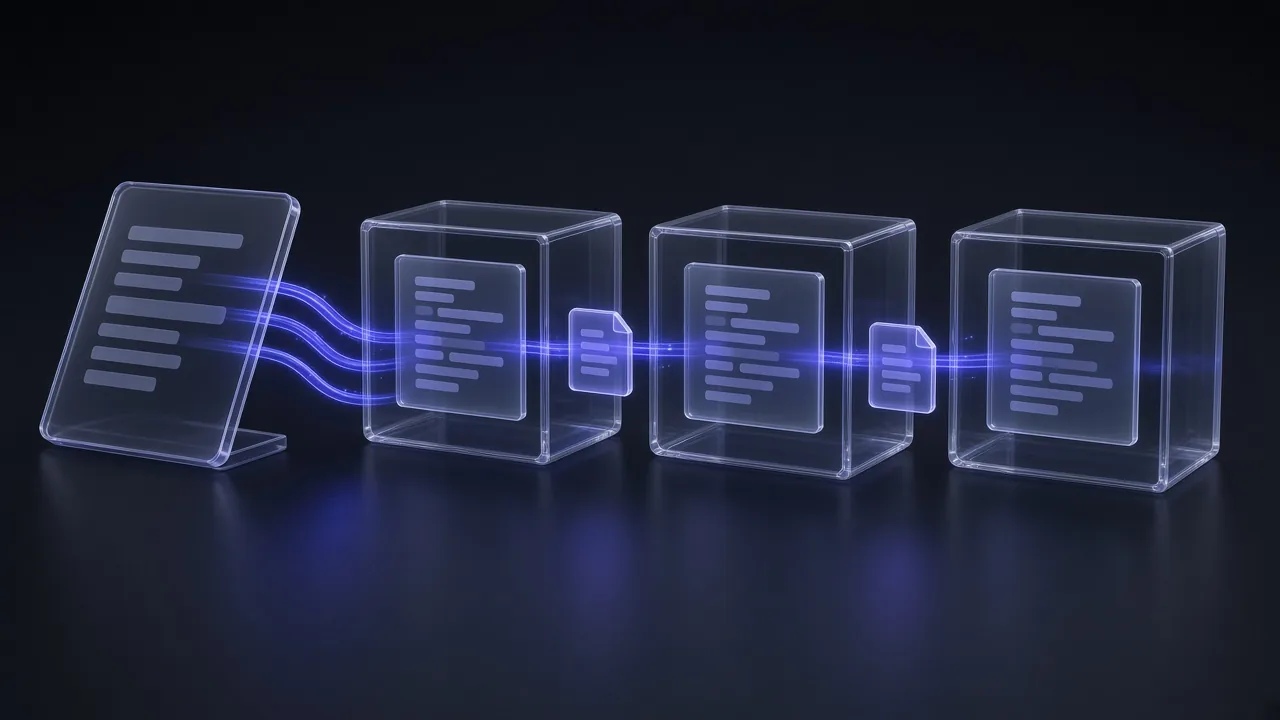
Short version: Gemini Managed Agents don't nest subagents yet, so your own script is the orchestrator. Save each specialist as a named managed agent, fan them out with background runs, pass work between sandboxes through the environment Files API, and wrap the whole thing in hooks, network allowlists and token budgets. It's more plumbing than a single-agent call, but every piece is a documented API today.
This morning we covered the same job on Anthropic's side in how to build multi-agent workflows with Claude Code, where the lead agent delegates for you. On the Gemini API the model is different: each agent lives in its own Google-hosted Linux sandbox, and coordination happens in code you control. This guide shows that build path step by step.
Sources: the Gemini API docs (Managed Agents, Antigravity agent, Environments, Hooks, Webhooks, Deep Research, pricing) and the API changelog, checked on 27 October 2026 against antigravity-preview-09-2026. We haven't benchmarked these setups ourselves, so every limit, price and number below comes from Google's documentation.
What You'll Build in This Guide
- Three specialist agents saved by ID: a cheap web scout, a builder that writes code, and a read-only reviewer.
- A Python orchestrator that runs them in parallel or in sequence with
background=True. - A hand-off pattern that moves files between sandboxes with the environment Files API.
- Guardrails and automation: hooks, network allowlists, stored credentials, token budgets, scheduled triggers and webhooks, plus three copy-ready prompts.
What Gemini Managed Agents Are (and What They Can't Do Yet)
Google launched Managed Agents in the Gemini API on May 19, 2026, in public preview. A single interactions.create call provisions an isolated Linux sandbox where the Antigravity agent reasons, runs Bash, Python and Node, edits files and searches the web until the task is done. It uses the same harness as the Antigravity IDE, which we walked through in how to use Google Antigravity.
The current base agent is antigravity-preview-09-2026, released on September 17, 2026. It runs on Gemini 3.8 Flash by default and replaced the May harness, antigravity-preview-05-2026, which was deprecated on October 5, 2026; requests to it are redirected to the new harness.
| Building block | What it does | Role in a multi-agent workflow |
|---|---|---|
| Interactions API | Runs an agent turn; returns id, status, environment_id, output_text | The call your orchestrator makes for every agent |
Managed agents (agents.create) | Saves instructions, tools, model and base environment under an ID | One saved agent per specialist role |
| Environments | Linux sandbox with 4 CPU cores and 16 GB memory, kept for 7 days of inactivity | Each agent's private workspace |
| Files API | List, download and upload files in an environment | The hand-off channel between agents |
| Background execution | Returns at once; you poll, stream or cancel | Running several agents at the same time |
| Hooks, allowlists, credentials | Gate tool calls, restrict egress, inject secrets at the proxy | Guardrails per agent |
| Triggers and webhooks | Cron schedules and push notifications on completion | Unattended pipelines |
Now the limits that shape the design. The docs list these under "Limitations" for managed agents: everything is in preview and schemas may change, there is no agent versioning or rollback, you can keep up to 1,000 managed agents, and, most important for this guide, "Subagent delegation is not yet supported." The Antigravity agent also rejects temperature, top_p and max_output_tokens, doesn't support structured outputs, and accepts only text and image input.
How Multi-Agent Orchestration Works Today
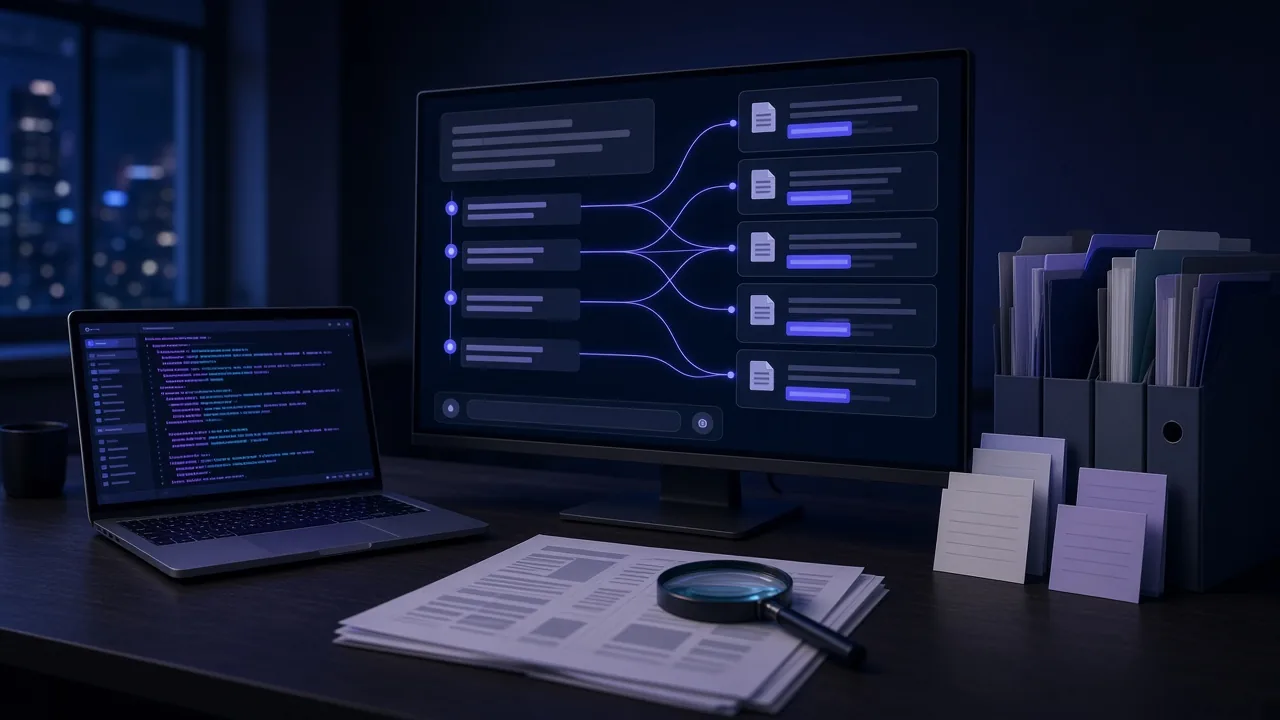
Because one managed agent can't spawn another, the orchestrator sits outside the sandboxes. Your Python or TypeScript code decides which specialist runs, starts each one with its own interaction, waits for results, and feeds one agent's output to the next. If you've been weighing when a task deserves its own agent at all, our Claude skills vs MCP tools vs subagents breakdown applies here too: a separate agent pays off when the work needs its own context, tools or permissions.
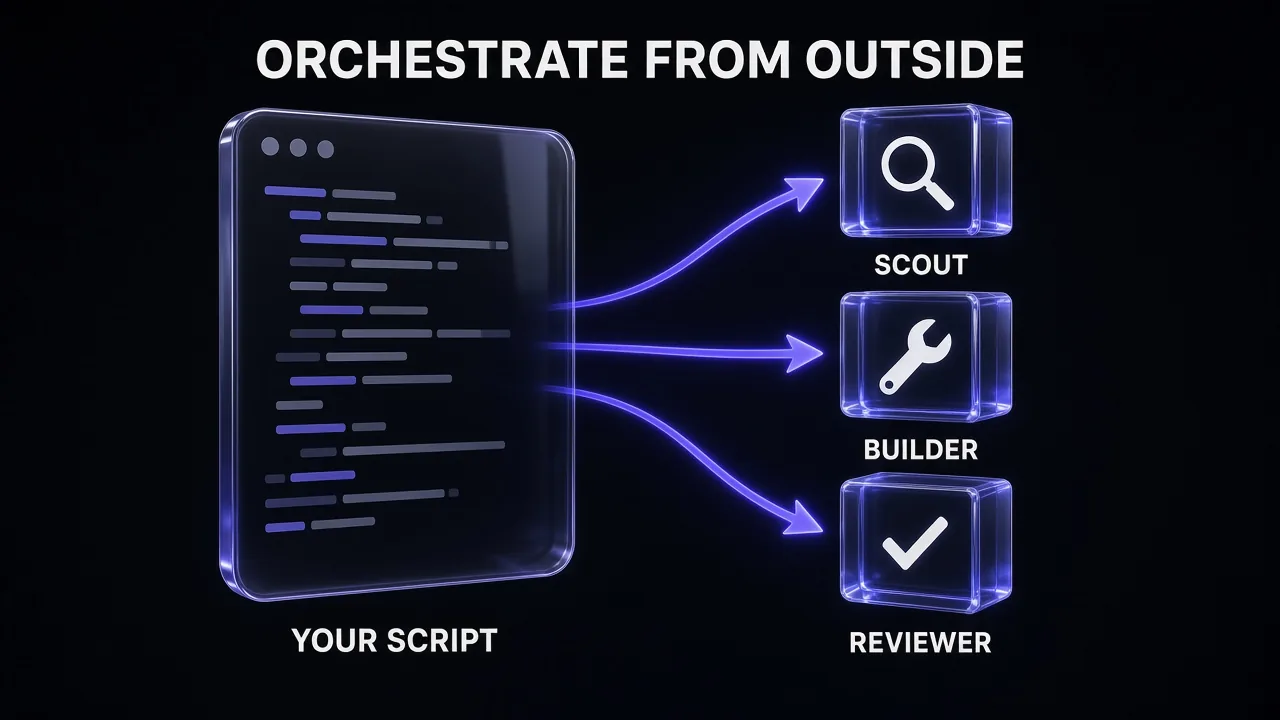
That outside-in design has real upsides. Every agent gets a fresh context window and its own filesystem, so a noisy research run can't pollute the builder. Each one can use a different model, tool list and network policy. And your code, not a model, decides the control flow, which makes runs easier to debug and replay.
The two patterns you'll use most:
- Fan-out: start several independent agents with
background=True, poll until all finish, then merge. - Pipeline: scout, then build, then review, where each step reads the previous step's files.
Pro tip: The background-execution page lists "sub-agent orchestration" as a use case, while the managed-agents limits say delegation isn't supported. Until Google reconciles the two, build as if your code owns orchestration. It still works if native delegation arrives later.
Step 1: Prototype One Agent Inline
Start with the base agent and pass everything inline. No registration is needed, and you can change instructions between calls. Install the SDK with pip install google-genai and set GEMINI_API_KEY.
from google import genai

client = genai.Client()

interaction = client.interactions.create(
    agent="antigravity-preview-09-2026",
    input="List the five newest releases of the requests library and save them to /workspace/out/releases.md",
    system_instruction="You are a research scout. Cite every source URL.",
    environment={
        "type": "remote",
        "sources": [
            {"type": "inline", "target": ".agents/AGENTS.md",
             "content": "Write findings as Markdown. Never edit files outside /workspace/out."},
        ],
    },
)

print(interaction.status, interaction.environment_id)
print(interaction.output_text)
Three details from the docs matter here. system_instruction and AGENTS.md are additive, so both apply. Skills go under .agents/skills/<name>/SKILL.md and are discovered automatically. And by default the agent has code_execution, google_search and url_context, with filesystem tools switched on whenever you pass an environment.
Step 2: Save Your Specialists as Managed Agents
Once a role behaves, save it with agents.create so the orchestrator can call it by ID. Each invocation forks the saved base environment, so every run starts clean. The docs list three models for agent_config on named agents: gemini-3.8-flash (default), gemini-3.6-flash and gemini-3.5-flash-lite, and a named agent's model can't be overridden per call.
scout = client.agents.create(
    id="web-scout",
    base_agent="antigravity-preview-09-2026",
    agent_config={"type": "antigravity", "model": "gemini-3.5-flash-lite",
                  "max_total_tokens": 300000},
    tools=[{"type": "google_search"}, {"type": "url_context"}],
    system_instruction="You research a topic and write findings to /workspace/out/findings.md with a source URL per claim.",
)

builder = client.agents.create(
    id="code-builder",
    base_agent="antigravity-preview-09-2026",
    agent_config={"type": "antigravity", "model": "gemini-3.8-flash"},
    system_instruction="You implement the spec in /workspace/input and run the tests before finishing.",
    base_environment={
        "type": "remote",
        "sources": [{"type": "repository",
                     "source": "https://github.com/my-org/backend",
                     "target": "/workspace/repo"}],
    },
)

reviewer = client.agents.create(
    id="code-reviewer",
    base_agent="antigravity-preview-09-2026",
    tools=[{"type": "code_execution"}],
    system_instruction="You review code. Report issues as file, line, severity, fix. Never modify files.",
)
The scout mirrors an example in Google's September update: a cheap research agent on Flash-Lite that can only search and read the web. Keep long instructions in an AGENTS.md you mount as a source rather than in the API call; our guide to writing AGENTS.md files that actually work covers the structure. Agent IDs can't start with reserved prefixes such as gemini-, google- or antigravity-.
Design a Gemini Managed Agent Team
You are helping me design a multi-agent workflow on Gemini Managed Agents. Subagent delegation is not supported, so my Python script will orchestrate every agent.

Goal: [DESCRIBE THE JOB, e.g. research a library upgrade, apply it to our repo, and review the change]

For each specialist agent, give me:
1. An agent ID (lowercase, no gemini-/google-/antigravity- prefix)
2. The model: gemini-3.5-flash-lite, gemini-3.6-flash or gemini-3.8-flash, with one line on why
3. The minimum tool list (google_search, url_context, code_execution, mcp_server, function)
4. A system_instruction under 60 words
5. An AGENTS.md of 10-20 lines with rules and the exact output file path
6. A sensible max_total_tokens budget

Then describe the order the agents run in, which ones can run in parallel, and which file each one hands to the next.
Step 3: Fan Out in Parallel With Background Runs
Agent runs can take minutes, and the docs warn that standard HTTP requests typically close after 60 seconds. Set background=True and the API returns an interaction ID right away. Start several, then poll them together:
import time

topics = ["requests 3.x breaking changes", "httpx migration guide", "urllib3 security advisories"]

runs = [
    client.interactions.create(agent="web-scout", input=t, environment="remote", background=True)
    for t in topics
]

done = {}
while len(done) != len(runs):
    for r in runs:
        if r.id in done:
            continue
        cur = client.interactions.get(id=r.id)
        if cur.status != "in_progress":
            done[r.id] = cur
    time.sleep(5)

for cur in done.values():
    print(cur.status, cur.environment_id)
Handle every status the docs mention: completed, failed, cancelled, requires_action (a custom function call is waiting for your result) and incomplete (the token budget ran out). Cancel a runaway run with client.interactions.cancel(id=...). Background runs need store=True, which is the default; stored interactions are kept for 55 days on the paid tier and 1 day on the free tier.
If your scouts spend most of their tokens fetching and cleaning pages, consider handing that step to a dedicated scraping API and giving the agent the clean Markdown instead. Firecrawl turns URLs into LLM-ready Markdown, and our Firecrawl pricing breakdown covers the credit maths.
Step 4: Add Deep Research as a Specialist
You don't have to build every specialist yourself. Google's Deep Research agent runs through the same Interactions API, so your orchestrator can treat it as one more worker. Two versions are current: deep-research-preview-04-2026, designed for speed, and deep-research-max-preview-04-2026, for maximum comprehensiveness. Both are in preview and require background=True.
research = client.interactions.create(
    agent="deep-research-preview-04-2026",
    input="Compare Python HTTP clients for async workloads in 2026. Cite sources.",
    background=True,
)
Deep Research also supports collaborative planning: pass agent_config={"type": "deep-research", "collaborative_planning": True} and it returns a research plan for you to approve or edit before it starts. That's a useful human checkpoint at the top of a pipeline. Note the older deep-research-pro-preview-12-2025 agent was shut down on October 23, 2026.
Step 5: Hand Off Work Between Agents Through Files
Agents don't share a filesystem, so the hand-off is explicit. Download what the first agent wrote with the environment Files API, then give it to the next agent. Small results can go straight into the next agent's input. Files can be mounted as an inline source when you start the next sandbox, or uploaded into an existing environment with environments.files.upload.
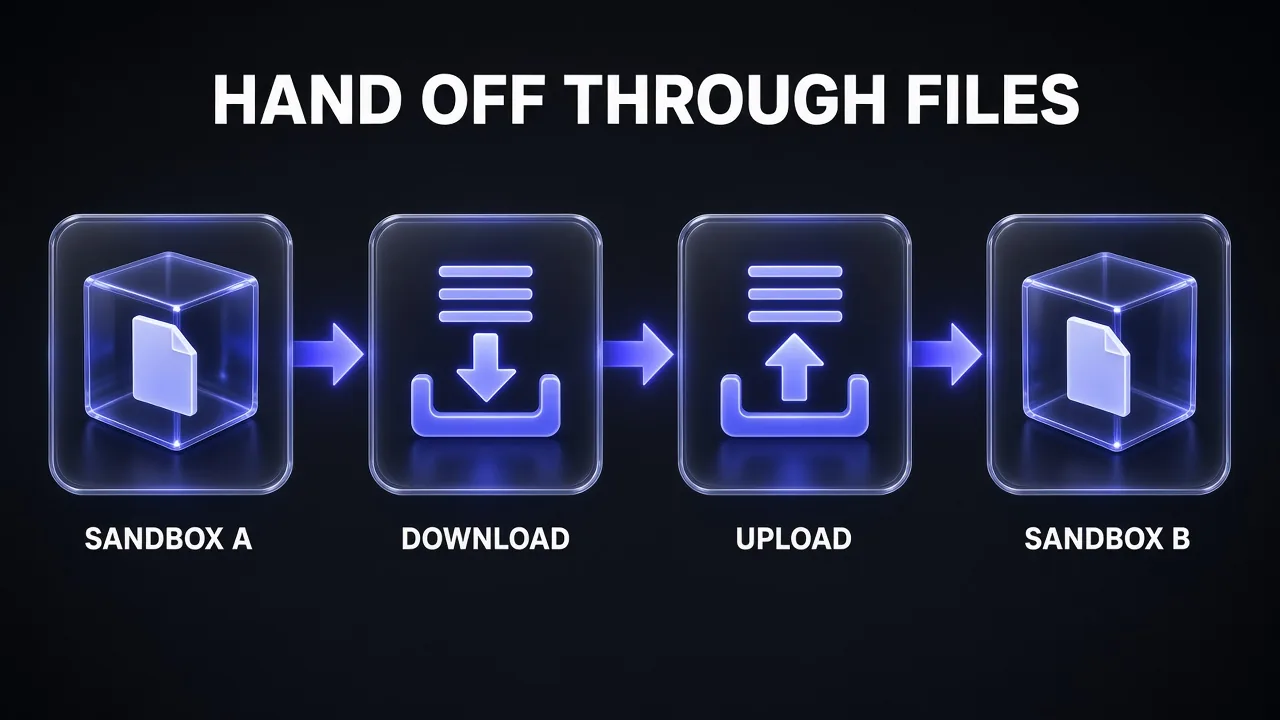
scout_run = done[runs[0].id]

findings = client.environments.files.download(
    environment=scout_run.environment_id,
    path="workspace/out/findings.md",
).decode("utf-8")

build = client.interactions.create(
    agent="code-builder",
    input="Apply the upgrade described below, run the tests, and write a summary to /workspace/out/summary.md.\n\n" + findings,
    environment="remote",
    background=True,
)
Three rules from the Environments page keep hand-offs reliable. Inline sources are capped at 1 MB per file and 2 MB total, Git sources at 500 MB and Cloud Storage at 2 GB. Uploads refuse to overwrite an existing path unless you pass overwrite=True. And the agent can currently read only text and image files, so hand over Markdown, JSON or CSV rather than binaries.
To continue work inside the same sandbox, for example asking the builder to fix what the reviewer found, send a new interaction with both previous_interaction_id and environment; the docs require both when chaining managed-agent turns, and you can't chain onto a run that is still in_progress. The docs only show environment reuse within the same agent's conversation, so for cross-agent hand-offs we recommend the Files API route above.
Step 6: Add Guardrails: Hooks, Allowlists, Credentials and Budgets
More agents means more autonomous code running on your behalf. The docs give you four controls, and each specialist should get its own mix.
| Control | How you set it | Use it for |
|---|---|---|
| Hooks | .agents/hooks.json with pre_tool_execution and post_tool_execution | Blocking risky shell commands; running linters or tests after every file write |
| Network allowlist | environment.network.allowlist, or "disabled" | Limiting a builder to api.github.com and pypi.org; cutting the reviewer off entirely |
| Stored credentials | client.credentials.create: bearer_token, environment_variable or oauth2 | Tokens the egress proxy injects, so the sandbox only sees a placeholder |
| Token budget | agent_config.max_total_tokens | Capping each worker; the run stops with status incomplete and can be continued |
A pre_tool_execution hook reads the tool call as JSON on stdin and prints {"decision": "deny", "reason": "..."} to block it; the agent sees your reason and adapts. Matchers are RE2 regexes on tool names such as code_execution, write_to_file, replace_file_content and delete_file. Watch one gotcha: any output other than an explicit deny counts as allow, so a crashing gate script fails open.
Write a Hooks Guardrail for a Gemini Agent
Write a .agents/hooks.json file and a Python gate script for a Gemini managed agent that acts as a [ROLE, e.g. code builder].

Rules for the pre_tool_execution gate on code_execution:
- Deny: [LIST, e.g. rm -rf, git push --force, curl to any domain outside api.github.com and pypi.org]
- Allow everything else

Rules for a post_tool_execution hook on write_to_file and replace_file_content:
- Run [LINTER OR TEST COMMAND] and log the result to /workspace/out/hook-log.txt

Requirements: the gate reads JSON from stdin (tool_call.name, tool_call.args) and prints {"decision": "allow"} or {"decision": "deny", "reason": "..."}. Wrap the logic in try/except and print a deny decision on any error, because unrecognised output counts as allow. Keep timeouts at 10 seconds or less.Step 7: Schedule and Notify With Triggers and Webhooks
Two features turn a one-off script into a standing pipeline. Triggers bind an agent, environment, prompt and cron schedule into a persistent resource. Each run reuses the same sandbox, so files from the last run are still there. You can pause, resume, fire on demand with client.triggers.run, and list past executions with their interaction IDs. If you've read our Claude Routines explainer, triggers fill the same scheduled-agent slot on the Gemini side.
trigger = client.triggers.create(
    schedule="0 9 * * 1",
    time_zone="Asia/Kolkata",
    display_name="weekly-dependency-scout",
    interaction={
        "agent": "web-scout",
        "input": "Check for new releases of our pinned dependencies and append them to /workspace/out/log.md",
        "environment": {"type": "remote"},
    },
)
Webhooks replace polling. Add a webhook_config with your endpoint to a background interaction, and Gemini posts an interaction.completed event when the run finishes. Google's docs describe these dynamic webhooks as "ideal for agent-orchestration queues": your server receives the event and starts the next agent in the pipeline. Deliveries follow the Standard Webhooks signing spec and are retried for 24 hours.
Pro tip: For triggers, reference a stored credential instead of an inline token. The trigger runs unattended, and a stored credential can be rotated once without editing every trigger that uses it.
What a Multi-Agent Run Costs
Managed agents are pay-as-you-go on model tokens and tool usage, and sandbox compute isn't billed during the preview. They also work on the free tier with a free quota. A single interaction typically uses 100k to 3M tokens, and Google publishes these per-task estimates:
| Task type | Input tokens | Output tokens | Typical cost |
|---|---|---|---|
| Research and synthesis | 100k–500k | 10k–40k | $0.30–$1.00 |
| Document and content generation | 100k–500k | 15k–50k | $0.30–$1.30 |
| Process and system design | 100k–400k | 10k–30k | $0.25–$0.80 |
| Data processing and analysis | 300k–3M | 30k–150k | $0.70–$3.25 |
Complex runs can reach 3 to 5 million tokens and about $5. The docs say 50 to 70 percent of input tokens are typically cached, which is why the caching behaviour we compared in Gemini implicit caching vs Claude explicit caching matters so much for agents. Budget per worker, not per pipeline: a three-agent run is three interactions, each billed on its own tokens.
Model choice is your biggest lever. On the paid tier, Gemini 3.8 Flash and 3.6 Flash both cost $0.75 per million input tokens and $3.75 per million output tokens through December 31, 2026, rising to $1.50 and $7.50 from January 1, 2027. Gemini 3.5 Flash-Lite costs $0.30 and $2.50. Put Flash-Lite on search-only scouts and save 3.8 Flash for the builder; our Gemini 3.8 Flash overview covers what the default model is good at.
Tool Stack and Common Pitfalls
| Layer | What we recommend |
|---|---|
| Orchestrator | Your own Python or TypeScript script with the google-genai SDK; a framework such as Google ADK or LangGraph if you need complex graphs |
| Prototyping | Google AI Studio Playground with the Agents toggle and its open-source templates |
| Workers | Named managed agents per role, plus Deep Research for long reports |
| Hand-off | Environment Files API with Markdown or JSON artifacts |
| Automation | Triggers for schedules, webhooks for completion events |
The mistakes that cost the most time:
- Expecting native delegation. Telling one agent to "spin up a helper agent" won't call another managed agent. Keep routing in your code.
- Asking for structured output. The Antigravity agent doesn't support it. Ask the agent to write JSON to a file, download it, and validate it yourself.
- Using SSE MCP servers. Remote MCP tools must use streamable HTTP, and server names must be lowercase, or you get a generic 400 error.
- Letting environments expire. Idle sandboxes stop after 15 minutes and are deleted after 7 days. Download what you need, and delete finished environments with
client.environments.delete. - Forgetting stateful function calls. Custom functions only work in stateful mode; continue with
previous_interaction_idrather than rebuilding history. - Trusting long runs blindly. Compaction kicks in around 135k tokens, which keeps sessions going but can drop detail, the problem we describe in what context rot is. Shorter, focused workers beat one marathon run.
Review a Multi-Agent Orchestrator Script
Review my Python orchestrator for Gemini Managed Agents. It calls several agents through client.interactions.create with background=True and hands files between sandboxes with client.environments.files.

[PASTE SCRIPT]

Check specifically:
1. Every terminal status is handled: completed, failed, cancelled, requires_action, incomplete
2. Chained turns pass both previous_interaction_id and environment, and never chain onto an in_progress run
3. Each agent has a max_total_tokens budget and a minimal tool list
4. Hand-off files stay under 1 MB per inline file and are text, not binary
5. No secrets are hard-coded; stored credentials are used instead
6. Environments are deleted when the pipeline finishes

Return a ranked list of issues with the fix for each, then the corrected script.
Verdict: Is Gemini Ready for Multi-Agent Work?
My take: yes for pipelines you control, not yet for agents that manage agents. The building blocks are solid and well documented: sandboxed workers you save by ID, background runs, a Files API for hand-offs, hooks, egress allowlists, credentials the model never sees, budgets, triggers and webhooks. What's missing is native delegation, versioning and rollback, plus the usual preview caveat that schemas can change.
If you want the lead model to decide on the fly how to split work, a coding agent with built-in subagents is the easier path today; our Claude Code vs Google Antigravity comparison covers that trade-off. If you want repeatable, auditable pipelines where each worker has its own sandbox and budget, Gemini Managed Agents are a strong fit, and your orchestrator code will still work if Google adds delegation later.
Prefer to start from a working setup rather than an empty script? Agentic workspaces like Genspark let you test research-and-build prompts like the ones above before you wire them into code.
Frequently Asked Questions
7 questions answered