The PromptsRush journal
AI ToolsClaude Code vs Google Antigravity: Which Coding Agent Wins?
Claude Code vs Google Antigravity, compared from Anthropic's and Google's own docs: which models each runs, why Antigravity can run Claude Opus 5.5, plans from $0 to $20 a month, permissions, subagents, hooks, CI and a clear pick for each kind of developer.
Advertisement
Short version: Claude Code wins for developers who want the deepest, most controllable coding agent, and Google Antigravity wins on price and model choice. Claude Code gives you a terminal-first agent with hooks, skills, plugins, subagents and an SDK that you can wire into almost anything. Antigravity gives you a free tier, a desktop "command center" for running several agents at once, and, on a paid Google AI Pro plan, both Gemini 4 Argon and Claude Opus 5.5 behind one subscription.
Which one wins for you depends on four things: the model you want, the plan you already pay for, how you like to work, and how much review you want before code lands. This comparison is built from Anthropic's Claude Code docs and pricing page and Google's Antigravity docs, pricing and plans pages, all checked on 19 October 2026. We haven't run our own head-to-head tests, so there are no speed or quality scores here that we can't source. If you're new to Google's tool, start with our step-by-step guide to using Google Antigravity with Gemini 4 Argon.
Claude Code vs Antigravity at a Glance
| Claude Code | Google Antigravity | |
|---|---|---|
| Made by | Anthropic | |
| Core idea | Agentic coding tool that reads your codebase, edits files and runs commands, terminal first | Agent platform with a desktop "command center" for orchestrating several agents |
| Surfaces | Terminal CLI, VS Code (and Cursor), JetBrains, Desktop app, web (claude.ai/code), Claude mobile app | Antigravity App, CLI (agy), extensions for VS Code, JetBrains, Visual Studio, Zed and Xcode, the standalone Antigravity IDE, Python SDK |
| Models | Built for Claude: Opus 5.5 by default on paid plans, plus Sonnet 5.5, Haiku 5.5 and Fable 5.1 | Gemini 3.8 Flash on every plan; Gemini 4 Argon, Claude Opus 5.5 and Claude Sonnet 5.5 on paid Pro, Ultra and Enterprise |
| Free option | No: the free Claude plan doesn't include Claude Code | Yes: $0 Individual plan with weekly rate limits |
| Paid entry for the top models | Claude Pro, $20/month ($17/month billed annually) | Google AI Pro, $19.99/month |
| Project instructions | CLAUDE.md (reads AGENTS.md if there's no CLAUDE.md) | AGENTS.md or GEMINI.md |
| Extensibility | Skills, hooks (33 events), MCP, plugins, subagents, Agent SDK (Python and TypeScript) | Skills, hooks (6 events), MCP, plugins, custom agents, Python SDK |
| Best for | Terminal-native developers, CI automation, teams that want fine-grained control | Developers who want a free start, visual plan and diff review, or Gemini and Claude in one plan |
Two rows decide most choices. The models row is the surprise: Antigravity can run Claude Opus 5.5, so "Claude vs Gemini" isn't the real question any more. The free option row is the other one. If you want to try an agent without paying anything, only Antigravity offers that.
Two Different Philosophies: Terminal First vs Agent Manager
Both tools can plan a task, edit many files, run your tests and spin up subagents. Where they differ is the surface they're built around. Anthropic describes Claude Code as an agentic coding tool that reads your codebase, edits files, runs commands and integrates with your development tools, and every surface (terminal, IDE, desktop, web) "connects to the same underlying Claude Code engine", so your CLAUDE.md files, settings and MCP servers follow you. The terminal CLI is still the full-featured core, and it follows the Unix habit of piping: git diff main --name-only | claude -p "review these changed files for security issues" is an example straight from the docs.
Google built Antigravity the other way round. Its overview says the product "evolved from the Agent Manager into a standalone desktop command center", the Antigravity App, which is built for launching, orchestrating and inspecting teams of agents with visual diff and plan inspection. The CLI and IDE extensions sit alongside it, and the CLI's /agents command opens the same Agent Manager idea as a terminal panel.
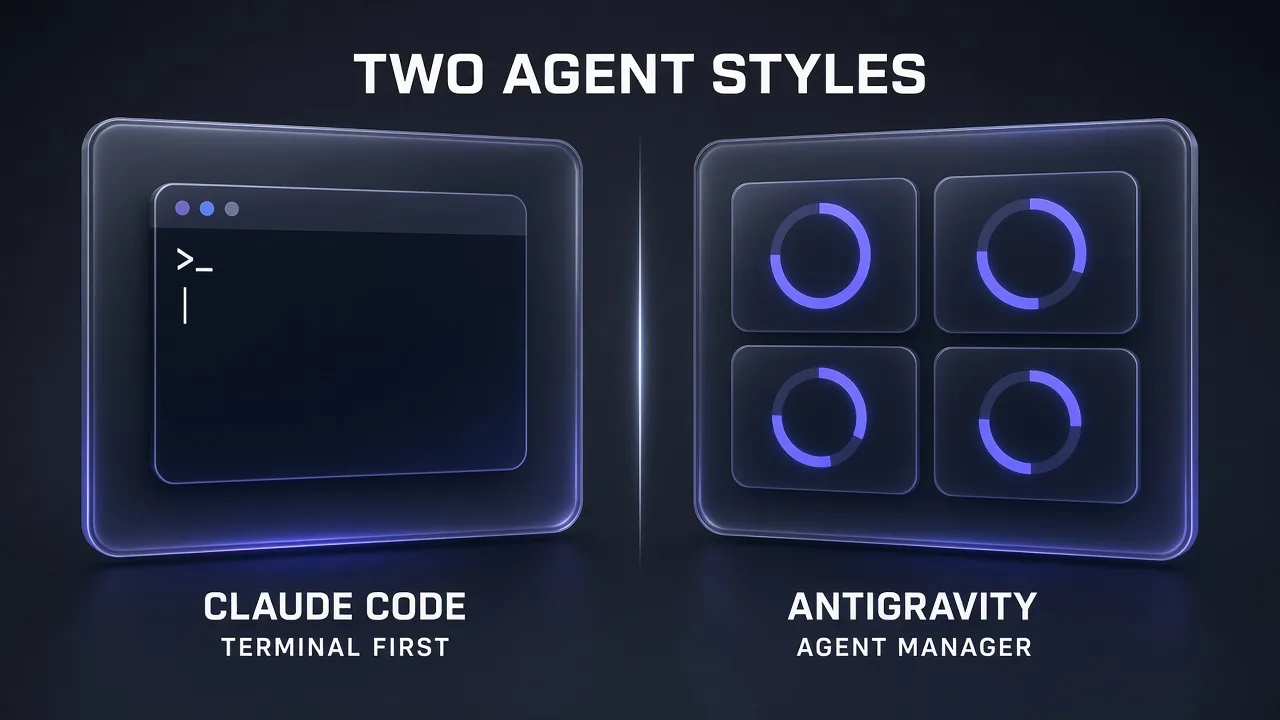
Honest answer: if you think in shell commands and scripts, Claude Code will feel natural from minute one. If you'd rather hand out tasks and review the results on a dashboard, Antigravity's App is closer to how you want to work.
Models: Which AI Runs Each Agent
Claude Code is built around Claude models. On Pro, Max, Team, Enterprise and the Anthropic API, its default setting resolves to Claude Opus 5.5, and you can switch with aliases: sonnet (Sonnet 5.5), haiku (Haiku 5.5), fable (Fable 5.1) and opusplan, which plans with Opus and then executes with Sonnet. Effort runs from low to max with /effort, and fast mode (/fast) makes Opus 5.5 up to 2.5x faster at $8/$40 per million tokens (billed as usage credits on subscription plans). For what changed in the model itself, see our Claude Opus 5.5 explainer.
Antigravity's model menu is wider. According to its models page, every plan gets Gemini 3.8 Flash. Gemini 4 Argon, Claude Opus 5.5 (Thinking) and Claude Sonnet 5.5 (Thinking) need a paid, non-trial Google AI Pro plan, Ultra or Enterprise. Two details are easy to miss:
- Argon isn't in the standalone Antigravity IDE. It works in the Antigravity App, the CLI and the IDE extensions only.
- Claude and GPT models have their own quota. The usage panel shows separate weekly and five-hour limits for Gemini models and for Claude and GPT models, so heavy Opus use in Antigravity won't eat your Gemini allowance, and vice versa.
On the models alone, the picture is split. In Google's own Gemini 4 Argon model card (company-reported), Claude Opus 5.5 leads Terminal-bench 4.0 with 66.4% against Argon's 57.4% and FrontierSWE v2 with 62.3% against 55.0%, while Argon leads DeepSWE v1.1 with 77.9% against 74.2%. Those are model scores, not scores for either agent. Our Gemini 4 Argon vs Claude Opus 5.5 comparison covers every benchmark and where the two vendors disagree.
Pro tip: Antigravity's models page lists Claude Sonnet 4.6, Claude Opus 4.6 and GPT-OSS-120b for removal on 2 November 2026. If you build an Antigravity workflow today, pin it to Opus 5.5, Sonnet 5.5 or a Gemini model instead.
Surfaces and Setup
Both tools install the same way in a terminal, with a one-line script:
# Claude Code (macOS, Linux, WSL)
curl -fsSL https://claude.ai/install.sh | bash
claude

# Antigravity CLI (macOS, Linux)
curl -fsSL https://antigravity.google/cli/install.sh | bash
agy
On Windows, both offer PowerShell installers (irm https://claude.ai/install.ps1 | iex and irm https://antigravity.google/cli/install.ps1 | iex). Claude Code also ships through Homebrew, WinGet, npm and signed apt, dnf and apk repositories, and its native install updates itself in the background.
Beyond the terminal, the surfaces differ in useful ways:
- Claude Code has a VS Code extension (which also installs in Cursor), a JetBrains plugin that needs the CLI, a Desktop app (macOS, Windows, and Ubuntu or Debian in beta) that requires a paid plan, and a web version at claude.ai/code for cloud sessions on repos you don't have locally. You can pull a cloud session back into your terminal with
claude --teleport. - Antigravity covers more editors: VS Code 1.90+, JetBrains 2026.2.1+, Visual Studio 2026 17.8+, Zed 0.140.0+ and Xcode 27 beta 6+. The App runs on macOS 12+, Windows 10 and 11, Linux and Googlebook, and Google says any plan, including the free tier, can install the extensions.
Antigravity signs you in with a personal Google Account (Free, Pro or Ultra) or a business account through Google Cloud. Claude Code needs a Pro, Max, Team, Enterprise or Console account, or a third-party provider such as Amazon Bedrock, Google Cloud's Agent Platform or Microsoft Foundry.
Planning, Review and Permissions
This is where the two philosophies show most clearly. Antigravity is built around artifacts: implementation plans, code diffs, diagrams and browser recordings that you can review and comment on inline before the agent continues. In the App you pick Planning mode or Fast mode, and a review policy of "Request review" (recommended) or "Always proceed". The CLI has default, accept-edits and plan modes, cycled with Shift+Tab.
Claude Code reviews through the conversation and the diff. Plan mode (Shift+Tab, or claude --permission-mode plan) lets Claude read and explore without editing source files, then present a plan. The VS Code extension and Desktop app add inline and visual diffs, and checkpoints let you undo with /rewind or a double Esc. Anthropic notes that checkpoints don't track changes made by bash commands, so they're no replacement for git.
Permissions are closer than you'd expect. Both use allow, ask and deny rules:
| Permission feature | Claude Code | Antigravity |
|---|---|---|
| Rule lists | allow / ask / deny rules in settings files | Deny > Ask > Allow lists, written as action(target) |
| Cautious mode | Manual (default): asks on first use of each tool | Request Review: always asks before terminal commands |
| Middle ground | acceptEdits, or auto, where a background classifier checks shell and network actions | Default preset: terminal commands run in a sandbox with no network, and ask before leaving it |
| Full autonomy | bypassPermissions, for isolated containers or VMs only | Turbo: unrestricted commands and full file system access |
My take: Antigravity's sandboxed Default preset (on macOS and Linux) is the safer out-of-the-box setting for beginners, because commands can't reach the network without asking. Claude Code gives experienced users more dials, including a classifier-based auto mode and per-command rules saved to .claude/settings.local.json.
Subagents and Parallel Work
Parallel agents are Antigravity's headline feature. Its docs describe asynchronous subagents working across isolated Git worktrees "without blocking your active terminal or editor session", built-in research and browser subagents, custom agents defined in .agents/agents/<name>/agent.md, and nesting up to 10 levels. On paid plans, /boost splits a hard problem across specialised subagents for multi-agent deep reasoning.
Claude Code has the same building blocks, configured as files. Built-in subagents include Explore (fast, read-only codebase search), Plan (read-only research during plan mode) and a General-purpose agent that can edit. You add your own as markdown files in .claude/agents/ or ~/.claude/agents/. By default subagents can nest three layers deep, and up to 20 can run at once in a session. For whole sessions in parallel, the Desktop app and web version run several side by side.
Short version: Antigravity makes parallel work visible and easy to supervise. Claude Code makes it scriptable and easy to check into your repo for the whole team.
Memory, Rules, Skills and Hooks
Both agents read a project instruction file at the start of a session, which is the simplest form of context engineering. Claude Code uses CLAUDE.md at user, project and local levels, plus .claude/rules/, and it also writes its own auto memory of corrections and project facts. Since v2.1.277 it reads an AGENTS.md when there's no CLAUDE.md. Antigravity reads AGENTS.md or GEMINI.md, plus rule files in .agents/rules/. If you keep one AGENTS.md, both tools can share it.
Skills are now a shared standard. Both tools use a folder with a SKILL.md file and YAML frontmatter, and both describe skills as an open standard. Claude Code keeps them in .claude/skills/ and bundles skills such as /code-review and /debug. Antigravity uses .agents/skills/ and ships curated bundles of skills, MCP servers and extensions for Google products such as Firebase, Android, Chrome DevTools and Flutter. Both connect to external tools through MCP. If your agent needs live web pages as clean input, a web-data tool such as Firecrawl can plug in there.
Hooks exist in both, but Claude Code's go much further. Antigravity reads a hooks.json file (in .agents/ or ~/.gemini/config/) with six events: SessionStart, PreToolUse, PostToolUse, PreInvocation, PostInvocation and Stop. Handlers are shell commands, and a PreToolUse hook can hard-block a tool call or rewrite its arguments. Claude Code's hooks reference lists 33 lifecycle events, from SessionStart and PreToolUse to subagent, task, compaction and model-switch events, and five handler types: shell commands, HTTP endpoints, MCP tools, single-turn prompts and agent hooks. Both can auto-format after every edit or block a dangerous command whatever the model decides; only Claude Code can also post to a webhook or ask a second model to judge an action.
Automation, CI and SDKs
For anything that runs without you, Claude Code has the more complete story. claude -p "Find and fix the bug in auth.py" --allowedTools "Read,Edit,Bash" runs it headless in a script or CI job, with JSON output and a --bare flag for reproducible runs. On top of that, Anthropic documents GitHub Actions and GitLab CI/CD integrations, automatic code review on pull requests, a Slack integration that turns bug reports into pull requests, Routines that run on a schedule in Anthropic's cloud (explained in our Claude Routines guide), and the Agent SDK for Python and TypeScript.
Antigravity covers the basics. Scheduled tasks and the CLI are included on every plan, the CLI has a headless mode (agy -p or --print, with --output-format json), and the Python SDK lets you build agents with your own policies, for example allowing view_file while denying run_command. It's a solid start, but there's less documented CI tooling around it today.
Pricing and Plan Access
Both tools are bundled into a subscription rather than sold on their own. Here's what each plan includes, using the US prices shown on the vendors' pages on 19 October 2026 (local prices vary):
| Plan | Price | What you get for coding |
|---|---|---|
| Claude Free | $0 | No Claude Code |
| Claude Pro | $20/month, or $17/month billed annually ($200 up front) | Claude Code on every surface, Opus 5.5 by default |
| Claude Max | From $100/month | 5x or 20x Pro usage, plus $100 or $200 a month in API credits |
| Claude Team | $20/seat/month annual ($25 monthly); premium seats $100 ($125) | Claude Code included; premium seats get 5x standard usage |
| Claude Enterprise | $20/seat/month billed annually, 20-seat minimum, plus usage at API rates | Claude Code with admin, spend and security controls |
| Antigravity Individual | $0 | Gemini 3.8 Flash, unlimited Tab completions, basic weekly rate limits |
| Google AI Pro | $19.99/month | Gemini 4 Argon, Claude Opus 5.5 and Sonnet 5.5 (not on trials), quota refreshed every five hours up to a weekly limit |
| Google AI Ultra | $99.99/month (5x Pro) or $199.99/month (20x Pro) | Highest Antigravity quota and weekly limits |
| Gemini Enterprise | From $30/seat/month, or pay-as-you-go with no seat fee | Antigravity App, CLI and IDE extensions under Google Cloud terms |
At the entry level the prices are almost identical, about $20 a month, but the value isn't. Google AI Pro gets you two flagship model families inside one agent. Claude Pro gets you one model family inside the more extensible agent. Neither pricing page lists exact agent quotas: Google's plans page says limits depend on how much work the agent does, and Pro and Ultra users can buy AI credits for overages. Antigravity doesn't support bring-your-own-key.
If you pay per token instead, Anthropic says the average enterprise Claude Code deployment costs about $13 per developer per active day and $150-250 per developer per month (company-reported); our Claude Code API pricing breakdown has the full model price table. Claude Code also accepts other providers. Z.ai, for example, documents how to run its GLM Coding Plan inside Claude Code, which is a cheaper way to test the harness with a different model.
Pro tip: Antigravity's FAQ says using your Antigravity login in third-party software breaks its Terms of Service. If you want Gemini inside another agent, use a Gemini API key, not your subscription login.
Who Should Pick Which
Pick Claude Code if:
- You live in the terminal and want an agent you can pipe, script and run in CI.
- You want the most programmable guardrails: 33 hook events, five handler types and permission rules checked into the repo for the whole team.
- You want Claude's models as the default and plan to tune effort, fast mode or
opusplanper task. Our Claude Opus 5.5 coding prompts are written for exactly this setup. - Your company already pays for Claude Team or Enterprise, or runs models through Bedrock or Google Cloud.
Pick Antigravity if:
- You want to start free, or you already pay for Google AI Pro or Ultra.
- You want Gemini 4 Argon and Claude Opus 5.5 in one tool, with separate quotas for each.
- You prefer reviewing plans, diffs and browser recordings visually before anything lands.
- You use Visual Studio, Zed or Xcode, or build on Firebase, Android or Flutter, where Google's curated bundles help.
How to Choose: Model, Plan, Workflow, Review
If you're still torn, run through the same four questions in order. Each one usually settles the choice before you reach the next.
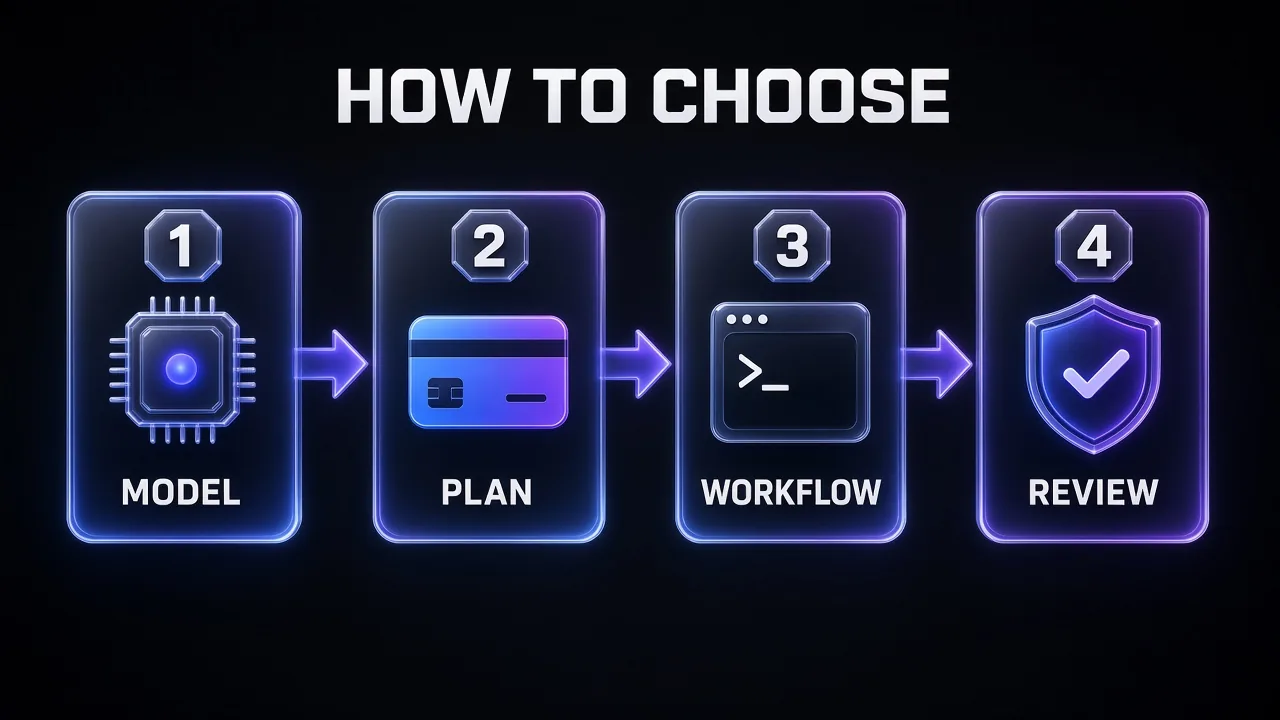
- Model. If you need Gemini 4 Argon, it's Antigravity (App, CLI or extensions). If you only want Claude, both work, but Claude Code gives you every Claude model and effort setting.
- Plan. No budget? Antigravity's free tier is the only free option. Already paying for Google AI Pro or Claude Pro? Start with the tool your plan already includes.
- Workflow. Terminal, scripts and CI point to Claude Code. A dashboard of parallel agents points to Antigravity's App.
- Review. Want visual artifacts and a sandbox by default? Antigravity. Want the most programmable guardrails, such as classifier-based auto mode and 33 hook events? Claude Code.
| If you… | Pick |
|---|---|
| Want a free coding agent today | Antigravity |
| Need Gemini 4 Argon | Antigravity (not the standalone IDE) |
| Want Claude Opus 5.5 with the most control | Claude Code |
| Run agents in CI, GitHub Actions or Slack | Claude Code |
| Want to supervise several agents visually | Antigravity |
| Need hooks that call webhooks, MCP tools or a second model | Claude Code |
| Code in Xcode, Zed or Visual Studio | Antigravity |
| Want one subscription with Gemini and Claude | Antigravity on Google AI Pro or Ultra |
The Verdict
Claude Code is the better coding agent for professional, day-to-day engineering. Its documentation goes deeper on every control that matters once an agent touches real repositories: permission modes, 33 hook events, subagents as files, headless runs, CI integrations and an SDK in two languages. If you write code for a living and can pay $20 a month, it's our pick.
Antigravity is the better deal. It's the only one with a free tier, its Agent Manager approach makes parallel agents easy to watch, and a $19.99 Google AI Pro plan unlocks both Gemini 4 Argon and Claude Opus 5.5. For students, hobbyists and anyone already paying Google, it's the smarter first install.
My take: learn Claude Code if you want the most control, and keep Antigravity installed for its free tier and for Argon. Because both read AGENTS.md and share the SKILL.md format, running both on the same repo costs you very little.
Coding agents handle the repo. For the research around it, such as reading docs, comparing tools and drafting specs, Genspark is the general-purpose agent we'd reach for next.
Frequently Asked Questions
9 questions answered