The PromptsRush journal
AI ToolsClaude Skills vs MCP Tools vs Subagents: When to Use Each
Skills teach Claude how, MCP tools let it reach external systems, and subagents do noisy work in their own context window. Here's how each one loads, what it costs in context, and a simple framework for picking the right layer.

Advertisement
Short version: a skill teaches Claude how to do something, an MCP tool lets Claude reach something, and a subagent does a piece of work somewhere else and reports back. Know-how, access, isolation. Most setups that feel bloated or unreliable are using one of the three for a job that belongs to another.
Anthropic's own one-liner for two of them is the cleanest rule of thumb around: "If you're explaining how to do something, that's a skill. If you need Claude to access something, that's MCP." Add a third rule, "if the work would flood your conversation with output you won't read again, that's a subagent," and you have most of the decision. If you've already written a lean instruction file using our guide on how to write AGENTS.md and CLAUDE.md files that actually work, this is the next layer: where everything that doesn't belong in that file should live.
Sources: the Claude Code and Claude API docs, the MCP specification (revision 2026-07-28) and Anthropic's engineering posts, all checked on 25 October 2026. We haven't benchmarked these setups ourselves, so every number below comes from a named source.
What You'll Get From This Guide
- Plain-English definitions of each building block and how it loads into context.
- A comparison table and a decision framework with common jobs mapped to the right layer.
- Three copy-ready prompts: write a SKILL.md, audit your MCP servers, define a subagent.
Skills, MCP Tools and Subagents at a Glance
All three extend Claude, but at different points in the agent loop. The Claude Code docs describe them in one line each: skills "add reusable knowledge and invocable workflows," MCP "connects Claude to external services and tools," and subagents "run their own loops in isolated context, returning summaries."
- Skills are folders with a
SKILL.mdfile: instructions, checklists, reference material and optional scripts. Anthropic compares building one to "putting together an onboarding guide for a new hire." If the broader idea is new to you, start with what AI skills are and why they matter. - MCP tools come from servers that speak the Model Context Protocol, an open protocol for connecting AI applications to external data sources and tools. A server exposes functions such as "query this database" or "create this issue," and Claude calls them.
- Subagents are specialised assistants Claude delegates to, each with its own system prompt, tool access and permissions. Each one runs in its own context window and returns only its result to your main conversation.
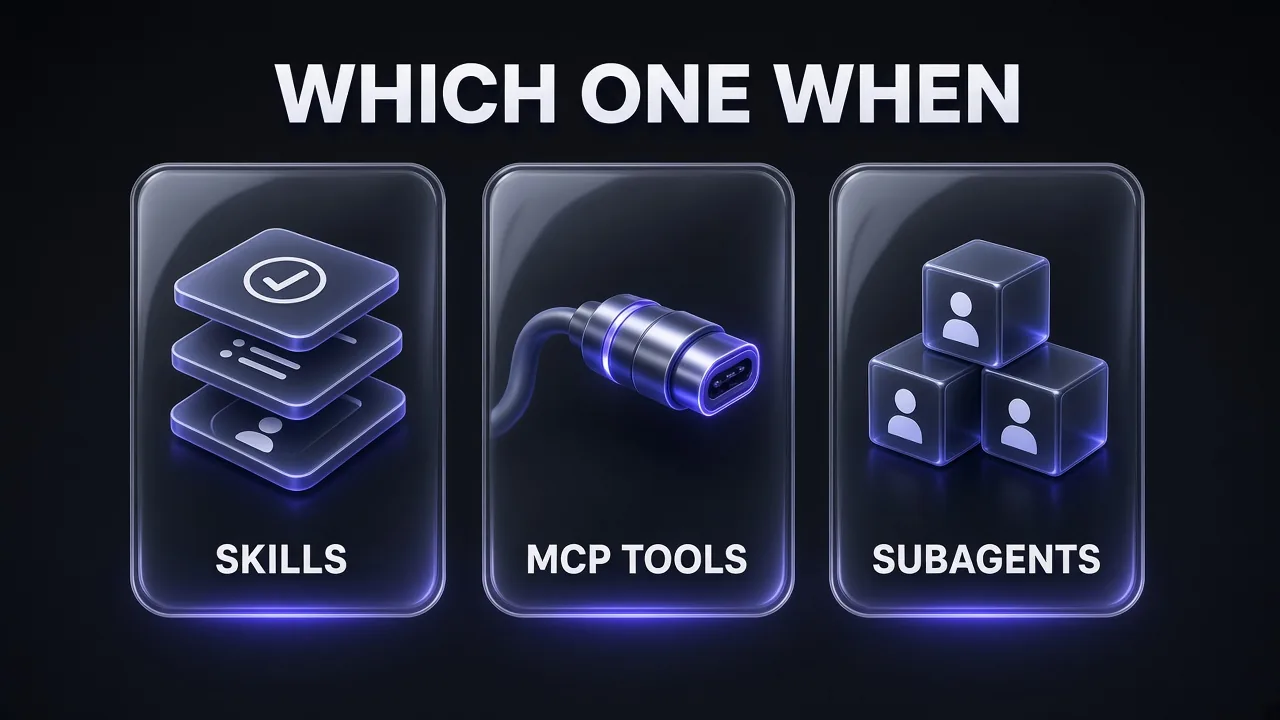
Put simply: skills change what Claude knows, MCP changes what Claude can touch, and subagents change where the work happens.
Claude Skills: Reusable Know-How That Loads on Demand
A skill is a directory containing a SKILL.md file with YAML frontmatter (a name and a description) followed by Markdown instructions. In Claude Code, personal skills live in ~/.claude/skills/<name>/ and project skills in .claude/skills/<name>/, which you commit so the whole team gets them. Claude can load a skill automatically when your request matches its description, or you can call it directly with /skill-name. Old custom slash commands have been merged into skills.
---
name: release-notes
description: Drafts release notes from merged PRs in our house format. Use when the user asks for release notes, a changelog entry or a version summary.
disable-model-invocation: true
---

## Steps
1. List PRs merged since the last tag with: gh pr list --state merged --base main
2. Group them under Features, Fixes and Internal.
3. One line per PR, written for users, not engineers.
4. Flag anything touching billing/ or auth/ for human review.

## Reference
- Tone and examples: see examples.md (read only when drafting)
How a skill loads: progressive disclosure
Skills use what Anthropic calls progressive disclosure: information loads in stages. The Claude API docs put numbers on each:
- Level 1, metadata: the name and description, always loaded at startup, about 100 tokens per skill.
- Level 2, instructions: the
SKILL.mdbody, loaded only when the skill triggers, recommended to stay under 5,000 tokens. - Level 3, resources: bundled files and scripts, which cost nothing until Claude reads them. When Claude runs a bundled script, only its output enters context, not the code.
That's why the Claude Code docs say long reference material in a skill "costs almost nothing until you need it." Our full walkthrough on how to create a Claude skill covers folder structure and testing step by step.
When a skill is the right answer
The docs give a clear trigger: you keep pasting the same instructions, checklist or procedure into chat, or a section of CLAUDE.md "has grown into a procedure rather than a fact." Think release checklists, review standards, runbooks, style guides and database query patterns.
Pro tip: a loaded skill stays in your conversation for the session, and the docs warn "every line is a recurring token cost." Keep the body tight and push long examples into separate files.
MCP Tools: The Connection to Systems Claude Can't See
The Model Context Protocol is the plumbing. The spec defines hosts (like Claude Code), clients (connectors inside the host) and servers, talking JSON-RPC 2.0. Servers offer tools (functions the model can execute), resources (context and data) and prompts (templated workflows for users). "MCP tools" means the first category.
MCP is the right layer whenever Claude needs live data or actions in a system it can't otherwise reach: your database, Slack, GitHub, a browser. The docs phrase the trigger well: "You keep copying data from a browser tab Claude can't see." In Claude Code you add a remote server with claude mcp add --transport http <name> <url>. Servers are private to you by default (local scope), or shared with your team through a committed .mcp.json at the project root. For a shortlist of servers worth installing, see our roundup of the best MCP servers for Claude Code.
Web data is a common gap: if your agents need clean page content rather than raw HTML, a scraping API is the usual piece to connect.
What MCP doesn't do
MCP gives Claude access, not judgement. A database server lets Claude run queries; it doesn't say which tables matter. That knowledge belongs in a skill. Anthropic's docs describe the pairing directly: "MCP provides the connection; a skill teaches Claude how to use it well."
It's also not a security boundary by itself. The spec says tools "represent arbitrary code execution and must be treated with appropriate caution," so install servers the way you'd install packages: from sources you trust.
Subagents: Isolated Workers With Their Own Context Window
A subagent is a specialised assistant Claude delegates to. The docs describe it precisely: "Each subagent runs in its own context window with a custom system prompt, specific tool access, and independent permissions." It starts fresh, without your conversation history, invoked skills or files Claude already read. Claude writes it a delegation message, and only its final result comes back.
That isolation is the point. A subagent can read dozens of files or grep a huge log, and none of that output lands in your main session. This matters because of context rot, the accuracy drop models show as their window fills: keeping noise out of the main thread keeps the main thread sharp.
Claude Code ships with built-in subagents, including Explore (read-only codebase search), Plan (read-only research in plan mode) and general-purpose (all tools). Custom subagents are Markdown files in .claude/agents/ (project) or ~/.claude/agents/ (all your projects). Only name and description are required:
---
name: log-investigator
description: Reads large log files and test output to find the root cause of a failure. Use when a test run or log is too long to read in the main conversation.
tools: Read, Grep, Glob, Bash
model: haiku
maxTurns: 20
---

You investigate failures. Read only what you need. Return:
1. The single most likely root cause, with file and line.
2. The 3-5 log lines that prove it.
3. One suggested fix. Do not edit files.
When a subagent is the right answer
The docs list three conditions: the task produces verbose output you don't need, you want specific tool restrictions, or the work is self-contained and can return a summary. Skip one for frequent back-and-forth, phases that share a lot of context, quick changes and anything latency-sensitive, because a subagent "starts fresh and may need time to gather context."
Pro tip: isolation protects your context window, not your bill. The docs are explicit that each subagent "sends its own requests, which count toward the same usage limits as your main conversation." Use the model field to route simple subagent jobs to a smaller model like Haiku.
Skills vs MCP vs Subagents: Comparison Table
| Skills | MCP tools | Subagents | |
|---|---|---|---|
| What it adds | Know-how: instructions, checklists, reference, scripts | Access: live data and actions in external systems | Isolation: a separate worker with its own context |
| Where it lives | .claude/skills/<name>/SKILL.md or ~/.claude/skills/ | Server config: .mcp.json (project) or ~/.claude.json | .claude/agents/<name>.md or ~/.claude/agents/ |
| What loads at startup | Name and description (about 100 tokens each) | Tool names and server instructions (with tool search on) | Name, description and tool list |
| What loads when used | Full SKILL.md body, into your main window | The tool's full schema, then each call's result | Nothing in your window until the summary returns |
| How it's triggered | Claude matches the description, or you type /name | Claude calls the tool | Claude delegates by description, or you ask for it by name |
| Best for | Repeatable workflows, standards, domain knowledge | Databases, Slack, GitHub, browsers, APIs | Deep search, log analysis, audits, parallel research |
| Typical failure | Vague description, so it never triggers or triggers wrongly | Too many servers, wrong tool picked, huge results | Used for tiny tasks; summary too long; extra token spend |
| Portable beyond Claude Code? | Yes: Agent Skills is an open standard | Yes: MCP is an open protocol | Claude Code and Agent SDK feature |
The last row is easy to overlook: Anthropic published Agent Skills as an open standard in December 2025, and MCP has been open since its November 2024 launch, so both travel with you across compatible tools.
How Each One Spends Your Context Window
This is where the three really differ, and where most bloated setups go wrong.
Skills: cheap until invoked, then they stay
At startup Claude only sees each model-invocable skill's name and description. In Claude Code, that combined text is truncated at 1,536 characters per skill, and the whole listing has a budget that scales at 1% of the model's context window. Install too many and Claude Code drops descriptions for the ones you use least, so they stop matching. Skills set to disable-model-invocation: true cost nothing until you call them.
After compaction, Claude Code re-attaches invoked skills but keeps only the first 5,000 tokens of each, inside a shared 25,000-token budget. Put the most important instructions at the top of SKILL.md.
MCP: tool search changed the maths
Anthropic's November 2025 advanced tool use post shows why MCP got a reputation for eating context. In its example, five servers (GitHub, Slack, Sentry, Grafana and Splunk) exposed 58 tools that consumed about 55,000 tokens before the conversation even started, and Anthropic said it had seen tool definitions consume 134,000 tokens before optimisation. Results add up too: a separate post estimates one two-hour meeting transcript passed between tools could mean an extra 50,000 tokens.
Claude Code now defers MCP tool definitions by default through tool search: only tool names and server instructions load at session start, so "adding more MCP servers has minimal impact on your context window." Two caveats: some deployments and older models still load every tool upfront, and tool results still land in context. Claude Code warns when one MCP tool's output passes 10,000 tokens and caps it at 25,000 tokens by default.
Subagents: isolated, but not free
A subagent's reading happens in its own window; only the final message and a small metadata trailer come back. The catch is total spend. Anthropic's write-up of its multi-agent research system reported that agents typically use about 4x more tokens than chat, and multi-agent systems about 15x more. If several subagents need the same starting context, a forked subagent reuses the parent's prompt cache, which the docs say makes it cheaper than a fresh one; our explainer on how Claude prompt caching works covers why that matters.
Pro tip: run/contextin Claude Code for a live breakdown of what's using your window,/mcpto disable servers you aren't using, and/skill-doctorto see which skills are costing context without ever being invoked.
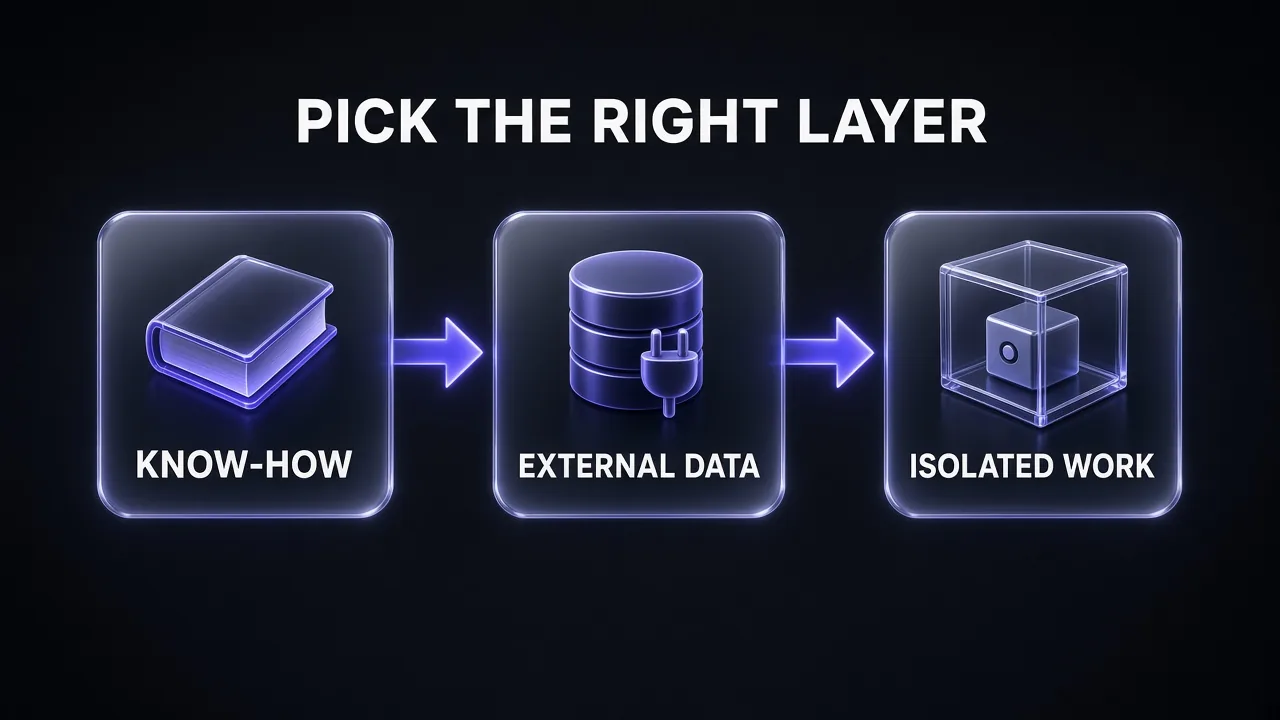
The Decision Framework: Pick the Right Layer
Run any new piece of setup through three questions, in order. Stop at the first "yes," then ask whether a second layer belongs on top.
- Is it know-how? Instructions, a procedure, standards, a schema, examples: anything you'd otherwise explain. That's a skill. (If Claude needs it in every single session, it's a CLAUDE.md line instead.)
- Does it need external data or actions? Claude has to read or change something in a system it can't reach with its built-in tools. That's an MCP server, unless a CLI already does the job.
- Should the work happen out of sight? The task is self-contained, noisy, needs different tool permissions, or can run in parallel with other work. That's a subagent.
One nuance on question 2 that's easy to miss: the Claude Code costs page says CLI tools like gh, aws, gcloud and sentry-cli "are still more context-efficient than MCP servers because they don't add any per-tool listing." If Claude can already do the job with a command-line tool, you may not need a server at all.
| The job | Right layer | Why |
|---|---|---|
| Your team's PR review checklist | Skill | Repeatable procedure; loads only when reviewing |
| Query the production analytics database | MCP server + skill | MCP for access; skill for schema and safe query patterns |
| Find why a 40,000-line test log failed | Subagent | Verbose output you won't reread; return only the cause |
| Post a release summary to Slack | Skill with disable-model-invocation + Slack MCP | Side effect you want to trigger yourself; MCP does the posting |
| Security, performance and style audit of a repo | Skill that spawns subagents | One entry point; parallel isolated reviewers |
| "Always use pnpm, never npm" | CLAUDE.md | A fact for every session, not a procedure |
| "Never edit .env files" | Hook or permission rule | Must be enforced; instructions are requests, not guarantees |
The last rows are deliberate. The docs say an instruction like "never edit .env" in CLAUDE.md or a skill "is a request, not a guarantee." Sometimes the right layer is none of these three.
How Skills, MCP and Subagents Work Together
The best setups rarely pick one. The docs describe three combinations worth copying.
Skill + MCP: access plus judgement
MCP connects Claude to your database; a skill documents the schema and the query patterns your team trusts. Without the skill, Claude has access but guesses. Without MCP, the skill is a manual Claude can't act on.
Subagent + preloaded skills: a specialist with a playbook
A custom subagent can list skills in its skills field; they're injected in full at startup, so it begins with the playbook in hand. An mcpServers field can give it specific MCP servers, keeping a noisy server's tools out of your main session.
Skill with context: fork: a workflow that runs in isolation
Adding context: fork to a skill's frontmatter runs it inside a subagent, with the SKILL.md content as the task and the agent field choosing the subagent type, such as read-only Explore. The docs warn this only suits skills with explicit task instructions; pure guidelines give the subagent nothing to do.
A newer bridge sits at the protocol level: an official MCP Skills extension lets servers publish SKILL.md-based skills for clients to load on demand. Its spec is final, but the MCP site says SDK and host support "is still being implemented," so watch it rather than rely on it.
Three Prompts to Set Up Each Layer
Replace the bracketed parts. The first turns a procedure you keep retyping into a skill; for finished examples, browse the Promptsrush skills marketplace.
Turn a Repeated Workflow Into a SKILL.md
I keep repeating this workflow by hand: [DESCRIBE THE WORKFLOW, OR PASTE THE INSTRUCTIONS YOU USUALLY TYPE].

Turn it into an Agent Skill.

1. Write a SKILL.md with YAML frontmatter containing a lowercase, hyphenated name (max 64 characters) and a description under 300 characters that says both what the skill does and when to use it, with the trigger words a user would naturally say.
2. Keep the body under 150 lines: numbered steps, exact commands, and a short "do not" list.
3. Move long examples, templates or reference tables into separate files and reference each one from SKILL.md with one line saying when to read it.
4. If any step has side effects (deploying, posting, sending, deleting), add disable-model-invocation: true and say why.
5. End with three requests that should trigger the skill and two that should not.
Audit Which MCP Servers to Keep
Here is my current MCP setup: [PASTE YOUR .mcp.json OR THE OUTPUT OF /mcp AND /context].

Audit it like a cost reviewer.

For each server, give me:
- What it lets the agent reach that nothing else can
- Whether a CLI tool I already have (gh, aws, gcloud, psql, etc.) could do the same job
- How often my typical tasks would need it: daily, weekly, rarely
- A verdict: keep, keep but scope to one subagent, or remove

Then flag overlapping servers and vaguely described tools the agent could confuse. End with the three changes that would save the most context.
Write a Focused Subagent Definition
Create a Claude Code subagent file for this job: [DESCRIBE THE SIDE TASK, E.G. "INVESTIGATE FAILING TESTS AND REPORT THE ROOT CAUSE"].

Requirements:
- Frontmatter with name, a one-sentence description that says exactly when to delegate to it, a minimal tools list (read-only unless the job truly needs edits), and model set to haiku unless the job needs deep reasoning.
- Add maxTurns to stop runaway loops.
- A system prompt under 25 lines that defines the goal, what to ignore, and a strict return format of no more than 15 lines.
- A note on what the main conversation should pass in the delegation message, since the subagent will not see our chat history.

Save it as .claude/agents/[NAME].md and explain each choice in one line.
Common Mistakes When Choosing Between Them
- Turning knowledge into a subagent. If several agents or conversations need the same expertise, Anthropic's guidance is to make it a skill. Skills are portable; a subagent's system prompt only helps that one subagent.
- Using a subagent for a two-minute task. It starts cold and spends its own tokens. Quick changes belong in the main conversation.
- Installing every MCP server you find. Tool search softens the context cost, but Anthropic names wrong tool selection and incorrect parameters as the most common failures. Fewer, clearer servers win.
- Vague skill descriptions. Claude chooses skills by matching your request against their descriptions. "Helps with PDFs" won't trigger reliably; say what it does and when to use it, with the key use case first.
- Putting procedures in CLAUDE.md. A deploy runbook there loads into every session; as a skill, it loads only when needed. Our 12 context engineering patterns for Claude Code cover this and the other "keep it out of the window" habits.
- Treating any of them as a guardrail. Skills and subagent prompts are instructions. Hard limits belong in hooks, permission rules and a subagent's
toolslist. - Running untrusted skills or servers. Both can run code. Read a third-party SKILL.md and its scripts before installing.
Verdict: Know-How in Skills, Access in MCP, Noise in Subagents
My take: start with skills. They're the cheapest layer, they're portable, and most "Claude keeps doing this wrong" problems are missing know-how. Add an MCP server only when Claude must reach a system it can't touch and no CLI covers it. Reach for a subagent when a task would bury your conversation in output, needs tighter permissions, or can run in parallel.
Honest answer to "which one is best?": none of them, alone. The strongest pattern in Anthropic's docs is the stack: MCP for access, a skill that teaches Claude to use it well, and a subagent that runs the noisy part out of sight. Get those roles straight and your sessions stay smaller and easier to steer.
Frequently Asked Questions
10 questions answered