The PromptsRush journal
Tutorials12 Context Engineering Patterns for Claude Code Agents
Most Claude Code slowdowns are context problems. Here are 12 context engineering patterns, grouped into write, select, compress and isolate, each tied to a documented Claude Code feature: CLAUDE.md, rules, skills, hooks, /compact, /clear and subagents.
Advertisement
Short version: most Claude Code problems that look like "the model got dumber" are context problems. The session filled up with old logs, stale file reads and half-relevant instructions, and Claude started missing things. Anthropic's own docs put it bluntly: Claude's context window "fills up fast, and performance degrades as it fills."
The fix isn't one trick. It's a set of habits that decide what goes into the window, what stays out, and what gets thrown away. Below are 12 context engineering patterns for Claude Code agents, grouped into four families, each tied to a feature the current Claude Code docs actually document. If you want the concept first, read our primer on what context engineering is and how it differs from prompt engineering.
Sources: Anthropic's context engineering post, the Claude Code docs, LangChain and Chroma, all checked on 24 October 2026. We haven't benchmarked these patterns ourselves, so every number below comes from a named source.
What You'll Get From This Guide
- 12 patterns, each tied to a Claude Code feature, file or command, plus a summary table and a verdict on where to start.
- Copy-ready snippets: a lean CLAUDE.md layout, a path-scoped rule, a compaction hook and a read-only subagent.
- Three prompts for delegation, compaction handoffs and spec-first work.
Why Context Is the Bottleneck in Claude Code
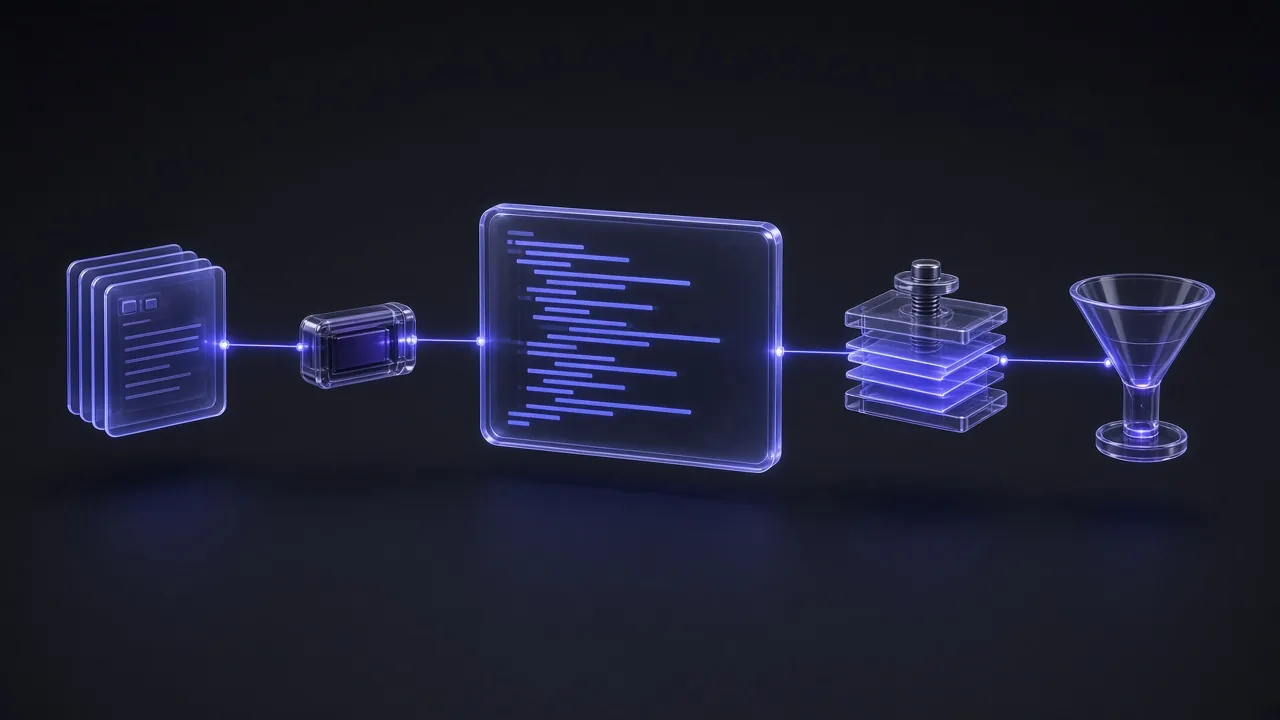
Every message you send in Claude Code re-sends the whole working context: the system prompt, your CLAUDE.md files, every earlier message, every file Claude read and every tool result. Before you type anything, CLAUDE.md, auto memory, MCP tool names and skill descriptions are already loaded. Then each file read, command output and hook adds more.
That matters because of context rot, the accuracy drop models show as their window fills. In Chroma's July 2025 study of 18 models, using the LongMemEval benchmark, every model family scored significantly higher with a focused prompt of about 300 tokens than with the full 113,000-token history.
Anthropic's guiding principle is the one to remember: find "the smallest possible set of high-signal tokens that maximize the likelihood of some desired outcome." Every pattern below serves that goal.
The Four Pattern Families: Write, Select, Compress, Isolate
LangChain's July 2025 post on context engineering groups agent strategies into four buckets, and they map neatly onto Claude Code. Write means saving context outside the window so it survives. Select means pulling only the right context in, when it's needed. Compress means keeping only the tokens the task still needs. Isolate means splitting work so noisy context never reaches your main session. Anthropic's post names the same long-horizon tools: compaction, structured note-taking and sub-agent architectures.
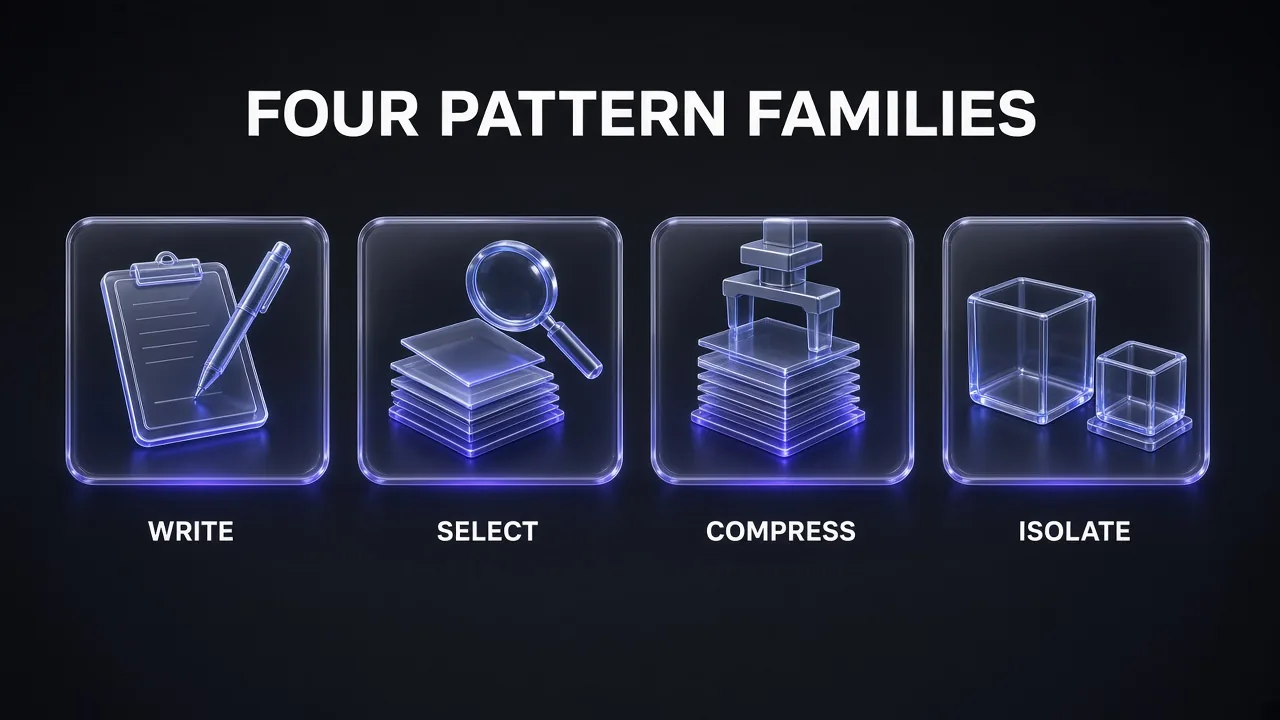
Patterns 1-3 are Write, 4-7 are Select, 8-10 are Compress and 11-12 are Isolate. You don't need all 12 on day one. The verdict at the end says where to start.
Write: Persist What Matters Outside the Window
Pattern 1: Keep CLAUDE.md Lean and Factual
CLAUDE.md is Claude Code's always-on memory: it loads at the start of every session, and the project-root file is re-read from disk after every compaction. That makes it the most valuable and the most expensive real estate you have. The docs recommend under 200 lines per CLAUDE.md file, because longer files "consume more context and reduce adherence."
What belongs there: build and test commands, conventions, project layout and "always do X" rules. What doesn't: multi-step procedures and instructions that only matter for one part of the codebase. Those go into skills or path-scoped rules (patterns 2 and 4).
## Commands
- Build: pnpm build
- Test one file: pnpm vitest run path/to/file.test.ts
- Lint before committing: pnpm lint

## Conventions
- API handlers live in src/api/handlers/
- Use 2-space indentation; no default exports

## Compact instructions
When compacting, always preserve the full list of modified files,
open bugs and any test commands we used.

<!-- Maintainer note: keep this file under 200 lines -->
Three details from the docs are easy to miss:
- Imports don't save tokens. Splitting CLAUDE.md with
@pathimports helps organisation, but imported files load together with the file that imports them. - HTML comments are free. Block-level
<!-- -->comments are stripped before the content reaches Claude, so notes for human maintainers cost no context. - Check what loaded. Run
/contextto see the memory files in your session, and/memoryto edit them.
Pro tip: CLAUDE.md is guidance, not enforcement. The docs say Claude "treats them as context, not enforced configuration." If something must never happen, such as editing .env, block it with a PreToolUse hook or a permission deny rule instead of a sentence in CLAUDE.md.
Pattern 2: Scope Rules to the Files They Govern
Large projects outgrow one CLAUDE.md. Claude Code's answer is .claude/rules/: one Markdown file per topic. Add a paths field in the frontmatter and the rule loads only when Claude reads, writes or edits a matching file. Your API rules stay out of the window while Claude works on CSS.
---
paths:
  - "src/api/**/*.ts"
---

# API rules
- Every endpoint validates input with the shared zod schemas
- Errors use the standard { code, message } response shape
Rules without paths load at launch like CLAUDE.md, so only leave truly global rules unscoped. One trade-off: path-scoped rules load into message history, so compaction summarises them away until a matching file is touched again. If a rule must survive compaction, move it into the project-root CLAUDE.md.
Pattern 3: Write Plans, Specs and Progress to Files
Anthropic calls this structured note-taking: the agent writes notes to files outside the context window and reads them back later, the way Claude Code keeps a to-do list or a custom agent keeps a NOTES.md. Notes survive /clear and compaction; conversation doesn't.
Claude Code gives you three ready-made places to do this:
- Plan mode. Press
Shift+Tabor prefix a prompt with/plan, and Claude reads, explores and writes a plan without editing your source until you approve it. The plan is re-injected from disk after compaction. - A spec file. Anthropic's best-practices page suggests having Claude interview you, write a complete spec to
SPEC.md, then start a fresh session to implement it. - Auto memory. Claude saves its own notes about your corrections and preferences to a
MEMORY.mdindex, whose first 200 lines or 25KB load every session.
The spec-first prompt, adapted from the Claude Code docs:
Spec-First Interview Prompt
I want to build [BRIEF DESCRIPTION OF THE FEATURE]. Interview me in detail using the AskUserQuestion tool.

Ask about technical implementation, UI/UX, edge cases, concerns and tradeoffs. Don't ask obvious questions; dig into the hard parts I might not have considered.

Keep interviewing until we've covered everything, then write a complete spec to SPEC.md. The spec must name the files and interfaces involved, list what is out of scope, and end with an end-to-end verification step that proves the feature works.
Then run /clear or open a new session and say "Implement SPEC.md." The implementation session starts clean, with the spec as its only briefing.
Select: Load the Right Context Just in Time
Pattern 4: Move Procedures Into Skills
Skills are the cleanest form of progressive disclosure in Claude Code. By default, only a skill's description sits in context; the full SKILL.md body loads when you type /skill-name or when Claude decides the skill is relevant. The docs say long reference material in a skill "costs almost nothing until you need it."
That makes skills the right home for anything procedural: your PR review checklist, the release process, the database migration steps. Each of those sitting in CLAUDE.md costs tokens in every session, even when you're fixing a typo. If you've never built one, our step-by-step guide to creating a Claude skill walks through the file format.
- Front-load the description. The combined
descriptionandwhen_to_usetext is truncated at 1,536 characters in the skill listing, so put the key use case first. - Hide manual-only skills.
disable-model-invocation: trueremoves the description from Claude's context entirely. Use it for/deploy-style workflows you only ever trigger yourself. - Run heavy skills in isolation.
context: forkruns a skill in a subagent that doesn't see your conversation history, so the skill's work stays out of your main window.
Pattern 5: Retrieve Just in Time, Not Up Front
Anthropic describes Claude Code as a hybrid agent: CLAUDE.md is dropped into context up front, while tools like glob and grep "navigate its environment and retrieve files just-in-time." It keeps lightweight references like file paths and links, and loads content only when needed.
You help this along by how you prompt. The Claude Code cost docs contrast a vague request like "improve this codebase", which triggers broad scanning, with "add input validation to the login function in auth.ts", which lets Claude work with minimal file reads. In practice:
- Point, don't paste. Give Claude the file path or the URL and let it fetch, instead of pasting 2,000 lines into the prompt.
- Name the scope. "Look only in
src/billing/" stops the infinite-exploration failure the best-practices page warns about. - Clean web content before it lands. Raw HTML is mostly noise. A scraper such as Firecrawl returns pages as clean Markdown, so Claude reads the content, not the markup.
Pattern 6: Keep the Tool Surface Small
Anthropic calls "bloated tool sets" one of the most common failure modes it sees: "If a human engineer can't definitively say which tool should be used in a given situation, an AI agent can't be expected to do better." Every tool definition also costs context.
Claude Code already does a lot here. MCP tool search is on by default: tool definitions are deferred, and only tool names and server instructions load at session start. The rest is up to you:
- Disable servers you aren't using with
/mcp. Our list of the best MCP servers for Claude Code is a menu, not a shopping list. - Prefer CLI tools. The docs say tools like
gh,aws,gcloudandsentry-cliare "still more context-efficient than MCP servers" because they add no per-tool listing. - Scope servers to subagents. Define an MCP server inline in a subagent's
mcpServersfield and its tool descriptions stay out of your main conversation entirely. - Watch big outputs. Claude Code warns when an MCP tool output exceeds 10,000 tokens and caps it at 25,000 by default (
MAX_MCP_OUTPUT_TOKENS). Larger results are saved to a file and replaced with the path.
Pattern 7: Filter Tool Output With Hooks Before It Lands
The cheapest token is the one that never enters the window. Hooks run shell commands at fixed points in Claude Code's lifecycle, and a PreToolUse hook can rewrite a command before it runs. The cost docs give the example of a hook that greps a 10,000-line log for ERROR instead of letting Claude read the whole file, "reducing context from tens of thousands of tokens to hundreds."
The docs' own example filters test runs so only failures come back. In settings.json:
{
  "hooks": {
    "PreToolUse": [
      {
        "matcher": "Bash",
        "hooks": [
          { "type": "command", "command": "~/.claude/hooks/filter-test-output.sh" }
        ]
      }
    ]
  }
}
The script checks whether the command is a test runner (npm test, pytest, go test) and, if so, pipes its output through grep -A 5 -E '(FAIL|ERROR|error:)' | head -100. Run /hooks to confirm it registered.
Compress: Shrink History Without Losing the Plot
Pattern 8: Compact Early, With a Focus
Claude Code compacts automatically as you approach the context limit: per the docs, it "clears older tool outputs first, then summarizes the conversation if needed." The automatic pass has to guess what matters. You don't.
- Compact at natural breaks with a focus:
/compact focus on the auth bug fix. The summary keeps what you choose. - Write standing instructions: a "Compact Instructions" section in CLAUDE.md (see pattern 1) applies to every compaction, including automatic ones.
- Compact part of the history:
/rewind(orEsctwice), pick a message and choose Summarize from here or Summarize up to here. - Move the trigger earlier:
/autocompactwith a token count, like/autocompact 500k, sets how full the window gets before the automatic pass runs.
Anthropic warns that overly aggressive compaction can lose "subtle but critical context whose importance only becomes apparent later", so err on the side of keeping too much in your focus line.
For long tasks, ask for an explicit handoff note before you compact or clear, so the state lives in a file rather than only in a summary:
Handoff Note Before Compacting
Before we compact, write a handoff note to HANDOFF.md with these sections:
1. Goal: the task in one sentence.
2. Decisions made so far and why (architecture, libraries, naming).
3. Files changed, one line each on what changed.
4. Open bugs and failing tests, with the exact command to reproduce each.
5. Constraints I've given you in this session, word for word.
6. Next 3 steps.
Keep it under 60 lines. Don't continue the task yet.
Pattern 9: Re-inject Critical Context After Compaction
Knowing what survives compaction tells you where to put things. According to the Claude Code docs:
- Re-injected from disk: project-root CLAUDE.md, unscoped rules, auto memory and the plan Claude wrote in plan mode.
- Reloaded on demand: path-scoped rules and nested CLAUDE.md files, once Claude touches a matching file again.
- Re-read: up to five files Claude read or edited, most recently modified first. A file over 5,000 tokens comes back as a path reference only.
- Capped: invoked skill bodies return at up to 5,000 tokens each and 25,000 in total, oldest dropped first.
- Lost unless you act: instructions you only gave in conversation.
For context that changes during a session, the hooks guide documents a SessionStart hook with a compact matcher. Whatever its command prints to stdout is added to Claude's context after every compaction:
{
  "hooks": {
    "SessionStart": [
      {
        "matcher": "compact",
        "hooks": [
          { "type": "command", "command": "cat HANDOFF.md; git log --oneline -5" }
        ]
      }
    ]
  }
}
Paired with the handoff note from pattern 8, this means the summary never has to carry your current goal, decisions and next steps on its own.
Pattern 10: Clear Between Tasks, and After Two Failed Fixes
The simplest compression is deletion. /clear resets the context window entirely, and the best-practices page recommends it "frequently between tasks." It names the failure modes that make it necessary: the "kitchen sink session" that mixes unrelated work, and "correcting over and over" until the context is full of failed approaches.
Its rule of thumb is worth adopting word for word: if you've corrected Claude more than twice on the same issue, run /clear and start again with a better prompt that includes what you learned. "A clean session with a better prompt almost always outperforms a long session with accumulated corrections."
- Use
/renamebefore clearing so you can/resumethe old session later. - For a quick question about something already in the conversation, use
/btw. It sees your context, but its answer is never added to history. - Edits to your project-root CLAUDE.md made mid-session only take effect after the next
/clear,/compactor restart.
Isolate: Keep Noisy Work Out of Your Main Session
Pattern 11: Delegate Noisy Work to Subagents
Subagents are Claude Code's isolation primitive. Each one runs in its own context window with its own system prompt, tools and permissions, and returns only a summary. The docs say to use one "when a side task would flood your main conversation with search results, logs, or file contents you won't reference again." Anthropic's engineering post adds the scale: a subagent might use tens of thousands of tokens exploring, yet return a distilled summary of often 1,000 to 2,000 tokens.
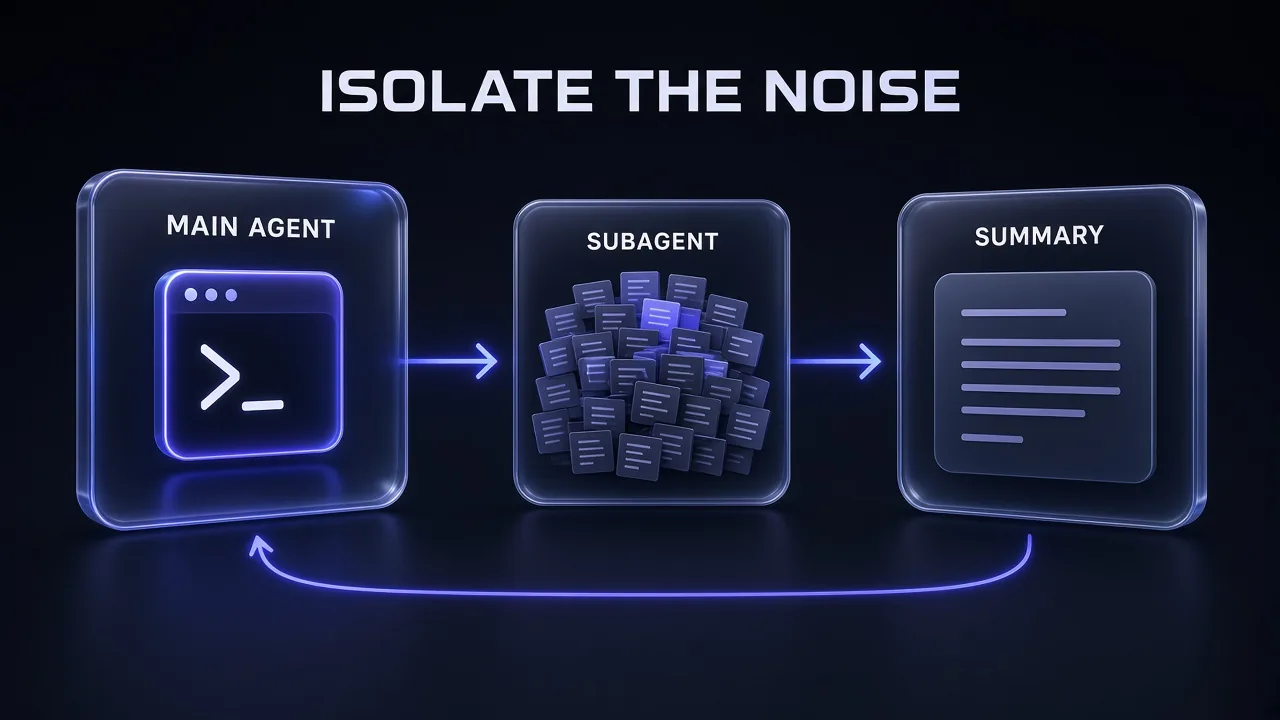
Claude Code ships with built-in subagents, including the read-only Explore agent for searching codebases, Plan for research during plan mode, and a general-purpose agent. Custom ones are Markdown files in .claude/agents/ (project) or ~/.claude/agents/ (all your projects):
---
name: test-runner
description: Runs the test suite and reports only failures. Use after code changes.
tools: Read, Grep, Glob, Bash
model: haiku
---

Run the project's test command. Report only failing tests, each with
the test name, file, error message and the smallest relevant stack lines.
If everything passes, reply with one line: the command and "all passed".
The tools allowlist keeps it read-only, and model: haiku routes the grunt work to a lower-cost model, which the docs list as a reason to use subagents. For the difference between packaged instructions and autonomous workers, see our explainer on AI skills vs AI agents.
Scoped Subagent Delegation
Use a subagent to investigate [QUESTION, e.g. how session tokens are refreshed] in [DIRECTORY, e.g. src/auth/].
Rules for the subagent:
- Read only; don't edit any files.
- Stay inside [DIRECTORY] unless a file there imports something elsewhere.
Report back in under 300 words:
1. The answer in 2-3 sentences.
2. The key files, with line ranges.
3. Anything surprising or risky.
Don't paste whole files into the report.
Two cautions from the docs. Subagents spend their own tokens and count toward the same usage limits, so they aren't free (our Claude Code API pricing breakdown shows where tokens land). And "running many subagents that each return detailed results can consume significant context", which is why the prompt above caps the report length.
Pattern 12: Split Planning, Building and Review Across Fresh Contexts
The last pattern isolates phases, not just side tasks. A context that planned a feature is full of discarded options; a context that wrote the code is biased toward it. The Claude Code docs recommend fresh contexts at both boundaries:
- Plan, then clear. Turn on
showClearContextOnPlanAcceptand the plan-approval prompt gains an option that approves the plan and clears the planning context. - Spec, then a new session. As in pattern 3, implement from
SPEC.mdin a session that never saw the brainstorming. - Review in a fresh subagent. Before treating a task as done, have a subagent review the diff. It sees "only the diff and the criteria you give it, not the reasoning that produced the change."
All 12 Patterns at a Glance
| # | Pattern | Family | Claude Code feature | Start with |
|---|---|---|---|---|
| 1 | Keep CLAUDE.md lean and factual | Write | CLAUDE.md, /context, /memory | Trim to under 200 lines |
| 2 | Scope rules to files | Write | .claude/rules/ with paths | Move one area's rules out of CLAUDE.md |
| 3 | Write plans, specs and progress to files | Write | Plan mode, SPEC.md, auto memory | Spec-first interview prompt |
| 4 | Move procedures into skills | Select | Skills (SKILL.md) | Turn your longest checklist into a skill |
| 5 | Retrieve just in time | Select | Glob, grep, Read, scoped prompts | Give paths, not pasted files |
| 6 | Keep the tool surface small | Select | MCP tool search, /mcp, CLI tools | Disable unused MCP servers |
| 7 | Filter output with hooks | Select | PreToolUse hooks | Failures-only test output |
| 8 | Compact early, with a focus | Compress | /compact, /rewind, /autocompact | Compact Instructions in CLAUDE.md |
| 9 | Re-inject context after compaction | Compress | SessionStart hook, compact matcher | Handoff file + hook |
| 10 | Clear between tasks | Compress | /clear, /btw, /rename | Clear after two failed corrections |
| 11 | Delegate noisy work to subagents | Isolate | Explore, custom agents in .claude/agents/ | A test-runner subagent |
| 12 | Fresh contexts per phase | Isolate | Plan mode, new sessions, reviewer subagent | Fresh-context diff review |
Frequent compaction and delegation mean more model calls. If you're comparing models for summaries and other side work in your own agent pipelines, Z.ai's GLM models are one alternative to test against your own tasks before you commit.
Common Pitfalls
- Treating imports as a diet.
@pathimports load with the file that imports them, so splitting a 600-line CLAUDE.md into imports saves nothing. Move content into path-scoped rules or skills instead. - Editing CLAUDE.md and expecting it to apply now. The project-root file is read once at session start; your change loads on the next
/clear,/compactor restart. - Relying on a path-scoped rule after compaction. It's summarised away until a matching file is touched again. Critical rules belong in the root CLAUDE.md.
- Spawning subagents for everything. The docs prefer the main conversation for back-and-forth work, phases that share a lot of context and quick targeted changes. Subagents start fresh and add latency.
- Letting subagent reports grow. Many detailed reports refill the very window you were protecting. Cap report length in the delegation prompt.
- Switching models mid-task. Each model has its own prompt cache, so a switch makes the next request reprocess the whole conversation. Pick your model and effort at the start, as our Claude prompt caching guide explains.
The Verdict
Honest answer: you don't need a framework to do context engineering in Claude Code. You need about five habits, and the tool already has a feature for each one.
My take on the order to adopt them: first, trim CLAUDE.md under 200 lines and add a Compact Instructions section (patterns 1 and 8). Second, make /clear between tasks a reflex (pattern 10). Third, push test runs, log digging and codebase searches into subagents (pattern 11). Then move procedures into skills and disable MCP servers you don't use (patterns 4 and 6). The hook-based patterns pay off once your sessions regularly run long.
Short version: write it down, load it late, compress it on purpose and isolate the noise. Do that and the context window stops being the thing that quietly breaks your agent.
The same rules apply when you hand research to an agent outside your terminal. Genspark works best with a focused brief and a clear question, not a dump of everything you know.
Frequently Asked Questions
7 questions answered