The PromptsRush journal
TutorialsFirecrawl + Claude: Scrape, Clean and Write From the Web
A step-by-step workflow for researching with Firecrawl and Claude: connect it to Claude or Claude Code, search, scrape pages to clean Markdown, trim the noise and write a cited draft, with credit costs, context limits and three copy-ready prompts.

Advertisement
Short version: Claude writes well from the web only when you control what it reads. Firecrawl gives Claude a search tool, a scraper that returns clean Markdown and a way to strip menus, cookie banners and footers before a single token reaches the model. Wire it into Claude or Claude Code once, then run every research job through the same four stages: search, scrape, clean, write.
This tutorial turns that into a repeatable workflow for articles, briefs and research notes. If you're still choosing which servers belong in your setup at all, start with our list of the best MCP servers for Claude Code, then come back here for the Firecrawl build.
Sources: Firecrawl's documentation and pricing page plus Anthropic's Claude Code and API docs, all checked on 29 October 2026. We haven't benchmarked this workflow ourselves, so every command, limit and credit cost below comes from those pages, linked where it matters.
What You'll Build in This Guide
- A working Firecrawl connection in Claude.ai, Claude Desktop or Claude Code, with or without an API key.
- A four-stage research pipeline that finds sources, scrapes them to Markdown, cleans the output and hands Claude only what it needs.
- Three copy-ready prompts for cleaning and summarising pages, writing a cited draft and fact-checking it against the sources.
- Guardrails for credits, context size, prompt injection, robots.txt and honest citation.
Why Claude Needs Firecrawl for Web Research
Claude already has web tools, so the fair question is what Firecrawl adds. The answer sits in how those built-in tools work.
In Claude Code, WebSearch returns result titles and URLs, and doesn't fetch the pages. WebFetch fetches a URL, converts it to Markdown and then runs your prompt against it in a separate model call, so Claude receives that call's answer rather than the page. Anthropic's own tools reference calls WebFetch "lossy by design" and caps it at 100,000 characters per call. On the Claude API, the web fetch tool currently does not support websites rendered with JavaScript.
That's fine for a quick lookup. It's weak for writing, where you want the full source text, control over which parts of a page survive, and a clean copy you can cite and re-check later.
| Need | Claude's built-in web tools | Firecrawl via MCP or CLI |
|---|---|---|
| Find sources | WebSearch: titles and URLs; backend not configurable | firecrawl_search: results, optionally with full page content |
| Read a page | WebFetch: a model's answer about the page, up to 100,000 characters read | firecrawl_scrape: the page itself as Markdown, HTML, links or JSON |
| Strip boilerplate | Not configurable | onlyMainContent, includeTags, excludeTags |
| JavaScript pages | API web fetch: not supported | Rendered by Firecrawl; waitFor and actions for slow pages |
| Whole site or section | One URL at a time | firecrawl_map and firecrawl_crawl |
There's a second reason: context. Anthropic's context window docs warn that accuracy and recall degrade as token count grows. Five raw pages full of navigation menus can bury the facts you need, which is exactly the failure we unpack in what context rot is and how to fix it. Cleaner input means a better draft.
The Workflow: Search, Scrape, Clean, Write
Every job in this guide follows the same four stages, and each stage has one job:
- Search: find 5 to 10 candidate sources for the question, filtered by domain or date when that matters.
- Scrape: pull the pages you picked as Markdown, main content only.
- Clean: cut what's left of the boilerplate, save each page to a file and summarise it with its URL attached.
- Write: draft from the cleaned notes only, with a citation for every factual claim.
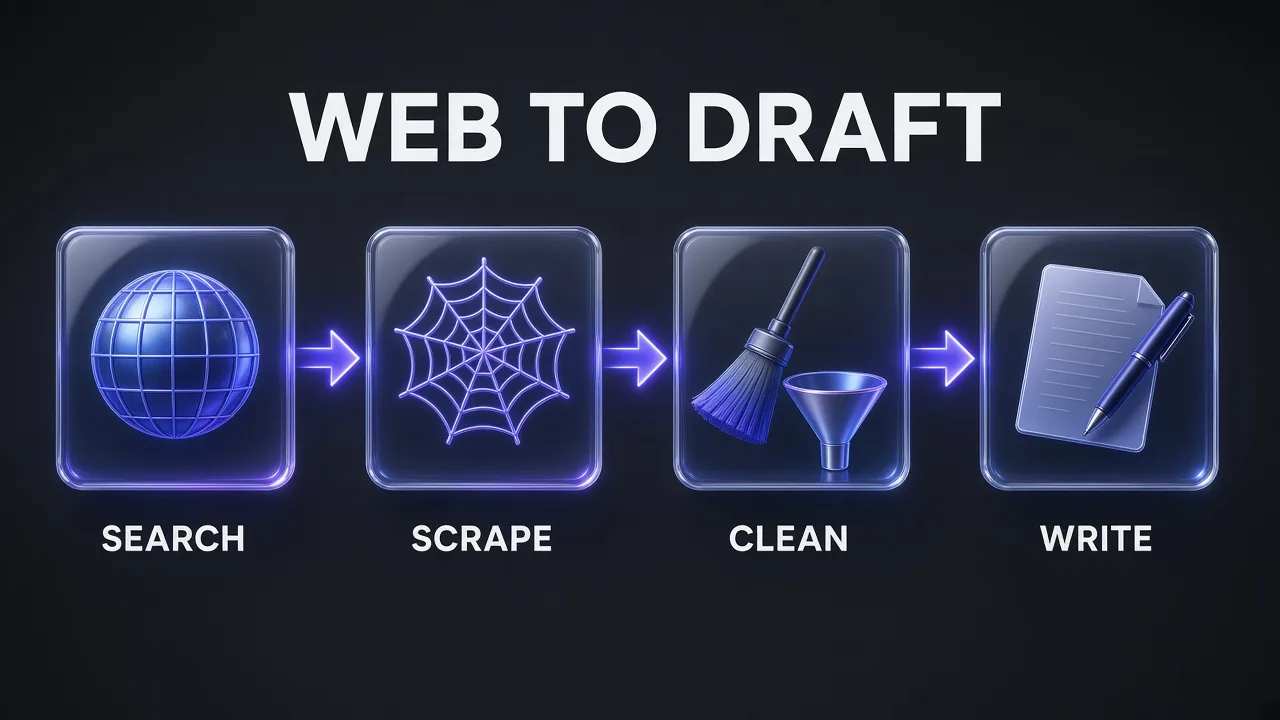
Keeping the stages separate is the point. When search, reading and writing happen in one long turn, you can't tell which source a sentence came from. When each stage leaves a file behind, you can.
Step 1: Connect Firecrawl to Claude or Claude Code
Firecrawl documents several ways in. Pick one; running two firecrawl servers side by side is the most common setup mistake in its troubleshooting notes.
Claude.ai or Claude Desktop: the native connector
If you write in the Claude app, use the Firecrawl connector in Claude's directory. Connect your account, approve a team, then enable Firecrawl in a conversation from the + menu under Connectors. No code, no config file and no pasted key.
Claude Code: try it keyless
Firecrawl runs a keyless hosted MCP endpoint. One command adds it:
claude mcp add --transport http firecrawl https://mcp.firecrawl.dev/v2/mcp
Keyless access is free but rate limited per IP address per day, and it exposes only three tools: firecrawl_search, firecrawl_scrape and firecrawl_parse. That covers this whole workflow for light use.
Claude Code: sign in for the full tool surface
For map, crawl, agent and the rest, connect your account through the OAuth endpoint instead:
claude mcp add --transport http firecrawl https://mcp.firecrawl.dev/v2/mcp-oauth
Then type /mcp inside Claude Code, choose firecrawl and finish the browser sign-in. If a server with that name already exists, Firecrawl's Claude Code quickstart says to run claude mcp remove firecrawl first and start a new session. Use claude mcp list to confirm it shows as connected.
For unattended runs, the same /v2/mcp endpoint accepts an API key as a header. Claude Code's claude mcp add takes --header for this, and it writes to local scope (just you, this project) unless you pass --scope project or --scope user:
claude mcp add --transport http firecrawl https://mcp.firecrawl.dev/v2/mcp \
  --header "Authorization: Bearer <FIRECRAWL_API_KEY>"
Pro tip: Never commit a key-bearing server to a shared .mcp.json. Firecrawl's own docs say to keep the secret out of agent chat and use an environment-variable reference.
Claude Code: the plugin or the CLI skill
Firecrawl's Claude Code integration page lists two more routes. The plugin installs from Claude's official marketplace with claude plugin install firecrawl@claude-plugins-official, followed by /firecrawl:setup to add your key. The CLI route installs the Firecrawl command-line tool plus skills for every coding agent it detects:
npx -y firecrawl-cli@latest init --all --browser
Restart Claude Code afterwards so it finds the new skills. The difference matters for writing work: Firecrawl says the skill writes results to files on disk instead of returning them inline, which makes it more token-efficient for large crawls, and it recommends the skill for most users. The MCP server returns results straight into the conversation. If the trade-off between a skill and an MCP tool is new to you, our guide to Claude skills vs MCP tools vs subagents covers when each one fits.
Step 2: Search for Sources Before You Scrape
Start with a question, not a URL. Ask Claude to search first and show you the result list before it reads anything, so you choose the sources rather than the ranking choosing them for you.
Firecrawl's search endpoint has three controls worth using every time:
limitsets how many results come back. Search costs 2 credits per 10 results, rounded up, so 10 results cost the same as 1.includeDomainsorexcludeDomainsrestrict or remove domains (one or the other, not both).tbsfilters web results by time:qdr:h(past hour),qdr:d(past 24 hours),qdr:w(past week) orqdr:m(past month).
In the CLI the same search looks like this:
firecrawl search "claude code mcp output limit" --limit 10 --tbs qdr:m --pretty -o sources.json
Search can also scrape every result in the same call through scrapeOptions (or --scrape in the CLI). It's convenient, but each scraped result adds its own scrape cost and its full text. For writing, a two-step pattern is usually cleaner: search, pick the 4 to 6 best URLs, then scrape only those.
Step 3: Scrape the Pages Into Markdown
Scraping is where Firecrawl earns its place. A scrape turns one URL into the format you ask for, and the default is Markdown, which is what you want for writing. Other formats include html, rawHtml, links, screenshot, summary and json.
Here's the request behind a clean research scrape, using the REST API so you can see every option:
curl -s -X POST "https://api.firecrawl.dev/v2/scrape" \
  -H "Content-Type: application/json" \
  -H "Authorization: Bearer $FIRECRAWL_API_KEY" \
  -d '{
    "url": "https://docs.firecrawl.dev/features/scrape",
    "formats": ["markdown", "links"],
    "onlyMainContent": true,
    "excludeTags": ["nav", "footer", ".cookie-banner"],
    "maxAge": 0
  }'
What each option does, per Firecrawl's advanced scraping guide:
onlyMainContentistrueby default and strips boilerplate such as nav and footer. Leave it on.includeTags/excludeTagstake CSS selectors (tags, classes, IDs or attributes) and are applied against the original page DOM, so target elements as they appear in the source HTML.maxAgereturns a cached copy if it's fresher than the value in milliseconds. The default is 2 days (172,800,000 ms). Set0for pricing pages, changelogs and anything you'll quote as current.waitForadds extra wait time in milliseconds before scraping (default0), for pages that load slowly.
The CLI equivalent saves straight to a file, which is the habit you want:
firecrawl https://docs.firecrawl.dev/features/scrape --only-main-content --exclude-tags nav,footer -o sources/firecrawl-scrape.md
When one page isn't enough
For a docs section or a blog archive, map the site first. firecrawl_map lists a site's URLs for 1 credit per call, however many URLs it returns, and its search option filters them by text. Then scrape the handful you need, or run firecrawl_crawl with includePaths and an explicit limit: the default crawl limit is 10,000 pages at 1 credit each.
Pages that need a click first
Some content sits behind a tab or a "load more" button. Scrape accepts actions (wait, click, write, press, scroll, screenshot and more), up to 50 per request with no more than 60 seconds of combined waiting. Firecrawl now recommends its newer Interact feature over long action chains, so keep actions short.
Structured facts instead of prose
When you need the same fields from many pages (plan names, prices, release dates), request the json format with a schema and an optional prompt. It costs 4 extra credits per page, so use it for comparison tables, not for reading articles. The old Extract MCP tool is deprecated; JSON format on scrape replaces it.
Step 4: Clean the Scraped Output Before Claude Writes
Main-content mode removes most of the noise, but not all of it. Related-post widgets, author bios, newsletter boxes and repeated headings often survive. If they reach the writing step, Claude treats them as source material.
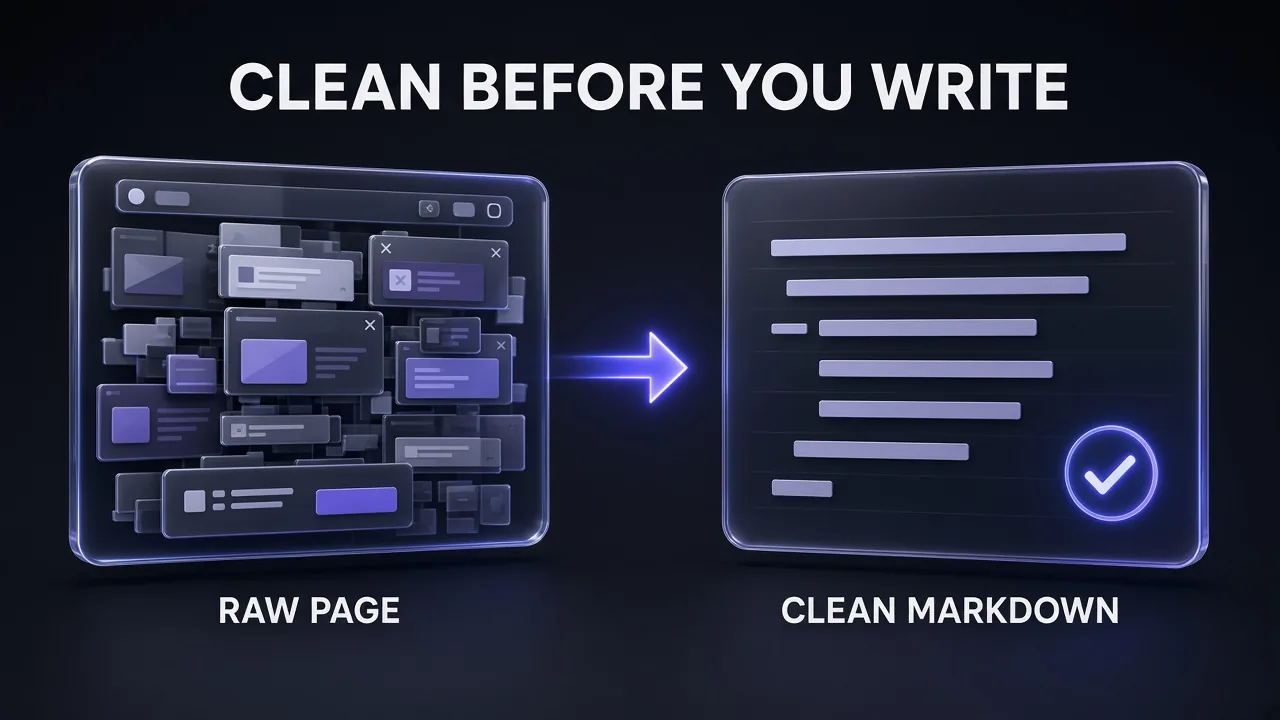
Cleaning has three parts:
- Save every scrape to its own file with the source URL and the date at the top. Files are your audit trail, and they keep raw pages out of the conversation.
- Trim with selectors first, prompts second. If a site always leaves a sidebar behind, add it to
excludeTagsand re-scrape. That's cheaper and more reliable than asking a model to ignore it. - Summarise each file into notes that keep exact numbers, names and quotes, each tagged with its URL. The writing step reads the notes, not the pages.
Size matters here. Claude Code shows a warning when an MCP tool's output exceeds 10,000 tokens and caps it at 25,000 tokens by default, per Anthropic's MCP documentation. You can raise the cap with the MAX_MCP_OUTPUT_TOKENS environment variable, and text results longer than 50,000 characters are saved to a file. Raising the cap rarely helps a draft. Smaller, cleaner inputs do, which is the core idea behind our context engineering patterns for Claude Code.
Use this prompt for the summarising pass, one file at a time:
Clean and Summarise a Scraped Page
You are preparing research notes from one scraped web page. The page is in [FILE PATH] and was scraped from [SOURCE URL] on [DATE].

1. Ignore navigation, cookie notices, newsletter prompts, related-post lists, author bios and ads if any are left.
2. List every factual claim that is relevant to [TOPIC]: numbers, prices, limits, dates, names, commands and direct quotes. Copy numbers and commands exactly.
3. Put each claim on its own line in this format: claim | exact wording or figure | section heading where it appears.
4. Flag anything that looks dated, conditional (plan-specific, region-specific, beta) or contradicted elsewhere on the page.
5. Do not add facts that are not on the page. If the page does not answer [QUESTION], say so.

End with the source URL and the scrape date on separate lines.
Step 5: Write the Draft With Citations
Now Claude writes, and it writes from the notes only. Give it the outline, the notes files and one hard rule: no factual claim without a source URL from the notes. Put your house style in a project CLAUDE.md, which Claude Code reads at the start of every session; our guide to writing AGENTS.md and CLAUDE.md files shows how to set one up.
Write a Cited Draft From Research Notes
Write a [WORD COUNT]-word [ARTICLE TYPE] titled "[TITLE]" for [AUDIENCE].

Use only the research notes in [NOTES FOLDER]. Each note line ends with its source URL.

Rules:
- Every number, price, limit, date and quote must come from the notes. After each one, add the source as a link to its URL.
- If two notes disagree, say so in the text and cite both. Do not pick one silently.
- Paraphrase in your own words. Quote directly only when the exact wording matters, and keep quotes under two sentences.
- If the notes do not cover a point in the outline, write "[NEEDS SOURCE]" instead of filling the gap.
- Follow this outline: [OUTLINE].

After the draft, list every source URL you cited and any [NEEDS SOURCE] gaps.
Then run a separate fact-check pass to catch numbers that drifted during paraphrasing.
Fact-Check a Draft Against Its Sources
Fact-check the draft in [DRAFT FILE] against the research notes in [NOTES FOLDER].

For every factual claim in the draft:
1. Find the note it relies on. If there is none, mark it UNSUPPORTED.
2. Compare the wording and figures exactly. Mark it MATCH, MISMATCH (show both versions) or OVERSTATED (the draft claims more than the source).
3. Check that the cited URL is the one the note came from.

Return a table: claim | status | note line | fix. Do not rewrite the draft. List the three most serious problems first.
The same "brief, sources, rules" structure works in research agents outside your terminal. Genspark handles a tightly scoped research brief well when you want a second set of sources to compare against your own scrapes.
Copyright, robots.txt and Citing Sources Honestly
Scraping a page doesn't give you the right to republish it. This section isn't legal advice, and the rules vary by country and by site, but a few habits keep a research workflow on the right side of the line.
- Read the site's terms. Some sites forbid automated access or reuse of their content. Firecrawl's own n8n guide tells users to follow target websites' terms of service and robots.txt; that responsibility stays with you, not the tool.
- Respect robots.txt. Firecrawl reads robots.txt before it crawls a site and applies the rules for its
FirecrawlAgenttoken and for*. Its crawl docs say robots.txt is respected unlessignoreRobotsTxtis enabled, which is Enterprise-only. Don't go looking for ways around a site that has said no. - Summarise and cite; don't copy. Use scraped text as research. Write your own sentences, quote sparingly with attribution, and link to the source so readers can check it.
- Cite what you actually read. Link the page you scraped, not a search result that pointed to it, and record the date. If a figure came from an aggregator quoting a vendor, find and cite the vendor page.
- Keep personal data out. If a page contains personal information you don't need, don't store it. Firecrawl offers a PII redaction option (+4 credits per page) when you can't avoid such pages.
One more risk is specific to AI workflows: prompt injection. A scraped page can contain text written to steer the model that reads it. Anthropic's MCP docs warn that servers fetching external content can expose you to this, and its API docs flag data exfiltration risks for web fetch. Treat scraped text as data, never as instructions, keep a human review step before anything gets published, and consider Firecrawl's checkPromptInjection option, which scans a page before LLM-backed formats run and adds 4 credits.
What It Costs: Firecrawl Credits and Claude Tokens
Firecrawl bills in credits. From its billing docs:
| Operation | Credit cost |
|---|---|
| Scrape | 1 credit per page |
| Search | 2 credits per 10 results (rounded up), plus scrape costs for any scraped result |
| Map | 1 credit per call |
| Crawl | 1 credit per page |
| JSON format | +4 credits per page |
| PDF parsing | +1 credit per PDF page |
A scrape that fails outright with no document costs nothing, but a page that comes back with a 403 or 404 still counts as 1 credit, so stop retrying blocked URLs. A typical research run of one 10-result search plus six scraped pages works out to 8 credits. The free plan's 1,000 credits a month covers a lot of that; JSON extraction on the same six pages would add 24 more.
On the pricing page, paid plans start with Hobby at $19 a month ($16 a month billed yearly) for 5,000 credits, and Standard at $99 a month ($83 billed yearly) for 100,000 credits. Our Firecrawl pricing breakdown covers every tier, top-ups and the cost per credit.
On the Claude side, everything you scrape becomes input tokens once it's in the conversation, which is another reason to summarise to notes first. If you build this on the API rather than a subscription, Anthropic's web search tool costs $10 per 1,000 searches plus tokens, while web fetch has no charge beyond tokens. Our guide to Claude Code API pricing and rate limits explains the token side.
Tool Stack for This Workflow
| Stage | Tool | Why |
|---|---|---|
| Search | Firecrawl firecrawl_search | Domain and time filters; optional scrape of results |
| Scrape | Firecrawl scrape (MCP or CLI skill) | Markdown output, main-content mode, JavaScript rendering |
| Discover pages | Firecrawl map, then crawl | 1-credit URL lists; crawl only the paths you need |
| Clean and summarise | Claude Code with the CLI skill | Scrapes land in files, not in context |
| Write and fact-check | Claude | Drafts from notes with a citation rule |
| Second opinion | Genspark | Independent research brief to compare against |
If you'd rather run the bulk summarising pass on a different model and keep Claude for the final draft, Z.ai's GLM models are one option; we compare them in GLM-5.3 vs Opus 5.
Common Pitfalls and How to Avoid Them
- Two Firecrawl servers at once. Firecrawl's quickstart says to confirm that only one
firecrawlserver is active. If you switch from keyless to OAuth, remove the old entry withclaude mcp removebefore adding the new one. - Quoting a stale cached page. The 2-day
maxAgedefault is fine for evergreen articles and wrong for pricing. SetmaxAge: 0on anything you'll call current. - Crawling without a limit. The default crawl limit is 10,000 pages. Always pass
limitandincludePaths. - Dumping raw pages into the chat. Large MCP results trigger Claude Code's 10,000-token warning and hit the 25,000-token default cap. Save to files and summarise.
- Trusting a 200 response. Firecrawl's docs say to check
data.metadata.statusCode: the request can succeed while the page itself returned an error. - Letting Claude fill gaps. Without a "[NEEDS SOURCE]" rule, a model will smooth over missing facts with plausible ones. Make gaps visible instead.
Verdict: Is Firecrawl Worth Adding to Claude?
Honest answer: yes, if you write from the web more than occasionally. Claude's built-in tools are fine for a quick check, but they hand Claude a model's summary of a page, and on the API they can't read JavaScript-rendered pages. Firecrawl gives you the page itself, clean, saved and citable, and the keyless endpoint means you can try the whole workflow before creating an account.
Our recommended setup: the connector if you draft in the Claude app, the CLI skill if you work in Claude Code, onlyMainContent on and maxAge: 0 for anything time-sensitive. Keep the four stages separate and the citation rule strict.
Frequently Asked Questions
8 questions answered