The PromptsRush journal
AI ToolsBest AI Video Stack 2026: Kling + HeyGen + Claude + Descript
Claude writes the script, Kling generates the B-roll, HeyGen renders the presenter and Descript edits and captions. Here's what each tool does in the stack, which plan matters, which tool fits which shot, and what it all costs per month.
Advertisement
Short version: the best AI video stack in 2026 is Claude for the script, Kling for B-roll, HeyGen for the on-camera presenter and Descript for the final edit and captions. Each tool owns one stage it does better than the others, and together they cover a full explainer, ad or YouTube video without a camera crew. On monthly billing the entry version of the stack costs about $82 a month; a serious creator setup runs about $137, or about $106 a month if you pay yearly.
The catch is that none of these tools is cheap to misuse. Kling and HeyGen both bill in credits, and the model you pick inside each one changes the cost of a shot far more than the plan does. This guide explains what each tool does in the stack, which plan actually matters, which tool to use for which shot, and what the whole thing costs at three budgets. If you only need one piece, our Descript vs HeyGen comparison covers the most common either-or choice.
Sources: the Kling membership page, HeyGen's pricing page and credits help article, Anthropic's Claude pricing page and model docs, and Descript's pricing page, all checked on October 28, 2026. We haven't run a paid production through this exact stack for this post, so every price, credit rate and limit below comes from the vendors, and every cost example is our own arithmetic.
The AI Video Stack at a Glance
| Stage | Tool | Job in the stack | Plan that matters | From (monthly billing) |
|---|---|---|---|---|
| 1. Script | Claude | Script, hook, shot list, prompts for the other tools | Pro | $20/mo ($17 yearly) |
| 2. Generate | Kling | Cinematic B-roll, product shots, establishing shots | Standard or Pro | $8.80/mo after a $6.99 first month |
| 3. Avatar | HeyGen | Talking presenter, digital twin, translations | Creator or Pro | $29/mo ($24 yearly) |
| 4. Edit | Descript | Assembly, captions, audio clean-up, export | Creator | $35/mo ($24 yearly) |
Every row is replaceable, which is the point of thinking in stages. If you already pay for a different script model or editor, keep it and swap only the layer that's weak.
How the Four-Stage AI Video Pipeline Works
The stack runs in one direction: script, generate, avatar, edit. Claude turns a brief into a timed script and a shot list. Kling generates the visual shots the script calls for. HeyGen renders the presenter segments that need a face and a voice. Descript pulls everything onto one timeline, cleans the audio, adds captions and exports. The script is the contract between stages: if it names every shot and every spoken line up front, the other three tools just execute.
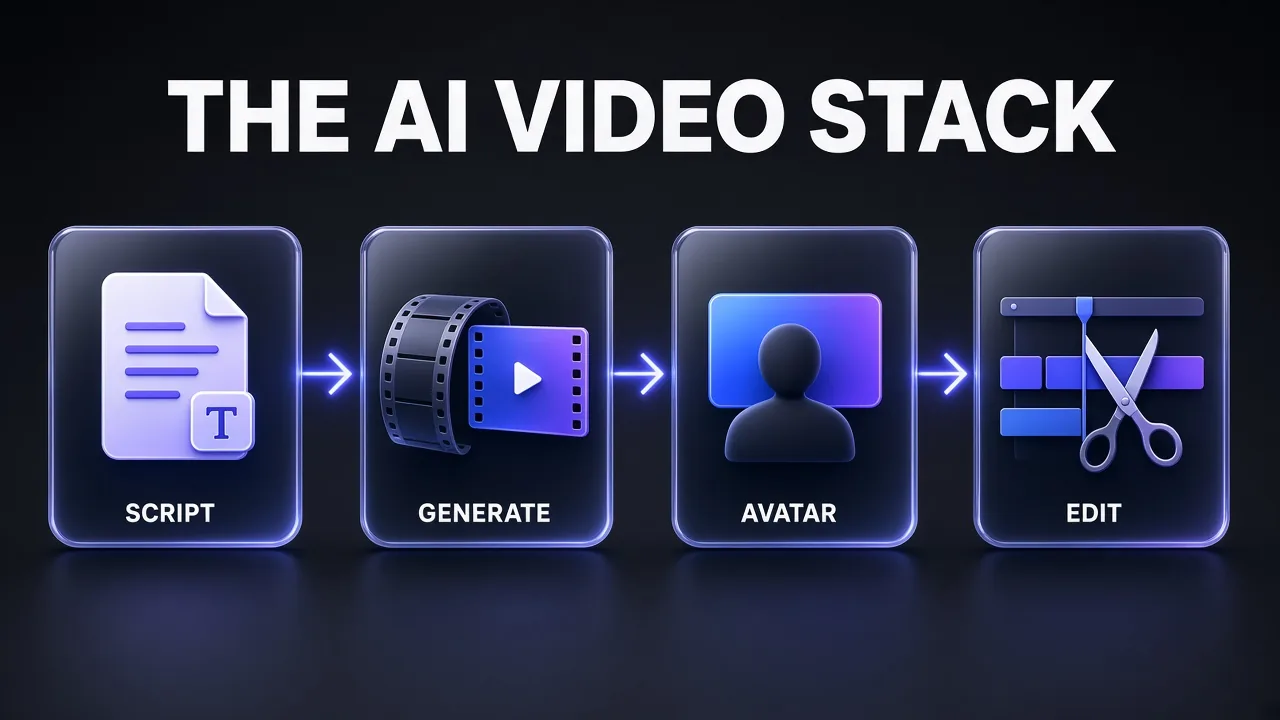
Why four tools instead of one? Because the all-in-one players are converging but still lopsided. HeyGen now offers B-roll generation through models like Seedance and Veo, Descript can generate video and avatars, and Kling has its own avatar and lip-sync features. Each one is still strongest at its original job, and the credit math punishes using a premium model for a shot a cheaper tool handles well. Our take: use the overlaps for convenience, not as your default.
Claude: The Script and Shot-List Layer
Claude is the brain of the stack. It writes the script, but its bigger job is writing everything downstream: the shot list with durations, the Kling prompts for each B-roll shot, the presenter lines for HeyGen and the caption style notes for Descript. A good script prompt turns three creative tools into three execution tools.
Anthropic's current models are Claude Fable 5.1, Opus 5.5, Sonnet 5.5 and Haiku 5.5. Its own docs say to start with Opus 5.5 for most workloads and reach for Fable 5.1 on demanding reasoning and long agentic work. For scripts, Opus 5.5 is the sensible default; our Claude Opus 5.5 guide covers what changed.
- Free ($0): Sonnet and Haiku only, no Opus. Fine for testing a script format.
- Pro ($20 a month, or $17 a month billed yearly at $200): adds Opus, Projects, Research and Claude Code. This is the tier that matters for the stack, because a Project can hold your brand voice, past scripts and shot-list template.
- Max (from $100 a month): 5x or 20x Pro usage plus monthly API credits. Only worth it if Claude also runs your coding or agent work.
Two things worth knowing. Anthropic's pricing page lists Claude Motion as a beta on Team plans, not on Pro or Max, so motion graphics from Claude aren't part of a solo stack today; we compared it with code-based options in Remotion vs HyperFrames vs Claude Motion. And if you want Claude to handle edits too, our guide to editing videos with Claude shows the workflows that hold up.
Pro tip: Ask Claude for the shot list as a table with columns for shot number, duration, tool, prompt and on-screen text. You can paste rows straight into Kling and HeyGen, and the duration column keeps your credit spend predictable.
Kling: The B-Roll and Cinematic Shot Layer
Kling generates the shots you'd otherwise film or license: product hero shots, city establishing shots, abstract transitions, a character walking through a scene. In this stack it never carries the talking; it carries the visuals around the talking.
The current flagship is Kling 4.0, which Kuaishou says rolled out to all users on October 15, 2026. The features that matter for B-roll:
- Native 30-second generation in a single pass, so one continuous take can cover a whole scene instead of stitching 5-second clips.
- Omni Reference with up to 15 reference assets (up to 10 images, 5 videos and 7 subjects) and up to 10 keyframes, which is how you keep a product or character consistent across shots.
- Stereo audio and improved lip-sync, plus prompts up to 8,000 tokens and a faster Kling 4.0 Flash variant.
- Coming soon, per Kling: 10-bit HDR at 4K and 1080p, and video extension up to 2 minutes.
Kling 3.0, 3.0 Omni, native 4K and Motion Control are still on the menu, and 3.0 remains a solid choice for simple shots that don't need long takes or heavy referencing. For consistency techniques, see how to keep characters consistent in Kling AI.
Pricing tier that matters. Kling's membership page lists four paid plans, and the big numbers on the cards are one-time first-month offers. Budget with the renewal price:
| Plan | First month | Then monthly | Yearly | Credits per month |
|---|---|---|---|---|
| Basic | $0 | $0 | $0 | None |
| Standard | $6.99 | $8.80 | $79.20 | 660 |
| Pro | $25.99 | $32.56 | $293.04 | 3,000 |
| Premier (8K) | $64.99 | $80.96 | $728.64 | 8,000 |
| Ultra+ | $402 | $544.99 | $4,902.99 (first year $4,457) | 57,000 |
Premier also comes in 18K, 28K and 38K credit steps, and Ultra+ now sits at the top of the lineup where the old Ultra plan used to be. The free Basic plan has no monthly credits and doesn't allow commercial use, so anything for a client or a monetised channel starts at Standard. Pro is the sweet spot for this stack: 3,000 credits and, during the current promotion, 10% off Kling 4.0 generations. Our Kling AI pricing breakdown goes deeper on credit rules.
HeyGen: The Presenter and Avatar Layer
HeyGen handles every shot where someone talks to camera. You can use a stock presenter, a photo avatar, or a custom video avatar trained on your own face and voice, then type the lines Claude wrote and render. It also translates finished videos into other languages with lip-sync, which makes it the localisation layer of the stack as well.
HeyGen currently renders avatars with three engines, and the engine decides the cost far more than the plan does. From HeyGen's credits help article:
| Avatar engine | Photo Look | Video Look | Minutes from Creator's 600 credits |
|---|---|---|---|
| Avatar III | 7 credits/min | 4 credits/min | about 85 (photo) to 150 (video) |
| Avatar IV | 16 credits/min | 31 credits/min | about 19 (video) to 37 (photo) |
| Avatar V | 48 credits/min | 48 credits/min | 12.5 |
Lip-synced video translation costs 6 credits per minute in speed mode and 10 in precision mode. HeyGen notes that credit usage can vary and shows the cost in-product before you generate, so check that estimate before a long render. A HeyGen blog post updated on October 20 quotes a lower Avatar V rate than the help article, which is another reason to trust the in-app number. Our Avatar V vs Avatar 3 pricing guide works through when the premium engine pays off.
- Free ($0): 3 watermarked videos a month, up to 1 minute each.
- Creator ($29 a month, $24 yearly): 600 credits, 1080p, no HeyGen branding, a custom video avatar with your own voice, 175+ languages and dialects. Avatar V is included "with limited usage", and Creator can't buy extra credit packs.
- Pro (from $49 a month, $41 yearly): 1,000 credits, scaling to higher credit tiers, plus 4K export, Avatar V with first access to new models, and Seedance 2.5, Veo 3.1 and Nano Banana for asset generation.
- Business ($149 a month, $119 yearly, plus $20 per extra seat): 1,500 credits, videos up to 60 minutes, shared workspace, brand kit and SSO.
Honest answer: Creator is enough if your presenter segments are short and you render most of them on Avatar III or IV. If your face is the brand and you want Avatar V on every video, Pro's bigger credit pool is the real price of entry. New to avatars? Start with how to create an AI avatar for YouTube.
Descript: The Edit, Caption and Polish Layer
Descript is where the pieces become a video. You import the Kling clips and HeyGen renders, and because Descript edits video by editing a transcript, trimming a presenter line is as fast as deleting a sentence in a doc. It's the stage that makes AI footage feel produced rather than generated.
The features that earn Descript its place in the stack, all listed on its pricing page:
- Dynamic captions on every plan, with custom fonts, colours and word highlighting.
- Studio Sound, Remove Filler Words and Edit for Clarity to clean up any human voiceover you add.
- Underlord, the built-in AI co-editor, plus Eye Contact, Green Screen, Remove Retakes and Automatic Multicam for footage you record yourself.
- AI Speech and Regenerate to patch a word in a voiceover without re-recording, and an API and MCP for editing from code or an AI assistant.
Descript meters two things: media hours (footage you import) and AI credits (generative features). For a stack of short explainers, media hours are rarely the limit; credits go faster if you run Studio Sound and Eye Contact on everything.
| Plan | Yearly billing | Monthly billing | Media hours | AI credits | Export |
|---|---|---|---|---|---|
| Free | $0 | $0 | 1 hour | 100 (one-time) | 720p |
| Hobbyist | $16/mo | $24/mo | 10 | 400 | 1080p |
| Creator | $24/mo | $35/mo | 30 | 800 | 4K |
| Business | $50/mo | $65/mo | 40 | 1,500 | 4K |
Creator is the pick: 4K export to match Kling and HeyGen Pro output, the stock media library, top-ups when you run out, and video generation if you need a filler shot without opening Kling. Hobbyist can't top up mid-month, which our Descript pricing guide flags as the main trap.
Which Tool for Which Shot
The quickest way to keep this stack cheap is to decide the tool per shot, not per project. Every shot in a typical explainer falls into one of three types, and each type has an obvious owner.
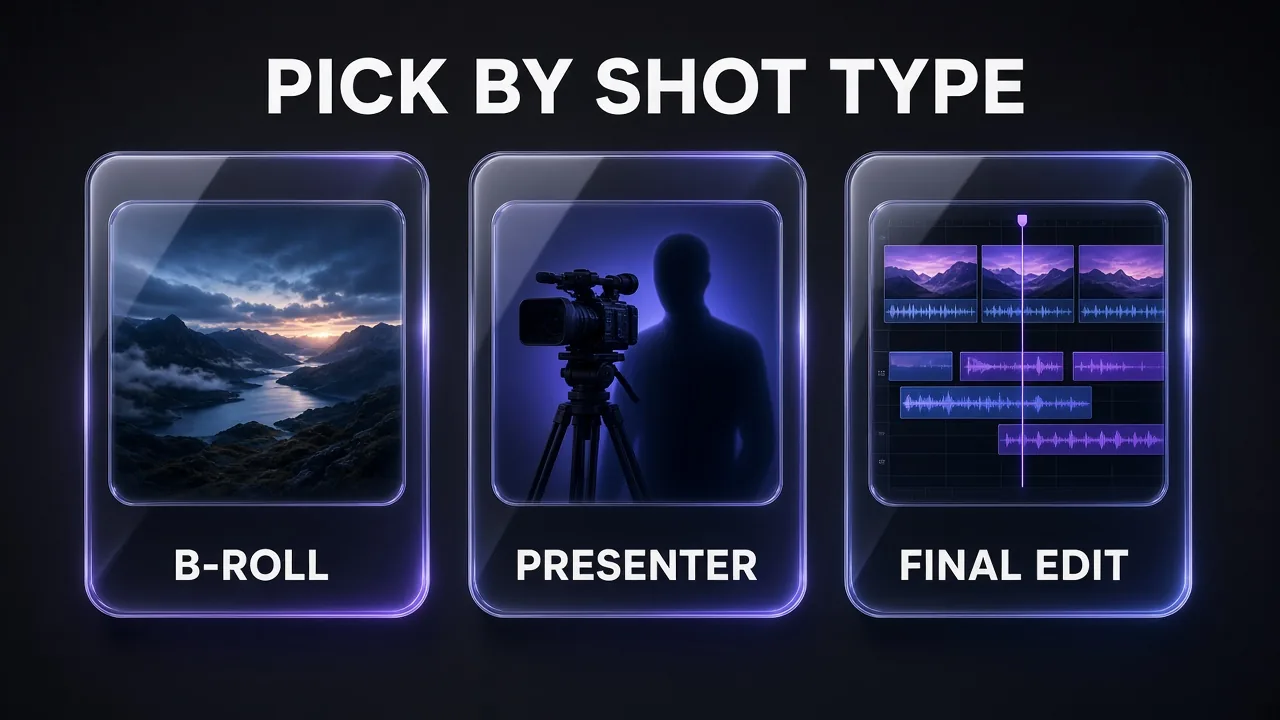
| Shot type | Best tool | Why | Fallback |
|---|---|---|---|
| Establishing shot, product hero, cinematic B-roll | Kling 4.0 | 30-second takes, Omni Reference for consistency | Kling 3.0, or Descript stock media |
| Recurring character across several shots | Kling 4.0 with reference subjects | Up to 7 subjects and 10 keyframes per generation | Kling 3.0 Omni |
| Presenter talking to camera (hero video, ad) | HeyGen Avatar V | HeyGen's highest-fidelity engine for digital twins | Avatar IV |
| Presenter in volume content (tutorials, updates) | HeyGen Avatar III or IV | 4 to 31 credits a minute instead of 48 | Descript avatar gallery |
| Same video in another language | HeyGen translation | Lip-synced, 6 to 10 credits a minute | Descript dubbing on Business |
| Screen recording or product demo | Descript | Built-in screen recorder and text-based trimming | None needed |
| Captions, audio clean-up, final cut | Descript | Dynamic captions on every plan, Studio Sound | None needed |
The pattern: Kling for anything without a talking head, HeyGen for anything with one, Descript for everything after generation. Claude writes the column that says which is which.
What the AI Video Stack Costs per Month
Three realistic budgets, using each vendor's renewal price (not first-month promos). The yearly column is the effective monthly cost when you pay annually; Claude Max is billed monthly only.
| Tier | Claude | Kling | HeyGen | Descript | Total, monthly billing | Total, yearly billing |
|---|---|---|---|---|---|---|
| Starter | Pro $20 | Standard $8.80 | Creator $29 | Hobbyist $24 | $81.80 | $63.60 |
| Creator | Pro $20 | Pro $32.56 | Pro $49 | Creator $35 | $136.56 | $106.42 |
| Studio | Max 5x $100 | Premier 8K $80.96 | Business $149 | Business $65 | $394.96 | $329.72 |
Yearly figures: Claude Pro $17, Kling Standard $6.60, Pro $24.42 and Premier $60.72, HeyGen Creator $24, Pro $41 and Business $119, Descript Hobbyist $16, Creator $24 and Business $50. HeyGen Business adds $20 per extra seat.
My take: the Creator tier is the one to build around. It's the first tier where every tool exports 4K, Kling Pro gives you 4.5x Standard's credits, and HeyGen's 1,000 credits cover about 20 minutes of Avatar V. The Starter tier works for testing, but HeyGen Creator's 600 credits run out after about 12 minutes of Avatar V, and Hobbyist can't top up.
Sample Workflow: A 60-Second Explainer
Here's how a 60-second product explainer moves through the stack. Assume roughly 25 seconds of presenter and 35 seconds of B-roll across four shots.
- Brief to script (Claude). Paste the product facts and audience, and ask for a timed script with a shot list. Keep the presenter lines under 70 words.
- B-roll (Kling). Generate the four visual shots from the shot list, using one product reference image across all of them. Check the credit estimate in the generation panel before each run.
- Presenter (HeyGen). Paste the presenter lines, preview the voice first, then render. At Avatar V rates, 25 seconds costs about 20 credits; Avatar IV Photo Look would cost about 7.
- Edit (Descript). Import everything, trim on the transcript, add captions, run Studio Sound on any human voiceover, and export.
Three prompts that do most of the work in steps 1 and 2. Swap the bracketed parts for your own details.
60-Second Explainer Script and Shot List
You are a video scriptwriter for short product explainers.
Product: [PRODUCT NAME AND ONE-LINE DESCRIPTION]
Audience: [WHO IT IS FOR]
Key facts (use only these, invent nothing): [3-5 FACTS]

Write a 60-second explainer with:
1. A hook in the first 3 seconds that names the viewer's problem.
2. Presenter lines (spoken by an on-camera avatar), max 70 words total.
3. A shot list table with columns: shot number, start-end seconds, type (PRESENTER or B-ROLL), on-screen text (max 5 words), and for B-ROLL a one-paragraph video prompt describing subject, setting, camera move, lighting and mood.
4. One closing call to action line.
Keep total runtime at 60 seconds and flag any claim that needs a source.
Research Brief Before You Script
Research [TOPIC OR PRODUCT] for a 60-second explainer video.
Return:
- 5 facts a first-time viewer must know, each with the source URL and the date of the source.
- 3 common misconceptions and the correct version of each.
- 2 statistics only if they come from a primary source; otherwise say none found.
- The single question viewers most often ask about this topic.
Do not include anything you cannot source. Keep it under 300 words.
30-Second Ad Hook Variants
Write 5 hook variants for a 30-second video ad for [PRODUCT].
Audience: [TARGET CUSTOMER]
Main benefit: [ONE BENEFIT]
For each variant give:
- The first line the presenter says (max 12 words).
- The B-roll shot that plays under it (one sentence).
- The emotion it targets (curiosity, frustration, aspiration, urgency or humour).
Avoid hype words and claims you cannot back up. End with the variant you would test first and why.
Swaps and Alternatives
Every layer has a credible swap, and some creators will want one:
- Voice: ElevenLabs. If you want a narrator rather than a face, ElevenLabs replaces HeyGen's voice for voiceover-only videos. Starter is $6 a month with a commercial licence and instant voice cloning; Creator is $22 a month and adds professional voice cloning. Details in our ElevenLabs pricing guide.
- Character animation: Hedra. For stylised or animated talking characters rather than a realistic presenter, Hedra is the swap for HeyGen. Plans and credits are in our Hedra pricing breakdown.
- All-in-one avatar video: if you'd rather run one subscription than four, our best HeyGen alternatives roundup covers the platforms that bundle avatars, B-roll and editing.
- Script model: any frontier model can write the script. Claude earns the slot because Projects keep your voice and templates in one place, not because it's the only option.
Mistakes to Avoid With an AI Video Stack
- Budgeting with first-month prices. Kling's $6.99 and $25.99 cards are one-time offers; the renewal is $8.80 and $32.56.
- Rendering everything on Avatar V. At 48 credits a minute it's 12x the cost of Avatar III Video Look. Draft on a cheaper engine, finalise on V.
- Generating B-roll without a shot list. Open-ended Kling sessions burn credits on shots you never use. Generate only what the script calls for.
- Using Kling's free plan for client work. Basic content isn't licensed for commercial use.
- Letting the script invent facts. Tell Claude to use only the facts you supply and flag anything unsourced, as the prompts above do.
- Re-rendering presenter scenes for small fixes. HeyGen re-renders cost credits; preview the voice first, and trim small mistakes in Descript instead.
Verdict: Is This the Best AI Video Stack?
For most solo creators and small teams, yes. Claude, Kling, HeyGen and Descript each lead their own stage, the hand-offs are simple file exports, and the Creator tier at about $137 a month (about $106 yearly) covers a steady weekly publishing schedule. The stack is strongest for explainers, product videos, ads and faceless YouTube; it's overkill if you only need a talking head, where HeyGen plus Descript is enough.
Bottom line: let Claude decide every shot before you spend a credit, keep premium models (Kling 4.0, Avatar V) for the shots viewers actually notice, and finish everything in Descript.
Frequently Asked Questions
9 questions answered