How to Edit Videos Using Claude in 2026: 4 Workflows That Work
Claude can't watch video, but it can edit it. Four real workflows: transcript rough cuts with Claude Code, Whisper and ffmpeg, Remotion and HyperFrames videos, Descript and DaVinci Resolve via MCP, and captions, chapters and shorts, with prompts and commands.
Advertisement
Short version: Claude can't watch your video, but it can edit it. No Claude model, app or API accepts an MP4 today. What Claude reads is what you extract from the video: a transcript with timestamps, a handful of frames, an edit decision list. Give it those, plus a tool it can drive (ffmpeg in a terminal, a Remotion project, a Descript drive or a DaVinci Resolve timeline), and it becomes a fast, tireless assistant editor that cuts dead air, builds rough cuts, writes captions and chapters, and turns one long video into a week of shorts.
This guide is the practical version. You'll get the honest map of what Claude can and can't do with video, four workflows that work right now with real commands and config, seven copy-ready prompts, a tool comparison table and the limits and costs nobody puts in the demo videos. If you are new to the terminal side of this, our guide to using Claude Code for free covers the setup basics first.
What Claude Can and Can't Do With Video
Start with the hard limit, because every workflow below is built around it. Anthropic's vision documentation lists four input image formats: JPEG, PNG, GIF and WebP. Animated files are not supported and only the first frame is used. There is no video content block in the Messages API, and no "upload an MP4" option in the Claude apps that makes Claude actually watch it. The same page is blunt about output too: Claude is an image understanding model and cannot generate or edit images, so it will never render a frame itself.
What Claude can take in is plenty for editing work:
- Frames as images. Up to 20 images per message in claude.ai, and up to 600 per API request (100 on models with a 200k-token context window). Pull a frame every few seconds, or one per scene change, and Claude can describe shots, spot the slide that's on screen, flag a bad take or pick a thumbnail.
- Transcripts with timestamps. This is the single most useful input. A word- or segment-level transcript from Whisper or Descript tells Claude what is said and exactly when, which is all it needs to plan cuts.
- Metadata and logs. ffprobe output, ffmpeg's silence detection log, scene-change timestamps, an NLE's timeline readback through MCP.
- Code and tools. In Claude Code, Claude runs ffmpeg, Python and Node itself, so it can execute the cuts it plans. Through MCP it can call an editor's own functions.
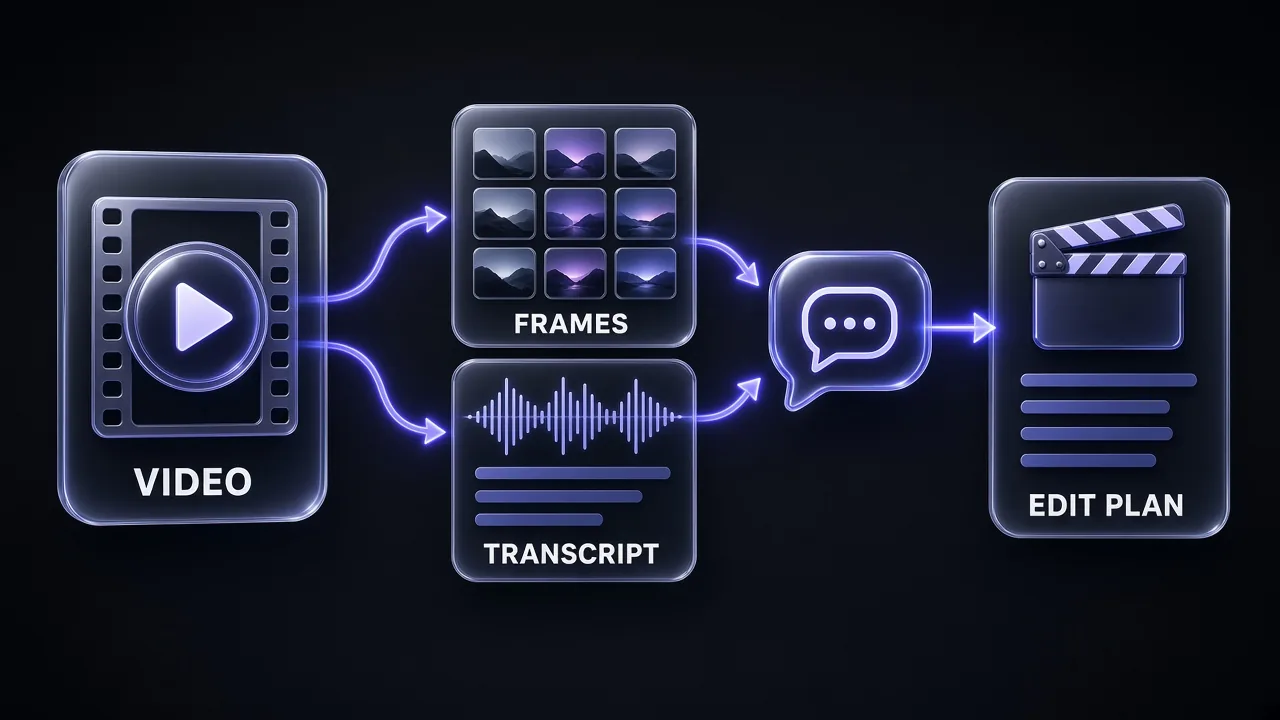
Frames are not free. Anthropic prices images in 28×28-pixel patches: a 1920×1080 frame costs about 1,560 visual tokens on standard-tier models (it is downsized to 1456×819) and 2,691 on the high-resolution tier used by Claude 4.7 and later. One frame every two seconds of a 10-minute video is 300 frames, which is around 470,000 to 800,000 tokens before you've typed a word. That is why the workflows below lean on transcripts and sample frames sparingly.
Pro tip: Scale frames to 1280 px wide or smaller before sending them. Above 20 images in one request, Anthropic applies a stricter per-image size limit anyway, and the docs recommend keeping each side at 2000 px or less.
One exception to "Claude makes no video" is Claude Motion, a beta feature on Team and Enterprise plans. It builds short animated explainers as code from your text, charts, shapes and images, and exports them as MP4. Anthropic is explicit that it doesn't use a video generation model, so there is no realistic footage or people. Think animated charts and product walkthroughs, not editing your footage.
The 4 Ways to Edit Video With Claude
Honest answer: there is no single "Claude video editor". There are four patterns, and the right one depends on where your footage lives and how much you trust a terminal.
- Transcript-based rough cut with Claude Code, Whisper and ffmpeg. Free tools, full control, best for talking-head videos, podcasts, tutorials and interviews.
- Programmatic video with Remotion or HyperFrames. Claude writes the video as code: titles, motion graphics, data animations, templated social clips.
- Controlling an editor through MCP. Claude drives Descript, DaVinci Resolve or Premiere Pro through their scripting interfaces, so the edit lands in a project you can still open and fix by hand.
- Captions, chapters and repurposing. The quick wins: SRT files, YouTube chapters, titles, descriptions and vertical shorts from one long video.
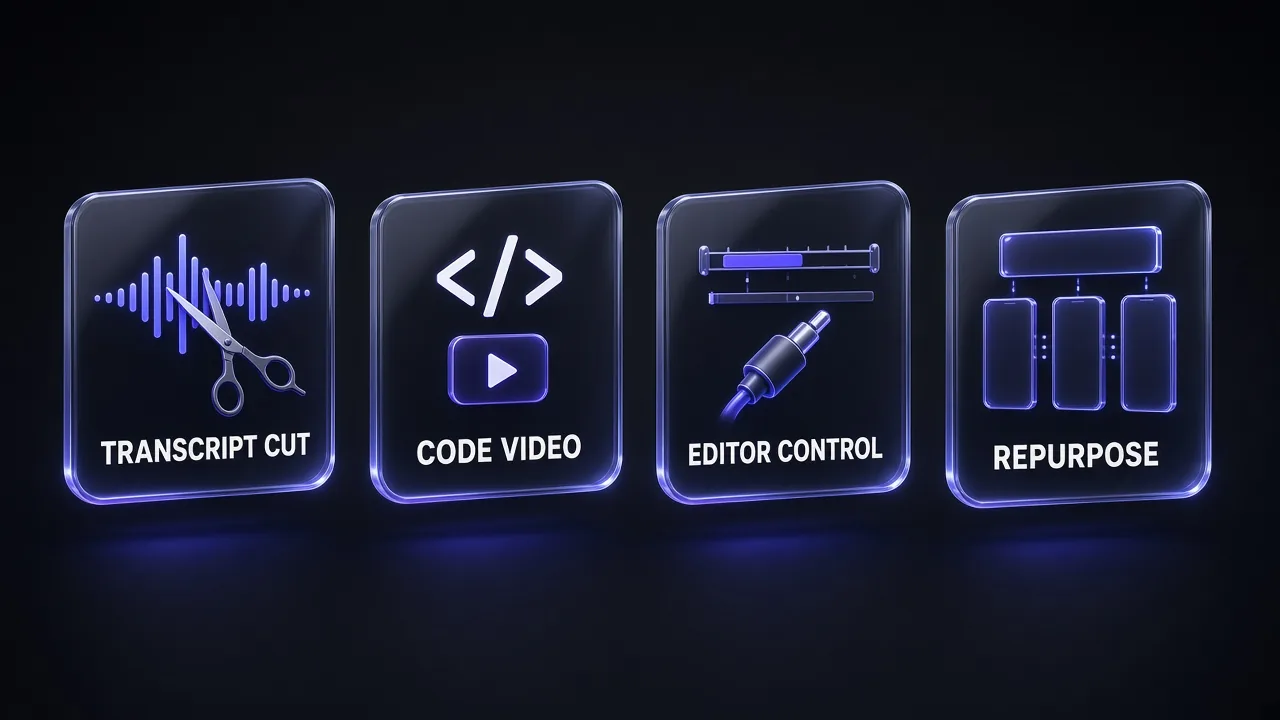
Most creators end up mixing them. Our own pattern at Promptsrush is Whisper and Claude Code for the first pass, an editor for taste, and Claude again for captions, chapters and the short-form cut-downs.
What You Need Before You Start
- A Claude plan with Claude Code. Claude Code is included on Pro ($17 a month billed annually, $20 monthly), Max (from $100 a month), Team and Enterprise. It isn't on the Free plan. For heavy agent use, our Claude pricing breakdown explains where Pro's limits start to pinch.
- ffmpeg and ffprobe.
brew install ffmpegon macOS,sudo apt install ffmpegon Ubuntu, orwinget install ffmpegon Windows. - A transcription model. OpenAI's open-source Whisper (
pip install -U openai-whisper) is the default. WhisperX adds word-level timestamps and speaker diarization, and faster-whisper is a quicker reimplementation. - Node.js if you want Remotion (and Node 22 or later for HyperFrames).
- A copy of your footage. Never point an agent at your only original. More on this in the safety section.
Workflow 1: Transcript-Based Rough Cut With Claude Code, Whisper and ffmpeg
This is the workflow that pays for itself on the first video. You transcribe, Claude reads the transcript like an editor reads a paper edit, it writes a cut list, and ffmpeg executes it. Claude never needs to see a single frame for a talking-head video.
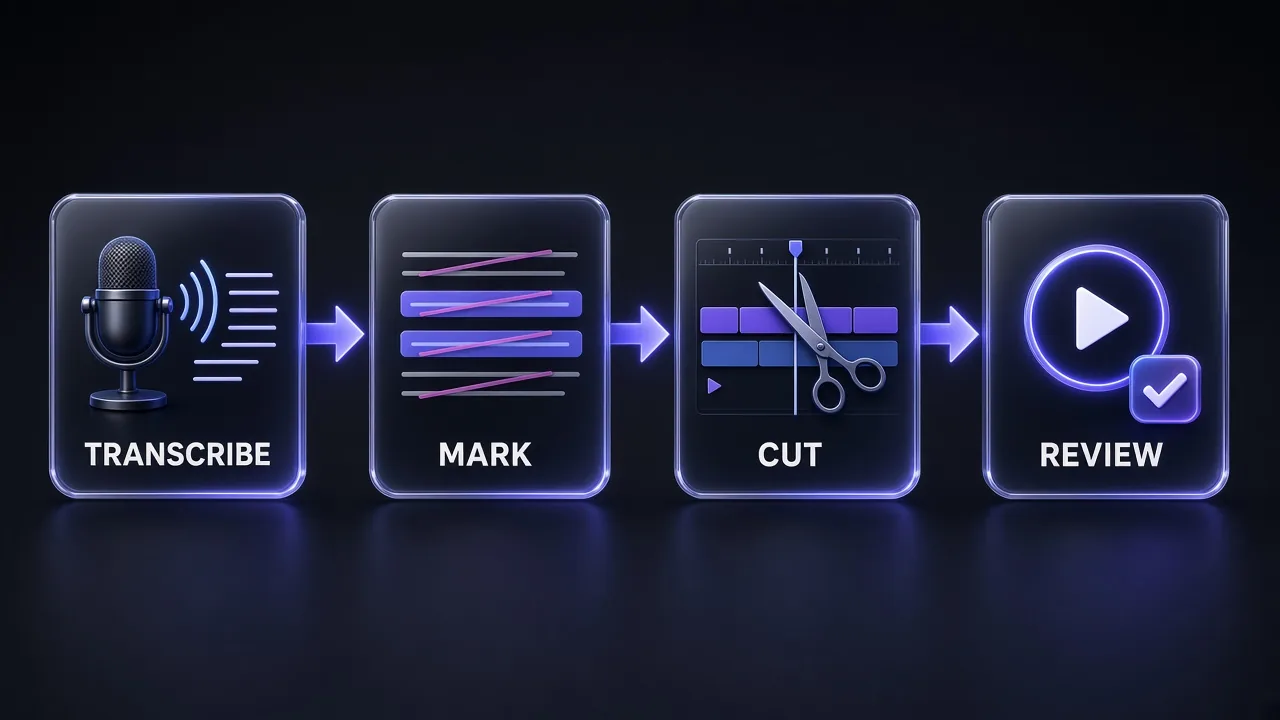
Step 1: Set up a safe project folder
Keep originals read-only and give Claude a separate working folder. Then start Claude Code inside it.
mkdir -p edit/{source,work,frames,out}
cp ~/Videos/episode-12.mp4 edit/source/
chmod -R a-w edit/source          # originals can't be overwritten
cd edit && claude
Step 2: Extract audio and transcribe
Whisper works best on clean mono audio at 16 kHz. Ask Claude to run this, or run it yourself:
ffmpeg -i source/episode-12.mp4 -vn -ac 1 -ar 16000 work/audio.wav
whisper work/audio.wav --model turbo --language en \
  --word_timestamps True --output_format all --output_dir work/
That produces audio.srt, audio.vtt, audio.txt and audio.json with timestamps. Whisper's turbo model is the fast default for English; the Whisper README notes it isn't trained for translation, so use medium or large if you need non-English speech translated.
Step 3: Find the silences
ffmpeg's silencedetect filter logs every pause longer than a threshold. Claude can combine this log with the transcript so it never cuts mid-word.
ffmpeg -i work/audio.wav -af silencedetect=noise=-35dB:d=0.6 -f null - 2> work/silence.log
If you only want dead air removed, the open-source auto-editor does it in one command and can hand the result to your editor as a timeline instead of a flattened file: auto-editor source/episode-12.mp4 --margin 0.2sec --export resolve (it also exports for Premiere, Final Cut Pro, Shotcut and Kdenlive). It even ships its own agent skill via npx skills add WyattBlue/auto-editor.
Step 4: Let Claude write the cut list
This is where Claude earns its place. It reads the transcript and decides what stays: false starts, repeated takes, tangents, filler, the "let me try that again" moments. Ask for a structured cut list so the decisions are reviewable before anything is rendered.
Transcript Rough Cut Planner
You are my assistant video editor. Read work/audio.json (Whisper transcript with word timestamps) and work/silence.log (ffmpeg silencedetect output).

Goal: a tight rough cut of this [VIDEO TYPE, e.g. 12-minute YouTube tutorial] for [AUDIENCE]. Target length: [TARGET MINUTES] minutes.

Rules:
1. Keep the strongest take when a sentence is repeated; drop false starts, "um/uh" clusters, and lines like "let me redo that".
2. Never cut inside a word. Start each segment 0.15 s before the first word and end it 0.25 s after the last word.
3. Remove silences longer than 0.6 s unless they follow a punchline or a question.
4. Keep the intro hook and the final call to action.

Output, in this order:
A) A table: segment number, start (HH:MM:SS.mmm), end, first five words, reason kept.
B) A list of everything removed with timestamps and a one-line reason.
C) work/cutlist.csv with columns start,end.
Do not render anything yet. Wait for my approval.
Step 5: Render the cut with ffmpeg
Once you've approved the list, Claude writes and runs a small script. Re-encoding each segment keeps cuts frame-accurate (stream copy can only cut on keyframes).
#!/usr/bin/env bash
set -euo pipefail
i=0; : > work/list.txt
while IFS=, read -r start end; do
  [ "$start" = "start" ] && continue
  i=$((i+1)); f=$(printf "work/seg_%03d.mp4" "$i")
  ffmpeg -nostdin -y -ss "$start" -to "$end" -i source/episode-12.mp4 \
    -c:v libx264 -crf 18 -preset medium -c:a aac -b:a 192k "$f"
  echo "file '$(basename "$f")'" >> work/list.txt
done < work/cutlist.csv
ffmpeg -y -f concat -safe 0 -i work/list.txt -c copy out/roughcut-v1.mp4
Step 6: Review with frames, not trust
Watch the rough cut yourself. Then, if you want a second pair of eyes, have Claude pull one frame per scene change and check for jump cuts, a closed-eyes frame at a cut point, or a slide that changes mid-sentence.
ffmpeg -i out/roughcut-v1.mp4 -vf "select='gt(scene,0.35)',scale=1280:-2" \
  -vsync vfr frames/scene_%04d.jpg
Claude Code can open those JPEGs directly from the folder. Ask it to list each frame with its timestamp and anything that looks wrong, then fix only those cuts.
Pro tip: Ask forcutlist.csvto be versioned (cutlist-v1.csv,v2…). When you say "put back the bit about pricing", Claude diffs two text files instead of re-thinking the whole edit.
Workflow 2: Programmatic Video With Remotion and Claude Code
When the video is mostly graphics (intros, lower thirds, animated stats, product explainers, templated social clips), stop editing and start generating. Remotion is a React framework for making videos with code, and it is built with coding agents in mind: Remotion's own docs walk through prompting videos with Claude Code, and the team maintains official Agent Skills and a Claude Code plugin.
Set up a Remotion project for Claude
npx create-video --yes --blank my-video
cd my-video
npm install
npx remotion skills add      # installs Remotion's Agent Skills into .agents/skills
npm run dev                  # opens Remotion Studio for live preview
Then open a second terminal in the same folder and run claude. The skills are installed into .agents/skills, with .claude/skills symlinked so Claude Code picks them up. Prefer a plugin? Remotion's documented route is:
claude plugin marketplace add remotion-dev/claude-code-plugin
claude plugin install remotion@remotion
Restart Claude Code and invoke the plugin's remotion-create skill with your prompt. Remotion's skills list includes /remotion-best-practices, /remotion-create, /remotion-markup and /remotion-upgrade. Skills are the same idea as the ones in our guide to creating a Claude skill, just written by the Remotion team for their framework.
Remotion Explainer Brief for Claude Code
Using the Remotion skills in this project, create a new composition called [NAME].

Format: [1920x1080 at 30 fps / 1080x1920 for Shorts], length [SECONDS] seconds.
Audience and purpose: [WHO WATCHES, WHERE IT PLAYS].
Brand: background [HEX], accent [HEX], font [FONT NAME], logo at public/logo.svg.

Scenes:
1. [0-3 s] Hook title: "[HEADLINE]" with a quick scale-in.
2. [3-10 s] Three bullet points revealed one by one: [POINT 1], [POINT 2], [POINT 3].
3. [10-18 s] Animated bar chart from data/stats.json, values counting up.
4. [18-[END] s] Call to action: "[CTA TEXT]" with the logo.

Rules: keep every scene in its own component, drive all timing from props so I can change durations, no external network assets, and use spring animations rather than linear easing. When done, tell me the exact command to render it to out/[NAME].mp4.
Render from the terminal once it looks right in Studio:
npx remotion render [COMPOSITION-ID] out/explainer.mp4
Mind the licence. Remotion is free for individuals, non-profits and for-profit companies with up to three employees; larger companies need a company license. Check the current terms in Remotion's LICENSE before you build client work on it.
The HTML alternative: HyperFrames
If your team thinks in HTML and CSS rather than React, HeyGen's open-source HyperFrames (Apache-2.0) turns HTML, CSS, media and seekable animations into deterministic MP4s, and it is explicitly "built for agents". It needs Node 22 or later and installs into Claude Code as a plugin:
claude plugin marketplace add heygen-com/hyperframes
claude plugin install hyperframes@hyperframes
# then, inside Claude Code:
/hyperframes:hyperframes
We've already published 46 HyperFrames prompts for editing videos, from caption styling to timing and transitions, so use that as your prompt library once it is installed. If you also need a talking presenter in the video, HeyGen's avatars cover that part of the job, since neither Remotion nor HyperFrames generates people.
Motion Canvas is a third open-source option for code-driven animation (its tagline is "Visualize Your Ideas With Code"), popular for explainer and maths-style animations. It doesn't ship an official Claude plugin, but Claude Code writes its TypeScript scenes well.
Workflow 3: Control Your Editor Through MCP
The Model Context Protocol lets Claude call an app's functions directly. For video, that means Claude can import media, build a timeline, drop markers or start a render inside the editor you already use, and you open the project afterwards to fix taste-level details by hand. If MCP is new to you, our roundup of the best MCPs for generating images with Claude explains how servers plug in.
Descript: the official, no-code route
Descript runs an official MCP server, and it is the easiest way to edit video "from a chat". Once connected, Claude can import media, edit with Descript's Underlord AI editor, search and organise projects in your Drive, publish to a Descript web link and track jobs. It can also export transcripts as text, Markdown, HTML, RTF or SRT.
To connect in the Claude app: open Customize → Connectors, search for Descript, add it and sign in. Descript's help centre asks you to turn on network egress and code execution under Settings → Capabilities, and to use Chat mode rather than Cowork. In Claude Code, add the server URL directly:
claude mcp add --transport http descript https://api.descript.com/v2/mcp
# then run /mcp inside Claude Code and complete the OAuth sign-in
Know the limits before you plan around it. Descript's documentation lists them: you can't download a finished file without publishing (you get signed MP4 links after publishing, or you export in the app), YouTube URLs aren't accepted as import sources, job history lasts 30 days, and the connection is scoped to one Drive. Imports use your media minutes, and Underlord edits such as Studio Sound, Remove Filler Words and captions use AI credits, so check your plan in our Descript pricing guide first.
Descript MCP Podcast Cleanup
Using the Descript connector:
1. Find the project "[PROJECT NAME]" in my Drive.
2. On the main composition, apply Studio Sound and remove filler words.
3. Remove gaps longer than [0.8] seconds, but keep pauses after questions.
4. Add captions in the [LAYOUT/STYLE] style.
5. Create a new composition called "[NAME] - 60s highlight" with the most quotable 60 seconds, starting on a strong first sentence.
6. Export the full transcript as SRT and give me a bullet summary of what you changed.
Don't publish anything; I'll review in Descript first.
DaVinci Resolve: the deepest community server
The open-source davinci-resolve-mcp by Samuel Gursky (MIT licence) is the most complete NLE server we found. It drives DaVinci Resolve Studio through Blackmagic's official Scripting API, covering editing, media pool organisation, render setup, review markers, grading, Fusion and Fairlight. Its universal installer configures Claude Desktop, Claude Code, Cursor and several other clients:
git clone https://github.com/samuelgursky/davinci-resolve-mcp.git
cd davinci-resolve-mcp
python install.py
By default it runs a compact "compound" server with 36 tools, which keeps Claude's context lean; a full mode exposes 353 tools, one per API method, for power users. Keep Resolve open while Claude works, and start with read-only requests ("list the timelines and clips in this project") before you let it change anything.
Premiere Pro and After Effects
Adobe doesn't publish an official MCP server for Premiere Pro or After Effects, but independent projects bridge them through Adobe's CEP extension system:
- premiere-pro-mcp (leancoderkavy, MIT) controls Premiere: imports, timeline edits, effects, keyframes and export. For Claude Code it installs as a plugin (
/plugin marketplace add leancoderkavy/premiere-pro-mcp, then/plugin install premiere-pro@premiere-pro-mcp) plus a one-time bridge install inside Premiere. - aftereffects-mcp (knowald, MIT) talks to After Effects through a panel at Window → Extensions → MCP Bridge. Its
exportCompFrametool renders a single frame to PNG, which is exactly what Claude needs to check its own motion graphics visually. - adobe-mcp (AJSMonty) covers After Effects, Photoshop, Illustrator and Premiere on macOS and adds with one command:
claude mcp add --scope user adobe -- npx -y @ajsmonty/adobe-mcp.
Treat these as power tools from small teams, not Adobe products. Read the README, check recent commits, and test on a duplicate project. If you want a server for an editor nobody has covered yet, our MCP Builder skill walks Claude through building one in TypeScript or Python.
Safe First Session With an Editor MCP
You are connected to my video editor through MCP. This is a first session, so work read-only until I say otherwise.

1. List the open project, its timelines/sequences, frame rate and resolution.
2. List the clips on [TIMELINE NAME] with their in/out points.
3. Propose (do not apply) these changes: [e.g. add a marker at every chapter break from chapters.txt; place lower thirds from lowerthirds.csv].
4. For each proposed change, name the exact tool call you would make.
After I reply "apply", duplicate the timeline first, name it "[TIMELINE NAME] - claude v1", and make the changes only on the duplicate.
Workflow 4: Captions, Chapters and Repurposing Into Shorts
This is the lowest-risk, highest-return use of Claude for video, because the outputs are text files you can read in ten seconds.
Captions that read well
Whisper's SRT is accurate but chunked by the model, not by a human. Ask Claude to re-flow it: two lines maximum, about 32-42 characters per line, breaks at natural phrase boundaries, brand names spelled correctly. Then burn it in or upload it as a sidecar file.
ffmpeg -i out/roughcut-v1.mp4 -vf "subtitles=work/captions-clean.srt" -c:a copy out/captioned.mp4
Chapters, titles and descriptions
YouTube Chapters, Title and Description
Here is the timestamped transcript of my final edit: [PASTE OR FILE PATH].

1. Write YouTube chapters: first one at 00:00, at least 3 chapters in ascending order, each at least 10 seconds long, titles under 40 characters, in this format: 00:00 Title.
2. Write 5 title options under 60 characters for [TARGET KEYWORD], no clickbait I can't back up from the transcript.
3. Write a 150-word description: first two lines summarise the payoff, then the chapters, then [LINKS/CTA].
Only use claims that appear in the transcript.
For the scripting side before you even record, our Claude prompts for YouTube scripts, hooks and titles cover the front of the pipeline, and the YouTube SEO Skills suite plugs into Claude Code for metadata.
Turn one long video into shorts
Claude finds the clips; ffmpeg cuts and reframes them. Ask Claude to score moments from the transcript for a standalone hook, a single idea and a clean ending, then crop to vertical:
# centre-crop 16:9 to 9:16, 1080x1920
ffmpeg -ss 00:04:12.400 -to 00:04:51.900 -i out/captioned.mp4 \
  -vf "crop=ih*9/16:ih,scale=1080:1920" -c:v libx264 -crf 20 -c:a aac out/short-01.mp4
Shorts Clip Finder
From this timestamped transcript [FILE], find the [5] best moments for 30-60 second vertical shorts.

For each clip give: start, end (snap to sentence boundaries), a hook line that is a direct quote from the first 3 seconds, why it works on its own, an on-screen title under 6 words, and whether the speaker stays centred enough for a centre crop (check frames/ if I provide them).
Rank by how well each clip stands alone without the rest of the video. Then write the ffmpeg commands to cut and crop each one to 1080x1920 into out/shorts/.
A centre crop fails when the speaker walks off-centre. That's the moment to send Claude a few frames from the clip and ask it to estimate an x-offset for the crop, or to hand the clip to an editor with auto-reframe.
Bonus: B-Roll Planning and Storyboards
Claude is excellent at the planning that happens before an editor touches a timeline. Give it the transcript and it can produce a shot list: which line needs b-roll, what the shot should show, whether you have it in your library (if you give it a folder listing), and what to generate if you don't. Pair the plan with an AI video tool such as Kling for generated inserts, and a voice tool for pickups. If a line was fluffed and you can't re-record, ElevenLabs can generate a matching voiceover from your own cloned voice.
B-Roll Shot List From Transcript
Read this transcript [FILE]. Build a b-roll plan as a table: timestamp range, the line being said, what the viewer should see (concrete shot description), source (my library folder [PATH] listing attached / stock / AI-generated / screen recording), and priority (must / nice).
Rules: no b-roll over the first 5 seconds of the hook, never cover a moment where I demonstrate something on screen, and keep each insert 2-6 seconds.
Then list the AI-generated shots as ready-to-paste video prompts in 16:9.
Claude Video Editing Tools Compared
| Tool | What Claude does with it | Best for | Setup | Cost |
|---|---|---|---|---|
| Claude Code + ffmpeg | Plans and executes cuts, crops, captions, encodes | Talking heads, podcasts, batch work | Terminal, ffmpeg install | Claude Pro or higher; ffmpeg free |
| Whisper / WhisperX | Produces the timestamped transcript Claude edits from | Every transcript workflow | Python package | Free, open source (runs locally) |
| auto-editor | Removes silence, exports timelines to NLEs | First-pass dead-air removal | CLI, optional agent skill | Free, open source |
| Remotion | Writes videos as React code, renders MP4 | Motion graphics, templated clips | Node, official skills and plugin | Free for individuals and teams up to 3; company license above |
| HyperFrames | Writes videos as HTML/CSS, renders MP4 | Agent-built explainers, captions | Node 22+, Claude Code plugin | Free, Apache-2.0 |
| Descript MCP | Imports, edits with Underlord, captions, publishes | No-code editing from chat | Official connector, OAuth | Descript plan; uses media minutes and AI credits |
| davinci-resolve-mcp | Drives timelines, markers, renders, grading | Resolve Studio editors | Python installer | Free server; needs Resolve Studio |
| Premiere / After Effects MCPs | Timeline edits, keyframes, comps, frame export | Adobe users comfortable with beta tools | CEP bridge + MCP config | Free servers; needs Adobe apps |
| Claude Motion | Builds code-based animations, exports MP4 | Animated charts and explainers | Built into Claude (beta) | Team and Enterprise plans only |
Limitations, Costs and Safety
My take: Claude is a brilliant assistant editor and a poor final editor. It can't hear tone, can't feel pacing and can't see anything you don't extract for it. Plan around that.
- It doesn't see the video. Every visual judgement comes from frames you sampled. If a problem happens between samples, Claude can't know it exists.
- It doesn't hear the audio. It reads a transcript. Music, room tone, a cough under a word or an awkward laugh are invisible unless your transcript marks them.
- Timestamps can drift. Transcription timestamps are estimates. Pad cuts (the prompt above uses 0.15 s and 0.25 s) and spot-check every cut point.
- Token costs add up with frames. A transcript of a 10-minute video is a few thousand tokens; hundreds of HD frames can be hundreds of thousands. Our Claude Code API pricing guide shows how that maps to real money and rate limits.
- Agents run real commands. ffmpeg with
-yoverwrites files without asking. Keep originals read-only, work on copies, and review any script before approving it. - Community MCP servers are third-party code. They run on your machine with access to your projects. Install from the official repo, read what each tool does, prefer read-only first sessions and duplicate timelines before edits.
- Cloud tools have their own meters. Descript imports use media minutes and Underlord edits use AI credits; Claude Motion counts toward your Claude plan's usage limits.
Keep your context lean, too. A long editing session fills Claude's context with logs and frame descriptions; the ideas in our context engineering guide (write decisions to files, start fresh sessions per stage) apply directly to video work.
A Full Session, Start to Finish
Here is how a 20-minute tutorial recording becomes a finished video and five shorts using the pieces above:
- Copy the recording into
source/and lock it read-only. - Extract audio, transcribe with Whisper (
--word_timestamps True), runsilencedetect. - Run the Transcript Rough Cut Planner prompt; review and edit
cutlist-v1.csv. - Render the rough cut with the ffmpeg script; watch it once at 1.5× speed.
- Sample scene-change frames and ask Claude to flag bad cut points; fix them in
cutlist-v2.csv. - Build an intro and lower thirds in Remotion or HyperFrames; drop them on the timeline in your editor.
- Re-transcribe the final edit, have Claude clean the SRT, write chapters, titles and the description.
- Run the Shorts Clip Finder prompt and render five vertical clips.
Every step leaves a file behind (transcript, cut list, SRT, chapters), so when you want to change one thing next week, Claude edits a text file instead of redoing the whole video.
The Verdict
You can absolutely edit videos with Claude in 2026, as long as you stop expecting it to watch them. Feed it transcripts and a few frames, give it hands (ffmpeg, Remotion, HyperFrames or an editor through MCP), and keep yourself as the person who approves cuts. For most creators the winning combination is Whisper plus Claude Code for rough cuts and repurposing, Descript's MCP if you'd rather never open a terminal, and Remotion or HyperFrames for anything that's really graphics. Start with captions and chapters this week; they are the fastest way to see what Claude adds to your workflow.
Frequently Asked Questions
8 questions answered