The PromptsRush journal
AI ToolsRemotion vs HyperFrames vs Claude Motion for AI Video
Remotion, HyperFrames and Claude Motion all turn prompts into video as code. We compare how each builds video, setup, editing, output formats, licensing and cost, per each vendor's docs, and show which one fits your team.
Advertisement
Short version: pick Remotion if you want full control in React, HyperFrames if you want an agent to write plain HTML with no license math, and Claude Motion if you want a polished explainer from a chat window without touching code. All three turn a prompt into video as code, not as AI-generated footage. The difference is who writes that code, where it runs, and what you're allowed to do with it once you scale.
Remotion is the established React framework: your video is a component that renders frame by frame, and Claude Code can write it for you. HyperFrames is HeyGen's open-source, Apache 2.0 framework where the video is an HTML page with timing attributes. Claude Motion is Anthropic's new beta inside the Claude app: you describe an animation, Claude builds it as an artifact, and you export an MP4. If you want to see the Remotion path end to end first, our step-by-step guide on how to build a Remotion video with Claude Code walks through a full project.
Everything below comes from each tool's own documentation, licence pages and launch posts, all checked on 23 October 2026: Remotion's docs and licence, the HyperFrames README and docs, and Anthropic's Claude Motion help article. We haven't run render benchmarks on these tools, so there are no speed or quality scores here. Where a behaviour is described, it's described per the vendor's docs.
Quick Comparison: Remotion vs HyperFrames vs Claude Motion
| Remotion | HyperFrames | Claude Motion | |
|---|---|---|---|
| Made by | Remotion | HeyGen | Anthropic |
| What you (or the agent) write | React components (TypeScript/JSX) | HTML, CSS and JavaScript with data attributes | Nothing: you describe it in chat |
| Where it runs | Your machine, plus Lambda and other cloud renderers | Your machine, Docker, HeyGen cloud, AWS Lambda, Google Cloud Run | Inside the Claude app, as an artifact |
| Agent support | Claude Code plugin and Agent Skills | Claude Code plugin and 7 agent skills | Built in (it is Claude) |
| Output | H.264 MP4 by default; H.265, AV1, VP8/VP9, ProRes, PNG sequence, audio | MP4 by default; WebM, MOV, GIF, PNG sequence, HLS | MP4 export |
| Licence | Source-available Remotion License | Apache 2.0 open source | Proprietary Claude feature |
| Cost | Free for individuals and companies up to 3 employees; company licence above that | Free; local renders use no HeyGen credits | Included in Claude Team and Enterprise plans (beta), counts toward usage limits |
| Best for | Developers who want maximum control and React reuse | Agent-first builders and automated pipelines without seat licences | Business teams turning reports and data into short explainers |
One thing all three share: none of them generates realistic video with a diffusion model. Anthropic says outright that Claude Motion "doesn't use a video generation model, so it doesn't create realistic footage or people." Remotion and HyperFrames render web pages in a headless browser and encode the frames. If you need talking avatars or cinematic shots, these are the wrong tools, or at least only half the stack.
Remotion: React Video With the Deepest Ecosystem
Remotion's core idea, from its fundamentals page, is that it gives you "a frame number and a blank canvas, to which you can render anything you want using React." A video is a function of images over time. Every composition has four properties: width, height, durationInFrames and fps. Your component reads the current frame with useCurrentFrame() and returns what should be on screen at that moment.
That model is what makes Remotion strong with coding agents. Claude Code already knows React, and Remotion now ships first-party help. The Claude Code plugin installs with two commands, claude plugin marketplace add remotion-dev/claude-code-plugin and claude plugin install remotion@remotion, and you then start a project with a prompt such as /remotion:remotion-create Make a promo video for a record store. There are also Agent Skills (npx remotion skills add) covering markup, rendering, captions, maps and more.
Where Remotion leads:
- Maturity. Even HyperFrames' own comparison guide calls Remotion "older and much more established," with more templates, tutorials and answered questions, and a "mature, heavily documented" Lambda renderer.
- React reuse. If your product is built in React, your components, design system and charting libraries come along. Composition inputs can be typed and validated.
- Codec range. The render CLI defaults to H.264 and also supports H.265, AV1, VP8, VP9, ProRes, PNG sequences and audio-only outputs.
Where it costs you: you need a Node project and a bundler, the agent writes JSX that you have to be comfortable reviewing, and the licence stops being free once your company passes three employees. We'll cover the exact numbers in the licensing section.
HyperFrames: HeyGen's Open-Source HTML-to-Video Framework
HyperFrames describes itself in five words: "Write HTML. Render video. Built for agents." Per its README, it is "an open-source framework for turning HTML, CSS, media, and seekable animations into deterministic MP4 videos." A composition is an HTML file. Each visible element carries attributes such as data-start, data-duration and data-track-index, and motion comes from a paused animation timeline (GSAP, CSS animations, Lottie, Three.js, Anime.js or the Web Animations API) that the renderer seeks to each exact frame before capturing it.
The project is explicit about its origins: "HyperFrames is inspired by Remotion. Both tools render video with headless Chrome and FFmpeg. The main difference is the authoring model." Remotion bets on React; HyperFrames bets on plain HTML that "humans and agents can both write easily." If you already write GSAP timelines, our GSAP AI prompts map almost directly onto HyperFrames compositions.
Where HyperFrames leads:
- No build step. An
index.htmlcomposition plays as-is in a browser, and you can inspect it with devtools. - Agent-first tooling. It ships 7 skills. The core set covers the render contract (
/hyperframes), the CLI, a registry of about 450 ready-made blocks (transitions, captions, charts, maps, kinetic type) and/media-usefor music, voiceover and generated media. - Licence. Apache 2.0, "with no per-render fees or commercial-use thresholds."
- Output formats. The CLI docs list MP4, WebM, MOV, GIF, PNG sequences and HLS, with transparency in WebM and MOV for overlays.
Where it costs you: it's young (the GitHub repository was created in March 2026), and its own docs admit the rules matter. The timeline must be created paused and registered on window.__timelines, or "you get a still frame with no motion." It also needs Node.js 22 or newer and FFmpeg installed. For ready-to-paste ideas, see our collection of HeyGen HyperFrames prompts for editing videos.
Claude Motion: Animated Explainers Inside the Claude App
Claude Motion launched in beta on 8 October 2026. Anthropic's launch post pitches it for turning "a quarterly report into a 30-second explainer for an all-hands," adding motion to a chart in a board deck, or making a product walkthrough for onboarding. Under the hood, per the help article, "an animation is an artifact made from the Motion template. Claude builds it from your prompt as code that animates the text, charts, shapes, and images in it, and it plays like a short video."
The key difference from the other two: you never see a terminal. You ask in any chat, choose Output → Motion in the message box, or start from a Motion template in the Artifacts tab. Then you either ask for changes ("Slow down the second scene," "Change the Q3 number to 18%") or adjust it directly in the editor. Because the animation is code, changing one word, number or timing leaves the rest intact.
Where Claude Motion leads:
- Zero setup. No Node, no FFmpeg, no project folder. It's on by default for Claude Team plans.
- Your own content. Anthropic's tip is to attach the report, data or images and say who will watch, where it plays and how long it should be.
- Hand-off to video tools. Per the launch post, you can open an animation in Adobe, Descript, HeyGen, Higgsfield, invideo, Luma AI or Runway, with Canva and Captions coming soon.
Where it costs you: it's beta and only on Team and Enterprise plans; it's not available on Free, Pro or Max, per Claude's pricing page. The only documented export is MP4. Anthropic hasn't published maximum length, resolution or frame-rate limits, and there's no documented API or batch mode. It also counts toward your plan's usage limits, and "longer or more complex animations use more of your limit than a typical message."
Claude Motion Explainer Brief
Turn the attached quarterly report into a 30-second animated explainer for our all-hands meeting.
Audience: the whole company, mostly non-technical. It will play on a large screen in a meeting room, with no sound.
Structure: 4 scenes. Scene 1: the headline result in one sentence. Scene 2: an animated bar chart of revenue by quarter. Scene 3: three key wins, one at a time. Scene 4: one line on next quarter's focus.
Style: clean, lots of white space, our brand colour as the only accent, large readable text, no more than 12 words on screen at once.
Use only numbers from the attached report. If a number is missing, leave a clearly marked placeholder instead of inventing one.
How Each Tool Builds a Video
All three produce video from code, but the path from prompt to pixels is different, and that difference shapes everything downstream.
- Remotion: your code computes each frame. The component is a pure function of the frame number. To fade a title in over half a second at 30 fps, you (or Claude) write an
interpolate()call from frame 0 to 15. Animation must be driven byuseCurrentFrame(); CSS transitions cause flicker because rendering opens multiple browser tabs. - HyperFrames: the renderer seeks your animation. You write a normal web page with a paused GSAP (or other) timeline. For each frame, HyperFrames jumps the timeline to that exact moment, captures it in headless Chrome and encodes with FFmpeg. Timing is in seconds, not frames, and the docs call it deterministic: "same input, same frames, same output."
- Claude Motion: Claude writes the code for you, inside an artifact. Anthropic doesn't publish what framework sits under the Motion template. What it does say is that the output is code that animates your text, charts, shapes and images, and that you edit it by chatting or in the editor.
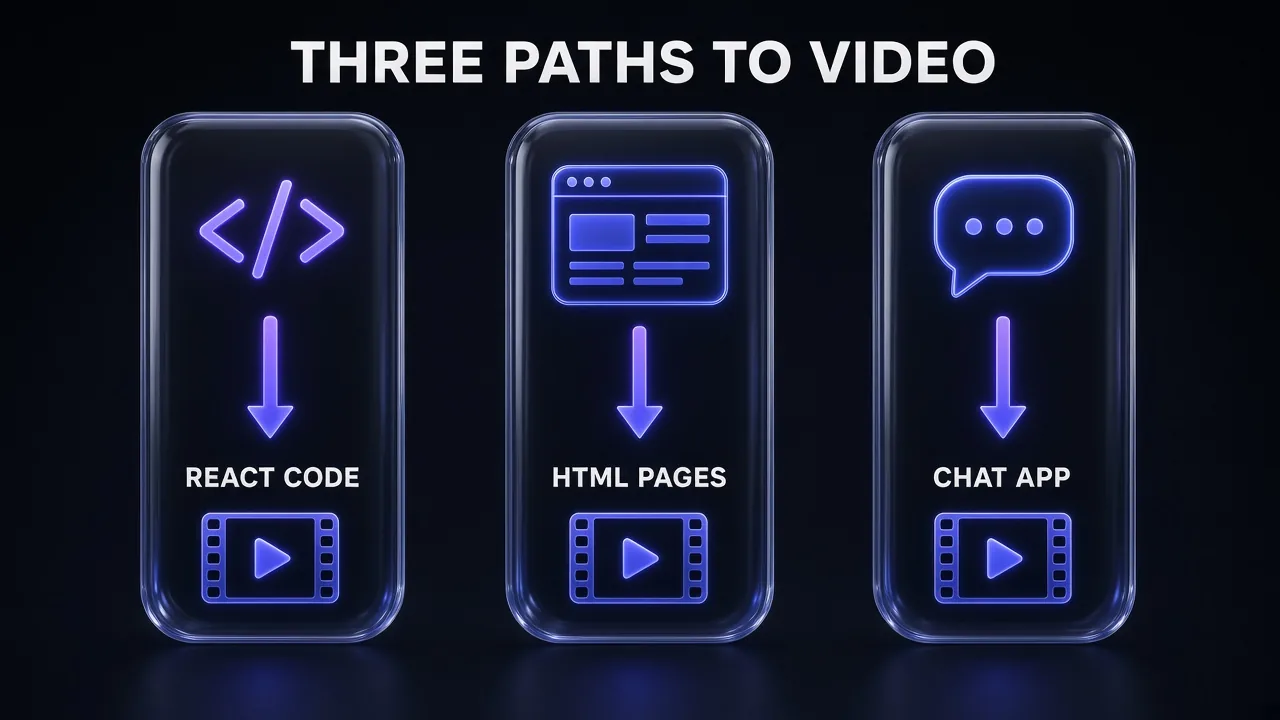
HyperFrames' own comparison guide sums up the trade fairly: the Remotion file "is a pure function you can reason about in your head," while the HyperFrames file "is a page you can open in a browser and inspect with devtools." Claude Motion trades both kinds of visibility for speed.
Setup and Learning Curve
| Step | Remotion | HyperFrames | Claude Motion |
|---|---|---|---|
| Requirements | Node.js 16+ (or Bun 1.0.3+) | Node.js 22+ and FFmpeg | A Claude Team or Enterprise seat |
| Start a project | npx create-video@latest --yes --blank my-video | npx hyperframes init my-video | Ask in chat or pick the Motion template |
| Claude Code plugin | claude plugin install remotion@remotion | claude plugin install hyperframes@hyperframes | Not needed |
| Preview | npm run dev (Remotion Studio) | npx hyperframes preview | Plays in the artifact |
| Render | npx remotion render | npx hyperframes render | Export → MP4 |
Both code tools need a coding agent to feel "AI-native," and Claude Code itself requires a paid plan (Pro, Max, Team or Enterprise). Each plugin also needs its marketplace added first (claude plugin marketplace add remotion-dev/claude-code-plugin or heygen-com/hyperframes). If plugins and skills are new to you, our guide on how to create a Claude skill explains how they load.
Pro tip: HyperFrames' quickstart has a one-paragraph "hand it to your agent" prompt that installs the skills and makes a first video. It's the fastest way to judge whether the HTML model suits you before you commit to either framework.
Control and Editing
This is where the three split most clearly.
Remotion gives you the most control. Every pixel is React, so anything you can build in a web app you can animate, and Remotion Studio lets you tweak props and interactive elements visually. The cost is that structural changes mean editing code, and you need to read JSX well enough to catch an agent's mistakes.
HyperFrames sits close behind. You can pull in existing HTML, a design export or a GSAP animation "close to as-is," and HyperFrames Studio edits the same DOM the renderer captures, saving back to source. The registry's 450 blocks give an agent known-good pieces instead of hand-building every transition.
Claude Motion gives you the least low-level control, but the gentlest editing loop: plain-language revisions or the built-in editor. For anything beyond animated text, charts and shapes, such as footage, voiceover or multi-format cuts, Anthropic's answer is to open it in a partner tool. That's also where we covered Claude's wider video options in how to edit videos with Claude.
Rendering and Output
Remotion renders locally with npx remotion render or in the cloud with Remotion Lambda (plus Cloud Run and other server options). Pass --props as JSON to render variants of one template, and pick a codec with --codec.
HyperFrames renders locally, inside Docker for strict determinism (--docker), on your own AWS Lambda, or through hyperframes cloud render, where "HeyGen runs it, you pay per credit." Its --variables and --batch flags render one output per row of a JSON array, which is exactly what you want for personalised or templated videos at scale. Frame rates from 1 to 240 fps are supported.
Claude Motion has one documented path: click Export and choose MP4. Animations start private, and you can share a link, including outside your organisation if your admin allows it.
None of the three records a voice for you. Remotion and HyperFrames both take audio files, and HyperFrames' /media-use skill can source voiceover. A dedicated text-to-speech tool is the usual way to add narration; our breakdown of ElevenLabs pricing covers which plan fits a weekly video habit.
Licensing and Cost
Honest answer: this section decides the choice for a lot of teams.
| Remotion | HyperFrames | Claude Motion | |
|---|---|---|---|
| Free tier | Individuals, for-profits with up to 3 employees, non-profits, evaluation (commercial use allowed) | Everyone (Apache 2.0) | None: not on Free, Pro or Max |
| Paid | Creators: $25/month per seat. Automators: $0.01 per render, $100/month minimum. Enterprise: $500/month minimum | Optional HeyGen cloud rendering, paid per credit | Team: $20/seat/month annual ($25 monthly). Enterprise: $20/seat/month annual, 20-seat minimum, plus API-rate usage |
| Hidden costs | Your coding agent subscription; cloud compute | Your coding agent; any hosted voice, avatar or media services | Usage limits: longer animations use more |
Remotion's licence FAQ is specific about who pays what. A "Creators" seat covers each person who writes Remotion code "themselves or using agentic coding tools," so a developer prompting Claude Code still needs a seat at a four-person company. "Automators" applies to organisations building automations; the FAQ names "video editors, prompt-to-video tools, automated video pipelines" as typical cases. Previews in Remotion Studio or the Player don't count as renders. Remotion's licence also notes it "will slightly change" in Remotion 5.0, so check the terms again before you sign a long contract.
HyperFrames' quickstart states it plainly: it "is free and open-source, and local rendering does not use HeyGen credits." Your agent and any optional hosted services still cost money. Claude Motion has no separate price; it's part of the Team and Enterprise seats you already pay for. For how those plans compare, see our Claude pricing explainer.
Who Each Tool Is For
- Choose Remotion if you're a developer or React team that wants the deepest ecosystem, typed inputs, mature cloud rendering and the most codec options, and you either qualify for the free licence or can budget a seat.
- Choose HyperFrames if you want an agent to author video as plain HTML, you're building a pipeline that renders many variants, or you can't (or won't) count seats and renders. It's also the natural fit if your stack already lives around HeyGen.
- Choose Claude Motion if you're on a Claude Team or Enterprise plan, you need a short explainer from a report or deck this afternoon, and nobody on the team wants to touch a terminal.
Which One Should You Choose? A Decision Table
Start from the video you need, not the tool. Three questions settle most cases: how much control you need, how fast you need a first draft, and whether you'll render one video or hundreds from a template.
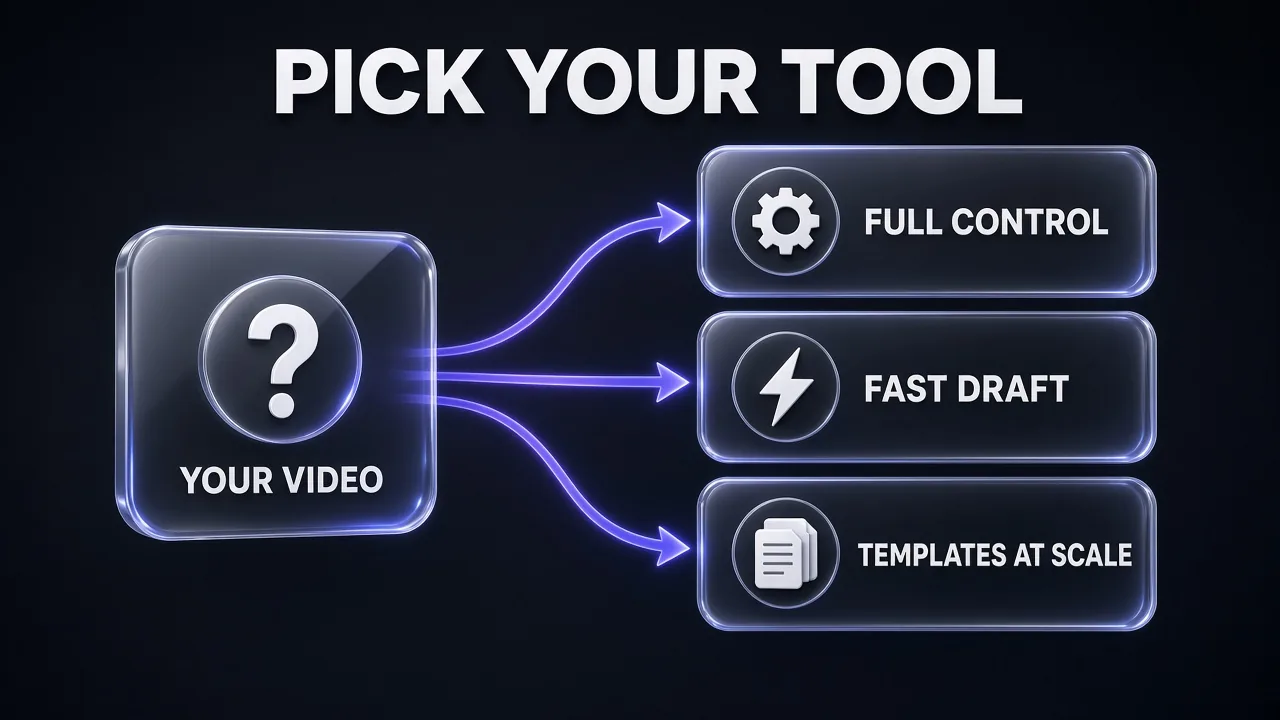
| If you need… | Pick | Why |
|---|---|---|
| Full control over every frame, React reuse | Remotion | Frame-function model, deepest docs and ecosystem |
| A fast draft from a report, no code | Claude Motion | Chat-based, MP4 export, nothing to install |
| Templates rendered at scale, no per-render fee | HyperFrames | Apache 2.0, --batch rendering from JSON rows |
| Templates at scale with a mature managed renderer | Remotion | Remotion Lambda, but budget for the Automators plan if you're over 3 people |
| Reuse an existing web page or GSAP animation | HyperFrames | HTML drops in close to as-is |
| Transparent overlays or lower thirds | HyperFrames or Remotion | WebM/MOV alpha in HyperFrames; ProRes and VP8/VP9 codecs in Remotion |
| Realistic footage, avatars or people | None of these alone | All three animate code; pair them with a video-generation or avatar tool |
| You're on Claude Pro or Max | Remotion or HyperFrames via Claude Code | Claude Motion is Team and Enterprise only |
My take: many teams will end up using two of these. Claude Motion for the quick internal explainer, and one of the frameworks for anything that ships on a website, a product or a social calendar.
Framework-Agnostic Video Brief for Claude Code
Create a 15-second, 1920x1080, 30 fps product intro video for [PRODUCT NAME] using [Remotion / HyperFrames].
Scenes:
1. 0-3 s: logo fades in on a dark background.
2. 3-9 s: three feature cards slide in one after another: [FEATURE 1], [FEATURE 2], [FEATURE 3].
3. 9-15 s: call to action "[CTA TEXT]" with the URL [URL].
Rules: drive every animation from the framework's timing system (no CSS transitions, no unseeded randomness), keep all text inside a safe margin of 80 px, and make the product name, features and CTA editable inputs so I can render variants.
When done, start the preview, tell me the command to render an MP4, and list anything you had to assume.
Common Mistakes When Choosing
- Expecting generated footage. None of the three makes realistic video. Anthropic says so about Claude Motion, and the two frameworks render web pages. Plan a separate tool for b-roll or avatars.
- Ignoring Remotion's headcount rule. The free licence stops at for-profit companies with up to 3 employees, and seats cover anyone writing Remotion code, including via an agent.
- Using CSS transitions in Remotion. Remotion's docs warn they cause flicker; animate from
useCurrentFrame()instead. - Forgetting to pause and register the HyperFrames timeline. Miss
window.__timelinesand you render a still frame. - Skipping HyperFrames' requirements. It needs Node.js 22 or newer and FFmpeg; older Node versions that run Remotion won't do.
- Planning a Claude Motion workflow on a personal plan. It isn't on Free, Pro or Max, and on Enterprise an owner has to turn it on first.
- Assuming beta limits. Anthropic hasn't published Claude Motion's maximum length or resolution. Test a real brief before you promise a deliverable.
Pro tip: Whichever framework you pick, keep the brief, the data and the brand rules in files the agent can read. Both Remotion and HyperFrames reward a clear spec more than a clever one-line prompt, and our Claude prompts for video creators include ready briefs you can adapt.
The Verdict
Short version: Remotion for control, HyperFrames for agent-written HTML and free scale, Claude Motion for no-code speed.
Remotion is still the safest bet for developers. It's the most documented, the most battle-tested and the most flexible, and if you qualify for the free licence it costs nothing. Above three people, its seat and per-render pricing is clear but real.
HyperFrames is the most interesting newcomer. Plain HTML suits coding agents, the skills and 450-block registry give them guard rails, and Apache 2.0 removes licence math entirely. The trade is youth: fewer tutorials, a stricter set of rules, and a smaller production history than Remotion.
Claude Motion is a different product for a different buyer. It's not a framework; it's a feature inside Claude Team and Enterprise that turns your own content into a short, editable explainer and exports an MP4. For business teams it may be the only one of the three they ever need. For developers, it's a fast way to sketch an idea before building the real thing in code.
Frequently Asked Questions
Keep Reading
- HeyGen review: the avatar and video platform behind HyperFrames.
- Best MCP servers for Claude Code: tools that make your video agent smarter.
- Descript review: where many Claude Motion animations go for a final edit.
Frequently Asked Questions
10 questions answered