Descript vs HeyGen: Detailed Comparison & Features
Descript edits video you recorded. HeyGen generates video you never recorded. A six-round comparison of where they overlap, current pricing for both, where each one breaks, and the one question that decides it.
Advertisement
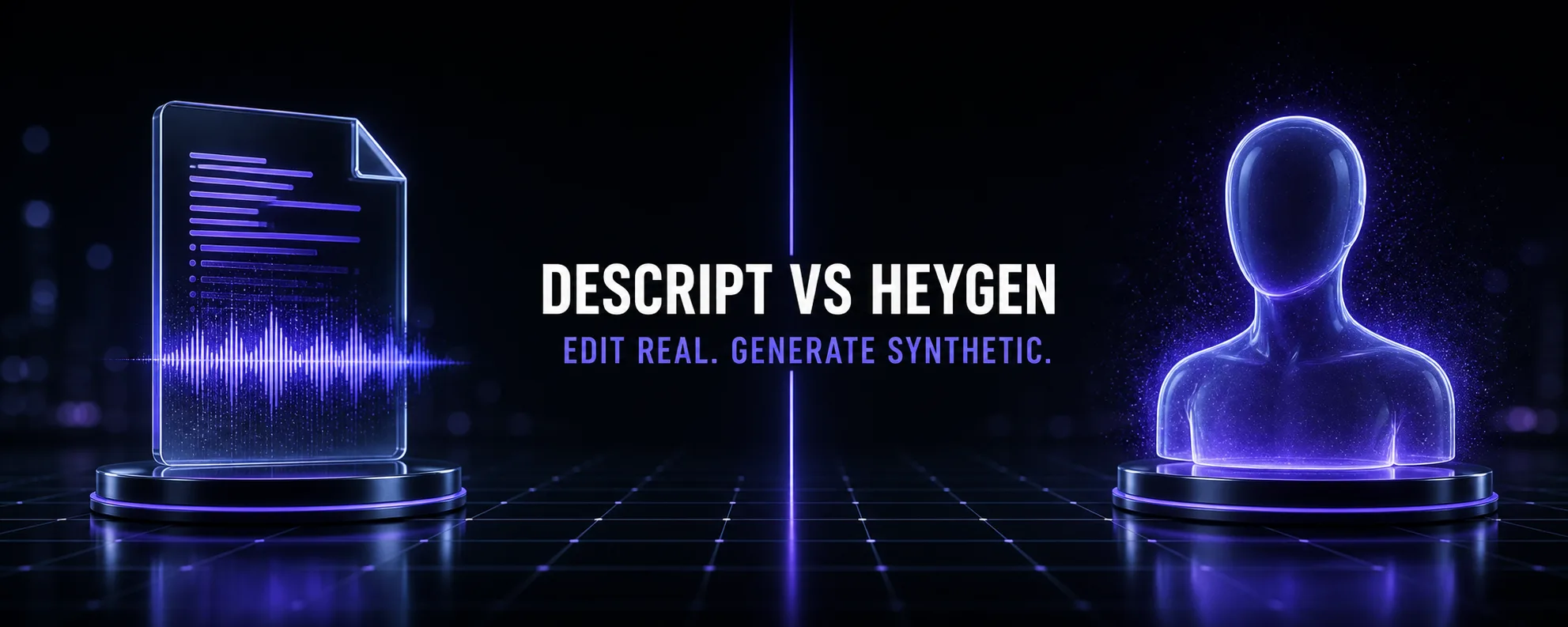
These two tools get compared constantly, and most comparisons are useless because they score them head to head on invented criteria. The honest starting point is simpler: Descript edits video you recorded. HeyGen generates video you never recorded.
That is not a small distinction to be noted and moved past. It is the entire decision. One takes footage of a real person and makes cutting it fast. The other takes a script and produces a synthetic presenter who says it. If you have footage, one of these tools is irrelevant to you. If you have no camera and no intention of getting one, so is the other.
Where it gets genuinely interesting is the overlap — both do voice cloning, both do translation and dubbing, both now do avatars, and both promise "talking-head video, faster". That overlap is where a real comparison lives, and it is what most of this article is about.
The Core Difference in One Line
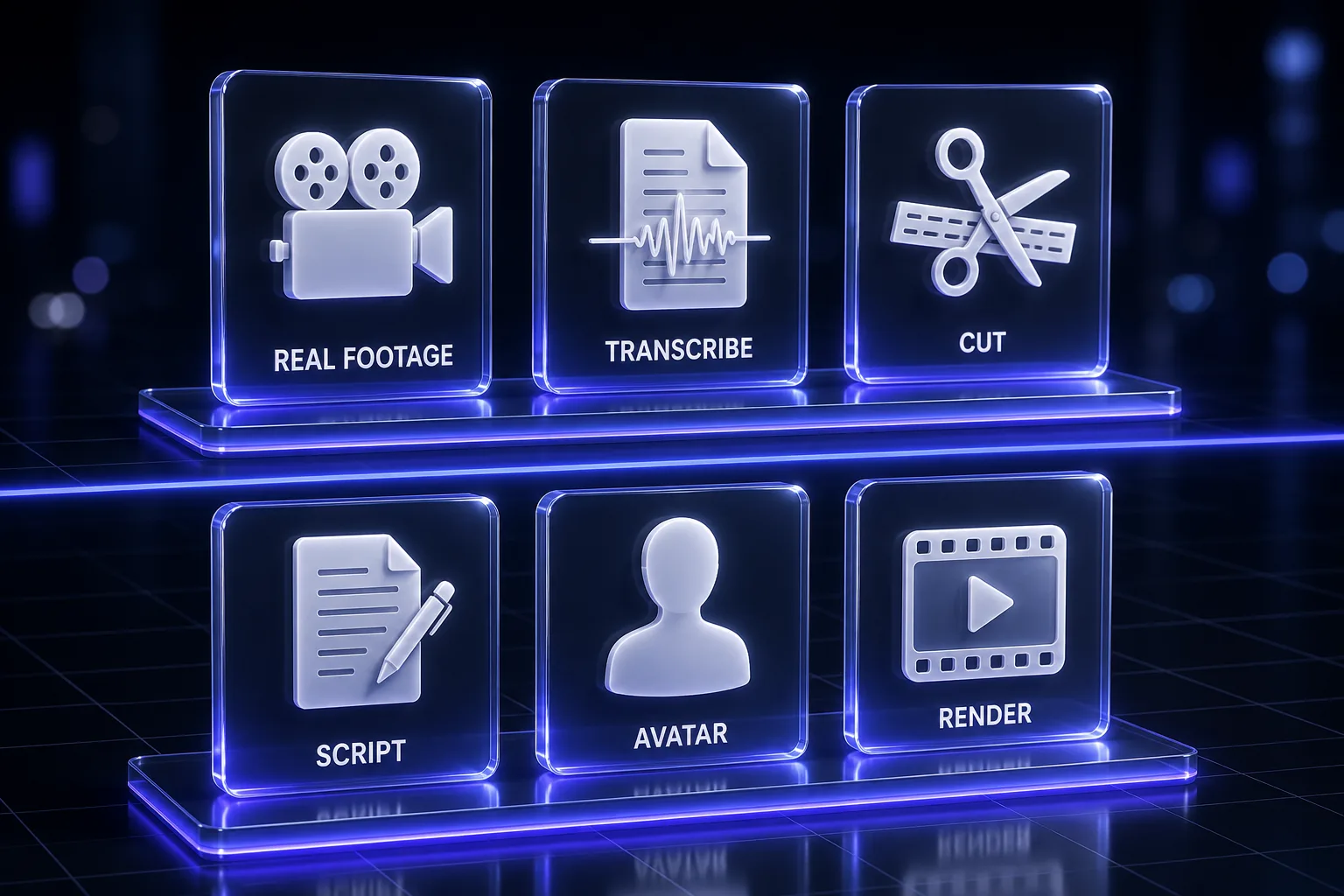
Descript starts with a recording. HeyGen starts with a script.
Everything else follows. Descript's central mechanic is that your transcript is your timeline — delete a sentence in the document and it disappears from the video. That only helps if a real person was recorded saying real words. HeyGen's central mechanic is that a digital presenter can say anything you type, in any of a long list of languages, without anyone standing in front of a camera.
Neither can do the other's job. Descript cannot conjure a presenter out of nothing. HeyGen cannot take your two-hour podcast recording and cut the boring parts out.
Quick Comparison
| Descript | HeyGen | |
|---|---|---|
| Core job | Edit recorded footage via transcript | Generate presenter video from a script |
| You need | A recording | A script |
| Camera required | Yes, at some point | No |
| Best for | Podcasts, interviews, courses, talking-head YouTube | Training, localisation, marketing, product explainers |
| Entry paid tier | $16/person/mo (annual billing) | $29/mo (monthly billing) |
| Free plan | 1 media hour/month | 3 videos/month, up to 1 min each |
| Languages | 30+ for translation and dubbing | 175+ languages and dialects on paid tiers |
| Voice cloning | Yes, for fixing lines in real speech | Yes, for the synthetic presenter |
| Avatars | Custom avatars on Business tier | Native — the whole product |
| Max video length | Governed by media hours, not per-video caps | 1 min free, up to 30 min on paid |
| Real editing tools | Multitrack, screen recording, basic timeline | Studio editor, templates, limited |
| Offline | No | No |
A note on that pricing row, because comparing them fairly is harder than it looks: those figures are each vendor's default page view. Descript's page defaults to annual billing, where monthly costs up to 35% more. HeyGen's individual plans display monthly, with a yearly discount available. Read them as "cheapest way in" rather than as a like-for-like unit comparison.
Where They Genuinely Overlap
Four areas, and this is where a real choice exists:
- Talking-head video. Both produce a person speaking to camera. One films it, one fabricates it.
- Voice cloning. Both clone voices, for opposite purposes — Descript to patch a fluffed line inside real speech, HeyGen to give a synthetic presenter your voice.
- Translation and dubbing. Both localise. Descript covers 30+ languages with a proofread step on business plans; HeyGen covers 175+ languages and dialects on paid tiers.
- Avatars. Descript added custom avatars generated from a photo or from text on its Business tier. HeyGen has built its entire company on them.
Round 1: Editing Real Footage
Descript wins, and it is not close, because HeyGen does not compete here.
If you have a 45-minute recording of two people talking, Descript turns editing it into reading a document and deleting the bad parts. Filler word removal in one click, Studio Sound to rescue imperfect audio, automatic chapter markers, clip generation for social. HeyGen has no equivalent because it is not what it does.
The caveat, and it is a real one: Descript is not a proper video editor. No keyframing, no colour grading, no motion graphics, no meaningful effects library. Its stability also wobbles on long, media-heavy projects. It is excellent at the specific job of cutting dialogue and mediocre at everything else video-related.
Round 2: Generating Presenter Video
HeyGen wins decisively.
Type a script, pick a presenter, get a video. No camera, no lighting, no retakes, no scheduling anyone. The free tier includes access to Avatar IV and over 500 ready-made digital twins plus one custom one; paid tiers add unlimited photo avatars and extended Avatar IV generation. For anyone producing volume — training modules, product updates, localised marketing — this removes the entire production step rather than speeding it up.
Descript's avatar feature exists but is a Business-tier add-on to an editing product, not a serious competitor to a company whose whole engineering effort points at this problem.
HeyGen's honest limits: you cannot precisely control avatar gestures, which constrains nuanced performance. Avatar IV holds up well in short clips but reviewers consistently report weaker emotional range across long-form scripts beyond roughly 90 seconds. And it is very good rather than indistinguishable — overly smooth skin, fixed gaze, repetitive hand movement and a voice lacking natural breath are the tells that still surface. Our HeyGen review goes deeper on where Avatar IV lands.
Round 3: Voice
Split, because they are solving different problems.
Descript's voice cloning is a repair tool. Someone said the wrong number or mispronounced a name; you type the correction and it is spliced into the real recording in that person's voice. A few words dropped into existing speech is often undetectable. A whole generated paragraph usually is not.
HeyGen's voice work drives a synthetic presenter end to end, which is a much harder ask — every word is generated, so any flatness compounds across a script. Both are beaten by a dedicated voice tool if pure synthesis is your need; our ElevenLabs pricing breakdown covers that category.
Pick Descript if you want to fix real speech. Pick HeyGen if you want a presenter who never recorded anything.
Round 4: Translation and Dubbing
HeyGen on breadth, Descript on integration.
HeyGen's 175+ languages and dialects is simply a bigger number than Descript's 30+, and if your target market is outside the major languages, that gap decides it. HeyGen also offers editing and proofreading of the translation script on its Pro tier.
Descript's advantage is that dubbing happens inside the edit you were already doing, with a proofread step on business plans. If you are localising content you also need to cut, that saves a round trip. If you are localising content that already exists and needs no editing, HeyGen's coverage wins.
Round 5: Speed to a Finished Video
HeyGen for a video that does not exist yet. Descript for a video that does.
From nothing, HeyGen is faster by a wide margin — a script becomes a finished presenter video in minutes, with no filming stage at all. From existing footage, Descript is faster by a similarly wide margin, because the alternative is a timeline.
The trap is comparing these numbers directly. "Minutes to a finished video" means something different when one of them skipped the entire recording process and the other did not.
Round 6: Learning Curve
HeyGen is easier to start. Descript is easier to live with.
HeyGen is close to immediate: pick an avatar, paste a script, generate. Descript takes about a week, not because it is difficult but because it is unfamiliar — if you have timeline muscle memory, the first few days feel constrained before the speed advantage appears.
After a month, the picture flips. Descript users are working faster than they ever did on a timeline. HeyGen users have usually hit the ceiling of what avatar control allows and are working within it.
Pricing Compared
Descript (annual billing shown)
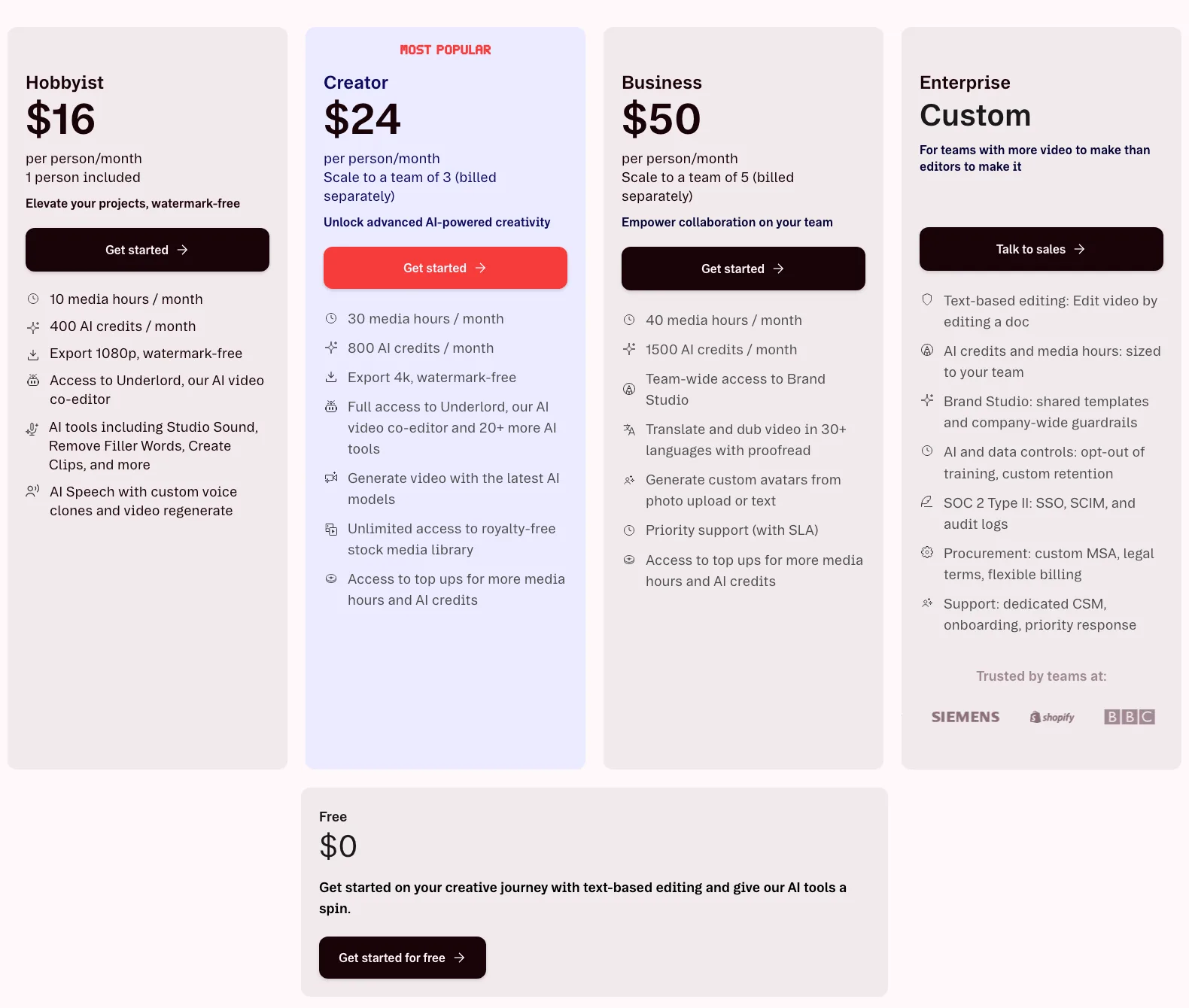
| Plan | Price | Media hours | AI credits | Export |
|---|---|---|---|---|
| Free | $0 | 1 hr/mo | 100 one-time | 720p |
| Hobbyist | $16/person/mo | 10 hrs/mo | 400/mo | 1080p |
| Creator | $24/person/mo | 30 hrs/mo | 800/mo | 4K |
| Business | $50/person/mo | 40 hrs/mo | 1,500/mo | 4K |
HeyGen (monthly billing, individual plans)
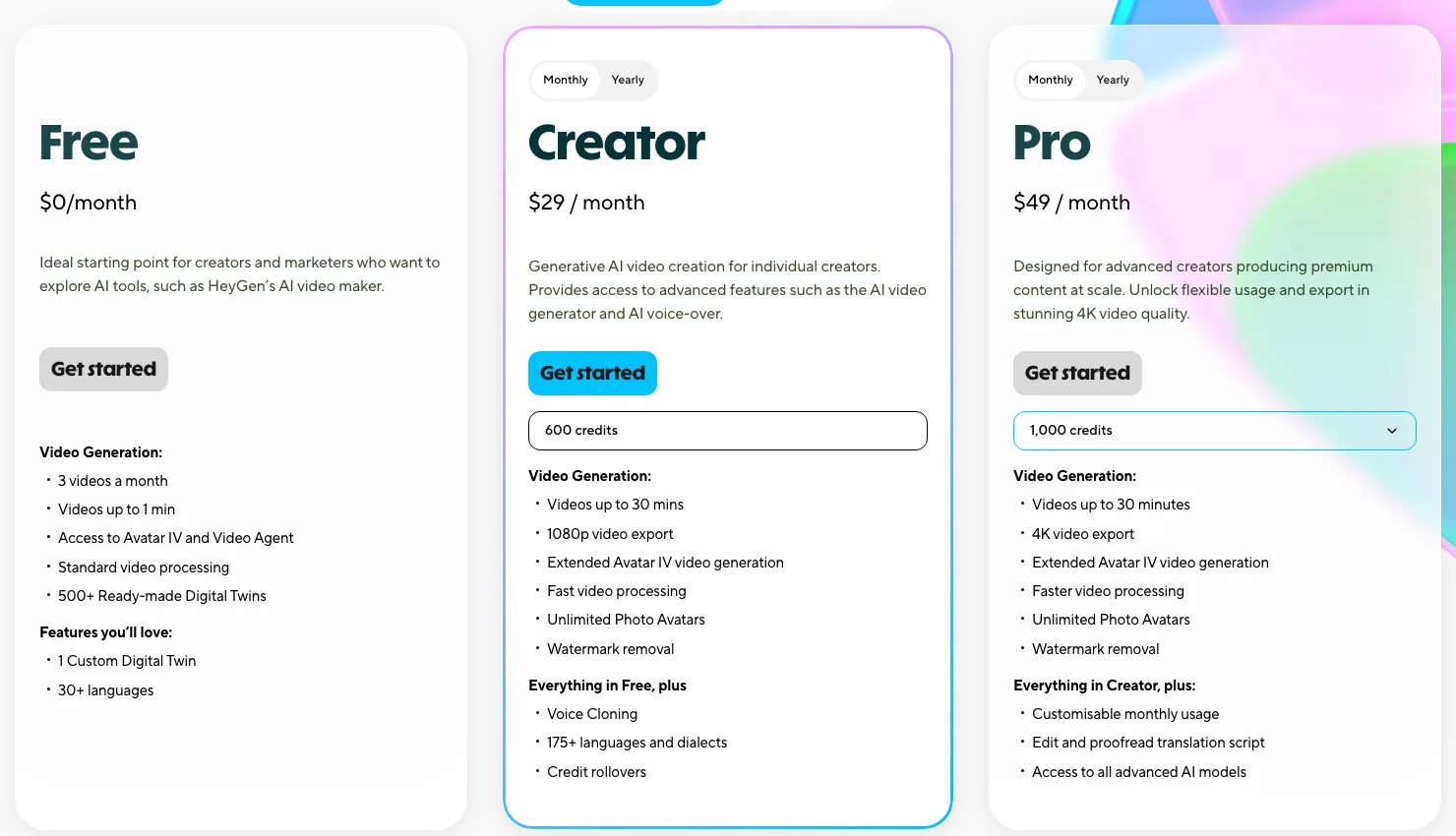
| Plan | Price | Credits | Max length | Export |
|---|---|---|---|---|
| Free | $0 | 3 videos/mo | 1 min | Watermarked |
| Creator | $29/mo | 600 | 30 min | 1080p |
| Pro | $49/mo | 1,000 (adjustable) | 30 min | 4K |
HeyGen also has separate business plans and enterprise pricing, plus its own API pricing. Descript's Business tier at $50 buys team features, Brand Studio and dubbing rather than a meaningful jump in media hours.
The Credit Economics Nobody Reads
Both run on credits, and in both cases credits — not the headline price — are what actually constrain you.
On Descript, media hours are rarely the binding limit; AI credits are. The generation-heavy features consume them faster than you expect, and the effect is subtle but real: knowing that experimenting costs credits changes how freely you experiment.
On HeyGen, avatar generation is the cost centre, and reviewers consistently report that Avatar IV consumes credits quickly on a per-minute basis. Credit rollover on Creator softens this, and Pro lets you adjust your monthly credit allocation, which is the right lever if your output is uneven month to month.
The practical advice for both: estimate your monthly output in minutes before you pick a tier, not after. Our HeyGen pricing breakdown works through that maths in detail.
Where Each One Breaks
Descript breaks when: your content is visually driven rather than dialogue driven; the project gets long and media-heavy and stability wobbles; you need keyframing, grading or motion graphics; you are offline; or your videos are short-form, where the transcript advantage never gets a chance to compound.
HeyGen breaks when: you need precise gestural performance; your script runs long and emotional range flattens out; your audience will scrutinise the presenter closely enough to notice the tells; you already have real footage that needs cutting; or you are in a context where a synthetic presenter reads as evasive rather than efficient.
That last one deserves saying plainly. There are audiences and subjects where a generated presenter is a liability regardless of quality — anything trading on personal trust, anything where people want to see the actual person accountable for the words. Efficiency is not always the variable being optimised.
Which Should You Pick?
| If you... | Pick |
|---|---|
| Record podcasts or interviews | Descript |
| Publish talking-head YouTube from real footage | Descript |
| Make courses from long recordings | Descript |
| Repurpose recordings into clips and captions | Descript |
| Have no camera and no intention of using one | HeyGen |
| Produce training or internal comms at volume | HeyGen |
| Need one video in twenty languages | HeyGen |
| Need a presenter who is available at 2am and never gets tired | HeyGen |
| Localise a video library you already own | HeyGen |
| Want to cut an existing recording faster | Descript |
| Need real colour grading, effects or motion graphics | Neither — use a real editor |
| Mainly need synthetic voice, not video | Neither — use a voice tool |
Can You Use Both?
Yes, and for some teams it is the right answer rather than a cop-out.
The pattern that works: HeyGen for content that never had a camera, Descript for content that did. A company might generate localised product explainers with HeyGen while editing its founder-led podcast in Descript. Those are different pipelines that happen to both output video, and there is no conflict between them.
The pattern that does not work is buying both hoping one will cover the other's weakness. Descript will not become an avatar platform, and HeyGen will not become an editor. If you cannot articulate which pipeline each one serves, you are paying twice for the wrong reason.
The Verdict
There is no winner here, and any comparison that declares one is answering a question nobody asked.
Descript is the right buy if a real person is already talking on camera or into a microphone and your bottleneck is cutting it. Nothing else turns dialogue editing into document editing as well, and for podcasters and interview-led creators that single mechanic is worth the subscription on its own.
HeyGen is the right buy if the video does not exist and filming it is the obstacle you are trying to remove. For localisation at scale, training libraries, and marketing teams producing more video than they have people to film, it removes a production stage entirely rather than accelerating one.
The question to answer before you spend anything is not which tool is better. It is: do I have footage, or do I have a script? Answer that honestly and the decision makes itself.
Keep Reading
Go deeper on each: the Descript review after a year of use, the HeyGen review, HeyGen pricing explained, best HeyGen alternatives, the Hedra review, and ElevenLabs pricing. Or browse all guides and prompts on PromptsRush.
Frequently Asked Questions
10 questions answered