The PromptsRush journal
TutorialsMCP Elicitation Explained: Form Cards in Claude Code Cloud Sessions
MCP elicitation lets a tool server pause and ask you for input. Here is how form and URL modes work, what the new Claude Code cloud session form and link cards do, and how to automate or secure the answers.
Advertisement
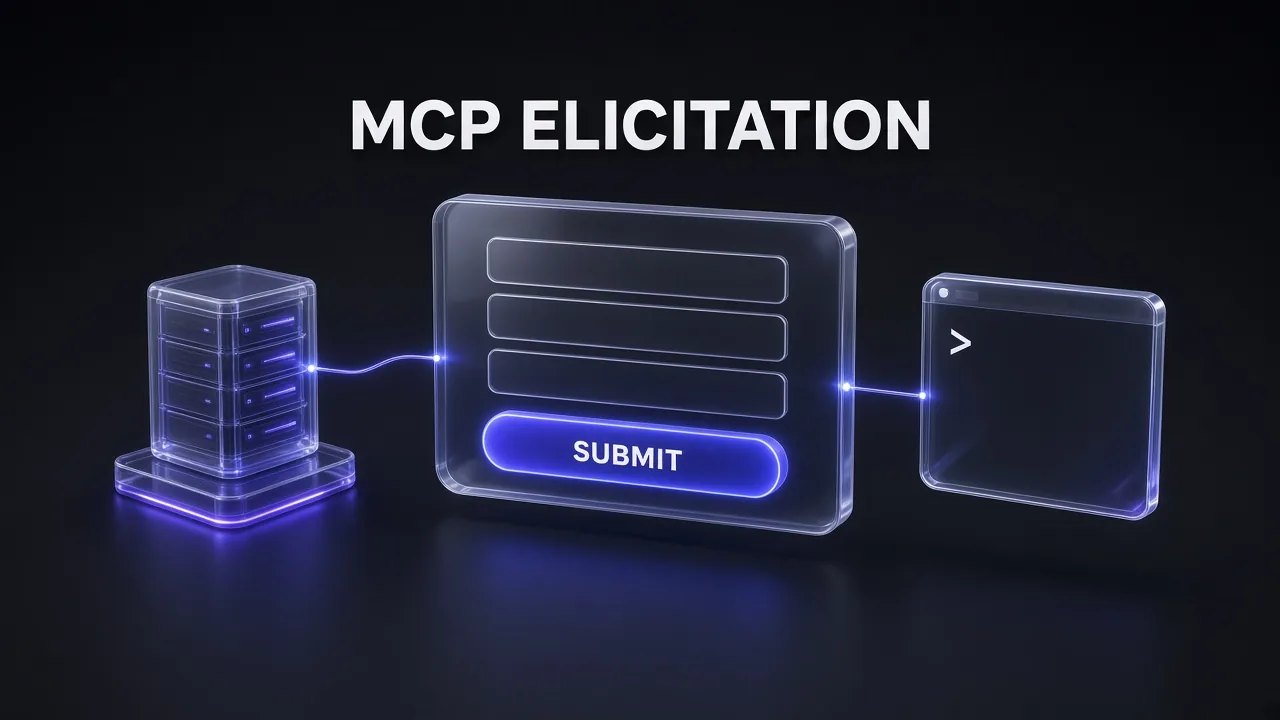
Short version: MCP elicitation is how a tool server stops mid-task and asks you a question instead of guessing. Until October 31, 2026, Claude Code cloud sessions quietly threw those questions away. Version 2.1.316 added a form card to claude.ai/code and the Desktop app's Code tab, and 2.1.323 on November 12 added a matching link card, so a remote agent can now ask for a project key, a date range or a sign-in and actually wait for your answer.
This guide explains what elicitation is in the protocol, what the two modes are for, what the new cards look like in practice, and how to build or automate around them without leaking secrets. If you are still deciding when an MCP server is the right tool at all, start with our breakdown of Claude Skills vs MCP tools vs subagents, then come back here.
What MCP Elicitation Actually Is
The Model Context Protocol lets a client (Claude Code, an IDE, a desktop app) talk to servers that expose tools, resources and prompts. Most of that traffic goes one way: the client calls a tool and the server returns a result. Elicitation flips the direction for a moment. While the server is handling your request, it can send back an elicitation/create request that says, in effect, "I need one more thing from the person before I can finish."
The key detail is who answers. The model does not fill in an elicitation. The client shows it to the human, and the human's answer goes straight back to the server. That is what makes it different from the model simply asking you a follow-up question in chat: the server defines exactly what it needs, the client renders it, and the answer arrives in a structured shape the server can validate.
Typical uses look like this:
- An issue tracker server asking which project key to file a ticket under
- A deploy tool asking you to confirm the target environment before it runs
- A reporting server asking for a date range it cannot infer from the prompt
- A third-party integration sending you to a sign-in page before it can call an API on your behalf
The specification is deliberately loose about the interface. It says clients are free to expose elicitation however suits them, but they must show which server is asking, give you clear decline and cancel options, and let you review a form before sending it.
Form Mode vs URL Mode
The current MCP revision (2026-07-28) defines two modes, and choosing the wrong one is the most common design mistake.
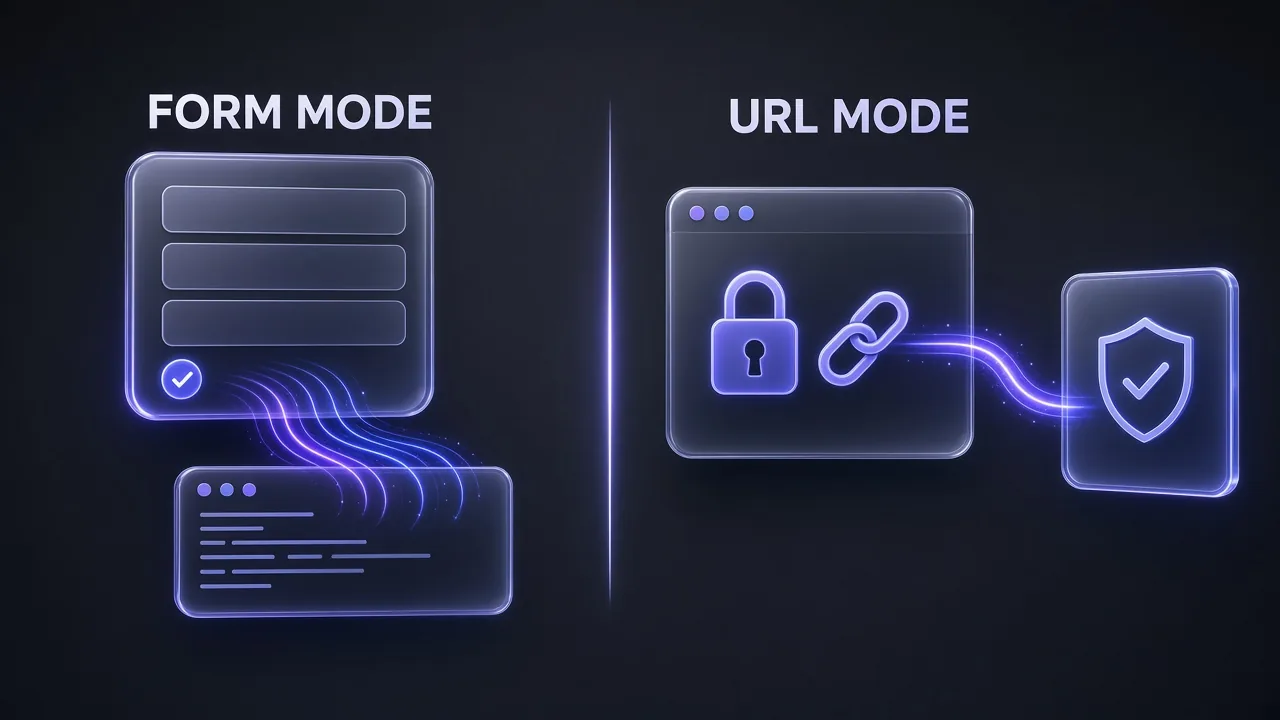
| Form mode | URL mode | |
|---|---|---|
| What the user sees | Fields defined by the server | A link to open in the browser |
| Where the data goes | Through the client to the server | Directly to the server's web page; the client only sees the URL |
| Validation | A restricted JSON Schema (requestedSchema) | Whatever the web page does |
| Good for | Project keys, options, dates, confirmations, names | OAuth sign-in, API keys, payments, anything secret |
| Spec status | Original mode; mode may be omitted | Added in the 2025-11-25 revision |
The rule that matters most is blunt: servers must not use form mode to request passwords, API keys, access tokens or payment credentials, and must use URL mode for them. The spec draws the line at secrets that grant access or authorise transactions. A name, email address or username is not banned outright, but the user can always review and decline.
Pro tip: If you ever see a form card asking for an API key or password, decline it. A well-built server would never ask that way, so the request itself is a warning sign.
How an Elicitation Request Flows
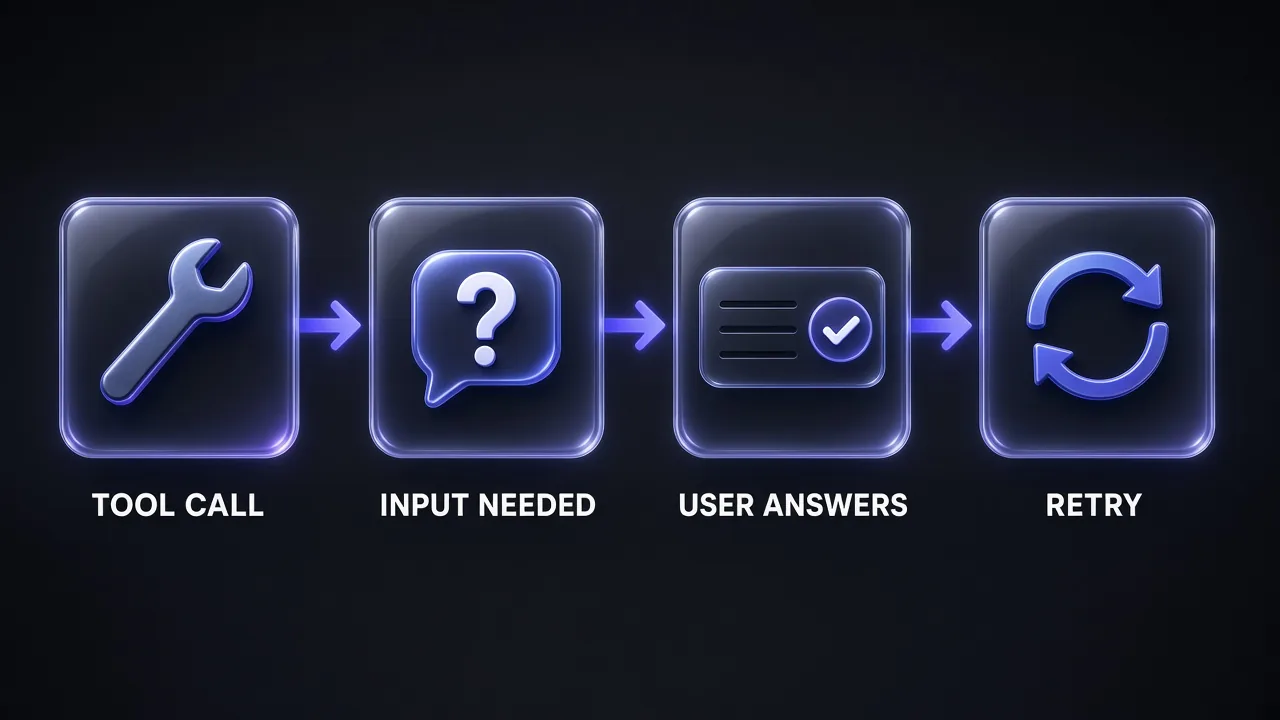
In the 2026-07-28 revision, elicitation rides on the protocol's multi round-trip request pattern. The server does not hold a connection open while it waits. It answers the original tool call with an InputRequiredResult that contains the elicitation request, the client collects your answer, and the client retries the original call with your response attached in inputResponses. The server then finishes the job or asks for something else.
Here is the form request the spec uses as its simplest example, followed by the answer the client sends back:
{
  "method": "elicitation/create",
  "params": {
    "mode": "form",
    "message": "Please provide your GitHub username",
    "requestedSchema": {
      "type": "object",
      "properties": {
        "name": { "type": "string" }
      },
      "required": ["name"]
    }
  }
}

// client result, returned inside inputResponses on the retried request
{
  "action": "accept",
  "content": { "name": "octocat" }
}
Clients advertise what they support through an elicitation capability. {"form": {}, "url": {}} means both modes. An empty {} is treated as form only, for backwards compatibility. Servers must never send a mode the client did not declare.
What You Can Put in a Form
Form schemas are intentionally small. The spec limits them to a flat object of primitive fields, so any client can turn the schema into a simple form without a full JSON Schema engine. Nested objects and arrays of objects are out.
| Field type | Options you can set | Example use |
|---|---|---|
| String | title, description, minLength, maxLength, default; formats email, uri, date, date-time | Ticket title, start date |
| Number or integer | title, description, minimum, maximum, default | Batch size, budget cap |
| Boolean | title, description, default | "Also notify the team?" |
| Single-select enum | enum, or oneOf with const and title for friendly labels | Environment: staging or production |
| Multi-select enum | array of enum items, minItems, maxItems | Which regions to deploy to |
Every field can carry a default, and clients that support defaults should pre-fill them. That small detail is worth using: a form that already holds the most likely answer turns a 20-second interruption into a single click on Submit.
If you write servers with an AI coding agent (see our Claude Code vs Google Antigravity comparison if you are still picking one), you can ask it to draft the schema for you. This prompt keeps it inside the spec's limits:
Draft an MCP Elicitation Form Schema
I am building an MCP server tool called [TOOL NAME] that does [WHAT IT DOES]. When the user's request is missing [MISSING INFORMATION], the tool should send a form-mode elicitation instead of guessing.

Write the elicitation/create params for that request:
1. A one-sentence "message" that tells the user why the server is asking.
2. A "requestedSchema" that is a flat object with primitive fields only (string, number, integer, boolean, or enum). No nested objects, no arrays of objects.
3. A title, description and sensible default for every field.
4. Mark only the truly required fields as required.

Then list anything in my request that counts as a secret (password, API key, token, payment detail) and tell me to move it to URL mode instead.
The Three Answers: Accept, Decline, Cancel
Every elicitation ends in one of three actions, and they mean different things to the server:
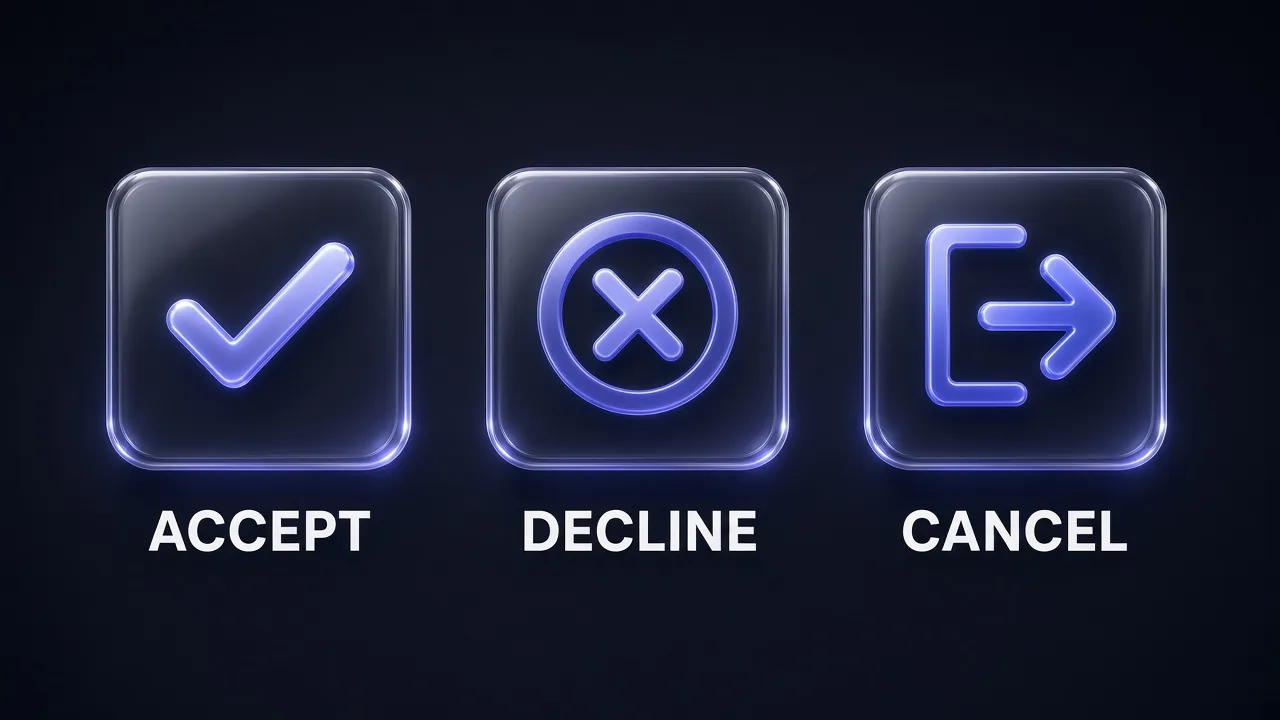
- Accept: you submitted. In form mode,
contentholds your answers. In URL mode there is no content, and accept only means you agreed to open the link, not that you finished the flow. - Decline: you explicitly said no. The server should offer an alternative or stop cleanly.
- Cancel: you dismissed it without choosing (closed the dialog, pressed Escape, the page failed to load). The server may ask again later.
In the Claude Code terminal dialog, choosing Decline sends decline and pressing Esc sends cancel. If you are writing a server, handle all three. The spec says servers must not assume an elicitation will succeed.
What Changed in Claude Code Cloud Sessions
Claude Code has handled elicitation in the terminal since version 2.1.76 on March 14, 2026, when it added an interactive dialog for form fields and browser URLs along with the Elicitation and ElicitationResult hooks. Cloud sessions were the gap. Those are the sessions that run on Anthropic's infrastructure and that you drive from claude.ai/code, the Desktop app or mobile. Before October 31, a server's form request in a cloud session was, in the changelog's words, canceled without you seeing it.
Two releases closed that gap:
| Version | Date | Cloud session change |
|---|---|---|
| 2.1.316 | October 31, 2026 | Form card: fill in or decline a form an MCP server asks for |
| 2.1.323 | November 12, 2026 | Link card: open or decline a link an MCP server asks you to visit |
Here is how the documented flow works when a task in your cloud session stops on a server's request:
- A card appears on the session at claude.ai/code or in the Desktop app's Code tab, naming the request.
- Form mode: fill in the fields, then click Submit.
- URL mode: click Open link, finish the flow it opens, then click I'm done, continue on the card.
- To refuse either kind, click Decline. Claude continues once the server responds.
The docs add one caveat worth knowing: if you see no card in either place, you cannot answer the request there. In your own session, use the stop button to end the turn rather than leaving it waiting.
This matters most for long, unattended work. If you hand a cloud session a multi-step job, like the patterns in our guide to multi-agent workflows with Claude Code, a single missing value used to make a tool fail silently. Now the session parks and waits, which is the right behaviour, but it also means you should check back on long runs instead of assuming they finished.
Which Connections Get Which Modes
If you build servers, the capability Claude Code declares tells you what you are allowed to ask for. According to the Claude Code MCP docs, it declares elicitation: {form: {}, url: {}} on:
- Connections that use protocol revision 2026-07-28
- Connections on earlier revisions (2025-11-25 and older) to the stdio,
sse,httpandwsservers in your own Claude Code MCP configuration, from v2.1.287
On its other connections on older revisions, such as claude.ai connectors, it declares the bare elicitation: {}, which allows form mode only. So a connector-based server on an older revision should not send URL requests, and if it needs a sign-in it should rely on normal MCP authorization instead.
That distinction also helps when choosing what to install. Our list of the best MCP servers for Claude Code covers which popular servers run locally over stdio and which run as hosted connectors.
Pro tip: URL mode is not for signing the client in to your server. The spec reserves it for cases where the server needs a secret or third-party authorization on the user's behalf. The client's own access to the server goes through MCP authorization.
Automate Routine Answers With Hooks
If the same server asks the same question every time, you can answer it from a script. Claude Code's Elicitation hook runs when a server asks for input, matches on the MCP server name, and receives the request as JSON with fields like mcp_server_name, message, mode, url and requested_schema.
The hooks docs use an issue tracker that always asks for a project key. Register the hook in your settings file:
{
  "hooks": {
    "Elicitation": [
      {
        "matcher": "issue-tracker",
        "hooks": [
          {
            "type": "command",
            "command": "${CLAUDE_PROJECT_DIR}/.claude/hooks/answer-project-key.sh",
            "args": []
          }
        ]
      }
    ]
  }
}
Then the script answers only when project_key is the form's single field, and prints nothing otherwise so the normal dialog appears:
#!/bin/bash
input=$(cat)
fields=$(echo "$input" | jq -c '.requested_schema.properties // {} | keys')

if [ "$fields" = '["project_key"]' ]; then
  jq -n '{hookSpecificOutput: {hookEventName: "Elicitation", action: "accept", content: {project_key: "DOCS"}}}'
fi
A few behaviours from the docs are easy to miss:
- A hook that returns
acceptfor a URL-mode request skips the dialog, so the URL never opens. - Exiting with code 2, or printing a top-level
"decision": "block", also declines. The block handling was broken from v2.1.105 until the fix in v2.1.284. - When several hooks match the same request, a decline from any one of them overrides an accept or cancel from another.
- Neither you nor the server sees why a hook declined, because Claude Code does not show the hook's stderr or reason.
The companion ElicitationResult hook runs after a person answers and can let the answer through, change the values, or block it. That is the place to enforce policy, such as never sending production as a deploy target from an unattended session. Hooks pair well with the guardrails in our Claude Code security plugin walkthrough.
To work out which recurring questions are worth a hook, this prompt turns a session log into a short list:
Find Elicitations Worth Automating
Here are the MCP elicitation requests my Claude Code sessions received this week, with the server name, message, fields and what I answered each time:

[PASTE REQUESTS AND ANSWERS]

Group them by server and question. For each group, tell me:
1. Whether my answer was always the same (safe to automate with an Elicitation hook) or depended on the task (keep the dialog).
2. If it is safe, the exact field names the hook should check before answering, so it never answers a different form by mistake.
3. Any request that asked for a secret in form mode, which I should report to the server's maintainer.

Do not suggest automating any URL-mode request or anything that approves a payment, deletion or production change.
Security Rules for Servers and Clients
Elicitation puts a server's words in front of a person, so the spec spends real space on abuse. The rules worth remembering:
- Servers must bind each elicitation to the client and user identity, and must not trust a user's typed claim of who they are.
- Servers must not put credentials or personal data in an elicitation URL, and must not send a pre-authenticated URL that could let a malicious client impersonate the user.
- Clients must not pre-fetch the URL, must show the full URL before consent, and must not open it without explicit consent. They should highlight the domain and warn on suspicious URLs such as Punycode.
- For URL flows, the server must check that the person who opens the link is the same person who triggered the request. The spec walks through a phishing attack where an attacker forwards their own sign-in link to a victim and ends up with the victim's tokens bound to the attacker's session.
The fix the spec suggests is a "connect" page on the server that checks your session before forwarding you to the third-party sign-in. If your agent mainly needs web data, a hosted scraping API with its own MCP server, such as Firecrawl, means one API key in your local MCP config instead of a sign-in flow you have to build and secure.
Troubleshooting Elicitation in Claude Code
| Symptom | Likely cause | What to do |
|---|---|---|
| Server refuses to connect after an update, with a message about the elicitation capability | Java MCP SDK 0.11.0 through 0.17.0 cannot parse the form and url modes | Upgrade to Java MCP SDK 0.17.1+ (Spring AI 1.0.7+ or 1.1.6+), or add "bareElicitationCapability": true to that server's entry (v2.1.281+) |
| Cloud session stuck with no card visible | The request is not shown at claude.ai/code or the Desktop Code tab | You cannot answer it there; use the stop button in your session to end the turn |
| URL request can only be declined | The escaped URL is over Claude Code's command-line cap (about 8,000 characters, or about 4,000 for heavily percent-encoded URLs) | Shorten the URL on the server side, for example with a short connect link |
| Form taller than the terminal looked cut off | An older fullscreen-mode bug | Update Claude Code; the form now fits the window and scrolls, with Accept and Decline always visible |
| Tool keeps retrying after an unanswered request in a non-interactive run | No one was there to answer | Current versions tell Claude that no answer came and not to repeat the call; for scheduled runs, answer known questions with a hook |
Long, unattended sessions burn tokens while they wait and retry, so it is worth knowing what a stalled run costs. Our Claude Code API pricing guide covers how usage is billed, and our post on subagent effort settings shows how to keep background agents cheap.
When to Use Elicitation (and When Not To)
My take: elicitation is the right call when the missing piece is a human decision the server genuinely cannot infer, and the answer is short. It is the wrong call when you are using it to avoid writing a good tool description.
| Use elicitation when | Skip it when |
|---|---|
| A choice has real consequences (environment, recipient, budget) | The model can read the value from the prompt or the repo |
| The server needs third-party sign-in (URL mode) | You are asking for a secret in a form |
| A required field is missing and guessing would be wrong | You would ask on every single call; set a config default instead |
| You want an explicit confirmation step | The session is fully unattended and nobody can answer; use a hook or fail fast |
For the bigger picture of how MCP fits with skills, context files and subagents, our context engineering patterns for Claude Code covers where each piece of information should live so the server only asks when it must.
Verdict
Honest answer: elicitation was a terminal-only nicety until this month. The October 31 form card and the November 12 link card make it work where agents increasingly run, in cloud sessions you check from a browser or your phone. For users, the change is simple: watch for the card, read which server is asking, and decline anything that asks for a secret in a form. For server authors, it is a reason to replace "guess and hope" defaults with a short, well-labelled form, and to move every sign-in to URL mode with a connect page that checks identity.
If you want a cheaper model behind the agents that call these servers, the GLM coding plans are worth a look.
Frequently Asked Questions
8 questions answered