The PromptsRush journal
AI ToolsImagineArt Review (2026): Features, Pros & Cons
ImagineArt puts dozens of image, video and audio models behind one subscription, with studios, workflows, an MCP server and a Premiere Pro plugin. It's excellent value per credit, but credits expire each cycle and billing complaints are common. Here's who it suits.
Advertisement
Product Review
Vyro
ImagineArt
ImagineArt is one of the broadest AI creative suites available, combining dozens of current image, video and audio models with Ad, Fashion and Film studios, a Workflows automation canvas, a 96-tool MCP server and a Premiere Pro plugin, at a low cost per credit. Its weaknesses are commercial: credits reset every cycle, two discount badges overstate savings, 'unlimited' limits aren't disclosed, refunds are limited to 3–5 days, and billing complaints dominate its negative reviews.
Excellent
Pricing
Free / from $9 per month billed yearly ($13 monthly)
What we liked
- One of the broadest and most current model catalogues in one subscription
- Low cost per credit, especially on yearly Standard, Ultimate and Creator plans
- Ad, Fashion and Film studios save substantial prompting for common outputs
- Workflows and Brand Kits make on-brand production at volume practical
- Imagine MCP and the Premiere Pro plugin are among the best integrations in the category
- Unlimited generations on key models with Ultimate and Creator
- New models such as GPT Image 2.5 arrive quickly
What to watch for
- Credits reset every billing cycle and never roll over
- Ultimate and Creator discount badges overstate the real yearly saving
- No published queue, resolution or fair-use terms for 'unlimited' models
- Refunds only within 3–5 days and under 300 credits used
- Billing and trial-conversion complaints dominate negative reviews
- Basic plan output is public and video is capped at 768p and 6 seconds
- Premiere plugin installers require overriding OS security warnings
Key Capabilities
- Dozens of image models including GPT Image 2.5, Nano Banana Pro, Seedream v5 Pro, Ideogram v4 and Flux.2
- Video models including Seedance 2.5, Kling 3.0 Pro, Veo 3.1 Lite, Runway 4.5 and MiniMax Hailuo H3
- Ad Studio: URL to Ad, Motion Design and Ad Reference with AI avatars
- Fashion Studio and Film Studio guided pipelines
- Workflows node canvas with templates, Brand Kits, moodboards and Creative Analyser
- Imagine MCP with 96 tools for Claude, Claude Code, Cursor, Codex, Grok and more, plus a CLI
- Premiere Pro plugin with Film Studio timeline export; ChatGPT plugin
- Lipsync Studio, voice cloning, text-to-speech and music generation
- Editing tools: inpaint, relight, upscale, camera angles, background removal, video extension
- Team seats and GPT, Gemini and Claude chat models on paid plans
The Verdict
Start free, then test Standard on monthly billing with your real workload before switching to yearly. Buy it if you use several models, produce marketing or fashion assets at volume, or want generation inside Premiere Pro or your AI agent. Skip it if you only need one model, generate unevenly, or need a generous refund policy.
ImagineArt is an all-in-one AI creative suite that puts dozens of image, video and audio models behind one subscription, then builds studios, workflows, plugins and an MCP server on top of them. In 2026 it's one of the broadest tools in its category and good value per credit. Its weak spots are commercial rather than creative: credits that never roll over, discount badges that overstate savings, and a run of billing and refund complaints from users.
This review is based on ImagineArt's live product pages, its checkout price data, its MCP and plugin documentation, and 1,230 Trustpilot reviews, all checked on 16–17 September 2026. For a plan-by-plan cost breakdown, see our companion ImagineArt pricing guide.
What Is ImagineArt?
ImagineArt is a generative AI platform from Vyro, available on the web and as mobile apps. The company claims more than 30 million users and 100 million downloads. It started as an AI image generator and has grown into a full creative suite covering:
- Generation of images, video, audio, voice and music, using both ImagineArt's own models and third-party models from OpenAI, Google, ByteDance, Kling, Runway, Black Forest Labs and others.
- Editing tools such as inpainting, relighting, upscaling, background removal, camera-angle changes and video extension.
- Studios for ads, fashion and film, which wrap the models in guided pipelines.
- Workflows, a node-based automation canvas for repeatable production.
- Integrations: an MCP server for AI agents, a ChatGPT plugin, and plugins for Premiere Pro and other creative apps.
That breadth is the main reason to choose it. The closest all-in-one competitor is OpenArt, covered in our OpenArt review; ImagineArt now leans further into video, studios and agent integrations.
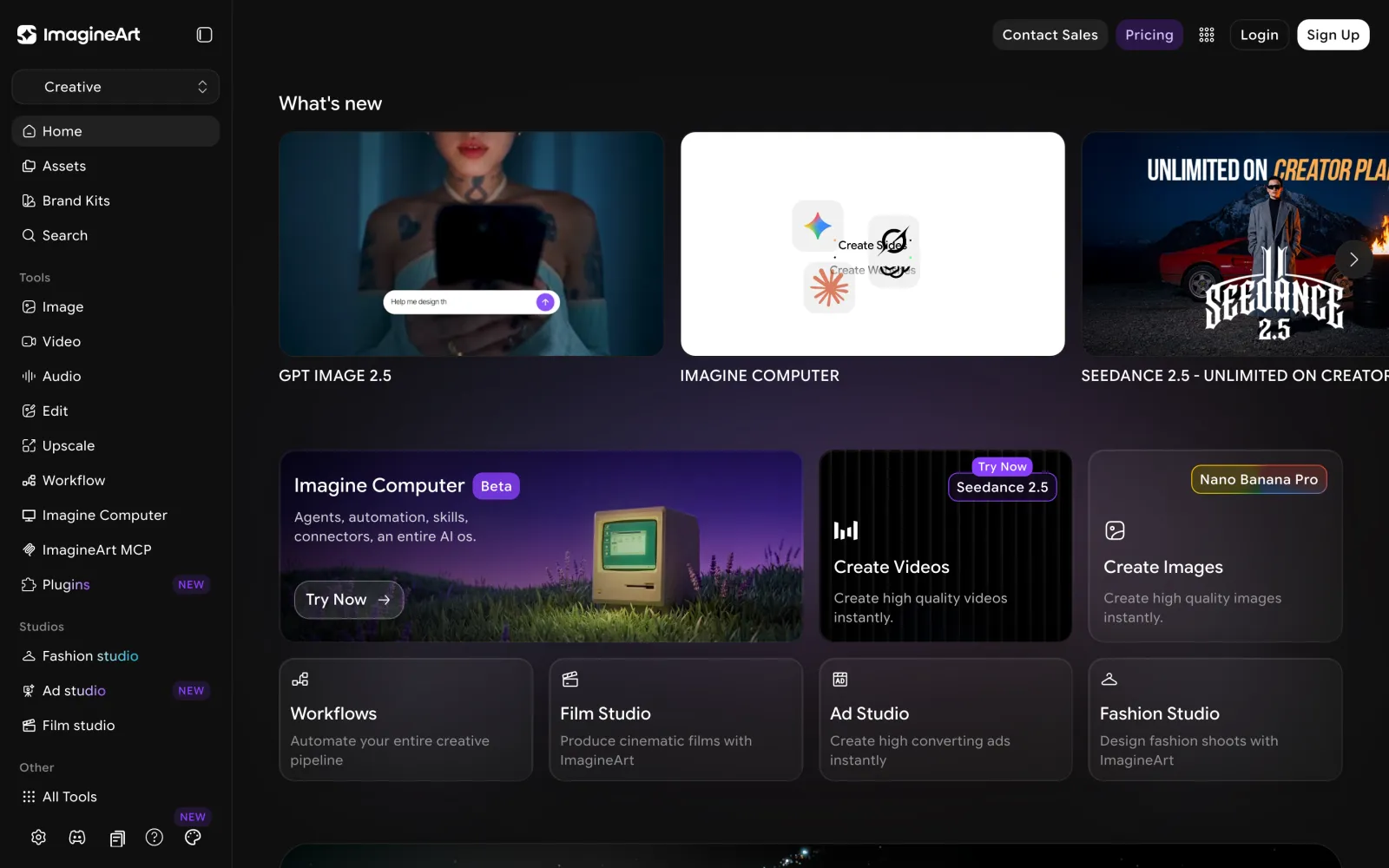
The ImagineArt dashboard: generation tools in the sidebar, studios below, and new model launches at the top.
Core Features
Image generation and model choice
The image tool offers one of the largest model catalogues of any consumer platform. On 17 September 2026 it included GPT Image 2.5 (Sunburst and Flare), GPT Image 2, Nano Banana Pro and Nano Banana 2, Seedream v5 Pro, Ideogram v4, Flux.2 Max and Pro, Recraft v4.1, Krea Flux 1, xAI Grok Imagine, Qwen Image, and ImagineArt's own 2.0 and 1.5 models, among others.
Having them in one place matters because each model is good at something different. GPT Image 2.5 and Ideogram handle text inside images well, Nano Banana is strong at multi-image editing, and Flux and Krea produce more photographic results. Supporting tools include style references, "Personalize" elements for consistent subjects, inpainting, Magic Text, relighting and upscaling. Prompts written for OpenAI's latest image model, such as our 80s and 90s image prompts, carry straight over to its GPT Image 2.5 option.
Video generation
Video models include Seedance 2.5 (the current default), Kling 3.0 Pro and Kling Motion Control, Veo 3.1 Lite, Runway 4.5, PixVerse V6, MiniMax Hailuo H3 Max, Grok Video and Flux 3. The generator supports start and end frames, @ references, a prompt enhancer, effect templates and video extension.
Your plan sets hard limits on video. Basic caps clips at 6 seconds and 768p; Standard allows up to 10 seconds; Ultimate and Creator allow 12 seconds; all three higher plans go up to 4K. That makes Basic unsuitable for serious video work. Seedance is the model most worth learning here, and our Seedance 2.5 prompt guide covers how to get consistent results from it.
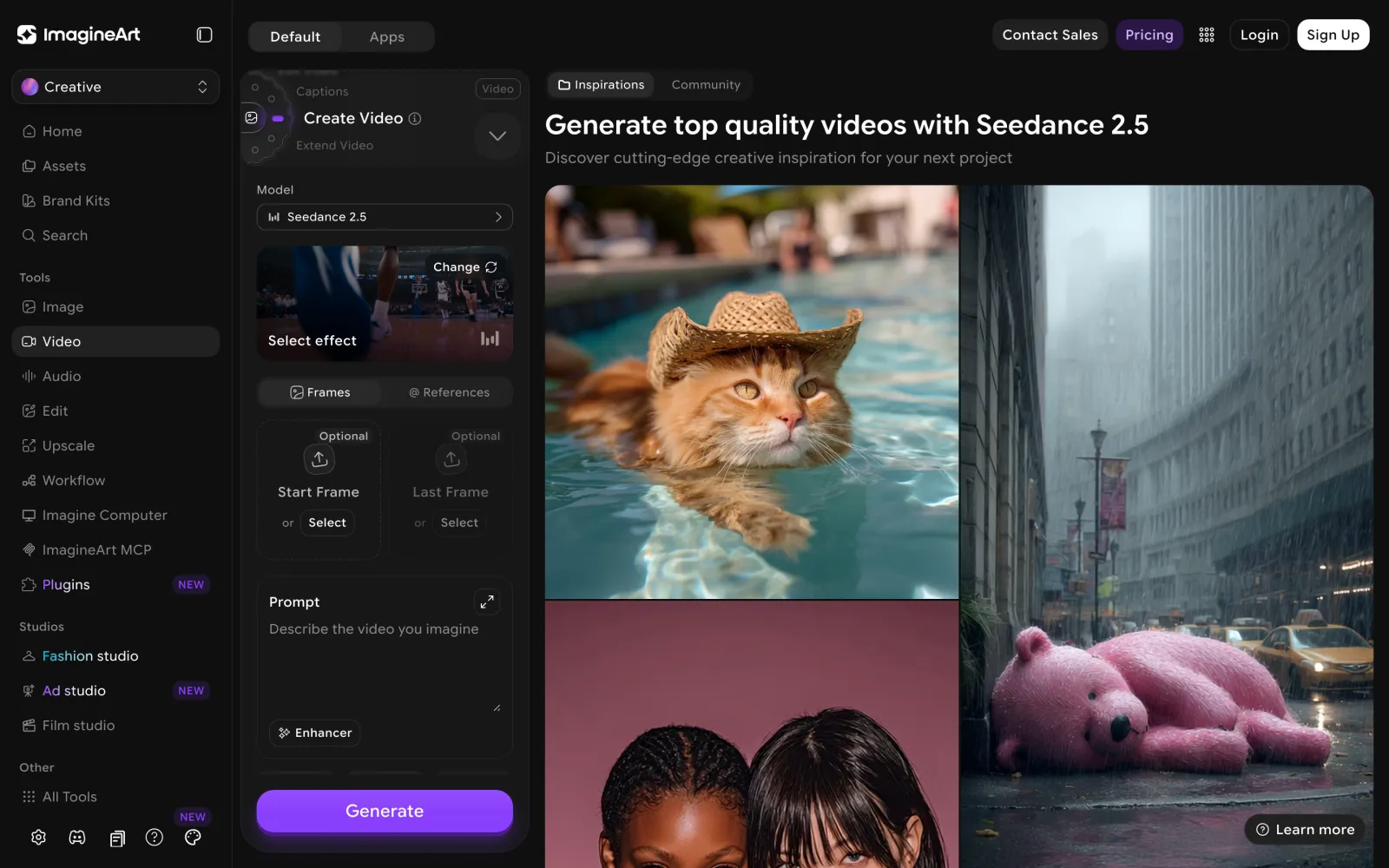
The video generator, with Seedance 2.5 as the default model.
A separate Lipsync Studio handles talking-head video with Kling Avatars 2.0 Pro, Kling 2.6, Veo 3.1, Wan 2.6 and InfiniTalk. Lip-sync is one of the most credit-hungry features: ImagineArt's own plan table shows Basic's 3,000 credits covering up to 11 Kling Avatars videos but only 1 Veo 3.1 video.
Ad Studio, Fashion Studio and Film Studio
The studios are where ImagineArt differs most from a plain model aggregator. Each wraps the models in a guided pipeline for one kind of output.
Ad Studio offers three routes. URL to Ad builds a video ad from a product page link; Motion Design creates motion-graphics product ads from a storyboard; and Ad Reference recreates the structure of an existing viral ad with your product. Presets include unboxing, virtual try-on, ASMR, tutorial and "hyper-motion" formats, and you can generate AI avatars to present the product. For teams comparing dedicated ad tools, our roundup of AI UGC ad platforms puts it in context.
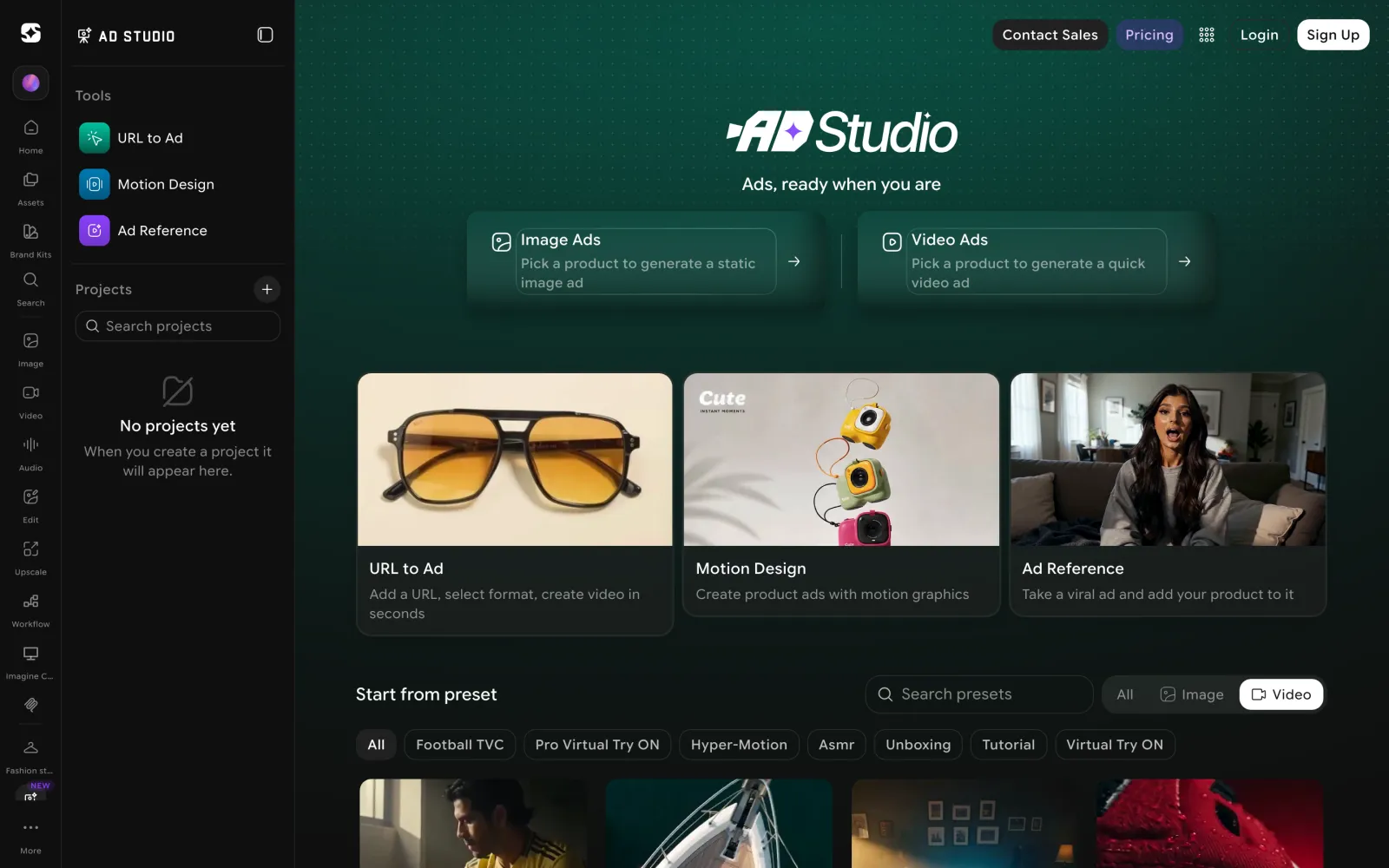
Ad Studio's three creation routes and its preset library.
Fashion Studio produces editorial and catalogue imagery and video. You cast a model, choose tops, bottoms and footwear, and get campaign or product-page assets without a photoshoot. Prompt-level control for the same kind of work is covered in our Nano Banana 2 fashion photography prompts.
Film Studio organises longer projects into scenes, characters and references, and has a "Drama" mode for narrative work. Its standout feature is export: a Film Studio project can be rebuilt as an editable Premiere Pro timeline, covered under plugins below.
Workflows
Workflows is a node-based canvas for automating repeatable production, available in ImagineArt's Business workspace. You can start from templates for cinematic, advertising, fashion, branding and fast-food work, or describe what you want in plain language and let the AI build the workflow. The workspace also includes Brand Kits, moodboards, a Creative Analyser, a carousel maker, asset localisation, image and text iterators, and variables for batch generation.
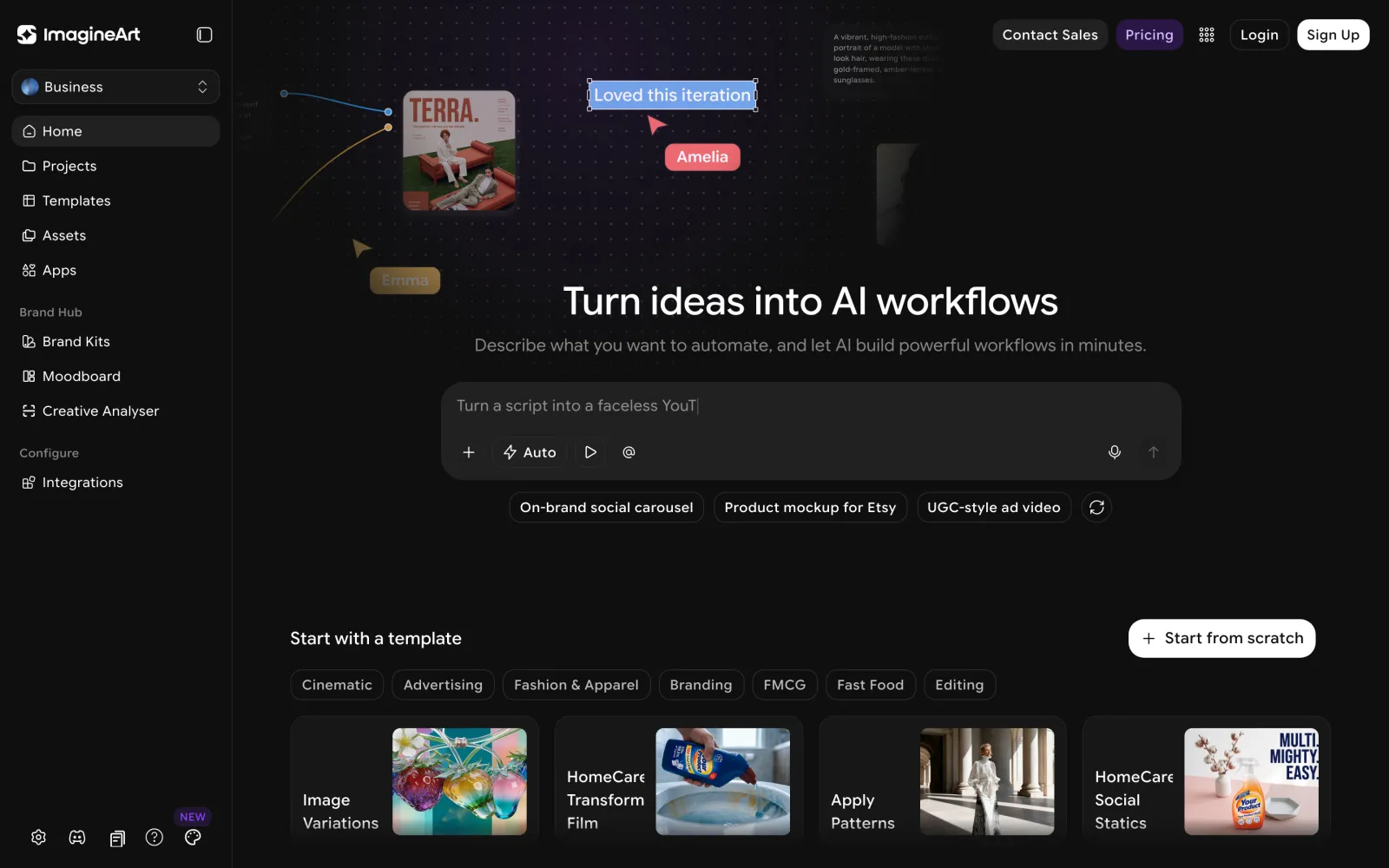
Workflows can be described in plain language or started from industry templates.
This is the feature that makes ImagineArt viable for agencies and in-house teams. Producing the same on-brand asset in 20 variations is a workflow problem, not a prompting problem.
Brand Kits and Teams
Brand Kits store your logo, colours and fonts once and apply them to every generation. You can build one from scratch or upload an existing brand file (PDF or DOCX, up to 50 MB). Team seats come with the higher plans: 3 users on Standard, 6 on Ultimate and 20 on Creator.
Imagine MCP, CLI and the ChatGPT plugin
ImagineArt's MCP server connects its generation tools to AI agents. You add https://mcp.imagine.art as a connector, sign in, and your agent can generate images, video and music, run the Ad and Fashion studios, upscale, remove backgrounds and check your credit balance within the conversation. ImagineArt says it exposes 96 tools, which use the same account and credits as the web app.
A single command, npx -y @imagineartofficial/mcp install, sets it up for eleven clients: Claude, Claude Code, Cursor, Codex, VS Code, Windsurf, Cline, Gemini CLI, Hermes, OpenClaw and Grok. The same npm package includes a command-line tool (imagine image, imagine video, imagine music) for use in a terminal. In ChatGPT, ImagineArt is available in the plugin directory as @ImagineArt.
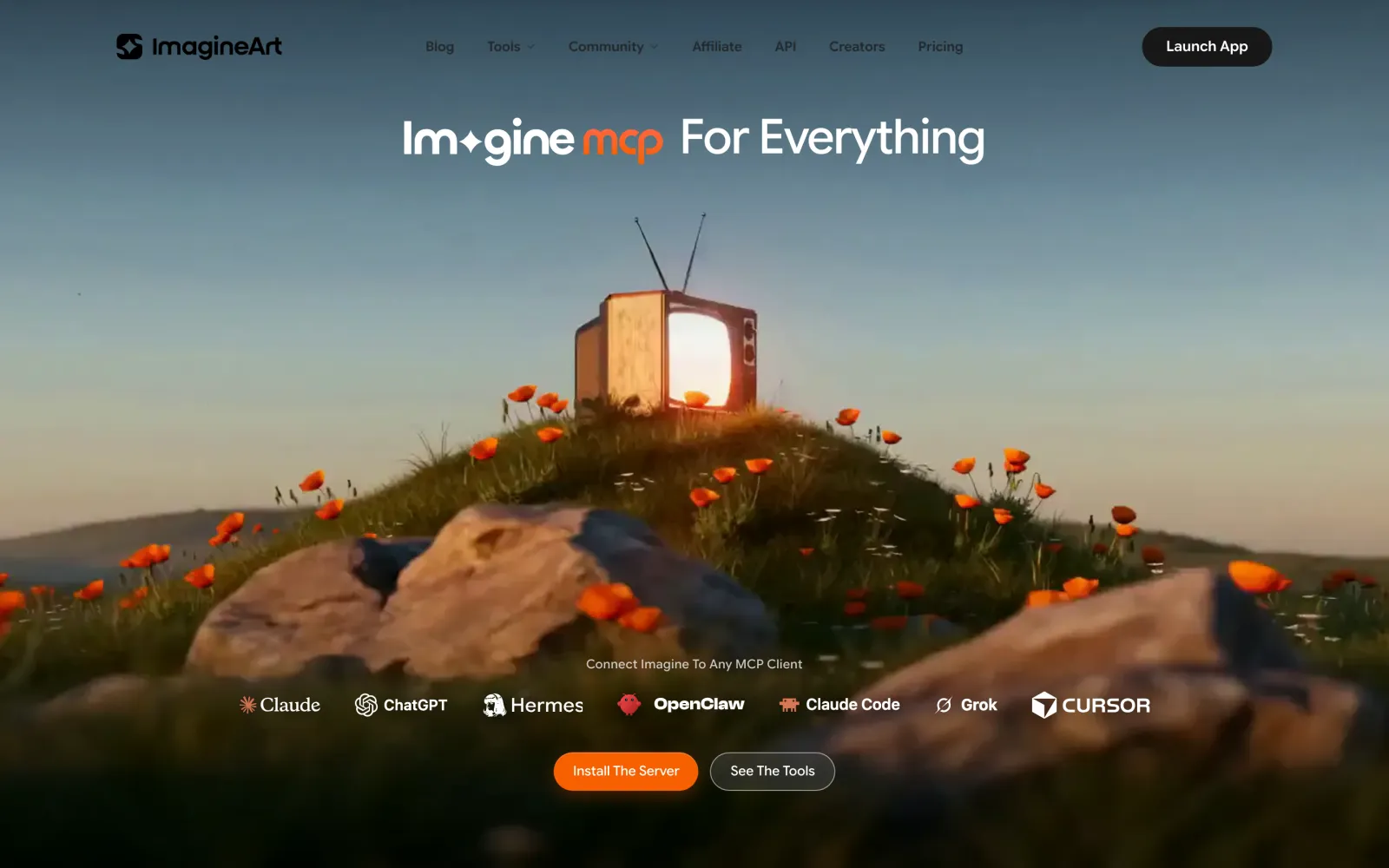
Imagine MCP connects ImagineArt's tools to agents including Claude, ChatGPT, Cursor and Grok.
This is one of the most complete creative MCP integrations available, and it compares well with the options in our guide to image-generation MCPs for Claude. One caution: the MCP page lists Sora among the models your agent can reach, but OpenAI's Sora 2 API shuts down on 24 September 2026. Check that any model you plan to depend on is still available.
Plugins for Premiere Pro and other apps
The Premiere Pro plugin puts ImagineArt in a docked panel inside the editor. From there you can generate images and video, animate stills, remove or replace objects in a clip, reframe to a new aspect ratio, change backgrounds, translate and lip-sync dialogue, generate narration, upscale, relight and change camera angles. The panel shows the credit cost before each generation. Its most useful feature is conforming a Film Studio project into an editable Premiere sequence with scenes mapped to clips.
The plugins page also lists Photoshop, After Effects, Framer, Figma and Shopify. The Premiere installers have a practical drawback: on macOS you have to override the system's "could not verify the developer" warning, and the Windows one-click installer isn't code-signed, so SmartScreen blocks it until you approve it. That will matter to teams whose IT policies block unsigned software.
Audio and Imagine Computer
Audio tools cover voice cloning, text-to-speech, and song and music generation, and captioning was added recently. Imagine Computer, currently in beta, is described as an AI operating system with agents, automation, skills and connectors, and its early interface includes slides, sheets and documents. It's too early to judge, so treat it as a preview rather than a reason to buy.
Every paid plan also includes access to GPT, Gemini and Claude chat models.
What's New in 2026
ImagineArt ships quickly. Recent additions listed in its "What's new" feed include:
- GPT Image 2.5 in both Sunburst and Flare variants, days after OpenAI's release.
- Seedance 2.5 as the default video model, with unlimited generations on the Creator plan.
- Imagine Computer (beta), an agent workspace.
- Imagine MCP and the ChatGPT plugin.
- The Premiere Pro plugin with Film Studio export.
- Drama mode in Film Studio and new Fashion Studio formats.
- MiniMax Hailuo H3, Seedream v5 Pro, Kling 3.0 Pro and Kling 3 Motion Control.
- ImagineArt Teams, Captions, Motion Design and Relight.
GPT Image 2.5 was live on ImagineArt within days of OpenAI releasing it. If that pace holds for other launches, it's a real advantage for trying new models without opening a new account each time.
How to Use ImagineArt
- Start on the free plan. You get 100 credits a day on basic image models, enough to learn the interface. Video needs a paid plan.
- Pick the model for the job, not the default. Use a text-strong model such as GPT Image 2.5 or Ideogram for designs with words, and a photographic model such as Flux or Krea for realism. Check the credit cost shown before generating, because premium models cost far more.
- Set up a Brand Kit before producing client or brand work, so logos, colours and fonts apply automatically.
- Use a studio when one fits. Ad Studio, Fashion Studio and Film Studio save considerable prompting for their specific outputs.
- Automate what you repeat. Turn any asset you make more than a few times into a Workflow, or drive ImagineArt from your AI agent through Imagine MCP.
ImagineArt Pricing
| Plan | Monthly billing | Yearly billing | Credits per month | Notes |
|---|---|---|---|---|
| Free | $0 | $0 | 100 per day | Basic image models only; no video |
| Basic | $13 | $9/mo | 3,000 | Public generations; video up to 768p, 6 s |
| Standard | $30 | $20/mo | 8,000 | Private; 4K video; 3 users |
| Ultimate | $50 | $34.17/mo | 16,000 | Unlimited models; 6 users |
| Creator | $250 | $175/mo | 100,000 | Expanded unlimited models; 20 users |
Prices are US checkout prices from 16 September 2026, during an active sale. Four commercial details deserve attention before you subscribe:
- Credits reset every billing cycle and never roll over.
- Two discount badges overstate the saving. Ultimate is advertised at 38% off and Creator at 50% off yearly, but against their real monthly prices the saving is about 32% and 30%.
- Unlimited models are limited to Ultimate and Creator, were promoted as part of a limited-time sale, and come with no published queue, resolution or fair-use terms.
- Refunds are available only within 3–5 days and only if you've used fewer than 300 credits.
At roughly $1.75 to $4.33 per 1,000 credits, ImagineArt is inexpensive per credit, and the Creator plan's unlimited Kling 3.0 Pro access can undercut a direct Kling subscription for heavy users. Compare it with Kling's own plans if Kling is your main model.
What Users Say
ImagineArt holds a 3.8 out of 5 TrustScore on Trustpilot from 1,230 reviews, rated "Great," and the company replies to 95% of negative reviews.
Praise most often mentions output quality, a simple interface, and access to many models in one place.
Complaints cluster around billing and refunds. Recent negative reviews describe a low-cost trial converting into a full subscription after the reviewer believed they'd cancelled, and a yearly plan being charged without the reviewer realising it was annual. ImagineArt's checkout does include $1 and $2 trial price points that convert to regular plans. Other complaints concern content filters blocking prompts and parts of the interface being confusing.
These reports are individual experiences, not established facts, but the pattern matches the pricing structure: short trials, prominent yearly discounts and a narrow refund window. The practical defence is simple. Choose monthly billing first, note the renewal date of any trial, and cancel at least a day early if you don't intend to continue.
ImagineArt vs Alternatives
| Tool | Best for | Where it beats ImagineArt | Where ImagineArt wins |
|---|---|---|---|
| OpenArt | Image-led creators, custom model training | Model training and character consistency focus | Video depth, studios, MCP and Premiere integration |
| Higgsfield | Video-first creators and social formats | Video-specific presets and effects | Image model breadth, Brand Kits, Workflows |
| Kling (direct) | Creators who only need Kling | Newest Kling features first; native multi-shot and audio | Dozens of other models on one subscription |
| Magnific | High-end upscaling and enhancement | Upscaling quality and control | Everything beyond upscaling |
Higgsfield's plan structure is detailed in our Higgsfield pricing guide. If upscaling is your main need, Magnific's pricing shows what a dedicated tool costs.
Who Should Use ImagineArt
- Creators who use several models. One subscription replaces separate accounts for image, video and audio models.
- Marketing teams and agencies producing ads and on-brand assets at volume, using Ad Studio, Brand Kits and Workflows.
- E-commerce and fashion brands that need catalogue and campaign imagery without photoshoots.
- Video editors in Premiere Pro who want generation, object removal, reframing and dubbing inside their editor.
- Developers and AI power users who want to drive generation from Claude, Cursor, ChatGPT or a terminal through Imagine MCP.
Who Should Not
- Users who need only one model. If you only use Kling or Midjourney-style images, a direct subscription is simpler.
- People who generate unevenly. Credits don't roll over, so a quiet month is wasted money.
- Anyone who needs private output cheaply. Basic-plan generations are public, so confidential work needs Standard or higher.
- Buyers who want a generous refund policy. The 3–5 day, under-300-credit refund window leaves little room to change your mind on a yearly plan.
- Organisations that block unsigned software. The Premiere plugin installers require overriding operating-system security warnings.
The Verdict
ImagineArt earns a 4.0 out of 5. As a creative platform it's excellent: a very broad and current model catalogue, genuinely useful studios, a serious automation layer in Workflows, and some of the best integrations in the category through Imagine MCP and the Premiere Pro plugin. On price per credit, it's among the better-value suites available.
It loses a point on commercial terms. Credits that expire every cycle, discount badges that overstate savings, undisclosed limits on "unlimited" models, a narrow refund window, and a steady stream of billing complaints all mean you should buy carefully rather than impulsively.
The right approach for most people: start with the free plan, move to Standard on monthly billing to test your real workload, and switch to yearly billing on Standard or Ultimate only once you know you'll use your credits every month.
Keep Reading
Higgsfield vs OpenArt compares two of ImagineArt's main rivals, and our Hedra review covers a specialist alternative for talking-character video. Browse all guides on PromptsRush.
Frequently Asked Questions
10 questions answered