25+ Best Prompts for Seedance 2.5
28 prompts written for what Seedance 2.5 actually does — native 30-second single-pass 4K, joint audio-video generation, and up to 50 reference assets. The old five-second prompt habits waste the model.
Advertisement
Almost every AI video prompt you have read was written for a five-to-ten second model. That constraint shaped everything: one camera move, one beat, one idea, then stitch clips together and hope continuity survives the joins.
Seedance 2.5 breaks that. It generates a native 30-second 4K clip in a single pass — no stitching — and it generates audio and video jointly, co-processed in the same latent space rather than produced separately and synchronised afterwards. It also accepts up to 50 reference assets across images, audio, 3D models and style references, against 12 in Seedance 2.0.
Those three changes mean the old prompt habits actively underuse the model. A five-second prompt run on a thirty-second engine wastes twenty-five seconds. A prompt that says nothing about sound gets sound anyway — just sound you did not direct.
These 28 prompts are written for what 2.5 actually does. Each is a template; replace the bracketed fields.
What Changed, and Why It Changes Your Prompts
| Capability | What it means for prompting |
|---|---|
| 30s native single pass, 4K | Write a scene with beats, not a shot. Structure by timecode. |
| Joint audio-video generation | Direct the sound explicitly — dialogue, foley, ambience, music. |
| Up to 50 reference assets | References become the main control surface, not a fallback. |
| Consistency-preserving editing and extension | Iterate on a clip rather than regenerating from scratch. |
| 3D white-box preview | Test blocking cheaply before committing a full render. |
| 10-bit colour depth | Prompt for a gradeable image if the clip goes into post. |
Nine Rules for Prompting Seedance 2.5
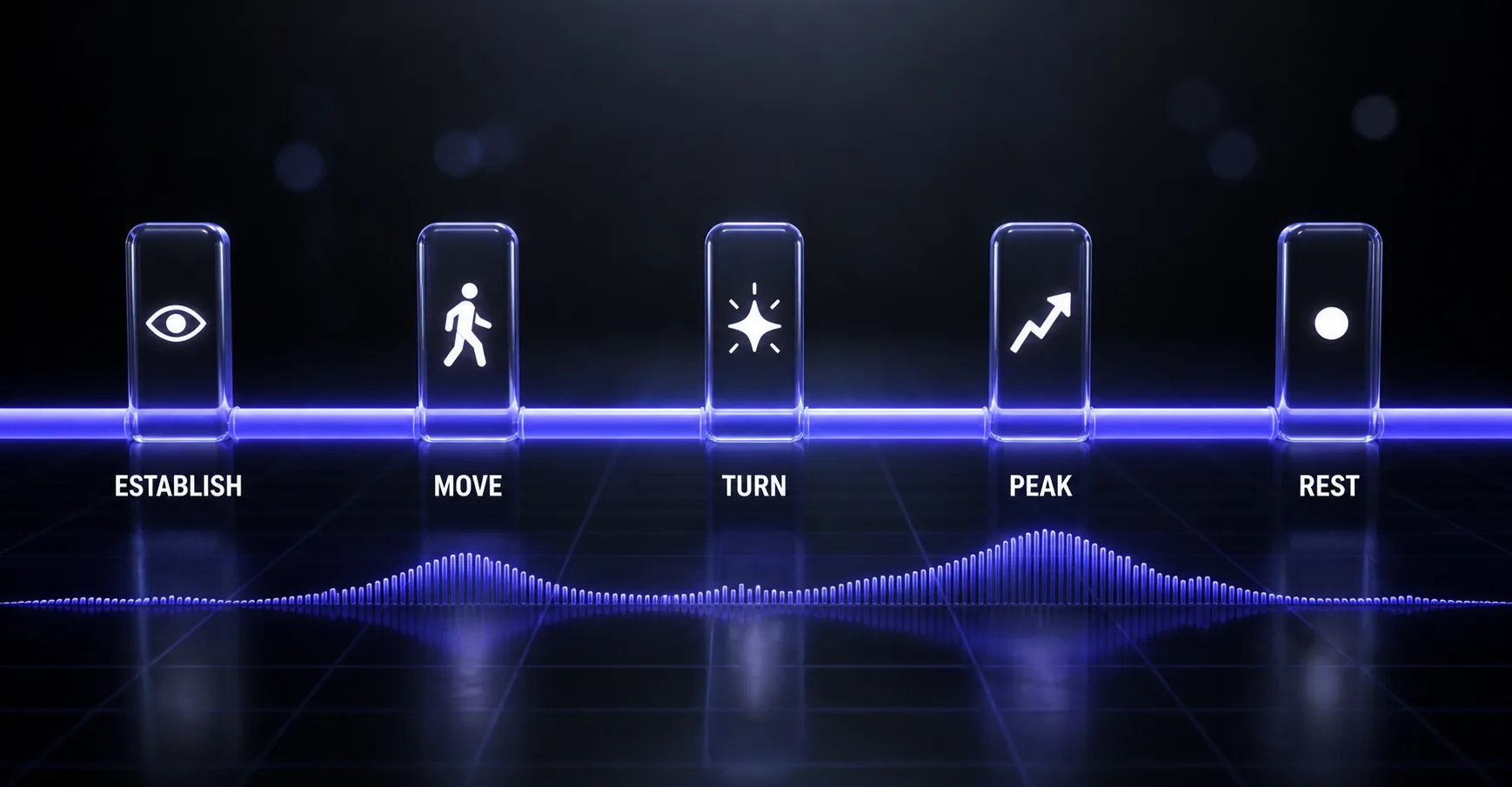
- Structure by timecode. Thirty seconds is long enough to lose. Give it beats — 0–6s, 6–14s, 14–24s, 24–30s — and say what changes in each.
- Direct the audio or accept whatever arrives. The model generates sound jointly. Silence in your prompt is not a request for silence, it is an absence of direction.
- One continuous camera logic. A single pass is not licence for six cuts. Describe one coherent move, or one deliberate held frame, across the whole clip.
- References beat adjectives. With 50 slots available, showing is cheaper than describing. Attach the face, the palette, the room, the sound.
- White-box first on anything complex. Test blocking and timing at low fidelity before spending a 4K render on a scene that does not work.
- Say what must not change. Faces, packaging, logos, wardrobe. Over thirty seconds there is far more room for drift than over five.
- Give motion a cause. "She turns" is weak. "She hears the door, her eyes move first, then her head" produces a performance.
- Shoot flat if you are grading. Ten-bit gives you latitude — ask for lower contrast and protected highlights, then grade in post.
- Extend rather than restart. When a clip is nearly right, use extension and editing to preserve what works instead of rolling the dice again.
Prompt Structure and Fundamentals (Prompts 1–4)
1. The Scene Brief
Start here. It turns an idea into the structured input the model wants.
Act as a director. Turn my idea into a structured 30-second Seedance 2.5 scene brief.

MY IDEA: [DESCRIBE IT PLAINLY]
PURPOSE: [WHERE THIS RUNS AND WHAT IT MUST ACHIEVE]
ASSETS I HAVE: [REFERENCE IMAGES, AUDIO, 3D MODELS, STYLE FRAMES]
CONSTRAINTS: [WHAT MUST APPEAR, WHAT MUST NOT]

Produce:
1. The single idea the clip communicates, in one sentence
2. A beat structure across 30 seconds with timecodes, stating what changes in each beat
3. The camera logic — one continuous move or one deliberate hold, described across the whole clip
4. The audio design: dialogue, foley, ambience and music, with what happens when
5. The lighting and palette direction
6. Which of my assets to attach as references, and what each one is controlling
7. The lock list — what must stay identical throughout

Then flag:
- Any beat that is too thin to hold its allotted seconds
- Anywhere I am asking for a cut rather than a continuous shot, and how to rewrite it
- What I am missing that would materially improve the result

Do not write the final prompt yet. Give me the brief so I can correct it first.
2. The Timecode Skeleton
Convert this brief into a timecoded 30-second Seedance 2.5 prompt skeleton.

BRIEF: [PASTE FROM PROMPT 1, OR DESCRIBE]

Structure the clip as:
- 0-6s: establish — what the viewer must understand before anything happens
- 6-14s: develop — the first change, and what causes it
- 14-24s: turn — the moment the clip exists for
- 24-30s: settle — where it lands, and the final frame

For each beat, specify:
1. What is in frame and where
2. What moves, and what causes the movement
3. Where the camera is and what it is doing
4. What the audio is doing — this must change across beats, not sit flat
5. How the lighting shifts, if at all

Rules:
- Each beat must earn its seconds. If a beat is only a held frame, say so deliberately rather than by omission
- The camera logic must be continuous across all four beats
- No cuts. If the idea needs a cut, tell me and propose the version that does not

Output the skeleton as a single prompt block I can run.
3. The Prompt Compressor
Long prompts drift. This tightens without losing direction.
Tighten this Seedance 2.5 prompt without losing any direction that matters.

PROMPT: [PASTE YOURS]

Do the following:
1. Remove adjectives that do not change the output — "beautiful", "stunning", "amazing", "cinematic" used as filler
2. Replace vague direction with specific direction: name the lens feel, the light direction, the speed, the material
3. Collapse repeated instructions into one clear statement
4. Move anything that should be a reference asset out of the text and tell me to attach it instead
5. Keep every lock and every timecode intact

Then give me:
- The tightened prompt
- A list of what you removed and why
- Anything vague you could not fix because I did not supply the detail, phrased as a question back to me

A shorter prompt with concrete nouns beats a long one full of intensifiers. Do not add flourish while editing.
4. The Negative Direction Pass
Add negative direction to this prompt — the things the model should not do.

PROMPT: [PASTE]
WHAT WENT WRONG IN PREVIOUS ATTEMPTS: [DESCRIBE THE FAILURES]

Produce explicit exclusions covering:
1. Camera behaviour I do not want — unmotivated zooms, drifting, shaky handheld where I asked for locked
2. Motion artefacts — warping faces, sliding feet, morphing hands, objects changing shape mid-shot
3. Style drift — the look changing partway through the clip
4. Audio problems — music where I wanted ambience, dialogue where I wanted silence, mismatched foley
5. Composition failures — subject drifting out of frame, horizon tilting, cropping the wrong thing
6. Anything from my list of previous failures

Give me the negative direction as a compact block to append, phrased as instructions rather than as a list of banned words.

Then tell me which of my previous failures is a prompt problem and which is a model limitation I should design around instead.
Using the Full 30 Seconds (Prompts 5–9)
5. The Single-Take Narrative
Generate a 30-second single-take narrative clip.

STORY: [WHAT HAPPENS, IN ONE SENTENCE]
CHARACTER: [DESCRIBE, OR NOTE THE ATTACHED REFERENCE]
SETTING: [WHERE, AND WHAT TIME OF DAY]

Beats:
- 0-6s: [THE OPENING SITUATION — what we see before anything changes]
- 6-14s: [THE FIRST DEVELOPMENT, AND ITS CAUSE]
- 14-24s: [THE TURN — the moment the clip exists for]
- 24-30s: [WHERE IT SETTLES, ending on a composed final frame]

Camera: one continuous [SLOW PUSH IN / ARC / TRACKING FOLLOW / CRANE DOWN] running across the entire clip, easing rather than moving at constant speed. No cuts.

Audio: [AMBIENCE THROUGHOUT], with [SPECIFIC FOLEY] on the turn, and [MUSIC PRESENT OR ABSENT — say which]. The audio must change with the beats.

Lighting: [DIRECTION AND QUALITY], shifting [HOW] as the clip progresses.

Lock: [WHAT MUST NOT CHANGE — face, wardrobe, palette, set dressing].

Output: 4K, 30 seconds, [ASPECT RATIO].
6. The Slow Reveal
Generate a 30-second clip built entirely on one slow reveal.

WHAT IS REVEALED: [THE SUBJECT OR SITUATION]
WHY IT LANDS: [WHAT MAKES THE REVEAL WORTH WAITING FOR]

Structure:
- 0-10s: only a fragment is visible — [THE DETAIL], framed tight enough that the whole is unreadable
- 10-22s: the camera moves continuously to widen the view, information arriving gradually
- 22-30s: the full subject is visible and held, composed and still

Camera: one uninterrupted [PULL BACK / CRANE UP / ARC] at a constant unhurried pace. Never accelerate to hurry the reveal.

Audio: begins sparse and close — [THE INTIMATE SOUND] — and opens out with the frame into [THE WIDER AMBIENCE]. The audio reveal must track the visual one.

Lighting: [DESCRIBE], with more of the scene lit as the frame widens.

Lock: [WHAT STAYS CONSTANT].

The whole clip is one idea. Do not add a second event to fill time — the patience is the point.

Output: 4K, 30 seconds, [ASPECT RATIO].
7. The Process Sequence
Generate a 30-second clip showing a process from start to finish in one take.

PROCESS: [WHAT IS BEING MADE, DONE, OR TRANSFORMED]
STAGES: [LIST THEM IN ORDER]
END STATE: [WHAT IT LOOKS LIKE WHEN DONE]

Distribute the stages across 30 seconds, giving more time to the visually interesting ones and compressing the dull ones. Specify the timecode for each stage.

Camera: one continuous move that follows the work — [DESCRIBE], staying close enough to read detail without losing context.

Hands: [SKIN TONE, ANY JEWELLERY OR NOT], moving with purpose rather than demonstrating. Five fingers, natural proportions, no distortion at any frame.

Audio: the real sounds of the process — [NAME THE SPECIFIC FOLEY FOR EACH STAGE]. No music unless I say otherwise. The sound should let a viewer follow the process with their eyes closed.

Lighting: [DIRECTION], consistent throughout so the material reads the same at every stage.

Lock: [MATERIALS, COLOURS, TOOLS] must stay consistent from first frame to last.

Output: 4K, 30 seconds, [ASPECT RATIO].
8. The Environment Study
Generate a 30-second atmospheric environment clip with no people.

PLACE: [WHERE]
TIME AND WEATHER: [SPECIFIC]
MOOD: [WHAT A VIEWER SHOULD FEEL]

Structure the clip as one continuous camera move through or across the space, revealing it in a deliberate order: [WHAT IS SEEN FIRST, SECOND, LAST].

Layered motion — all of it ambient, none of it competing:
- Background: [SLOW ELEMENT — clouds, distant activity]
- Midground: [MEDIUM ELEMENT — vegetation, water, fabric]
- Foreground: [FINE ELEMENT — particles, dust in light, falling leaves]
Each layer moves at a different speed.

Audio: a full ambient bed built from [NAME THE SPECIFIC SOURCES], with the mix shifting as the camera moves — sounds getting closer and further as their sources do. No music.

Lighting: [DESCRIBE], with a visible change over the 30 seconds if the time of day supports it.

Lock: the architectural and natural features must stay geometrically consistent as the camera moves. No morphing structures.

Output: 4K, 30 seconds, [ASPECT RATIO].
9. The Beat-Sheet Expansion
I have a short clip idea built for a 5-second model. Rewrite it to use the full 30 seconds properly.

MY ORIGINAL SHORT IDEA: [PASTE]

Do not simply slow it down or loop it. Instead:
1. Identify what the original idea actually shows
2. Work out what comes immediately before it, and what comes immediately after
3. Build a 30-second beat structure where the original idea is the turn at 14-24s, with a genuine setup before and a settle after
4. Specify the continuous camera logic that carries all of it
5. Design the audio arc across the whole clip

Then tell me:
- Whether the expanded version is genuinely better, or whether this idea is simply a short idea
- If it is a short idea, say so and suggest what to add that is worth 30 seconds rather than padding

Padding a five-second idea to thirty seconds produces a boring clip. Be honest about which this is.
Prompting Audio and Video Together (Prompts 10–14)
This is the capability most people ignore, and it is the one that separates a Seedance 2.5 clip from an ordinary one. Sound is generated with the picture, not after it.
10. The Audio Design Pass
Design the audio for this clip, to be generated jointly with the picture.

CLIP: [PASTE YOUR VISUAL PROMPT]
FEELING: [WHAT THE AUDIO SHOULD DO EMOTIONALLY]

Specify, with timecodes:
1. The ambient bed — what it is made of, and how it changes across the 30 seconds
2. Foley — every specific sound tied to a specific on-screen action, timed to it
3. Dialogue, if any — the exact lines and when they land
4. Music — present or absent. If present: what instrumentation, entering when, and why
5. Silence — where the mix should drop out, which is usually the most powerful moment available
6. The perspective: does the listener sit where the camera is, and does the mix change as the camera moves

Then:
- Identify the single audio moment the clip depends on
- Flag anywhere the audio is doing the same job as the picture, and cut it — sound that duplicates the image is wasted
- Give me the audio direction as a block to append to the visual prompt

Do not default to continuous background music. Most clips are stronger with ambience and one deliberate sound.
11. The Dialogue Scene
Generate a 30-second clip with spoken dialogue, generated jointly with the picture.

CHARACTER: [DESCRIBE, OR NOTE ATTACHED REFERENCE]
SETTING: [WHERE]
THE LINE OR LINES: "[EXACT DIALOGUE]"
SUBTEXT: [WHAT THEY MEAN VERSUS WHAT THEY SAY]

Delivery direction:
- Pace: [WORDS PER MINUTE OR A DESCRIPTION], with a pause before [WHICH WORD OR PHRASE]
- Emphasis on [SPECIFIC WORDS]
- Tone: [SPECIFIC — not "natural" but e.g. reluctant, quietly amused, tired]
- The body plays the subtext while the face plays the line

Timing: dialogue occupies [WHICH TIMECODES]. The rest of the clip is [WHAT — reaction, silence, ambience].

Camera: [FRAMING], one continuous move, staying on the performance.

Audio beyond dialogue: [ROOM TONE / AMBIENCE], mixed so the voice sits naturally in the space rather than sounding dubbed on top of it.

Lock: face, wardrobe and setting consistent throughout. Lip movement must match the spoken words precisely.

Output: 4K, 30 seconds, [ASPECT RATIO].
12. The Sound-Led Clip
Build the picture around the audio rather than the other way round.
Generate a 30-second clip where the audio leads and the picture follows.

THE SOUND: [WHAT DRIVES THE CLIP — a rhythm, a piece of music, an escalating ambience, a voice]
WHAT THE PICTURE DOES: [HOW THE VISUALS RESPOND TO IT]

Structure by audio, not by image:
- 0-8s: [THE AUDIO STATE], and what the picture is doing in response
- 8-18s: [THE AUDIO DEVELOPS HOW], picture responding how
- 18-26s: [THE AUDIO PEAK], picture at its most active
- 26-30s: [THE AUDIO RESOLVES], picture settling

Requirements:
- Cuts in visual energy must land on audio events, not near them
- The camera move should have a tempo that matches the sound
- Where the audio drops out, the picture should hold rather than compensate

Lock: [WHAT STAYS CONSTANT].

Output: 4K, 30 seconds, [ASPECT RATIO].

This clip should feel wrong with the sound off. That is the intent.
13. The Foley Detail Shot
Generate a 30-second clip built on close, tactile sound.

SUBJECT: [WHAT IS BEING HANDLED, TOUCHED, OR OPERATED]
MATERIALS: [SPECIFIC — leather, glass, brushed steel, coarse paper, wet clay]

Visual: extremely close framing, shallow depth of field, one slow continuous move across or around the subject. The material texture must be legible at all times.

Audio — this is the point of the clip:
- The specific sound each material makes when handled: [DESCRIBE PER MATERIAL]
- Sounds timed exactly to the visible contact, not approximately
- Close perspective, as if the listener's ear is where the camera is
- No music. Room tone only beneath the foley
- One moment of near-silence at [TIMECODE] to make the next sound land

Lighting: raking side light to exaggerate surface texture.

Lock: materials, colours and finishes consistent throughout.

Output: 4K, 30 seconds, [ASPECT RATIO].
14. The Audio Continuity Check
Review this clip's audio against its picture and find the mismatches.

CLIP DESCRIPTION: [WHAT HAPPENS VISUALLY, WITH TIMECODES]
AUDIO AS GENERATED: [DESCRIBE WHAT YOU HEAR, WITH TIMECODES]

Check for:
1. Foley that does not land on the visible action
2. Ambience that does not match the space shown
3. Audio perspective that ignores camera movement — sounds staying the same volume as the camera moves toward or away from their source
4. Music that fights the scene rather than supporting it
5. Dialogue whose lip sync drifts
6. Sounds present with no visible source, or visible actions with no sound

For each: what is wrong, and the prompt language that would fix it on the next generation.

Then tell me which issues are worth regenerating for and which a viewer will never notice. Audio problems that only an editor hears are not worth a re-render.
Reference-Driven Generation (Prompts 15–19)

Up to 50 reference assets across images, audio, 3D models and style frames. With that much control available, describing something in words that you could simply show is the wrong move.
15. The Reference Plan
Plan which reference assets to attach for this clip and what each one should control.

CLIP: [DESCRIBE WHAT YOU ARE MAKING]
ASSETS I ALREADY HAVE: [LIST THEM — images, audio, 3D models, style frames]
ASSETS I COULD CREATE: [WHAT IS FEASIBLE]

Produce:
1. A reference list, in priority order, with what each asset controls — identity, palette, environment, motion style, sound, material
2. Which of my existing assets to use, and what each is actually good for
3. What I am missing that would most improve the result, and how to get it
4. What NOT to attach — references that would conflict with each other or over-constrain the model
5. What to leave to the text prompt rather than a reference

Then flag:
- Any two references likely to fight each other
- Where I am attaching a reference for something the text prompt already handles better
- The single reference that will matter most

More references is not automatically better. Tell me where the useful ceiling is for this specific clip.
16. The Character Consistency Setup
Set up a character to stay consistent across a 30-second clip and across future clips.

CHARACTER: [DESCRIBE]
REFERENCE IMAGES AVAILABLE: [WHAT ANGLES AND EXPRESSIONS YOU HAVE]

Produce:
1. Which reference images to attach and in what combination — how many angles, which expressions, and why
2. A written identity block to accompany the references, covering only what must never change: proportions, distinguishing features, hair, wardrobe, materials
3. What to leave out of that block because it changes per shot — pose, expression, lighting, camera
4. How to phrase the lock instruction so drift is prevented across a full 30 seconds rather than just the opening frames

Then:
- Tell me which trait is most likely to drift over a long single take
- Give me a check to run on the output: what to compare between the first and last frames
- Say what additional reference would most strengthen the setup

Over 30 seconds there is far more room for identity drift than over 5. Design for the last frame, not the first.
17. The Style Reference Pass
Use style references to lock the look of this clip.

STYLE REFERENCES I HAVE: [DESCRIBE THE IMAGES, OR ATTACH]
CLIP SUBJECT: [WHAT IS BEING FILMED]

Produce:
1. What each style reference is contributing — palette, contrast, grain, lens character, lighting logic
2. A written look block under 80 words covering only what the references cannot carry alone
3. Where the references and my subject conflict, and how to resolve it
4. How to keep the look stable across the full 30 seconds rather than drifting toward a generic render

Rules:
- Describe attributes, never name a film, director, studio or franchise — attribute descriptions perform better and the result belongs to me
- Do not let a style reference override the subject's real materials and colours if those are locked

Then tell me which attribute of this look is hardest to hold across a long take, and how to reinforce it.
18. The Product Lock
Generate a 30-second clip featuring my real product, with its appearance locked.

PRODUCT REFERENCE: [ATTACHED IMAGES — note which angles]
PRODUCT FACTS: [MATERIALS, COLOURS, PROPORTIONS, LABEL DETAILS]
SCENE: [WHERE IT SITS AND WHAT HAPPENS AROUND IT]

Beats across 30 seconds: [DESCRIBE, WITH TIMECODES]

Camera: one continuous [MOVE], keeping the product legible throughout.

Audio: [AMBIENCE AND FOLEY APPROPRIATE TO THE SCENE].

ABSOLUTE LOCK — the product must match the attached references exactly at every frame:
- Label artwork, typography and logo placement unchanged
- Colour and finish unchanged
- Proportions and silhouette unchanged
- No redesigning, re-lettering, or restyling of packaging
- No additional products or variants appearing

Check the final frames specifically, since drift accumulates over a long take.

Output: 4K, 30 seconds, [ASPECT RATIO].
19. The Audio Reference Pass
Use audio references to control the sound of this clip.

AUDIO REFERENCES I HAVE: [DESCRIBE — a voice sample, an ambience recording, a piece of music, specific foley]
CLIP: [WHAT IS HAPPENING VISUALLY]

Produce:
1. What each audio reference should control — voice character, ambience texture, musical mood, specific foley
2. How to combine them without the mix becoming muddy
3. What to specify in text because no reference covers it
4. How the mix should evolve across the 30 seconds

Then flag:
- Any two audio references likely to conflict
- Where an audio reference will fight the visual ambience the scene implies
- Whether I actually need music here, or whether ambience alone would be stronger

Because audio and video generate jointly, an audio reference influences the picture too — tell me where that is likely to happen and whether it helps or hurts.
Camera and Cinematography (Prompts 20–23)
20. The Continuous Camera Design
Design one continuous camera move for a 30-second clip.

SCENE: [WHAT HAPPENS AND WHERE]
WHAT THE CAMERA MUST REVEAL, IN ORDER: [FIRST, SECOND, THIRD]

Produce:
1. The move, described as one unbroken action across 30 seconds
2. Its speed profile — where it eases in, holds, accelerates, and settles. A constant speed reads as mechanical
3. What the framing is at 0s, 10s, 20s and 30s
4. Where the camera pauses, and why that pause earns its seconds
5. The height and angle throughout, and any change

Rules:
- One move. If the scene needs two, tell me which to cut
- The move must be motivated by what it reveals, not performed for its own sake
- The final frame must be composed, not wherever the move happens to end

Then tell me the point in the move most likely to break down, so I can plan around it.
21. The Impossible Move
Design a camera move that would be impossible or impractical in live action.

SCENE: [DESCRIBE]
DURATION: 30 seconds, single continuous take

The move should do one of: pass through a solid object, travel from macro detail to wide establishing in one unbroken motion, orbit a subject while changing scale dramatically, follow an object through a physically impossible path, or transition between two spaces without a cut.

Specify:
1. The full move with timecodes
2. What is revealed at each stage and why the order matters
3. How the subject stays legible throughout — spectacle must not cost clarity
4. The speed profile
5. What the audio does as the camera travels, since perspective should change with position

Lock: [WHAT STAYS CONSISTENT].

Then tell me where this move is most likely to produce artefacts, and give me a simpler fallback version that keeps the core idea.

Output: 4K, 30 seconds, [ASPECT RATIO].
22. The Locked-Off Performance
Generate a 30-second clip with no camera movement at all.

SUBJECT: [WHO OR WHAT]
WHAT CHANGES OVER 30 SECONDS: [THE PERFORMANCE OR EVENT]

Camera: completely locked off. [FRAMING], [HEIGHT], [LENS FEEL]. It does not move, drift, breathe or reframe at any point.

Because the camera is static, everything must come from within the frame:
- 0-8s: [WHAT WE SEE, AND THE SMALL SIGNS OF LIFE — breathing, a blink, fabric settling]
- 8-18s: [THE FIRST CHANGE]
- 18-26s: [THE DEVELOPMENT]
- 26-30s: [WHERE IT RESTS]

Audio: [AMBIENCE], with the mix static since the listening position does not move. Foley timed to what happens in frame.

Lighting: [DESCRIBE], with any change happening within the scene rather than by camera movement.

Lock: [WHAT STAYS CONSISTENT].

A locked frame makes every movement inside it significant. Do not add movement to fill time.

Output: 4K, 30 seconds, [ASPECT RATIO].
23. The Gradeable Image
Ten-bit colour means you can grade properly — but only if you generate something worth grading.
Generate this clip optimised for colour grading in post rather than for immediate use.

SCENE: [DESCRIBE]

Image specification for grading latitude:
- Lower contrast than the final look — protect both shadow detail and highlight roll-off
- No crushed blacks and no clipped highlights at any point in the 30 seconds
- Neutral white balance rather than a baked-in colour cast
- Even, consistent exposure across the clip so a single grade applies throughout
- Avoid heavy stylisation in-camera; leave the look to post

Everything else — camera, beats, audio, lock — as follows: [PASTE YOUR DIRECTION]

Then tell me:
- The grade I would apply afterwards to reach [MY INTENDED LOOK]
- Where this clip is most likely to have limited latitude despite the above
- Whether this scene actually benefits from a flat capture, or whether baking the look in would be stronger

Output: 4K, 10-bit, 30 seconds, [ASPECT RATIO].
Editing, Extension and Iteration (Prompts 24–26)
24. The White-Box Test
Plan a low-fidelity white-box test before committing to a full render.

INTENDED FINAL CLIP: [DESCRIBE IT FULLY]

Produce:
1. The stripped-down version to test first — what to keep and what to remove
2. Specifically: which elements of blocking, timing and camera movement this test needs to prove
3. What NOT to judge from a white-box preview, since fidelity, texture, lighting and audio quality will not be representative
4. The pass or fail criteria — what result means proceed to full render, and what means rework

Then:
- List the questions the preview can answer and the questions it cannot
- Tell me what to change first if the blocking fails

A preview that tests the wrong thing wastes the render it was meant to save. Be specific about what this test is for.
25. The Extension Prompt
Extend this existing clip while preserving continuity.

EXISTING CLIP: [DESCRIBE ITS CONTENT, ITS FINAL FRAME, AND ITS AUDIO STATE AT THE END]
WHAT SHOULD HAPPEN NEXT: [DESCRIBE]

Produce an extension prompt that:
1. Begins exactly where the existing clip ends — same framing, same lighting, same camera speed and direction
2. Continues the camera move without a visible seam or a change in pace
3. Maintains the audio bed continuously across the join, with no drop or restart
4. Preserves every locked element: [LIST THEM]
5. Develops the scene rather than repeating it

Specify what the first second of the extension must match precisely for the join to be invisible.

Then tell me:
- The element most likely to break at the seam
- Whether this idea is better served by extension or by regenerating a longer single take
- What to check at the join before accepting it
26. The Targeted Edit
Fix one specific problem in this clip without regenerating everything.

CLIP: [DESCRIBE IT]
WHAT IS WRONG: [BE SPECIFIC — the exact problem and where it occurs]
WHAT IS RIGHT AND MUST BE PRESERVED: [LIST]

Produce:
1. The edit instruction, scoped as tightly as possible to the problem
2. Explicit preservation direction for everything that currently works
3. What is likely to change as a side effect, so I know what to check afterwards

Then advise:
- Whether this is genuinely fixable with a targeted edit, or whether the problem is structural and needs a new generation
- If it is structural, what to change in the original prompt
- The check to run on the edited output

Be honest about when editing is the wrong tool. Repeatedly patching a clip with a structural problem costs more than regenerating it correctly.
Production Workflow (Prompts 27–28)
27. The Shot List From a Script
Break this script into Seedance 2.5 shots.

SCRIPT OR SEQUENCE: [PASTE]
TOTAL TARGET LENGTH: [SECONDS OR MINUTES]
REFERENCES AVAILABLE: [WHAT YOU HAVE]

For each shot produce:
1. Its duration, using the full 30 seconds where the content supports it rather than defaulting to short clips
2. Framing, camera logic and speed profile
3. The beat structure within the shot
4. The audio design, and how it connects to the shots either side
5. Which references to attach
6. The lock list
7. The complete generation prompt, ready to run

Structural rules:
- Prefer fewer, longer shots over many short ones — that is what this model is for
- Design the audio to carry across cuts so the sequence coheres
- Note where a shot could be produced by extending the previous one instead of generating fresh

Then flag the two shots most likely to fail, and give a simpler alternative for each.
28. The Output Review
Review this generated clip against what I asked for, before I use it.

MY PROMPT: [PASTE]
WHAT I GOT: [DESCRIBE THE OUTPUT HONESTLY, WITH TIMECODES]

Assess:
1. Did every beat land where it was supposed to, or did the timing compress or stretch
2. Did the camera do one continuous motivated move, or did it drift
3. Did any locked element change between the first and last frames
4. Does the audio match the picture, and does it evolve across the clip
5. Are there artefacts — warping, sliding, morphing, extra limbs, geometry breaking
6. Does the final frame work as a composed image

Then:
- Rank the problems by whether a viewer would actually notice
- For each worth fixing: is it a prompt change, a targeted edit, or a regeneration
- Give me the revised prompt for the next attempt
- Tell me if the clip is good enough to use as is, because chasing a perfect generation is the most common way to burn a budget

Be direct. If the output is fine and I am over-scrutinising, say so.
Running These Together
- Brief first — prompt 1, then 2 to structure it by timecode. Skipping this produces thirty seconds of nothing much.
- Plan references — prompt 15, plus 16 or 18 if identity or a product is involved.
- Design the audio deliberately — prompt 10. This is the step that separates the output from an ordinary clip.
- Test cheaply — prompt 24 before committing a 4K render on anything complex.
- Generate — the relevant scene prompt from categories 2, 3 or 5.
- Review honestly — prompt 28, then 26 to patch or 25 to extend.
Mistakes That Waste Generations
- Writing a five-second prompt. The most common error. A single idea with no beat structure produces twenty-five seconds of drift.
- Ignoring audio. Sound generates whether you direct it or not. Silence in the prompt gets you undirected sound, not silence.
- Asking for cuts. This is a single-pass model. Multiple cuts belong in an edit, not a prompt.
- Describing what you could show. With 50 reference slots, adjectives are the expensive way to specify anything.
- Only locking the opening. Drift accumulates. Design the lock for the last frame.
- Skipping the white-box preview. Testing blocking at low fidelity is cheaper than discovering it fails at 4K.
- Regenerating instead of extending. When a clip is nearly right, extension preserves what worked.
- Naming films or studios for style. Attribute descriptions perform better and avoid the rights question entirely.
- Chasing perfection. The clip that is good enough and shipped beats the eleventh generation of one that was already fine.
Where to Run These
Seedance 2.5 is available through several platforms rather than only direct. Our OpenArt pricing breakdown covers a plan tier with unlimited Seedance 2.5 generation, and Hedra pricing covers another route with its own credit maths. Which is cheaper depends entirely on your volume, so run the numbers on your actual output before committing.
For context on how the model compares, see Gemini Omni vs Seedance 2.0 vs Kling 3.0 vs Wan 2.7 and Kling 3.0 vs VEO 3.1. For the previous generation's workflow, creating viral AI shorts with Seedance 2 still applies to short-form output.
Keep Reading
More on AI video: viral AI shorts with Seedance 2, Gemini Omni vs Seedance vs Kling vs Wan, Kling 3.0 vs VEO 3.1, AI cartoon video prompts for 3D animation, 42+ AI UGC video prompts, and OpenArt product video prompts. Or browse all guides and prompts on PromptsRush.
Frequently Asked Questions
10 questions answered