Higgsfield vs OpenArt: Which AI Platform Is Best in 2026?
Higgsfield vs OpenArt — a detailed comparison of features, pricing, AI quality, and use cases. Find out which AI creative platform is the best choice for your needs in 2026.
Advertisement
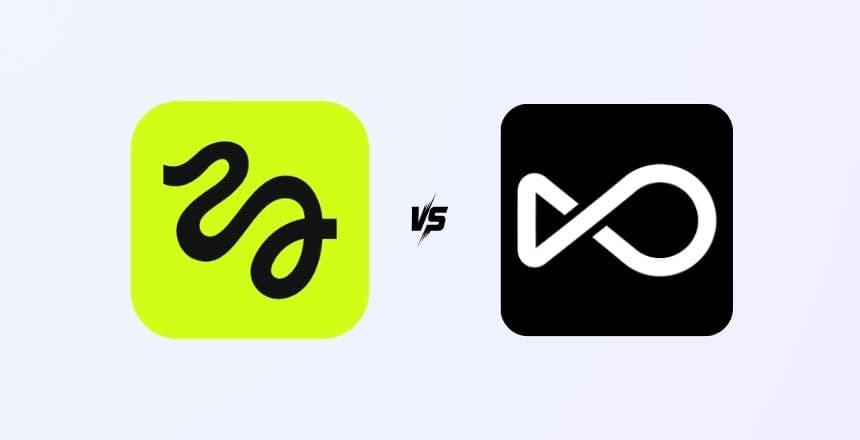
Choosing between Higgsfield and OpenArt is one of the most common dilemmas facing AI creators in 2026. Both platforms have carved out impressive niches in the generative AI space, but they serve fundamentally different creative workflows. Higgsfield specializes in AI video generation and animation, while OpenArt focuses on AI image generation and artistic creation.
According to Statista, the global generative AI market surpassed $67 billion in 2025, with image and video generation tools being among the fastest-adopted categories. With so much at stake, picking the right platform can directly impact your creative output, production costs, and competitive edge.
In this in-depth Higgsfield vs OpenArt comparison, we break down everything — from core features and AI model quality to pricing, ease of use, and ideal use cases. By the end, you will know exactly which platform fits your creative goals in 2026.
Higgsfield vs OpenArt: Quick Overview
Before diving into the details, here is a high-level snapshot of how these two platforms compare:
| Feature | Higgsfield | OpenArt |
|---|---|---|
| Primary Focus | AI video generation & animation | AI image generation & editing |
| Founded | 2023 | 2022 |
| AI Models | Proprietary video diffusion model | Stable Diffusion, DALL-E, Flux, custom models |
| Best For | Short-form video content, social media clips, animations | Digital art, concept design, marketing visuals, AI photography |
| Free Tier | Limited free credits | Generous free tier (50 credits/day) |
| Pricing | From $9.99/month | From $12/month |
| Platforms | iOS, Android, Web | Web-based |
| Community | Growing (mobile-first community) | Large (1M+ users, active model sharing) |
What Is Higgsfield?
Higgsfield is an AI-powered video creation platform that lets users generate short-form video content using artificial intelligence. Originally launched as a mobile-first app, Higgsfield gained traction for its ability to create realistic and stylized video clips from text prompts, selfies, or reference images.
The platform's standout feature is its personalized AI video generation. You can upload a selfie and have the AI place you into various creative scenarios — from cinematic scenes to animated environments. This "AI avatar meets video generation" approach has made it particularly popular among social media creators on TikTok and Instagram.
Key capabilities of Higgsfield:
- Text-to-video generation — Describe a scene and the AI creates a short video clip (typically 3–8 seconds)
- Selfie-to-video — Upload your photo and generate videos of yourself in AI-created scenarios
- Style transfer — Apply artistic styles (anime, cinematic, 3D render) to existing videos
- AI animation — Bring still images to life with realistic motion
- Mobile-native editing — Full creation workflow available on iOS and Android
Higgsfield was founded by former engineers from Snap and Google, bringing deep expertise in real-time video processing and mobile AI inference. The platform has raised over $8 million in seed funding as of early 2026.
What Is OpenArt?
OpenArt is a comprehensive AI image generation platform that provides access to multiple AI models through a single, unified interface. Rather than being locked into one model, OpenArt lets you choose from Stable Diffusion (multiple versions), DALL-E 3, Flux, Midjourney-style models, and dozens of community-trained custom models.
What makes OpenArt stand out is its creative workflow ecosystem. Beyond simple text-to-image generation, the platform offers advanced editing tools like inpainting, outpainting, image-to-image transformation, ControlNet integration, and a powerful training pipeline for creating your own custom models.
Key capabilities of OpenArt:
- Multi-model access — Generate images using 20+ AI models from one platform, including Stable Diffusion XL, Flux, and proprietary fine-tunes
- Custom model training — Train your own AI model on specific styles, characters, or products using as few as 10 reference images
- Advanced editing suite — Inpainting, outpainting, face enhancement, upscaling, and background removal
- ControlNet support — Guide image generation with pose references, depth maps, edge detection, and more
- Community marketplace — Browse and use thousands of community-created models and LoRAs
- AI canvas — An infinite workspace for composing and iterating on complex scenes
OpenArt has built one of the largest AI art communities online, with over 1 million registered users and thousands of shared custom models. The platform is particularly popular among digital artists, game designers, and marketing teams.
Higgsfield vs OpenArt: Feature-by-Feature Comparison
Let's break down how these platforms compare across the features that matter most to creators:
AI Output Quality
Higgsfield excels in video coherence and motion realism. Its proprietary diffusion model produces smooth, temporally consistent video clips that avoid the flickering and distortion common in early AI video tools. The quality is particularly impressive for human subjects, with natural facial expressions and body movements.
OpenArt leads in image fidelity and artistic versatility. Because it aggregates multiple state-of-the-art models, you can always access the latest and most capable image generators. Flux and SDXL produce photorealistic outputs, while specialized community models excel at specific styles like anime, concept art, or product photography.
Verdict: If you need video content, Higgsfield is the clear winner. For image generation, OpenArt's multi-model approach offers unmatched quality and flexibility.
Ease of Use
Higgsfield is designed for simplicity. Its mobile app offers a streamlined experience — choose a template or type a prompt, and you get a video in under a minute. The learning curve is almost non-existent, making it ideal for casual creators and social media users.
OpenArt has a slightly steeper learning curve due to its feature depth. The basic text-to-image workflow is straightforward, but mastering advanced features like ControlNet, custom model training, and the AI canvas requires some experimentation. That said, OpenArt offers excellent tutorials and a beginner-friendly prompt enhancer that automatically improves your text inputs.
Verdict: Higgsfield wins for casual users. OpenArt is better suited for creators who want depth and control.
Customization and Control
Higgsfield offers limited customization beyond prompt input, style selection, and basic video parameters (length, aspect ratio). The platform prioritizes simplicity over granular control — you trust the AI to interpret your vision.
OpenArt provides extensive creative control. You can adjust model parameters like CFG scale and sampling steps, use negative prompts to exclude unwanted elements, apply ControlNet for structural guidance, and train entirely custom models. For professional creators who need pixel-perfect results, this level of control is essential.
Verdict: OpenArt dominates in customization. Higgsfield priorities accessibility over control.
Pricing Comparison
| Plan | Higgsfield | OpenArt |
|---|---|---|
| Free | Limited daily credits, watermark on exports | 50 credits/day, no watermark, access to basic models |
| Starter | $9.99/month — 100 video credits | $12/month — 5,000 credits, all models, faster generation |
| Pro | $24.99/month — 300 credits, no watermark, HD export | $36/month — 20,000 credits, custom model training, priority queue |
| Enterprise | Custom pricing | $60/month — 60,000 credits, API access, team features |
On a per-unit basis, AI video generation is inherently more expensive than image generation due to computational costs. OpenArt offers significantly more outputs per dollar, but comparing video credits to image credits is not apples-to-apples. Both platforms offer competitive pricing for their respective categories.
Use Cases: When to Choose Higgsfield vs OpenArt
The best platform depends entirely on what you are trying to create. Here is a clear breakdown:
Choose Higgsfield If You Need:
- Social media video content — TikTok clips, Instagram Reels, YouTube Shorts with AI effects
- Personalized video avatars — AI versions of yourself in creative scenarios
- Quick, mobile-first creation — Generate content on-the-go without a desktop
- Video ads with AI characters — Short promotional clips for social media advertising
- Animation and motion graphics — Bring still images to life with AI-generated motion
Choose OpenArt If You Need:
- Marketing visuals and graphics — Product mockups, banner ads, social media images, blog illustrations
- Concept art and design — Game assets, character designs, architectural visualization
- Brand-consistent imagery — Train custom models on your brand style for repeatable outputs
- Photo editing and enhancement — Inpainting, background replacement, upscaling
- Batch content production — Generate hundreds of image variations for A/B testing ad creatives
Many professional teams actually use both platforms together — OpenArt for creating stunning still frames and concept art, and Higgsfield for animating those images into video content. This hybrid workflow is increasingly common among AI-powered creative teams.
Pros and Cons at a Glance
Higgsfield Pros & Cons
| ✅ Pros | ❌ Cons |
|---|---|
| Best-in-class AI video from selfies | Limited to short clips (3–8 seconds) |
| Excellent mobile app experience | Fewer customization options |
| Low starting price ($9.99/mo) | Smaller community and model library |
| Fast rendering times | Web version less mature than mobile |
| Great for social media trends | No custom model training |
OpenArt Pros & Cons
| ✅ Pros | ❌ Cons |
|---|---|
| Access to 20+ AI models in one place | No native video generation |
| Custom model training support | Steeper learning curve for advanced features |
| Generous free tier (50 credits/day) | Web-only (no mobile app) |
| Massive community marketplace | Some models produce inconsistent results |
| ControlNet and advanced editing | Credits can deplete quickly with high-res outputs |
Expert Tips: Getting the Most from Each Platform
Regardless of which platform you choose, these tips will help you maximize your results:
- Master prompt engineering — Both platforms rely heavily on your text input. Be descriptive with lighting, mood, camera angle, and style. OpenArt's prompt enhancer is a great training tool. Check out our prompt writing guides on PromptsRush for detailed techniques.
- Start with templates — Higgsfield's trending templates and OpenArt's community models give you proven starting points. Customize from there rather than starting from scratch every time.
- Use negative prompts on OpenArt — Specify what you don't want (blurry, distorted, extra fingers) to dramatically improve image quality. This is one of the most underused features.
- Batch your Higgsfield creations — Since video credits are more expensive, plan your concepts first, then generate multiple variations in one session to compare results efficiently.
- Train custom models on OpenArt — If you consistently need a specific style (your brand aesthetic, a character, a product), investing time in training a custom model pays dividends across hundreds of future generations.
- Combine both platforms — Use OpenArt to create a perfect still frame or character design, then import it into Higgsfield to add motion and bring it to life as a video.
Final Verdict: Higgsfield vs OpenArt in 2026
The Higgsfield vs OpenArt debate ultimately comes down to your medium: video or images.
Choose Higgsfield if you are a social media creator, marketer, or brand that needs AI-generated video content. Its mobile-first approach, selfie-to-video capabilities, and streamlined workflow make it the best tool for generating eye-catching video clips quickly. It is especially powerful for TikTok and Instagram Reels content where AI video is becoming the norm.
Choose OpenArt if you are a designer, artist, marketer, or content team that needs versatile, high-quality AI image generation. The multi-model access, custom training, and advanced editing tools make it a creative powerhouse for any visual project. Its generous free tier also makes it the better option for budget-conscious creators.
For the most ambitious creators, using both platforms together — OpenArt for concept and still imagery, Higgsfield for motion and video — is the ultimate workflow in 2026.
Want to discover more AI tools for your creative arsenal? Explore our complete guide to AI UGC video platforms or browse the full AI Tools collection on PromptsRush.
Frequently Asked Questions
8 questions answered