The PromptsRush journal
AI ToolsOnepage Review (2026): AI Landing Pages in Minutes, Worth It?
Onepage is now an AI-native website builder: a chat agent that builds pages, a CMS, and an MCP server for Claude, Cursor and Codex. We cover features, November 2026 pricing, AI credit costs, the Forms & Funnels add-on, and Onepage vs Framer and Carrd.

Advertisement
Short version: Onepage is no longer just the drag-and-drop landing page builder we have been recommending since August. In 2026 it turned into an AI-native website platform: an agent that builds and edits pages from a chat box, a real CMS, and an MCP server that lets Claude, Cursor or Codex work inside your account. For a solo marketer who needs campaign pages fast, it is one of the best-value tools in this category, especially on the 24-month term. Two things to budget for: AI credits run out quickly, and quiz funnels sit behind a separate add-on.
This Onepage review is based on Onepage's own pricing page, product pages and changelog as they read on 21 November 2026, plus Framer's and Carrd's pricing pages checked the same day. We are not reporting hands-on test results here. Where Onepage's own pages disagree with each other, we say so. If you are still choosing between builders, our roundup of AI landing page builders covers the wider field. This post answers a narrower question: is Onepage worth paying for right now?
What Is Onepage in 2026?
Onepage is a website builder from Onepage GmbH, a German company (the footer reads "© 2018 - 2026"). The homepage now pitches it as a "Platform to build and grow websites with AI" and claims more than 20,000 businesses and agencies as customers. The footer says "Hosted in the EU", the homepage mentions EU or US hosting, and you can start without a card.
The big change is how you build. A year ago, Onepage was mainly a visual editor whose layouts did not break when you edited them. Today there are three ways to work on the same site:
- The visual editor for everyday changes, with a design system, global sections and version history.
- Onepage Agent, a chat assistant inside the dashboard that can build whole sites, add pages, set up forms and fix SEO across your account.
- Onepage MCP, which lets an outside AI client such as Claude, Cursor or Codex read and change your projects directly.
Our take: that three-way setup is what sets Onepage apart. Most AI site builders make you choose between "AI generated it" and "I can edit it by hand". Onepage lets you do both on the same page.
Key Features
Onepage Agent: describe the page, approve the plan
The agent is the headline feature. Onepage says it can use more than 100 actions across pages, design, CMS, SEO, domains, forms, CRM, analytics, tracking, redirects, media and team access. In practice, that means you can type "add the spring offer to the home page" or "write SEO titles for every page" and the agent does the work rather than explaining how to do it.
Three details matter for landing pages:
- It plans before it acts. For larger jobs, the agent shows a step-by-step plan and only starts once you approve it. Onepage's agent page says "Nothing changes until you approve the plan."
- It remembers your business. You explain your tone of voice, brand colours, services and target customers once, and the agent keeps that context for later requests.
- Sections are custom React code. Onepage calls this vibe coding: when a block cannot do what you want, the agent generates a custom section as code, and you can still adjust it in the settings panel.
The agent can also generate images and videos and place them on pages, and it can migrate an existing site: paste a URL and it rebuilds the structure, moves the content and redirects the old URLs.
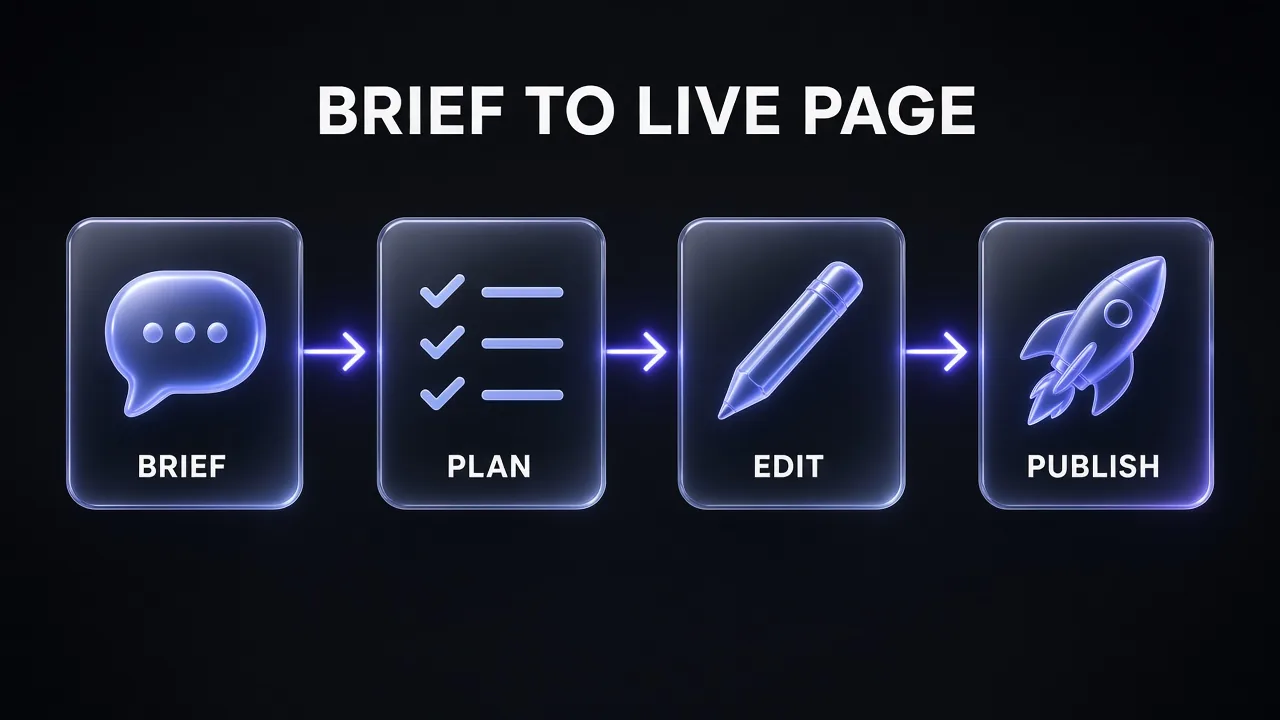
The brief you give the agent decides most of the result. If you have not written one before, our guide to turning a product idea into a landing page walks through the hypothesis, promise and offer you need before any builder can help.
Landing Page Brief for an AI Builder
Act as a conversion copywriter. I am building a landing page in an AI website builder and need a brief I can paste into its chat.

Product: [WHAT YOU SELL]
Audience: [WHO IT IS FOR]
Main objection: [WHY THEY HESITATE]
Offer and CTA: [WHAT THEY GET, WHAT BUTTON SAYS]
Brand: [TONE OF VOICE, 2 BRAND COLOURS]

Research 3 competing landing pages for this product type and note what they all include. Then write the brief section by section: hero headline and subheadline, problem, 3 benefits, proof, objection handling, offer, FAQ (5 questions), final CTA. Keep every section under 60 words and end with layout notes for each section.
Onepage MCP: build from Claude, Cursor or Codex
Onepage MCP is the feature developers will care about most. You add https://mcp.onepage.io/ to any MCP-compatible client, sign in with your Onepage account, and pick a project. The connected agent gets the same access rights you have in the builder.
Two points make it unusually generous. First, MCP runs on the AI subscription you already pay for, and Onepage's pricing FAQ says MCP requests do not spend Onepage Agent credits. Second, the MCP page says it is "available on every plan, Free included". (One small inconsistency: a line on Onepage's homepage says Claude, Cursor or Codex work "on every paid plan". The pricing table and MCP page both list MCP on Free, so we are going with those.) If you are new to the protocol, our explainer on skills vs MCP vs subagents shows where an MCP server fits in a Claude workflow.
Pro tip: If you already pay for Claude or Cursor, building through MCP and polishing in the visual editor is the cheapest way to use Onepage heavily, because it skips the credit meter entirely.
CMS: one template, hundreds of pages
The October 2026 release added Onepage CMS to every plan at no extra cost. You get collections with relations (for example, a service shown on every location page), 13 field types, page templates that create a page for every entry, SEO titles and share images pulled from fields, drafts and scheduling, and version history. For landing pages, this is how you build one template and generate a page per city, industry or ad group without copying layouts by hand.
Forms, CRM and tracking
Simple forms, a built-in CRM and lead notifications come with every plan, including Free. Email volume is unlimited on all paid plans. You also get webhooks, Zapier and Make integrations, server-side Conversion API events for Meta and Google Ads, and, from Standard up, URL and UTM parameter capture so you can see which campaign each lead came from.
Multi-step forms, quizzes, conditional logic and file uploads are a separate story: they come from the Forms & Funnels add-on, covered in the pricing section below. Once leads arrive, our guide to lead generation tools and AI integrations shows how to route them into the rest of your stack.
SEO, GEO and compliance
Onepage says pages are server-rendered so Google reads them in full, and that titles, meta tags and canonicals are handled for you. Sites also ship with an llms.txt file and structured data to help AI assistants read them. The Essential plan adds AI Writer and AI SEO, which generates titles, descriptions and alt text. A GDPR consent banner with consent categories and a third-party content shield (it blocks maps, videos and scripts until the visitor consents) come with every paid plan, which matters if you sell into Europe.
What's New in Onepage (2026)
Onepage's changelog shows how fast the product has moved this year:
- June 2026: Onepage Agent launched with element, section and page generation plus MCP support, replacing all of Onepage's earlier AI features.
- July 2026: password protection with share links, multiple passwords, session length and access history. Protected pages are removed from the sitemap and get noindex automatically.
- October 2026: the CMS, an account-wide agent that can build complete websites from one prompt, a new workspace with nested folders and deep search, much higher page limits on every plan, and new 24-month terms with the lowest monthly price.
- November 2026: a round of fixes for forms, the CRM and the account agent, including a Stop button that now reliably cancels a running task.
The page-limit change is the one that matters most for buyers. Essential now includes 100 pages, Standard 200 and Advanced 500. That makes the per-page limits in older reviews (including some of ours) out of date.
How to Build a Landing Page With Onepage
Here is the workflow Onepage's own pages describe, in the order we would run it:
- Start on Free. Sign up without a card. You get one website with five pages on an Onepage subdomain and 20 AI credits to try the agent.
- Tell the agent about your business. Give it your tone of voice, brand colours, services and target customer once, so every later request uses them.
- Paste a real brief. Use the Genspark prompt above or the section-by-section brief from our landing page prompts guide. A vague request gets a generic page.
- Review the plan, then let it build. For bigger jobs the agent lists its steps first. Approve, edit or reject them before anything changes.
- Edit by hand. Adjust any section in its settings panel. Every page keeps saved versions (15 on Essential, up to 50 on Advanced and Expert), so you can roll back.
- Add capture and tracking. Add a form, connect Google Analytics or the Meta Pixel, and set up notifications so new leads land in the CRM.
- Upgrade to publish properly. Essential adds your own domain and removes Onepage branding.
Before you send paid traffic, run the page through our 18 landing page audit prompts. AI-built pages tend to share the same weak spots: vague headlines, proof buried below the fold, and too many CTAs.
Onepage Pricing (November 2026)
Onepage has five plans. All prices are net (VAT is added at checkout), every term is paid upfront, and a plan renews for the same term at the same price. Limits apply across your whole account, not per site. Hosting, SSL and the CDN are included on every plan, Free included.
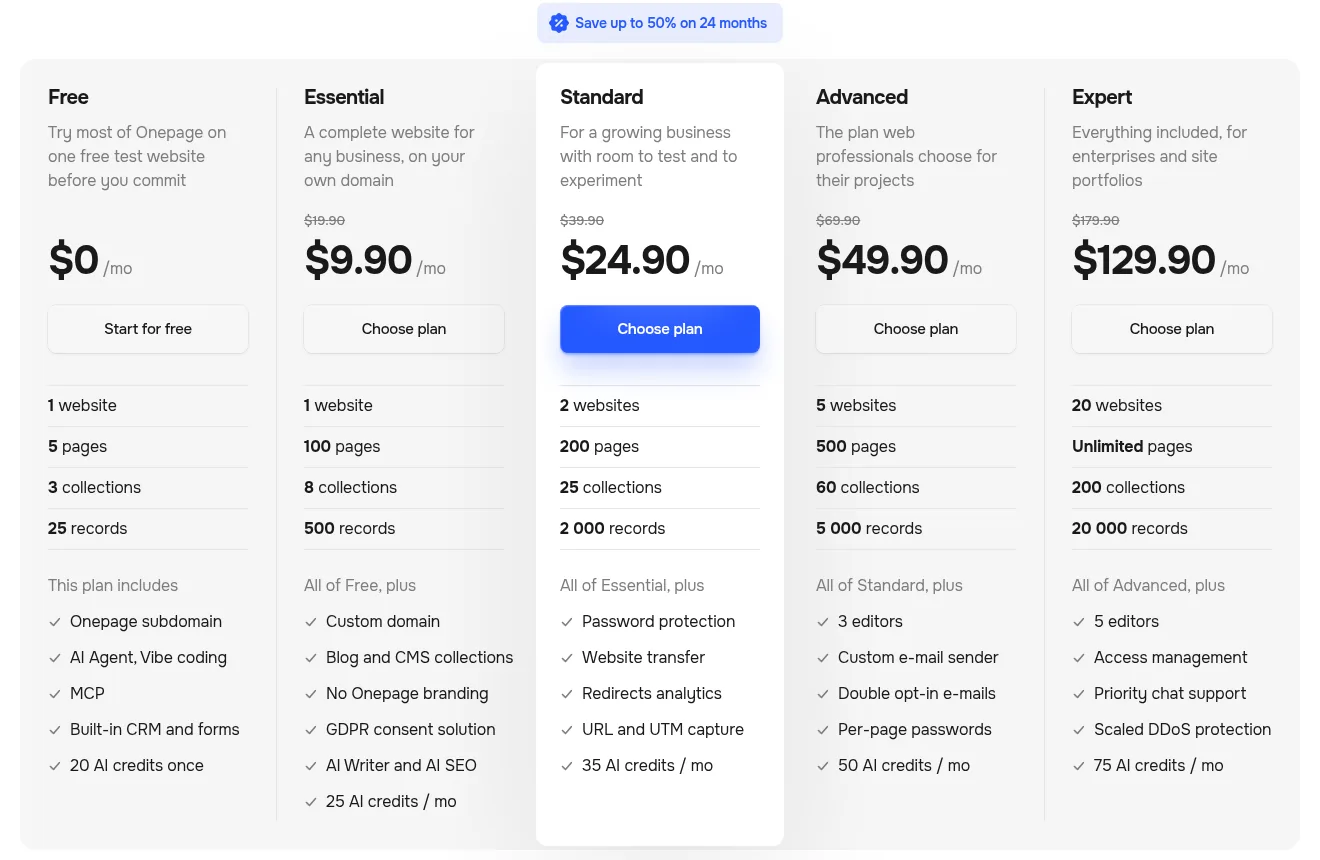
| Plan | Monthly | 24-month term (per month) | Websites / pages | AI credits | Key additions |
|---|---|---|---|---|---|
| Free | $0 | $0 | 1 / 5 | 20 once | Subdomain, Agent, vibe coding, MCP, CRM and forms; Onepage branding |
| Essential | $19.90 | $9.90 | 1 / 100 | 25 per month | Custom domain, blog and CMS, no branding, GDPR consent, AI Writer and AI SEO |
| Standard | $39.90 | $24.90 | 2 / 200 | 35 per month | Password protection, website transfer, redirect analytics, URL and UTM capture |
| Advanced | $69.90 | $49.90 | 5 / 500 | 50 per month | 3 editors, custom email sender, double opt-in, per-page passwords |
| Expert | $179.90 | $129.90 | 20 / unlimited | 75 per month | 5 editors, access management, priority chat, scaled DDoS protection |
There is also a 12-month term in between. Onepage's FAQ gives only the Essential figure for it: $14.90 per month. Extra editors cost $4 a month on Standard, $3.50 on Advanced and $3 on Expert, and Expert charges $8 a month for each website beyond 20.
Honest answer on value: Essential at $9.90 a month on the 24-month term is very cheap for a custom-domain site with 100 pages, a CMS, a CRM and GDPR tooling. The catch is the commitment. You pay two years upfront, so start on Free or a monthly plan until you are sure. Onepage's pricing page showed no Black Friday offer when we checked on 21 November; our Black Friday AI tool deals tracker covers the tools that do have one.
Hidden costs: AI credits and Forms & Funnels
Two add-ons change the real price.
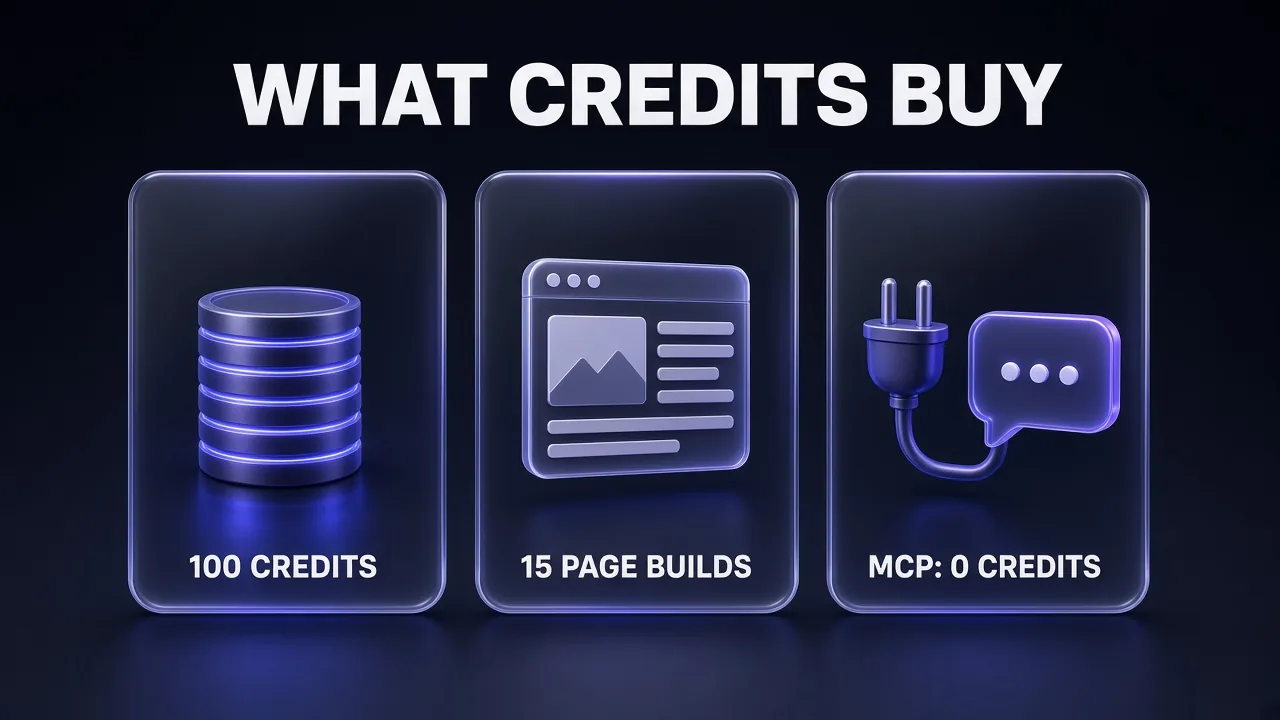
AI credits. Agent work and vibe coding spend credits, and the included amounts are small. Onepage prices its credit add-on at $30 a month for 100 credits, which it describes as "about 15 page builds or 80 agent edits a month". By our arithmetic, that is roughly 6-7 credits per page build and just over one per edit. So Essential's 25 monthly credits cover about three or four full page builds, or about 20 smaller edits. Bigger packs cost $55 (200), $105 (400), $250 (1,000) and $500 (2,000) a month. If you plan to build heavily, connect your own Claude or Cursor over MCP instead, which spends no Onepage credits.
Forms & Funnels. Simple forms are included everywhere, but multi-step forms, quizzes, conditional logic paths and file uploads need this add-on. Its free tier allows 100 responses a month. Paid tiers are Launch at $39.90, Optimize at $59.90 and Expand at $99.90 a month, billed monthly on top of any paid plan. If a qualifying quiz is the reason you want Onepage, Essential plus Launch costs about $50 a month, not $10.
Onepage plans: monthly vs 24-month price
Price per month in USD, net of VAT
- Monthly
- 24-month term
Source: onepage.io/pricing, checked 21 Nov 2026
Onepage vs Framer vs Carrd
These are the two alternatives Onepage buyers most often weigh it against: Framer for design-led sites, Carrd for the cheapest possible one-pager. Prices below are from each vendor's pricing page on 21 November 2026.
| Onepage | Framer | Carrd | |
|---|---|---|---|
| Entry paid price | $19.90/mo monthly, $9.90/mo on 24 months (Essential) | $10/mo on yearly billing (Basic) | Pro from $19 per year |
| Pages on entry plan | 100 | 30 | One-page sites |
| AI building | Agent with 100+ actions, credits per build | Agents using monthly AI credits | No AI builder |
| MCP | Every plan, no credits spent | MCP server, free during preview | None |
| Lead capture | Built-in CRM, forms, Conversion API | Tracked forms; funnels and A/B tests via the paid Convert add-on | Contact, signup and payment forms on Pro Standard |
| Best for | Marketers shipping campaign pages and capturing leads | Design-led sites and studios | A single cheap link-in-bio or launch page |
Framer is the better pick when design is the product. Its Pro plan ($30 a month on yearly billing) adds staging, branching and 150 pages, and A/B testing is a paid add-on ($50 per 500,000 events). Extra editors cost $20 a month, so teams get expensive quickly. Onepage is cheaper per page and much stronger on lead capture.
Carrd is the better pick when you need one simple page and nothing else. At $19 a year for custom domains and forms, nothing beats it on price, but there is no CRM, no CMS and no AI builder. If your landing page needs to grow into a site, you will outgrow it. For a full comparison including Unbounce, Landingi and Leadpages, see our landing page builder roundup, and if you need checkout and email sequences too, the funnel builder comparison is the better starting point.
Pros and Cons
Pros
- Three ways to build (visual editor, agent, MCP) on the same site, with version history behind every change.
- MCP on every plan, and MCP requests spend no Onepage credits.
- Generous page limits since October: 100 pages on Essential, unlimited on Expert.
- CRM, forms, unlimited email volume, webhooks and Conversion API included.
- Strong EU compliance tooling: GDPR consent banner, content shield and EU hosting.
- Low 24-month pricing: Essential works out at $9.90 a month.
Cons
- Included AI credits are small: 25 a month on Essential is about three or four page builds.
- Quizzes and multi-step funnels need the Forms & Funnels add-on, from $39.90 a month.
- The cheapest prices need a 24-month term paid upfront.
- Only one editor on Essential and Standard; collaboration starts properly on Advanced.
- Not a store or course platform: for checkout-heavy funnels, look elsewhere.
Who Should Use Onepage (and Who Should Not)
Use Onepage if you are a marketer, founder or freelancer who ships a lot of campaign pages and wants to edit them without a developer. It is also a strong fit for developers who already live in Claude Code or Cursor and want a hosted site they can drive over MCP, and for agencies managing many client sites (Advanced and Expert add editors, website transfer and access management).
Skip Onepage if you need one static page and nothing else (Carrd is cheaper), you are a design studio that wants pixel-level animation control (Framer), or your funnel depends on checkout, upsells and course hosting (a dedicated funnel builder fits better).
A landing page converts better with a short explainer video in the hero. If you do not want to record one yourself, an AI presenter tool such as HeyGen can turn your page copy into a talking-head video. Our HeyGen review covers what it does well.
Common Mistakes When Building Landing Pages With AI
- Prompting without a brief. "Make me a landing page for my SaaS" gets you the same violet-gradient template everyone has. Our prompts to fix ugly AI-generated websites explain where that look comes from.
- Burning credits on small edits. Change text and spacing by hand in the editor, and save agent credits for builds and bulk jobs.
- Forgetting tracking. Turn on URL and UTM capture (Standard and up) before launch, or you will not know which ad produced which lead.
- Testing without enough traffic. Variants only teach you something with real volume. Our conversion rate prompts show how to pick the changes worth testing.
Verdict: Is Onepage Worth It?
Yes, for most marketers and small teams who build landing pages regularly. Onepage combines a visual editor that holds its layout, an agent that does real work across your account, a CMS for page-per-keyword builds, and a CRM, at a price that undercuts most competitors on the 24-month term. The MCP server is a real bonus: if you already pay for Claude or Cursor, you can build as much as you like without touching Onepage's credit meter.
Plan your real cost carefully. The agent's included credits are small, and quiz funnels need a paid add-on. Start on Free, build one real page with the agent, check how many credits it used, then pick a plan. For most solo users that will be Essential; anyone who needs UTM capture or a second site should go straight to Standard.
Onepage FAQ
Frequently Asked Questions
10 questions answered