Best AI Landing Page Builder Tools
Carrd costs $19 a year, Instapage $99 a month — a sixty-fold gap for tools that both put a page online. What the expensive ones actually buy, and the two very different things vendors call AI.
Advertisement
The price range in this category is absurd. Carrd costs $19 a year. Instapage costs $99 a month. That is roughly a sixty-fold difference for tools that both, at the simplest description, put a page on the internet.
So the only question worth answering is what the expensive ones actually buy — and the answer is not a better editor. Every tool here builds a decent page. What separates them is testing, traffic capacity and optimisation. If you will never run an A/B test, most of this article is you talking yourself out of spending $1,200 a year.
The other thing worth untangling is that "AI" means two completely different things in this category, and only one of them is hard to build.
What "AI" Actually Means Here
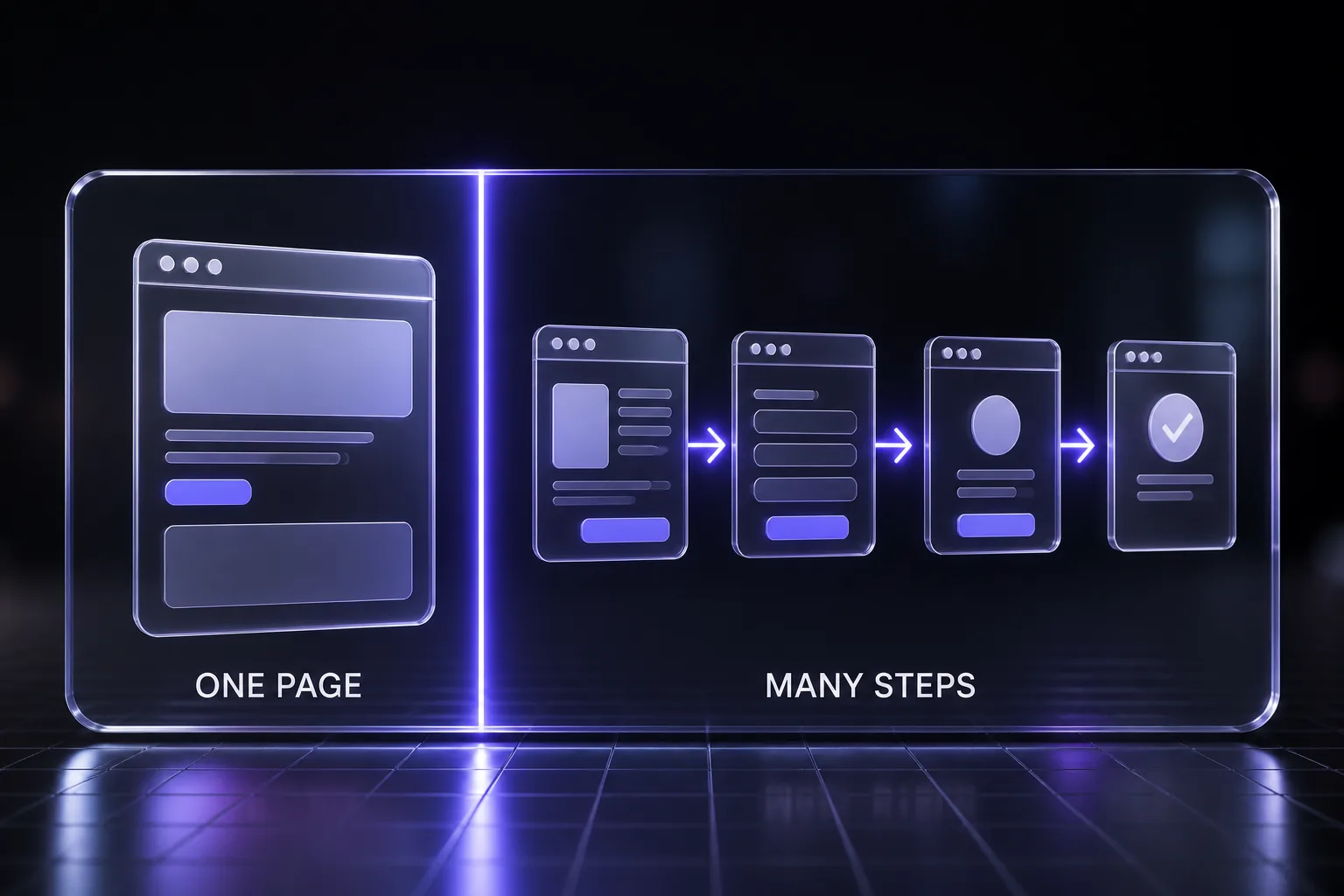
Vendors use the word for two capabilities that differ enormously in value:
AI generation. You describe your offer in plain language and the tool produces a page — headlines, copy, form, images. Leadpages does this, Unbounce does this with Smart Copy, and so does essentially every builder launched since 2024. It is genuinely useful for getting from blank page to draft in two minutes. It is also now table stakes, and the output still needs editing.
AI optimisation. The tool watches live traffic and changes what it serves. Unbounce's Smart Traffic routes each visitor to the variant most likely to convert for someone like them, rather than splitting traffic evenly and waiting for significance. Unbounce claims up to a 30% average conversion lift from it — treat vendor-reported lift figures with the scepticism they deserve, but the mechanism is real and it is meaningfully harder to replicate than a copy generator.
When you are comparing prices, work out which one you are being sold. Generation saves you an afternoon. Optimisation compounds on every visitor for as long as the page runs.
The Tools Compared
| Tool | From | Free plan | A/B testing | Best for |
|---|---|---|---|---|
| Carrd | $19/year | Yes — 3 sites, branded | No | One-pagers on a budget |
| Onepage | $19.90/mo | Yes — 1 site, 3 pages | Not in its feature list | Shipping campaign pages fast |
| Framer | $25/mo | Limited | Limited | Design-led pages and sites |
| Landingi | $29/mo | Yes — 500 visits, branded | On paid | Cheapest route to real testing |
| Leadpages | $37/mo | No — 14-day trial | Yes | Small businesses, lead capture |
| Unbounce | $74/mo | No — 14-day trial | Yes + Smart Traffic | Paid-traffic teams optimising hard |
| Instapage | $99/mo (annual) | No — 14-day trial | Server-side | Ad-heavy teams at scale |
Unbounce
From $74/month. No free plan, 14-day trial.
The conversion-focused option, and the one whose AI story is genuinely differentiated. Beyond Smart Builder for page creation and Smart Copy for headlines and CTAs, Smart Traffic routes visitors to whichever variant suits them rather than running a conventional even split. That is the feature you are paying the premium for.
Buy it if you are spending real money on paid traffic and a few points of conversion lift pays the subscription several times over. Skip it if your traffic volume is too low for the routing to have anything to learn from — under a few thousand visits a month, conventional testing on a cheaper tool will serve you as well.
Onepage
Free plan. From $19.90/month. Forms and Funnels add-on free, then from $39.90/month.
Onepage optimises for a different thing than the rest of this list: not testing, not design ceiling, but the speed of getting a page live and keeping it edited. Its editor prevents actions that would break your layout, which removes the most common reason a non-designer gives a page back to the designer.
Site plans run free for one project with three pages, $19.90 a month for seven pages, $39.90 for two sites and fifty pages, $69.90 for five sites, and $179.90 for twenty sites with unlimited pages. Annual billing takes 17% off, and extra sites are $8 a month each. Every tier carries monthly AI credits for an AI writer and SEO tooling, an integrated CRM with lead notifications, unlimited email volume, webhooks, and Zapier and Make connections.
Multi-step forms and quizzes are a separate Forms and Funnels add-on — free to 100 responses a month, then $39.90 upward — with conditional logic, UTM capture, email and phone verification and a path-level analytics dashboard. Servers are EU-located with GDPR consent tooling built in.
The limitation that matters in this comparison is testing: Onepage does not list A/B testing in its published feature tables, so it sits with Carrd on the wrong side of the dividing line described below. It is a page-shipping tool, not an optimisation tool.
Buy it if your bottleneck is getting pages published and edited without a developer, especially on European hosting. Skip it if split testing is central to how you work — Landingi costs $9 more and tests natively.
Instapage
From $99/month billed annually. No free plan, 14-day trial.
The most expensive entry point here, aimed at teams running significant ad spend. It carries AI content generation, server-side A/B testing — which avoids the flicker and speed penalty of client-side variant swapping — and AdMap for tying pages to specific ad campaigns.
Server-side testing is a genuine technical advantage, not marketing. Client-side tests can degrade page speed and cause a visible flash of the original content, both of which cost conversions on the very page you are trying to optimise.
Buy it if you run many campaigns with page-per-ad-group discipline and your spend justifies $1,188 a year before you have built anything. Skip it if you run a handful of pages — you are buying campaign infrastructure you will not use.
Leadpages
From $37/month. No free plan, 14-day trial.
The sensible middle. Describe your offer in plain language and it generates a complete page — headlines, copy, forms, images — then you edit. It includes A/B testing, which is the feature that matters, at half Unbounce's entry price.
Buy it if you are a small business or solo operator who wants lead capture that works without a design project. Skip it if you need the routing sophistication of Unbounce or the campaign mapping of Instapage.
Landingi
Free plan (500 visits/month, branded). Paid from $29/month.
The best value in the category if testing matters to you. The free plan is genuinely usable for validating an idea, and $29 unlocks A/B testing, custom domains and higher traffic limits — the same core capability Unbounce charges $74 for, minus the AI routing.
Buy it if you want real A/B testing at the lowest honest price. Skip it if you need Smart Traffic-style optimisation or enterprise campaign tooling.
Carrd
Free plan (3 sites, branded). Pro from $19 per year.
Not really competing with the others, and that is the point. Nineteen dollars a year buys custom domains, forms and widgets for simple one-pagers. There is no A/B testing, and there is no pretence of optimisation.
Buy it if you need a link-in-bio page, a personal site, a coming-soon page or a simple product page and you are never going to test it. Skip it if conversion rate is a number you actually track — you cannot improve what you cannot test.
Framer
Pro from $25/month or $250/year, including 100 AI credits per month.
The design-led option, alongside Webflow. Framer is a site builder that happens to make excellent landing pages, rather than a landing page tool that happens to look decent. If your constraint is that pages must look genuinely designed rather than template-derived, this is the category to shop in.
Buy it if visual quality is the differentiator and you have or are the design skill to exploit it. Skip it if your priority is testing throughput — you are buying craft, not conversion tooling.
What $99 a Month Buys Over $19 a Year
Laid out plainly, the premium tiers buy four things:
- A/B testing. The single biggest dividing line. Below roughly $29 a month you generally cannot test, which means every page you ship is a guess you never check.
- Traffic capacity. Cheap plans cap visits. Landingi's free tier stops at 500 a month. If you are running ads, you will blow through entry limits fast and the upgrade is not optional.
- Optimisation. Smart Traffic-style routing and server-side testing are genuinely hard to replicate and only exist at the top of the market.
- Campaign infrastructure. Mapping pages to ad groups, managing dozens of variants, team permissions. Valuable at scale, dead weight below it.
If none of those four describe your situation, the expensive tools are not better for you. They are just more expensive.
Free Plans and What They Actually Cost
Two free plans here are real rather than trials — Landingi (500 visits a month) and Carrd (3 sites). Both carry vendor branding on your page, which is the actual price.
Whether that matters depends entirely on context. On a personal project or an idea you are validating, nobody cares. On a page collecting business leads or taking payment, a third-party badge quietly undermines the credibility you are asking visitors to extend to you. That is a conversion cost you cannot measure but should assume is non-zero.
Unbounce, Instapage and Leadpages offer 14-day trials rather than free tiers. Plan what you will test during those two weeks before you start the clock — a trial spent learning the editor teaches you nothing about whether the tool converts.
A/B Testing Is the Real Dividing Line
If you take one thing from this comparison: the tools split into those that can test and those that cannot, and that matters more than any AI feature.
A landing page you have not tested is a hypothesis you decided to stop questioning. The first test on a page frequently moves conversion more than the following ten, because it catches the assumption you did not know you had made.
On the wrong side of that line sit Carrd and Onepage, which do not list native A/B testing at all, and Framer, whose testing is limited. That is not automatically disqualifying — a page you ship this week beats a tested page you never build — but it does mean you are choosing on publishing speed rather than on optimisation.
But testing has a prerequisite people ignore: traffic volume. With a few hundred visits a month you cannot reach significance on anything subtle, and you will make decisions on noise. Below meaningful traffic, buy the cheap tool, ship the page, and spend the difference on getting visitors — then upgrade when you have enough of them to learn something.
What to Check Before You Buy
- Page speed of the output. Builders vary enormously in what they emit. Publish a test page on the trial and run it through a speed tool before committing — a slow page undoes whatever the AI optimised.
- Whether testing is client-side or server-side. Client-side variant swapping can cause a visible flicker and a speed penalty.
- Traffic limits, and the overage behaviour. Find out what happens when you exceed them — throttling, an upgrade prompt, or a bill.
- Custom domain support on the tier you are actually buying. Frequently gated above the entry plan.
- Export and portability. Most of these produce pages that cannot leave. Assume you are choosing a home, not a temporary stop.
- Integration with your email or CRM. A form that does not deliver where you need it is a manual export job forever.
Which Should You Choose?
| If you... | Choose |
|---|---|
| Need a simple one-pager and will never test it | Carrd — $19/year |
| Ship a new campaign page most weeks without a developer | Onepage — free, or $19.90/mo |
| Need EU hosting and GDPR consent tooling as standard | Onepage |
| Are validating an idea with no budget | Landingi free, or Carrd free |
| Want real A/B testing at the lowest price | Landingi — $29/mo |
| Run a small business and want lead capture that works | Leadpages — $37/mo |
| Spend meaningfully on paid traffic | Unbounce — $74/mo |
| Run many campaigns with page-per-ad-group discipline | Instapage — $99/mo |
| Need pages that look genuinely designed | Framer |
| Need checkout, upsells and email sequences too | None of these — see funnel builders |
Common Mistakes
- Buying optimisation you have no traffic for. AI routing needs volume to learn from. Below a few thousand visits a month you are paying for a feature that cannot function.
- Buying a funnel builder when you need a landing page. The most expensive mistake in this category — see our funnel builder comparison for which side of the line you are on.
- Treating AI-generated copy as finished. It is a draft. The tool does not know your customer, your offer, or what your competitors already say.
- Ignoring page speed. A beautiful page that loads slowly converts worse than a plain one that loads fast.
- Shipping untested and calling it done. If your plan includes testing, use it. Most people pay for A/B testing and run one test a year.
- Forgetting the branding on free plans. Fine for validation, quietly costly on anything commercial.
The Verdict
For most people the honest answer is Landingi at $29 a month. It is the cheapest tool in this comparison that lets you actually test, which is the capability that separates a landing page you are improving from one you are guessing about.
Carrd at $19 a year is the right answer more often than people admit. If the page is a one-pager and testing was never realistically going to happen, the rest of this market is selling you capability you will not exercise.
Unbounce earns its $74 once paid traffic is a real line in your budget — Smart Traffic is the one AI feature here that keeps working after you stop paying attention to it. Instapage earns its $99 only at genuine campaign scale.
And if your answer to "what happens after someone fills in the form" involves checkout, upsells or an email sequence, you are shopping in the wrong category entirely.
Keep Reading
More on conversion and acquisition: best funnel builder software, ChatGPT prompts for Google Ads, eCommerce SEO prompts, ChatGPT prompts for AI ads, prompts to redesign existing web pages, and AI prompts for entrepreneurs. Or browse all guides and prompts on PromptsRush.
Frequently Asked Questions
10 questions answered