The PromptsRush journal
TutorialsHow to Build a Remotion Video With Claude Code
A step-by-step tutorial for building a Remotion video with Claude Code: scaffold the project, install Remotion's Agent Skills, brief Claude scene by scene, iterate in Remotion Studio and render a props-driven MP4, with licence costs and the common pitfalls.
Advertisement
Short version: you can build a real, rendered MP4 with Remotion and Claude Code in one sitting, without hand-writing React animation code. Scaffold a blank Remotion project, install Remotion's official Agent Skills, run Remotion Studio in one terminal and Claude Code in another, then brief Claude like a motion designer. You review each change in Studio and render the final file with one command.
This guide is the deep version of the Remotion section in our guide to editing videos with Claude. That post shows where Remotion fits among four Claude video workflows. This one walks through a single build from an empty folder to a finished MP4: the concepts you need to read Claude's code, the brief that gets a good first draft, how to iterate, and how to render variants.
Sources: Remotion's documentation (coding agents, Agent Skills, the Claude Code plugin, the core API pages, rendering and licensing) and Anthropic's Claude Code docs, all checked on 23 October 2026. Remotion's current release on npm that day was 4.0.538. Commands are quoted from those docs. We haven't benchmarked render times, so you won't find speed numbers here.
What You'll Build and What You Need
You'll end up with a 15-second, 1920×1080 promo video: an animated title card, three feature callouts revealed one by one, and an outro with a call to action. Everything is driven by props, so you can change the headline or the colours and re-render without touching the code. The same steps work for intros, lower thirds, animated stats, product explainers and templated social clips.
You need four things:
- Node.js. Remotion's installation page lists Node 16 or Bun 1.0.3 as the minimum. Any current LTS release clears that.
- A supported OS. Remotion requires macOS 15 (Sequoia) or later, or a Linux distro with libc 2.35 or newer plus a few extra packages. Alpine Linux and nixOS aren't supported. Claude Code itself runs on macOS 13+, Windows 10 1809+ and Ubuntu 20.04+.
- Claude Code with a paid plan. Anthropic's setup docs say Claude Code needs a Pro, Max, Team, Enterprise or Console account; the free claude.ai plan doesn't include it. If you're weighing plans against API billing, our breakdown of Claude Code API pricing and usage limits covers the trade-offs.
- A rough idea of the video. Know the length, the format (landscape or vertical), your brand colours and the on-screen text. Claude can write the code; it can't guess your message.
You don't need to know React. It helps to recognise a few Remotion ideas when you review Claude's work, and the next two sections cover exactly those.
How the Workflow Fits Together
The whole process is a loop with four stops. You write a prompt describing the video. Claude Code turns it into React components inside your Remotion project, guided by Remotion's Agent Skills. Remotion Studio shows a live preview in your browser that updates as files change, so you scrub through the timeline and note what's off. When the preview looks right, you render it to an MP4 from the terminal or from Studio's Render button.
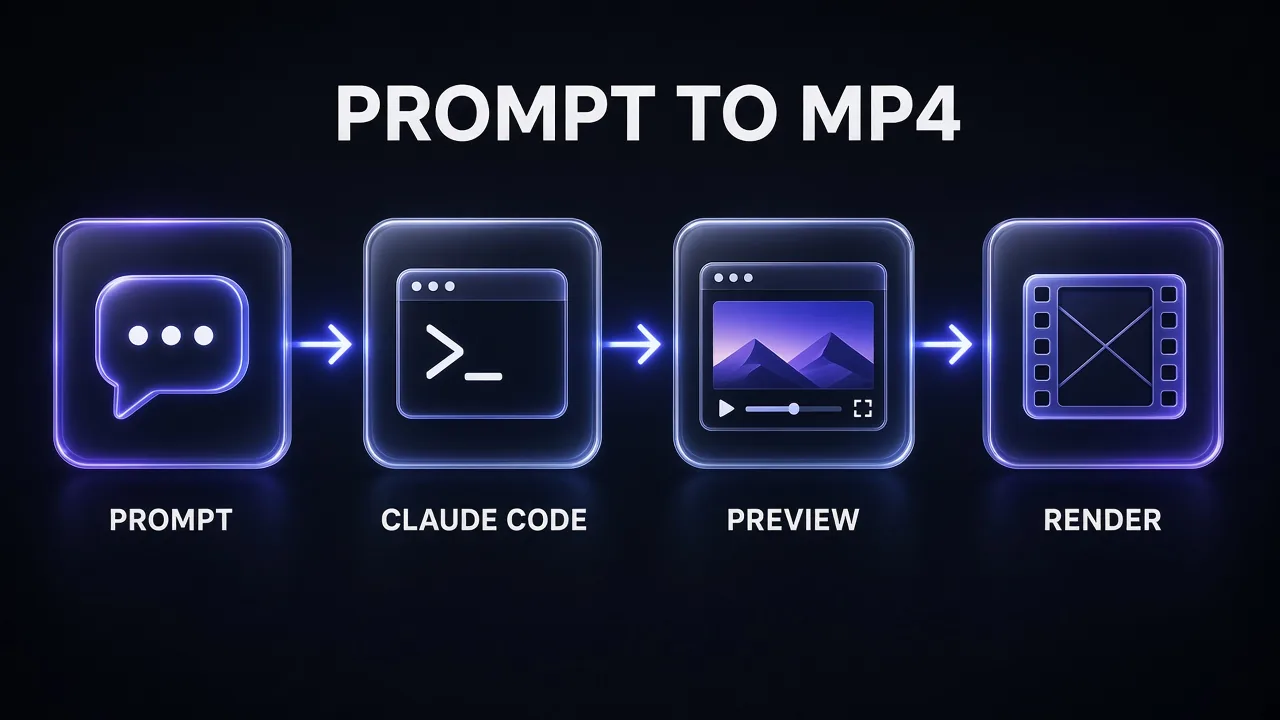
Two terminals keep it smooth: one runs the Studio dev server, the other runs Claude Code. Remotion's own coding-agent guide sets things up exactly this way.
Remotion Basics: Compositions, Sequences and Frames
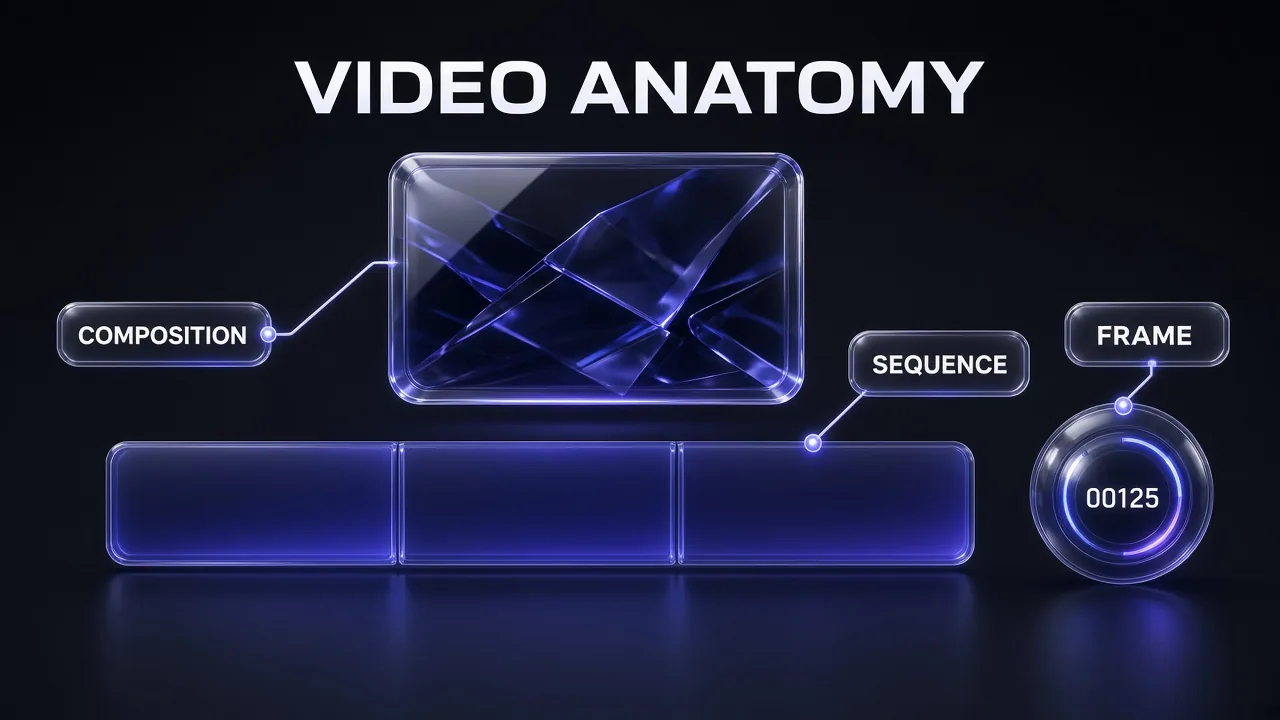
Remotion's core idea, in its own words, is to "give you a frame number and a blank canvas, to which you can render anything you want using React." A video is "a function of images over time": change what you draw on each frame and you get animation. Five ideas cover almost everything Claude will write:
- Composition. A React component plus video metadata:
id,width,height,fpsanddurationInFrames. Compositions are registered in the root file (usuallysrc/Root.tsx) and show up in Studio's sidebar. Theidmay contain only letters, numbers and hyphens, and it's what you pass to the render command. - Frame. Time is counted in frames, starting at
0; the last frame isdurationInFrames - 1. At 30 fps, a 15-second video is 450 frames. Inside any component,useCurrentFrame()returns the current frame anduseVideoConfig()returns the fps, size and duration. - Sequence.
<Sequence>places content on the timeline with timing props such asfromanddurationInFrames. Children see a frame number shifted byfrom, so a scene that starts at frame 90 still animates from its own frame 0.<Series>chains scenes back to back without manual maths. interpolate(). Maps one range to another, for example frames 0 to 20 to opacity 0 to 1. AddextrapolateLeftandextrapolateRight: 'clamp'so values stop at the end of the range.spring(). A physics-based animation that runs from 0 to 1 by default, with an optional overshoot. Defaults are mass 1, damping 10 and stiffness 100; raisedampingto remove the bounce.
One recent change worth knowing: Remotion's <Sequence> page now says using it directly is "not recommended anymore," though it still works and appears often in older code. Current Remotion code puts the same timing props straight on components such as <AbsoluteFill> or the newer Interactive elements (for example <Interactive.Div from={30}>), which Studio can select and edit visually. If Claude writes that style instead of explicit sequences, that's the skills doing their job.
Pro tip: Remotion's docs are built for agents. Add .md to any doc URL to get raw Markdown, and if you paste a Remotion doc link into Claude Code, Remotion says the agent fetches the Markdown version automatically. That's the fastest fix when Claude seems unsure about an API.
Step 1: Install Claude Code and Scaffold the Project
Install Claude Code first if you haven't. Anthropic's recommended native installer for macOS, Linux and WSL is:
curl -fsSL https://claude.ai/install.sh | bash
claude --version
On Windows PowerShell use irm https://claude.ai/install.ps1 | iex. Homebrew (brew install --cask claude-code) and WinGet (winget install Anthropic.ClaudeCode) also work, but they don't auto-update like the native install does. The first time you run claude it asks you to sign in.
Next, scaffold a blank Remotion project and add the Agent Skills. These are the exact commands from Remotion's coding-agent guide:
npx create-video --yes --blank my-video
cd my-video
npx remotion skills add
The first command creates a Blank project in my-video. The second step installs Remotion's Agent Skills into .agents/skills, and Remotion symlinks .claude/skills to that folder so Claude Code finds them. Later, npx remotion skills update pulls the latest versions.
Skills matter more than they look. They're Remotion-written instructions that tell Claude how to build compositions, time animations, load fonts and media, and render. Claude Code loads a skill when it's relevant or when you call it with /skill-name. That's the same mechanism behind any custom skill, as covered in our guide to creating a Claude skill. Remotion's current list includes:
/remotion-best-practices: covers all the others; use it when you're not sure which one applies./remotion-create: create a new project or composition./remotion-markup: compositions, animation, layout, typography, media, fonts and timing./remotion-studioand/remotion-render: launch the preview and render a video or still./remotion-captions,/remotion-maps,/remotion-docs,/remotion-upgradeand a few more for specialised jobs.
Prefer a plugin? Use Remotion's Claude Code plugin
Remotion also maintains a Claude Code plugin that bundles the same Agent Skills. From the terminal:
claude plugin marketplace add remotion-dev/claude-code-plugin
claude plugin install remotion@remotion
Restart Claude Code, open a new session in the folder where the video should live, and run /remotion:remotion-create followed by your prompt. In the Claude desktop app you can add the same plugin from Code → Customize → Plugins → Discover by searching for "remotion". Use the plugin if you make videos in many folders; use npx remotion skills add if you want the skills checked into one project's repo.
Step 2: Open Remotion Studio and Start Claude Code
Start the preview server from inside the project:
npm run dev
That launches Remotion Studio (the underlying CLI command is npx remotion studio) on port 3000, or the next free port, and opens it in your browser. Studio lists your compositions, plays them, lets you scrub frame by frame and edit props, and has its own Render button.
Open a second terminal in the same folder and start Claude Code:
cd my-video
claude
Before you prompt, drop any assets into a public/ folder next to package.json: logo, screenshots, a music track, a voiceover file. Remotion loads them with staticFile('/logo.svg'), which is why your brief should name the exact file paths.
Step 3: Brief Claude Code on Your Video
The quality of the first draft depends almost entirely on the brief. Remotion's examples are one-liners ("Make a promo video for a record store"), and they work, but a one-liner leaves every timing and design decision to the model. Give Claude what a motion designer would ask for: format, length, scene-by-scene timing in seconds, exact on-screen text, colours, fonts, asset paths and the rules you care about.
Remotion Promo Brief for Claude Code
Use the Remotion skills in this project to create a new composition with the id [COMPOSITION-ID].

Format: 1920x1080 at 30 fps, [LENGTH] seconds.
Purpose: [WHAT THE VIDEO IS FOR AND WHERE IT WILL BE POSTED].
Brand: background [HEX], accent [HEX], text [HEX], font [FONT NAME]. Logo at public/[LOGO FILE].

Scenes:
1. [0-3 s] Title card: "[HEADLINE]" fades and springs in, then holds.
2. [3-11 s] Three feature callouts, one at a time, each with an icon and a short line: "[FEATURE 1]", "[FEATURE 2]", "[FEATURE 3]".
3. [11-[LENGTH] s] Outro: logo plus "[CALL TO ACTION]" and "[URL]".

Rules:
- One React component per scene, chained with Series or timing props.
- Expose headline, features, colours and call to action as defaultProps so I can change them in Studio and with --props.
- Drive every animation from useCurrentFrame() with interpolate() or spring(). No CSS transitions or animations.
- Load assets with staticFile() from public/. No external network assets.
- Clamp interpolations so nothing drifts past its end value.

When you're done, list the files you created, the composition id, and the exact command to render it to out/[FILE NAME].mp4.
The rules prevent most later problems: props make the video reusable, frame-driven animation avoids render flicker, and local assets keep renders reproducible. If you want ready-made scene ideas, our Claude prompts for video creators include Remotion prompts you can paste into the Scenes block.
Pro tip: Ask Claude to plan before it codes for anything longer than one scene: "Outline the scenes, frame ranges and components first, wait for my OK, then build." Fixing a plan is cheaper than fixing four components.
Step 4: Check the Code Claude Writes
You don't need to read every line, but recognise the shape. A finished composition looks roughly like this simplified version (your file names may differ):
// src/Root.tsx: registers the video so Studio and the renderer can find it
import {Composition} from 'remotion';
import {Promo} from './Promo';

export const RemotionRoot: React.FC = () => (
  <>
    <Composition
      id="Promo"
      component={Promo}
      durationInFrames={450}
      fps={30}
      width={1920}
      height={1080}
      defaultProps={{headline: 'Ship videos from code', accent: '#6366F1'}}
    />
  </>
);

// src/Promo.tsx: three scenes played back to back
import {Series} from 'remotion';

export const Promo: React.FC<{headline: string; accent: string}> = ({headline, accent}) => (
  <Series>
    <Series.Sequence durationInFrames={90}><TitleCard headline={headline} accent={accent} /></Series.Sequence>
    <Series.Sequence durationInFrames={240}><Features accent={accent} /></Series.Sequence>
    <Series.Sequence durationInFrames={120}><Outro accent={accent} /></Series.Sequence>
  </Series>
);

// src/TitleCard.tsx: fade with interpolate(), pop with spring()
import {AbsoluteFill, interpolate, spring, useCurrentFrame, useVideoConfig} from 'remotion';

export const TitleCard: React.FC<{headline: string; accent: string}> = ({headline, accent}) => {
  const frame = useCurrentFrame();
  const {fps} = useVideoConfig();
  const opacity = interpolate(frame, [0, 20], [0, 1], {
    extrapolateLeft: 'clamp',
    extrapolateRight: 'clamp',
  });
  const pop = spring({frame, fps, config: {damping: 200}});
  return (
    <AbsoluteFill style={{justifyContent: 'center', alignItems: 'center', backgroundColor: '#0b0b12'}}>
      <h1 style={{color: 'white', fontSize: 110, opacity, transform: `scale(${pop})`, borderBottom: `8px solid ${accent}`}}>
        {headline}
      </h1>
    </AbsoluteFill>
  );
};
Run this quick review checklist on whatever Claude produces:
- Durations add up. Scene lengths should sum to the composition's
durationInFrames(90 + 240 + 120 = 450 here). A short sum leaves a blank tail; a long one cuts the outro. - Time comes from frames. Look for
useCurrentFrame(),interpolate()andspring(). Red flags: CSStransitionor@keyframes,setTimeout, orMath.random()(Remotion'srandom()is the safe version). - Interpolations are clamped. Without
'clamp', a scale that goes 0 to 1 over 20 frames keeps growing to 2 by frame 40. - Assets use Remotion components. Images through
<Img>, audio and video through<Audio>and<Video>from@remotion/media, files throughstaticFile(). These wait for assets to load before a frame is captured. - Props are JSON.
defaultPropsmust be JSON-serialisable; functions passed there are lost at render time.
If something's off, don't fix it by hand unless it's trivial. Ask Claude to fix it, and ask it to check its own work against the skills:
Remotion Self-Review Pass
Review the composition [COMPOSITION-ID] against the Remotion best-practices skill before I preview it.

Check and fix:
1. Scene durations add up to the composition's durationInFrames.
2. Every animation is driven by useCurrentFrame() with interpolate() or spring(); remove any CSS transitions, keyframes, timers or Math.random().
3. All interpolate() calls that should stop at their end value are clamped.
4. Images, audio, video and fonts load through Remotion's components and staticFile(), and fonts are loaded before text is measured.
5. defaultProps are JSON-serialisable and every on-screen string comes from props.

Then give me a short table: issue found, file, fix applied. Don't change the visual design.
Step 5: Iterate in Studio
Now switch to the browser. Studio hot-reloads as Claude saves files, so you can play the composition, scrub to problem spots and read the exact frame number off the timeline. Precise feedback beats taste words. Compare:
- Vague: "Make the intro snappier."
- Precise: "The headline takes until frame 45 to settle. Make it land by frame 18, cut the bounce, and start the first feature at 2.5 seconds instead of 3."
Give one or two changes per message, check them in Studio, then move on. Batching ten tweaks makes it hard to tell which change broke what. Simple text and colour edits don't need Claude at all: because the brief exposed them as props, you can change them in Studio's props editor and see the result straight away.
This is also the stage to add sound. Put a voiceover or music file in public/ and ask Claude to add it with Remotion's <Audio> component, with the volume ducked under any narration. If you're generating the voiceover, ElevenLabs exports audio files you can drop straight into the folder; our ElevenLabs pricing guide shows which plan fits how much narration you produce. Then ask Claude to time each scene to the narration rather than the other way round.
Step 6: Render the MP4
When the preview looks right, render from the second terminal (or press Render in Studio). The CLI takes the composition id and an output path:
npx remotion render Promo out/promo.mp4
Leave out the id and Remotion shows a picker; leave out the path and the file lands in the out folder. Without --codec, Remotion encodes H.264. Other values include h265, av1, vp8, vp9 and prores. Remotion automatically installs Chrome Headless Shell into node_modules, because it captures each frame in a headless browser before encoding the video.
Because the brief exposed everything as props, variants are one flag away:
# New headline, same video
npx remotion render Promo out/promo-launch.mp4 --props='{"headline":"Now on Android","accent":"#6366F1"}'

# Same thing from a file (use this on Windows, where inline JSON loses its quotes)
npx remotion render Promo out/promo-launch.mp4 --props=./props/launch.json

# A single frame as a thumbnail
npx remotion still Promo out/thumb.png --frame=60
For a vertical cut for Shorts or Reels, ask Claude to register a second composition at 1080×1920 that reuses the same scenes with a mobile layout. The render CLI does accept --width and --height overrides, but a layout built for 16:9 rarely survives being squeezed into 9:16 without changes.
If the video needs a talking presenter, Remotion won't generate one. Record or generate the presenter clip separately (HeyGen avatars are one option) and have Claude place it in a scene with <Video>. For cuts, captions and a final polish on the rendered MP4, a text-based editor such as Descript picks up where Remotion stops.
Tool Stack and Costs
Here's the full stack for this workflow, with what each piece costs according to the vendors' own pages:
| Tool | Job in this workflow | Cost (checked 23 Oct 2026) |
|---|---|---|
| Claude Code | Writes and edits the Remotion components from your briefs | Needs a Pro, Max, Team, Enterprise or Console account |
Remotion (remotion, @remotion/cli) | React framework, Studio preview and renderer | Free for individuals, companies of up to 3 people and non-profits; Company License above that |
| Remotion Agent Skills / Claude Code plugin | Teach Claude current Remotion best practices | Free, maintained by Remotion |
| Node.js | Runs the project, Studio and renders | Free |
| Voiceover or music (optional) | Narration and sound, loaded with <Audio> | Depends on the tool |
| Presenter video (optional) | Talking-head clips placed with <Video> | Depends on the tool |
Read the Remotion licence before client or company work. Remotion's LICENSE.md makes it free, including commercial use, for individuals, for-profit organisations with up to 3 employees, non-profits, and anyone still evaluating it. Everyone else needs a Company License. On Remotion's pricing page and licence FAQ, Remotion for Creators costs $25 per month per seat, for each person who writes Remotion code "themselves or using agentic coding tools". Remotion for Automators, for automated pipelines and video products, costs $0.01 per render with a $100 monthly minimum. A combined $100 monthly minimum applies when both are active, and Enterprise starts at $500 per month. Two details catch teams out: contractors' headcount counts towards the 4-person threshold, and Studio previews don't count as renders. The licence file also notes that terms "will slightly change" in Remotion 5.0, so re-check before you scale.
Common Pitfalls and Fixes
- The render flickers but the preview looked fine. Remotion renders frames in parallel across several browser tabs, so anything not driven by
useCurrentFrame()(CSS animations, timers, state, randomness) breaks. Ask Claude to rewrite those animations withinterpolate()orspring().--concurrency=1can hide the problem, but Remotion warns it's much slower and still doesn't guarantee correct timing. - Blank or half-loaded images in the MP4. Plain
<img>tags and rawfetch()calls don't tell the renderer to wait. Use<Img>,<Video>and<Audio>, wrap data loading indelayRender(), and load fonts before measuring text. - Things keep moving after they should stop. An unclamped
interpolate()keeps extrapolating. AddextrapolateLeftandextrapolateRight: 'clamp'. - Bouncy text you didn't ask for.
spring()overshoots with its default damping of 10. Ask for a higher damping, orovershootClamping: true. - Claude uses old patterns or invents props. Run
npx remotion skills update, point Claude at the relevant Remotion doc URL, or use the/remotion-docsskill. A docs MCP server helps too; see our list of the best MCP servers for Claude Code. - "Composition not found" when rendering. The id in the command must match the
idprop exactly, and ids allow only letters, numbers and hyphens. - Inline
--propsfails on Windows. The shell strips the quotes. Put the props in a JSON file and pass its path. - Setup fails on an old Mac or a minimal Linux image. Remotion needs macOS 15 or later, or Linux with libc 2.35+ and its listed dependencies; Alpine and nixOS aren't supported.
The Verdict
My take: Remotion plus Claude Code is the most practical way right now to make code-built motion graphics without being a React animator. Remotion supplies the deterministic, frame-based renderer and its own agent skills; Claude supplies the code; you supply taste and precise feedback. Briefs with real timings, props for everything you'll want to change, and frame-driven animation are what separate a clean render from a flickering one.
Use it for repeatable, graphics-heavy video: intros, explainers, data stories, templated social clips. For footage you shot, cut the video in an editor and bring Remotion in only for the graphics. And if you're at a company of four or more people, budget for the licence before the first client delivery.
Frequently Asked Questions
Keep Reading
Frequently Asked Questions
7 questions answered