The PromptsRush journal
AI ToolsClaude Duet Explained: Benefits, Pricing & vs ChatGPT Dots and Grok Bot
Claude Duet is Anthropic's new proactive agent app: a morning brief, its own cloud computer and approval before it sends, pays or signs. Here's how it works, what it costs, its limits, and how it differs from ChatGPT dots, Grok Bot and Meta Muse.

Advertisement
Short version: Claude Duet is Anthropic's new proactive agent app. Instead of waiting for you to open a chat, it comes to you. It sends a morning brief, watches the apps you've connected, does work on its own cloud computer while your phone is in your pocket, and asks before it sends, pays, signs or deletes anything. It runs on Claude Opus 5.5, it's built for professionals and small business owners, and right now it's a waitlisted research preview for US Pro and Max subscribers.
It also lands in a crowded month. OpenAI launched always-on dots on 29 September, Meta launched Muse on 8 September, and xAI's Grok Bot already gives you a team of AI teammates on a cloud computer. All four sound alike on paper. They aren't. This guide explains what Claude Duet is, how it works, what it costs, its real benefits and limits, and exactly how it differs from ChatGPT dots, Grok Bot and Muse.
Everything here comes from Anthropic's launch post, the Claude Duet product page and the Help Center guide, plus each rival's own announcement and docs, all checked on 23 October 2026. We haven't had preview access ourselves, so there are no hands-on scores here. If the line between a chatbot and an agent still feels blurry, our explainer on AI skills vs AI agents is a good primer.
What Is Claude Duet?
Anthropic describes Claude Duet as "a new app where Claude works as a proactive agent." The key word is proactive. The regular Claude app waits for you to start a conversation, and you work on something together. Claude Duet flips that: it tells you what needs your attention each morning, takes tasks you hand it by message, and reaches out when a job is done or needs your approval.
It runs on Claude Opus 5.5, and Anthropic says it built Duet to "decide what needs you, what can wait, and when to check with you first." You don't pick a model or tune settings. You message it like a person, typed or by voice, in one ongoing thread.
| Claude Duet at a glance | Details |
|---|---|
| Made by | Anthropic |
| Launched | 21 October 2026, as a research preview |
| What it is | A proactive agent app that briefs you, monitors connected apps and completes tasks in the background |
| Model | Claude Opus 5.5 (not selectable) |
| Where it runs | Standalone iOS and Android apps, plus claude.ai on the web |
| Who can get it | Claude Pro and Max subscribers in the US, through a waitlist |
| Extra cost | None during the preview; it uses your plan's usage limits |
| Built for | Professionals and small business owners |
How Claude Duet Works
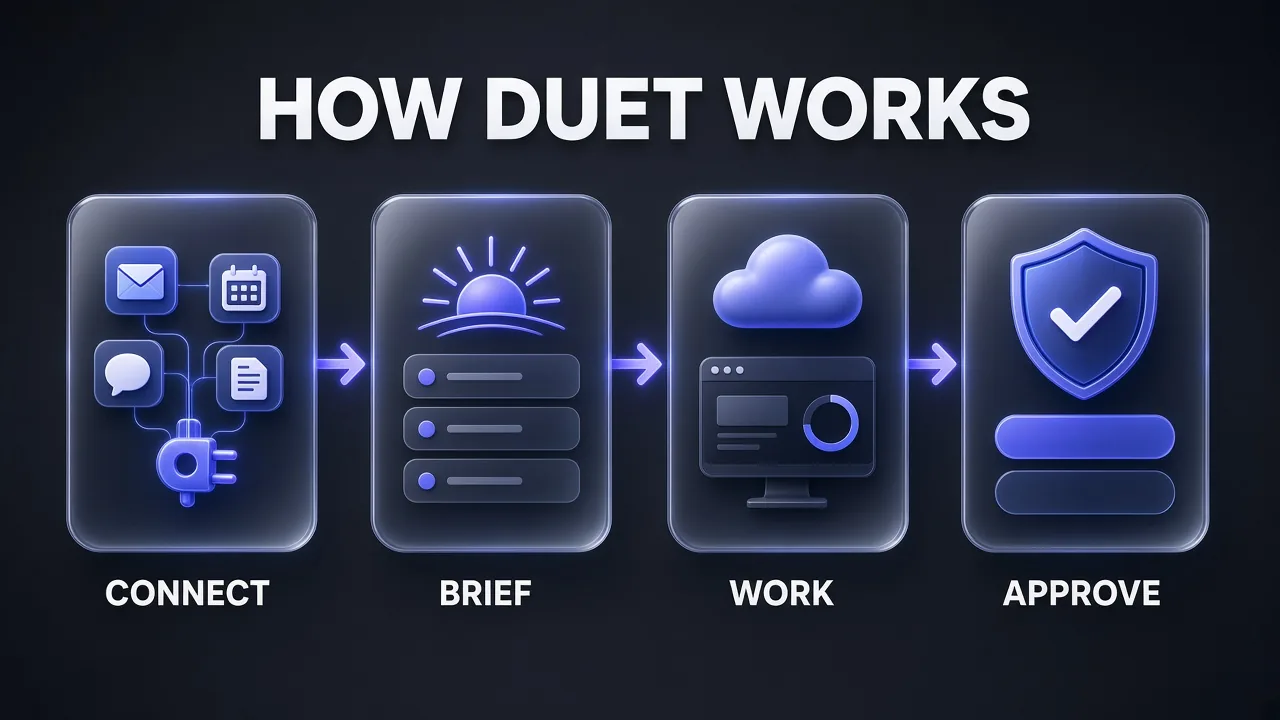
Duet combines five ideas: your existing Claude context, a daily brief, a cloud computer of its own, scheduled check-ins, and an approval gate before anything consequential.
It starts with your Claude account
Claude Duet carries over your memory, skills and connected apps from Claude, so setup is light. It can also search your past chats (Duet chats and Claude chats outside projects) so you don't repeat yourself, using the same "Search and reference chats" setting as Claude. Your main thread stays in one place, and you can open separate channels for different topics that share the same memory. This is context engineering done for you: the agent is only as useful as what it already knows about your work.
A brief every morning
Each morning Duet looks across your email and calendar, picks what most needs your attention and can start the first steps, such as drafting replies for you to review. Through the day it posts updates on the work it's doing and follows up on threads that have gone quiet. Anthropic's examples include a broker whose brief caught a property showing booked on the wrong day, and a strategist whose call prep noticed the call sat right before a flight and offered to move it.
Its own computer in the cloud
Duet has a virtual machine with its own browser, so it doesn't need your laptop or phone to be on. Describe a task in a short message and it works out which apps to use and what steps to take. Bigger results come back as files you can review and edit, such as a research brief, a financial model, a slide deck or a dashboard, and they appear in the Make tab. The Tasks tab shows what it's working on, and only you can mark a task complete. If you've used Claude computer use, this is the same idea packaged as a consumer app.
Check-ins every few hours, not every second
Duet checks your connected accounts "every few hours," Anthropic says, because checking nonstop would burn through your plan's limits much faster. You can tell it what you want to hear about and how often. The trade-off is honest: something urgent can arrive between checks.
You approve anything that matters
Duet reads, drafts and prepares work on its own. Before it sends a message, makes a payment, signs a document or deletes anything, it shows you exactly what it's about to do and waits. If you can't approve right away, it finishes the rest of the task and brings the approval back later. A few actions are off-limits even with your approval: trading securities, moving money between accounts and accessing someone else's account.
What Claude Duet Can Do
Anthropic says Duet can use the more than 6,000 connectors and plugins in the Claude Marketplace. The Help Center names Gmail, Google Calendar, Google Drive, Slack, QuickBooks, HubSpot, Docusign and Calendly, and for sites without a connector it falls back to its own cloud browser. Anthropic's own list of jobs:
- Inbox and messages: find the Gmail and Slack messages you've missed and help you reply.
- Money in: check QuickBooks or Stripe for unpaid invoices and draft reminders.
- Payroll: prepare and run payroll in Gusto, with hours, bonuses and reimbursements filled in.
- Hiring: draft a job posting and, once you approve, post it to LinkedIn.
- Contracts: prepare agreements and send them for signature through Docusign.
- Sales: draft follow-ups from the contact and deal history in HubSpot.
- Marketing: turn a product launch into a social campaign in Canva.
- Ecommerce: set up, design and manage a Shopify store.
It can also buy things for your business. With Link (Stripe's wallet) or Shop Pay (Shopify's), Duet confirms the item, you approve the spend, and it pays with a one-time card so your real card number isn't shared. Signing in with logins saved in 1Password is listed as coming soon. If you already wire tools into Claude, our list of the best MCP servers for Claude Code shows how far connectors now reach.
Benefits of Claude Duet
Here's what stands out, judged from what Anthropic has published rather than from our own use:
- It comes to you. The morning brief and "only when something needs you" messages are the core difference from chat. You stop being the person who has to remember to ask.
- Zero setup if you already use Claude. Memory, skills and connectors carry over from the first message. No workflow builder, no prompt templates.
- Work keeps going when you don't. The cloud VM means a deck or forecast can be built while you're on a walk, and you get a notification when it's ready.
- Real deliverables, not chat replies. Briefs, financial models, decks and dashboards land as editable files in the Make tab.
- Small business plumbing. Invoices, payroll, contracts and storefronts are first-class use cases, with a dedicated small business plugin.
- A firm approval line. Sends, payments, signatures and deletions always wait for you, and some financial actions are blocked outright.
- Sourced answers. When Duet gives you a number or a summary, the Help Center says it tells you which email, file or spreadsheet it came from.
- No extra bill during the preview. It's included with Pro and Max.
Pro tip: Tell Duet up front what you want to hear about and how often. Fewer interruptions also means fewer background checks eating into your weekly limit.
Safety, Privacy and Control
An agent that reads your email and can pay invoices is a big trust ask, and Anthropic leads with safeguards:
- Credentials: handled the same way as Claude Managed Agents, so Duet never directly sees your passwords or sign-in tokens. When a site asks for a password, you type it into a separate form on your device.
- Action checks: actions are approved by Anthropic's auto mode classifier, the same safeguard used in Claude and Claude Code.
- Prompt injection: defences come from Anthropic's browser-use research. The Help Center is candid that "no defense is perfect," which is why consequential actions need your OK.
- Sensitive data: a new dedicated classifier and safety system prompt reject requests to share the strictest tier of information, such as card numbers and government ID. Health or personal finance details go out only when you've explicitly told Duet to send them.
- Testing: internal red teams and an external firm penetration-tested Duet, and it's covered by Anthropic's public bug bounty.
- Disconnect anytime: you start every connection yourself and can cut any app off. Note that memory of past information is kept after you disconnect.
Claude Duet Pricing, Availability and Usage Limits
Claude Duet has no price of its own during the research preview. It's included with Claude Pro and Max, and it draws on the same usage limits as the rest of Claude.
| Item | What Anthropic says |
|---|---|
| Claude Pro | $20/month, or $17/month billed annually ($200 up front) |
| Claude Max | From $100/month, with 5x or 20x Pro usage |
| Duet cost | Included with Pro and Max at no extra cost during the preview |
| Usage | Shares your five-hour session and weekly limits at the same rate as chats; background briefs and check-ins also count |
| Bonus | One full limit reset when you're admitted, usable until 30 November 2026 |
| Region | US only during the preview |
| Plans not included | Free, Team and Enterprise (Team and Enterprise are planned later) |
| Access | Waitlist; invitations go out in waves |
Honest answer on cost: the subscription is the easy part. The real cost is usage. Larger jobs like a financial model or a deck "require more model turns and background work," so heavy Duet users will hit limits sooner than chat-only users. If you're weighing tiers, our Claude Max vs ChatGPT Pro comparison breaks down what each plan buys you.
For readers outside the US, including India, Duet isn't available yet. If you mainly want the frontier models from several labs under one bill while you wait, a multi-model app is the practical stopgap.
Claude Duet vs ChatGPT Dots vs Grok Bot vs Meta Muse
A note on names first. "ChatGPT dots" refers to OpenAI's dots, the always-on agents announced at DevDay on 29 September 2026 and used inside ChatGPT. That's the product we compare here. Grok Bot is xAI's app of AI teammates, built with Cursor. We've added Meta Muse because every major outlet covering Duet named it as a direct rival.
| Claude Duet | ChatGPT dots | Grok Bot | Meta Muse | |
|---|---|---|---|---|
| Maker | Anthropic | OpenAI | xAI (with Cursor) | Meta |
| Launched | 21 Oct 2026 (research preview) | 29 Sep 2026 (rolling out) | Beta, generally available for teams and Enterprise | 8 Sep 2026 (rolling out) |
| Model | Claude Opus 5.5 | GPT-6 Astra | Not named on the product page | Muse Spark |
| Core idea | One proactive agent for work: brief, monitor, do, ask | Your primary "dot" that works toward goals 24/7 | A team of named Bots with separate jobs | A personal agent for everyone, work and life |
| Where you talk to it | Duet app (iOS, Android), claude.ai | ChatGPT (desktop, web, mobile), Slack, Teams | Desktop app (macOS, Windows, Linux), iOS, Android; @bot on X | Muse app, WhatsApp, muse.ai |
| Own cloud computer | Yes, with its own browser | Yes, with its own browser | Yes: browser, filesystem and terminal, shared by your Bots | Yes, Muse Secure VM |
| Watch or take over its screen | No, not yet | Yes, open its computer anytime | Yes, open the computer and take over | Audit trail of what it did and plans to do |
| Multiple agents | One agent, separate channels | One dot included; more planned | Many Bots in parallel, group chats, handoffs | One personal agent |
| Connectors | 6,000+ connectors and plugins | 4,000+ apps via plugins | Connectors plus computer use for any site | Apps you choose; Link checkout |
| Approval model | Asks before send, pay, sign, delete; some actions blocked | Built-in rules plus Custom Rules (allow, approve, block); auto-review | Comes back for approval; Auto Review for sensitive actions | Asks before sending email or buying; Sentinel agent gates the internet |
| Price to get it | Claude Pro ($20) or Max (from $100), no extra cost | ChatGPT Pro ($100, $200 or $500) or Business Premium seat ($100 to $125) | X Subscription Premium ($30), Super ($100) or Ultra ($200), or a paid Cursor plan | Free for most needs; paid plans for more |
| Region | US only (preview) | Eligible markets | No US-only limit in its docs (@bot on X varies by region) | US |
| Best for | Owners and professionals who already live in Claude | ChatGPT, Slack and Teams power users | Operators who want several specialist agents | Consumers and personal errands |
Two rows decide most choices. The price row: Duet and Grok Bot are the cheapest ways in for a working professional, dots need at least a $100 plan, and Muse is free to start. The "watch its screen" row: Duet is the only one of the four that doesn't let you see its browser yet, which matters if you like to supervise.
Claude Duet vs ChatGPT Dots: Key Differences
These two are the closest match. Both are always-on agents with their own cloud computer and browser, both learn your preferences, and both stop for approval. The differences are about where they live and how much control you get.
Where you work with it
Duet lives in its own standalone app, separate from the main Claude app for now. Dots live inside ChatGPT, and you can also message your dot in Slack and Microsoft Teams, or hop on a voice call. If your team runs on Slack or Teams, dots meet you there. Note that Duet's Slack connector works "with limits," and Microsoft 365 isn't supported yet.
Transparency and control
With dots you can open the agent's computer at any time and even let it use your laptop. Dots also add Custom Rules to allow, require approval for, or block specific actions, plus an Activity View. Duet keeps a fixed approval line instead, and you can't watch or take over its browser yet.
Usage and cost
OpenAI says conversations with your dot don't count toward your ChatGPT usage limits, though tasks it starts in Codex or ChatGPT Work do. Duet's chats and background checks all count against your Claude limits. On the other hand, dots start at ChatGPT Pro 100 ($100/month), while Duet is included from Claude Pro at $20.
Model and focus
Dots run on GPT-6 Astra and OpenAI pitches them to developers, launch leads, scientists, sales teams and creators. Duet runs on Opus 5.5 and is aimed squarely at professionals and small business owners, with payroll, invoices and storefronts as headline jobs. OpenAI is also previewing "specialist dots" for enterprises, which Duet has no equivalent for yet.
My take: if you're a ChatGPT Pro user who lives in Slack or Teams, dots fit better. If you're a Claude user running a small business from your phone, Duet is the more natural pick, and it's far cheaper to get into.
Claude Duet vs Grok Bot: One Agent or a Team?
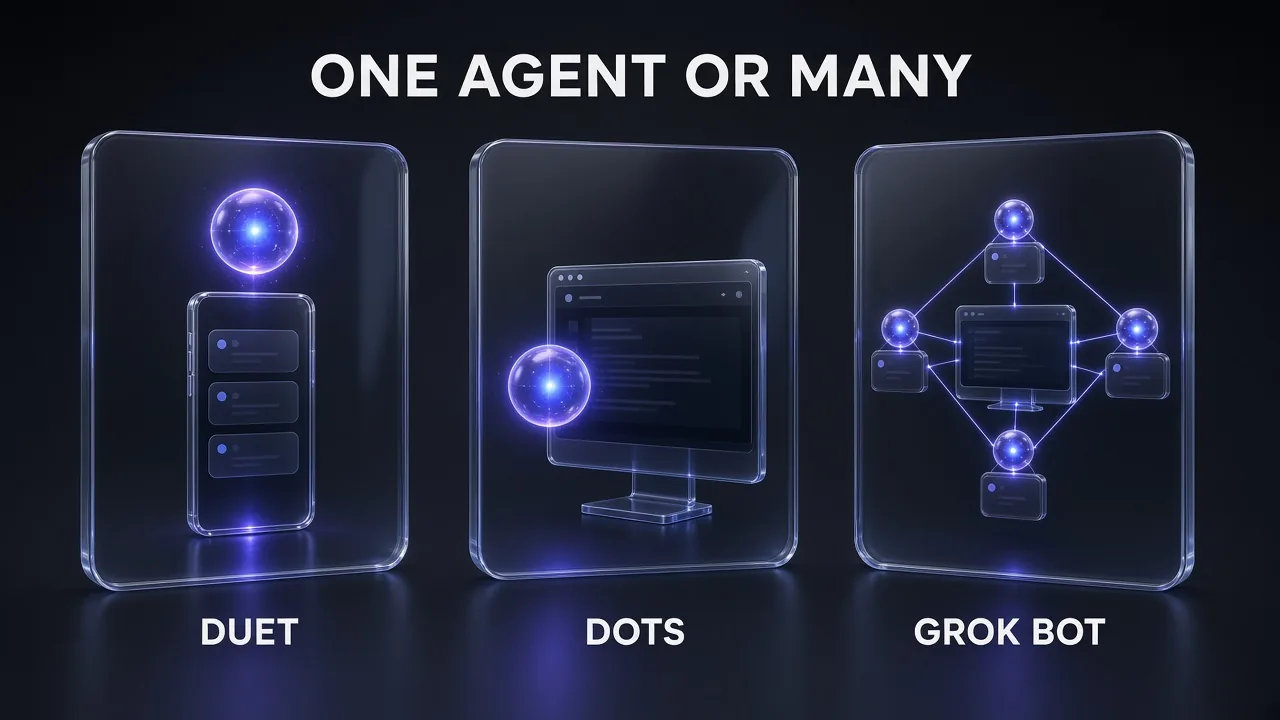
This is the cleanest philosophical split. Duet gives you one proactive partner. Grok Bot gives you a team: you create named Bots with specific jobs (sales outbound, recruiting, expenses, bug reproduction), they run in parallel, message each other, share context in group chats and hand work between themselves.
- Computer: Grok Bot's Bots share one persistent cloud computer with a browser, filesystem and terminal. You can open it and take over, for example to type a password. Duet's VM is hidden from you for now.
- Teaching: Grok Bot can learn a workflow from demonstration. You walk a Bot through it once, and it saves the path as a routine or skill it can run on a schedule. Duet learns from your Claude memory and skills instead.
- Surfaces: Grok Bot is desktop-first (macOS, Windows, Linux) with iOS and Android apps, plus tagging @bot on X. Duet is phone-first, with the web as backup.
- Proactivity: Duet's morning brief and scheduled check-ins are built in from day one. Grok Bot says Bots get more proactive over time as they learn how you work.
- Price and reach: Grok Bot is included with The X Subscription Premium ($30/month) and up, or a paid Cursor plan, and its docs don't list a US-only restriction. Duet is US-only for now.
If you want to see what a team of Bots looks like in practice, our guide to the best Grok Bot use cases walks through ten concrete workflows. Short version: choose Duet for one calm assistant that runs your day, and Grok Bot when you want several specialists working at once.
Where Meta Muse fits
Muse is the consumer option. Meta pitches it as a personal agent "built for everyone," reachable in WhatsApp, that can book travel, sell a car or turn a saved recipe reel into a grocery list. It runs on a dedicated Muse Secure VM, with a separate Sentinel agent that must approve anything leaving the machine. Duet is explicitly the opposite bet: Anthropic says personal errands like booking tickets "aren't quite as strong" because it built Duet around work.
Claude Duet Limitations to Know
Anthropic lists these openly for the research preview:
- You can't choose a model; Duet always runs on Opus 5.5 and picks its own effort level.
- You can't watch it work in its browser or take over.
- It checks accounts at intervals, so urgent items can slip between checks.
- It can't see your local files or all your Claude projects, and it can read your Claude work but not change it.
- No phone calls or text messages to other people. It can send email from your connected accounts with approval.
- Slack works with limits, and Microsoft 365 isn't available yet.
- It can misread a thread or misjudge what's urgent, and personal errands are weaker than work tasks.
- US only, Pro and Max only, waitlist only.
Pro tip: Treat the first week as a trial run. Review every draft and approval request closely before you confirm, and note where its sense of "urgent" differs from yours so you can correct it.
How to Get Started With Claude Duet
- Join the waitlist from the Claude Duet product page. Use the email on your Claude account, and pick your plan and phone type.
- Wait for your invite. Access opens in waves. Access is tied to that email, so it must match your Claude account and the Apple or Google account on your phone.
- Install and sign in on your phone from the invitation email, then sign in with your Claude account.
- Check your connectors in Claude settings. Duet uses the apps you've already connected, and you start every connection yourself.
- Hand it a first job with a clear finish line, then review the result.
Anthropic's own sample requests include clearing out inbox mail you don't need to read and briefing you on a company before a meeting. Here are four first messages built on those patterns. Swap in your details.
Set Up Your Morning Brief
Each morning, brief me on the five things that most need me today across my email and calendar. For each one, say why it matters, what you've already prepared, and what decision you need from me. Draft replies where it helps, but don't send anything. Only message me during the day if something can't wait until tomorrow's brief.
Chase Unpaid Invoices
Check Stripe for invoices that are more than [NUMBER] days overdue. List each customer, the amount and the due date. Draft a polite reminder email for each one in my tone, and bring them to me for approval before anything is sent.
Meeting Prep Brief
Before my [TIME] meeting with [COMPANY], put together a one-page brief: what they do, recent news, our past emails with them, and three questions I should ask. Tell me which email or file each fact came from.
Weekly Business Dashboard
Build me one page I can check every Monday morning that shows whether the business is healthy and where I should look. Pull from [LIST YOUR CONNECTED APPS]. Flag anything that changed by more than [PERCENT] since last week and explain the likely cause.
If you'd rather schedule fixed jobs than rely on judgment, Anthropic's developer-side option is different: Claude Routines run Claude Code on a timetable from the cloud.
Who Should Use Claude Duet (and Who Shouldn't)
| Use Claude Duet if you… | Look elsewhere if you… |
|---|---|
| Run a small business or a busy professional practice | Live outside the US (it isn't available yet) |
| Already pay for Claude Pro or Max and use its connectors | Need Microsoft 365 or full Slack support today |
| Want a daily brief and fewer apps to check | Want to watch and steer the agent's browser in real time |
| Hand off invoices, payroll prep, contracts or decks | Want several specialist agents working in parallel |
| Prefer a fixed, strict approval line | Mostly want help with personal errands and bookings |
Not in the US but want role-based AI helpers for a small business today? We've reviewed Sintra AI's 12 AI helpers, including where its credit model falls short.
Our Verdict on Claude Duet
Claude Duet is Anthropic's clearest move from chatbot to colleague. The design choices are deliberate: one agent instead of many, a morning brief instead of a blank chat box, and a firm approval line before anything that costs money or can't be undone. For a US-based owner already paying for Claude, it's the lowest-friction agent of the bunch, because the memory and connectors are already there and it costs nothing extra.
The gaps are real too. You can't watch its browser, it checks in on a timer, and it's locked to the US, Pro and Max, and a waitlist. ChatGPT dots offer more transparency and a home in Slack and Teams but start at $100 a month. Grok Bot is the pick for a team of specialist agents. Muse is for everyday personal life. Choose the one that matches how you already work, and start with read-and-draft jobs before you let any agent near your money.
Frequently Asked Questions
Frequently Asked Questions
10 questions answered