The PromptsRush journal
AI ToolsCheapest Way to Make AI Video in 2026 (mischief 1, Wan 3, Pika Flex)
The cheapest AI video generators in November 2026, with verified prices: mischief 1 from $0.005 per second, Pika H3 Flex from $0.01, HeyGen Video, Wan 3 and free self-hosted Wan 2.2, plus a draft-refine-final workflow that cuts the bill.

Advertisement
Short version: the cheapest way to make AI video in November 2026 is TBC mischief 1 at $0.005 per second at 480p, which works out to 2.5 cents for a five-second clip. Right behind it, Pika H3 Flex charges $0.01 per second at 480p and $0.02 at 768p, with sound included. Wan 3 starts at $0.05 per second on Alibaba Cloud and gives new accounts 30 free seconds. If you are willing to run your own GPU, Wan 2.2 is open-weight under Apache 2.0, so the only per-second cost is your hardware and electricity.
The cheapest model is not always the cheapest workflow, though. A $0.005 clip you throw away ten times can cost more than a $0.02 clip you keep on the second try. This guide ranks the low-cost options by their verified price, shows what 100 drafts cost on each, and lays out the three-stage workflow we recommend: draft on the cheap tier, refine on a mid tier, and pay premium rates only for the shots that ship. If you want the full per-second sheet including the premium models, this morning's AI video pricing per second guide covers Kling, HeyGen, Pika, FLUX and Wan side by side.
Every price below was re-checked on the vendor's own page on 11 November 2026. These are pay-as-you-go API rates unless we say otherwise. We haven't run our own quality benchmark for this piece, so treat it as a cost guide, not a quality ranking.
The Cheapest AI Video Generators Right Now (Price Table)
Sorted by the lowest published per-second rate. "Mid tier" is 720p, except Pika and HeyGen, whose native mid tier is 768p.
| Model | Lowest tier | Mid tier | Clip length | Input | Where to run it |
|---|---|---|---|---|---|
| Wan 2.2 (self-hosted) | $0 per second (your GPU) | 720p (TI2V-5B) | short clips | text or image | your own machine, 24 GB VRAM |
| TBC mischief 1 | $0.005 (480p) | $0.01 (720p) | 3 or 5 s | first-frame image | fal, OpenRouter |
| Pika H3 Flex | $0.01 (480p) | $0.02 (768p) | 3–15 s | text, first/last frame | Pika API |
| HeyGen Video | $0.02 (480p) | $0.03 (768p) | 5–30 s | text or image | HeyGen API |
| Wan 3 (Global regions, list) | $0.041 (480p) | $0.083 (720p) | 2–30 s | text or image | Alibaba Cloud Model Studio |
| Wan 3 (International, list) | $0.05 (480p) | $0.10 (720p) | 2–30 s | text or image | Alibaba Cloud Model Studio |
| FLUX 3 Max (promo to 22 Nov) | – | $0.085 (720p) | 5–20 s | text or image | fal |
| Kling 4.0 Flash | – | $0.094 (720p) | – | text, image or video | Kling API |
Lowest published price per second
Cheapest tier each model offers, US cents per second, checked 11 Nov 2026
Source: fal, OpenRouter, Pika, HeyGen, Alibaba Cloud and Kling pricing pages
Two things jump out. First, the bottom of the market is now measured in fractions of a cent: mischief 1 at 480p costs about one-nineteenth of Kling 4.0 Flash per second. Second, the cheap tiers are all 480p. That is fine for testing ideas, storyboards and social drafts, but you will want a sharper pass for anything that goes on a client deliverable or a paid ad.
What 100 Draft Clips Cost on Each Model
Drafting is where cheap models earn their keep. Here is the bill for 100 five-second clips (500 seconds of output), using each model's published rate and simple multiplication. No retries, no reference inputs, no volume discounts.
| Model and tier | Rate per second | 100 × 5 s clips |
|---|---|---|
| mischief 1, 480p | $0.005 | $2.50 |
| mischief 1, 720p | $0.01 | $5.00 |
| Pika H3 Flex, 480p | $0.01 | $5.00 |
| Pika H3 Flex, 768p | $0.02 | $10.00 |
| HeyGen Video, 480p | $0.02 | $10.00 |
| Wan 3 International, 480p (list) | $0.05 | $25.00 |
| FLUX 3 Max, 720p (promo) | $0.085 | $42.50 |
| Kling 4.0 Flash, 720p | $0.094 | $47.00 |
| Kling 4.0, 720p | $0.157 | $78.50 |
Cost of 100 five-second drafts
500 seconds of output at list API rates, US dollars, no retries
Source: fal, Pika, HeyGen, Alibaba Cloud and Kling pricing pages, 11 Nov 2026
Honest answer: at these prices, the money is no longer in the generation itself. A hundred drafts on mischief 1 cost less than a coffee. What costs you is the time spent reviewing bad takes and the premium re-renders you need at the end (see our Kling AI pricing breakdown for what those cost on plans). That is why the workflow section below matters more than the cheapest line in the table.
1. TBC mischief 1: The Lowest Per-Second Price
mischief 1 comes from The Biological Computing Co. (TBC) and launched on 30 October 2026 on fal and OpenRouter. TBC says it is built on Wan 2.2, the open-weight video model, and that it generates video five times faster than that base model. The company frames the speed-up as coming from efficiencies it measured in lab-grown neurons, then turned into software that runs on standard GPUs. You don't need to buy the biology story to use the model; what matters for this guide is the price.
mischief 1 pricing and limits
- 480p: $0.005 per second, so a five-second clip costs $0.025.
- 720p: $0.01 per second, so a five-second clip costs $0.05.
- Clip length: 3 or 5 seconds, per OpenRouter's model page.
- Input: image-to-video. You give it a first-frame image plus a text prompt.
- Aspect ratio: OpenRouter lists 16:9.
The limits are the catch. There is no text-only mode, no 1080p, no clips longer than five seconds and no vertical format listed. That makes mischief 1 a drafting and previsualisation tool. TBC itself pitches it for ideation, moodboarding and variant testing, which is exactly where its price makes sense: you can test twenty camera moves on the same still for about 50 cents at 480p.
Pro tip: because mischief 1 is image-to-video only, the quality of your first frame decides most of the result. Spend your effort on a clean, well-lit still with the subject placed where you want it, then let the model handle motion.
Here is a first-frame prompt that sets mischief 1 up well. Generate the still in any image model, then feed it in with a short motion prompt.
First-Frame Still for Cheap Image-to-Video
Wide 16:9 cinematic still of [SUBJECT] in [SETTING], subject placed on the left third, clear empty space on the right for camera movement. Soft natural key light from the window side, gentle rim light, shallow depth of field, realistic textures, neutral colour grade. Clean background with no text, no logos, no extra people. The frame should look like the first frame of a slow push-in shot.
2. Pika H3 Flex: Cheapest With Sound and Longer Clips
Pika H3 Flex is the best cheap all-rounder. It costs $0.01 per second at 480p and $0.02 at 768p, generates synchronized audio, and runs 3 to 15 seconds per clip. It also accepts a first frame, a last frame or both, which mischief 1 does not.
| Pika H3 Flex tier | Price per second | Native or upscaled |
|---|---|---|
| 480p | $0.01 | native |
| 768p | $0.02 | native |
| 1080p | $0.035 | upscaled |
| 2K | $0.04 | upscaled |
| 4K | $0.08 | upscaled |
Pika's docs say Flex animates at 480p or 768p and upscales to 1080p, 2K or 4K. So the 1080p tier is a cheap way to get a bigger file, not a sharper generation. For most social content, 768p at $0.02 is the sweet spot: a 15-second clip costs $0.30 with sound. That's the tier we would use for the "refine" stage below. Compared with the premium tier, that is less than a seventh of Kling 4.0 at 720p.
3. HeyGen Video: Cheap, Long Clips and Native Audio
HeyGen Video is $0.02 per second at 480p and $0.03 at 768p at its standard November rates, with clips from 5 to 30 seconds for text-to-video and image-to-video. It generates picture and sound in one pass, which saves you a separate voice or music step. Reference mode costs more, at $0.06 per second.
Where it wins on cost is long single takes. A 30-second 768p clip is 90 cents, and you don't have to stitch two 15-second clips and fix the seam. If your project is dialogue-heavy, our HeyGen Video explainer covers how the duration is picked from quoted dialogue and how to write prompts for it.
4. Wan 3: Cheapest Long Clips at 720p and 1080p
Wan 3 (model ID wan3.0-video) runs on Alibaba Cloud Model Studio. It is the cheapest native 1080p option in this list and supports 2 to 30 second clips at 30 fps.
| Wan 3 deployment | 480p | 720p | 1080p |
|---|---|---|---|
| International (list) | $0.05 | $0.10 | $0.20 |
| Global scope, e.g. Tokyo, Frankfurt, Virginia (list) | $0.041256 | $0.082513 | $0.165025 |
| Wan 3 Prime, International | $0.068 | $0.14 | $0.28 |
Two details on that table. Alibaba labels the standard Wan 3 prices "Limited-time 30% off" next to the list price, without stating the end date or the exact discounted figure on the page, so budget at list and treat any discount as a bonus. Second, the International deployment includes a 30-second free quota, which is enough for a handful of test clips before you pay anything.
Wan 3 is the model to pick when you need a long, native 1080p shot without paying Kling rates: a 20-second 1080p clip at the International list price is $4.00, against $4.70 on Kling 4.0. For how the two compare on motion and consistency, see our Kling 4.0 vs Wan 3 comparison.
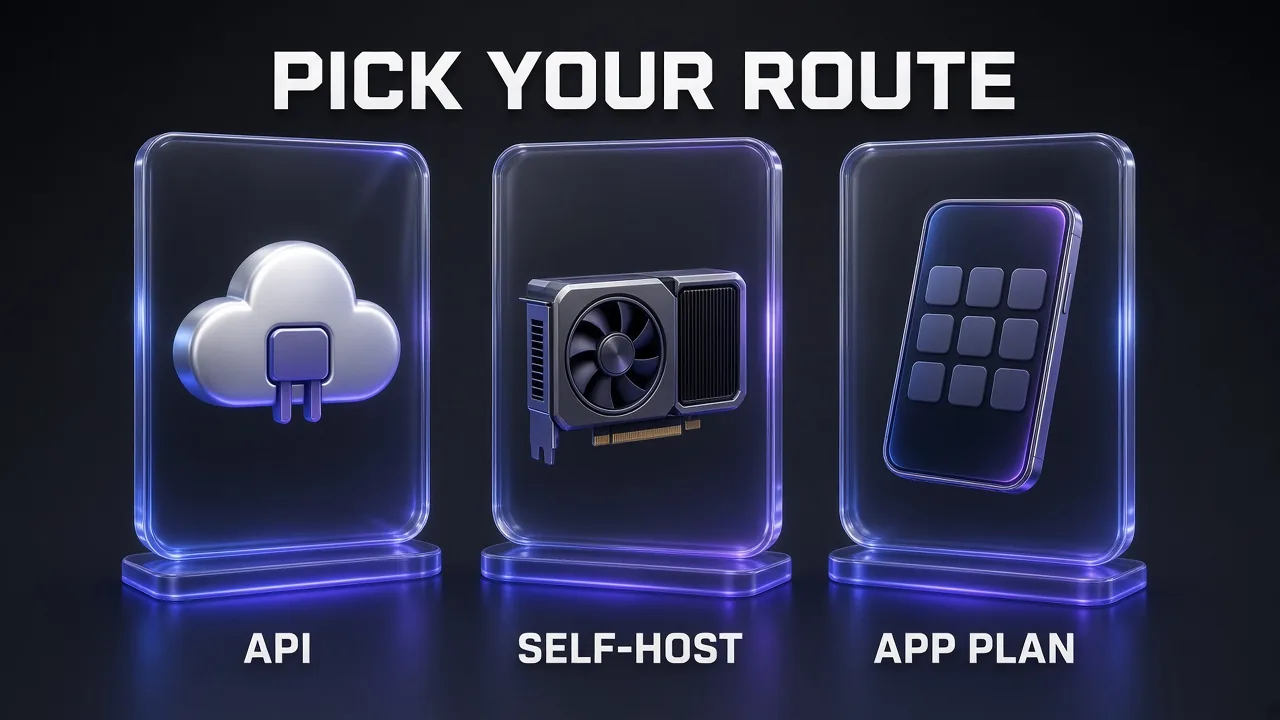
5. Self-Hosted Wan 2.2: Free Per Second, If You Have the GPU
The truly cheapest route has no per-second bill at all. Wan 2.2 is open-weight and released under the Apache 2.0 licence, and its team states it claims no rights over your generated content. The smallest model, TI2V-5B, does text-to-video and image-to-video at 720p and 24 fps, and the repository says it runs on a GPU with at least 24 GB of VRAM, such as an RTX 4090.
That is also the base model mischief 1 is built on, so self-hosting gives you the same family of results without paying fal or OpenRouter. The trade-offs are real, though:
- Hardware: you need a 24 GB card for the 5B model; the larger 14B mixture-of-experts models need more.
- Speed: local generation is slower than a hosted, optimised endpoint, and TBC's whole pitch is a 5× speed-up over this base.
- Setup time: drivers, Python environments and ComfyUI or Diffusers workflows take an afternoon the first time.
- Older model: Wan 2.2 is a 2025 release, so expect weaker motion and prompt following than Wan 3 or Kling 4.0.
My take: self-hosting pays off if you already own the GPU and plan to generate hundreds of drafts a week. If you would have to rent or buy the card, hosted mischief 1 at half a cent per second is cheaper for almost everyone.
6. The App Route: Subscription Credits Instead of an API
Not everyone wants an API key. If you prefer a web app with many models in one place, a credit subscription can be the cheapest route because you avoid juggling separate wallets. OpenArt's current plans, from its pricing page today:
| OpenArt plan | Monthly | Billed annually | Credits per month | Approx. videos |
|---|---|---|---|---|
| Starter | $14 | $13 per month | 4,000 | up to ~50 |
| Plus | $34 | $27 per month | 12,000 | up to ~150 |
| Pro | $56 | $44 per month | 24,000 | up to ~300 |
| Wonder | $240 | $175 per month | 106,000 | up to ~1,300 |
OpenArt's video counts exclude its Director tool, and the page currently advertises 50% off Kling 4.0 generations on the Pro and Wonder plans. The approximate video count depends on which model and length you pick, so read it as a ceiling, not a promise. If you shoot product clips, our OpenArt product video prompts are a good place to start.
ImagineArt is the other all-in-one app we use for quick video drafts. It bundles models from Kling, ByteDance, MiniMax, Runway and others behind one credit balance. We couldn't read its plan prices reliably today, so check its pricing page before you subscribe.
The Cheapest Workflow: Draft, Refine, Then Pay for the Final
The single biggest saving is not picking one cheap model. It is splitting the job into three stages and paying more only as the shot earns it.
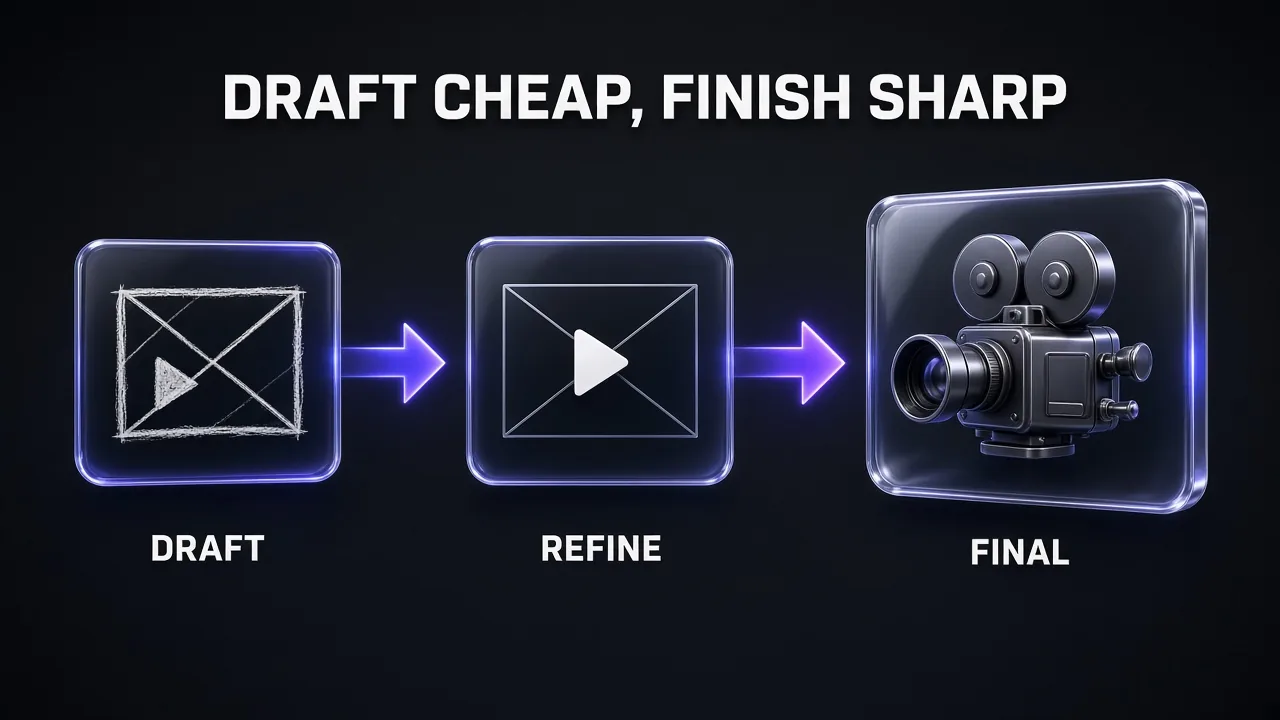
- Draft (480p, under 1 cent per second). Generate many short variations on mischief 1 or Pika H3 Flex at 480p. You are testing camera moves, timing and composition, not final quality.
- Refine (768p or 720p, 2 to 10 cents per second). Take the two or three best ideas to Pika H3 Flex at 768p, HeyGen Video, or Wan 3. Lock the prompt and the first frame here.
- Final (premium, only for shots that ship). Re-render the hero shots on Kling 4.0, Wan 3 at 1080p or FLUX 3 Max while its promo runs. Everything else stays at the refine tier.
Here is example arithmetic (our assumptions, not a benchmark) for a 30-second ad built from six five-second shots. Say you draft 10 variations per shot on mischief 1 at 480p (300 seconds, $1.50), refine 3 per shot on Pika H3 Flex at 768p (90 seconds, $1.80), and render the 6 final shots on Kling 4.0 at 1080p (30 seconds, $7.05). Total: about $10.35. Doing all 19 takes per shot on Kling 4.0 at 1080p would be 570 seconds, or $133.95. Same final shots, roughly a thirteenth of the bill.
This staged approach is the same idea behind our AI video stack: cheap models for volume, premium models for the frames people actually see.
To keep the drafts consistent across stages, write the shot list once and reuse it. This prompt turns a brief into a shot list you can paste into any model.
Shot List for a Cheap Multi-Stage Video
Turn this brief into a shot list for a [LENGTH]-second [FORMAT] video: [BRIEF]. Split it into [NUMBER] shots of 3 to 5 seconds each. For every shot give: 1) a one-line description of the first frame (subject, setting, framing), 2) one camera move in plain words (slow push-in, pan left, static), 3) one action that happens in the shot, 4) the mood and lighting. Keep the same character description, wardrobe and colour palette in every shot so the clips cut together. Output a numbered list, no extra commentary.
Hidden Costs That Make Cheap Video Expensive
Per-second rates hide a few multipliers. Watch for these before you scale up.
- Retries. The real cost is rate × seconds × attempts. A model that needs twice as many takes costs twice as much, whatever its sticker price.
- Upscaled tiers. Pika's 1080p and above are upscales of a 768p render. You pay more per second for pixels, not for better motion.
- Reference inputs. HeyGen's reference mode is $0.06 per second against $0.03 for standard 768p. On Kling 4.0, adding an input video changes how the total duration is billed.
- Promos that end. FLUX 3 Max on fal is $0.085 per second at 720p until 22 November, then returns to $0.17 from 23 November 00:00 UTC. Our FLUX 3 Max video guide has the full timeline.
- Minimum lengths. HeyGen Video starts at 5 seconds and mischief 1 only offers 3 or 5, so a 2-second cutaway still bills the minimum.
- Character drift. Cheap drafts that change the character's face between shots force premium re-renders. Our guide to keeping characters consistent in Kling covers the reference tricks that cut those retries.
Which Cheap AI Video Option Should You Pick?
| If you need… | Pick | Why |
|---|---|---|
| Lowest possible cost per draft | mischief 1, 480p | $0.005 per second, 2.5 cents per five-second clip |
| Cheap clips with sound | Pika H3 Flex, 768p | $0.02 per second, synchronized audio, up to 15 s |
| One long take up to 30 s | HeyGen Video or Wan 3 | 5–30 s or 2–30 s clips, no stitching |
| Native 1080p on a budget | Wan 3 | $0.165 to $0.20 per second at list |
| Zero per-second cost | Self-hosted Wan 2.2 | Apache 2.0, runs on a 24 GB GPU |
| No API, many models | OpenArt or ImagineArt | One credit balance across models |
| Premium hero shots only | Kling 4.0 | $0.157 per second at 720p, used sparingly |
Common Mistakes When Chasing the Cheapest Video
- Drafting at final resolution. Rendering every test at 1080p multiplies your bill for footage you will delete.
- Judging a model by one clip. Cheap models vary more from take to take. Run three or four drafts before deciding a model can't do the shot.
- Ignoring the first frame. For image-to-video models, a weak still guarantees weak motion. Fix the image before paying for more seconds.
- Forgetting promo dates. Plan big FLUX 3 Max batches before 22 November, or budget at the regular rate.
- Paying for unused credits. A $56 monthly plan is only cheap if you use the credits. Light users are often better off with pay-as-you-go API wallets.
Verdict: The Cheapest Way to Make AI Video in 2026
For pure price, mischief 1 is the new floor at half a cent per second, and it is genuinely useful for drafts and storyboards. For a cheap model you can actually ship with, Pika H3 Flex at 768p gives you sound and 15-second clips for 2 cents a second. Wan 3 is the budget pick for long native 1080p shots, and self-hosted Wan 2.2 is the free route if you already own the hardware.
The cheapest overall workflow combines them: draft on mischief 1 or Pika at 480p, refine on a mid tier, and send only the final shots to Kling or Wan 3 at 1080p. In our example, that cut a 30-second ad from about $134 to about $10 for the same final renders.
Frequently Asked Questions
10 questions answered