The PromptsRush journal
AI ToolsOpenArt Product Video Prompts for Ecommerce Brands
15 tested product video prompts for OpenArt — turntable hero shots, macro texture, UGC ads, unboxing, and category-specific templates for apparel, food, jewellery and skincare. Plus the shot-plan workflow that keeps your product consistent across every cut.
Advertisement
A product photo sitting still on a white background converts worse than the same product moving. That is not a controversial claim any more — it is why every DTC brand shoots video, and why every DTC brand hits the same wall: a proper product video shoot costs more than the product margin justifies, and you need a new one every two weeks because the creative fatigues.
OpenArt closes that gap in a specific way. You upload the product photo you already have, and it animates that exact photo — camera movement, lighting, atmosphere — rather than generating a lookalike product from scratch. That distinction matters more than anything else in this article. Generating "a serum bottle" gives you a serum bottle. Animating your serum bottle gives you an ad you can actually run.
Below are 15 prompts built for that workflow, grouped by what they produce. They assume you have one clean product image and no film crew. Each one is a template — swap the bracketed fields and it becomes yours.
What OpenArt Actually Gives You for Product Video
Worth knowing before you write a single prompt, because the constraints shape the prompt:
- Inputs: a product photo, an ad script, or a text prompt — plus optional brand and character references.
- Durations: 5, 10, 15, or 30 seconds.
- Aspect ratios: 9:16 for TikTok, Reels and Shorts; 1:1 for Meta feed; 16:9 for YouTube and site embeds.
- Models: Seedance 2.5, Kling 3.0, Sora 2, WAN 2.7, LTX-2.3, Pixverse and others, selectable per generation.
- Finishing: captions, ElevenLabs text-to-speech voiceover, and AI-generated music, in the same place.
- Variants: ten or more from a single product, with hooks swappable without regenerating the whole ad.
Most ads finish in under five minutes. The full feature set and pricing are in our OpenArt review, and if you are still deciding between platforms, Higgsfield vs OpenArt covers where each one wins.
Four Things That Decide Output Quality
Prompts matter less than people think. These four matter more:
- Your input photo is the ceiling. A soft, badly lit, low-resolution product shot animates into a soft, badly lit video. Shoot or upscale the still first. Nothing in the prompt recovers detail that was never captured.
- Name one camera move, not three. "Slow orbit" produces a clean orbit. "Orbit while pushing in and tilting up as the light sweeps" produces mush. One move per clip; cut to change the move.
- Describe the light, not the mood. "Premium feel" means nothing to the model. "Single soft key from the upper left, deep falloff, faint rim light on the right edge" produces the premium feel you were reaching for.
- Say what must not change. Explicitly locking the label, colour, and shape stops the model from redesigning your packaging mid-clip. Every prompt below includes that lock.
Core Product Showcase Prompts
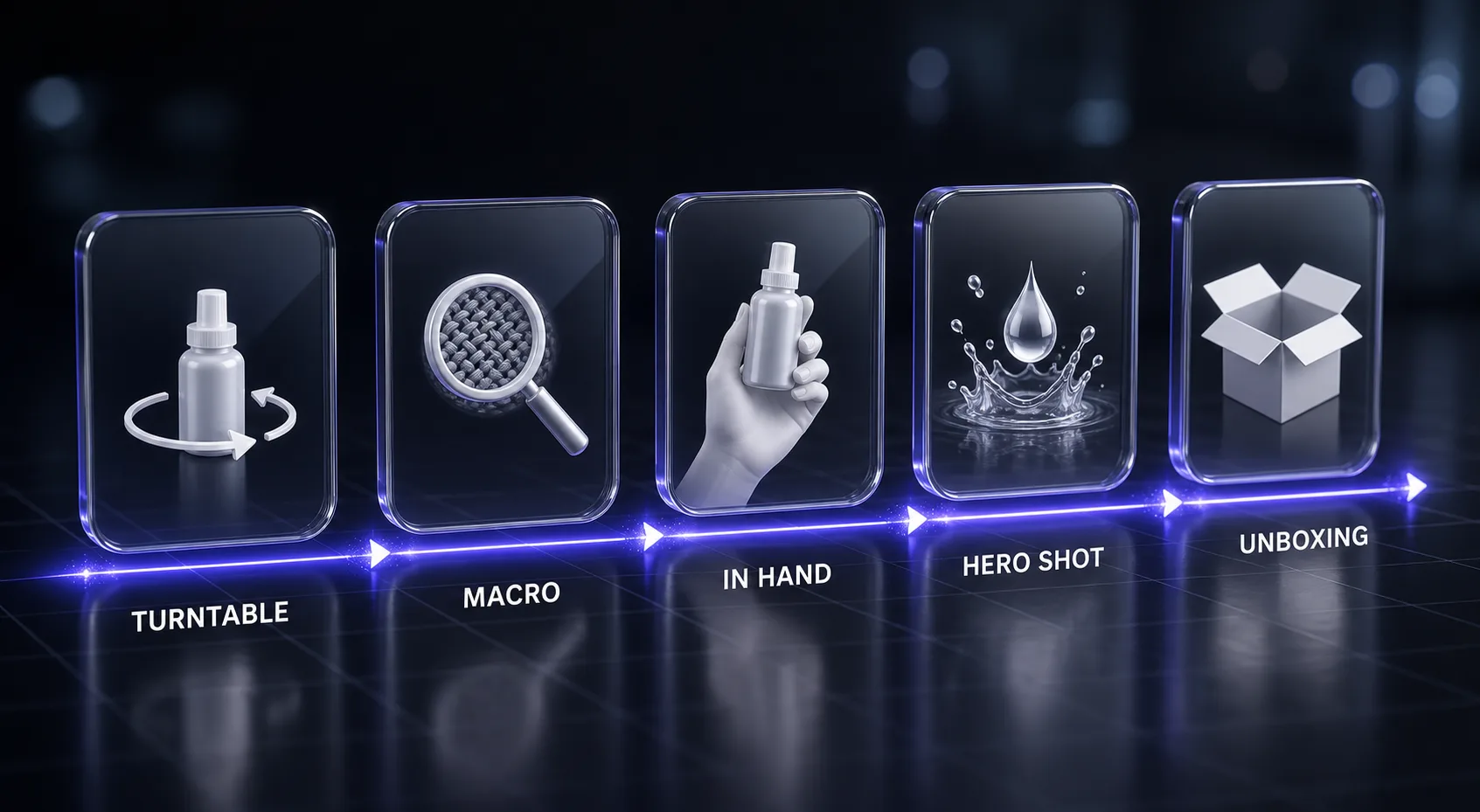
These five are the workhorses. Between them they cover a product page, a Meta feed ad, and an email header.
1. The Turntable Hero Rotation
Animate the uploaded product photo of [PRODUCT — e.g. a 50ml frosted glass serum bottle].

Camera: locked wide-to-medium framing, the product centred and rotating slowly clockwise on its vertical axis, one full smooth revolution over the clip. No camera push, no tilt — the product rotates, the camera holds.

Lighting: single large soft key from the upper left with deep shadow falloff to the right, plus a thin cool rim light tracing the right edge of the product as it turns. Subtle specular highlight travelling across the [glass / metal / matte] surface during rotation.

Environment: seamless [DEEP CHARCOAL / BONE WHITE / SOFT SAND] backdrop, product resting on a matching matte pedestal with a faint reflection beneath it. Slow-drifting dust motes in the light beam.

Lock: the label text, logo placement, cap shape, and colour of the product must remain exactly as in the uploaded image throughout. Do not redesign, restyle, or re-letter the packaging.

Duration: 10 seconds. Aspect ratio: [9:16 / 1:1]. End the clip with the front label facing camera, perfectly centred.
2. Macro Texture Reveal
Animate the uploaded product photo of [PRODUCT] as a macro detail shot.

Camera: extreme close-up on [THE SPECIFIC DETAIL — e.g. the pump mechanism / the stitched seam / the engraved logo / the fabric weave], executing one slow continuous dolly-in that ends with the detail filling two-thirds of the frame. Shallow depth of field, focus locked on the detail, background falling into soft bokeh.

Motion: the product itself is still. Only the camera moves, and only forward.

Lighting: raking side light at a low angle to exaggerate surface texture and micro-relief. Cool neutral white balance.

Environment: the rest of the product remains visible but out of focus, grounding the detail in the whole object.

Lock: colour, finish, materials, and any visible text must match the uploaded image exactly.

Duration: 5 seconds. Aspect ratio: 9:16. This clip is a B-roll insert — no text overlay, no logo card, just the detail.
3. The Floating Hero Shot
Animate the uploaded product photo of [PRODUCT] as a premium hero beauty shot.

Composition: the product floats motionless at frame centre, suspended with no visible support, tilted [15] degrees toward camera to show both the front label and one side.

Camera: very slow arc from left to right across roughly 30 degrees, staying level with the product. Almost imperceptible — the shot should feel still but alive.

Motion elements: [CHOOSE ONE — a single slow-motion droplet of clear liquid running down the side / a soft ribbon of vapour curling behind the product / fine particles drifting upward past it]. One element only.

Lighting: dramatic single-source key from behind and above, creating a glowing rim around the product silhouette, with a soft fill from the front so the label stays legible. Deep, near-black background with a subtle gradient.

Lock: preserve the exact label artwork, typography, colours, and proportions from the uploaded image.

Duration: 10 seconds. Aspect ratio: [9:16 / 16:9]. Hold the final frame with the product dead centre for a clean end card.
4. In-Hand Scale and Use
Animate the uploaded product photo of [PRODUCT] being held and used by a person.

Action: a [WOMAN / MAN] in their [AGE RANGE] with [SKIN TONE] hands and [SHORT NEUTRAL MANICURE / NO VISIBLE JEWELLERY] picks up the product from a surface, turns it slightly to show the front, and performs one natural use action — [e.g. presses the pump once / unscrews the cap / applies a small amount to the back of the hand].

Camera: handheld-feel medium close-up, framed from mid-forearm, with gentle organic movement. The product stays in the upper-centre third of frame throughout.

Lighting: soft directional daylight from a window off-frame left, warm-neutral, realistic domestic light rather than studio light.

Environment: shallow-focus background suggesting [A BATHROOM COUNTER / A KITCHEN WORKTOP / A DESK], uncluttered, one or two out-of-focus props only.

Lock: the product label, shape, size relative to the hand, and colour must match the uploaded image exactly. Hands must have five fingers, natural proportions, and no distortion at any frame.

Duration: 10 seconds. Aspect ratio: 9:16.
5. Lifestyle Context Drop-In
Take the uploaded product photo of [PRODUCT] and place it naturally into a lifestyle environment.

Scene: the product sits on [SPECIFIC SURFACE — e.g. a travertine bathroom ledge / a linen-covered breakfast table / a walnut desk beside an open notebook], lit by [TIME OF DAY — e.g. late afternoon sun raking through a window / soft overcast morning light].

Camera: slow push-in from a wide establishing frame to a medium shot, ending with the product occupying the centre-left third of frame following the rule of thirds.

Motion in scene: subtle ambient life only — [steam rising from a nearby cup / a curtain moving faintly / light shifting across the surface]. The product itself does not move.

Grading: [COOL AND CLINICAL / WARM AND EDITORIAL / MUTED AND SCANDINAVIAN], consistent with a premium DTC brand.

Lock: the product must be composited at realistic scale for the surface it sits on, with a correct contact shadow and a reflection consistent with the scene lighting. Do not alter the label, colour, or form factor from the uploaded image.

Duration: 10 seconds. Aspect ratio: [1:1 / 16:9].
Social Ad Prompts That Actually Sell
Different job. These are built for a feed, where you have roughly two seconds before the thumb moves.
6. The Three-Second Scroll-Stopper
Create a 5-second vertical ad opener using the uploaded product photo of [PRODUCT].

Structure:
- Frames 0.0–1.0s: a fast, unexpected visual event involving the product — [CHOOSE ONE — the product drops into frame and lands with a bounce / liquid splashes across frame and the product is revealed behind it / the product snaps into focus from a blur with a hard light flash].
- Frames 1.0–3.5s: the product settles centre-frame, camera pushes in slightly, one clean beauty moment.
- Frames 3.5–5.0s: hold steady on the product, front label facing camera, ready for a text overlay in the upper third.

Pacing: the first movement must occur within the first 8 frames. No slow build, no fade-in.

Lighting: high contrast, bright key, saturated but not blown out — built to survive compression on [TIKTOK / INSTAGRAM REELS].

Lock: label, colour and shape exactly as uploaded. Leave the upper third of frame visually simple so a hook caption remains readable.

Duration: 5 seconds. Aspect ratio: 9:16.
7. UGC-Style Talking Recommendation
Create a UGC-style ad for [PRODUCT] using the uploaded product photo.

Talent: one [WOMAN / MAN], [AGE RANGE], filmed selfie-style at arm's length, natural styling, minimal makeup, no professional lighting. They should read as a real customer, not a model.

Setting: [A HOME BATHROOM / A CAR INTERIOR / A BEDROOM WITH WINDOW LIGHT], slightly imperfect and lived-in.

Action: they hold the product up beside their face in the first two seconds, glance at it, then speak directly to camera. Midway through, they demonstrate [THE KEY USE ACTION].

Voiceover script: "[PASTE YOUR 15-WORD HOOK AND 25-WORD BODY HERE]"

Camera: handheld, slight natural sway, framing loosening and tightening a little as a real person would hold a phone.

Lock: the product they hold must match the uploaded image exactly — same label, same colour, same size. It must remain visible and unobstructed whenever it is in frame.

Duration: 15 seconds. Aspect ratio: 9:16. Add auto-captions in a bold sans-serif, positioned in the lower-middle third.
8. Before and After Split
Create a before-and-after demonstration ad for [PRODUCT] using the uploaded product photo.

Structure:
- 0–4s: the "before" state — [DESCRIBE THE PROBLEM VISUALLY — e.g. dull, flat-looking surface / cluttered disorganised space / dry cracked texture], shot in flat, cool, unflattering light.
- 4–5s: the product enters frame and performs its action in one clean motion.
- 5–10s: the "after" state — the same framing and camera position as the "before", now showing [THE IMPROVED STATE], lit warmly and cleanly.

Critical: the before and after must use an identical camera angle, focal length, and distance so the comparison is honest and legible. Only the subject state and lighting change.

Lock: the product label, colour and shape match the uploaded image exactly. Do not exaggerate the result beyond [DESCRIBE THE REALISTIC OUTCOME] — the change should be clearly visible but plausible.

Duration: 10 seconds. Aspect ratio: 9:16.
9. Unboxing First-Person
Create a first-person unboxing clip for [PRODUCT] using the uploaded product photo.

Point of view: over-the-shoulder / first-person, as if the viewer is opening the parcel themselves. Only hands and forearms visible.

Sequence: hands lift a [COLOUR] mailer box into frame, slide a finger under the tape, open the flaps, part the [TISSUE PAPER / MOULDED INSERT], and lift the product out into clear centre frame.

Camera: fixed overhead-to-45-degree angle on a [WOOD / MARBLE / LINEN] surface, very slight handheld drift, one small push-in as the product is revealed.

Lighting: bright, even, natural daylight — the look of a real customer filming on a phone by a window, not a studio.

Pacing: the product must be fully visible by the 6-second mark. Do not linger on the packaging.

Lock: the product revealed must match the uploaded image exactly in label, colour, and proportion.

Duration: 10 seconds. Aspect ratio: 9:16.
10. Problem-Agitate-Solve in 15 Seconds
Create a 15-second problem-solution ad for [PRODUCT] using the uploaded product photo.

Beat 1 (0–4s): show the problem in action — [DESCRIBE THE FRUSTRATING MOMENT — e.g. someone reaching for a tangled mess of cables / a person wincing at a stiff neck / a cluttered surface]. Cool, flat, slightly desaturated grade. Handheld, slightly tense framing.

Beat 2 (4–7s): the moment of friction peaks. Tighter framing, a small realistic gesture of irritation. No dialogue.

Beat 3 (7–11s): the product enters. Clean cut, warmer grade, steadier camera. The product is used once, simply and clearly.

Beat 4 (11–15s): the resolved state — same environment, now calm and ordered — ending on a clean hero frame of the product with space in the upper third for a text overlay.

Lock: product label, colour and shape exactly as uploaded. The grade shift from cool to warm must be visible but not cartoonish.

Duration: 15 seconds. Aspect ratio: [9:16 / 1:1].
Category-Specific Prompts
Generic product prompts underperform on certain categories because the buying decision hinges on something specific — drape on apparel, sparkle on jewellery, steam on food. These five account for that.
11. Apparel — On-Model Movement
Animate the uploaded product photo of [GARMENT] shown on a model.

Talent: a [MODEL DESCRIPTION — build, height, hair] wearing the garment, photographed full-length.

Action: the model performs one slow walk toward camera over the clip, with a gentle turn at the end so the garment's [BACK DETAIL / DRAPE / HEMLINE] is visible. The fabric must move naturally with the body — [DESCRIBE THE FABRIC BEHAVIOUR — e.g. heavy denim holding its shape / lightweight silk catching air / structured wool with minimal sway].

Camera: locked-off medium-wide at chest height, the model walking into a tighter frame. No camera movement.

Lighting: soft, large-source studio light with a subtle floor bounce, colour-accurate so the garment's true shade is preserved.

Environment: seamless [COLOUR] cyclorama, no props.

Lock: the garment's colour, cut, seam placement, hardware, and any printed graphic must match the uploaded image exactly. Do not alter the fit or add design details.

Duration: 10 seconds. Aspect ratio: 9:16.
12. Food and Beverage — The Appetite Cue
Animate the uploaded product photo of [FOOD OR DRINK PRODUCT] as an appetite-driven hero clip.

Motion: one appetite cue executed in slow motion — [CHOOSE ONE — steam curling upward from the surface / condensation beading and running down the side of the glass / liquid pouring in a smooth stream / a slow pull revealing a soft interior texture].

Camera: slow dolly-in at a low 20-degree angle, ending in a tight medium close-up.

Lighting: warm-neutral key from three-quarters behind to backlight the steam or the liquid and make it glow, with a soft front fill so the product's colour stays true and appetising. Avoid flat frontal light.

Environment: [DARK SLATE / RUSTIC WOOD / CLEAN MARBLE] surface with minimal, in-focus-adjacent props that suggest the eating occasion without cluttering the frame.

Lock: the packaging, label, and the food's own colour and texture must match the uploaded image exactly. Do not restyle the food or add ingredients not present.

Duration: 10 seconds. Aspect ratio: [9:16 / 1:1].
13. Jewellery and Watches — Light Play
Animate the uploaded product photo of [JEWELLERY OR WATCH] as a luxury light-play clip.

Camera: extremely slow orbit around the piece, roughly 40 degrees of travel, at a fixed low angle that catches the facets and polished surfaces.

Motion: the piece rotates almost imperceptibly counter to the camera so that light travels continuously across [THE STONE / THE DIAL / THE POLISHED BAND]. The goal is a moving highlight, not a moving object.

Lighting: hard, small-source key light producing sharp specular highlights and true sparkle, plus a large soft fill at low intensity to keep the shadow side readable. Near-black surround so the highlights carry the frame.

Environment: the piece sits on [BLACK VELVET / A POLISHED DARK STONE PLINTH / SUSPENDED IN BLACK], with a mirror-like reflection beneath.

Lock: the metal colour, stone cut and colour, dial layout, engraving, and proportions must match the uploaded image exactly. Do not add stones, alter the setting, or change the metal tone.

Duration: 10 seconds. Aspect ratio: [9:16 / 1:1].
14. Home and Furniture — In-Room Placement
Place the uploaded product photo of [FURNITURE OR HOMEWARE ITEM] into a realistic room scene.

Scene: a [ROOM TYPE] in a [DESIGN STYLE — e.g. warm minimalist / mid-century / Japandi] home, with [FLOORING TYPE] and [WALL TREATMENT]. The item sits in its natural position within the space.

Camera: slow, steady dolly from a wide establishing shot into a medium shot that frames the item within its surroundings. Eye-level height, no tilt.

Lighting: directional natural light from a window off-frame [LEFT / RIGHT], with realistic soft shadows cast by the item onto the floor and adjacent surfaces. Time of day: [LATE MORNING / GOLDEN HOUR — but keep the grade cool and neutral].

Ambient motion: minimal and believable — dust in the light beam, a plant leaf shifting slightly. No people.

Lock: the item's dimensions must be realistic relative to the room and to standard furniture around it. Preserve the exact material, colour, grain, and hardware from the uploaded image. The contact shadow must sit correctly under the item.

Duration: 10 seconds. Aspect ratio: [16:9 / 1:1].
15. Skincare and Supplements — The Routine Sequence
Create a routine-sequence clip for [PRODUCT] using the uploaded product photo.

Sequence of three cuts:
- Cut 1 (0–4s): the product on a [BATHROOM SHELF / VANITY] in soft morning light, camera holding still, one hand entering frame to pick it up.
- Cut 2 (4–9s): close-up of the product being used — [DESCRIBE THE ACTION — e.g. two pumps dispensed onto fingertips / a capsule tipped into a palm / a droplet suspended from the pipette]. Macro framing, shallow depth of field.
- Cut 3 (9–14s): the product returned to the shelf, now with [SUBTLE EVIDENCE OF USE], camera slowly pulling back. Calm, resolved, unhurried.

Talent: hands only, [SKIN TONE], natural and unstyled.

Grade: consistent across all three cuts — clean, cool-neutral, high-key, the visual language of clinical skincare.

Lock: the product label, colour, cap, and pipette or pump design must match the uploaded image exactly in every cut. Do not make claims visible on screen.

Duration: 15 seconds. Aspect ratio: 9:16.
Multi-Cut Ads With Smart Shot
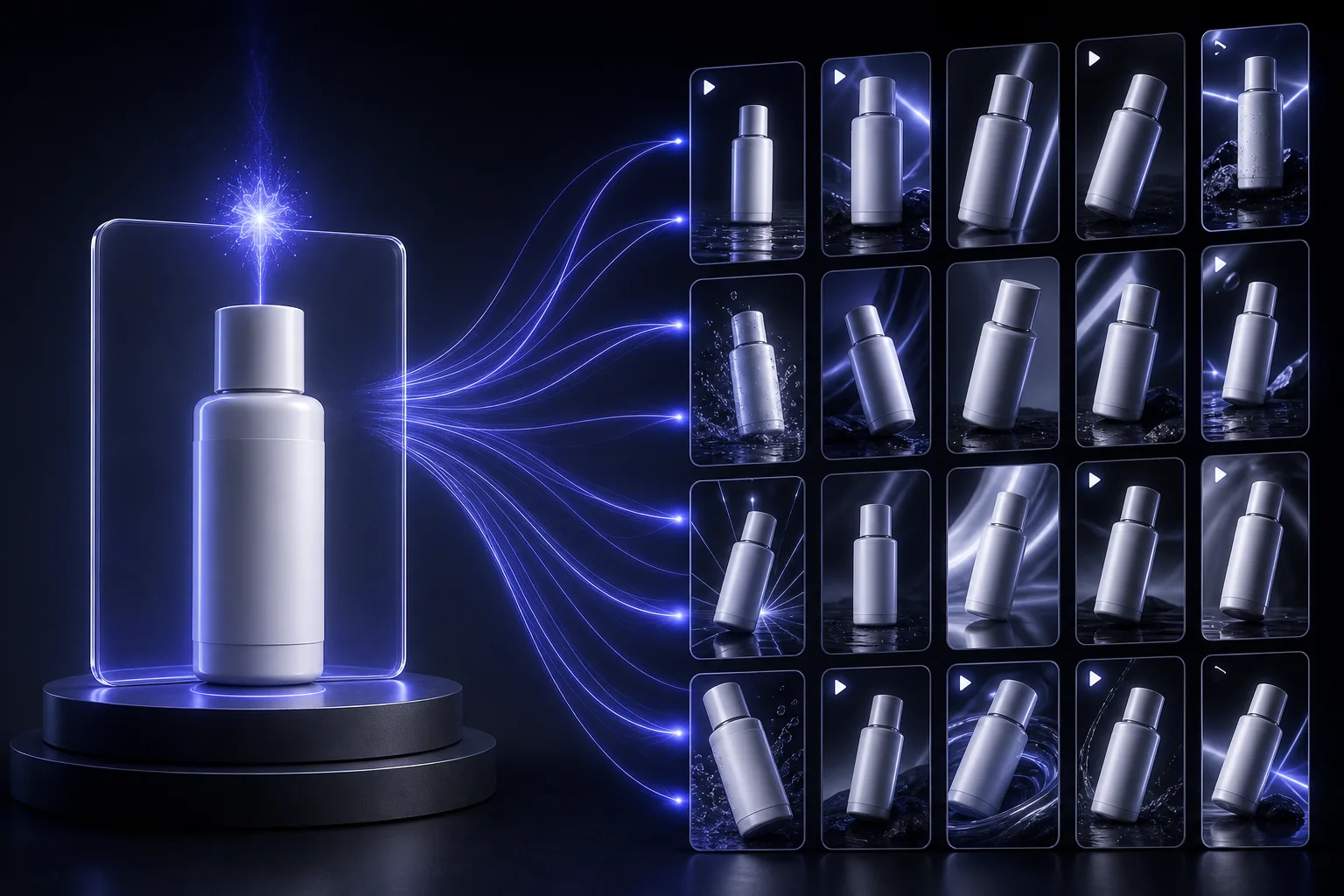
Single clips are fine for a product page. A feed ad usually needs cuts, and that is where Smart Shot earns its place: it generates a production sheet first — storyboard panels, camera setups, shot breakdowns — which you can preview and refine before anything renders. You adjust shot types, camera movements, or the sequence order, then generate.
Output is typically a 10–20 second video with 3–5 distinct cuts, ranging from wide establishing shots to close-ups, with characters and products held consistent across every cut. You can export the whole sequence or pull individual frames out for thumbnails and static ads.
That editable plan is the actual value. Fixing a bad shot order in a storyboard costs nothing; fixing it after four renders costs credits and an hour. Feed it a brief like this:
Build a shot plan for a 15-second [9:16] product ad for [PRODUCT], using the uploaded product photo as the hero asset.

Structure the plan as 4 cuts:
1. A 3-second scroll-stopping opener — fast movement, product revealed
2. A 4-second macro detail of [THE KEY FEATURE]
3. A 5-second in-use shot with hands only, natural daylight
4. A 3-second hero end frame, product centred, upper third left clear for a caption

For every cut specify: framing, camera movement, lens feel, lighting direction, and what is in the background.
Keep the product label, colour and proportions identical to the uploaded photo in all four cuts.
Show me the plan before generating anything, and flag any cut where the model is likely to alter the packaging.
Turning One Product Into Ten Ads
The reason to run this in OpenArt rather than a general video model is variant economics. From a single product you can generate ten or more versions using different hooks, models, and styles, and swap the opening hook without regenerating the entire ad.
The workflow that works:
- Lock one winning body. Generate the 8–10 second core sequence once and keep it fixed.
- Vary only the first three seconds. Produce five different hooks against that same body. Hook is where nearly all the performance variance lives.
- Fork the format, not the content. Render the winner at 9:16, 1:1 and 16:9 rather than writing new prompts per platform.
- Change one variable per test. Different model, or different grade, or different voiceover — never all three, or you learn nothing from the result.
If your ad strategy leans heavily on creator-style content, it is worth reading our roundup of AI UGC ad platforms alongside this — some briefs are better served by a dedicated UGC tool than by an image-to-video pass.
Mistakes That Ruin Product Video
- Letting the model redesign your packaging. The single most common failure. Every prompt needs an explicit lock on label, colour, and form — and you still need to watch the last frame, where drift usually appears.
- Stacking camera moves. One move per clip. Cut to change it.
- Hands. Hand-held product shots fail more often than any other setup. Specify five fingers and natural proportions, keep the hand in frame for less than four seconds, and prefer over-the-shoulder framing when you can.
- Ignoring the first two seconds. A beautiful 10-second clip with a slow open is a wasted render on a feed placement.
- Text baked into the video. Add captions and overlays in the finishing step, not in the generation prompt — otherwise every copy change means a full re-render.
- Skipping the still. If your product photo is weak, fix that first. Our product and fashion photography prompts cover generating the hero still, and luxury brand creative workflows covers the styling layer.
The Workflow, End to End
Put together, a working session looks like this: start with one clean, high-resolution product photo. Generate a hero clip with prompt 1 or 3 for your product page. Build a Smart Shot plan for your feed ad, edit the shot order before rendering, and generate. Take the winner, produce five hook variants against the same body, and render each in the three aspect ratios. Add captions, voiceover and music in the finishing step. Export.
That is an afternoon, not a shoot day — and it is repeatable every time the creative fatigues, which is the actual problem ecommerce brands are trying to solve.
Keep Reading
More on the video and creative stack: the OpenArt review, Higgsfield vs OpenArt, best AI UGC ad platforms, ChatGPT prompts for AI ads, and Kling 3.0 vs VEO 3.1. Or browse all guides and prompts on PromptsRush.
Frequently Asked Questions
9 questions answered