Loading model...
Best ChatGPT Image 2 prompts
167 prompts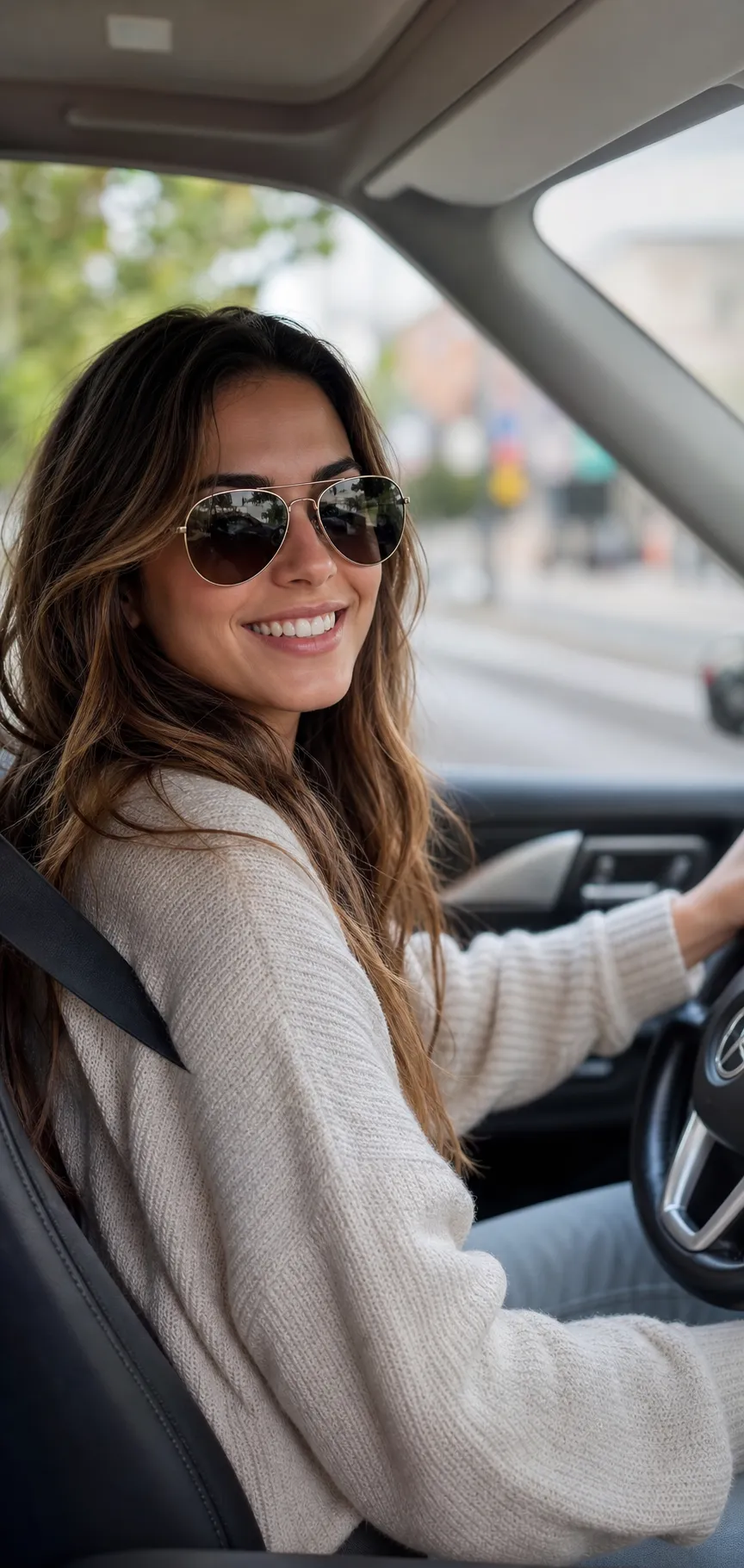
Image
Portrait & Character
Natural Lifestyle Candid Portrait
A lifestyle portrait prompt that captures a person in a natural, candid everyday moment with the warm, realistic look of a real photographer's shot. The template renders authentic skin texture with natural pores, soft natural light and creamy 85mm bokeh at f/2.0, so the subject feels genuinely present in the scene rather than posed in a studio. It is a tall vertical frame with bright airy tones, true-to-life color and sharp focus on the face. What you can customize Subject Description — the person: hair, styling and build anchor the render. Outfit — what they are wearing, described in a short line. Everyday Scene — five moments: Driving a Car, Sunlit Cafe, City Sidewalk, Cozy Window at Home or Park Bench. Expression — a global expression variable sets the mood, from a warm genuine smile to a calm candid glance. Lighting — a global lighting variable shapes the light and the softly blurred background behind the subject. Model Photo — optional upload of a clear front-facing photo to carry a real likeness into the scene. Best for Anyone who wants realistic personal photos without a photoshoot: social media and dating profiles, personal branding, lifestyle-brand and product-in-use content, and creators making custom edits. Attach a photo and the same likeness moves through any of the everyday scenes. Tips for the best results Describe the person and outfit concretely; hair, styling and clothing are what anchor the render. Pick a scene and light that belong together, such as soft daylight for a cafe or bright open light for driving. If you attach a photo, use a clear, well-lit front-facing shot so the face reads cleanly. Avoid over-styled glamour requests; this style is about believable everyday realism, not editorial polish. Skip busy cluttered backgrounds and heavy filters or beauty smoothing, which erase the natural skin texture the look depends on.
147 ViewsTemplate
Image
Portrait & Character
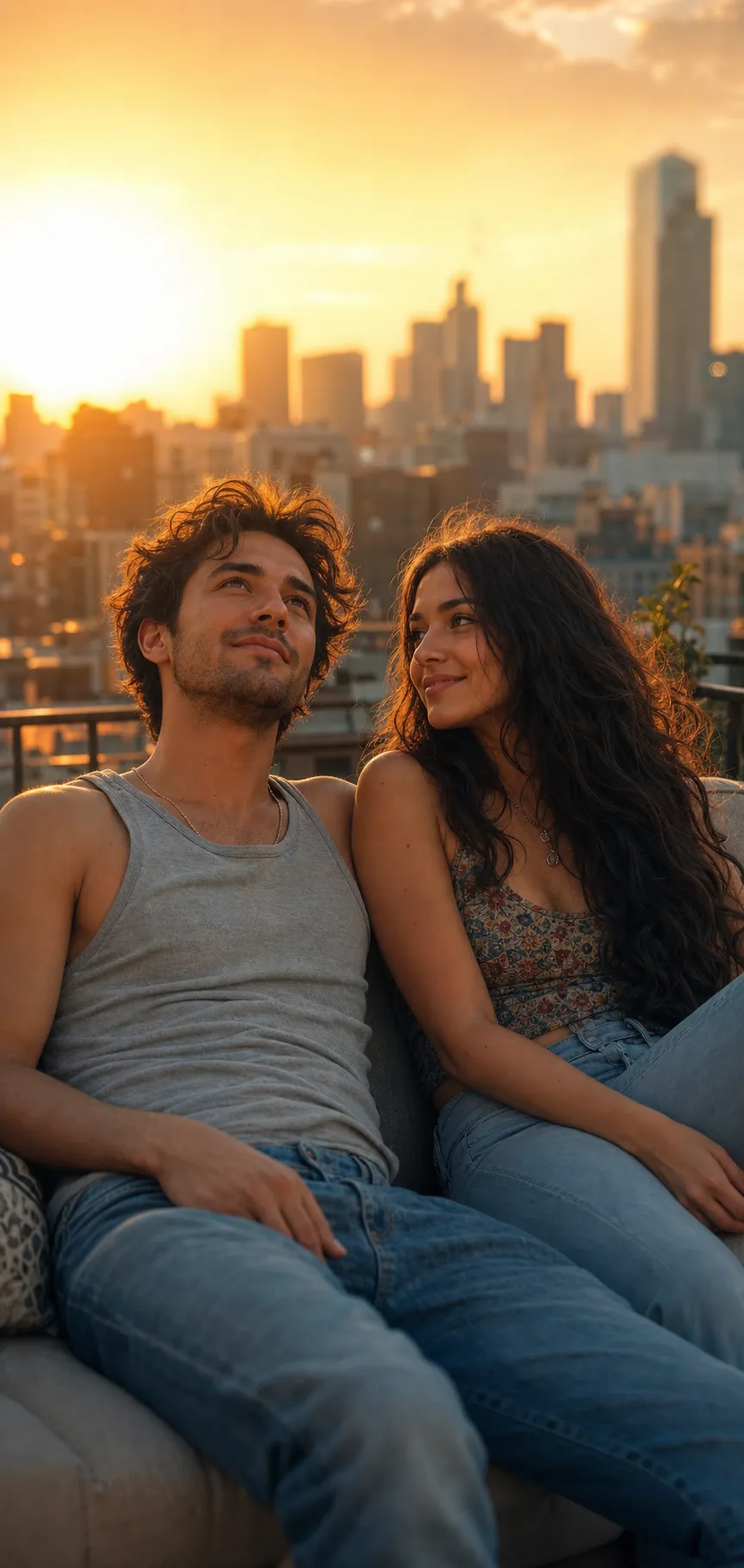
Cinematic Golden Hour Couple Photoshoot
A couple photoshoot prompt that stages two people in a warm, cinematic golden-hour portrait — the film-like couples photography look, from your photos. Upload a picture of each partner and the template renders them together in one candid scene with strong flattering backlight, gentle lens haze, creamy 85mm depth of field at f/1.8 and a warm film-like color grade, preserving both faces. Pose, setting and lighting are all selectable, so the same realistic style works for a rooftop sunset, a beach walk, a cozy cafe date or a city-street stroll. Why both faces stay recognizable The prompt ties each partner to their own reference photo and asks for matching natural skin tones and a seamless composition where the two people genuinely share the same space and light. What you can customize Partner 1 Description — hair, outfit and signature details for the first person. Partner 2 Description — the same for the second person, so styling stays consistent. Pose & Connection — five options: Relaxed Lean-Back, Back to Back, Head on Shoulder, Walking Hand in Hand or Foreheads Together. Setting — five backdrops: City Rooftop at Sunset, Beach at Golden Hour, Cozy Cafe Date, City Street Stroll or Green Park Meadow. Lighting — a global lighting variable ties the scene together; the golden-hour default gives the warm, hazy backlit look. Partner 1 Photo and Partner 2 Photo — optional uploads of a clear front-facing photo of each person. Best for Couples who want a professional-looking photoshoot without booking one: anniversary and pre-wedding posts, save-the-dates, phone wallpapers and social content, plus editors who create custom couple edits. Tips for the best results Upload clear, well-lit front-facing photos, ideally chest-up on a plain background; likeness quality follows photo quality. Choose a pose and setting whose moods agree. Crop source images to just one person; group photos, busy backgrounds, heavy filters and sunglasses weaken the likeness. Do not ask for more than two people; the template is tuned for exactly one couple in one frame. Fusing two real faces is the hardest task for image models, so regenerate a few times to get both likenesses right.
Image
Fashion & Beauty
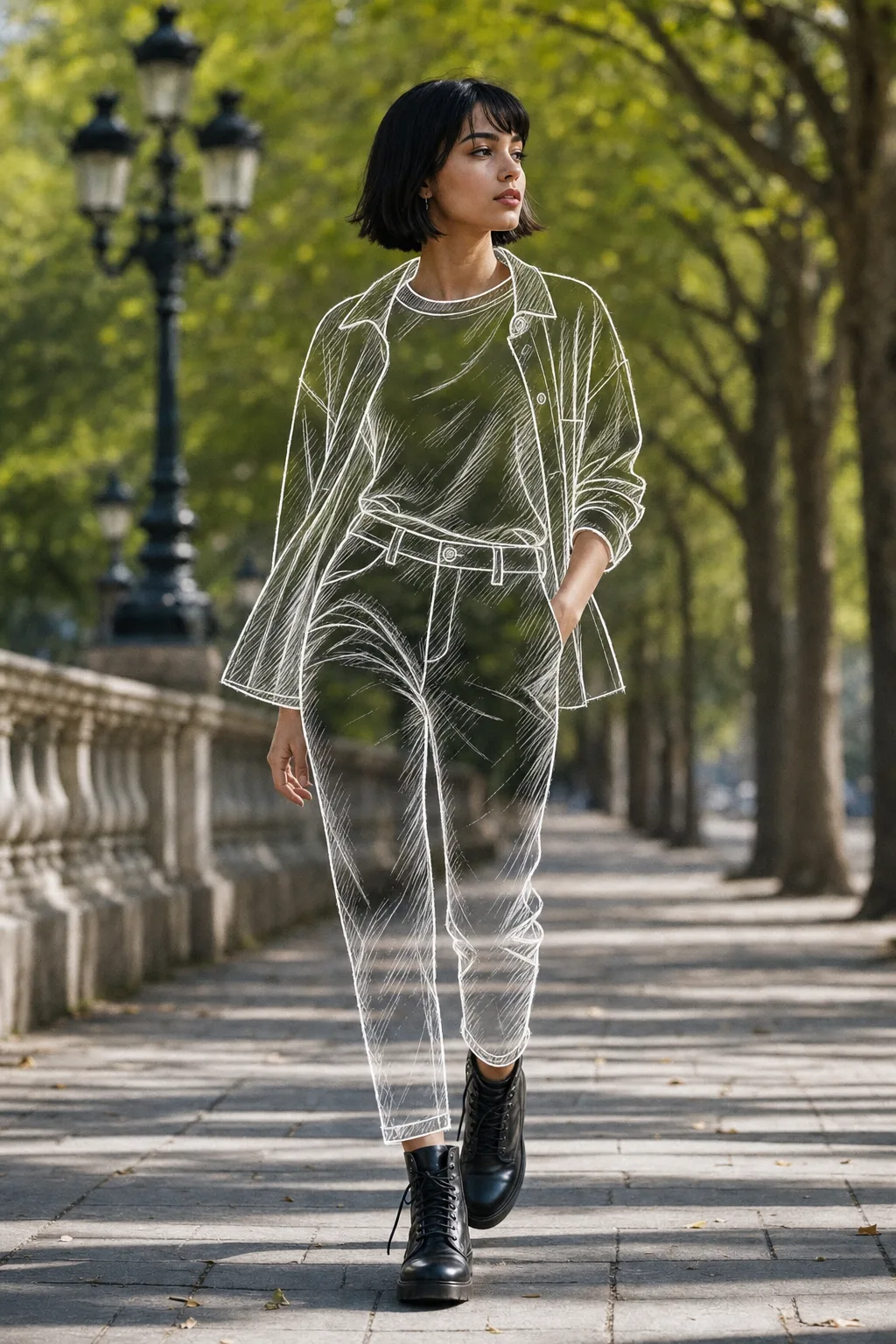
Sketch Outfit Photo Effect Prompt
A sketch outfit AI prompt that redraws your clothes as transparent line art over a real photo — the viral mixed-media fashion edit, in four styles. The template performs a precise partial transformation: your face, hair, hands, shoes, pose and the entire background stay untouched photography, while the clothing you choose is replaced by hand-drawn, see-through sketch garments that trace the exact silhouette, folds and drape of what you were wearing. The contrast between real and drawn is what makes the effect stop thumbs. Why the illusion holds The prompt keeps the background visible through the sketched areas, adds subtle sketch shadows where the fabric folds, and asks for seamless blending between photographic and drawn regions. Shoes are deliberately kept real to ground the effect. Nano Banana Pro executes the partial photo edit most faithfully; ChatGPT Image 2 is a capable alternative. What you can customize Sketched Garments — three scopes: Full Outfit, Top Layers Only or Bottoms Only. Sketch Style — four line treatments: clean White Chalk Lines, bold Black Ink with scribbly hatching, Blue Drafting Pencil like a fashion draft, or glowing Neon Glow outlines. Reference Photo — required upload of a clear full-body photo with visible outfit structure; it supplies the pose, lighting and background. Best for Fashion creators, stylists and personal-brand accounts: Instagram reel covers, lookbook posts, portfolio pieces for fashion designers (it reads as a designer's sketch coming to life), and playful profile pictures. Tips for the best results Use a photo with structured clothing; the sketch inherits the silhouette, and baggy shapeless garments draw poorly. Avoid busy patterned backgrounds directly behind the body, since they show through the transparent garments. Do not sketch everything including the shoes; keeping some photographic anchors is what sells the trick. Pick the sketch style to suit the photo's lighting: chalk and neon read best on darker backgrounds, ink and pencil on lighter ones.
Image
Portrait & Character
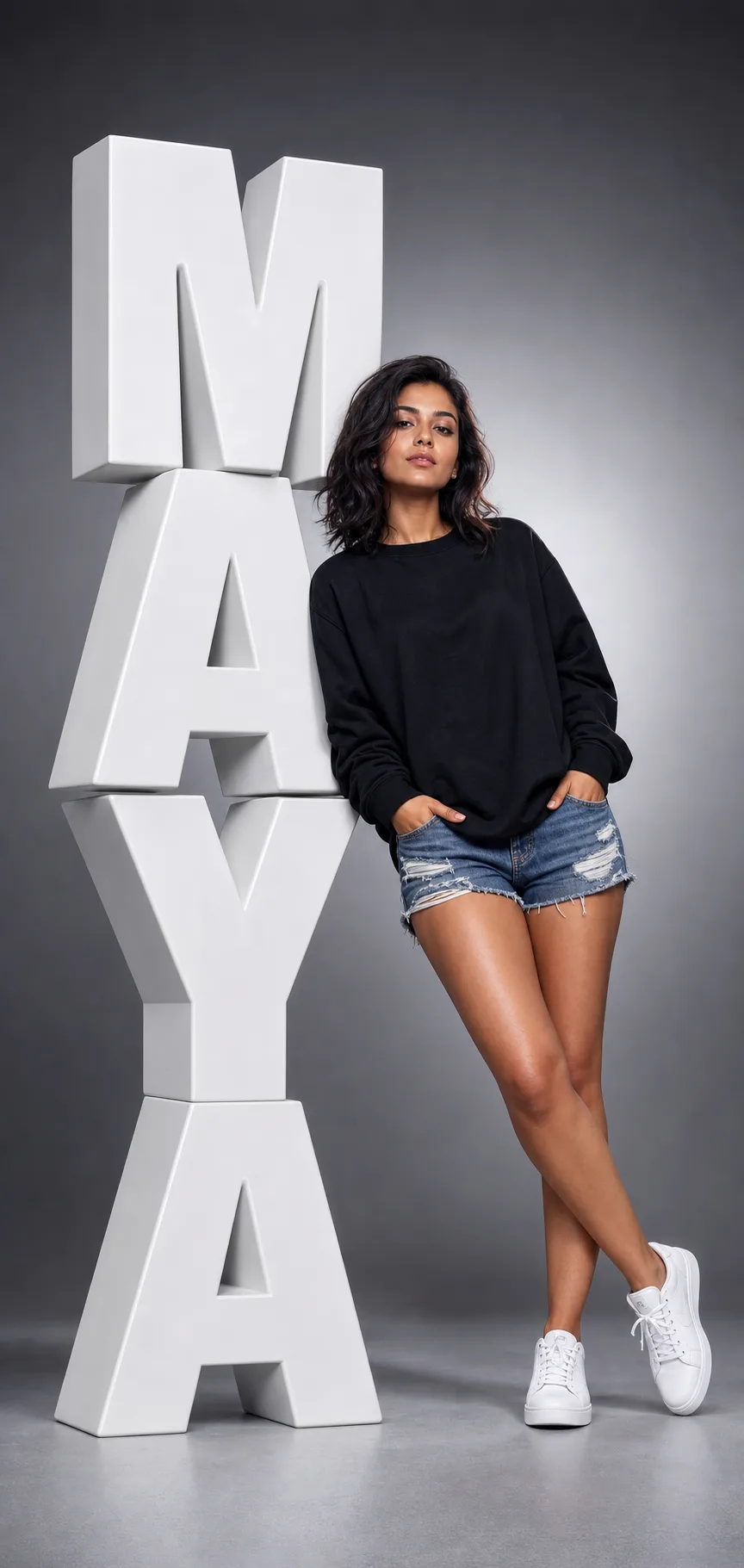
Giant 3D Name Studio Portrait
A 3D name portrait prompt that stages a person leaning against giant sculptural letters of their own name — a bold, personalised studio poster in one shot. The template renders the viral typography-portrait look: enormous glossy 3D extruded block letters stacked down the left side of a tall vertical frame, with bevelled edges, realistic depth and soft studio shadows, and a confident full-body subject leaning a shoulder against them under dramatic lighting with a gentle rim light. The name is fully yours, and outfit, pose, letter color and backdrop all adjust. What you can customize Name — the word spelled in giant letters; 3 to 7 letters works best. Subject Description — the person: hair, build and styling. Outfit & Pose — five looks: Streetwear Lean, Sharp Formal, Casual Denim, Athletic Fit or Elegant Dress. Letter Color — five finishes: Glossy White, Matte Black, Chrome Silver, Bold Red or Gold. Background — five studio gradients: Grey Gradient, Deep Charcoal, Warm Beige, Cool Blue or Soft Pink. Model Photo — optional upload of a clear front-facing photo to carry a real likeness. Best for Anyone who wants a scroll-stopping personalised portrait: creators and influencers, personal-branding and LinkedIn banners, gifts, event and birthday graphics, team headshot series, and designers making fashion-campaign mockups, without a studio or a 3D artist. Tips for the best results Keep the name short and one word; long names and unusual spellings are where image models slip, so regenerate once if a letter looks off. Describe the person and outfit concretely, and pick a pose that lets them lean naturally into the letters. Match the letter color to the backdrop for contrast; low-contrast pairings make the letters disappear. Avoid full sentences or very long names, which break the typography. Skip busy patterned backgrounds that fight the clean studio look.
Image
Portrait & Character
Monsoon Rain Couple Photo Prompt
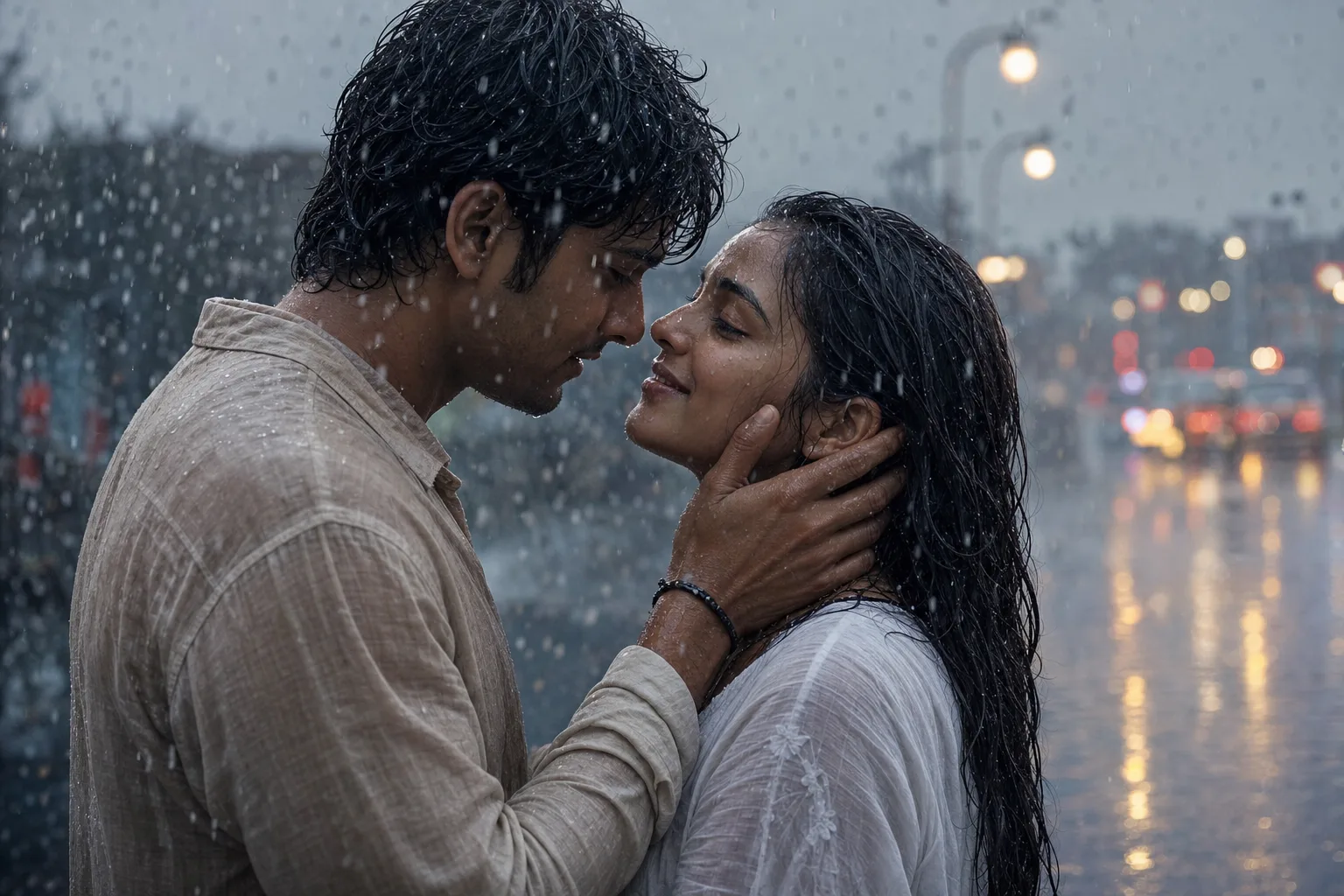
A monsoon couple photoshoot prompt that merges two separate photos into one rain-soaked cinematic moment — wet-hair realism, bokeh lights, five poses. Upload one clear solo photo of each partner and the prompt composes you both into a drenched, tender romance-film frame: rain frozen mid-air by a fast shutter, droplets tracing down skin, a cool blue-grey monsoon grade set against warm light bokeh, and the intimate body language of a classic Bollywood monsoon scene. It is shot on an 85mm lens at f/1.8 with ultra-detailed skin and fabric texture. Why both faces stay recognizable The prompt preserves each person's exact face and hairstyle from their own photo. Nano Banana Pro holds both likenesses from separate references most faithfully; ChatGPT Image 2 is a strong alternative. What you can customize Romantic Moment — five poses: Tender Gaze, Forehead Touch, Rain Dance, Umbrella Share or Piggyback Laugh. Rain Scene — five backdrops: City Street Dusk, Old Town Lane, Seaside Promenade, Misty Rooftop or Village Fields. Outfits — free text; rain-soaked linen and a white cotton dress by default, since light fabrics show the rain in how they drape. Partner 1 Photo — required clear, front-facing solo photo of the first partner. Partner 2 Photo — required solo photo of the second partner; similar framing to Partner 1 gives the most balanced result. Best for Couples who want dramatic anniversary posts, monsoon-season reel covers, pre-wedding teaser shots, and Valentine or proposal announcements, without standing in actual rain. Tips for the best results Use front-facing solo photos with even lighting and similar framing for both partners. Avoid sunglasses and heavy filters in the references; they weaken the likeness. Skip dark bulky jackets, which hide the rain-soaked texture that sells the scene. Do not combine umbrellas with the rain-dance pose; one moment per frame keeps the story clear.
Image
Portrait & Character
Romantic Couple Portrait From Two Photos
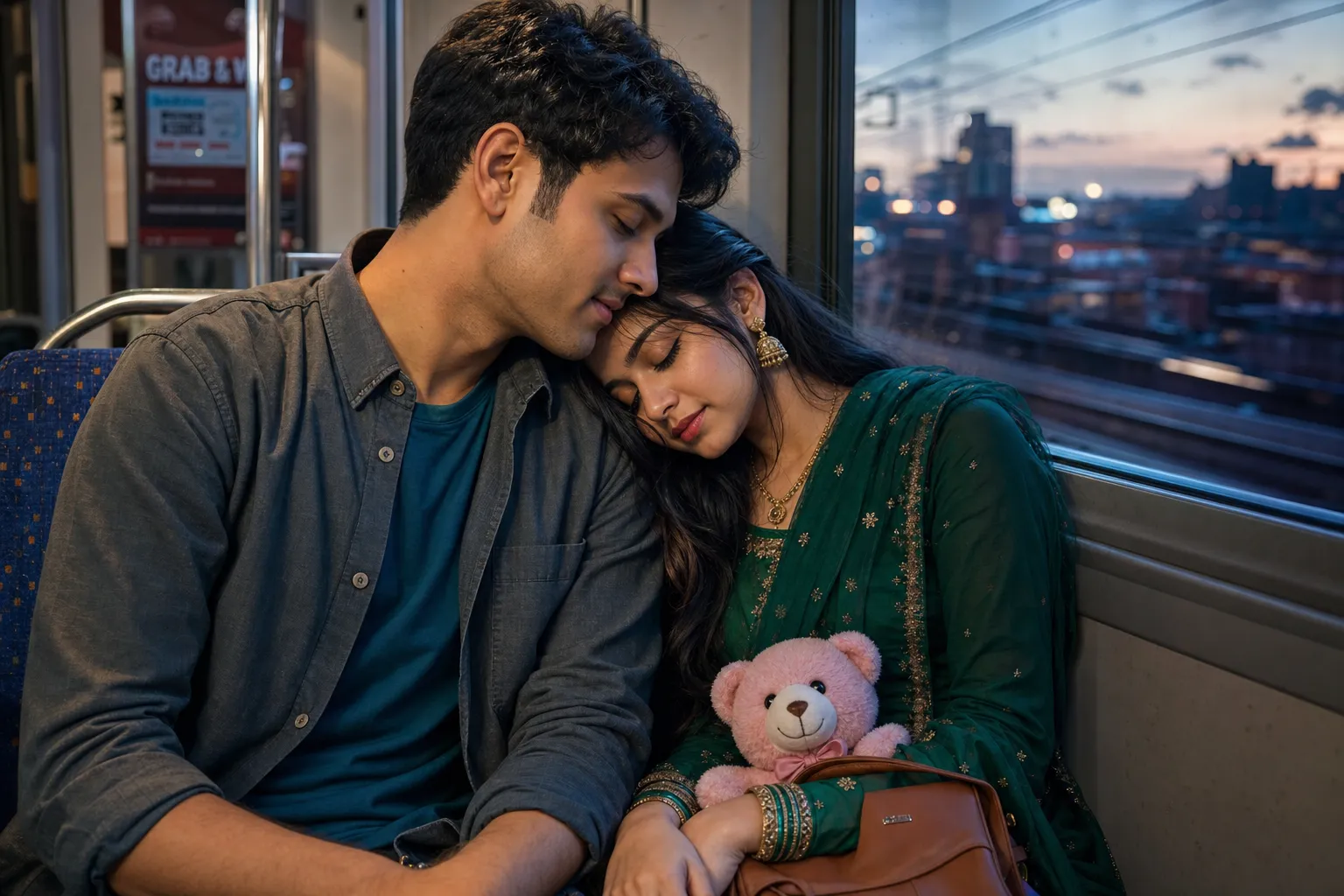
A couple portrait prompt that blends two separate photos — one of each person — into a single cinematic, intimate portrait of them together. Upload a photo of each partner and the template composes them into one tender scene, preserving both faces while rendering the pair in a semi-photographic digital-painting style with lifelike skin, detailed fabric and jewellery, and a soft cinematic glow. Pose, setting and lighting are all selectable, so the same two people can appear cuddled on a dusk train, walking a rainy street, embracing on a beach at sunset or posing for a festive traditional portrait. Shallow depth of field, a cinematic colour grade and sharp focus on both faces finish every render. What you can customize Partner 1 Description — hair, outfit and signature details for the first person, so wardrobe and styling stay consistent with the photo Partner 2 Description — the same for the second partner; the default describes an emerald-green traditional outfit with gold embroidery and bangles Pose & Connection — five options including Resting Head on Shoulder, Forehead to Forehead, Warm Embrace and Side by Side Smiling Setting — five scenes: Dusk Train Ride, Rainy City Street, Beach at Sunset, Festive Traditional Portrait and Cozy Cafe Partner 1 Photo and Partner 2 Photo — two image uploads, one clear front-facing photo per person; each face is preserved in the portrait Best for Couples who want art-quality portraits without a photoshoot — anniversary and wedding gifts, save-the-dates, social posts and phone wallpapers — and creators and editors who make custom couple edits on request. Tips for the best results Upload a clear, well-lit front-facing photo of each person, ideally chest-up with a plain background so each face reads cleanly; likeness quality follows photo quality. Pick a pose and setting whose moods match, and let the lighting selector tie them together. Small props personalise the scene — the teddy-and-handbag details in the default train setting show how. Avoid group photos or busy backgrounds in the source images; crop to just the one person. Skip heavily filtered or sunglasses-covered faces, and do not ask for more than two people — this template is tuned for exactly one couple sharing one frame.
Image
Portrait & Character
Romantic Couple AI Portrait Prompt
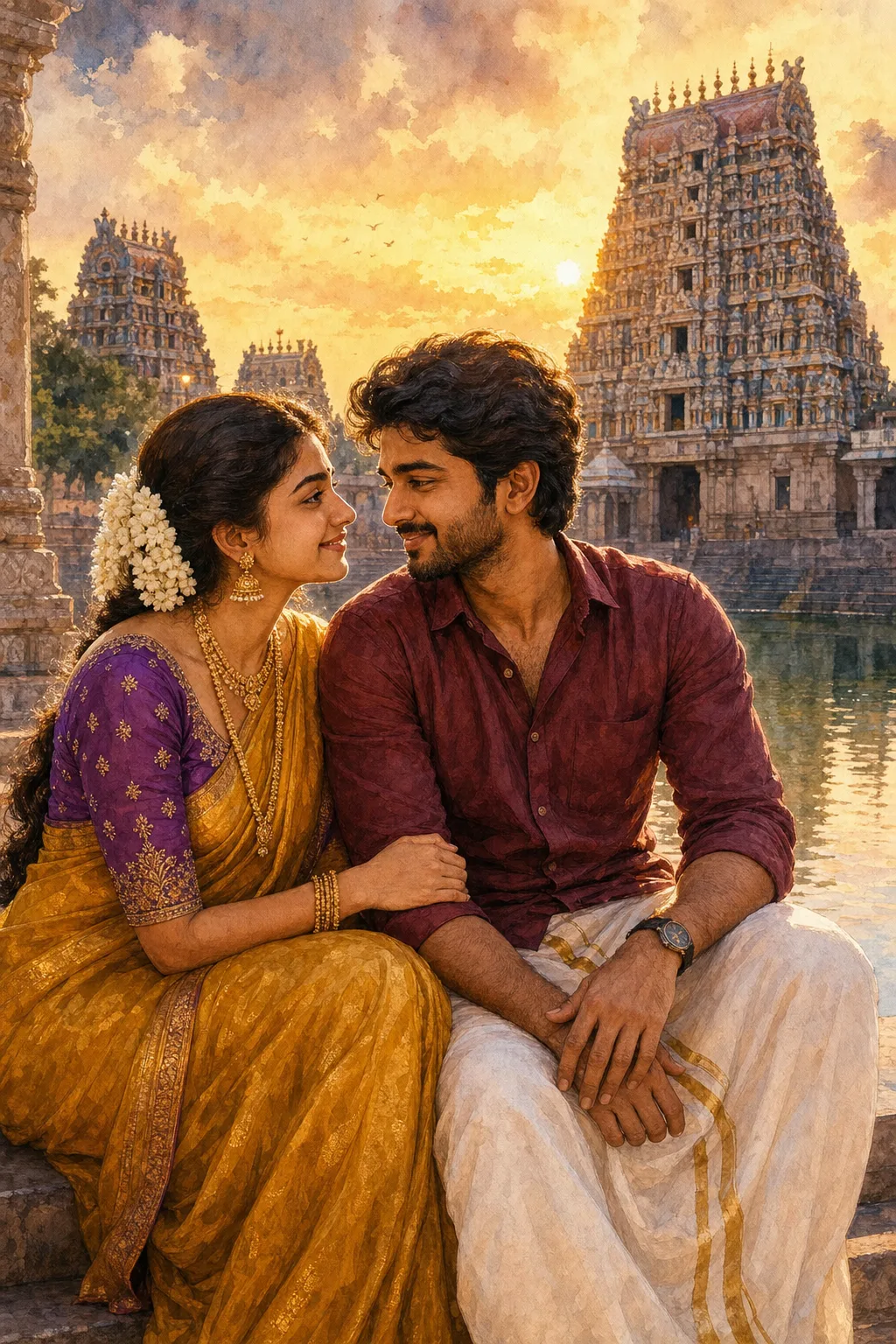
A couple AI portrait prompt that merges two separate photos into one romantic scene — temple sunsets, palace dawns, four outfit sets and art styles. This template solves the classic problem: you rarely have a perfect photo together, but you both have good solo photos. Upload one clear picture of each partner and the prompt composes you into a single tender portrait, preserving each face and hairstyle from its own reference while directing the pose, wardrobe and scene. The couple gaze warmly at each other with gentle smiles, finished with fine fabric and jewelry detail and soft rim light on their profiles. What you can customize Outfits — four matched pairs: South Indian Classic (silk saree and dhoti), Royal Wedding (red lehenga and cream sherwani), Pastel Elegance (organza saree and ivory kurta) and Modern Chic (evening gown and tailored suit) Setting — four scenes: Temple Sunset with carved gopurams, Palace Dawn on a marble terrace, Golden Beach and Lantern Garden at dusk Art Style — Painterly Watercolor, Photorealistic, Classic Oil Painting or Soft Anime Partner 1 Photo and Partner 2 Photo — two required uploads, one clear front-facing solo photo per person Best for Anniversaries and engagement announcements, wedding invitations and save-the-dates, Karva Chauth and Valentine posts, framed gifts, and couple profile pictures. Tips for the best results Use clear, front-facing solo photos with even lighting for both partners. Nano Banana Pro is the strongest choice — it accepts multiple reference images and holds both likenesses faithfully; ChatGPT Image 2 also composes couples well. Avoid group shots, heavy filters and sunglasses — the eyes carry the romance. Avoid mixing a close-up face with a distant full-body shot; similar framing in both references gives the most balanced result.
Image
Anime & Manga
Cinematic Anime Scene Illustration
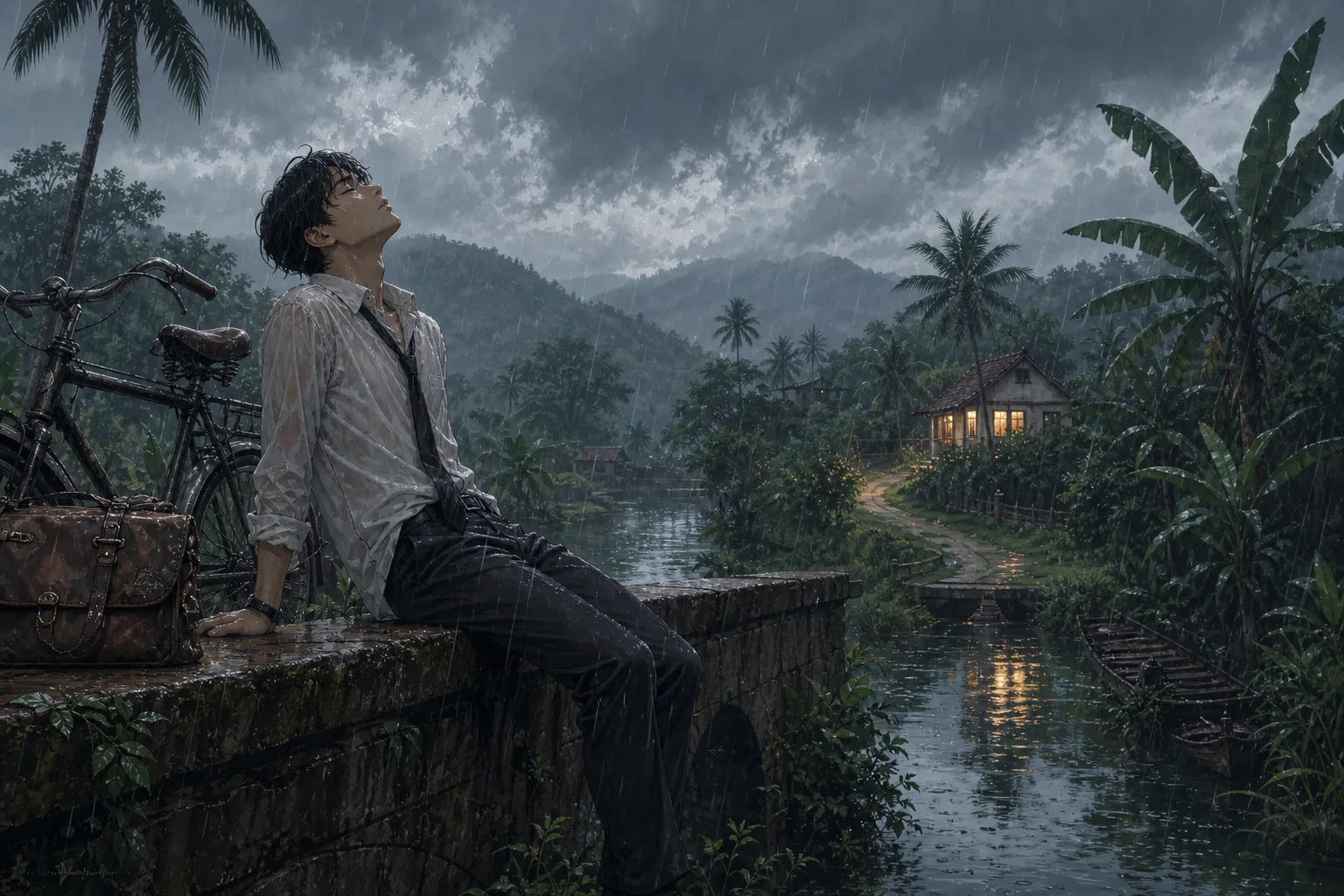
An anime scene prompt that generates cinematic, atmospheric anime illustrations with swappable character, setting, and weather. Built for the moody, painterly background-art look of modern Japanese animation — a lone figure framed against a vast, meticulously detailed world — this template turns one strong composition into an endless series of moods. Expect clean linework, soft cel shading and lush painterly depth, with foliage, weathered textures and reflections receding to the horizon and the subject in crisp focus against a soft background. What you can customize Character & Pose — who sits at the emotional center of the frame and how; the default is a rain-soaked young man resting on a stone bridge beside a vintage bicycle Setting / Background — six worlds: Tropical Monsoon Village, Windswept Coastal Cliff, Rural Mountain Railway, Neon City Rooftop, Autumn Forest Path and Countryside Riverbank Atmosphere / Weather — six conditions that tie the scene together: Overcast Monsoon Rain, Golden-Hour Sunset, Misty Blue Dawn, Moonlit Starry Night, Quiet Snowfall and Hazy Summer Afternoon Best for Wallpapers, key-visual mockups, webtoon and light-novel cover art, lo-fi music thumbnails, and mood boards. Tips for the best results Keep the character description concrete and pose-driven — clothing, posture, expression and one or two props (a bicycle, a satchel, an umbrella) read far better than vague adjectives. Let the setting and atmosphere agree on a single time of day so the light stays believable. Pair a calm, introspective pose with rain or dusk for the signature melancholic mood, or a bright open landscape with golden hour for something warmer. Avoid cramming multiple characters or conflicting light sources into one frame; this look thrives on a single subject, a coherent palette and negative space that lets the environment breathe.
Image
Portrait & Character
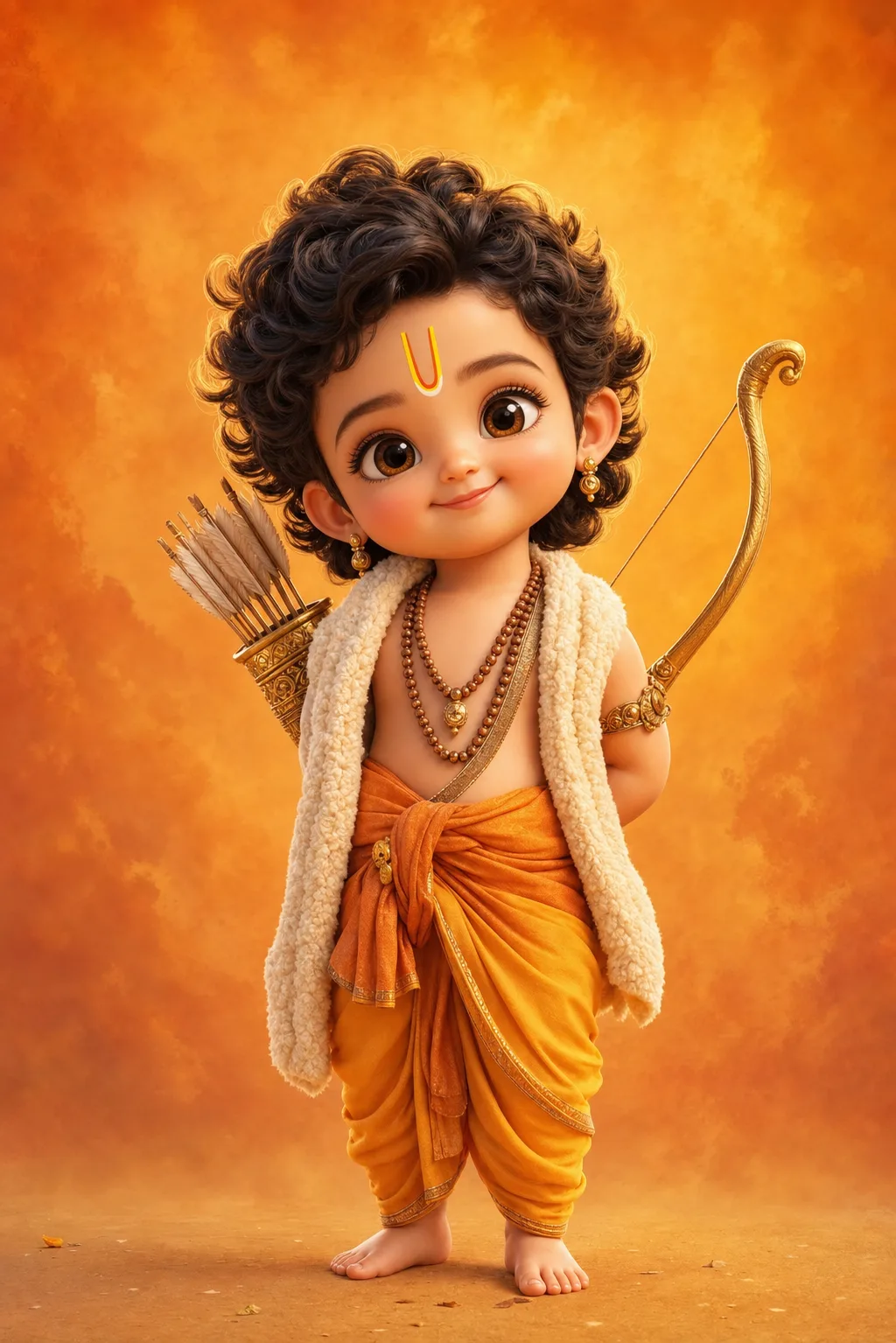
Baby Ram & Krishna 3D Art Prompt
A baby Ram and baby Krishna AI art prompt that renders adorable Pixar-style 3D toddler deities — five divine characters with glossy eyes and soft light. The template recreates the beloved chibi devotional-art trend: a divine child with oversized sparkling eyes, chubby cheeks, curly hair and tiny bare feet, dressed and equipped with the authentic attributes of each deity, rendered like a frame from a premium animated film. Ultra-soft skin shading, fine fabric and wool texture, delicate gold jewelry and a warm rim light give every full-body render its huggable finish. Why the character stays reverent Every option keeps the character reverent and sweet: the charm comes from innocence, not caricature. Each deity's costume and props are written into the option itself, so the iconography arrives correct without extra prompting. What you can customize Divine Character — five options: Little Ram with his golden bow and tilak, Little Krishna with flute and peacock feather, Little Hanuman with his gada, Little Ganesha with a modak and his mouse friend, and Little Shiva with crescent moon and tiny trident Backdrop Tone — four washes: Saffron Warmth, Sky Blue Calm, Temple Gold bokeh and Pastel Peach Best for Devotional creators and family audiences — Ram Navami, Janmashtami and Ganesh Chaturthi festival posts, WhatsApp status images, phone wallpapers, kids' room art prints, YouTube devotional channel thumbnails, and greeting cards. Tips for the best results Nano Banana Pro and Midjourney both render the glossy-eye 3D toy style beautifully. Generate tall (2:3 or 9:16) for wallpapers and status images. Avoid combining two deities in one frame; each is composed as a solo portrait. Avoid adding text or logos to the image. Avoid photorealistic skin requests — the soft animated-film shading is what makes the style feel huggable.
Image
Social Media
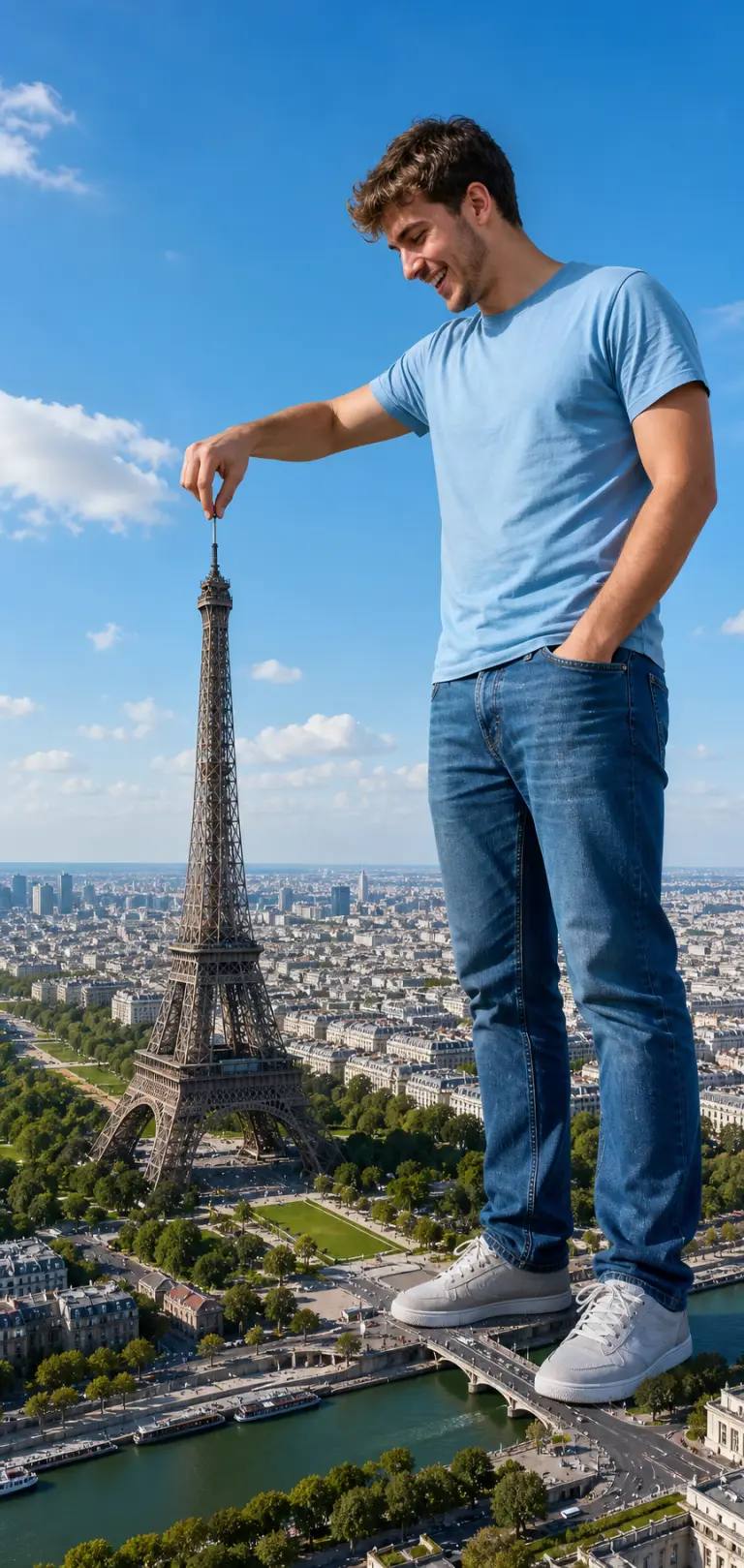
Giant Tourist Forced-Perspective Photo
A giant tourist forced-perspective prompt that drops anyone into a playful scale-illusion photo, towering over a landmark and pinching it like a toy. The template builds the viral "giant selfie" composite: your subject stands enormous in the foreground while a real city sprawls in miniature below, with matched sunlight and shadows so the forced perspective reads as one seamless shot rather than a paste-up. Because it works from an attached reference photo, the giant keeps your subject's real face and likeness. Output is a tall vertical, full-length composition with the giant on the right and the aerial cityscape sweeping away on the left. What you can customize Subject Description — a brief note on clothing and vibe, such as the default cheerful young man in a light blue t-shirt, jeans and white sneakers Landmark — six choices: Eiffel Tower, Big Ben, Statue of Liberty, Colosseum, Burj Khalifa and Taj Mahal Interaction — four gestures: Pinch the top, Hold it in palm, Poke it with a finger or Step over it Sky — Bright Blue Day, Golden Sunset or Dramatic Clouds Reference Photo — an image upload of the person; a clear full-length or three-quarter shot keeps the face and likeness Best for Creators, travel accounts and anyone who wants a scroll-stopping, funny personal-brand image for Instagram, Reels covers, birthday posts or "wish you were here" travel gags, without touching Photoshop. Tips for the best results Attach a clean full-length or three-quarter photo in casual clothes against a simple background; full-body references place the feet believably on the city below, and good lighting helps the composite match. Keep the pose to one clear gesture, and describe the subject briefly. The bright-sky default sells the daytime tourist look. Avoid tightly cropped headshots — the body has to be invented and the scale illusion weakens. Avoid busy backgrounds in the reference photo that bleed into the composite, and do not ask for two giants at once; the effect lands hardest with a single colossal subject and one landmark.
Image
Portrait & Character
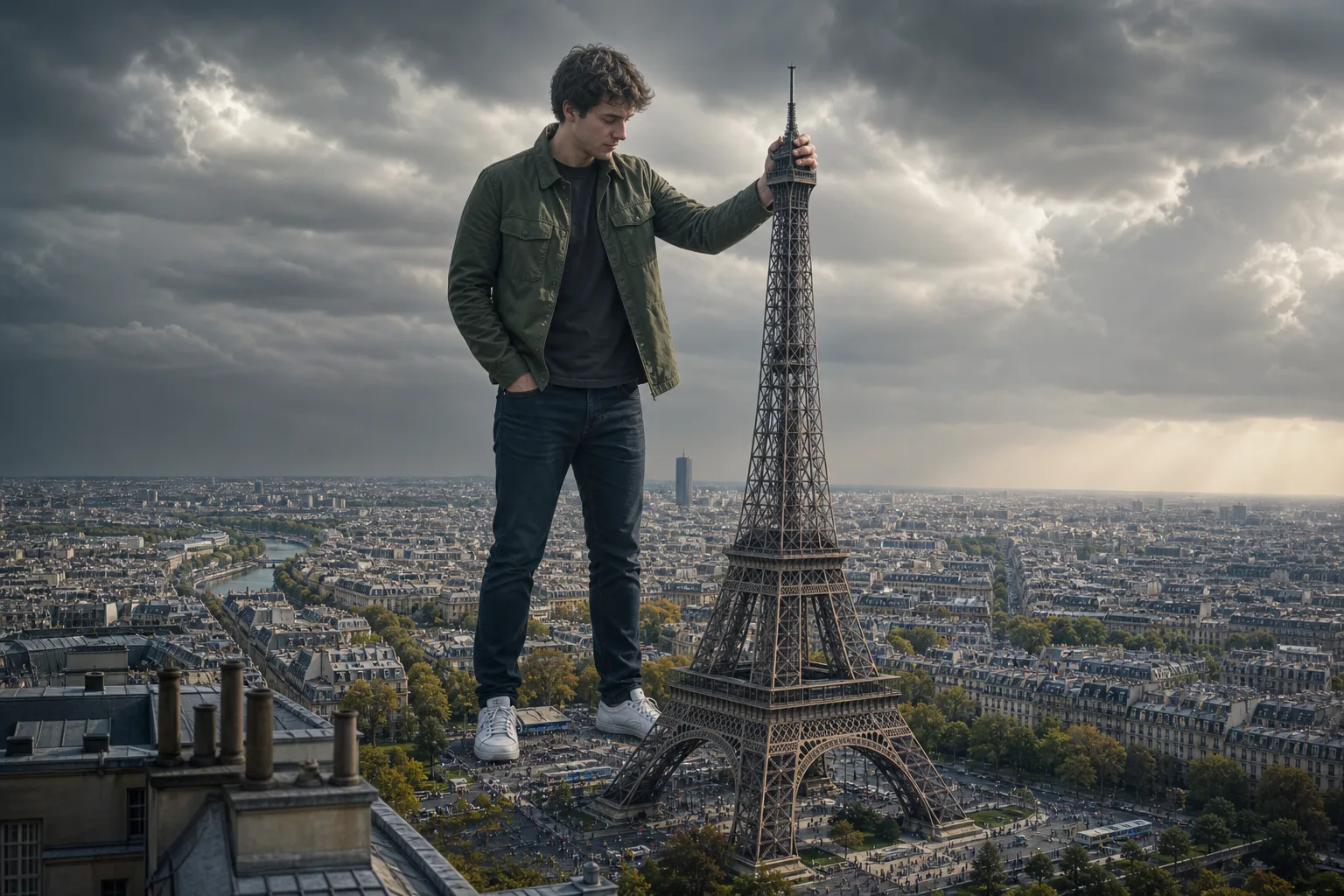
Giant in the City Photo Prompt
A giant photo AI prompt that turns your reference picture into a hyperrealistic colossus towering over Paris, London, Dubai and more. The template recreates the viral scale-illusion trend: you appear as a calm, friendly giant standing among the rooftops of a world-famous city, casually interacting with its most iconic landmark while tilt-shift crowds and traffic swarm far below. Everything that sells the illusion is engineered in — accurate perspective from a rooftop vantage at chest height, miniature detail on the streets, cinematic grading, and a pose matched to each landmark. What you can customize Landmark — five options with a built-in pose: grip the Eiffel Tower's spire, lean on Big Ben, steady yourself on the Empire State Building's antenna, rest a hand on the Burj Khalifa, or touch the Taj Mahal's dome Sky Mood — Moody Storm, Golden Sunset, Clear Afternoon or City Night; each changes the entire color grade Reference Photo — a required image upload; your exact face, hairstyle and outfit are preserved head to toe Best for Creators making viral Instagram and TikTok posts, YouTube thumbnails, profile pictures with a twist, and just-for-fun edits of friends and family. Tips for the best results Upload a full-body shot where possible, since the outfit is preserved in full; a half-body photo still composes well. Nano Banana Pro preserves likeness and outfit most faithfully, with ChatGPT Image 2 a strong alternative. Avoid group photos — one giant per city. Avoid heavily cropped face-only selfies if you can; the more of your outfit is visible, the more convincing the giant. Avoid busy patterned backgrounds in the reference photo, which can bleed into the clothing reconstruction.
Image
Social Media
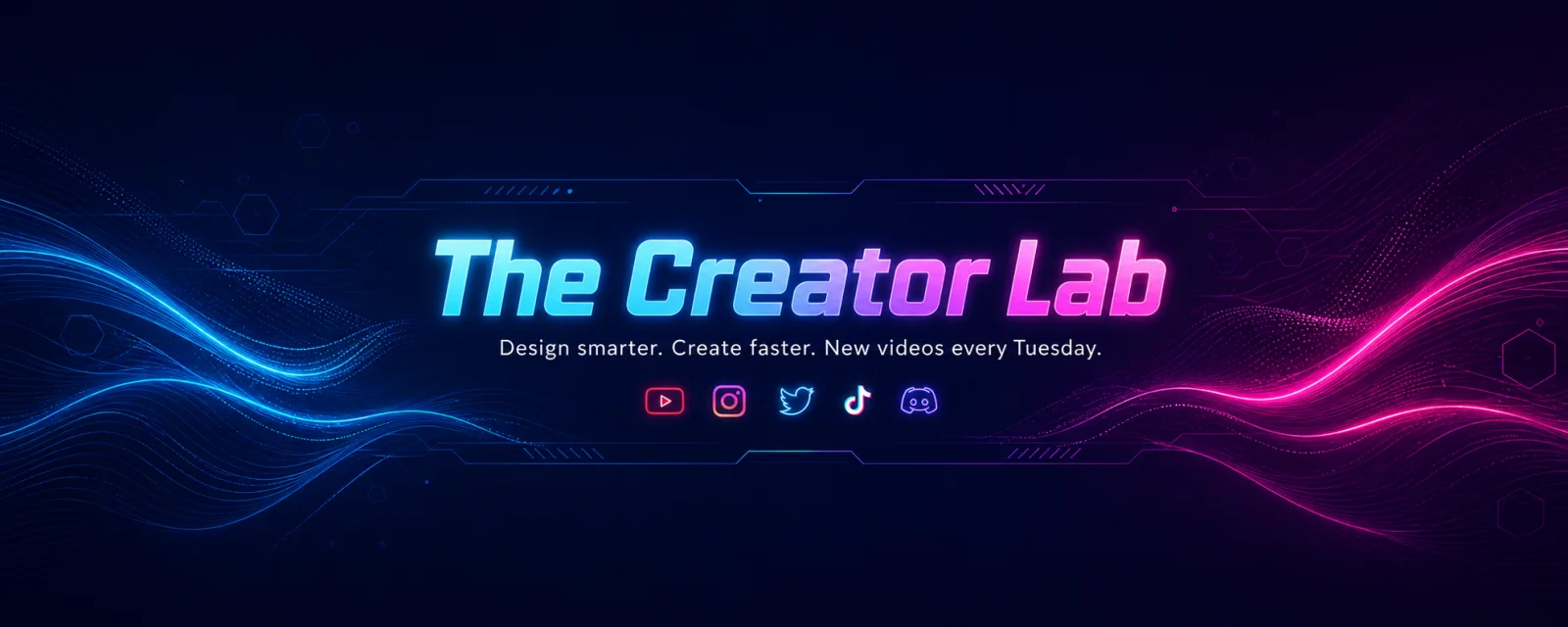
YouTube Channel Art Banner Prompt
A YouTube channel art prompt that designs premium 2560×1440 banners with your channel name locked to the safe area — five styles from neon to minimal. The template solves the mistake that ruins most channel banners: YouTube crops the same artwork differently on TV, desktop and mobile, and only the centered 1546×423 safe band is visible everywhere. This prompt locks your channel name, tagline and social-icon row inside that band and pushes pure ambient design to the outer canvas, with vector-sharp typography and balanced negative space. Why the layout survives every crop The prompt renders the channel name as oversized hero type, the tagline beneath it and a slim icon row below that, all inside the safe band. The outer areas carry only pattern and design, never text, so nothing important is lost when a device trims the edges. What you can customize Channel Name — rendered as the oversized hero type Tagline — your niche, promise or upload schedule; short lines render crispest Design Style — five looks: Neon Tech for glowing creator-tech energy, Clean Studio for bright minimal professionalism, Playful Pop for bold color-blocked fun, Cinematic Dark for moody film-channel gravitas, or Nature Calm for organic lifestyle warmth Reference Photo (optional) — attach a headshot or half-body photo to appear as a clean studio-lit cutout at the right edge of the safe band, or skip it for a pure typographic brand banner Best for YouTubers, streamers, podcasters and brands setting up or refreshing a channel: gaming and tech channels, education and tutorial channels, vlogs, and business channels all fit. Tips for the best results Nano Banana Pro renders the typography and icon row most reliably, with ChatGPT Image 2 a strong alternative. Generate wide and upload straight to YouTube. Avoid long taglines — they shrink the hero type. Keep channel names to about four words or fewer. Avoid busy reference photos; a clean headshot blends best.