Model comparison · Image generation
ChatGPT Image 2 vs Ideogram 2.0
ChatGPT Image 2 by OpenAI and Ideogram 2.0 by Ideogram, compared on specifications, pricing and public benchmark scores — every figure credited to its source — with the best prompts for each.
Summary
- PromptsRush has 164 prompts for ChatGPT Image 2 and 4 for Ideogram 2.0.
Generated from the verified specs and benchmark rows on this page.
Advertisement
Head to head
marks the better value where a metric has a direction| Model | ChatGPT Image 2OpenAI | Ideogram 2.0Ideogram |
|---|---|---|
| Overview | ||
| Vendor | OpenAI | Ideogram |
| Type | Image | Image |
| API available | Yes | — |
| Prompts | ||
| Prompts on PromptsRush | 164 | 4 |
| Most viewed prompts | ||
Benchmarks
ChatGPT Image 2 and Ideogram 2.0 don't share a public benchmark result yet.
We track AA Image Arena, LMArena T2I, GenEval and DPG-Bench for these models — a result appears here as soon as both ChatGPT Image 2 and Ideogram 2.0 have a verified score on the same benchmark.
Pricing
ChatGPT Image 2
Pricing details for ChatGPT Image 2 haven’t been recorded yet.
Ideogram 2.0
Best ChatGPT Image 2 prompts
All 164 ChatGPT Image 2 prompts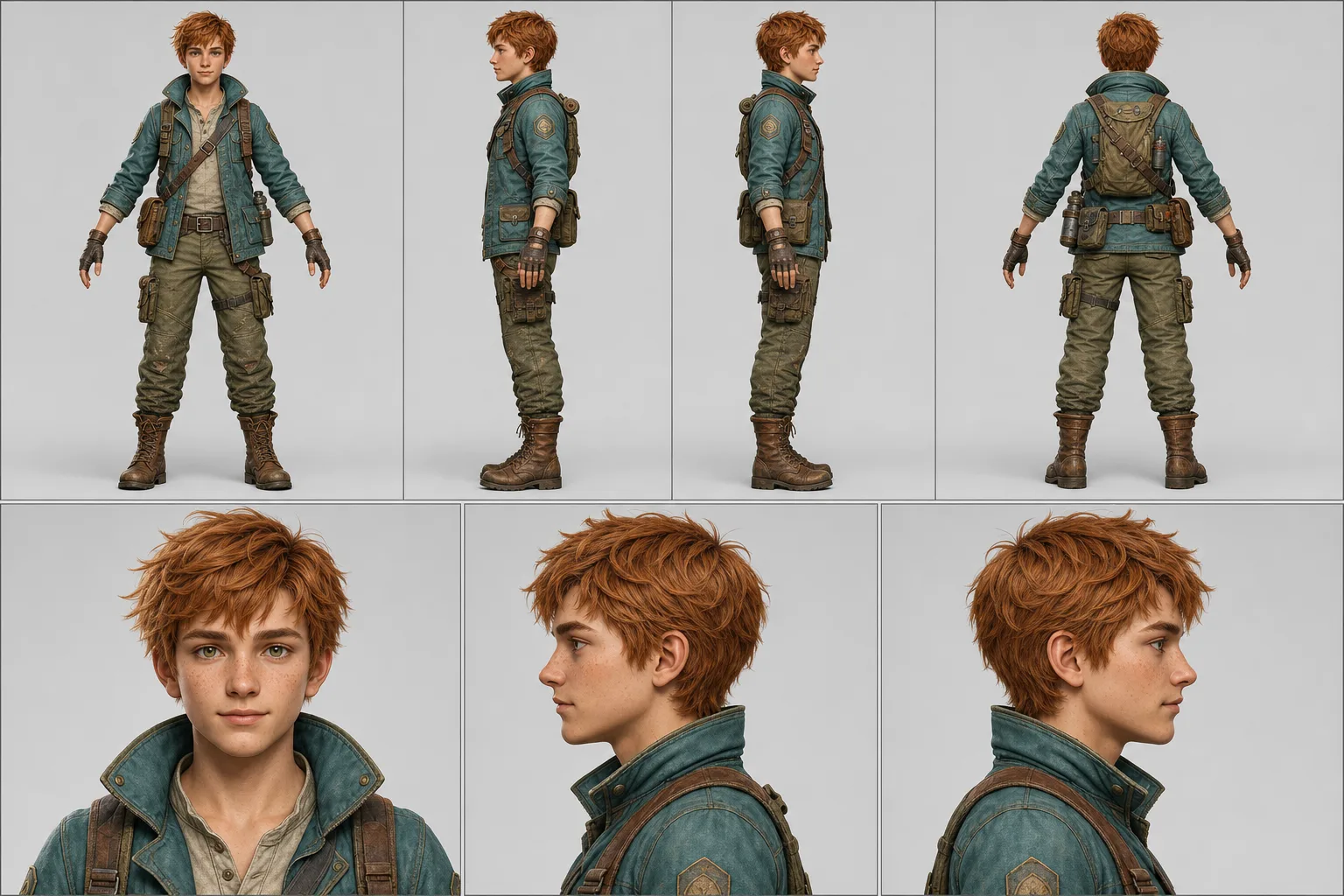
Character Turnaround Sheet Prompt
A character turnaround prompt that turns one uploaded image into a print-ready model sheet — four full-body views, three portraits, exact style match. The template converts a single finished character design into the standardized reference document production actually uses: a two-row technical layout with a full-body turnaround (front, left, right, back) above an aligned portrait row. Every panel is locked to the reference image's identity, proportions, textures and rendering style, with identical lighting and uniform scale across the lineup. Why the character stays consistent The prompt instructs the model to match the reference's realism level, rendering approach and color treatment strictly, then enforces the same head height, framing and light direction in all seven panels. Nano Banana Pro reproduces identity and style across panels most faithfully; ChatGPT Image 2 is a strong alternative. What you can customize Character Reference Image — required upload of the finalized character; a full-body shot on a simple background works best Pose Set — three options: Relaxed A-Pose for general reference, T-Pose (Rigging) for the rigging standard, or Natural Stance for pitch decks Background Tone — Light Neutral gray, Pure White, or Dark Charcoal for light-colored characters Sheet Extras — None, a five-expression Expression Strip, a Color Palette swatch block, or zoomed Costume Callouts Best for Character artists and commission work, game developers and riggers, animators, VTuber and mascot pipelines, and AI-video creators who need a character lock so their subject stays consistent across every scene of a series. Tips for the best results Upload a clean single-character reference at the design's final quality; avoid multi-character images. Avoid heavily cropped references — the model has to invent whatever it cannot see. Do not ask for new costume variations in the same sheet; generate one sheet per outfit so every panel stays on-model. Pick Dark Charcoal when the character is mostly light or white so silhouettes stay readable.
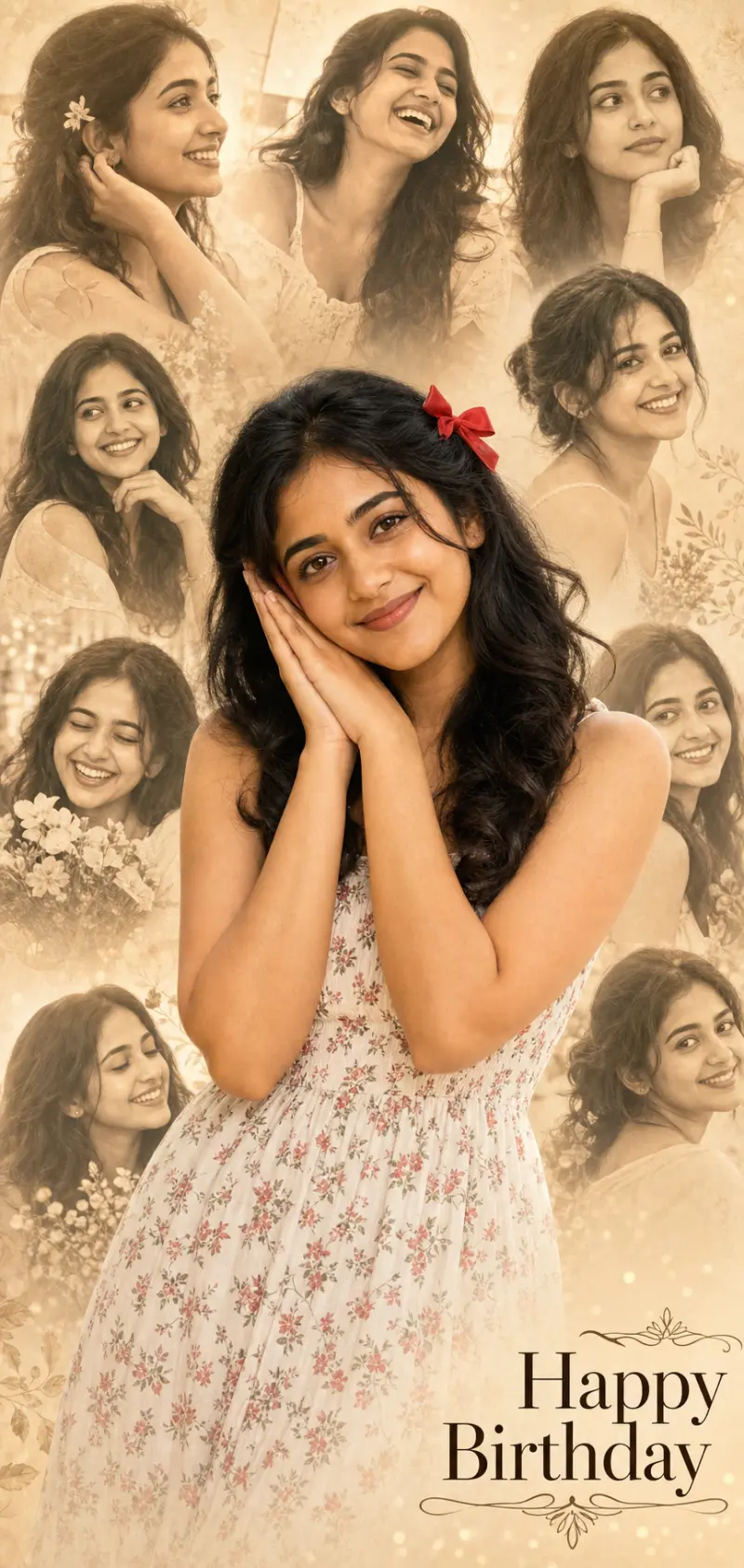
Birthday Photo Collage Portrait
A birthday collage prompt that turns one photo into a heartfelt tribute poster — the person sharp in front, a soft faded montage of happy moments behind. Upload a single photo and the template builds the whole collage: a color foreground subject and six to eight faded candid portraits of the same person arranged behind, finished with an elegant greeting like "Happy Birthday". It is the loving edit people make for a friend or partner's special day. What you can customize Greeting Text — a short two-to-three-word message such as Happy Birthday. Subject Description — free text for the outfit, hair and look of the foreground figure. Foreground Pose — five choices, including Hands to Cheek, Blowing a Kiss, Arms Crossed Smiling and Hands Near Heart. Collage Tone — five treatments for the montage: Warm Sepia, Soft Grayscale, Gentle Color, Vintage Film or Dreamy Pastel. Background Wash — four washes: Warm Cream, Soft Grey, Blush Pink or Golden Glow. Model Photo — an optional upload used for the color foreground and every faded portrait. Best for Birthday and anniversary posts, status and story wishes, printed cards and gifts, and fan or tribute edits. Because the greeting is a field, the same layout works for congratulations or any celebration. Tips for the best results Attach one clear, well-lit photo so every face in the collage matches; group or low-quality sources make the tiles look like different people. Describe the outfit and hair so the foreground looks styled. Keep the greeting to two or three words so the text stays crisp and correctly spelled — long messages degrade. A sweet, warm foreground pose sells the sentiment. Avoid busy real backgrounds; the montage should be the backdrop.
High-Impact Kinetic Typography Reel
This template converts any short script into a high-energy kinetic typography motion graphic designed specifically for Instagram Reels and YouTube Shorts. It renders a vertical 9:16 animation in which words stretch, snap, bounce, collide and pause with purpose, following 2025–2026 motion design trends: bold scale contrast, rhythmic pacing, punchy transitions and beat-synced typography. Visual hierarchy comes from size, weight and timing rather than static placement, so the result feels alive and intentional, not like subtitles. What you can customize Background Color — the canvas color behind the type, kept clean with strong negative space Text Color — the primary color for body words and secondary phrases Highlight Color — the emphasis color applied to power words that dominate the frame Script Text — the copy that gets broken into meaningful beats and animated phrase by phrase Best for Motivational quotes, brand statements, hooks, promos and creator content where typography is the visual experience. The motion vocabulary includes scale pops and snap-ins, stretch and squash on impact, slide-ins with momentum, directional movement and micro-pauses before major words. Tips for the best results Use short, punchy scripts — roughly 5–20 words per beat section — with strong musical rhythm in mind. Choose a high-contrast text color against the background and reserve the highlight color for a few power words. Write the script so key words stand alone; the prompt animates phrases and keywords separately and avoids uniform font sizes. Do not ask for imagery, fade-ins or subtitle stacking; the prompt limits visuals to text-driven shapes and rejects static reveals.
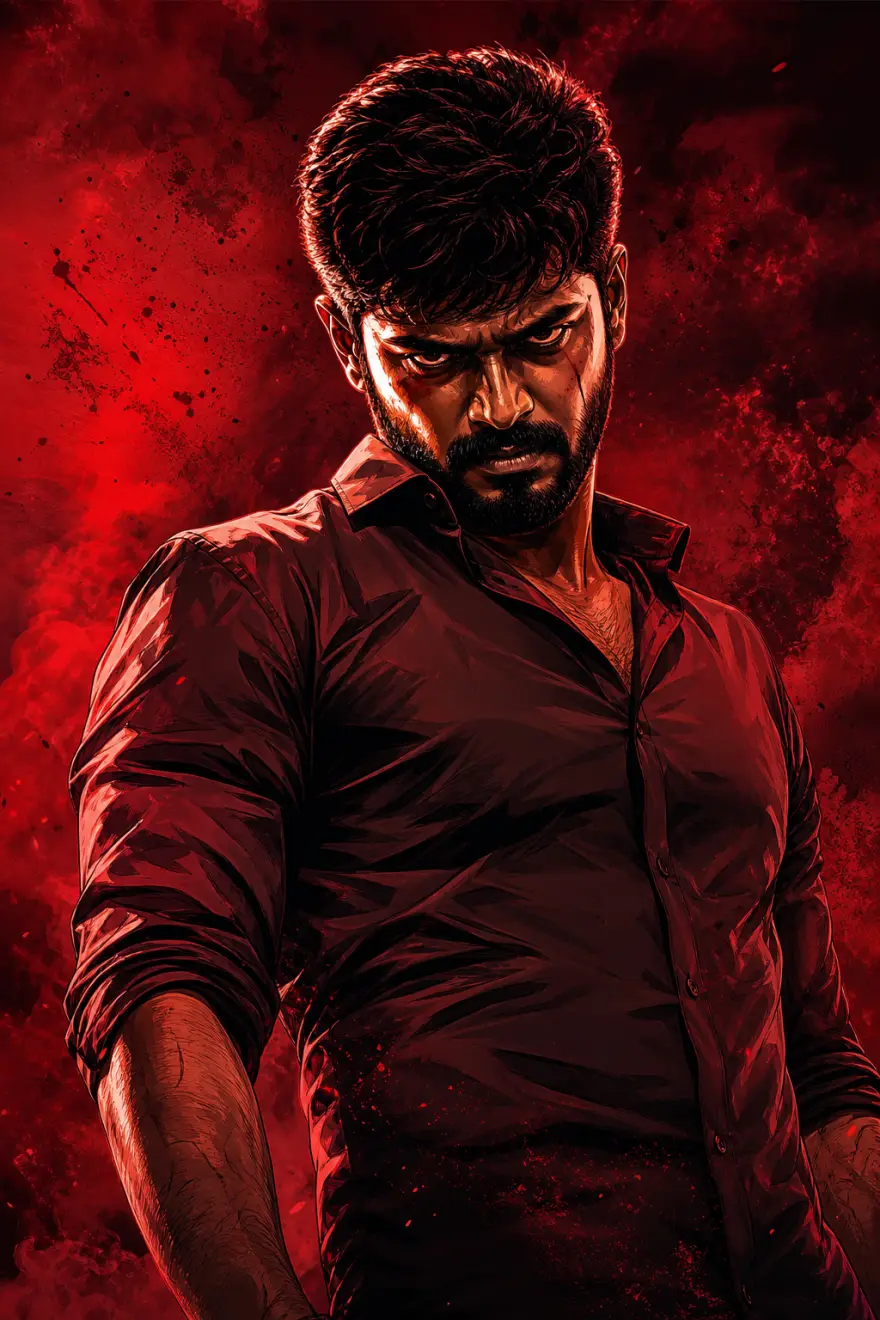
Tamil Gangster Movie Poster Prompt
This prompt template transforms a reference photo into a bold, cinematic Tamil gangster movie poster. It blends high-contrast digital illustration with a deep-red, gritty aesthetic to create a powerful character-driven visual.Core Aesthetic: "The Mass Look"Inspired by modern South Indian action cinema, this style focuses on dramatic tension and graphic intensity.Color Palette: Dominated by deep crimsons, charcoal blacks, and high-contrast warm highlights.Art Style: A hybrid of hyper-realistic digital painting and sharp, comic-book-inspired shading.Atmosphere: Gritty, smoke-filled, or textured backgrounds that add weight and "attitude" to the subject.Identity Protection (No Distortion)The template is engineered for absolute fidelity. While the environment and lighting change, the following remain locked and identical to your reference:Face & Expression: Precise facial features and the original mood/gaze.Anatomy: Exact hairstyle, skin tone, and body pose.Zero AI Warp: Enhances the aesthetic without altering the person's core identity.Ideal Use CasesMovie-Style Posters: Create professional-grade promotional art.Personal Branding: High-impact profile visuals for creators and influencers.Digital Fan Art: Elevate standard portraits into "Larger Than Life" cinematic characters.
Best Ideogram 2.0 prompts
All 4 Ideogram 2.0 prompts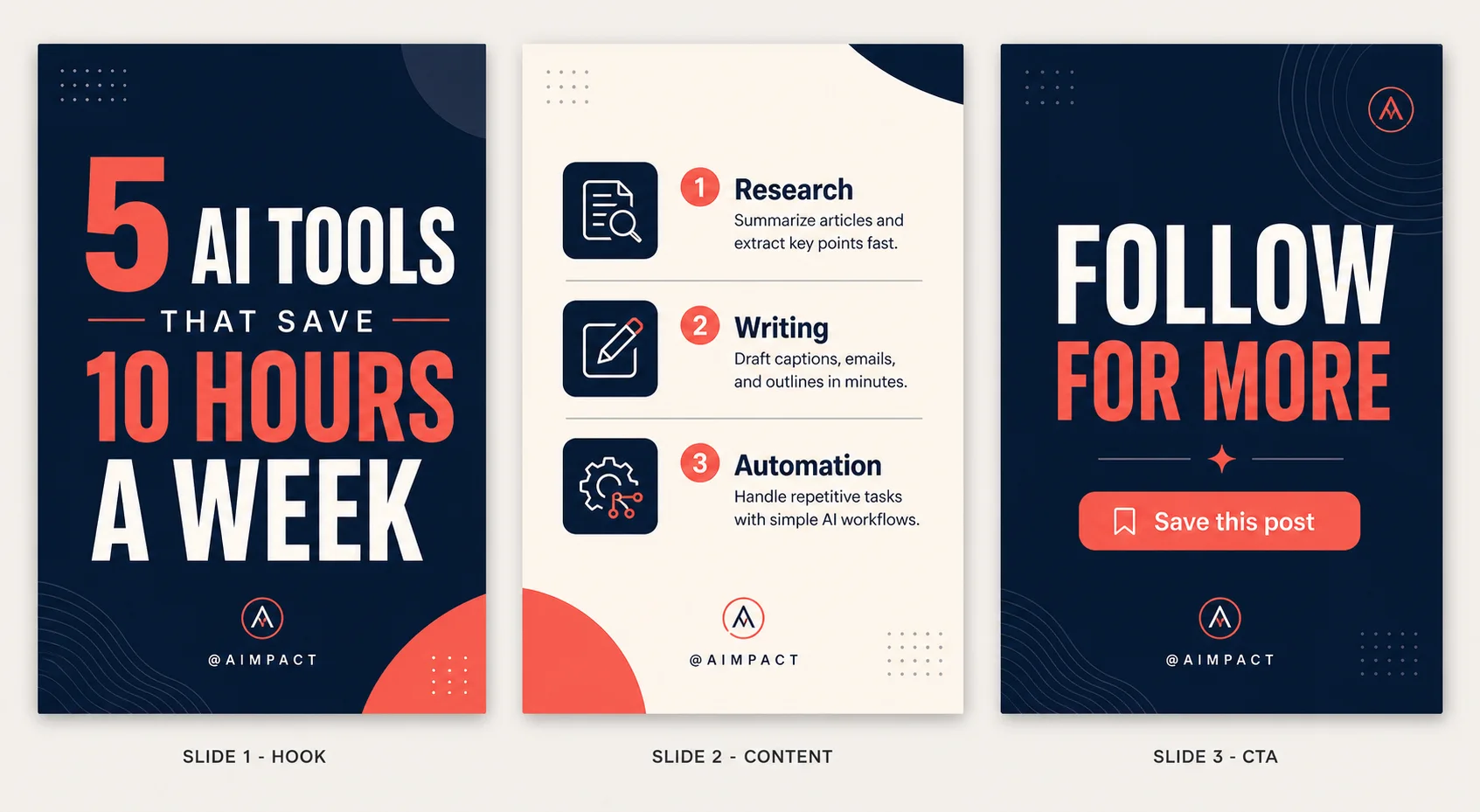
3-Panel Instagram Carousel Template
An Instagram carousel template prompt that designs a full 3-slide set in one image — a premium hook, a structured content slide and a call-to-action outro. Write your topic and copy and the template renders a professional reference sheet: Slide 1 stops the scroll, Slide 2 delivers the value with icons and hierarchy, and Slide 3 drives the follow or save, every slide sharing the same palette, fonts and branding. Style, palette and iconography are all selectable, so the same structure can look like a bold modern deck, a minimal editorial layout, a playful gradient set or a luxury dark theme. What you can customize Slide 1 — Hook Headline — the short, punchy scroll-stopper on the opening slide Slide 2 — Content — the structure of the value slide: a numbered list, three tips, a before/after or a mini step-by-step Slide 3 — CTA / Outro — the closing call to action, such as follow, save or link in bio Design Style / Layout and Color Palette — six styles (Bold Modern, Minimal Editorial, Playful Gradient, Luxury Dark, Corporate Clean, Retro Y2K) and six palettes including Navy, Cream & Coral, Black & Gold Luxe and Pastel Gradient Iconography — five treatments from Minimalist Line Icons and Solid Filled Icons to 3D Glossy, Emoji Style or No Icons Best for Creators, marketers, coaches and brands who post carousels — educational posts, listicles, tips, launches and lead magnets — and designers who need fast, on-brand slide mockups without opening Canva or Figma. Tips for the best results Keep the hook headline short and punchy; it carries the whole first impression. In the content field describe the structure you want rather than a wall of text, and limit each slide to three or four points. State one clear CTA and match the palette and iconography to your brand. Because the design is text-heavy, keep each line concise so typography stays crisp and correctly spelled; long paragraphs compress the layout and degrade the text. Avoid clashing style and palette choices, and regenerate once if any line renders soft or misspelled.
Health Supplement eCommerce Image
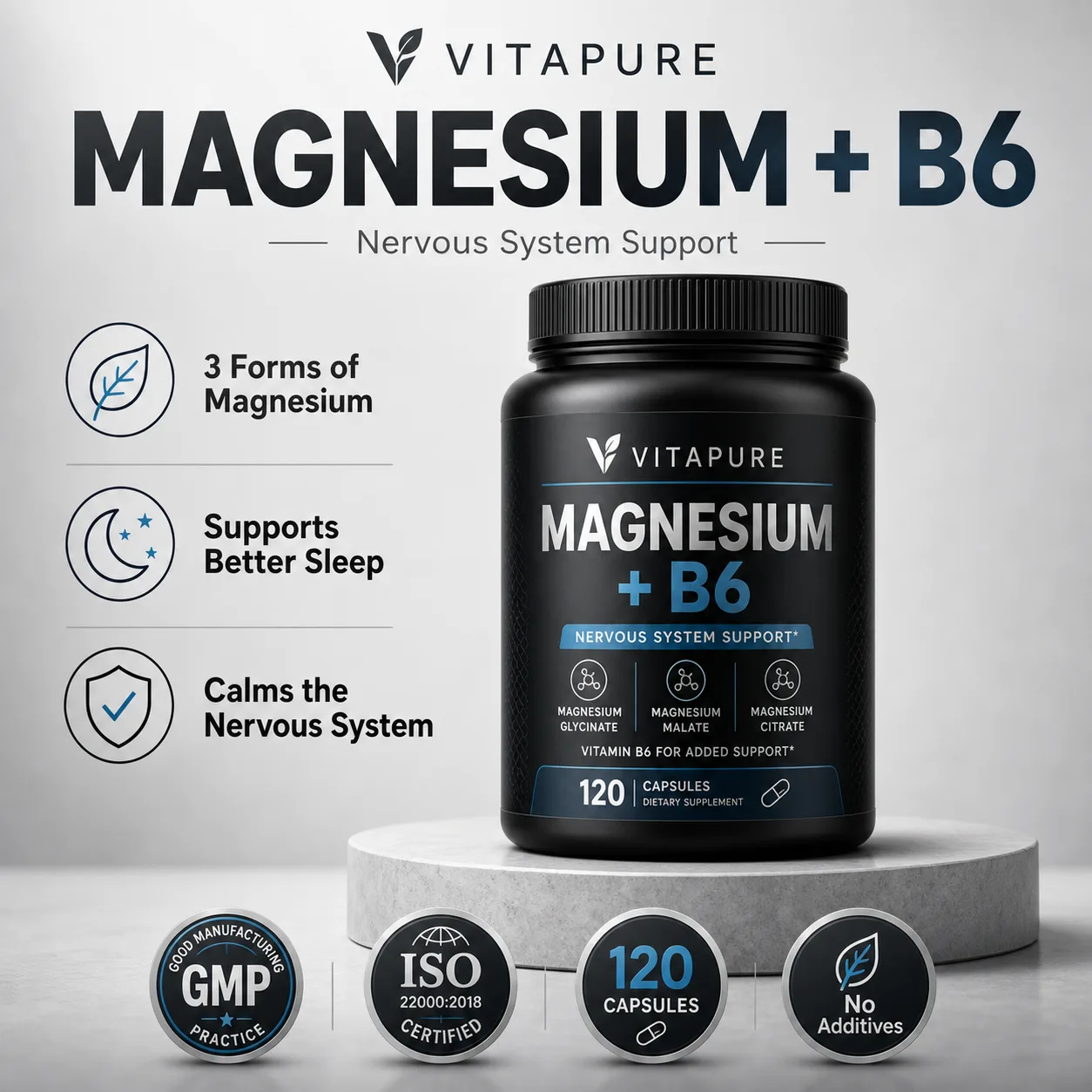
A supplement product image prompt that designs a complete, high-converting eCommerce listing image in one shot — hero bottle, headline and trust badges. Set your product name, benefits and packaging and the template renders a marketplace-ready visual: a photoreal bottle or jar as the hero, a strong headline, an icon-led features list and certification badges, composed like a top Amazon or marketplace listing. Packaging, style, palette, benefits layout, badges and background are all selectable, so the same system works for a premium dark jar, a clean white bottle, a natural botanical look or a bold colorful promo. What you can customize Brand Name and Product Name — the text rendered on the packaging and headline, exactly as typed Benefits and Trust Badges — three or four short icon-plus-label points that become the features UI, plus your real certifications and callouts such as GMP, ISO, capsule count or no additives Packaging / Bottle Type — six options including Premium Black Jar, Clean White Bottle, Amber Glass Bottle and Kraft Eco Pouch Design Style and Color Palette — five styles (Premium Clean, Natural Organic, Bold Promo, Medical Clinical, Luxury Dark) paired with six palettes from Charcoal & Silver to Black & Gold Luxe and Warm Earthy Background — six settings such as Light Studio Podium, Pure White, Natural Botanical, Dark Moody and Marble Surface Best for Supplement and wellness brands, dropshippers, Amazon and marketplace sellers, and agencies that need fast, professional listing images, hero shots and ad creative without a photo studio. Tips for the best results Name the brand and product exactly as they should appear, and keep each benefit to an icon label plus a few words rather than a sentence. List your real badges in the badges field and match the packaging, palette and background to your actual product so the mockup is believable. Keep every line concise so the typography stays crisp and correctly spelled; avoid long paragraphs and more than four benefits, which crowd the layout and degrade the text. Do not make unverified health or medical claims in the copy, and avoid clashing palette-and-style combinations. Text-in-design and small label text are demanding, so regenerate once if any line renders soft or misspelled.
Recipe Card Designer
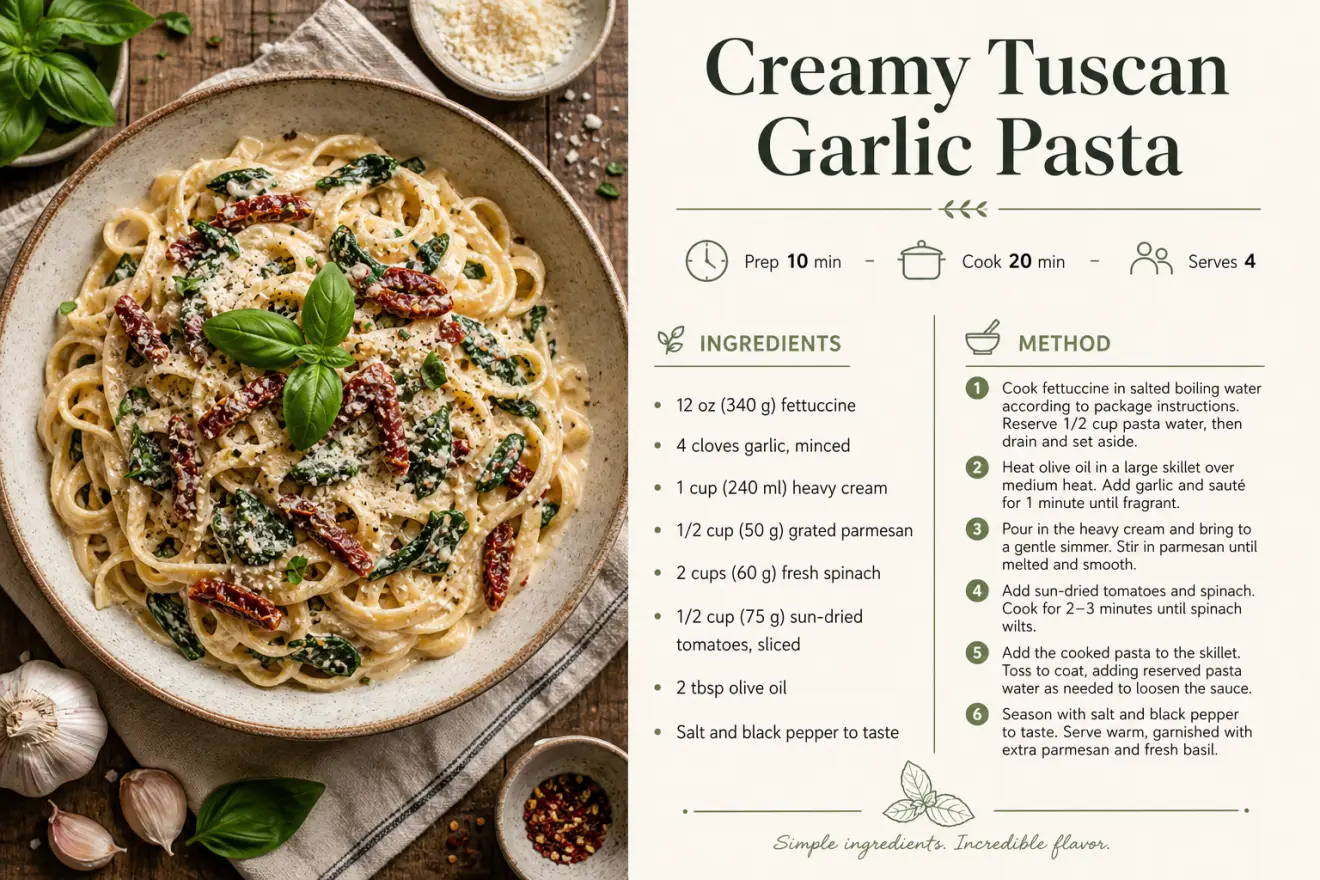
A recipe card prompt that turns your recipe into a polished, print-ready card — appetizing food photography paired with a clean, professional layout. Instead of fighting with a design tool, you enter the dish name, ingredients and steps and the template composes a magazine-quality card: a styled hero food photo, an elegant title, an icon meta row for prep, cook and servings, a tidy ingredients list and a numbered method. The same recipe can look modern and minimal, warm and rustic, elegant editorial or bright and playful. What you can customize Dish Name, Meta Row, Ingredients and Method — the recipe copy itself; the layout follows the structure you type. Food Photography Framing — five options: Overhead Flat-Lay, Close-Up Hero, 45-Degree Plated, Rustic Moody, or Bright Airy. Card Layout — Photo Left / Recipe Right, Photo Top / Recipe Below, Full Photo with Recipe Card, or Two-Column Classic. Design Style and Color Palette — five styles (Modern Minimal, Rustic Farmhouse, Elegant Editorial, Vibrant Playful, Vintage Cookbook) and five palettes such as Cream & Sage, Warm Terracotta and Bold Tomato Red. Dish Photo — optional upload of your actual dish to use as the card's food photography. Best for Food bloggers, home cooks, recipe sellers, cafes and creators who want shareable recipe cards, printables, blog graphics, cookbook pages and Pinterest pins without hiring a designer or booking a food shoot. Tips for the best results Write ingredients as short lines with real measurements, one per line, and the method as concise numbered steps — clear amounts render as convincing recipe copy. Keep the dish name short and the meta row to prep, cook and servings. Stay under about ten ingredients and eight steps per card; long paragraphs compress and text degrades. Match style and palette to the mood of the food, and avoid clashing combinations. Text-in-design is demanding — regenerate once if any line renders soft or a measurement looks off.

Cross-Section Cutaway Diagram
A cutaway diagram prompt that turns any photo into a clean, textbook-style cross-section revealing a believable labeled interior. Upload a picture of almost anything — a fruit, a camera, an engine, a building, an animal — and the template rebuilds it as an educational science graphic: the subject's distinctive features preserved, a plausible layered interior exposed, and thin leader lines pointing to short callouts. Clarity is the whole point, so the style favors accuracy and flat even lighting over dramatic art direction. What you can customize Cutaway Type — half cross-section, quarter wedge cut, peeled layers, exploded view, or transparent ghosted Detail Level — simple (4-6 callouts), standard (7-9), or detailed (10-14), matched to your audience Label Style — clean sans leader lines, serif textbook, a numbered key, or handwritten field notes Diagram Style — textbook science, museum exhibit, technical blueprint, vintage encyclopedia, or modern 3D render Color Style — full natural color, muted scientific, monochrome line art, or blueprint cyan Background — clean white, soft grey, blueprint blue, or aged paper Subject — a written description used when no image is attached Best for Lesson visuals and worksheets, science communication and course content, museum and exhibit panels, explainer articles, and product or engineering teams needing an internal view without commissioning an illustrator. Tips for the best results Upload a clear photo of a single subject against a simple background so its silhouette reads cleanly. Match the detail level to the audience — fewer callouts for younger learners, more for technical readers. Keep every label to a few words so the type stays crisp. Avoid cluttered photos with several competing objects. Treat the interior as a plausible illustration, not a verified reference: the model reconstructs internals from general knowledge, so check labels and structures against a real source before teaching or publishing.
More comparisons
ChatGPT Image 2 against others
Ideogram 2.0 against others