The Best GSAP AI Prompts 2026
28 prompts for generating GSAP 3 animation code that actually works — a syntax guard that stops AI emitting deprecated GSAP 2, plus ScrollTrigger, React cleanup, plugins, performance and accessibility.
Advertisement
Ask any AI model for a GSAP animation and there is a good chance you get TweenMax, TimelineMax and .staggerTo() back. That syntax was replaced in 2019. It still works through the compatibility layer, but it is the wrong API, it pulls in patterns GSAP 3 solved years ago, and it is a reliable sign the model is drawing on a decade of old Stack Overflow answers rather than current docs.
That single problem is why most AI-generated GSAP code needs rewriting, and it is what these 28 prompts are built to prevent. Every one of them pins the modern API explicitly, because a prompt that does not will eventually get GSAP 2 back.
The other thing worth knowing before you start: GSAP has been completely free since April 2025, when Webflow acquired GreenSock. SplitText, MorphSVG, DrawSVG, ScrollSmoother, Flip, MotionPath — all of it, including commercial use. Models trained before that change will still tell you those plugins need a paid Club membership. They do not.
Why AI Gets GSAP Wrong
Four failure modes account for nearly all of it:
- Deprecated syntax.
TweenMax,TimelineLite,.staggerFrom(), the oldease: Power2.easeInOutstring format. GSAP 3 unified everything intogsap.to(),gsap.from(),gsap.fromTo()andgsap.timeline(), with staggers as a config property rather than a separate method. - Missing plugin registration. ScrollTrigger and friends need
gsap.registerPlugin()before use. Models omit it constantly, and the failure is silent-ish and confusing. - No cleanup in React. Animations created in a bare
useEffectwithout reverting leave duplicated tweens and dead ScrollTriggers behind on every route change and every StrictMode double-invoke. - No reduced-motion handling. Almost never included unless asked, and it is an accessibility requirement rather than a nicety.
Nine Rules That Make These Prompts Work
- Pin the version and the API. State GSAP 3 and forbid the GSAP 2 classes by name. Vague instructions produce vague compliance.
- Say what the animation is for. "Fade in a card" produces a fade. "Draw attention to the primary action without delaying the user's first click" produces a considered piece of motion.
- Give durations and easing intent, not just names. Most UI motion lives between 0.2s and 0.6s; anything over a second on a common interaction feels broken.
- Name the framework and the version. Vanilla, React, Next.js App Router and Vue need materially different code, especially around cleanup.
- Always ask for the cleanup path. If the prompt does not mention teardown, you will not get it.
- Animate transforms and opacity. Ask for
x,y,scale,rotation,opacityrather thanleft,top,widthorheightunless there is a reason. - Demand reduced-motion in the same breath. Bolting it on later means it never happens.
- Ask for the failure modes. A model that lists what will break under resize, route change or slow connections is a model that thought about it.
- Never let it invent an API. GSAP has a large surface area and models confabulate plausible-sounding methods. Ask it to flag anything it is not certain exists.
Setup, Syntax and Migration (Prompts 1–4)
1. The GSAP 3 Syntax Guard
Put this in your project rules, system prompt, or CLAUDE.md once. It prevents the single most common failure across every other prompt.
You are writing GSAP animation code. Follow these rules for every response.

VERSION: GSAP 3.x (current release line is 3.15). Never use GSAP 2 APIs.

FORBIDDEN — do not use these under any circumstances:
- TweenMax, TweenLite, TimelineMax, TimelineLite
- .staggerTo(), .staggerFrom(), .staggerFromTo()
- The old ease string format: Power2.easeInOut, Back.easeOut, Elastic.easeOut
- CSSPlugin as an explicit import (it is built in)
- jQuery-style selectors or dependencies

REQUIRED — use these instead:
- gsap.to(), gsap.from(), gsap.fromTo(), gsap.set(), gsap.timeline()
- stagger as a config property: { stagger: 0.1 } or { stagger: { each: 0.1, from: "center" } }
- Modern ease strings: "power2.inOut", "back.out(1.7)", "elastic.out(1, 0.3)"
- gsap.registerPlugin(PluginName) before any plugin is used, once per module
- gsap.matchMedia() for responsive and reduced-motion variants

ALSO REQUIRED IN EVERY ANSWER:
1. Show the imports, including plugin registration
2. Show how the animation is cleaned up or reverted
3. Note anything that needs a refresh on resize
4. If I have not told you the framework, ask before writing framework-specific code

If you are not certain a GSAP method, plugin or property exists, say so explicitly rather than writing it. Do not invent API surface.
2. The Setup and Registration Check
Set up GSAP correctly for my project and show me the exact imports.

FRAMEWORK: [VANILLA JS / REACT / NEXT.JS APP ROUTER / NEXT.JS PAGES / VUE / SVELTE / ASTRO]
BUILD TOOL: [VITE / WEBPACK / NEXT / NONE — script tags]
PLUGINS I NEED: [SCROLLTRIGGER / SPLITTEXT / FLIP / DRAWSVG / MORPHSVG / MOTIONPATH / SCROLLSMOOTHER / OBSERVER]
TYPESCRIPT: [YES / NO]

Give me:
1. The install command
2. The exact import statements, including plugin imports
3. Where gsap.registerPlugin() should live so it runs once and not on every render
4. Any framework-specific gotcha for this setup — SSR, hydration, tree shaking, or bundler config
5. A minimal smoke-test animation proving the setup works
6. How to verify a plugin registered correctly rather than failing silently

Note: GSAP and all its plugins have been free for any use, including commercial, since April 2025. Do not tell me any plugin requires a paid membership or a special npm registry token — that guidance is out of date.

Keep the answer to what my stated stack actually needs.
3. The GSAP 2 to 3 Migration
Migrate this GSAP 2 code to modern GSAP 3.

CODE: [PASTE]
CONTEXT: [WHERE IT RUNS AND WHAT IT DOES]

Produce:
1. The migrated code using only GSAP 3 APIs
2. A line-by-line mapping of what changed and why
3. Any behaviour that will differ subtly after migration — default eases, overwrite behaviour, and how timeline defaults now work are the usual ones
4. Anything in the original that GSAP 3 makes unnecessary and can simply be deleted
5. Places where the old code was working around a limitation that no longer exists

Then flag:
- Any plugin the original used that is now free and could be adopted more widely
- Any pattern in the original that suggests a deeper structural problem rather than just old syntax

Do not merely rename methods. Where GSAP 3 offers a genuinely better construction for what this code is doing, show that instead and explain the difference.
4. The Port From Another Library
Port this animation from [FRAMER MOTION / ANIME.JS / CSS KEYFRAMES / WEB ANIMATIONS API / VELOCITY] to GSAP 3.

SOURCE CODE: [PASTE]
WHAT IT SHOULD DO: [DESCRIBE THE INTENDED EFFECT]
FRAMEWORK: [YOUR STACK]

Produce:
1. The GSAP 3 equivalent
2. Where GSAP's model differs from the source library conceptually, not just syntactically
3. What GSAP does better here, if anything, and what it does worse
4. Any part of the original that does not map cleanly, with the closest alternative

Then answer honestly: is this animation actually better served by GSAP, or was the original library the right tool? If the source is a two-line CSS transition, say so rather than producing a GSAP version for its own sake.

Include cleanup and reduced-motion handling in the ported version.
Core Tweens and Timelines (Prompts 5–9)
5. The Tween Brief
Write a single GSAP 3 tween for this interaction.

ELEMENT: [WHAT IS ANIMATING — selector or ref]
TRIGGER: [PAGE LOAD / CLICK / HOVER / SCROLL INTO VIEW / STATE CHANGE]
INTENT: [WHAT THE MOTION SHOULD COMMUNICATE — arrival, emphasis, dismissal, feedback, state change]
CURRENT STATE and TARGET STATE: [DESCRIBE BOTH]
FRAMEWORK: [YOUR STACK]

Requirements:
- gsap.to / from / fromTo as appropriate, and tell me why you chose that one
- Animate transforms and opacity only, unless a layout property is genuinely unavoidable — and if it is, say why
- Duration and ease chosen for the stated intent, with one sentence justifying each
- Handle the case where the trigger fires again before the animation finishes

Then give me:
1. The cleanup or revert path
2. What this looks like with prefers-reduced-motion set to reduce
3. The most likely way this breaks in production

Keep UI feedback motion under 0.4s unless there is a reason. If my described duration is too slow for the intent, tell me.
6. The Timeline Sequence
Build a GSAP 3 timeline for this multi-step sequence.

SEQUENCE: [DESCRIBE EACH STEP IN ORDER, AND WHAT SHOULD OVERLAP]
TOTAL DURATION TARGET: [SECONDS]
TRIGGER: [WHAT STARTS IT]
FRAMEWORK: [YOUR STACK]

Requirements:
- One gsap.timeline() with defaults set on the timeline rather than repeated per tween
- Use position parameters ("-=0.2", "<", "<0.1", labels) to control overlap, and explain each one you use
- Add named labels at the meaningful moments so the sequence can be controlled later
- Expose play, pause, reverse and seek where useful

Then provide:
1. A short timing diagram, as text, showing what runs when
2. How to make the whole sequence faster or slower with one value
3. How to jump to any labelled point
4. Cleanup, and what happens if the component unmounts mid-sequence
5. The reduced-motion variant

If the sequence I described has a step that adds nothing, say so. Long sequences on first load are usually a worse experience than a short one.
7. The Stagger
Write a GSAP 3 staggered animation.

ELEMENTS: [WHAT IS BEING STAGGERED — grid, list, nav items, cards]
LAYOUT: [ROW / COLUMN / GRID WITH DIMENSIONS]
COUNT: [HOW MANY, AND WHETHER IT VARIES]
EFFECT: [WHAT EACH ITEM DOES]
TRIGGER: [WHAT STARTS IT]

Requirements:
- stagger as a config object, never .staggerTo()
- For a grid, use the grid and from options rather than computing offsets manually
- Total stagger time must stay reasonable regardless of item count — show me how to use the amount option so 8 items and 80 items both finish in a sensible window
- Choose from ("start", "center", "edges", or an index) to match the visual intent, and explain the choice

Then:
1. Show what happens with an unexpectedly large count and how to guard it
2. Give the reduced-motion variant, which for staggers usually means showing everything at once rather than a faster stagger
3. Include cleanup

A stagger that takes four seconds to reveal a list is not elegant, it is slow. Flag it if my numbers produce that.
8. The Custom Ease
Design the easing for this animation.

MOTION: [WHAT MOVES AND HOW FAR]
INTENT: [THE FEELING — snappy, weighty, playful, mechanical, organic]
CONTEXT: [UI FEEDBACK / HERO ENTRANCE / SCROLL-DRIVEN / ATTENTION CUE]

Give me:
1. The recommended GSAP 3 ease string, with the reasoning tied to my stated intent
2. Two alternatives and how each would feel different
3. Where a CustomEase is genuinely warranted versus where a built-in is fine
4. The relationship between ease and duration — which values need to change together if I adjust one

Explain in plain terms:
- Why an ease-out suits things entering and an ease-in suits things leaving
- When a bounce or elastic ease is appropriate and when it reads as amateur
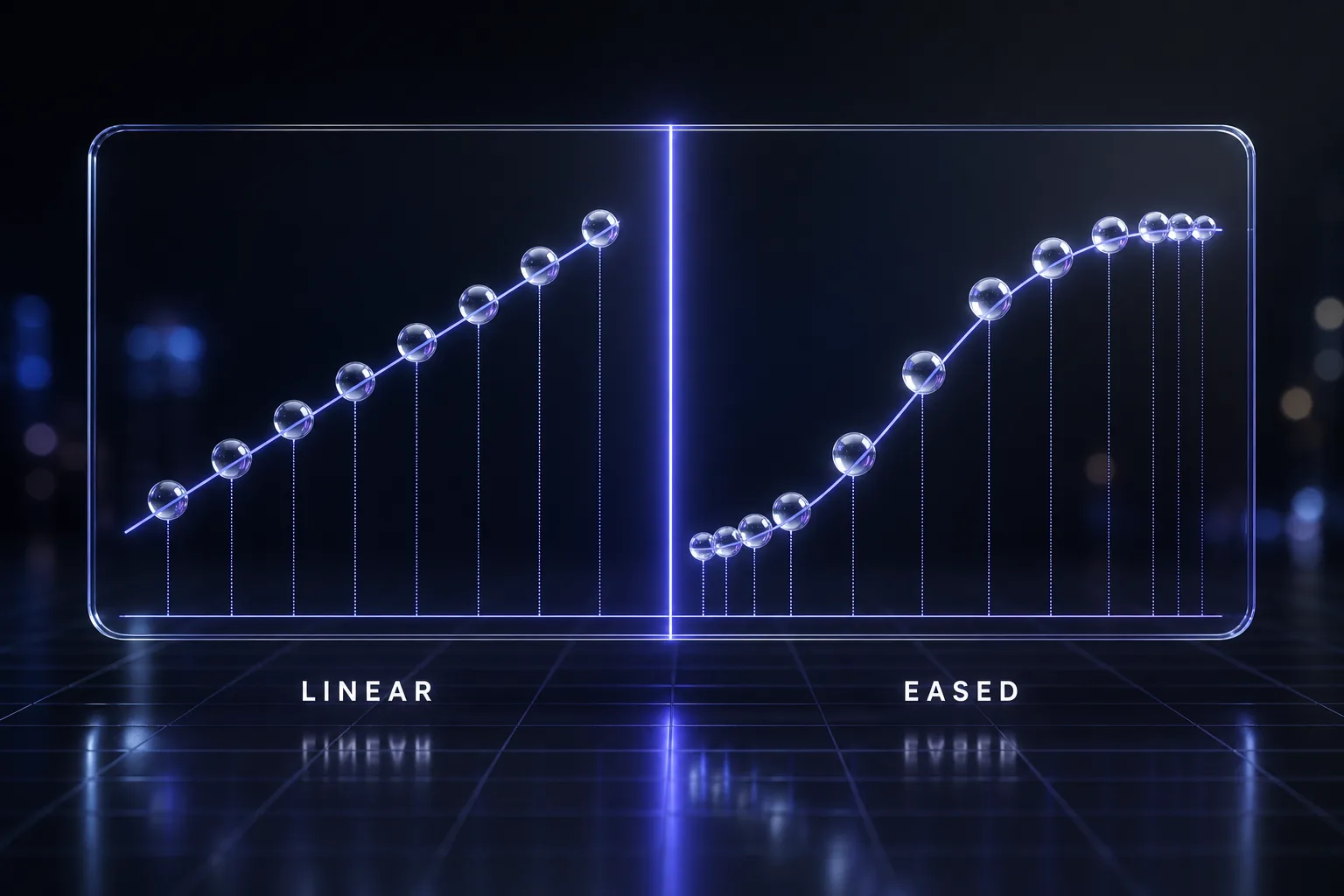
- Why linear is almost always wrong for UI, and the specific cases where it is right

Do not recommend elastic or bounce for routine interface feedback. If my stated intent implies that, tell me why it will get tiring.
9. The Interactive State Animation
Write GSAP 3 animation for an interactive element with multiple states.

ELEMENT: [WHAT IT IS]
STATES: [LIST THEM — default, hover, focus, active, disabled, loading, error]
TRANSITIONS NEEDED: [WHICH STATE PAIRS NEED ANIMATION]
FRAMEWORK: [YOUR STACK]

Requirements:
- Handle rapid state changes without animations stacking or fighting — show the overwrite strategy you chose and why
- Keep reusable tweens where possible rather than creating new ones on every event
- Focus states must be animated as well as hover, since keyboard users get no hover
- Return the element to a clean state if interrupted

Then give me:
1. How to prevent memory leaks when this element is created and destroyed repeatedly
2. What happens on touch devices where hover is unreliable
3. The reduced-motion variant
4. A brief note on whether any of these transitions would be better as plain CSS

Be honest about that last point. A 150ms hover colour change does not need a JavaScript animation library.
ScrollTrigger (Prompts 10–14)
10. The ScrollTrigger Scaffold
Set up a ScrollTrigger animation.

ELEMENT: [WHAT ANIMATES]
TRIGGER ELEMENT: [WHAT ENTERS THE VIEWPORT — same element or a container]
BEHAVIOUR: [PLAY ONCE / REPLAY EACH TIME / SCRUB WITH SCROLL]
START and END: [WHEN IT SHOULD BEGIN AND FINISH, DESCRIBED IN PLAIN LANGUAGE]
FRAMEWORK: [YOUR STACK]

Requirements:
- Import and register ScrollTrigger explicitly
- Translate my plain-language start and end into the correct start/end strings, and explain what each part of the string means
- Include markers: true in the development version and show me how to strip it for production
- Set toggleActions deliberately and explain the four values

Then cover:
1. What happens on window resize, and whether this needs invalidateOnRefresh
2. Cleanup — killing the ScrollTrigger, not just the tween
3. What breaks if the trigger element's height changes after load, such as when images or fonts finish loading
4. The reduced-motion variant

Flag any place where my described behaviour would cause the animation to fire before the user can see it.
11. The Pinned Section
Build a pinned scroll section with GSAP 3 ScrollTrigger.

SECTION: [WHAT GETS PINNED]
DURATION: [HOW LONG IT STAYS PINNED, IN SCROLL DISTANCE OR VIEWPORT HEIGHTS]
WHAT HAPPENS WHILE PINNED: [THE SEQUENCE]
FRAMEWORK: [YOUR STACK]
LAYOUT CONTEXT: [WHAT IS ABOVE AND BELOW, AND ANY POSITION OR OVERFLOW STYLES ON ANCESTORS]

Requirements:
- Correct pin configuration with pinSpacing considered and explained
- A scrubbed timeline for the pinned sequence
- Handle the layout shift pinning introduces

Then address the known failure modes explicitly:
1. Ancestors with overflow hidden or a transform, which break position: fixed pinning
2. Nested ScrollTriggers and their refresh order
3. Mobile browsers where the address bar resizes the viewport mid-scroll
4. What happens if the pinned content is taller than the viewport
5. Cleanup, including removing the pin spacer

Also tell me honestly whether pinning is the right pattern here. Pinned sections are heavily overused, they trap the scroll, and on mobile they frequently feel broken. If a simple scrubbed reveal would serve better, say so.
12. The Scrub Animation
Write a scroll-scrubbed GSAP 3 animation.

WHAT ANIMATES: [DESCRIBE]
SCROLL RANGE: [OVER WHAT DISTANCE]
FRAMEWORK: [YOUR STACK]

Requirements:
- scrub configured as a number rather than true, and explain what that number does to the feel
- A timeline rather than a single tween if there are multiple stages
- Values that remain correct when the viewport changes size

Then explain:
1. The difference between scrub: true and scrub: 1, and which suits my case
2. Why scrubbed animations must be idempotent — able to run forwards and backwards to any point — and what in my animation would break that rule
3. How to avoid the jitter that comes from animating layout properties on scroll
4. Whether anything here should use will-change, and the cost of overusing it
5. Cleanup and refresh handling

Flag any part of my described animation that will not reverse cleanly, since that is the most common cause of scrubbed animations that look broken when scrolling up.
13. The Horizontal Scroll
Build a horizontal scroll section using GSAP 3 ScrollTrigger.

CONTENT: [WHAT SCROLLS HORIZONTALLY — panels, cards, gallery]
ITEM COUNT: [HOW MANY, AND WHETHER IT IS DYNAMIC]
FRAMEWORK: [YOUR STACK]

Requirements:
- Vertical scroll drives horizontal movement, with the container pinned
- Scroll distance calculated from actual content width, not hard-coded
- Recalculate correctly when the content or viewport changes

Then cover:
1. How to handle a dynamic item count without breaking the scroll distance maths
2. Keyboard accessibility — how a keyboard user reaches content that is off-screen horizontally
3. Touch behaviour, and whether native horizontal swipe should be offered instead on small screens
4. What happens to focus management when an off-screen element receives focus
5. Cleanup

Then tell me plainly whether this pattern is appropriate for my content. Horizontal scroll hijacking is disorienting, hostile to keyboard and screen-reader users, and usually a worse experience than a normal vertical layout. If my content does not genuinely benefit, recommend against it and say what to do instead.
14. The ScrollTrigger Debug
Debug this ScrollTrigger that is not behaving.

CODE: [PASTE]
EXPECTED: [WHAT SHOULD HAPPEN]
ACTUAL: [WHAT DOES HAPPEN]
CONTEXT: [FRAMEWORK, WHERE IN THE PAGE, WHAT ELSE IS ON THE PAGE]
ALREADY TRIED: [WHAT YOU HAVE RULED OUT]

Work through the usual causes in this order and tell me what my code indicates for each:
1. Plugin not registered, or registered after use
2. Trigger element not in the DOM when ScrollTrigger initialised
3. Start and end values not meaning what I think they mean
4. Page height changing after init — images, fonts, lazy content — without a refresh
5. An ancestor with overflow, transform, or a custom scroll container that ScrollTrigger does not know about
6. Multiple ScrollTriggers competing, or refreshing in the wrong order
7. A smooth-scroll library conflicting with native scroll
8. React StrictMode or a re-render creating duplicates

For each: the diagnostic to run, and what result would confirm or eliminate it.

Then give me the most likely cause, your confidence in it, and the fix. Start by telling me to turn on markers: true if I have not, because most of these become obvious once the start and end lines are visible.
React and Next.js Integration (Prompts 15–18)
15. The useGSAP Setup
Set up GSAP correctly in my React component using the official hook.

COMPONENT: [WHAT IT DOES]
ANIMATION: [WHAT SHOULD ANIMATE AND WHEN]
REACT VERSION: [VERSION, AND WHETHER STRICTMODE IS ON]
FRAMEWORK: [CRA / VITE / NEXT APP ROUTER / NEXT PAGES]

Requirements:
- Use useGSAP from @gsap/react rather than a bare useEffect, and explain what it handles that useEffect does not
- Scope the animation with a container ref so selectors do not leak outside the component
- Correct dependency array, and what happens when a dependency changes
- Show the contextSafe pattern for animations created inside event handlers

Then explain:
1. Why StrictMode double-invocation breaks naive GSAP setups, and how the hook solves it
2. What automatic cleanup covers and what it does not
3. How to animate elements that render conditionally or arrive asynchronously
4. Whether refs or selector strings are better here

Show the complete component. Include the imports and the plugin registration in the right place.
16. The Cleanup Audit
Audit this React component for GSAP memory leaks and orphaned animations.

CODE: [PASTE THE COMPONENT]
BEHAVIOUR OBSERVED: [ANY SYMPTOMS — animations firing twice, jank after navigating, growing memory, ScrollTriggers from old pages still active]

Check for:
1. Animations created without a revert or kill path
2. ScrollTriggers not killed on unmount
3. Event listeners and Observer instances left attached
4. Timelines recreated on every render instead of once
5. Selector strings reaching outside the component
6. StrictMode causing duplicate instances in development
7. Animations started before refs are populated

For each issue found:
- The exact line
- What it leaks and when the symptom appears
- The fix, using the current recommended pattern

Then give me the corrected component in full, and a short manual test I can run to confirm the leak is gone — typically navigating away and back several times while watching for duplicated behaviour.
17. The Route Transition
Build a page transition animation for my router.

ROUTER: [NEXT APP ROUTER / NEXT PAGES / REACT ROUTER / TANSTACK ROUTER]
TRANSITION: [DESCRIBE THE EFFECT — fade, slide, mask, shared element]
DURATION TARGET: [SECONDS]

Requirements:
- Exit animation completes before the new route renders, or explain honestly why that is difficult with my router and what the practical alternative is
- Scroll position handled deliberately on navigation
- Interruption handled — a user clicking a second link mid-transition must not break the app

Then cover:
1. Where the transition state lives, and why
2. What happens to in-flight data fetching during the transition
3. Focus management — where focus goes after navigation, which is an accessibility requirement rather than a detail
4. Announcing the route change to screen readers
5. Cleanup of the outgoing page's animations and ScrollTriggers
6. The reduced-motion variant, which should generally be an instant cut

Be realistic about the constraints of my specific router rather than describing an idealised version. Keep the transition short — anything over 400ms on navigation makes the whole site feel slow.
18. The SSR and Hydration Guard
Make this GSAP code safe for server-side rendering.

CODE: [PASTE]
FRAMEWORK: [NEXT APP ROUTER / NEXT PAGES / REMIX / ASTRO / NUXT]
SYMPTOMS: [ANY HYDRATION WARNINGS, FLASHES, OR SERVER ERRORS]

Fix and explain:
1. Anything touching window, document or element measurements during render
2. Where the "use client" boundary belongs, if applicable
3. How to avoid a flash of unstyled or unpositioned content before the animation initialises
4. Setting initial state so the server-rendered HTML matches what the client expects
5. Whether the animation should be deferred until after hydration, and the trade-off

Then address the visual problem directly: if elements start at opacity 0 for an entrance animation, what does a user see if JavaScript fails or is slow? Give me a solution that does not leave content permanently invisible in that case — this is a real accessibility and reliability failure, not a hypothetical one.

Show the corrected code with the imports and boundaries in place.
Text, SVG and Plugins (Prompts 19–22)
19. The SplitText Reveal
Build a text reveal animation using GSAP 3 SplitText.

TEXT: [WHAT IS ANIMATING — headline, paragraph, multi-line block]
EFFECT: [BY CHARACTER / WORD / LINE, AND THE MOTION]
TRIGGER: [ON LOAD / ON SCROLL]
FRAMEWORK: [YOUR STACK]

Requirements:
- SplitText is free for all uses since April 2025 — do not suggest a workaround or an alternative library on licensing grounds
- Register the plugin correctly
- Revert the split when the animation completes or the component unmounts, and explain why leaving text split is a problem
- Re-split on resize for line-based animations, since line breaks change

Then address accessibility directly:
1. What splitting text does to screen readers, and how to keep the original text accessible
2. Whether the split markup breaks text selection or copy-paste
3. The reduced-motion variant, which should show the text immediately rather than animating faster
4. What a user sees if the animation never runs

Character-by-character reveals on long paragraphs are slow to read and irritating. If my text is longer than a headline, recommend word or line splitting instead and say why.
20. The SVG Draw and Morph
Animate this SVG with GSAP 3.

SVG: [PASTE THE MARKUP, OR DESCRIBE THE PATHS]
EFFECT: [DRAW ON / MORPH BETWEEN SHAPES / ANIMATE ALONG A PATH / TRANSFORM]
TRIGGER: [WHAT STARTS IT]

Requirements:
- Use DrawSVG for stroke drawing or MorphSVG for shape morphing, both free since April 2025
- Register plugins correctly
- Set transform origins explicitly, since SVG transform origin behaves differently from HTML

Then cover:
1. Why SVG transforms need transformOrigin set deliberately, and the units to use
2. What makes two paths morphable, and what to do when they have different point counts
3. Browser inconsistencies worth knowing for this specific effect
4. Whether the SVG needs preserveAspectRatio or viewBox adjustments
5. Accessibility — title, desc, role, and whether this SVG is decorative or meaningful
6. Cleanup and the reduced-motion variant

If the paths I supplied will morph badly, tell me and describe what to change in the source artwork rather than trying to fix it in code.
21. The Flip Layout Transition
Build a layout transition using the GSAP 3 Flip plugin.

TRANSITION: [DESCRIBE — grid to list, card to modal, filtering a set, expanding an item]
ELEMENTS: [WHAT MOVES]
FRAMEWORK: [YOUR STACK]

Requirements:
- Capture state, change the DOM or classes, then animate with Flip.from()
- Handle elements that enter or leave, not just those that move
- Use flip IDs so elements are matched correctly across the state change

Then explain:
1. What Flip actually does — recording position, applying the change, then animating the difference — and why that beats animating layout properties directly
2. How to handle nested elements that should not be independently animated
3. What happens if the layout change is interrupted mid-flight
4. Whether absolute positioning is needed during the transition
5. Cleanup and the reduced-motion variant

Also tell me whether the browser's own View Transitions API would serve this case better in my stack. Flip is excellent, but it is not always the right answer any more, and I would rather know.
22. The MotionPath Animation
Animate an element along a path with GSAP 3 MotionPathPlugin.

ELEMENT: [WHAT MOVES]
PATH: [SVG PATH DATA, A SELECTOR, OR A DESCRIPTION OF THE SHAPE]
BEHAVIOUR: [ONE PASS / LOOP / SCROLL-SCRUBBED]

Requirements:
- Register the plugin
- Configure whether the element rotates to follow the path, and set the alignment correctly
- Align the element's origin to the path properly, which is the most common source of an off-centre result

Then cover:
1. The difference between a path selector and raw path data, and when each is easier
2. How to control where on the path the motion starts and ends
3. Making the path responsive when the container resizes
4. How to visualise the path during development and hide it in production
5. Cleanup and the reduced-motion variant

If my path is complex enough that the motion will look mechanical, suggest where to vary the easing or add a slight rotation offset to make it read naturally.
Performance and Debugging (Prompts 23–25)
23. The Performance Audit
Audit this GSAP animation for performance.

CODE: [PASTE]
CONTEXT: [WHERE IT RUNS, HOW MANY ELEMENTS, WHAT ELSE IS ON THE PAGE]
SYMPTOMS: [JANK, DROPPED FRAMES, SLOW ON MOBILE, BATTERY DRAIN]
TARGET DEVICES: [WHAT MUST RUN WELL]

Check for:
1. Animating layout-triggering properties instead of transforms and opacity
2. Forced synchronous layout — reading a measured value immediately after writing a style
3. Too many elements animating simultaneously
4. ScrollTrigger callbacks doing expensive work on every scroll event
5. will-change applied too broadly or left on permanently
6. Animations continuing while off-screen or when the tab is hidden
7. Large images or filters being animated

For each issue:
- The specific line
- Why it costs frames
- The fix

Then give me:
- The single change with the largest impact
- How to measure the improvement in DevTools, specifically which panel and what to look for
- Whether this animation is worth its cost at all, given what it adds to the page

Be willing to conclude that an animation should be removed rather than optimised.
24. The Jank Debug
Diagnose stuttering in this animation.

CODE: [PASTE]
WHEN IT STUTTERS: [ON START / THROUGHOUT / ON SCROLL / ONLY ON MOBILE / ONLY THE FIRST TIME]
DEVICE AND BROWSER: [WHERE IT HAPPENS AND WHERE IT DOES NOT]
PAGE CONTEXT: [WHAT ELSE RUNS AT THE SAME TIME]

Work through, in order:
1. Is this the animation, or the main thread being blocked by something else at the same moment
2. Is it a first-run cost — layout, paint, layer creation, font or image loading
3. Is it a layout-thrash pattern in a callback
4. Is it too much compositing work, such as large layers, blurs or shadows
5. Is it a scroll-specific issue — a non-passive listener, or work in a scroll handler
6. Is it a device limitation that needs a genuinely lighter animation rather than a tuned one

For each: the diagnostic and what confirms it.

Then give me the most likely cause, your confidence, and the fix. If the honest answer is that this effect cannot run smoothly on my stated target devices, say so and propose a simpler alternative that can.
25. The Animation Code Review
Review this GSAP code as a senior front-end engineer would. Be direct.

CODE: [PASTE]
CONTEXT: [WHAT IT DOES AND WHERE IT LIVES]

Review for:
1. Deprecated GSAP 2 syntax or patterns that predate GSAP 3
2. Missing plugin registration
3. Missing cleanup, and what it leaks
4. Animating the wrong properties
5. Magic numbers that should be variables or CSS custom properties
6. Repetition that should be a reusable utility or a registered effect
7. Reduced-motion handling
8. Behaviour on resize, and on slow connections
9. Whether the code is doing something CSS would do better

For each finding: severity, the line, why it matters, and the fix.

Then:
- The single most important change
- Anything that is fine as it is, so I do not over-refactor
- Whether this animation earns its complexity

Do not list strengths unless I ask. I want the problems.
Accessibility and Production (Prompts 26–28)
26. The Reduced Motion Pass
Add proper reduced-motion support to this animation.

CODE: [PASTE]
WHAT THE ANIMATION COMMUNICATES: [ITS PURPOSE, NOT JUST ITS EFFECT]

Requirements:
- Use gsap.matchMedia() with a prefers-reduced-motion: reduce query
- Preserve the meaning of the animation without the motion, rather than simply disabling it

For each animated element, decide and justify:
1. Remove entirely — it was decorative
2. Replace with an instant state change — it communicated a state
3. Replace with a cross-fade — it communicated a transition
4. Keep but reduce — large movement becomes small, parallax stops, but a subtle cue remains

Then cover:
- How matchMedia cleanup works, and why it matters when the user changes the setting mid-session
- Which specific effects here are most likely to trigger vestibular discomfort — parallax, large-scale movement, spinning, zoom
- Whether anything in the reduced-motion variant still moves more than it should

Do not simply wrap everything in a check and kill all animation. A user who prefers reduced motion still needs to understand what changed on the page.
27. The Accessibility Audit
Audit this animation for accessibility problems.

CODE: [PASTE]
WHAT IT DOES: [DESCRIBE]
CONTENT INVOLVED: [IS ANIMATED CONTENT MEANINGFUL OR DECORATIVE]

Check:
1. Does content start hidden and stay hidden if JavaScript fails or is slow
2. Is animated content reachable by keyboard while off-screen or transformed
3. Does focus move sensibly, and is focus ever trapped or lost mid-animation
4. Do screen readers announce content that appears, and at the right time
5. Are there flashing or rapid-strobe effects that could trigger seizures
6. Does anything move continuously and distract from reading
7. Is prefers-reduced-motion honoured
8. Can the user pause, stop or hide anything that moves for more than five seconds
9. Do scroll-driven effects still work with keyboard-only scrolling
10. Does text remain readable throughout, including mid-transition

For each issue: the WCAG criterion it relates to where applicable, the user impact, and the fix.

Then tell me which single issue would most affect a real user, and whether any part of this animation should be removed rather than made accessible.
28. The Production Readiness Check
Check this animation is ready to ship.

CODE: [PASTE ALL RELATED ANIMATION CODE]
STACK: [FRAMEWORK, BUILD TOOL, HOSTING]
TARGETS: [BROWSERS AND DEVICES YOU SUPPORT]

Verify:
1. Development-only settings removed — markers, console logs, debug flags
2. Plugins registered once, and only the ones actually used are imported
3. Bundle impact — what GSAP and these plugins add, and whether anything can be lazy-loaded
4. Behaviour when JavaScript fails, loads slowly, or is blocked
5. Cleanup on every unmount path, including navigation and error boundaries
6. Resize and orientation-change handling
7. Reduced-motion support present and correct
8. No animation blocking first paint or interactivity
9. Behaviour on a slow device, not just a fast one
10. Any animation that runs before the user has scrolled to it, wasting work

Give me a pass or fail per item with the specific fix for each failure.

Then give me the pre-launch manual test list — the specific things to click, resize, navigate away from and reload — that would catch what static review misses.
Running These as a Workflow
- Set the guard once — prompt 1 into your project rules. Every subsequent answer improves.
- Get the setup right — prompt 2. Most GSAP problems in framework projects are registration and cleanup problems.
- Build the motion — prompts 5 to 9 for the core work, 10 to 14 when scroll drives it.
- Wire it into the framework — prompts 15 to 18. This is where the leaks live.
- Reach for plugins — prompts 19 to 22, all of them now free.
- Review before you ship — prompt 25, then 26 and 27, then 28 as the final gate.
Prompts 26 and 27 are the ones people skip, and they are the ones that separate an animation that looks good in a demo from one that works for everybody who visits the site.
Mistakes That Show Up Again and Again
- Accepting GSAP 2 syntax. If you see
TweenMaxor.staggerTo(), the model is working from old training data and the rest of its answer deserves scrutiny too. - Forgetting registerPlugin. The resulting error message rarely points at the real cause.
- Bare useEffect in React. Use the official hook. StrictMode will find you otherwise.
- Content that starts invisible. If the animation never runs, the content never appears. This is a reliability bug, not a styling choice.
- Animating layout properties.
left,top,widthandheightforce layout on every frame. Use transforms. - Pinning everything. Pinned sections are overused, hostile on mobile, and frequently worse than the layout they replaced.
- Scrubbed animations that do not reverse. If it cannot run backwards cleanly, it will look broken on the way up.
- No reduced-motion path. Not optional.
- Believing the plugins still cost money. They have been free since April 2025, and models trained before that will tell you otherwise.
- Using GSAP where CSS would do. A hover colour change does not need an animation library.
Where to Run These
These work in any capable coding model, and they work best in an agent that can see your actual project — the cleanup and debugging prompts especially, since they need to read the surrounding component rather than a pasted fragment. Our guides to using Claude Code for free and how developers use Claude for vibe coding cover that setup.
For the wider front-end workflow: Next.js developer prompts and web developer prompts for UI, code review and debugging pair directly with these, and writing a design.md is the single highest-leverage thing you can do to make AI-generated interface code consistent — including its motion.
Keep Reading
More for developers: Next.js developer prompts, web developer prompts for UI and debugging, 50+ Next.js prompts, how design.md improves AI coding results, prompts to redesign existing web pages, and how to use Claude Code for free. Or browse all guides and prompts on PromptsRush.
Frequently Asked Questions
10 questions answered