25 Best GLM-5.3 Prompts for Coding and Web Development
25 copy-ready GLM-5.3 prompts for real web development work, from Next.js scaffolds and Tailwind cleanups to SQL tuning, security audits and long-running agent builds, plus how to run Z.ai's model in Claude Code and the API.
Advertisement

GLM-5.3 is the best-value coding model you can point at a real codebase right now, but only if you prompt it like an engineer writing a ticket, not a user making a wish. Z.ai released it on 14 August 2026. It has a 1M-token context window, reasoning that is always on, open weights, and an API price of $1.40 per million input tokens and $4.40 per million output tokens. It also has one hard limit that shapes every prompt below: it only reads text.
This guide gives you 25 copy-ready GLM-5.3 prompts for coding and web development, grouped into 13 sections that follow a real project from scaffold to deploy: frontend in React, Next.js and Tailwind, backend and APIs, SQL, debugging, refactoring, testing, code review, security, performance, DevOps, documentation and multi-file agent tasks. Every prompt has [PLACEHOLDERS] to fill in and ends with a check the model can run or you can verify.
If you are still deciding whether GLM-5.3 is the right model at all, read our GLM-5.3 vs Opus 5 coding comparison first. This post is the practical companion: what to actually type once you have chosen it.
Who This GLM-5.3 Prompt Library Is For
Short version: web developers and small teams who want frontier-level help on everyday engineering work without frontier-level bills. The prompts assume you know your stack. They do not teach React or Postgres; they make GLM-5.3 do the parts you would rather not do by hand, and do them in a way you can check.
- Solo builders and indie hackers shipping Next.js or full-stack TypeScript apps who want an agent that can scaffold, test and deploy.
- Agency and freelance developers who move between codebases and need fast, grounded code review and onboarding docs.
- Teams on the GLM Coding Plan running GLM-5.3 inside Claude Code, Codex, Cline or OpenCode who want better results from the same quota.
- API users wiring GLM-5.3 into their own tools, where a structured prompt is the difference between parseable output and cleanup work.
How to Use These Prompts
- Fill every [PLACEHOLDER]. Square brackets mark the parts only you know: stack, versions, file paths, commands. A prompt with a placeholder left in is a prompt that invites guessing.
- Paste real context between the fences. Blocks like
===CODE===and===END===separate your material from your instructions. Keep them. - Run agentic prompts in an agent. Prompts that say "run the tests" assume a tool that can execute commands (Claude Code, Codex, Cline, OpenCode). In a plain chat they still work; the model lists the commands instead.
- Select and copy. Each prompt sits in its own code block, so you can grab it in one drag.
Why GLM-5.3 for Coding: The Facts That Matter
Here is what Z.ai's own GLM-5.3 documentation and launch post confirm. These are the specs that change how you write a prompt.
| Spec | GLM-5.3 | What it means for your prompts |
|---|---|---|
| Released | 14 August 2026 | Do not assume it knows every recent framework release; name your versions. |
| Context window | 1M tokens | You can paste a whole small repo for review or migration work. |
| Max output | 128K tokens | Room for many full files in one reply. |
| Input | Text only | Describe UIs in words or paste markup; screenshots will not work. |
| Reasoning | Always on: low, high, max (default max) | Do not write "think step by step"; change the effort level instead. |
| API features | Function calling, structured JSON output, streaming, context caching | Agent loops and machine-readable output are supported. |
| API price (per 1M tokens) | $1.40 input / $0.26 cached / $4.40 output | Long, context-heavy prompts are affordable; repeated context is cheaper when cached. |
| Weights | Open, 744B total / 40B active (MoE), FP8 and BF16 | Self-hosting is possible if you have the hardware. |
Prices are from Z.ai's pricing page; the weights and parameter counts are from the Hugging Face model card and the GLM-5 GitHub repo.
The coding benchmarks, read honestly
GLM-5.3 uses the same base model as GLM-5.2; every gain came from post-training. Z.ai's published numbers show how big those gains were on agentic coding work:
| Benchmark (Z.ai-reported) | GLM-5.2 | GLM-5.3 |
|---|---|---|
| Terminal Bench 3.0 | 4.6 | 28.3 |
| Terminal Bench 2.1 | 81.0 | 88.2 |
| DeepSWE v1.1 | 46.2 | 66.9 |
| NL2Repo | 48.9 | 58.0 |
| FrontierSWE (run by Proximal) | 67.5 | 78.1 |
| SWE-Marathon v1.1 | 19.4 | 42.5 |
| Agents' Last Exam (CLI) | 23.8 | 28.5 |
Honest answer: these are vendor numbers, and in the same table the top closed models still lead on several of them. On Terminal Bench 3.0, for example, Claude Fable 5 scores 33.7 and GPT-5.6 Sol 34.6. On Z.ai's private Code Bench, GLM-5.3 at max effort reaches 34.5% using about 75K output tokens per task. At high effort it scores 31.4% on about 50K tokens, ahead of Claude Opus 4.8 (29.5% on 120K tokens) but behind Claude Fable 5 at max effort (39.5%). The pattern is a model that is close to the frontier, uses fewer tokens and costs far less. That makes it a strong default for volume work, and it is why precise prompts matter: you are trading a little raw capability for a lot of budget, and a clear brief wins much of that capability back.
How to Use GLM-5.3 for Coding: Chat, API or Coding Plan
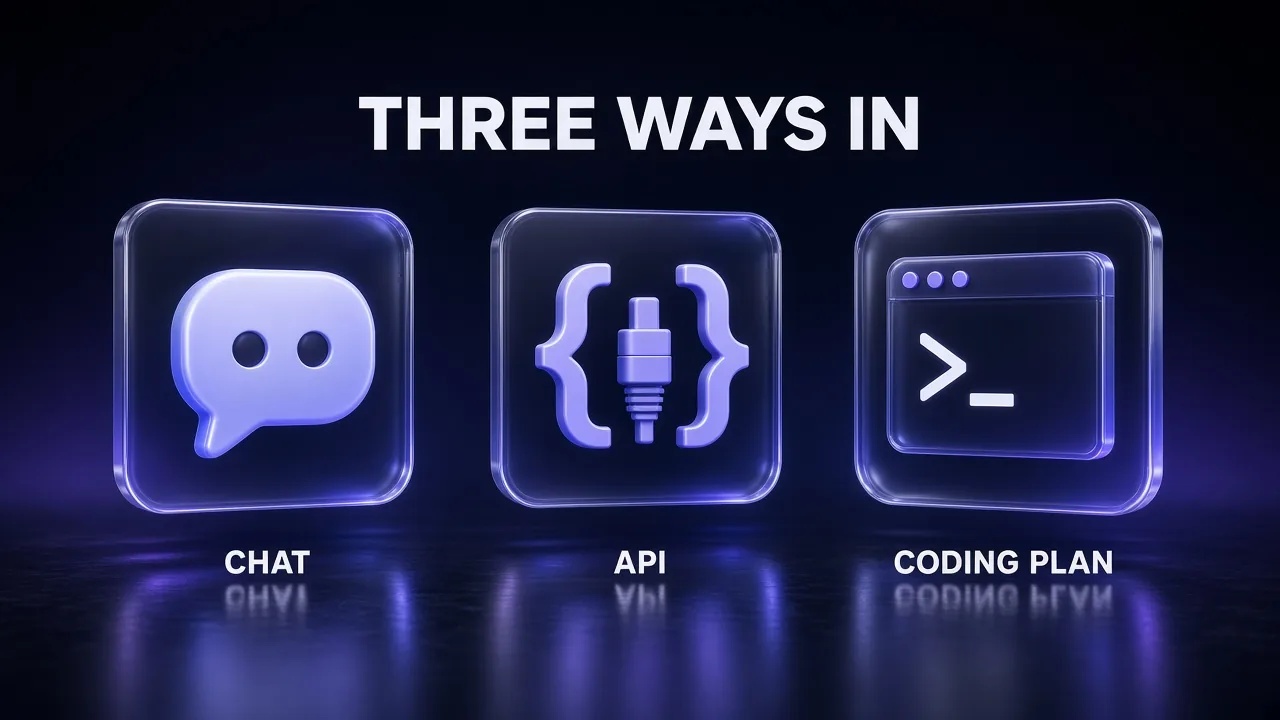
There are four ways to reach GLM-5.3, and the right one depends on whether you want a chat, an integration or an agent that edits your files.
| Route | Best for | What you need |
|---|---|---|
| Z.ai chat (z.ai) | Quick one-off prompts, trying the model | A Z.ai account |
| Pay-as-you-go API | Your own apps, scripts and pipelines | An API key and the model ID glm-5.3 |
| GLM Coding Plan | Daily coding inside an agent (Claude Code, Codex, Cline, OpenCode, ZCode and more) | A subscription, from $18 per month |
| Self-hosting | Data control, research, custom serving | Multi-GPU hardware and SGLang, vLLM or similar |
The GLM Coding Plan in Claude Code
For most developers the GLM Coding Plan is the practical route. Z.ai says it works with more than 20 agent tools. Every plan (Lite, Pro and Max) includes GLM-5.3 and GLM-5.3-Flash, and usage is metered in credits with a 5-hour limit and a weekly limit. Calls outside peak hours cost half the credits. Peak hours are 14:00 to 18:00 UTC+8, Monday to Friday, which is 11:30 AM to 3:30 PM IST. Plans also include Web Search, Web Reader, Zread and Vision MCP servers.
To run it in Claude Code, Z.ai's Claude Code setup guide has you add these keys to ~/.claude/settings.json. The [1m] suffix turns on the full 1M-token context:
{
  "env": {
    "ANTHROPIC_AUTH_TOKEN": "your_zai_api_key",
    "ANTHROPIC_BASE_URL": "https://api.z.ai/api/anthropic",
    "ANTHROPIC_DEFAULT_HAIKU_MODEL": "glm-5.3-flash[1m]",
    "ANTHROPIC_DEFAULT_SONNET_MODEL": "glm-5.3[1m]",
    "ANTHROPIC_DEFAULT_OPUS_MODEL": "glm-5.3[1m]",
    "CLAUDE_CODE_AUTO_COMPACT_WINDOW": "1000000",
    "API_TIMEOUT_MS": "3000000"
  }
}
Then run claude and type /status to confirm the model. Type /effort to switch reasoning levels; the default is max. One catch: Z.ai's automated setup helper maps all three slots to GLM-5.3-Flash by default, so check /status if you used it. For Codex, Z.ai's model-switching guide uses the base URL https://api.z.ai/api/v1. For Cline and other OpenAI-compatible tools it uses https://api.z.ai/api/coding/paas/v4. In Cline, untick "Support Images" (the model is text-only) and set the context window to 1,000,000. If you want to compare this setup with running Claude Code on other providers, our guide to using Claude Code for free covers the alternatives.
Calling GLM-5.3 through the API
On the API, the one setting to get right is effort. Z.ai recommends max for coding:
{
  "model": "glm-5.3",
  "thinking": { "type": "enabled" },
  "reasoning_effort": "max"
}
If you are migrating from an older GLM model that used "thinking": {"type": "disabled"}, change it to enabled with reasoning_effort: "low" before switching the model ID. Z.ai says requests with reasoning disabled now fail. For cost context next to Anthropic's rates, see our Claude Code API pricing breakdown.
| Effort | Use it for |
|---|---|
max (default) | Multi-file features, debugging, architecture review, security audits |
high | Routine components, endpoints, tests and docs |
low | Renames, formatting, boilerplate, simple conversions |
9 Meta-Rules for Better GLM-5.3 Coding Prompts
Every prompt in this library follows the same anatomy: a goal, the context, the constraints, and a way to verify the result. These nine rules are the reasoning behind that shape. Most of them fall under what is now called context engineering; our explainer on what context engineering is goes deeper.
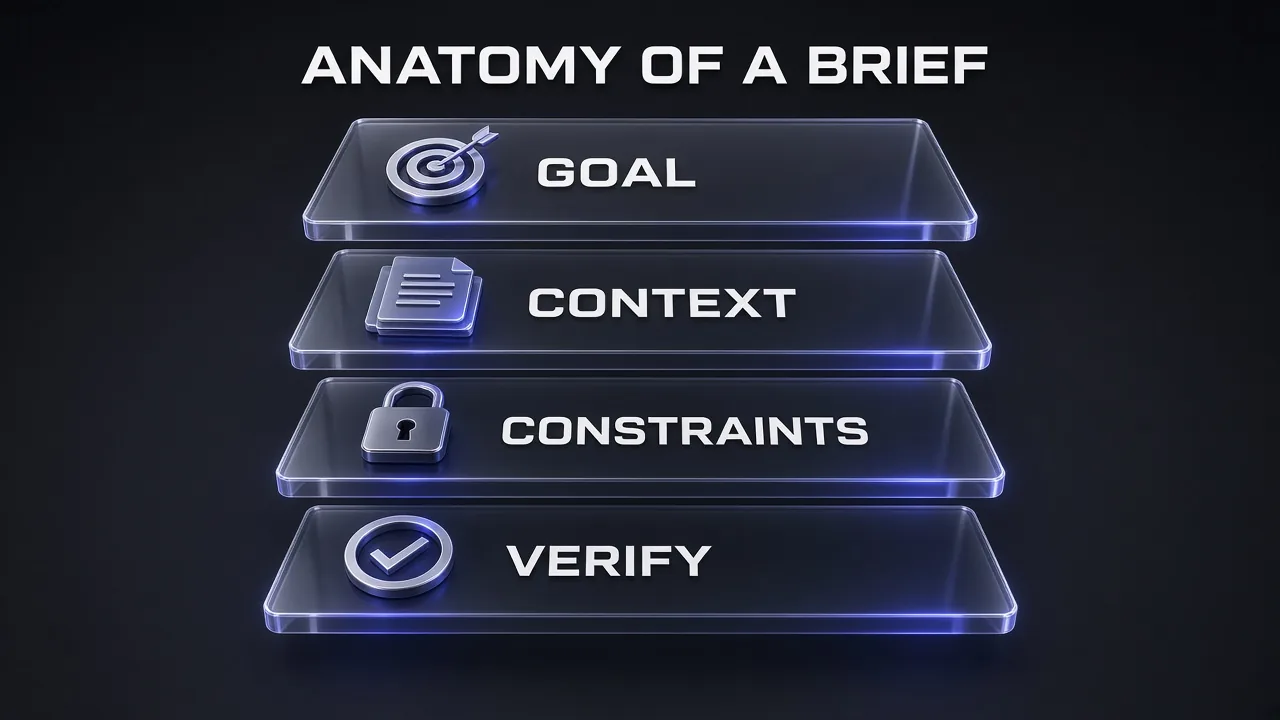
- Lead with the goal and the definition of done. "Done when lint, typecheck and build pass" gives the model a finish line. Z.ai trained GLM-5.3 on executable, verifiable tasks; give it one.
- Name the stack and the versions. "Next.js 15 App Router, Tailwind v4" removes a whole class of outdated-API mistakes.
- Paste context first, instruction last. With long pastes, put the files at the top and the task at the bottom so the request is the freshest thing the model reads.
- Fence your inputs. Delimiters like
===CODE===keep your pasted material from being read as instructions. - Set effort instead of begging. Reasoning is always on. "Think very carefully" does nothing that
reasoning_effort: maxdoes not do better. - Describe what it cannot see. GLM-5.3 is text-only. Write UI specs in words, paste markup and export reports as text, or route visual tasks to GLM-5.3-Flash.
- Ask for evidence. "Quote a file path for every claim" and "cite the doc section" make hallucinations visible and cheap to catch.
- Specify the output shape. Full files with paths, diffs, tables or JSON. GLM-5.3 supports structured output on the API, so use it when another program reads the reply.
- Put permanent rules in AGENTS.md or CLAUDE.md. Commands, conventions and no-go folders belong in a file the agent reads every session, not retyped in every prompt.
Pro tip: Keep a one-paragraph "project card" (stack, versions, commands, folder rules) at the top of your AGENTS.md and paste it into chat sessions too. It is the single change that most improves a cold-start prompt.
1. Project Scaffolding (Prompts 1–2)
Scaffolding is where a vague prompt costs you most, because every later file inherits the first one's guesses. Both prompts below end with a concrete "done when" line. That tells GLM-5.3 when to stop. It also lets an agent run the checks itself instead of handing you a tree of files that has never been built. If you are on Next.js, pair these with Vercel's official Next.js and React agent skills so the agent loads current framework conventions instead of recalling old ones.
1. The Greenfield Project Scaffolder
A new Next.js repo that installs, lints and builds on the first try.
You are a senior full-stack engineer setting up a new repository.
Build the scaffold for [PROJECT NAME], a [ONE-LINE PRODUCT DESCRIPTION].

Stack: Next.js [VERSION] (App Router), TypeScript strict mode, Tailwind CSS [VERSION], [DATABASE + ORM], [AUTH PROVIDER], [PACKAGE MANAGER].

Deliver, in this order:
1. A directory tree with a one-line purpose for every folder.
2. Every config file in full: package.json scripts (dev, build, lint, typecheck, test), tsconfig.json, ESLint and Prettier config, and .env.example with every variable documented.
3. A minimal working home page and one API route at /api/health that returns {"status":"ok"}.
4. An AGENTS.md listing the commands, folder rules and coding conventions an AI agent must follow in this repo.

Constraints: no deprecated APIs, no TODO placeholders in config files, pin major versions only.

Done when: install, lint, typecheck and build all pass. If you can run commands, run them and fix every failure before replying. If you cannot, list the exact commands I should run and what output to expect.
Why it works on GLM-5.3: the numbered deliverables and the closing check turn an open request into a task with a verifiable end state, which is the kind of environment Z.ai says it trained on. The AGENTS.md step pays off later: every agentic prompt in this guide tells the model to read it.
2. The Monorepo Architect
Plan a multi-app workspace before a single file exists.
Plan a monorepo for [PRODUCT] with these apps: [APP 1, e.g. web (Next.js)], [APP 2, e.g. api (Fastify)], [APP 3, e.g. admin dashboard].
Shared packages: [e.g. ui, config, types, db].
Tooling: [pnpm workspaces + Turborepo / Nx].

Before writing any files, give me:
- the folder layout,
- the dependency graph between apps and packages (which imports which, with no cycles),
- how TypeScript path aliases and builds resolve across packages,
- the CI task pipeline (lint, typecheck, test, build) and what gets cached.

Then stop and wait for my "go".
After I approve, generate the root config files and one example shared package (packages/[NAME]) that two apps import, plus a test that proves the import resolves in both.
The "stop and wait" line matters. Monorepo mistakes are structural, so you want to correct the graph while it is still a list rather than after GLM-5.3 has written 40 files around it.
2. Frontend and UI: React, Next.js, Tailwind (Prompts 3–5)
One fact shapes every frontend prompt here: GLM-5.3 cannot see images. You describe the interface in words, or you hand the visual work to GLM-5.3-Flash (more on that in the FAQ). Written specs have an upside, though. They force you to name states, variants and accessibility rules that a screenshot never shows. If your UI keeps coming out generic, the problem is usually the missing design rules, not the model. Our guide on how a design.md improves AI coding results shows how to write those rules down once and reuse them.
3. React Component From a Written Spec
A production component with every state defined up front.
You are a senior React engineer. Build a [COMPONENT NAME] component in React [VERSION] + TypeScript + Tailwind CSS.

Written spec (you cannot see images, so treat this as the source of truth):
- Layout: [e.g. card with avatar on the left, name and role stacked on the right, action button top-right]
- States: default, hover, focus-visible, loading, empty, error
- Variants: size [sm / md / lg], tone [neutral / brand]
- Data: props typed as an exported interface; no data fetching inside the component
- Accessibility: keyboard reachable, visible focus ring, aria-label on icon-only buttons, WCAG AA contrast
- Responsive: [BREAKPOINT BEHAVIOUR, e.g. stack vertically below 640px]

Return:
1. The component file.
2. A usage example that renders every state and variant.
3. A short list of design decisions you made where my spec was silent, so I can approve or change them.
The last deliverable is the useful one. GLM-5.3 will fill gaps in any spec; asking it to list those choices makes the gaps visible instead of buried in the JSX. For more distinctive visual output, the Frontend Design skill gives an agent a stronger default taste than a bare prompt can.
4. Next.js App Router Feature Page
A complete route that follows the conventions already in your codebase.
Add a [FEATURE ROUTE, e.g. /dashboard/invoices] page to my Next.js [VERSION] App Router project.

Context:
[PASTE the app/ directory tree and the relevant files: root layout.tsx, data-access layer, auth helper, one existing page you like]

Requirements:
- Server Components by default. Mark a Client Component only where interaction needs it, and say why.
- Fetch data from [DATA SOURCE]; add loading.tsx and error.tsx for this route segment.
- Mutations go through Server Actions with server-side validation using [zod / valibot].
- Pagination and search live in the URL (?page= and ?q=); the URL is the source of truth.
- Add generateMetadata with a title and description.

Follow the conventions you see in the pasted files: naming, folder structure, import aliases, error handling.
Output every new or changed file in full with its path, then list anything you had to assume about my codebase.
Pasting one page you already like is the cheapest style guide there is. With a 1M-token window you can afford to include it, along with the layout and data layer, so the new route matches the old ones instead of inventing a third pattern.
5. Tailwind Design-System Cleanup
Turn one-off classes and stray hex codes into a small token set.
Here is my Tailwind setup and [N] components from my app:
===CONFIG===
[PASTE tailwind config or the CSS file with your @theme block]
===COMPONENTS===
[PASTE COMPONENTS, each with its file path]
===END===

Problems: inconsistent spacing, one-off hex colours, duplicated button styles, no dark mode.

Do this in order:
1. Audit: list every hard-coded colour, arbitrary value (e.g. mt-[13px]) and duplicated class pattern, with file and line.
2. Propose a small token set: colour scale with dark-mode pairs, spacing, radius, shadow and type scale.
3. Rewrite the theme for [Tailwind v4 @theme / Tailwind v3 tailwind.config.ts] and refactor each component to use only tokens.
4. Extract repeated patterns into [cva variants / small components], not long @apply blocks.

Do not change layout or behaviour; this is a visual-consistency refactor only. Show a before/after diff per file.
Tell it which Tailwind major you run. The v3 and v4 configuration models differ, and the Tailwind CSS v4 Docs skill keeps an agent on the current syntax if you are on v4. If the problem is broader than tokens, our vibe coding prompts for beautiful sites cover layout, typography and motion.
3. Backend and APIs (Prompts 6–7)
Backend prompts fail in a predictable way: the happy path is fine and the error handling is invented on the spot. Both prompts below spell out the error contract and ask for tests that exercise it. GLM-5.3 supports function calling and structured JSON output on the API, so these templates also work inside your own tooling, not just in a chat window.
6. REST Endpoint With Validation and Tests
One endpoint, fully specified, with its failure modes tested.
You are a senior backend engineer. Implement [METHOD] [PATH] in [Express / Fastify / NestJS / Hono] with TypeScript.

Behaviour: [WHAT IT DOES]
Request body: [FIELDS + TYPES]
Response: [SHAPE]
Error cases: [LIST]

Requirements:
- Validate input with [zod]; return 400 with field-level messages.
- Auth via [MIDDLEWARE / STRATEGY]; return 401 and 403 correctly (unauthenticated vs not allowed).
- Idempotency: [support an Idempotency-Key header / not needed].
- Structured logging with a request ID; never log secrets or full personal data.
- One error envelope everywhere: {"error": {"code": "...", "message": "...", "details": {}}}

Return: the route, the schema, the service function, and integration tests with [supertest + vitest] covering success, validation failure, auth failure and [EDGE CASE].
7. OpenAPI-First API Design
Agree on the contract before anyone writes a handler.
Design the API for [FEATURE / PRODUCT] before any code is written.
Entities: [LIST]
Clients: [e.g. web app, mobile app, partner integrations]

Produce an OpenAPI 3.1 YAML spec with resource-oriented paths, cursor-based pagination, filtering, a consistent error schema, the auth scheme, rate-limit headers, and an example for every response.

Then list:
- 5 design decisions and their trade-offs,
- any endpoint you would version separately,
- the 3 breaking changes we are most likely to want later, and how this design avoids them.

Before you return, check that every $ref resolves and every operationId is unique.
Ask for the trade-offs explicitly. GLM-5.3 always reasons before it answers, and this is where that reasoning becomes something you can review rather than something hidden in the thinking trace.
4. Databases and SQL (Prompts 8–9)
Data work rewards precision more than any other section, because a wrong index or a missing foreign key survives for years. Give GLM-5.3 your real queries and your real row counts. If you build on Supabase, the Supabase Agent Skills pack teaches an agent the platform's RLS and migration conventions.
8. PostgreSQL Schema and Migration Designer
Tables, indexes, migrations and RLS from plain requirements.
Design a PostgreSQL [VERSION] schema for [DOMAIN] from these requirements:
[PASTE REQUIREMENTS OR USER STORIES]

Deliver:
1. Tables with columns, types, NOT NULL, defaults, primary and foreign keys, and ON DELETE behaviour, plus a one-line reason for every non-obvious choice.
2. Indexes for these queries: [LIST YOUR TOP 5 QUERIES]. Say which query each index serves.
3. A forward migration and a matching rollback for [Prisma / Drizzle / raw SQL / Supabase migrations].
4. Row Level Security policies for this tenancy rule: [e.g. users only see rows where org_id matches their membership].
5. Seed data: [N] realistic rows per table.

Finally, flag anything that will hurt at [EXPECTED ROW COUNT] rows.
9. The Slow Query Doctor
Read an EXPLAIN plan and fix the expensive node.
This PostgreSQL query takes [CURRENT TIME] on [ROW COUNT] rows.
===QUERY===
[PASTE SQL]
===EXPLAIN (ANALYZE, BUFFERS)===
[PASTE PLAN]
===SCHEMA AND INDEXES===
[PASTE table definitions and existing indexes]
===END===

1. Explain in plain English where the time goes. Walk the plan node by node, most expensive first.
2. Give up to 3 fixes ranked by impact versus risk: a rewritten query, a new or changed index (use CREATE INDEX CONCURRENTLY), or a schema change.
3. For each fix, predict which plan node changes and why.

Do not suggest bigger hardware.
The EXPLAIN (ANALYZE, BUFFERS) output is the whole point. Without it, any model is guessing; with it, GLM-5.3 can point at the exact sequential scan or nested loop that is eating the time.
5. Debugging (Prompts 10–11)
Z.ai describes GLM-5.3's training tasks as real units of engineering work: diagnose, fix, verify. Debugging prompts should take the same shape. Make the model state its hypotheses before it touches code, and insist on a regression test so the fix stays fixed.
10. Stack Trace to Root Cause
Find the cause, not the line that happened to throw.
You are debugging a [LANGUAGE / FRAMEWORK] app. Find the root cause, not the nearest symptom.
===ERROR AND STACK TRACE===
[PASTE]
===RELEVANT FILES===
[PASTE every file named in the trace, plus related config]
===WHAT CHANGED RECENTLY===
[RECENT COMMITS, DEPENDENCY BUMPS, ENV CHANGES]
===END===

Steps:
1. Restate the failure in one sentence.
2. List up to 3 hypotheses ranked by likelihood, with the evidence for each.
3. Name the single fastest check that tells them apart.
4. Give the fix for the most likely cause as a minimal diff.
5. Add a regression test that fails before the fix and passes after it.
11. The Intermittent Bug Hunter
For bugs that only show up under load, in production, or one time in fifty.
I have a bug that happens [FREQUENCY, e.g. 1 in 50 requests / only in production / only under load].
Symptoms: [WHAT HAPPENS]
Environment: [RUNTIME, HOSTING, CONCURRENCY MODEL]
Code on this path: [PASTE]
Logs from one failing run and one passing run: [PASTE BOTH, labelled]

Treat this as a race condition, caching or shared-state problem until proven otherwise.
1. Compare the two logs line by line and show where they diverge.
2. List every piece of shared mutable state, every async boundary and every cache on this path.
3. Propose instrumentation (exact log lines or metrics) that would confirm the cause the next time it happens.
4. Give the fix you would ship if the leading hypothesis is right, and how you would prove it worked.
Intermittent bugs are where the long context earns its keep. Paste the full logs, not a trimmed excerpt. The divergence you are looking for is often 400 lines before the error.
6. Refactoring (Prompts 12–13)
Refactoring with an AI goes wrong when "clean up" quietly becomes "change behaviour". Both prompts lock behaviour first and move code second.
12. Safe Legacy Refactor With Characterisation Tests
Restructure old code without changing what it does.
Refactor [FILE / MODULE] ([LINES] lines of [LANGUAGE]) to [GOAL, e.g. split the god class into services / remove global state].

Hard rules:
- Behaviour must not change. First write characterisation tests that pin down current behaviour, including the odd parts.
- Refactor in small steps. After each step the tests must pass. Present the steps as a numbered list of commits with messages.
- The public API stays the same unless I approve a change. List any change you think is worth making separately.
- No new dependencies.
===CODE===
[PASTE THE MODULE AND ITS CALLERS]
===END===

Finish with a table: what moved where, and what you deliberately left alone.
13. JavaScript to TypeScript Migration
Strict types, inferred from real usage across files.
Migrate [DIRECTORY] from JavaScript to TypeScript in strict mode.
Context: [PASTE package.json, any existing tsconfig, and every file in the directory]

Rules:
- No any. Use unknown plus narrowing where a type is genuinely unknown. Leave a // TODO(types) comment only where a type depends on an external API you cannot see.
- Infer types from usage across all files, not just the file at hand. Shared shapes go in [types/].
- Keep runtime behaviour identical. Do not fix bugs in passing; list them instead.
- Migrate leaf-first: files with no local imports go first.

Output: the migration order, then each converted file in full, then the list of bugs and type holes you found.
"Infer types from usage across all files" is the instruction that needs a big context window. With the whole directory in one prompt, GLM-5.3 can see that the user object in file A is the same shape that file F mutates.
7. Testing (Prompts 14–15)
Tests are the verification step every other prompt in this guide leans on, so they deserve their own templates. For browser-level checks in an agent, the Webapp Testing skill wires Playwright into the loop.
14. Unit Test Suite Generator
Branch-level coverage with mocks only at the edges.
Write [Vitest / Jest / pytest] tests for the module below.
===MODULE===
[PASTE]
===END===

Cover happy paths, boundary values, empty and null inputs, error paths, and every branch you can see.
Use Arrange-Act-Assert, one behaviour per test, and descriptive names such as "returns 0 when the cart is empty".
Mock only I/O boundaries: [LIST, e.g. network, database, clock]. Never mock the unit under test.

After the tests, list the branches you could not cover and why, and estimate line coverage.
If you can run the suite, run it. Fix tests that are wrong; report tests that fail because the code is wrong.
15. Playwright End-to-End Test Writer
Stable E2E tests for a real user flow.
Write Playwright tests in TypeScript for this user flow in my [FRAMEWORK] app at [BASE URL]:
Flow: [STEP BY STEP, e.g. sign up, verify email via stub, create project, invite teammate]
Markup involved: [PASTE the relevant JSX or HTML for each step]

Rules:
- Role- and label-based locators (getByRole, getByLabel). No CSS selectors, no fixed waits.
- Web-first assertions only.
- Each test seeds its own user through [API / fixture] so tests can run in parallel.
- Add one test for the main failure path: [e.g. signing up with an email that already exists].

Include playwright.config.ts with retries on CI only and a trace on first retry. Explain how to run it locally and in CI.
Because GLM-5.3 is text-only, paste the markup for each step. It can then choose real accessible names for getByRole instead of guessing labels that do not exist.
8. Code Review (Prompts 16–17)
Review is the task where the 1M-token window changes what is possible. A reviewer that has only the diff misses the caller that breaks; a reviewer with the surrounding files does not.
16. Pull Request Reviewer
A senior-engineer review with severity, location and fix.
Review this pull request like a senior engineer who owns the codebase.
PR goal: [WHAT IT SHOULD DO]
Linked issue: [SUMMARY]
===DIFF===
[PASTE git diff]
===SURROUNDING CODE===
[PASTE every file the diff touches, in full, plus their main callers]
===END===

Return findings as a list. Each one needs: severity (BLOCKER / MAJOR / MINOR / NIT), file:line, the problem, why it matters, and a concrete fix.
Check correctness, edge cases, error handling, security, performance, naming and test coverage.
Skip anything a linter or formatter would catch.

End with a decision (approve / approve with changes / request changes) and the one thing you want fixed first.
17. Whole-Repo Architecture Review
Use the full context window to see the system, not one file.
I am pasting most of my repository: [N] files, roughly [TOKEN COUNT] tokens. Read all of it before answering.
===REPO===
[PASTE THE FILE TREE, THEN EACH FILE WITH ITS PATH AS A HEADER]
===END===

Give me:
1. One paragraph describing the architecture as it actually is, not as the README claims.
2. The 5 riskiest places in the code, with file paths, ranked by blast radius.
3. Duplicated logic that should be consolidated.
4. Dead code you are confident is unused, with the evidence.
5. A 3-step improvement plan I can finish in [TIMEFRAME].

Quote a file path for every claim.
"Quote a file path for every claim" is the anti-hallucination clause. It makes every finding checkable in seconds.
Pro tip: 1M tokens is a ceiling, not a target. Leave out lockfiles, build output, vendored code and fixtures. A tighter paste means a cheaper call and a sharper answer, and it leaves room for the model's reasoning and reply inside the same window.
9. Security (Prompts 18–19)
Security is where Z.ai makes its boldest claims. It reports GLM-5.3 at 84.5% on the CyberGym vulnerability-discovery benchmark, the top score in its table. It also says the model found 2,436 vulnerabilities across 269 real projects with partner security teams, 1,097 of them rated medium-to-high severity after expert review. These two prompts point that ability at the right target: code you own, reviewed before attackers get to it.
18. Secure Code Audit (Code You Own)
An OWASP-style review that points at real lines.
You are an application security engineer reviewing code I own and am authorised to audit.
Scope: [SERVICE / DIRECTORY], a [STACK] app that handles [DATA TYPES, e.g. payments, personal data].
===CODE===
[PASTE]
===END===

Check against the OWASP Top 10 and these specifics: injection (SQL, NoSQL, shell), broken access control and IDOR, auth and session handling, SSRF, unsafe deserialisation, secrets in code or logs, missing rate limits, and risky dependencies you can infer from the imports.

For each finding give: severity (Critical / High / Medium / Low), file:line, how it could be abused in one sentence, and a patched code snippet.
Report nothing theoretical: every finding must point at a line of code.
Finish with the 3 fixes to ship this week.
19. Threat Model for a New Feature
Find design flaws before they become code.
Threat-model this feature before we build it: [FEATURE DESCRIPTION]
Architecture: [COMPONENTS, DATA FLOWS, TRUST BOUNDARIES, THIRD-PARTY SERVICES]

Use STRIDE. Output a table with columns: threat, affected component, likelihood, impact, mitigation, and how we will test the mitigation.

Then write the security requirements as acceptance criteria I can paste into the ticket, and name the 2 assumptions that would break this threat model if they turn out to be wrong.
Keep security prompts scoped to systems you are authorised to test. That is the ethical line, and it also produces better output: a named scope and data types give the model something concrete to reason about.
10. Performance (Prompt 20)
Performance prompts need numbers in and numbers out. Paste field data and a text Lighthouse report. GLM-5.3 cannot read a screenshot of a waterfall chart, but it reads the JSON or text export fine.
20. Core Web Vitals Fixer
Tie each slow metric to a specific element and fix it.
My [Next.js / React / Astro] page [URL PATH] has poor Core Web Vitals: LCP [VALUE], INP [VALUE], CLS [VALUE] (field data from [CrUX / RUM tool]).
===PAGE CODE===
[PASTE the page, its layout and key components]
===LIGHTHOUSE / BUNDLE REPORT===
[PASTE the text or JSON export]
===END===

For each metric, name the specific element or script responsible.
Then give fixes ranked by expected gain: image priority and sizing, font loading, render-blocking scripts, hydration cost, layout shifts from late-loading content, long tasks on interaction.
Show the code changes as diffs.
For each fix, explain how to verify it in a lab run and what change to look for. Do not promise field results.
11. DevOps and Deployment (Prompts 21–22)
Z.ai reports GLM-5.3 at 28.3 on Terminal Bench 3.0, up from 4.6 for GLM-5.2. That benchmark measures agents doing real work in a terminal. These two prompts cover the terminal-heavy jobs most web teams run: building containers and shipping changes without downtime.
21. Dockerfile and CI Pipeline
A lean, non-root image and a cached CI workflow.
Containerise my [STACK] app and set up CI.
Context: [PASTE package.json or requirements file, current build commands, and the list of env var NAMES (no values)]

Deliver:
1. A multi-stage Dockerfile: pinned base image, non-root user, production dependencies only in the final stage, a HEALTHCHECK, and a .dockerignore.
2. A [GitHub Actions / GitLab CI] workflow: install with cache, then lint, typecheck, test, build the image, and push to [REGISTRY] on main only.
3. Secrets handled through the CI secret store; nothing secret in the image or the logs.

Explain each stage in one line and give a rough expected image size. If anything in my setup blocks a clean build, say what it is and how to fix it.
22. Zero-Downtime Rollout and Rollback Runbook
Ship a risky change with a written escape hatch.
We are deploying [CHANGE, e.g. a migration that renames a column plus a new API version] to [PLATFORM: Vercel / Kubernetes / Fly.io / ECS].
Traffic: [REQUESTS PER SECOND]. Downtime budget: [ZERO / N MINUTES].

Write the rollout as a runbook:
- pre-flight checks,
- the exact order of steps (use expand-and-contract for the schema change),
- feature flags and who flips them,
- the health metrics to watch, with thresholds,
- the rollback trigger and the rollback steps.

Mark every irreversible step. Include commands or config for [PLATFORM] where you know them, and mark anything you are not sure of as VERIFY instead of guessing.
The VERIFY instruction is worth stealing for every prompt that touches infrastructure. Platform CLIs change faster than any model's training data, and you want uncertainty labelled, not hidden.
12. Documentation (Prompt 23)
Documentation is the cheapest win in this guide. The code already holds the answers; the prompt just has to stop the model from inventing the parts the code does not show.
23. README and Onboarding Doc From the Codebase
The README a new engineer needs on day one.
Read this repository and write the README a new engineer needs on their first day.
===REPO===
[PASTE the file tree, package.json, key config files and the main entry points]
===END===

Sections:
- What it is (2 sentences)
- Architecture overview
- Prerequisites with versions
- Setup, as copy-pasteable steps
- Environment variables table (name, required?, purpose, example value)
- Common commands
- How to run the tests
- Project structure
- Deployment
- Troubleshooting: the 5 errors you can anticipate from the code

Only document what the code shows. Where the code is ambiguous, write "TBD: [your question]" instead of inventing an answer.
The TBD rule turns the README into a list of questions for whoever knows the answers, which is more useful than confident fiction. For longer specs and design docs, the Doc Co-Authoring skill gives an agent a structured three-stage writing workflow.
13. Agentic and Multi-File Tasks (Prompts 24–25)
This is GLM-5.3's home ground. It supports function calling, Z.ai benchmarks it inside the Claude Code harness, and its post-training targeted long-horizon tasks, some of which Z.ai says represent several days of an experienced engineer's work. Run these two in a coding agent (Claude Code, Codex, Cline, OpenCode) rather than in a chat window, so the model can read files, run commands and check its own work.
24. Docs-Grounded Integration
Integrate a third-party SDK from current docs, not memory.
You are working in my repository as a coding agent. Task: integrate [SERVICE / SDK, e.g. Stripe Checkout] into [APP].

First read the current official docs for [SERVICE] version [VERSION]:
[PASTE THE DOC TEXT, or give the doc URLs if you have a web-reader tool]
Do not rely on memory for API names or parameters. For each call you write, cite the doc section you used.

Then:
1. Write a plan listing every file you will create or change.
2. Implement it.
3. Add tests with the SDK mocked at the network boundary.
4. Run [TEST COMMAND] and [LINT COMMAND] and fix failures until both pass.
5. Report what you changed, what you verified, and anything that still needs a real API key to test.
The GLM Coding Plan includes Web Search, Web Reader and Zread MCP servers, so an agent on the plan can fetch docs itself. If you want clean, LLM-ready markdown of a whole docs site to paste in instead, a crawler does that job well.
If you integrate APIs often, consider packaging the pattern as a skill. Our explainer on what AI skills are and how to use them covers when a reusable skill beats a long prompt, and the MCP Builder skill helps when the integration should become a tool other agents can call.
25. Long-Horizon Feature Build
Hand over a whole feature with milestones, guardrails and a stop rule.
Act as an autonomous engineer on this repository.
Goal: [FEATURE, written as user-facing acceptance criteria]

Working rules:
- Read AGENTS.md (or CLAUDE.md) first and follow it.
- Start by writing PLAN.md: milestones, the files each one touches, risks, and the test that proves each milestone is done.
- Work one milestone at a time. After each: run [TEST], [LINT], [TYPECHECK] and [BUILD]; fix until all are green; commit with a clear message; tick the milestone off in PLAN.md.
- Never edit [PROTECTED PATHS, e.g. applied migrations, .env, vendor/]. Never skip or delete a test to make it pass.
- If the same error blocks you for more than [N] attempts, stop and write down what you tried and what you need from me.

Definition of done: [CRITERIA]
Final report: what shipped, test results, and follow-ups.
Three clauses do the heavy lifting: the PLAN.md checkpoint, the protected paths, and the stop rule. Long runs fail by drifting, by "fixing" things they should not touch, or by looping on one error. Each clause closes one of those doors.
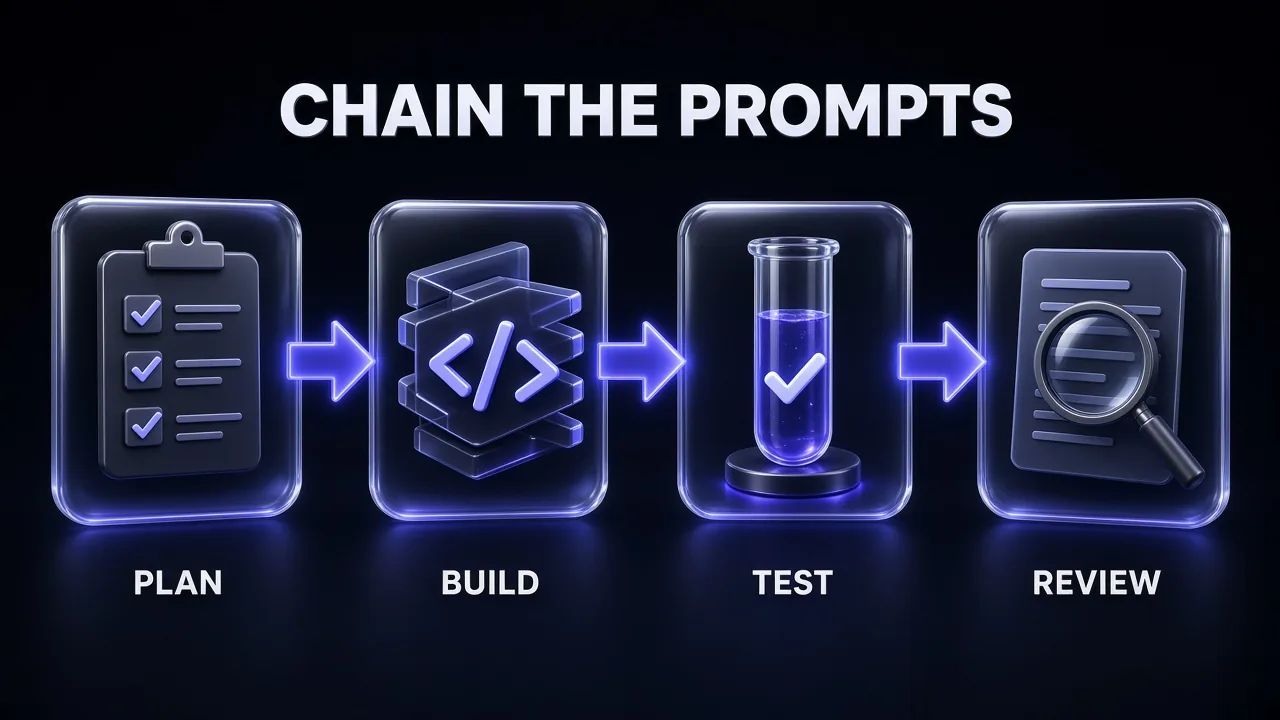
How to Chain These Prompts Into a Workflow
Single prompts solve single problems. Chains ship features. These are the combinations that map to the jobs web developers do most often:
- New product, day one: Prompt 1 (scaffold) or 2 (monorepo), then 8 (schema), then 7 (OpenAPI contract), then 21 (Docker and CI). You end the day with a repo that builds, a database plan and a pipeline.
- New feature: Prompt 19 (threat model), then 25 (long-horizon build), then 16 (PR review) on the agent's own diff in a fresh session.
- Frontend pass: Prompt 5 (token cleanup), then 3 (components from a written spec), then 15 (Playwright tests), then 20 (Core Web Vitals).
- Inherited codebase: Prompt 17 (whole-repo review), then 23 (README), then 12 (safe refactor) on the riskiest module it found.
- Production incident: Prompt 10 or 11 (debugging), then 14 (regression tests), then 22 (rollout runbook) for the fix.
My take: run the review step in a new session. A model reviewing work it just wrote, in the same conversation, inherits its own assumptions. A fresh context with only the diff and the surrounding files reviews more honestly. This is the same reason human teams do not let authors approve their own pull requests.
7 Mistakes That Make GLM-5.3 Look Worse Than It Is
- Pasting screenshots. The model is text-only. Send markup, text reports or a written spec, or switch to GLM-5.3-Flash for visual work.
- Leaving effort on low for hard problems. Mechanical edits are fine on low; multi-file reasoning is not. Match the effort to the task.
- No verification step. Without "run the tests" or "done when", the model stops when the code looks plausible, not when it works.
- Dumping the whole repo by default. A 1M-token window invites lazy pastes. Lockfiles and build output add cost and noise and no signal.
- Not naming versions. Framework APIs move fast. "Next.js" without a version is an invitation to mix router generations.
- Using the automated Claude Code helper without checking the model. Its default maps every slot to GLM-5.3-Flash. Run
/status. - Treating benchmark wins as guarantees. The numbers above are Z.ai's. Your codebase is the only benchmark that predicts your results, so run a week of real tasks before you commit a team to it.
The Verdict
GLM-5.3 rewards engineers who write good tickets. Give it a goal, real context, firm constraints and a check it can run, and it handles scaffolding, refactors, test suites, reviews and long agent runs at a fraction of frontier prices. Give it a one-line wish or a screenshot and it looks like a cheaper model than it is.
Start with three prompts: 17 (whole-repo review) to see how it reads your codebase, 10 (stack trace to root cause) on your next real bug, and 25 (long-horizon build) on a small, well-tested feature. If those three hold up, the other 22 will too.
Keep Reading
Using a different model for the same work? Claude Fable 5 prompts for web developers covers UI, code review and debugging, and the best Fable 5 prompts for Next.js developers goes deep on the App Router. If your AI-built site already exists and looks off, start with 20 prompts to improve an ugly AI-generated website.
Frequently Asked Questions
10 questions answered