Loading model...
Best Midjourney prompts
25 prompts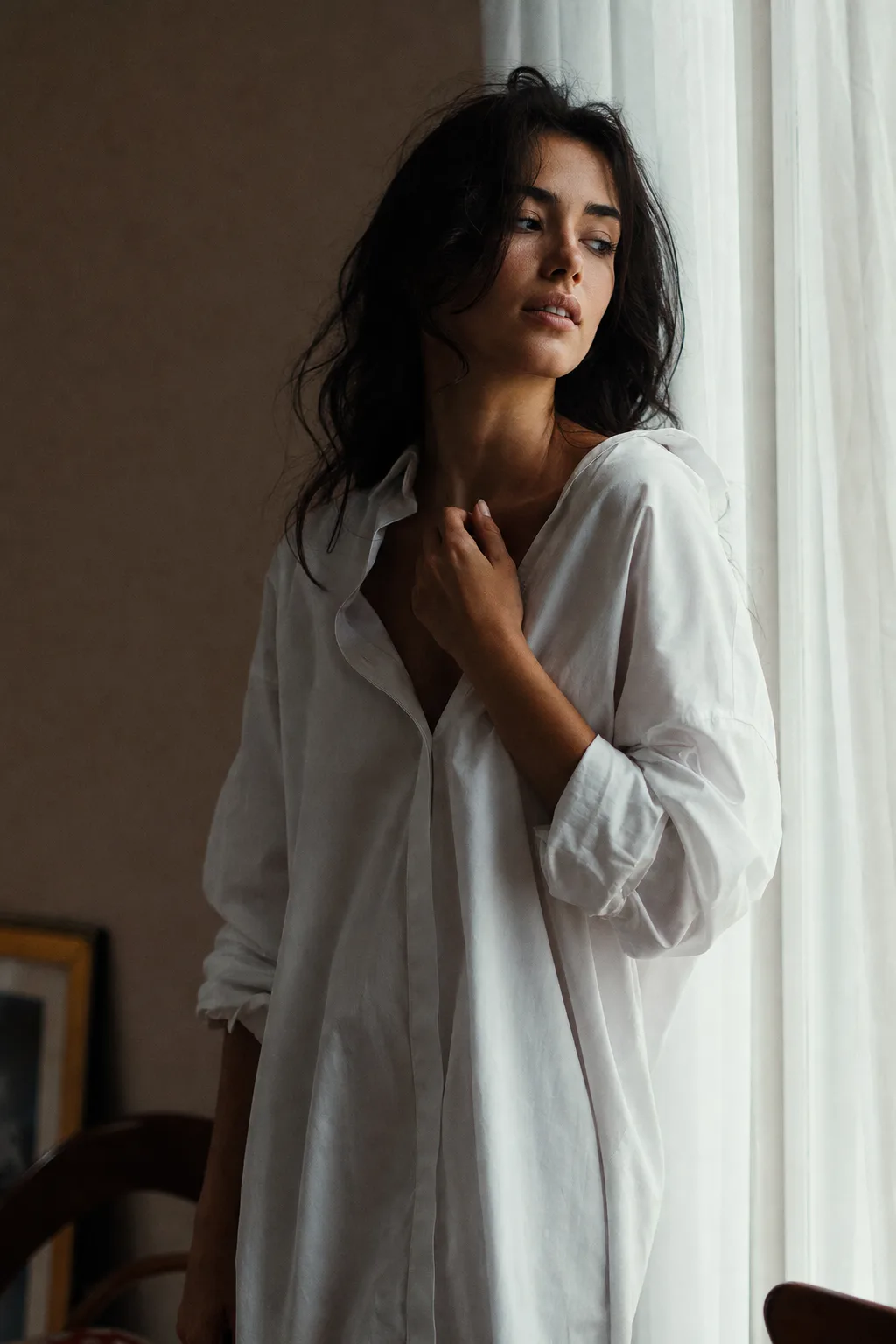
Image
Fashion & Beauty
Editorial Boudoir Portrait
An editorial boudoir prompt for tasteful, high-fashion intimate portraits — evocative through light and styling, with swappable wardrobe and setting. It aims at the restrained, magazine-editorial end of the genre: the mood comes from soft directional light, elegant fabric, deep shadow and generous negative space rather than from exposure. Every wardrobe option is fully clothed and the framing stays artistic, so results read as a fashion spread rather than lingerie content. The prompt specifies an 85mm lens at f/2.0, film-like grain and muted cinematic color grading. What you can customize Subject & Pose — who the subject is and how they carry themselves, in free text. Wardrobe — six looks: Oversized White Shirt, Tailored Black Blazer, Satin Slip Dress, Off-Shoulder Cashmere Knit, Champagne Silk Robe and Lace-Trim Camisole with linen trousers. Setting & Light — six rooms where the light lives: Sheer-Curtain Window, Moody Industrial Loft, Grand Hotel Suite, Vintage Powder Room, Candlelit Interior and Sunlit Conservatory. The scene also carries a global mood variable that sets the overall emotional tone of the frame. Best for Fashion editorial concepts, portfolio and mood-board work, brand campaigns for sleepwear and loungewear, album art, and elevated personal portraiture. Tips for the best results Keep the pose understated — a hand at the collarbone, a gaze turned away, a shoulder angled to the light does far more than an overt pose. Let the wardrobe and setting agree on a single light source so the shadows stay believable. Favour muted, filmic color over saturation. Some image models will refuse bedroom-and-lingerie framings; this template is deliberately built around window light, drapery and clothed elegance, which render reliably and look considerably more expensive.
176 ViewsTemplate
Image
Portrait & Character
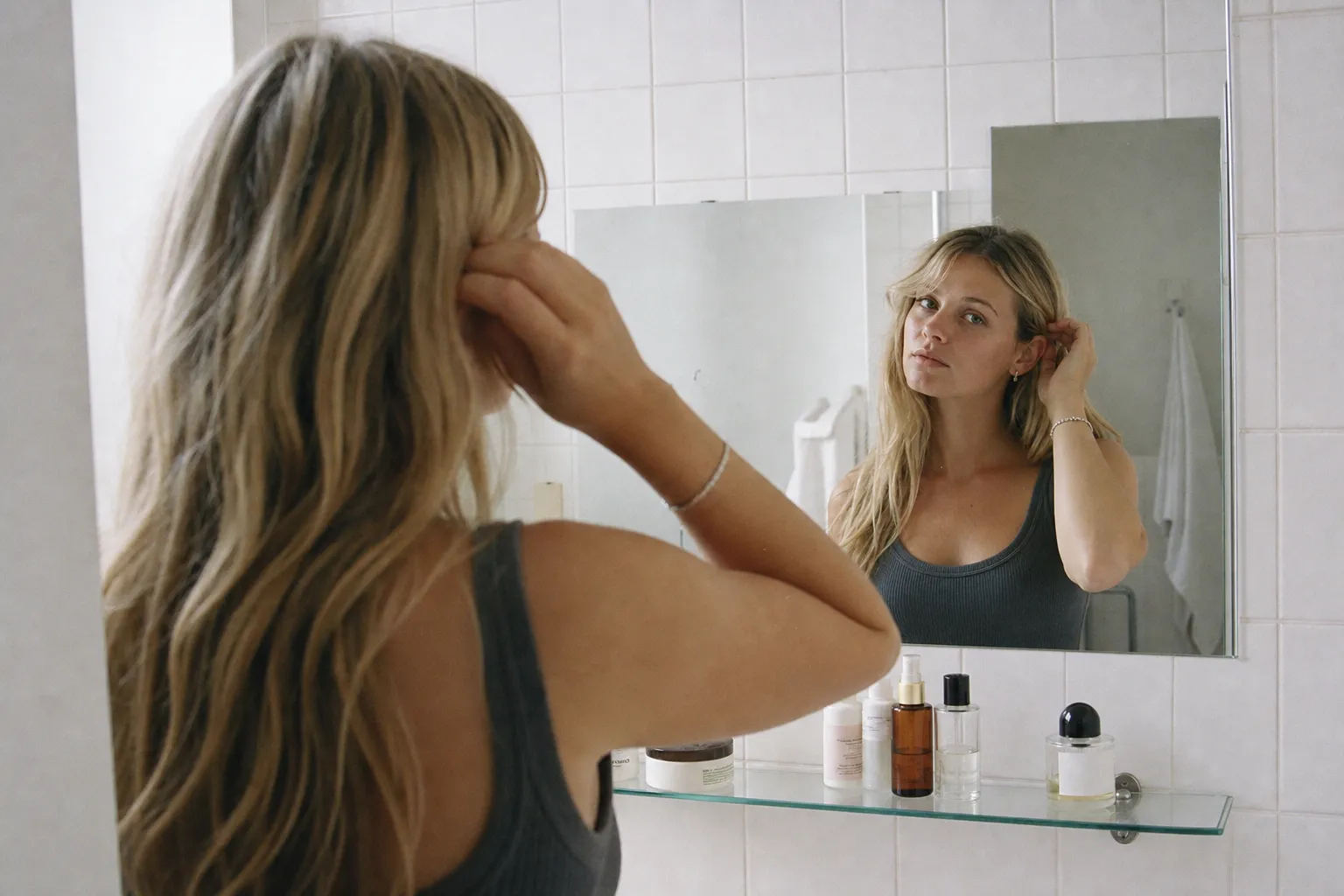
Aesthetic Film Mirror Selfie
An aesthetic mirror selfie prompt that creates candid, film-style self-portraits with a fully swappable subject, setting, and film look. It recreates the effortless, unposed look that dominates lifestyle feeds: soft natural light, real skin texture, gentle grain and the signature mirror-selfie framing where the subject is seen from behind while their reflection faces the camera. The prompt calls for a 35mm camera with shallow depth of field, a realistic reflection and subtle imperfections, so the result reads as a real everyday moment rather than a set-up shot. What you can customize Subject & Action — who is in the mirror, what they wear and the small gesture they are caught in. Mirror Setting — six spaces: Minimalist Tiled Bathroom, Cozy Sunlit Bedroom, Boutique Fitting Room, Modern Elevator, Moody Gym Mirror or Golden-Hour Living Room. Film Look — six color grades, from Authentic 35mm Film and Warm Kodak Portra to Cool Cinematic Grade, Bright & Airy Editorial, Nostalgic 90s Flash and Moody Low Light. Mood — a global mood variable sets the overall emotional tone of the frame. Best for Instagram and lifestyle content, fashion and OOTD posts, skincare and beauty brand mood boards, model portfolio concepts, and profile pictures. Tips for the best results Keep the subject description concrete: hair, outfit and one small action like tucking hair behind an ear or holding a phone. A specific candid gesture sells authenticity far better than a stiff pose. Match the setting and film look to one consistent time of day so the light reads naturally. Lean on muted, realistic color rather than heavy saturation. Avoid over-styled studio lighting, glossy retouching or busy backgrounds; the look lives on softness, restraint, negative space and the believable imperfection of real film.
Image
Portrait & Character
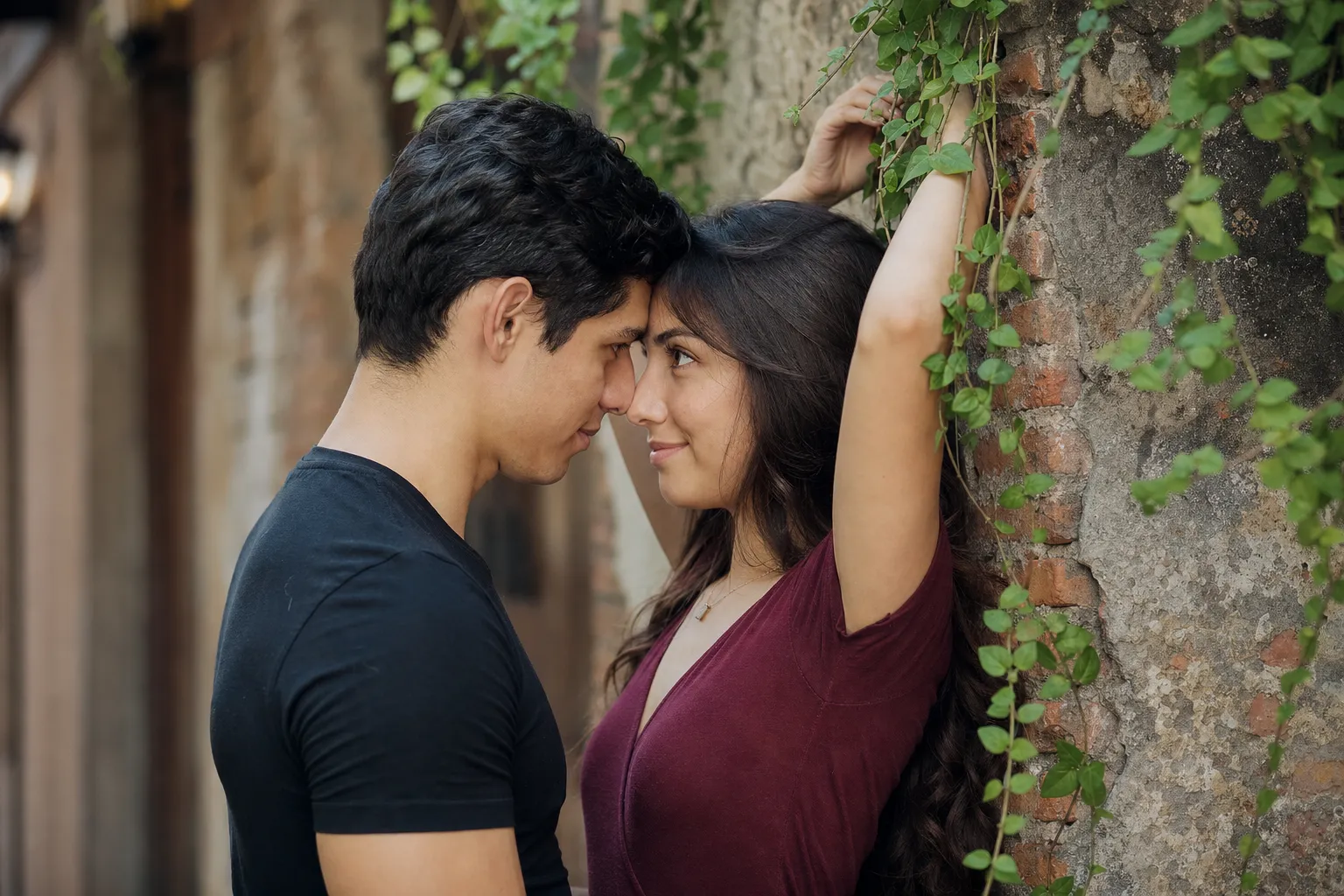
Couple Portrait From Your Photos
A couple portrait prompt that turns two separate photos into one cinematic, photorealistic couple portrait, with swappable pose, setting, and mood. You upload a clear photo of each person and the template composes them into a single believable frame, preserving each face's real features, skin tone and hair while placing the pair into a shared, professionally lit scene. It is built for the candid, editorial engagement-shoot look: an 85mm lens at f/1.8, shallow depth of field, natural skin texture, sharp focus on the eyes, gentle film grain and true-to-life color. Why both faces stay recognizable The prompt names each reference separately and instructs the model to faithfully preserve each face's exact features, skin tone and hairstyle, so neither person is averaged into the other. What you can customize Pose & Interaction — six choices: Forehead to Forehead, Tender Almost-Kiss, Warm Embrace, Playful Back Hug, Laughing Together or Hand in Hand. Outfits & Styling — free text describing what each person wears. Setting / Background — six scenes, including Rustic Brick Alley, Golden Field at Sunset, Neon City Street, Beach at Dusk, Autumn Park Path and Cozy Cafe Interior. Mood — a global mood variable sets the overall emotional tone. First Person Reference — required upload of a clear, well-lit, front-facing photo of the first person. Second Person Reference — required upload of the second person, framed the same way. Best for Anniversary and relationship posts, save-the-date and pre-wedding concepts, long-distance couples who want a photo together, dating-profile art, or simply a beautiful keepsake. Tips for the best results Upload sharp, well-lit, front-facing photos where each face is clearly visible and unobstructed by sunglasses, heavy shadow or extreme angles. A neutral or gently smiling expression in the references matches most poses. Keep the styling description consistent with the mood, and let the pose and setting agree on one time of day so the light stays believable. Avoid low-resolution, group or heavily filtered reference photos; they blur the identity the model is trying to reproduce.
Image
Fashion & Beauty
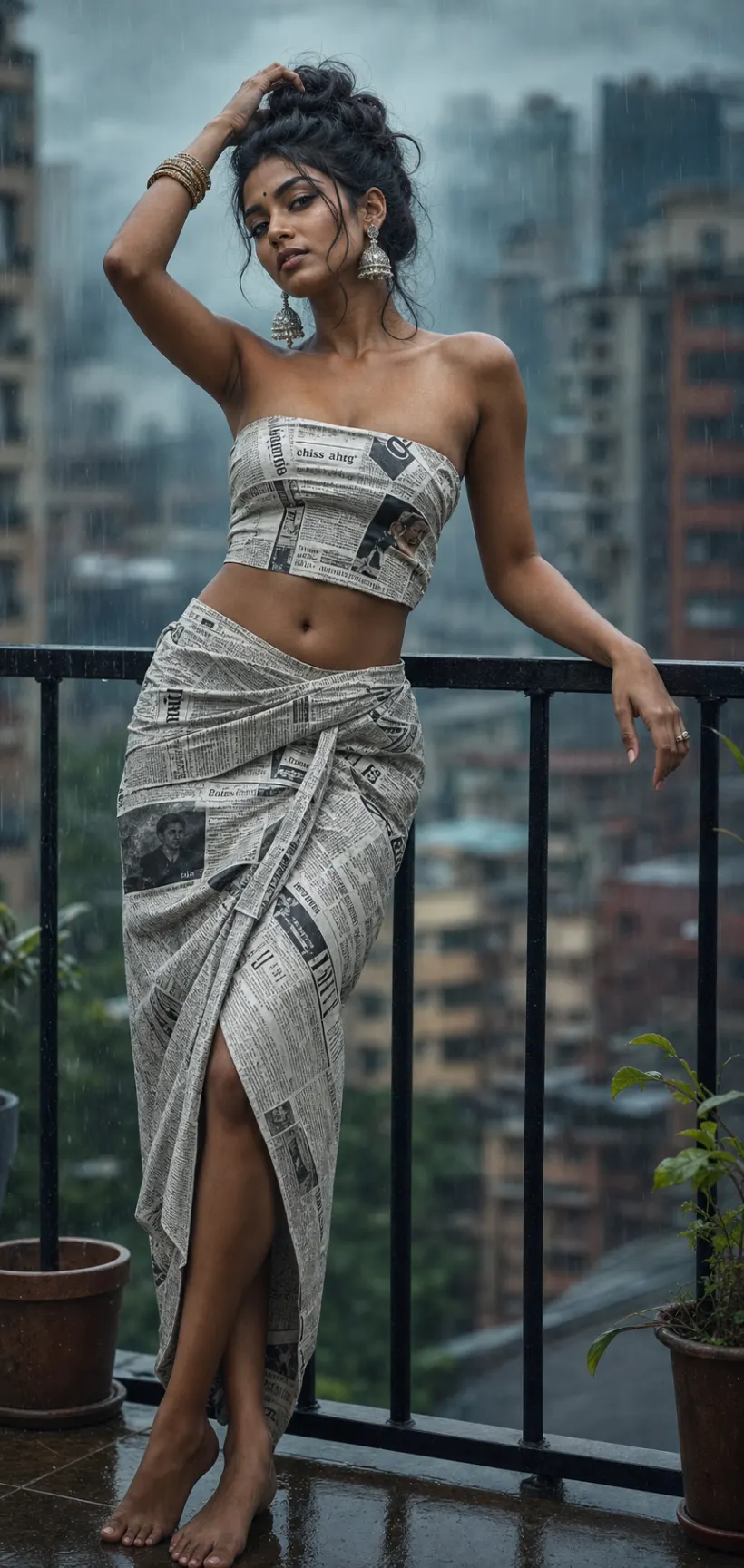
Newspaper Outfit Fashion Editorial
A fashion editorial prompt that turns a simple concept — an outfit crafted from printed material — into a striking, magazine-worthy portrait. The template builds the viral wearable newsprint look: a confident model in a fitted strapless bandeau top and wrapped midi skirt made entirely of a printed material, shot like a designer editorial on an 85mm lens at f/1.8 with moody light, a blurred background and a refined cinematic color grade. The material is the creative variable, and pose, setting and lighting adjust around it. What you can customize Model Description — hair, styling, jewellery and skin tone anchor the render. Outfit Material — five prints: Newspaper Print, Vintage Maps, Comic Book Pages, Botanical Print or Denim Patchwork. Pose — five gestures: Hand to Hair, Leaning on Railing, Over-the-Shoulder Glance, Hands on Hips or Walking Motion. Setting — five locations: Rainy City Balcony, Concrete Rooftop, Minimal Studio, Old Town Alley or Golden Hour Terrace. Lighting — a global lighting variable sets the light and grade; the moody rainy-balcony default gives the teal cinematic look of the trend. Model Photo — optional upload of a clear front-facing photo to carry a real likeness into the editorial. Best for Fashion creators, stylists, model portfolios and brands who want art-directed concept portraits for Instagram, lookbooks, mood boards and poster art, without a studio or a real garment. Tips for the best results Describe the model clearly, and attach a photo if you want a specific likeness. Choose a material whose print reads well at a distance; newspaper columns and maps show beautifully, while tiny patterns turn to mush. Match the setting and lighting so the mood is coherent. Keep styling elegant and the pose to one clear graceful gesture. Avoid cluttered backgrounds that compete with the printed outfit, and skip revealing or explicit styling requests; the template is tuned for tasteful, sophisticated high fashion.
Image
Anime & Manga
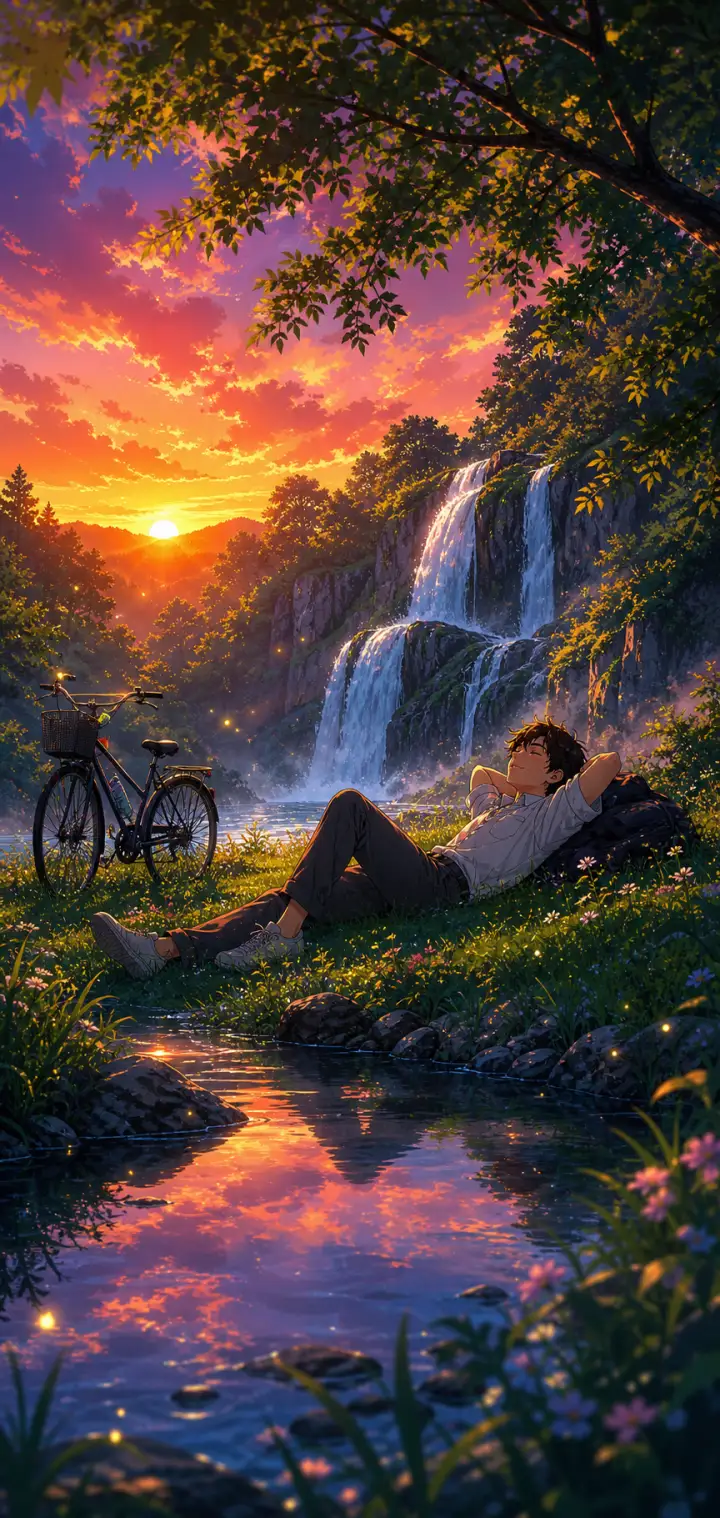
Lofi Anime Relaxing Nature Scene
A lofi anime prompt that paints cozy, relaxing nature wallpapers — a peaceful figure unwinding in a lush, glowing landscape in soft, saturated anime color. The template locks in that chill lo-fi aesthetic while letting you rebuild everything inside it: the character and how they rest, the natural setting, the sky and its light, and the little foreground details. The same dreamy calm re-renders as a waterfall at sunset, a beach at golden hour, a rainy forest or a lakeside cabin evening. Every output comes out as a tall, phone-wallpaper-ready illustration with the figure placed in the lower-middle of the frame so the landscape leads. What you can customize Character & Pose — describe one relaxed figure and their resting pose; the default is a young man lying back on the grass with a backpack pillow and a bicycle nearby Nature Setting — five options: Waterfall & Forest, Beach & Ocean, Grassy Hilltop, Rainy Forest and Lakeside Cabin Sky & Light — five skies that set the whole palette, from Vivid Purple-Orange Sunset and Warm Golden Hour to Soft Overcast Rain, Starry Twilight and Pastel Morning Foreground & Atmosphere — the near details, such as a reflective stream with mossy rocks; wildflowers, dewdrops and floating light motes are added automatically Art Style — Soft Lo-fi Chill, Makoto Shinkai Cinematic, Studio Ghibli Warm or Vivid Modern Anime Best for Anyone chasing the "relax and breathe" anime mood — lofi music and study-with-me backdrops, phone and desktop wallpapers, stream overlays, playlist covers and profile banners — where the point is a serene scene you could disappear into. Tips for the best results Keep the character to one relaxed figure in a clear restful pose (lying back, sitting against a tree, watching the water); the style is about calm, not action. Let the setting and sky carry the detail, and match them so the light agrees — a purple-orange sunset over a waterfall, warm gold over a beach. Use the art-style selector to shift the feel from soft lo-fi to Ghibli warmth to crisp modern anime. Avoid busy action poses, crowds of characters or close-up faces; this is a mood-and-scenery style, not a portrait style. Avoid clashing light between sky and ground — one warm dominant light source keeps the scene cohesive and cozy.
Image
Anime & Manga
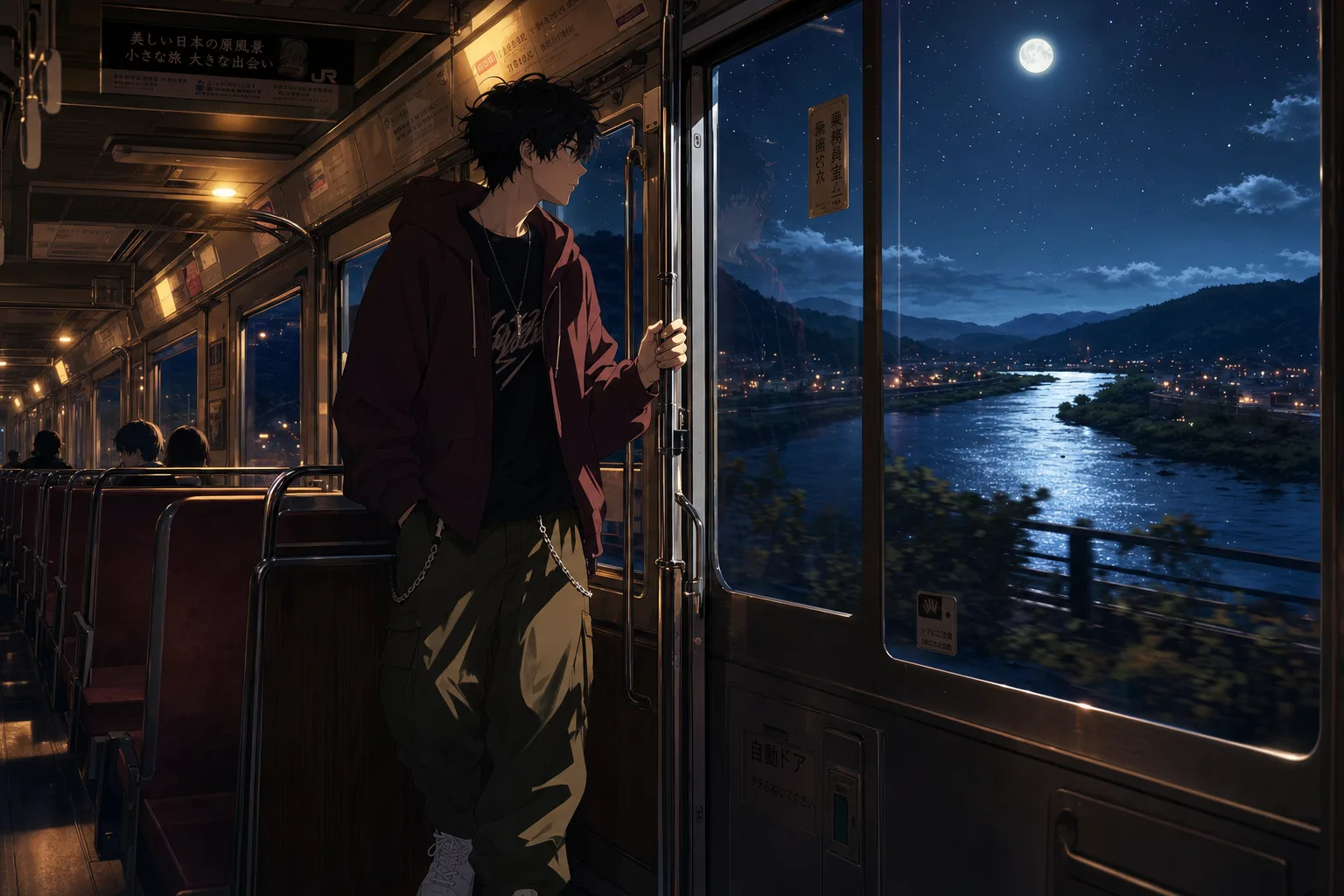
Lofi Anime Night Train Prompt
A lofi anime wallpaper prompt that paints a quiet night-journey scene — customize the character, the ride, the window view, and the mood. The template recreates the beloved melancholic-anime aesthetic of a lone traveler framed against a glowing window: warm cabin light inside, a cinematic world drifting past outside, and soft reflections on the glass tying the two together. The character sits off-center in a cinematic composition with crisp clean line art and painterly shading, finished at anime-film-still quality. What you can customize Character — describe your traveler head to toe; outfit details carry the style, and the default is a messy-haired boy in an oversized maroon hoodie with chained cargo pants The Ride — four options: Night Train, City Bus, Subway Car or Night Ferry, each with its own posture and cabin light Window View — five scenes: Starry River Valley, Rainy Neon City, Winter Snowfall, Golden Sunset Fields or Moonlit Ocean Mood — Melancholic, Peaceful, Hopeful, Lonely or Romantic; each shifts expression and atmosphere Best for Anime fans and creators making phone and desktop wallpapers, lofi music channel art and video loop backgrounds, Spotify playlist covers, and moody social posts. Tips for the best results Midjourney and Nano Banana Pro both render the clean line art and painterly lighting beautifully. Generate tall for wallpapers, or wide for desktop art and video thumbnails. Keep the character description to one person; the composition is framed for a solo traveler. Do not request photorealism — the charm is the anime-film shading. Avoid busy daytime scenes; the format lives on the contrast between warm interior light and the world outside the glass.
Image
Anime & Manga
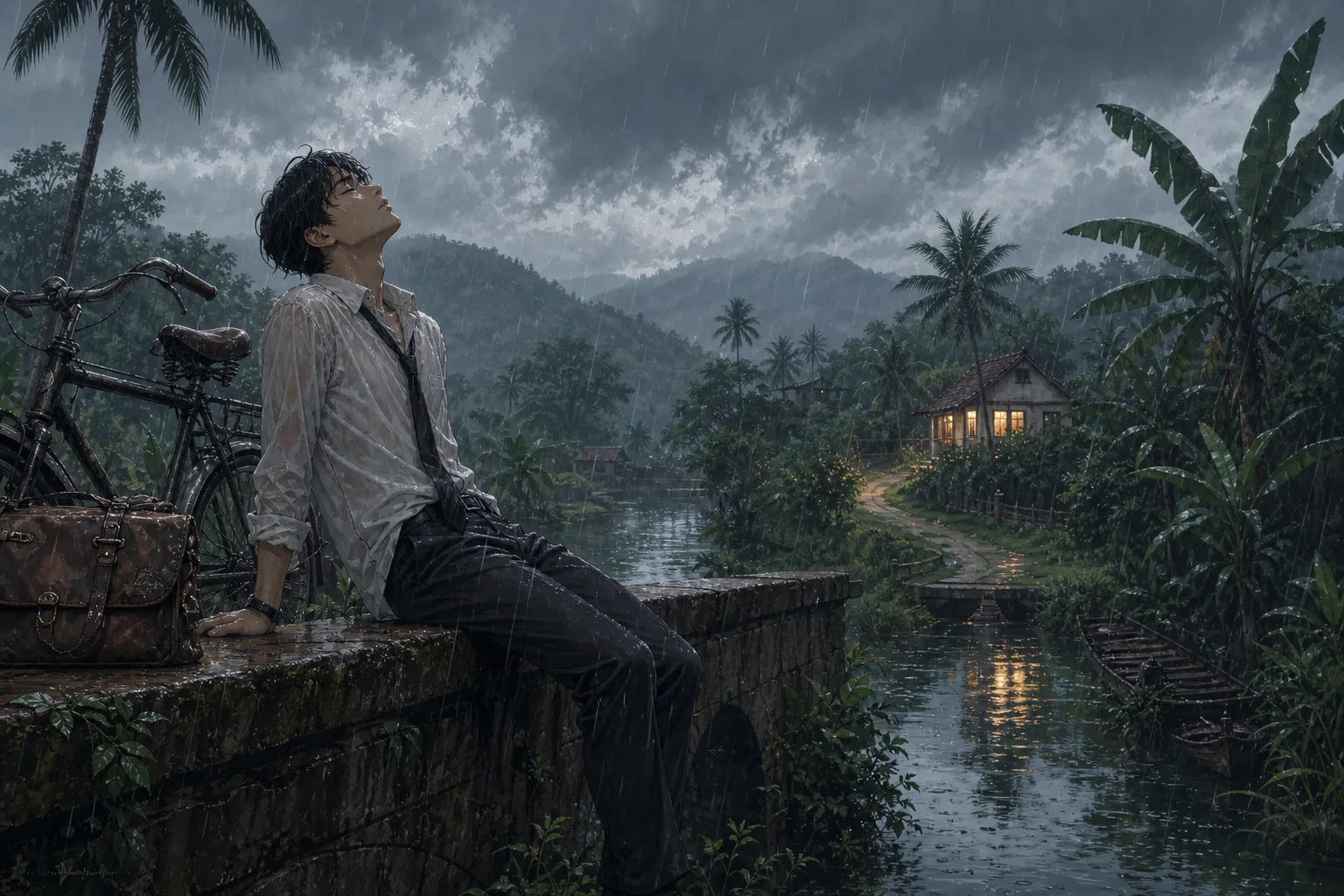
Cinematic Anime Scene Illustration
An anime scene prompt that generates cinematic, atmospheric anime illustrations with swappable character, setting, and weather. Built for the moody, painterly background-art look of modern Japanese animation — a lone figure framed against a vast, meticulously detailed world — this template turns one strong composition into an endless series of moods. Expect clean linework, soft cel shading and lush painterly depth, with foliage, weathered textures and reflections receding to the horizon and the subject in crisp focus against a soft background. What you can customize Character & Pose — who sits at the emotional center of the frame and how; the default is a rain-soaked young man resting on a stone bridge beside a vintage bicycle Setting / Background — six worlds: Tropical Monsoon Village, Windswept Coastal Cliff, Rural Mountain Railway, Neon City Rooftop, Autumn Forest Path and Countryside Riverbank Atmosphere / Weather — six conditions that tie the scene together: Overcast Monsoon Rain, Golden-Hour Sunset, Misty Blue Dawn, Moonlit Starry Night, Quiet Snowfall and Hazy Summer Afternoon Best for Wallpapers, key-visual mockups, webtoon and light-novel cover art, lo-fi music thumbnails, and mood boards. Tips for the best results Keep the character description concrete and pose-driven — clothing, posture, expression and one or two props (a bicycle, a satchel, an umbrella) read far better than vague adjectives. Let the setting and atmosphere agree on a single time of day so the light stays believable. Pair a calm, introspective pose with rain or dusk for the signature melancholic mood, or a bright open landscape with golden hour for something warmer. Avoid cramming multiple characters or conflicting light sources into one frame; this look thrives on a single subject, a coherent palette and negative space that lets the environment breathe.
Image
Anime & Manga
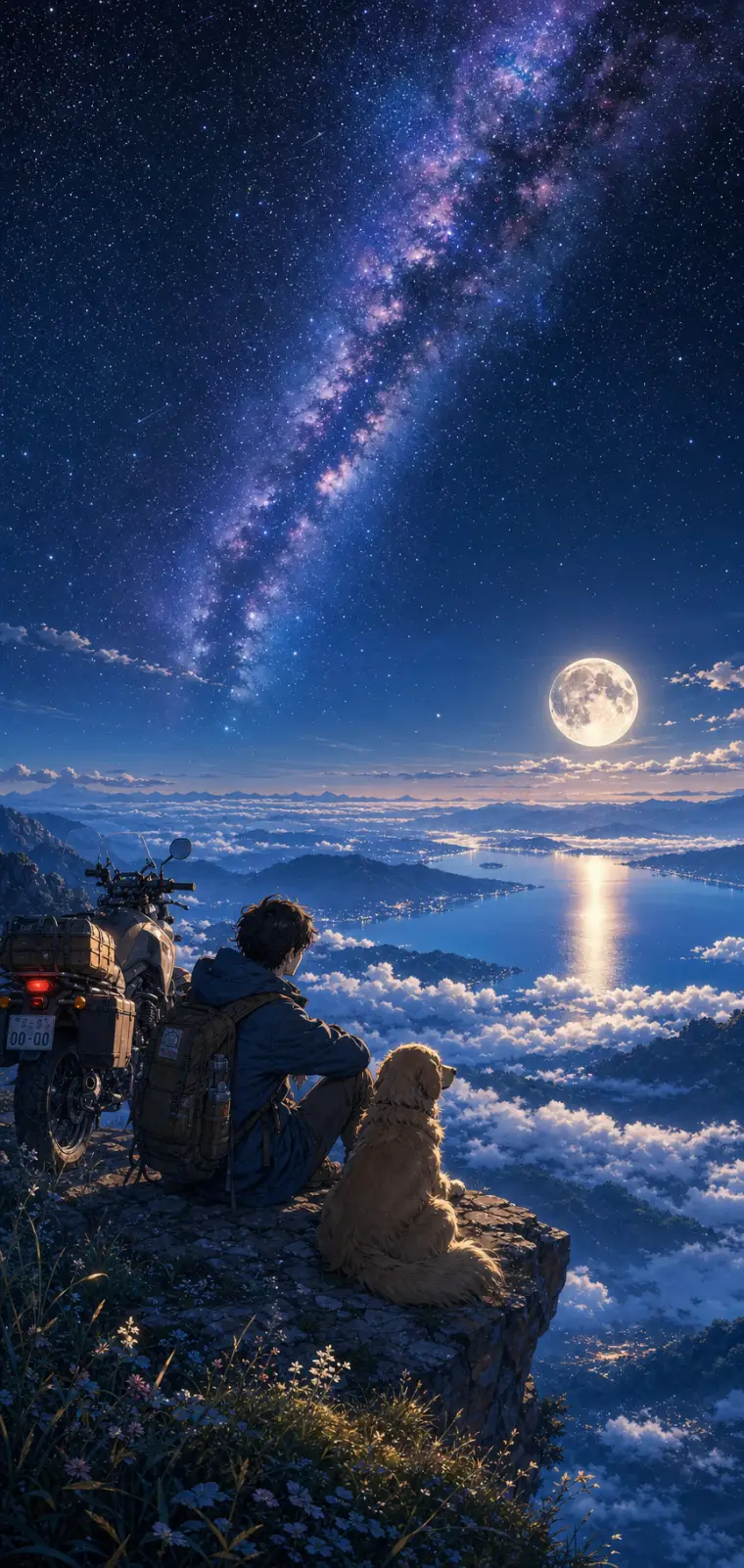
Anime Night Sky Scenery Wallpaper
An anime scenery prompt that paints lush, cinematic wallpaper art in the Makoto Shinkai tradition — hyper-detailed skies, glowing light, saturated color. The template keeps that signature painterly anime style locked in while letting you rebuild the whole scene around it: the character and their companion, the vantage point they gaze from, the sky above them, and the little foreground details. The same dreamy aesthetic re-renders as a starry mountaintop, a sunset coastline, an aurora over snow or a neon city overlook. Every output lands as a tall phone-wallpaper-ready illustration, with the sky filling the upper two-thirds and distant silhouettes fading into haze. What you can customize Character & Companion — the figure in the lower third of the frame; the default is a lone traveler with a golden retriever and an adventure motorcycle Setting / Vantage — five viewpoints: Sea of Clouds, Ocean Coastline, Snowy Peaks, City Overlook and Grassy Hilltop Sky & Atmosphere — five skies that set the palette: Starry Milky Way & Full Moon, Golden Sunset, Aurora Borealis, Pastel Dawn and Stormy Twilight Foreground Details — the near-ground touches, such as wildflowers and pebbles catching the light on a rocky ledge Art Style — Makoto Shinkai Cinematic, Studio Ghibli Soft, Lo-fi Anime Chill or Vivid Modern Anime Best for Anime wallpapers, lo-fi playlist and video backdrops, Discord or profile banners, and key-visual concept art — creators, streamers and fans of the "lonely traveler under a huge sky" mood that dominates anime scenery feeds. Tips for the best results Keep the character to a simple silhouette-friendly setup — one or two figures and maybe a companion or vehicle — since the style shines when the tiny character is dwarfed by an enormous sky. The sky field is where to spend your detail. Match the sky and setting so their light agrees: a full-moon night over a sea of clouds, a golden sunset over the ocean. Avoid many detailed characters or close-up faces; this is a scenery style, not a portrait style. Avoid busy competing focal points and contradictory lighting between sky and ground — one dominant light source keeps the scene coherent.
Image
Portrait & Character
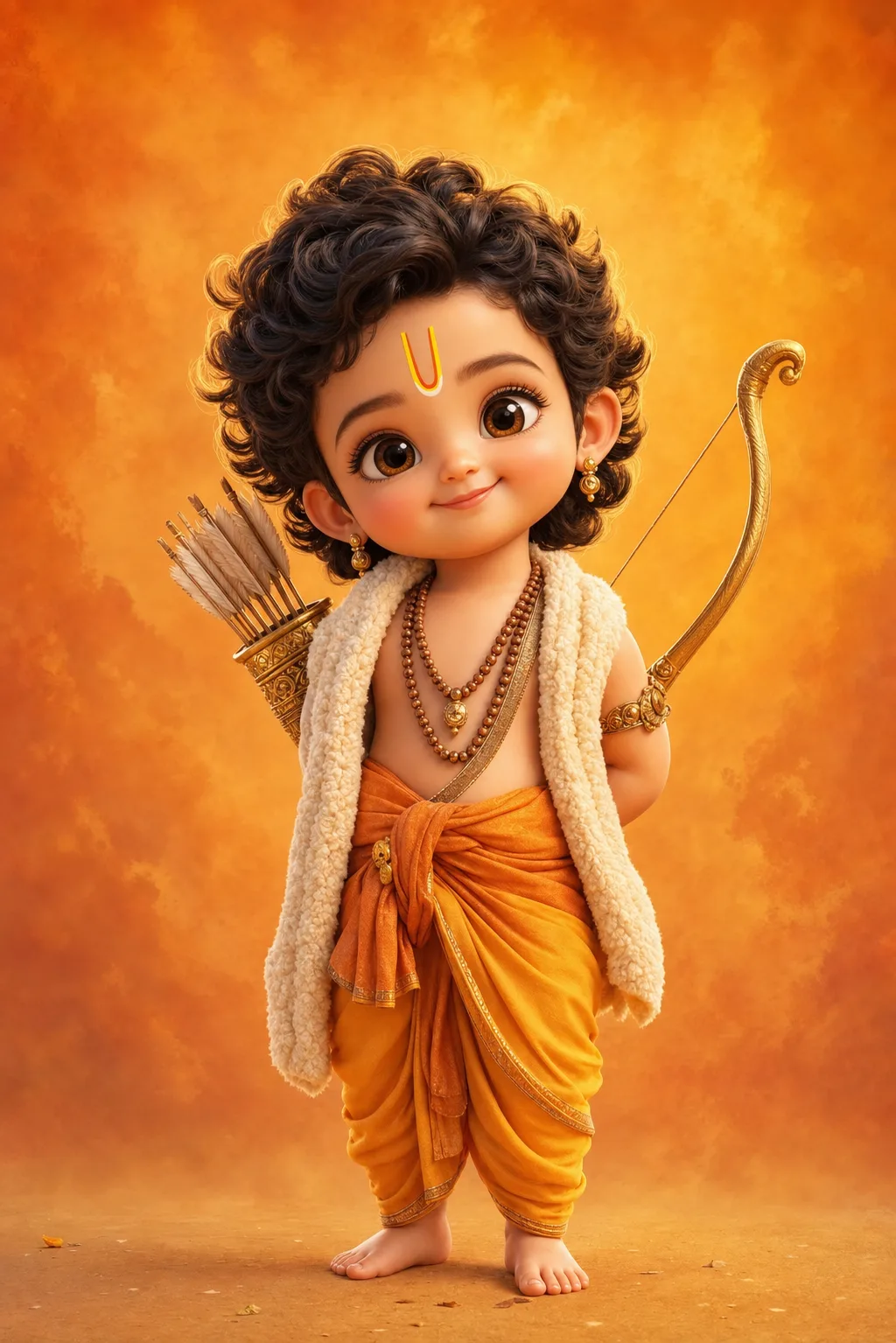
Baby Ram & Krishna 3D Art Prompt
A baby Ram and baby Krishna AI art prompt that renders adorable Pixar-style 3D toddler deities — five divine characters with glossy eyes and soft light. The template recreates the beloved chibi devotional-art trend: a divine child with oversized sparkling eyes, chubby cheeks, curly hair and tiny bare feet, dressed and equipped with the authentic attributes of each deity, rendered like a frame from a premium animated film. Ultra-soft skin shading, fine fabric and wool texture, delicate gold jewelry and a warm rim light give every full-body render its huggable finish. Why the character stays reverent Every option keeps the character reverent and sweet: the charm comes from innocence, not caricature. Each deity's costume and props are written into the option itself, so the iconography arrives correct without extra prompting. What you can customize Divine Character — five options: Little Ram with his golden bow and tilak, Little Krishna with flute and peacock feather, Little Hanuman with his gada, Little Ganesha with a modak and his mouse friend, and Little Shiva with crescent moon and tiny trident Backdrop Tone — four washes: Saffron Warmth, Sky Blue Calm, Temple Gold bokeh and Pastel Peach Best for Devotional creators and family audiences — Ram Navami, Janmashtami and Ganesh Chaturthi festival posts, WhatsApp status images, phone wallpapers, kids' room art prints, YouTube devotional channel thumbnails, and greeting cards. Tips for the best results Nano Banana Pro and Midjourney both render the glossy-eye 3D toy style beautifully. Generate tall (2:3 or 9:16) for wallpapers and status images. Avoid combining two deities in one frame; each is composed as a solo portrait. Avoid adding text or logos to the image. Avoid photorealistic skin requests — the soft animated-film shading is what makes the style feel huggable.
Image
Social Media
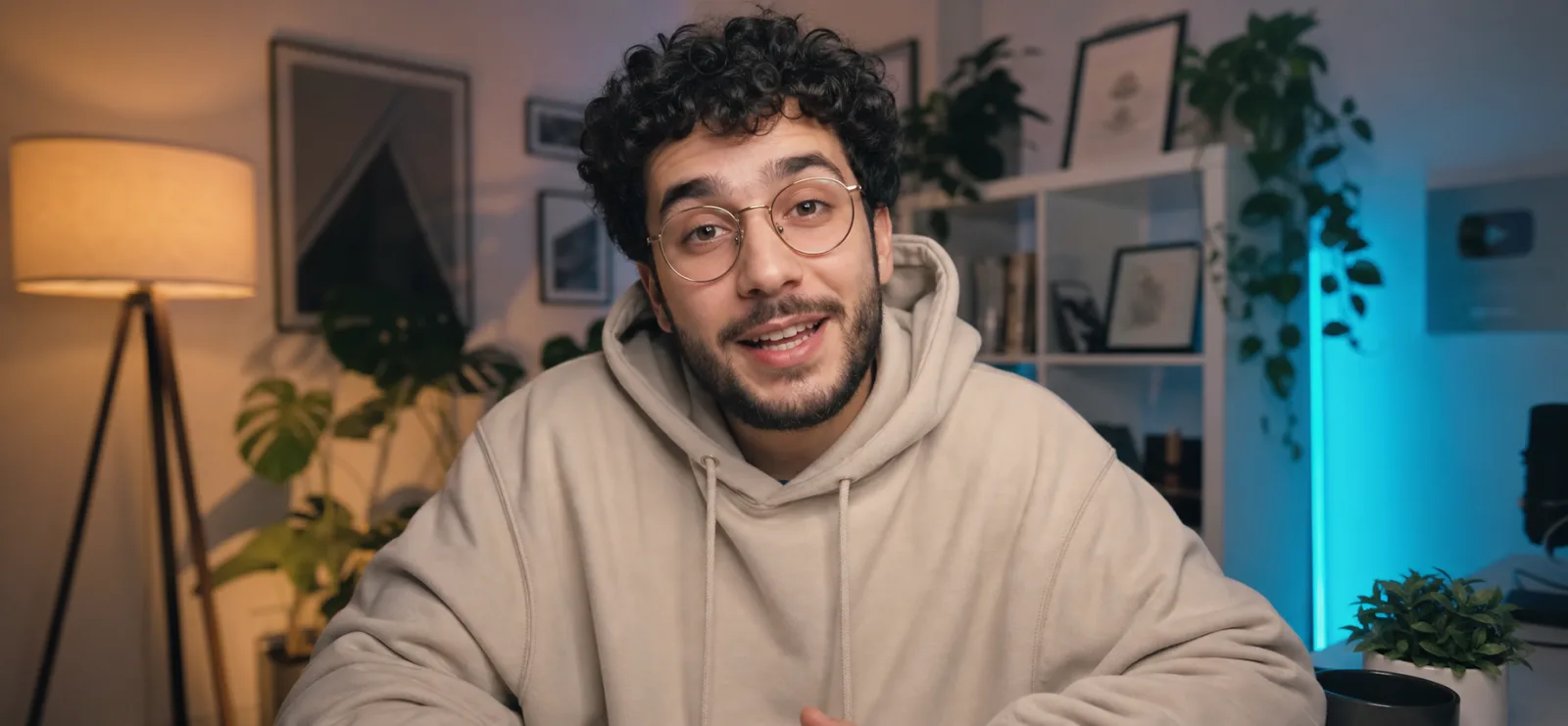
YouTube Creator Talking-Head Shot
A YouTube talking head prompt that generates a cinematic creator shot — mid-sentence on camera in a cozy, softly lit home studio. The template frames the classic creator-economy look: an engaging subject leaning into the lens as if explaining something they love, set against a dreamy blurred backdrop of warm lamps, leafy plants, white shelving and a teal LED accent glow. The result reads instantly as a premium YouTube video still, with the shallow depth of field, eye-level framing and soft key lighting of a channel that takes production seriously. What you can customize Creator Description — hair, facial features, glasses and clothing anchor the render; the default is a friendly young man with dark curly hair, a short beard, wire-frame glasses and an oversized cream hoodie. Studio Backdrop — four settings: Cozy Evening Studio (warm lamp plus teal LED glow), Minimal Daylight, Neon Gamer Den or Book-Lined Office. Creator Photo — optional upload; attach a clear chest-up photo of yourself and the creator in frame will resemble you. The prompt also carries an expression variable that controls the exact mid-sentence energy, plus a 35mm f/1.8 cinema-camera look with sharp focus on the eyes. Best for YouTubers, course creators, podcasters and marketers who need channel art, video thumbnails, website hero images, course landing pages or ad creative showing a person mid-conversation with the camera — without setting up lights and rolling footage for a single frame. Tips for the best results Describe the creator concretely; an oversized hoodie or knit reads on-trend for the genre. Pick the backdrop that matches your brand: the cozy evening default gives the warm-plus-teal contrast that dominates YouTube, while Minimal Daylight suits productivity and lifestyle channels. Avoid full-body poses — this is a chest-up desk framing. Avoid cramming logos or readable screen text into the background. Keep it to one creator, one camera, one conversation; over-specifying multiple people breaks the format.
Image
Product & Commercial
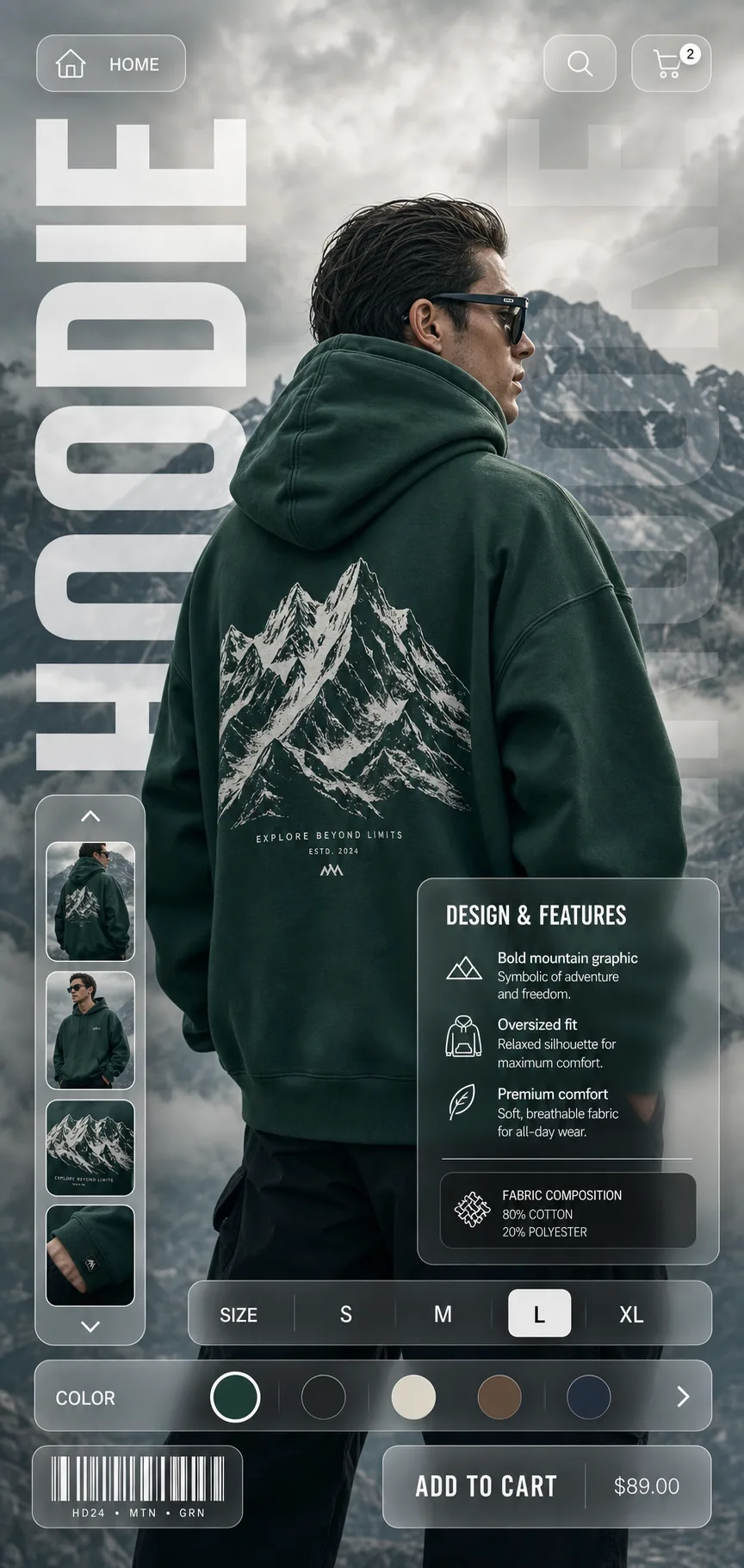
Glassmorphism E-Commerce Product Poster
A glassmorphism product poster prompt that turns any apparel or product shot into a sleek e-commerce campaign visual with frosted-glass UI overlays. The template composes a full vertical poster around your product: a hero model or product shot against a cinematic backdrop, oversized translucent typography running down the left edge, and a layer of floating frosted-glass interface elements — navigation pills with home, search and cart icons, a vertical thumbnail carousel, a Design & Features info card, an S M L XL size selector, a color-swatch slider and a barcode chip. The result reads like a landing page and a fashion editorial at once, which is why the style dominates streetwear lookbooks, Behance shop concepts and premium direct-to-consumer feeds. What you can customize Product Description — the garment, its exact color, the print it carries and how the model wears it; the default is a back-view model in an emerald hoodie with a white mountain-range graphic. Product Name — the huge condensed uppercase word running down the edge; one short, punchy word like HOODIE, JACKET or RUNNER. Backdrop — four scenes: Misty Mountains, Urban Concrete, Desert Dunes or Studio Gradient. Best for E-commerce designers, apparel brands, print-on-demand sellers and social media marketers who need scroll-stopping product creative for Instagram, store banners, lookbooks and client mockups without commissioning a studio shoot and a UI designer. Tips for the best results Be generous in the Product Description — the render follows what you describe almost literally. Pick a backdrop that contrasts with the product color so the subject pops through the glass panels. Avoid cramming multiple products into a single poster. Avoid long product names that break the vertical typography. Skip busy or cluttered backdrops; the frosted-glass panels need calm negative space behind them to stay readable at a glance.
Image
Product & Commercial
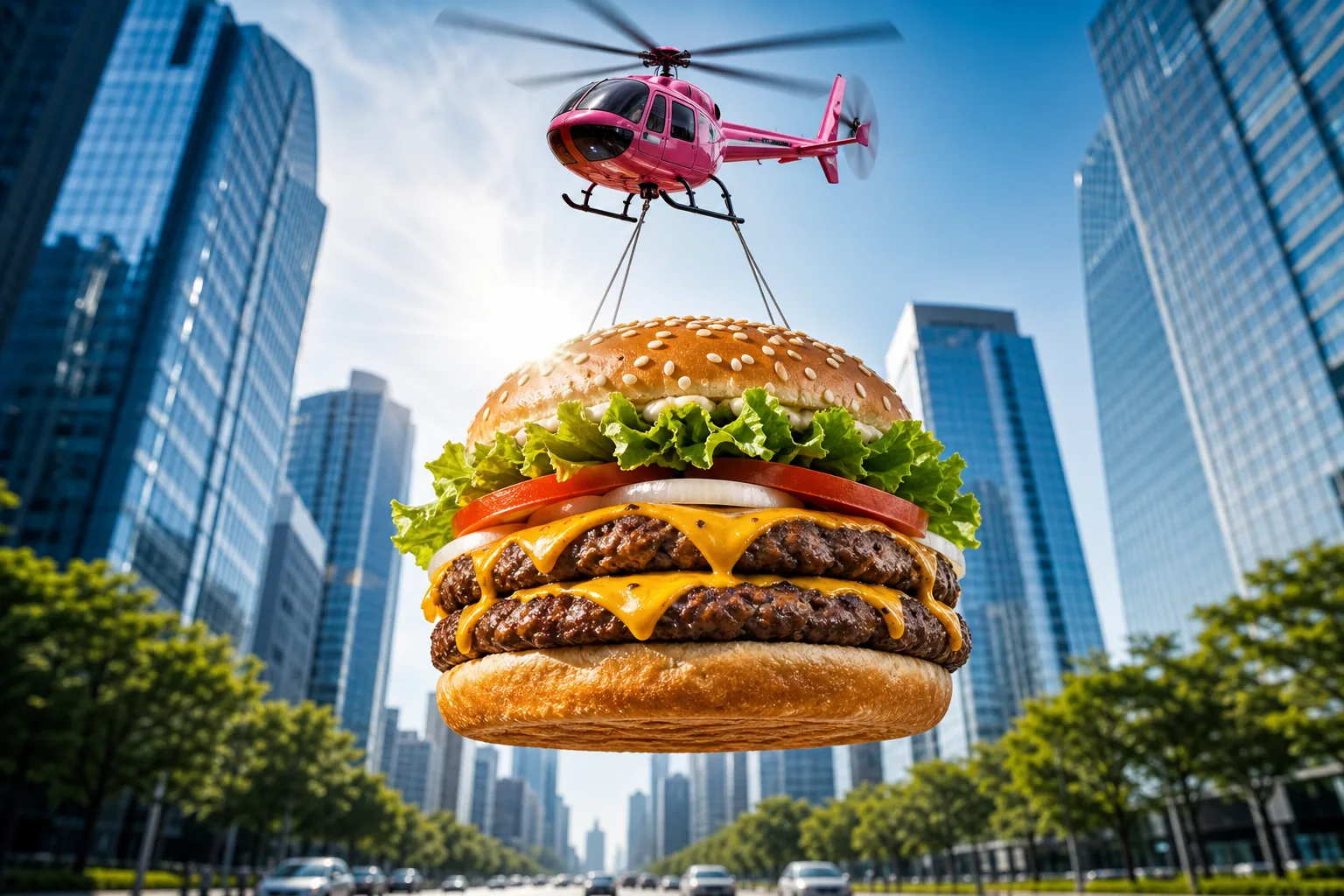
Epic Flying Food Ad Prompt
A food advertising prompt that airlifts a giant photorealistic burger — or any dish you describe — through the sky for scroll-stopping commercial shots. The template stages your hero food as an epic airborne delivery: suspended on cables beneath a glossy toy-like helicopter, framed from a dramatic low angle against a bright blue sky, with a sunburst lens flare and a softly blurred avenue of glass skyscrapers below. The result reads like a big-budget fast-food campaign frame — vibrant, crisp and instantly thumb-stopping. What you can customize Hero Food — describe the dish layer by layer; the default is a double cheeseburger with a toasted sesame bun, lettuce, tomato, onion rings, two charbroiled patties and dripping cheddar. Aerial Carrier — four options: Pink Toy Helicopter with motion-blurred rotors, Cargo Drone, Retro Blimp or Hot Air Balloon. Backdrop — three scenes: a symmetrical City Avenue, a sunny Coastal Boardwalk or a Desert Highway with red-rock mesas and heat shimmer. Best for Restaurants, food trucks, delivery apps and creative agencies producing social ads, billboards, menu screens and app-launch banners. Render wide for banners or square for feed posts. Tips for the best results Match the default's level of ingredient detail in the Hero Food field — it produces the most appetizing results. Keep the low-angle sunburst composition intact; it is what sells the scale. Nano Banana Pro, Midjourney and Flux all resolve the food textures and metallic carrier finishes beautifully. Avoid stacking different dishes into one frame — one hero product per shot keeps the ad readable — and avoid adding brand names or text inside the image. Avoid muted palettes; the saturated commercial color grade is part of the format's punch.