Model comparison · Image generation
Flux vs Ideogram 2.0
Flux by Black Forest Labs and Ideogram 2.0 by Ideogram, compared on specifications, pricing and public benchmark scores — every figure credited to its source — with the best prompts for each.
Summary
- PromptsRush has 5 prompts for Flux and 4 for Ideogram 2.0.
Generated from the verified specs and benchmark rows on this page.
Advertisement
Head to head
marks the better value where a metric has a direction| Model | FluxBlack Forest Labs | Ideogram 2.0Ideogram |
|---|---|---|
| Overview | ||
| Vendor | Black Forest Labs | Ideogram |
| Type | Image | Image |
| Open weights | Yes | — |
| API available | Yes | — |
| Prompts | ||
| Prompts on PromptsRush | 5 | 4 |
| Most viewed prompts | ||
Benchmarks
Flux and Ideogram 2.0 don't share a public benchmark result yet.
We track AA Image Arena, LMArena T2I, GenEval and DPG-Bench for these models — a result appears here as soon as both Flux and Ideogram 2.0 have a verified score on the same benchmark.
Pricing
Flux
Pricing details for Flux haven’t been recorded yet.
Ideogram 2.0
Best Flux prompts
All 5 Flux prompts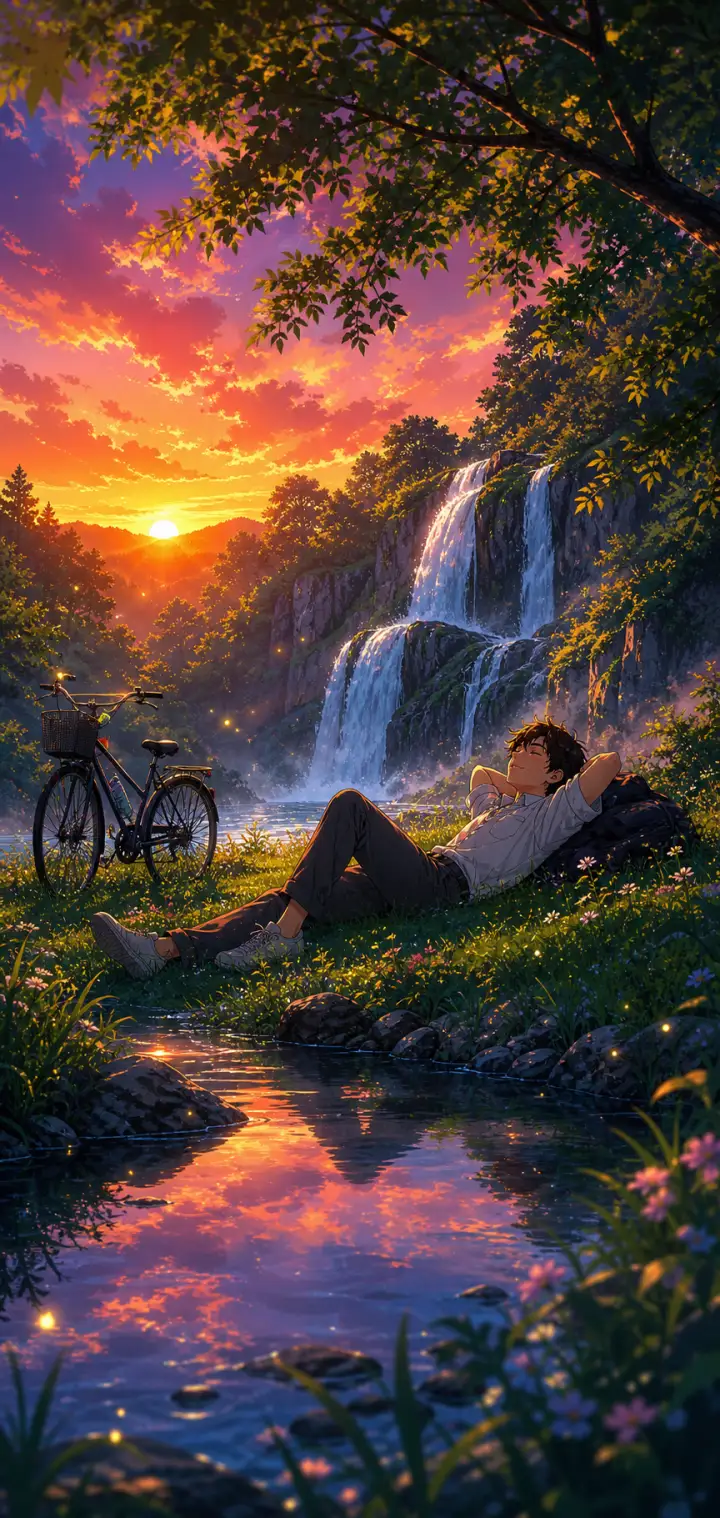
Lofi Anime Relaxing Nature Scene
A lofi anime prompt that paints cozy, relaxing nature wallpapers — a peaceful figure unwinding in a lush, glowing landscape in soft, saturated anime color. The template locks in that chill lo-fi aesthetic while letting you rebuild everything inside it: the character and how they rest, the natural setting, the sky and its light, and the little foreground details. The same dreamy calm re-renders as a waterfall at sunset, a beach at golden hour, a rainy forest or a lakeside cabin evening. Every output comes out as a tall, phone-wallpaper-ready illustration with the figure placed in the lower-middle of the frame so the landscape leads. What you can customize Character & Pose — describe one relaxed figure and their resting pose; the default is a young man lying back on the grass with a backpack pillow and a bicycle nearby Nature Setting — five options: Waterfall & Forest, Beach & Ocean, Grassy Hilltop, Rainy Forest and Lakeside Cabin Sky & Light — five skies that set the whole palette, from Vivid Purple-Orange Sunset and Warm Golden Hour to Soft Overcast Rain, Starry Twilight and Pastel Morning Foreground & Atmosphere — the near details, such as a reflective stream with mossy rocks; wildflowers, dewdrops and floating light motes are added automatically Art Style — Soft Lo-fi Chill, Makoto Shinkai Cinematic, Studio Ghibli Warm or Vivid Modern Anime Best for Anyone chasing the "relax and breathe" anime mood — lofi music and study-with-me backdrops, phone and desktop wallpapers, stream overlays, playlist covers and profile banners — where the point is a serene scene you could disappear into. Tips for the best results Keep the character to one relaxed figure in a clear restful pose (lying back, sitting against a tree, watching the water); the style is about calm, not action. Let the setting and sky carry the detail, and match them so the light agrees — a purple-orange sunset over a waterfall, warm gold over a beach. Use the art-style selector to shift the feel from soft lo-fi to Ghibli warmth to crisp modern anime. Avoid busy action poses, crowds of characters or close-up faces; this is a mood-and-scenery style, not a portrait style. Avoid clashing light between sky and ground — one warm dominant light source keeps the scene cohesive and cozy.
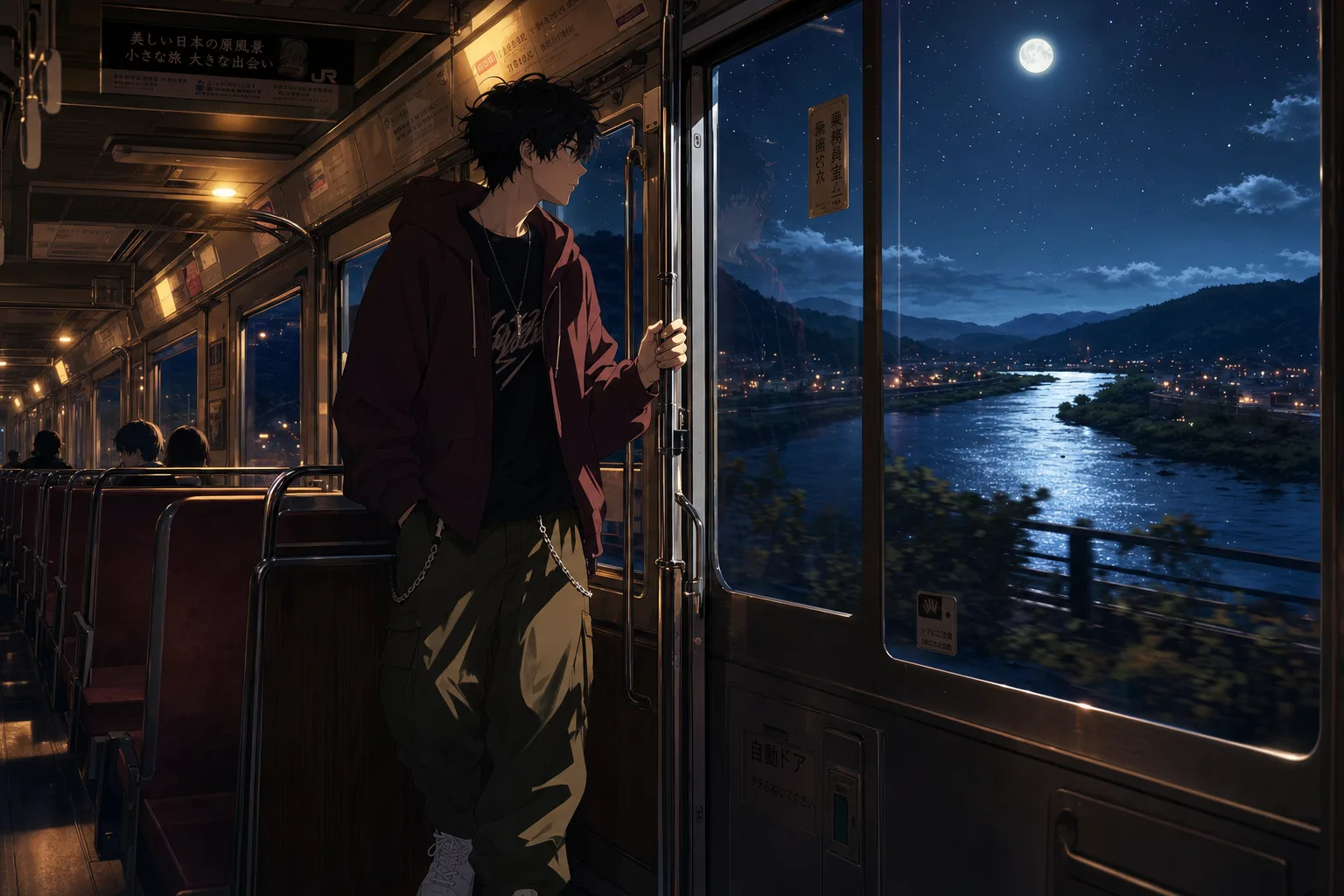
Lofi Anime Night Train Prompt
A lofi anime wallpaper prompt that paints a quiet night-journey scene — customize the character, the ride, the window view, and the mood. The template recreates the beloved melancholic-anime aesthetic of a lone traveler framed against a glowing window: warm cabin light inside, a cinematic world drifting past outside, and soft reflections on the glass tying the two together. The character sits off-center in a cinematic composition with crisp clean line art and painterly shading, finished at anime-film-still quality. What you can customize Character — describe your traveler head to toe; outfit details carry the style, and the default is a messy-haired boy in an oversized maroon hoodie with chained cargo pants The Ride — four options: Night Train, City Bus, Subway Car or Night Ferry, each with its own posture and cabin light Window View — five scenes: Starry River Valley, Rainy Neon City, Winter Snowfall, Golden Sunset Fields or Moonlit Ocean Mood — Melancholic, Peaceful, Hopeful, Lonely or Romantic; each shifts expression and atmosphere Best for Anime fans and creators making phone and desktop wallpapers, lofi music channel art and video loop backgrounds, Spotify playlist covers, and moody social posts. Tips for the best results Midjourney and Nano Banana Pro both render the clean line art and painterly lighting beautifully. Generate tall for wallpapers, or wide for desktop art and video thumbnails. Keep the character description to one person; the composition is framed for a solo traveler. Do not request photorealism — the charm is the anime-film shading. Avoid busy daytime scenes; the format lives on the contrast between warm interior light and the world outside the glass.
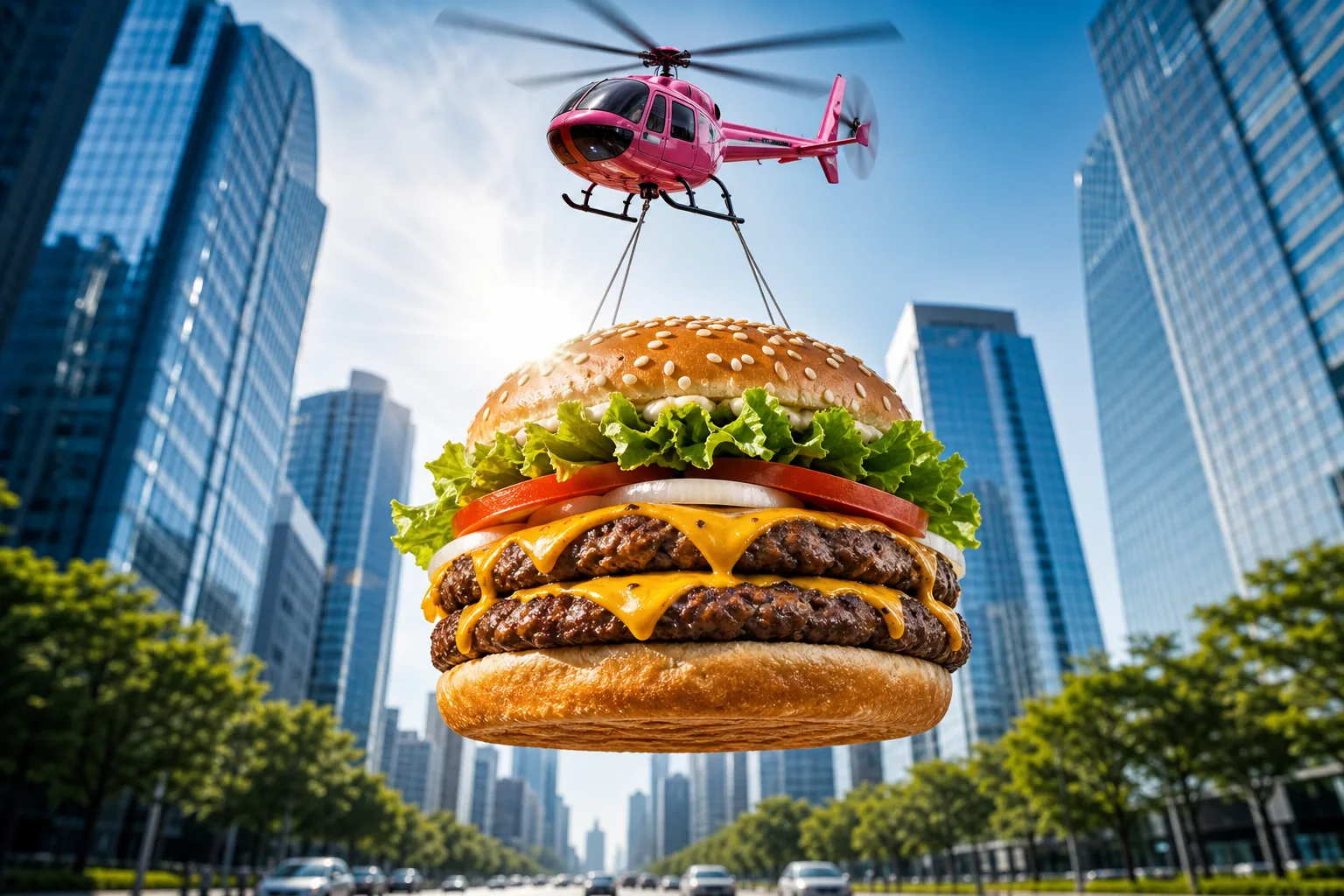
Epic Flying Food Ad Prompt
A food advertising prompt that airlifts a giant photorealistic burger — or any dish you describe — through the sky for scroll-stopping commercial shots. The template stages your hero food as an epic airborne delivery: suspended on cables beneath a glossy toy-like helicopter, framed from a dramatic low angle against a bright blue sky, with a sunburst lens flare and a softly blurred avenue of glass skyscrapers below. The result reads like a big-budget fast-food campaign frame — vibrant, crisp and instantly thumb-stopping. What you can customize Hero Food — describe the dish layer by layer; the default is a double cheeseburger with a toasted sesame bun, lettuce, tomato, onion rings, two charbroiled patties and dripping cheddar. Aerial Carrier — four options: Pink Toy Helicopter with motion-blurred rotors, Cargo Drone, Retro Blimp or Hot Air Balloon. Backdrop — three scenes: a symmetrical City Avenue, a sunny Coastal Boardwalk or a Desert Highway with red-rock mesas and heat shimmer. Best for Restaurants, food trucks, delivery apps and creative agencies producing social ads, billboards, menu screens and app-launch banners. Render wide for banners or square for feed posts. Tips for the best results Match the default's level of ingredient detail in the Hero Food field — it produces the most appetizing results. Keep the low-angle sunburst composition intact; it is what sells the scale. Nano Banana Pro, Midjourney and Flux all resolve the food textures and metallic carrier finishes beautifully. Avoid stacking different dishes into one frame — one hero product per shot keeps the ad readable — and avoid adding brand names or text inside the image. Avoid muted palettes; the saturated commercial color grade is part of the format's punch.
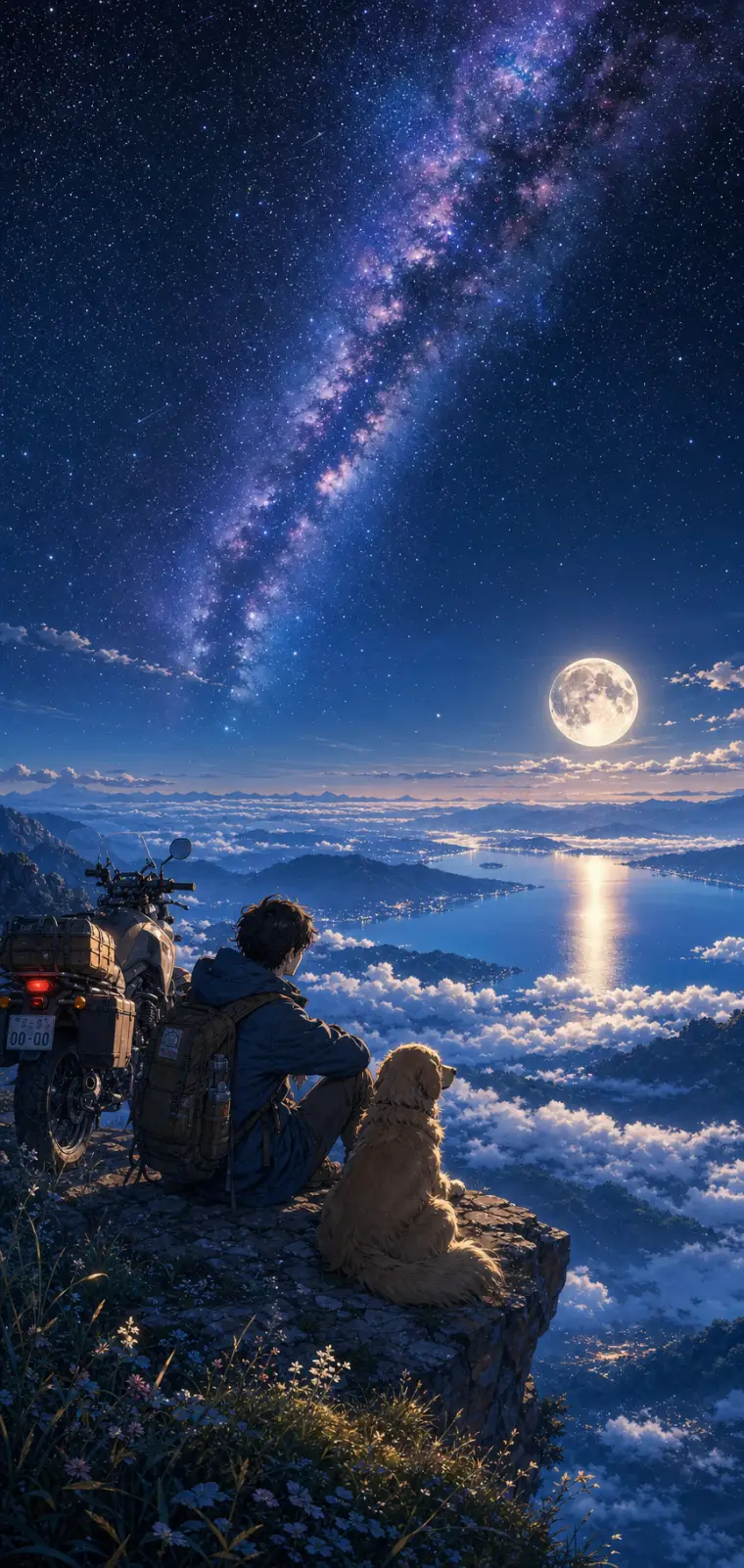
Anime Night Sky Scenery Wallpaper
An anime scenery prompt that paints lush, cinematic wallpaper art in the Makoto Shinkai tradition — hyper-detailed skies, glowing light, saturated color. The template keeps that signature painterly anime style locked in while letting you rebuild the whole scene around it: the character and their companion, the vantage point they gaze from, the sky above them, and the little foreground details. The same dreamy aesthetic re-renders as a starry mountaintop, a sunset coastline, an aurora over snow or a neon city overlook. Every output lands as a tall phone-wallpaper-ready illustration, with the sky filling the upper two-thirds and distant silhouettes fading into haze. What you can customize Character & Companion — the figure in the lower third of the frame; the default is a lone traveler with a golden retriever and an adventure motorcycle Setting / Vantage — five viewpoints: Sea of Clouds, Ocean Coastline, Snowy Peaks, City Overlook and Grassy Hilltop Sky & Atmosphere — five skies that set the palette: Starry Milky Way & Full Moon, Golden Sunset, Aurora Borealis, Pastel Dawn and Stormy Twilight Foreground Details — the near-ground touches, such as wildflowers and pebbles catching the light on a rocky ledge Art Style — Makoto Shinkai Cinematic, Studio Ghibli Soft, Lo-fi Anime Chill or Vivid Modern Anime Best for Anime wallpapers, lo-fi playlist and video backdrops, Discord or profile banners, and key-visual concept art — creators, streamers and fans of the "lonely traveler under a huge sky" mood that dominates anime scenery feeds. Tips for the best results Keep the character to a simple silhouette-friendly setup — one or two figures and maybe a companion or vehicle — since the style shines when the tiny character is dwarfed by an enormous sky. The sky field is where to spend your detail. Match the sky and setting so their light agrees: a full-moon night over a sea of clouds, a golden sunset over the ocean. Avoid many detailed characters or close-up faces; this is a scenery style, not a portrait style. Avoid busy competing focal points and contradictory lighting between sky and ground — one dominant light source keeps the scene coherent.
Best Ideogram 2.0 prompts
All 4 Ideogram 2.0 prompts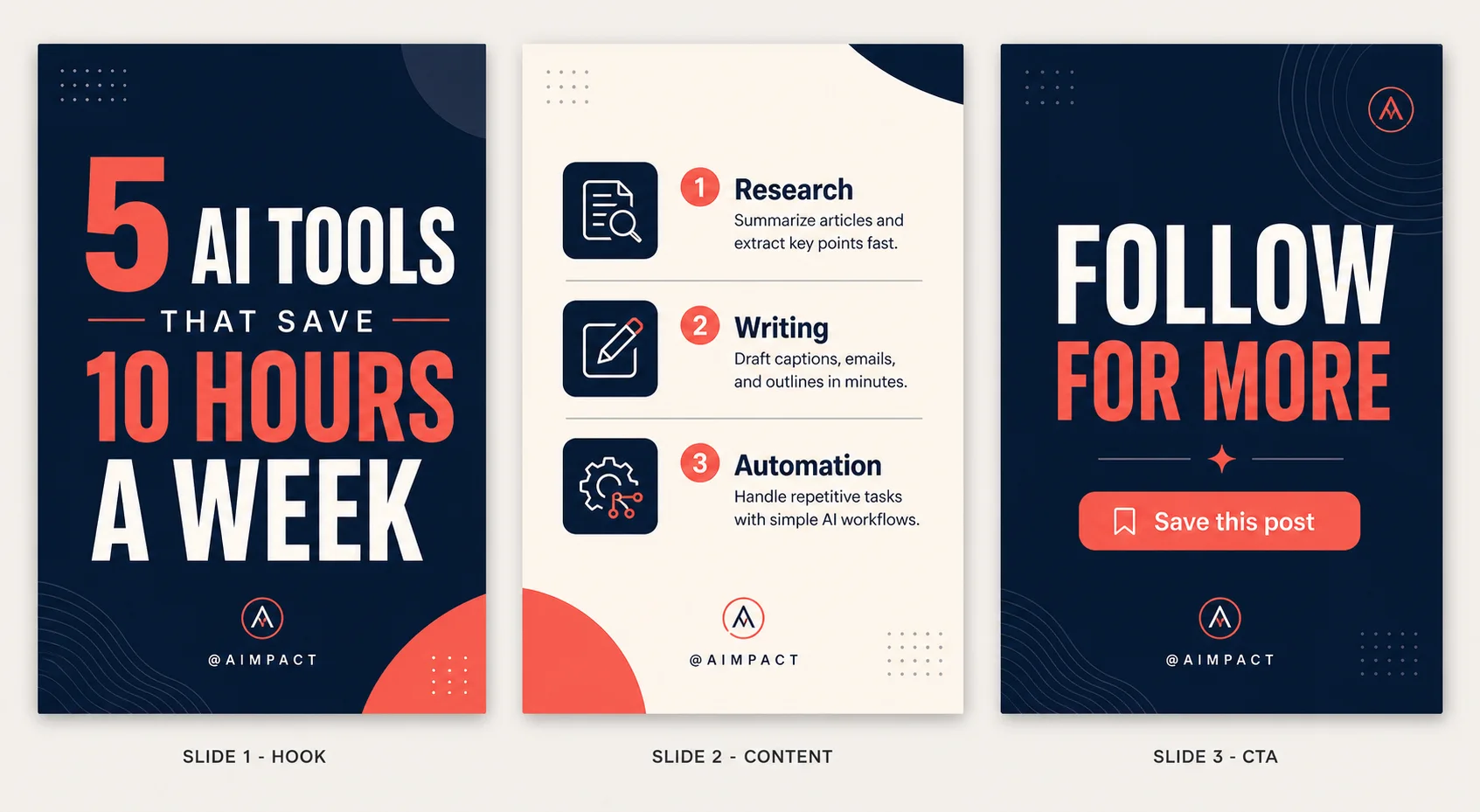
3-Panel Instagram Carousel Template
An Instagram carousel template prompt that designs a full 3-slide set in one image — a premium hook, a structured content slide and a call-to-action outro. Write your topic and copy and the template renders a professional reference sheet: Slide 1 stops the scroll, Slide 2 delivers the value with icons and hierarchy, and Slide 3 drives the follow or save, every slide sharing the same palette, fonts and branding. Style, palette and iconography are all selectable, so the same structure can look like a bold modern deck, a minimal editorial layout, a playful gradient set or a luxury dark theme. What you can customize Slide 1 — Hook Headline — the short, punchy scroll-stopper on the opening slide Slide 2 — Content — the structure of the value slide: a numbered list, three tips, a before/after or a mini step-by-step Slide 3 — CTA / Outro — the closing call to action, such as follow, save or link in bio Design Style / Layout and Color Palette — six styles (Bold Modern, Minimal Editorial, Playful Gradient, Luxury Dark, Corporate Clean, Retro Y2K) and six palettes including Navy, Cream & Coral, Black & Gold Luxe and Pastel Gradient Iconography — five treatments from Minimalist Line Icons and Solid Filled Icons to 3D Glossy, Emoji Style or No Icons Best for Creators, marketers, coaches and brands who post carousels — educational posts, listicles, tips, launches and lead magnets — and designers who need fast, on-brand slide mockups without opening Canva or Figma. Tips for the best results Keep the hook headline short and punchy; it carries the whole first impression. In the content field describe the structure you want rather than a wall of text, and limit each slide to three or four points. State one clear CTA and match the palette and iconography to your brand. Because the design is text-heavy, keep each line concise so typography stays crisp and correctly spelled; long paragraphs compress the layout and degrade the text. Avoid clashing style and palette choices, and regenerate once if any line renders soft or misspelled.
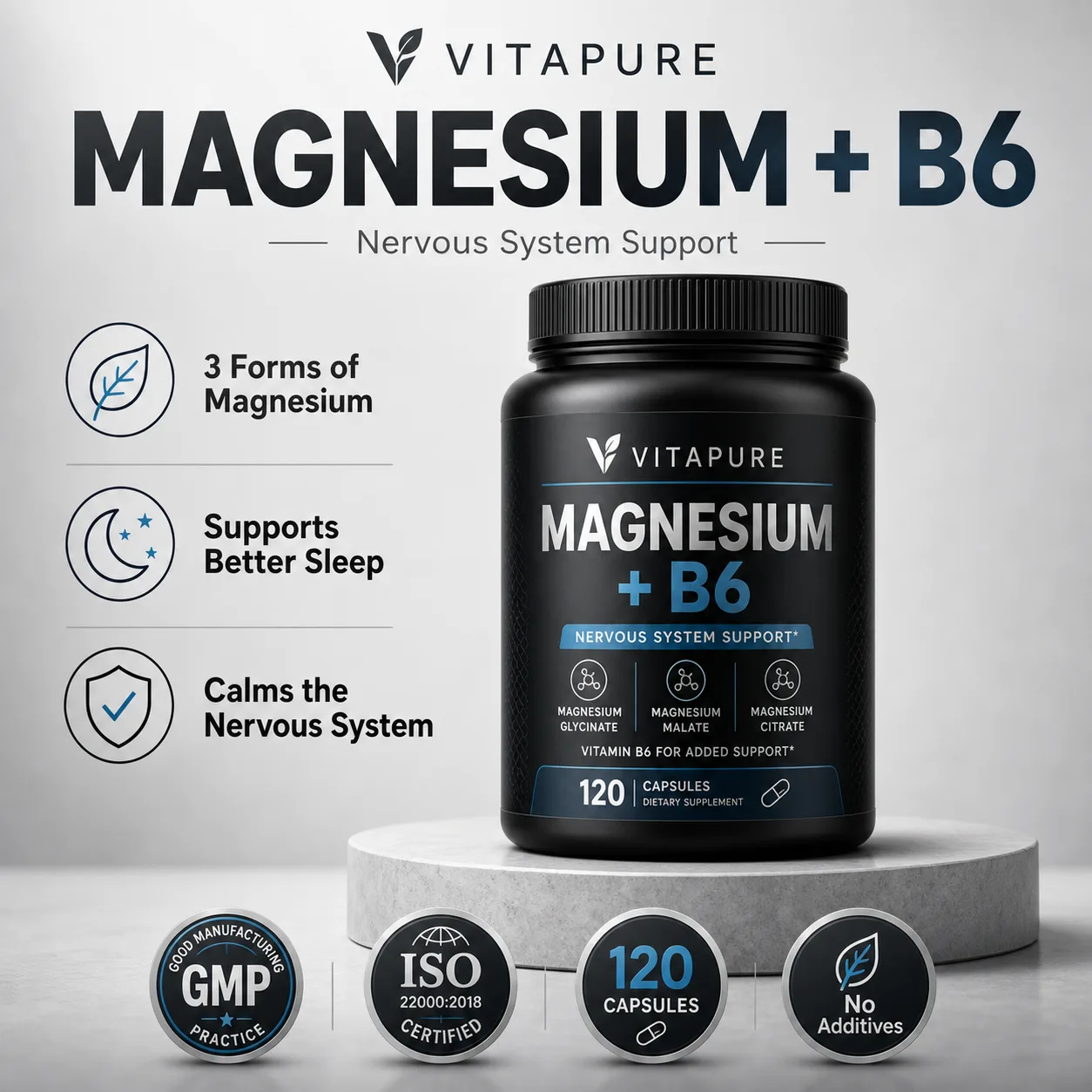
Health Supplement eCommerce Image
A supplement product image prompt that designs a complete, high-converting eCommerce listing image in one shot — hero bottle, headline and trust badges. Set your product name, benefits and packaging and the template renders a marketplace-ready visual: a photoreal bottle or jar as the hero, a strong headline, an icon-led features list and certification badges, composed like a top Amazon or marketplace listing. Packaging, style, palette, benefits layout, badges and background are all selectable, so the same system works for a premium dark jar, a clean white bottle, a natural botanical look or a bold colorful promo. What you can customize Brand Name and Product Name — the text rendered on the packaging and headline, exactly as typed Benefits and Trust Badges — three or four short icon-plus-label points that become the features UI, plus your real certifications and callouts such as GMP, ISO, capsule count or no additives Packaging / Bottle Type — six options including Premium Black Jar, Clean White Bottle, Amber Glass Bottle and Kraft Eco Pouch Design Style and Color Palette — five styles (Premium Clean, Natural Organic, Bold Promo, Medical Clinical, Luxury Dark) paired with six palettes from Charcoal & Silver to Black & Gold Luxe and Warm Earthy Background — six settings such as Light Studio Podium, Pure White, Natural Botanical, Dark Moody and Marble Surface Best for Supplement and wellness brands, dropshippers, Amazon and marketplace sellers, and agencies that need fast, professional listing images, hero shots and ad creative without a photo studio. Tips for the best results Name the brand and product exactly as they should appear, and keep each benefit to an icon label plus a few words rather than a sentence. List your real badges in the badges field and match the packaging, palette and background to your actual product so the mockup is believable. Keep every line concise so the typography stays crisp and correctly spelled; avoid long paragraphs and more than four benefits, which crowd the layout and degrade the text. Do not make unverified health or medical claims in the copy, and avoid clashing palette-and-style combinations. Text-in-design and small label text are demanding, so regenerate once if any line renders soft or misspelled.
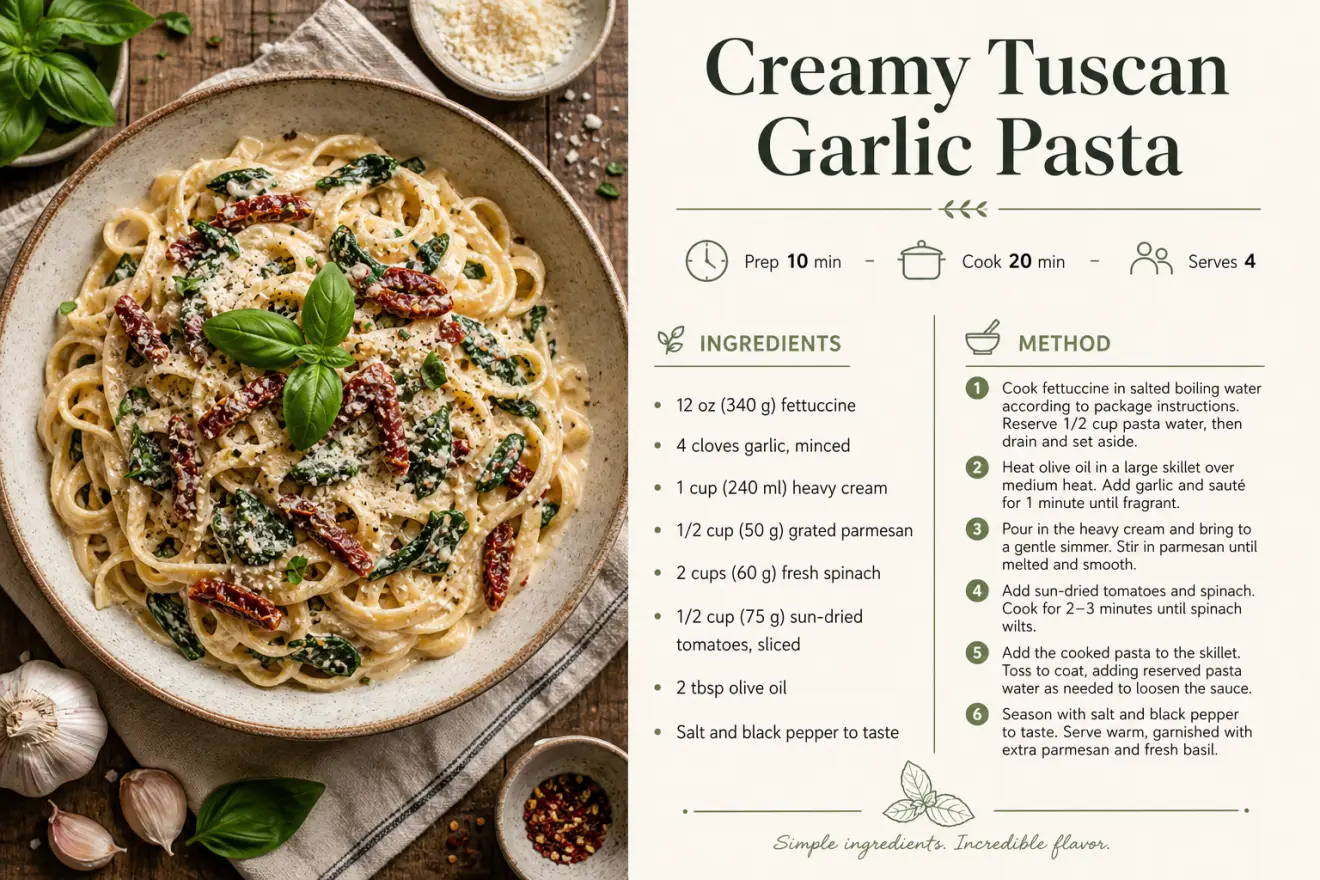
Recipe Card Designer
A recipe card prompt that turns your recipe into a polished, print-ready card — appetizing food photography paired with a clean, professional layout. Instead of fighting with a design tool, you enter the dish name, ingredients and steps and the template composes a magazine-quality card: a styled hero food photo, an elegant title, an icon meta row for prep, cook and servings, a tidy ingredients list and a numbered method. The same recipe can look modern and minimal, warm and rustic, elegant editorial or bright and playful. What you can customize Dish Name, Meta Row, Ingredients and Method — the recipe copy itself; the layout follows the structure you type. Food Photography Framing — five options: Overhead Flat-Lay, Close-Up Hero, 45-Degree Plated, Rustic Moody, or Bright Airy. Card Layout — Photo Left / Recipe Right, Photo Top / Recipe Below, Full Photo with Recipe Card, or Two-Column Classic. Design Style and Color Palette — five styles (Modern Minimal, Rustic Farmhouse, Elegant Editorial, Vibrant Playful, Vintage Cookbook) and five palettes such as Cream & Sage, Warm Terracotta and Bold Tomato Red. Dish Photo — optional upload of your actual dish to use as the card's food photography. Best for Food bloggers, home cooks, recipe sellers, cafes and creators who want shareable recipe cards, printables, blog graphics, cookbook pages and Pinterest pins without hiring a designer or booking a food shoot. Tips for the best results Write ingredients as short lines with real measurements, one per line, and the method as concise numbered steps — clear amounts render as convincing recipe copy. Keep the dish name short and the meta row to prep, cook and servings. Stay under about ten ingredients and eight steps per card; long paragraphs compress and text degrades. Match style and palette to the mood of the food, and avoid clashing combinations. Text-in-design is demanding — regenerate once if any line renders soft or a measurement looks off.

Cross-Section Cutaway Diagram
A cutaway diagram prompt that turns any photo into a clean, textbook-style cross-section revealing a believable labeled interior. Upload a picture of almost anything — a fruit, a camera, an engine, a building, an animal — and the template rebuilds it as an educational science graphic: the subject's distinctive features preserved, a plausible layered interior exposed, and thin leader lines pointing to short callouts. Clarity is the whole point, so the style favors accuracy and flat even lighting over dramatic art direction. What you can customize Cutaway Type — half cross-section, quarter wedge cut, peeled layers, exploded view, or transparent ghosted Detail Level — simple (4-6 callouts), standard (7-9), or detailed (10-14), matched to your audience Label Style — clean sans leader lines, serif textbook, a numbered key, or handwritten field notes Diagram Style — textbook science, museum exhibit, technical blueprint, vintage encyclopedia, or modern 3D render Color Style — full natural color, muted scientific, monochrome line art, or blueprint cyan Background — clean white, soft grey, blueprint blue, or aged paper Subject — a written description used when no image is attached Best for Lesson visuals and worksheets, science communication and course content, museum and exhibit panels, explainer articles, and product or engineering teams needing an internal view without commissioning an illustrator. Tips for the best results Upload a clear photo of a single subject against a simple background so its silhouette reads cleanly. Match the detail level to the audience — fewer callouts for younger learners, more for technical readers. Keep every label to a few words so the type stays crisp. Avoid cluttered photos with several competing objects. Treat the interior as a plausible illustration, not a verified reference: the model reconstructs internals from general knowledge, so check labels and structures against a real source before teaching or publishing.
More comparisons
Flux against others
Ideogram 2.0 against others