Best AI Cartoon Video Prompts for 3D Animation
26 prompts for 3D cartoon animation — character sheets, walk cycles with personality, physical comedy, impossible camera moves and look development. Built around the animation principles that make AI motion feel alive instead of inert.
Advertisement
Most AI video prompts written for 3D cartoon work fail the same way: they describe a scene instead of describing animation. You get a beautifully rendered character that moves like a person filmed on a camera — smooth, weightless, and lifeless. Technically correct, completely inert.
Cartoon animation is a craft with rules. Squash and stretch, anticipation, follow-through, overlapping action, arcs, easing. Animators have used them for ninety years because they are what makes a drawing feel alive. AI video models understand these terms — they appear throughout the animation literature these models were trained on — but they will not apply them unless you ask.
That is the core idea behind the 26 prompts below. They describe motion the way an animator describes motion, and that single shift does more for output quality than any amount of style vocabulary.
The Vocabulary That Changes Everything
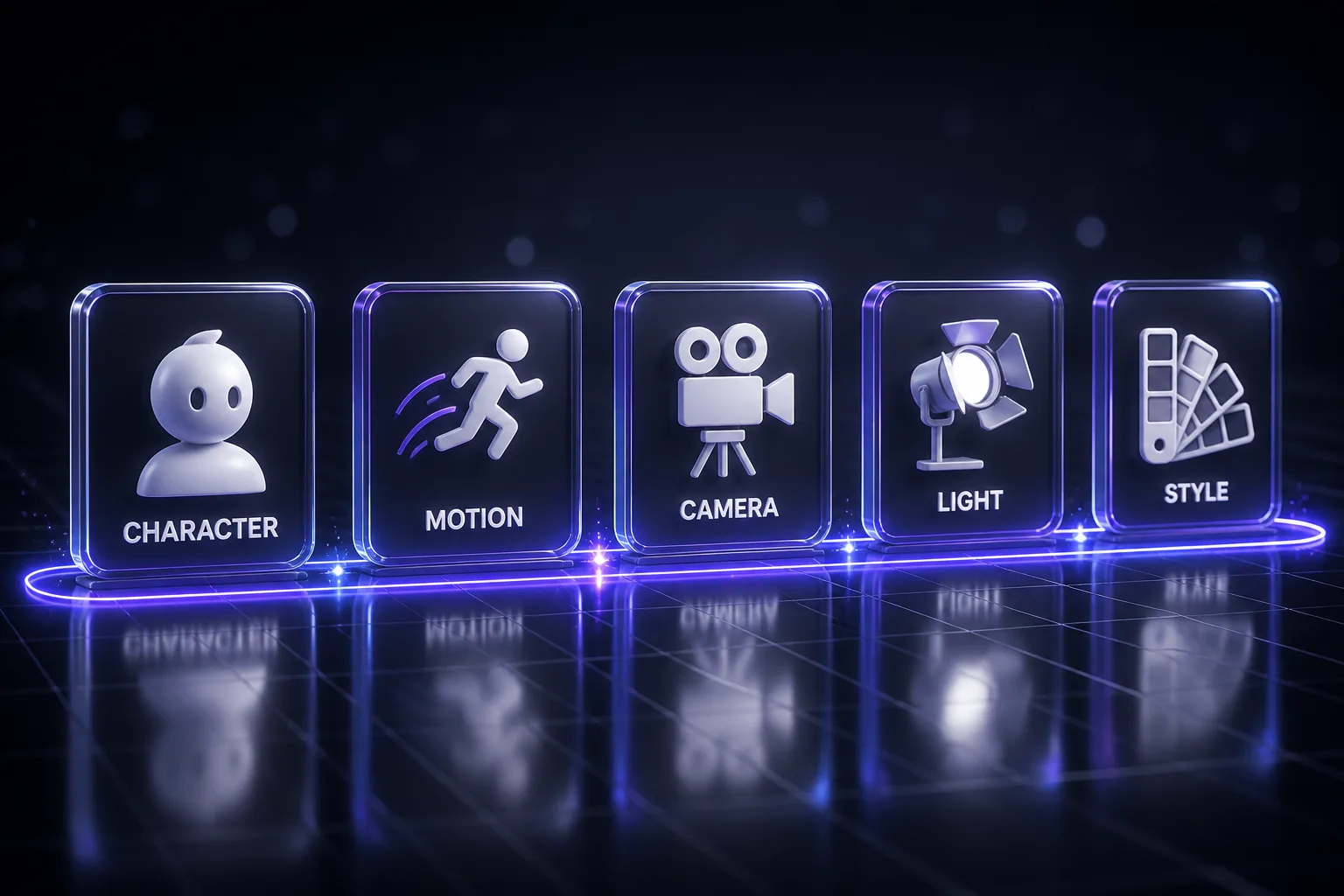
Before the prompts, the terms worth knowing. Use them literally — the models recognise them:
- Squash and stretch — a body deforms under force and recovers. The single most important cartoon signal. Without it, everything reads as rigid.
- Anticipation — the small opposite movement before the main one. A character crouches before jumping, winds back before throwing. Skipping it is why AI motion feels like it teleports into action.
- Follow-through and overlapping action — parts of a character keep moving after the body stops. Ears, hair, clothing, a tail. This is what separates a puppet from a performance.
- Ease in and ease out — movement accelerates and decelerates rather than running at constant speed. Linear motion is the most robotic thing you can generate.
- Arcs — living things move along curves, not straight lines. Say it explicitly.
- Exaggeration — cartoon physics push past reality. Ask for it by degree: subtle, moderate, extreme.
- Staging and silhouette — the pose must read as a black shape. If the silhouette is unclear, the shot is unclear.
- Secondary action — a smaller movement supporting the main one. A character walks and swings a tail; the tail is secondary action.
- Animating on twos — holding each pose for two frames, giving the snappier, more graphic feel of traditional animation rather than the glassy smoothness of full frame rate.
Eight Rules for 3D Cartoon Prompts
- Describe style attributes, not studios. Naming a studio or franchise gives you a diluted imitation and raises rights problems. "Soft global illumination, subsurface scattering in the skin, stylised proportions with the head at one third of body height" gets you further than any studio name.
- Lock the character before you animate it. Generate a character sheet first, use it as reference for every shot. Consistency comes from the reference, not from repeating the description.
- One camera move per shot. Same rule as live action. Cut to change the move.
- Give the motion a cause. "She turns" is weak. "She hears the sound behind her, her ears rotate first, then her head, then her shoulders follow" is a performance.
- Specify proportions numerically. Head-to-body ratio, eye size relative to head, limb thickness. Vague stylisation drifts between shots; numbers hold.
- Animation cameras are free. No dolly track, no crane limit, no lens physics. Ask for moves a real camera cannot make — that is part of the medium.
- Name the weight. How heavy is the character, how heavy is the object? Weight is communicated entirely through timing, and the model needs to know.
- Keep clips short and cut. Most models hold quality for a few seconds. Build sequences from shots rather than asking for one long take.
Character Design and Consistency (Prompts 1–5)
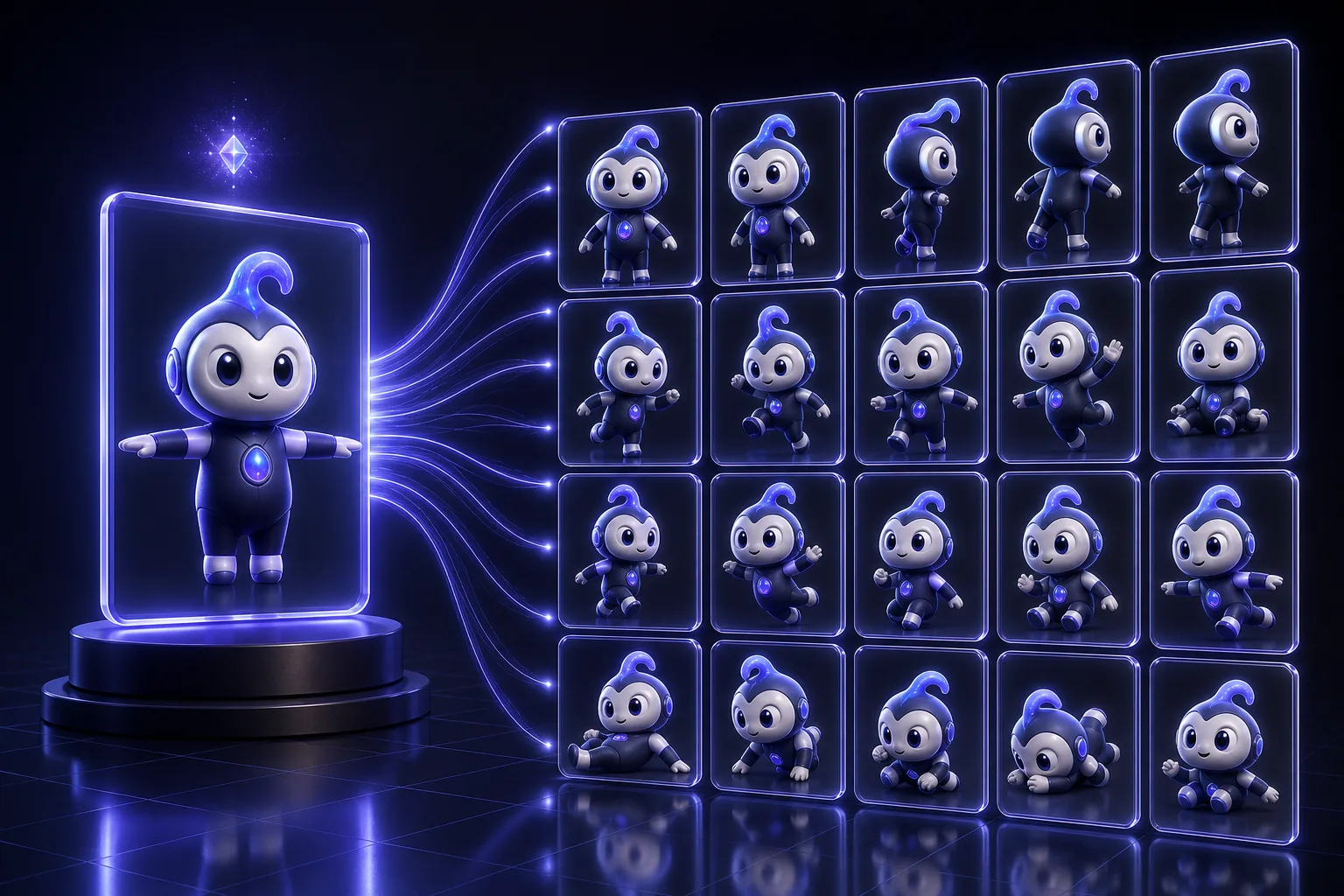
1. The Character Sheet
Build this first. Every other prompt references it.
Create a 3D character model sheet for an original animated character.

CHARACTER:
- Species or type: [HUMAN / ANIMAL / CREATURE / ROBOT / OBJECT]
- Age and build: [DESCRIBE]
- Personality in three words: [WORDS] — this must be visible in the design
- Role in the story: [DESCRIBE]

DESIGN SPECIFICATION:
- Head to body ratio: [e.g. 1:3 for a cute stylisation, 1:6 for a more grounded one]
- Eye size relative to head width: [e.g. one third — large eyes read younger and more appealing]
- Limb proportions: [THICK AND SOFT / LONG AND ANGULAR]
- Silhouette shape language: [ROUND for warmth / SQUARE for solidity / TRIANGULAR for threat]
- Palette: [3-4 COLOURS with one accent]
- Costume and props: [DESCRIBE, keeping shapes simple enough to animate]
- Surface: [MATTE / SOFT SHEEN], with subsurface scattering in the skin

LAYOUT: front, three-quarter, side and back views in a single row, identical scale, neutral A-pose, evenly lit on a plain background so the design reads clearly.

Rules:
- Entirely original — must not resemble any existing film, game or franchise character
- The silhouette must be readable as a solid black shape
- Keep shapes simple enough to deform under squash and stretch
- No text or labels in the image

Then describe the design in a reusable paragraph I can paste into every future shot prompt to hold consistency.
2. The Expression Sheet
Create an expression sheet for this established character.

CHARACTER REFERENCE: [ATTACH THE CHARACTER SHEET AND PASTE THE DESCRIPTION PARAGRAPH]

Produce a grid of the same character head at identical scale and angle, showing: neutral, happy, delighted, worried, afraid, angry, surprised, sad, determined, and sly.

For each expression:
- Change brow, eye shape, mouth shape and head tilt together, not in isolation
- Push each expression further than realism — cartoon faces exaggerate
- Keep the underlying head shape, proportions and palette exactly as in the reference

Rules: identical lighting and camera across all cells. No text. Original design only.

Then tell me which two expressions are weakest in terms of reading clearly at small size, and what to change.
3. The Turnaround Animation
Animate a 360-degree turnaround of this character.

CHARACTER REFERENCE: [ATTACH SHEET AND PASTE DESCRIPTION]

Motion: the character rotates slowly and continuously on the spot through one full revolution, standing in a relaxed neutral pose. The rotation is even and unhurried.

Life: even in a technical turnaround the character is alive — a slow blink somewhere in the rotation, a small breathing rise and fall in the chest, and any hair, ears or loose clothing settling with slight overlapping action as the body turns.

Camera: locked off, character centred, full body in frame with headroom. No camera movement at all — the character rotates, not the camera.

Lighting: three-point studio setup, neutral, designed to show form clearly rather than for drama.
Background: plain neutral, no environment.

Duration: 8 seconds. Aspect ratio: 1:1.

Keep proportions, palette and costume exactly as the reference at every angle.
4. The Consistency Lock
The paragraph you paste into every shot to stop the character drifting.
I need a reusable consistency block for this character.

CHARACTER REFERENCE: [ATTACH ALL EXISTING IMAGES OF THE CHARACTER]

Analyse the design and write a description block, under 120 words, that captures only the traits that must never change between shots:
- Exact proportional ratios
- Palette with the specific colours and where each appears
- Distinguishing design features that identify this character instantly
- Material and surface qualities
- Costume elements and where they sit

Rules:
- Include only what must stay fixed — leave pose, expression, camera and lighting out, since those change per shot
- Use concrete descriptors, not subjective ones: state the shape and ratio, not that it is cute
- Order the traits so the most identity-critical come first, since prompt weight falls off toward the end

Then tell me which trait is most likely to drift between generations, and how to phrase it more defensively.
5. The Character Pair
Design a second character that reads as belonging in the same world as my existing one, while being visually distinct.

EXISTING CHARACTER: [ATTACH SHEET AND PASTE DESCRIPTION]
NEW CHARACTER ROLE: [ANTAGONIST / SIDEKICK / RIVAL / MENTOR]
PERSONALITY: [THREE WORDS]
RELATIONSHIP: [HOW THEY RELATE TO THE FIRST CHARACTER]

Design rules:
- Share the world: same rendering style, same surface treatment, same level of stylisation, related palette
- Contrast the silhouette deliberately — if the first character is round and short, make this one angular and tall, so the two read apart instantly as black shapes
- Contrast the shape language to express the relationship
- Different enough in colour that they never confuse at a distance

Produce a matching four-view model sheet at the same scale as the original, plus a single image of both characters standing together so I can check they belong to the same world.

Then give me the reusable consistency paragraph for the new character, and tell me whether the two silhouettes are genuinely distinguishable.
Character Animation and Performance (Prompts 6–10)
6. The Walk Cycle With Personality
A walk is a character statement, not a locomotion problem.
Animate a walk cycle that expresses this character's personality.

CHARACTER: [ATTACH REFERENCE AND PASTE CONSISTENCY BLOCK]
PERSONALITY TO EXPRESS: [e.g. nervous and hurried / confident and swaggering / exhausted and heavy]
WEIGHT: [HOW HEAVY THIS CHARACTER IS — this determines the timing]

Animation direction:
- Anticipation on the first step: a small weight shift before moving
- Clear contact, down, passing and up poses through each step
- Squash on the down pose as weight lands, stretch through the passing position
- Hips rotate and shift; shoulders counter-rotate
- Arms swing in arcs, opposite to the legs, with the hands trailing slightly behind the arm as follow-through
- Head leads or lags depending on personality: eager characters lead with the head, reluctant ones lag
- Any ears, hair, tail or loose clothing move with overlapping action, settling a beat after the body
- Ease into and out of every extreme

Personality specifics: [DESCRIBE HOW THE ABOVE SHOULD BE COLOURED BY THE PERSONALITY — e.g. a heavy character has a longer down pose and more squash]

Camera: locked off, side view, full body, character walking in place.
Duration: 4 seconds. Aspect ratio: 16:9.

Do not produce a neutral technical walk. Every choice should tell me who this character is.
7. The Emotional Beat
Animate a single emotional moment with no dialogue.

CHARACTER: [REFERENCE AND CONSISTENCY BLOCK]
THE MOMENT: the character goes from [STARTING EMOTION] to [ENDING EMOTION] because [WHAT CAUSES IT]
DURATION: 6 seconds

Beat structure:
- 0-1.5s: the starting state, established clearly in a readable pose, with only breathing and a blink
- 1.5-2s: the trigger registers. The eyes react first, then the brow, then the head, then the body — reactions travel through a character in that order
- 2-3.5s: the transition, with an anticipation beat before the main shift
- 3.5-6s: the new state settles, with a small secondary movement as it lands rather than freezing

Performance rules:
- Change nothing that does not need to change — stillness makes the movement read
- The strongest emotional information is in the eyes and brow
- One clear silhouette per emotional state
- Ease into and out of every pose

Camera: medium close-up, locked off, character in the middle third. No camera movement — this shot is entirely about the performance.
Lighting: soft key from the front left with a subtle rim to separate the character from the background.

Aspect ratio: 16:9.
8. The Physical Comedy Beat
Animate a physical comedy moment with full cartoon exaggeration.

CHARACTER: [REFERENCE AND CONSISTENCY BLOCK]
THE GAG: [DESCRIBE — trips over something, catches a falling object badly, opens a door into their own face]
EXAGGERATION LEVEL: extreme

Animation direction:
- Big anticipation before the main action — wind up further than realism allows
- Extreme squash on impact, deforming the whole body, then a stretch on the rebound
- Overshoot every extreme and settle back, rather than stopping cleanly
- Add a brief hold on the funniest pose — comedy lives in the hold, not the movement
- Secondary parts keep moving well after the body stops
- Snappy timing: fast into the extreme, slow out of it
- The reaction after the gag matters more than the gag — hold the character's expression as they process it

Cartoon physics apply: gravity can pause, bodies can deform far past anatomy, and impact can ripple through the whole figure.

Camera: locked off wide enough to show the full body and the object involved. Do not cut.
Duration: 5 seconds. Aspect ratio: 16:9.

The clearest read is what matters — if the gag is not legible in silhouette, it is not working.
9. The Dialogue Performance
Animate this character delivering a line.

CHARACTER: [REFERENCE AND CONSISTENCY BLOCK]
LINE: "[THE DIALOGUE]"
EMOTION AND SUBTEXT: [WHAT THEY SAY VERSUS WHAT THEY MEAN]

Performance direction:
- Mouth shapes match the phonemes, but the acting is not in the mouth — it is in the eyes and brow
- One clear gesture supporting the line, timed to land slightly BEFORE the key word rather than on it
- Head moves continuously in small amounts; a still head reads as dead
- Blinks at natural thinking points, not evenly spaced
- Weight shifts once during the line
- The pose before the line and after the line should differ — the character is changed by having spoken
- Where the subtext contradicts the words, let the body play the subtext while the face plays the line

Camera: medium shot, slight low angle, locked off. Character occupies the centre-left third.
Duration: match the line length plus one second before and after.
Aspect ratio: 16:9.

Do not animate a talking head. Animate a character who happens to be speaking.
10. The Action Beat
Animate a dynamic action moment.

CHARACTER: [REFERENCE AND CONSISTENCY BLOCK]
ACTION: [JUMP / DODGE / SPRINT / LAND / THROW]
STAKES: [WHAT IS AT RISK — this determines intensity]

Animation direction:
- Strong anticipation: the character compresses in the opposite direction before launching
- The action itself travels along a clear arc, never a straight line
- Extreme poses at the peak, held for a fraction longer than realism
- Stretch through the fastest part of the movement
- Squash on landing or impact, then a settle with two diminishing overshoots
- Follow-through on every trailing element
- Timing: slow anticipation, very fast action, slow recovery — the contrast is what creates impact

Effects: [MOTION TRAILS / DUST PUFF ON LANDING / IMPACT RIPPLE] — stylised and graphic, matching the cartoon look rather than photoreal simulation.

Camera: [LOCKED OFF WIDE / SLIGHT PUSH IN ON THE ANTICIPATION]. One move only.
Duration: 4 seconds. Aspect ratio: 16:9.

The pose at the peak of the action should be strong enough to work as a still frame.
Camera and Cinematography (Prompts 11–14)
11. The Character Introduction Shot
Create the shot that introduces this character for the first time.

CHARACTER: [REFERENCE AND CONSISTENCY BLOCK]
WHAT THE AUDIENCE SHOULD FEEL: [DESCRIBE]
WORLD CONTEXT: [WHERE THEY ARE]

Shot design:
- Open on a detail or a partial view, then reveal the full character — do not show everything in frame one
- One continuous camera move: [SLOW PUSH IN / CRANE DOWN / ARC AROUND]
- The reveal lands on a strong, readable silhouette that expresses who they are
- The character does one small characteristic action during the reveal — something only they would do
- End on a held frame with the character clearly staged

Lighting: [DESCRIBE THE MOOD], with a rim light separating the character from the background.
Composition: rule of thirds, with the character's eyeline having space to look into.

Duration: 6 seconds. Aspect ratio: 16:9.

The audience should understand this character's personality from the shot alone, before any dialogue.
12. The Impossible Camera Move
Animation has no dolly track. Use that.
Create a shot using a camera move that would be physically impossible in live action.

SCENE: [DESCRIBE WHAT IS HAPPENING AND WHO IS IN IT]
CHARACTER: [REFERENCE AND CONSISTENCY BLOCK]

Camera: one continuous unbroken move that [CHOOSE ONE — passes through a solid object / spirals around the character while changing scale / travels from a wide establishing view to an extreme macro detail in one motion / follows an object through a full arc including impossible angles].

Requirements:
- The move must be continuous with no cuts
- Speed varies: ease into the move, hold briefly at the moment that matters, ease out
- The subject stays legible throughout — spectacle must not cost clarity
- The move should reveal information in a deliberate order, not just show off

Style: [PASTE YOUR LOOK BLOCK]
Duration: 8 seconds. Aspect ratio: 16:9.

Tell me at which point in the move the shot is most likely to break down, so I can plan a cut there if needed.
13. The Shot-Reverse-Shot Pair
Create a matched pair of shots for a conversation between two characters.

CHARACTER A: [REFERENCE AND CONSISTENCY BLOCK]
CHARACTER B: [REFERENCE AND CONSISTENCY BLOCK]
SCENE: [WHERE THEY ARE AND WHAT IS HAPPENING BETWEEN THEM]
THE DYNAMIC: [WHO HAS POWER IN THIS EXCHANGE]

Produce two shots designed to cut together:
SHOT 1 — on Character A, [ANGLE AND SIZE], with Character B's shoulder in the foreground
SHOT 2 — the reverse, on Character B, mirrored so the eyelines match

Requirements:
- Consistent screen direction: if A looks camera-right in shot 1, B must look camera-left in shot 2
- Matching lighting direction and colour between the two shots
- Camera height reflects the power dynamic — the character with less power is looked down on
- Both characters remain in character during the other's line, reacting rather than waiting
- Identical style and rendering across both

Generate each as a separate clip, [N] seconds each. Aspect ratio: 16:9.

Confirm the eyeline logic before generating, and tell me if my described staging would break screen direction.
14. The Establishing Shot
Create an establishing shot for this world.

WORLD: [DESCRIBE THE SETTING]
TONE: [WHAT THE AUDIENCE SHOULD FEEL ABOUT THIS PLACE]
SCALE REFERENCE: [WHAT TELLS US HOW BIG THINGS ARE]

Shot design:
- Wide framing that communicates geography — where things are in relation to each other
- One slow camera move that reveals scale: [CRANE UP / PULL BACK / SLOW LATERAL DRIFT]
- Layered depth: clear foreground, midground and background elements
- Atmospheric perspective — distant elements lower in contrast and shifted in colour
- Living detail in motion: [DRIFTING CLOUDS / MOVING VEHICLES / SWAYING VEGETATION / TINY FIGURES]
- The eye should be led to the story-relevant location by composition and light

Style: [PASTE YOUR LOOK BLOCK]
Lighting: [TIME OF DAY AND DIRECTION], with the key light doing the compositional work.

Duration: 8 seconds. Aspect ratio: 16:9.

The shot should answer where we are, how big it is, and how we should feel about it, without any character present.
Environment and World-Building (Prompts 15–18)
15. The Style-Consistent Environment
Design an environment that matches my established character style.

CHARACTER REFERENCE: [ATTACH — the environment must belong to the same world]
LOCATION: [WHAT AND WHERE]
STORY FUNCTION: [WHAT HAPPENS HERE]
TIME AND WEATHER: [DESCRIBE]

Design requirements:
- Same level of stylisation as the character: if the character has simplified, rounded forms, the world does too
- Same rendering treatment, surface quality and lighting approach
- Palette related to but not competing with the character's — the character must pop against it
- Shape language echoing the character design
- Simplified detail: suggest complexity through silhouette and texture rather than modelling every element
- Clear staging areas where a character can be placed and read clearly

Produce the environment with no character present, plus a second version with a simple placeholder figure at correct scale so I can check proportions.

Then tell me where in this environment a character would stage best, and where they would get visually lost.
16. The Environment in Motion
Bring this environment to life with ambient animation, no characters.

ENVIRONMENT: [ATTACH REFERENCE OR DESCRIBE]
TIME AND WEATHER: [DESCRIBE]

Ambient motion — layered, none of it competing for attention:
- Background: [SLOW-MOVING CLOUDS / DISTANT ACTIVITY]
- Midground: [SWAYING VEGETATION / MOVING WATER / DRIFTING SMOKE]
- Foreground: [PARTICLES / FALLING LEAVES / DUST IN A LIGHT SHAFT]
- Light: a slow shift in intensity or angle across the clip

Rules:
- Every element moves at a different speed — uniform motion looks fake
- Nothing moves fast enough to pull the eye from where a character would be staged
- Motion loops cleanly if possible so the shot can be extended
- Stylised motion consistent with the cartoon look, not photoreal simulation

Camera: [LOCKED OFF / VERY SLOW DRIFT].
Duration: 10 seconds. Aspect ratio: 16:9.

This is a background plate — it should feel alive but never demand attention.
17. The Prop and Set Dressing Pass
Design the props for this environment, in matching style.

ENVIRONMENT: [ATTACH OR DESCRIBE]
CHARACTER STYLE: [ATTACH REFERENCE]
STORY REQUIREMENTS: [WHICH PROPS THE ACTION NEEDS]

For each prop:
- Same stylisation level and surface treatment as the character and environment
- Simplified shapes that would deform believably if handled or thrown
- Scaled correctly against the character's proportions
- Palette that supports rather than competes

Produce a prop sheet with every item at consistent scale on a neutral background.

Then tell me:
- Which props tell the audience something about who uses this space, and what they say
- Which are visually redundant and could be cut
- What is missing that this space would realistically contain

Keep it to the props the story needs plus a few that add character. Over-dressing a set costs render clarity.
18. The Lighting Design
Design the lighting for this shot.

SCENE: [DESCRIBE, INCLUDING CHARACTERS AND ENVIRONMENT]
EMOTIONAL TONE: [WHAT THE AUDIENCE SHOULD FEEL]
TIME AND LIGHT SOURCES IN THE WORLD: [DESCRIBE]

Specify:
- Key light: direction, height, quality (hard or soft), colour temperature, and what it reveals
- Fill: how much shadow detail survives — deep shadows read dramatic, open shadows read warm and safe
- Rim or back light: how strongly the character separates from the background
- Practical sources visible in frame, and whether they motivate the key
- Bounce light: what colour the environment reflects onto the character
- Ambient occlusion in contact areas so the character sits in the space rather than floating on it

Cartoon-specific:
- Soft global illumination rather than harsh raytraced contrast
- Subsurface scattering in skin, especially in ears, fingers and any thin form against light
- Shadows slightly softer and lighter than physical accuracy would give — pure black shadows kill cartoon appeal

Then describe the same scene lit for the opposite emotional tone, so I can see the range.

Style: [PASTE YOUR LOOK BLOCK]. Aspect ratio: 16:9.
Style and Look Development (Prompts 19–22)
19. The Look Block
Write this once, paste it into every prompt in the project.
Help me write a reusable look development block for my animated project.

REFERENCES: [ATTACH IMAGES WHOSE LOOK YOU WANT — your own, or style references you have rights to use]
PROJECT TONE: [DESCRIBE]
TARGET AUDIENCE: [WHO IT IS FOR]

Analyse the references and produce a description block, under 100 words, specifying:
- Rendering approach and surface treatment
- Level of stylisation, stated in concrete terms such as proportional ratios and detail density
- Lighting character: quality, contrast ratio, colour temperature
- Palette strategy and how saturated the world is
- Depth of field and any lens character
- Texture and material treatment
- Edge quality: crisp and graphic, or soft and painterly

Rules:
- Describe attributes only. Do not name studios, franchises or films — the description must stand alone
- Every term concrete enough that two different people would produce a similar result from it
- Ordered with the most defining characteristics first

Then tell me which single attribute in this look is hardest for a video model to hold consistently, and how to reinforce it.
20. The Toon-Shaded Look
Generate this shot in a graphic, toon-shaded 3D style.

SUBJECT: [CHARACTER AND ACTION]
CHARACTER REFERENCE: [ATTACH]

Style specification:
- Flat or banded shading with hard-edged terminators rather than smooth gradients
- A limited number of shading steps: light, mid, shadow, with no soft falloff between them
- Clean outlines on silhouette edges, with the line weight varying — heavier where forms are in shadow or overlap
- Saturated, graphic palette with high separation between adjacent elements
- Minimal texture detail — colour and shape carry the read
- Specular highlights as defined shapes rather than soft blooms
- Shadows as clean shapes, coloured rather than grey

Motion: [DESCRIBE, USING ANIMATION PRINCIPLE TERMS]
Camera: [ONE MOVE]
Duration: [N] seconds. Aspect ratio: 16:9.

Consider animating on twos for a snappier, more graphic feel consistent with this style.
21. The Soft-Render Look
Generate this shot in a soft, warm, rendered 3D style.

SUBJECT: [CHARACTER AND ACTION]
CHARACTER REFERENCE: [ATTACH]

Style specification:
- Soft global illumination with light bouncing through the scene rather than direct-lit
- Subsurface scattering in skin and any thin translucent form
- Gentle contrast: shadows lifted, no pure blacks, no clipped highlights
- Rich material detail: fabric weave, subtle imperfection, fine surface variation
- Shallow depth of field with soft circular bokeh
- Slight bloom on the brightest highlights
- Rounded, appealing forms with generous fillets on every edge — nothing sharp
- A warm-neutral palette with colour temperature contrast between key and fill

Motion: [DESCRIBE, USING ANIMATION PRINCIPLE TERMS] — smoother easing suits this look than snappy timing.
Camera: [ONE MOVE], with a gentle handheld-style float rather than a mechanically perfect move.
Duration: [N] seconds. Aspect ratio: 16:9.
22. The Style Consistency Audit
Audit these shots for style consistency.

SHOTS: [ATTACH EVERY CLIP OR FRAME FROM THE SEQUENCE]
INTENDED LOOK: [PASTE YOUR LOOK BLOCK]

Compare across all shots and identify drift in:
1. Character proportions and design details
2. Palette and saturation
3. Lighting direction, quality and colour temperature
4. Level of stylisation and detail density
5. Rendering treatment and surface quality
6. Depth of field and lens character
7. Motion style and timing feel

For each inconsistency:
- Which shots differ and how
- Which version is correct against the intended look
- The exact prompt wording to bring the outliers into line

Then rank the issues by how noticeable they would be to a viewer watching the sequence cut together at speed — some drift is invisible in motion and not worth regenerating for.

Tell me which shots need regenerating and which can be corrected in grading.
Story, Sequences and Production (Prompts 23–26)
23. The Shot List From a Script
Break this scene into a shot list I can generate.

SCENE: [PASTE THE SCRIPT OR DESCRIBE THE ACTION]
CHARACTERS: [REFERENCES AND CONSISTENCY BLOCKS]
LOOK: [PASTE LOOK BLOCK]
TARGET LENGTH: [SECONDS]

For each shot produce:
1. Shot number and duration
2. Framing and camera height
3. The single camera move, or locked off
4. What the character does, described in animation principle terms
5. Lighting direction and mood
6. What this shot must communicate — its job in the scene
7. The complete generation prompt, ready to run

Structural rules:
- Keep each shot to a length the model can hold quality across — build sequences from short shots
- Vary shot size between consecutive shots; two similar sizes cut badly
- Maintain screen direction across the scene
- One camera move per shot
- Note where a cut hides a potential continuity problem

Then flag the two or three shots most likely to fail generation, and suggest a simpler alternative framing for each.
24. The Story Beat Structure
Structure a short animated film.

PREMISE: [ONE SENTENCE]
CHARACTER AND WHAT THEY WANT: [DESCRIBE]
LENGTH: [30 / 60 / 90 SECONDS]
TONE: [DESCRIBE]

Produce:
1. The beat structure with timings — setup, inciting moment, escalation, turn, resolution
2. For each beat: what happens, what changes, and how long it takes
3. The single visual image that carries each beat
4. Where the emotional peak sits, and what earns it
5. The ending, which should resolve the character's want in a way that is set up but not predictable

Constraints:
- Tell the story visually — assume no dialogue unless I say otherwise
- Every beat must change the situation; if nothing changes, cut it
- Keep the character count minimal; short films fail on too many characters more than any other cause
- The premise must be resolvable in the stated length

Then tell me honestly whether this premise fits the runtime, or whether it is a feature idea compressed into a short.
25. The Continuity Check
Check this sequence for continuity errors before I commit to it.

SHOTS IN ORDER: [ATTACH OR DESCRIBE EACH]
SCENE LOGIC: [WHAT IS HAPPENING, WHERE, AND WHEN]

Check for:
1. Screen direction — does anyone flip sides across a cut without motivation
2. Eyeline consistency in conversation
3. Character position and state between consecutive shots
4. Prop continuity: what is being held, where things are placed
5. Lighting direction and time of day drift
6. Costume and design detail changes
7. Scale consistency between characters and environment
8. Whether the geography is legible — could a viewer draw a map of this space

For each issue:
- Which shots conflict
- Whether a viewer would actually notice at playback speed
- The cheapest fix: regenerate, re-order, insert a cutaway, or accept it

Be practical. Some continuity errors are invisible in motion, and regenerating for them wastes time. Tell me which ones genuinely matter.
26. The Model Selection Brief
Recommend which video model to use for each shot in my sequence.

SHOTS: [LIST EACH WITH ITS DESCRIPTION AND REQUIREMENTS]
PRIORITIES: [CHARACTER CONSISTENCY / MOTION QUALITY / STYLISATION / SHOT LENGTH / COST]
BUDGET AND VOLUME: [HOW MANY GENERATIONS YOU CAN AFFORD]

For each shot tell me:
1. Which capability the shot depends on most — stylisation, physics, character consistency, or camera control
2. What is most likely to go wrong with it
3. How many attempts to budget realistically
4. Whether it should be generated as one clip or split at a cut

Then:
- Group the shots by the capability they need, so I can batch them
- Identify the shot most likely to consume the most attempts, so I can start it early
- Tell me which shots to generate first, because their output constrains the rest

Where the right choice depends on model behaviour that changes frequently, say so and tell me what to test rather than assuming. Recommend I run one test shot before committing budget to a batch.
Which Model for Cartoon Work
The models differ in ways that matter specifically for stylised animation. As of 2026, Kling 3.0 is the strongest general choice for cartoon work — it handles stylisation noticeably better than photorealism-first models, holds longer single shots, and supports multi-shot storyboarding, which is exactly what character consistency across a sequence requires. PixVerse is the specialist for anime and non-photorealistic styles. Seedance 2.0 has unusually strong physics and fabric dynamics, which helps with follow-through and overlapping action. Veo is photorealism-first, which makes it the least natural fit here despite its overall quality.
Our four-way model comparison and Kling 3.0 vs VEO 3.1 go deeper on the differences. Model behaviour changes fast, so treat any recommendation as a starting point and run a test shot before committing a batch.
Mistakes That Kill 3D Cartoon Output
- Describing the scene instead of the animation. The core failure. A shot description gets you a moving photograph; animation principle terms get you a performance.
- Animating before locking the character. Build the sheet, write the consistency block, then animate. Consistency comes from reference, not repetition.
- Naming studios or franchises. Gives you a weak imitation, and creates rights problems if you publish it. Describe the attributes instead.
- Forgetting anticipation. The most common reason AI motion feels wrong — characters snap into action with no wind-up.
- Constant-velocity movement. If you do not ask for easing, you get linear motion, which reads as mechanical.
- Nothing trails. No follow-through on hair, ears, clothing or tails is what makes a character look like a rigid prop.
- Asking for long single takes. Quality degrades. Build sequences from short shots and cut.
- Ignoring silhouette. If the pose does not read as a black shape, it will not read on screen either.
- Over-detailing. Cartoon style works through simplification. Detail density is a style choice, and more is usually worse.
Where to Run These
Character sheets and style frames are image generation work; the shots are video generation. Our OpenArt review covers a platform that does both with character consistency features, Higgsfield pricing covers the credit maths on a broad multi-model platform, and Hedra is worth a look for character performance specifically.
For character voices, our ElevenLabs pricing breakdown covers which tier you need — professional voice cloning starts at Creator, which matters if you are voicing a recurring character. And for prompt craft in adjacent formats, see 42+ AI UGC video prompts and Midjourney prompts for creators.
Keep Reading
More on the video and image stack: Gemini Omni vs Seedance vs Kling vs Wan, Kling 3.0 vs VEO 3.1, the OpenArt review, Midjourney prompts for creators, 42+ AI UGC video prompts, and the Hedra review. Or browse all guides and prompts on PromptsRush.
Frequently Asked Questions
10 questions answered