How Design.md Improves AI Coding Results
Why a single design.md file is the highest-leverage upgrade for AI coding: the five mechanisms behind the improvement, what to include, and the prompts to use it right.
Advertisement

A design.md file is the highest-leverage 200 lines you can add to an AI-assisted codebase. We've shipped UI with Claude Code, Cursor, and v0 with and without one, and the difference isn't subtle: without it, every session reinvents your product's look from scratch; with it, the output starts looking like your team made it — on the first try, not the fourth.
This post is about why that happens. Not another template walkthrough — we already published what belongs in a design.md and how to turn one into a UI Design Skill. This is the mechanism: what actually changes inside an AI coding session when a design.md is present, where the improvement comes from, and how to structure your workflow so you collect all of it.
What a Design.md Actually Is
A design.md is a plain-text brief that describes your design system in a form an AI can read: color tokens, typography scale, spacing, radii, shadows, component rules, and the do/don't guardrails that define your look. It's markdown, so it lives next to your code, travels with the repo, and gets versioned like everything else.
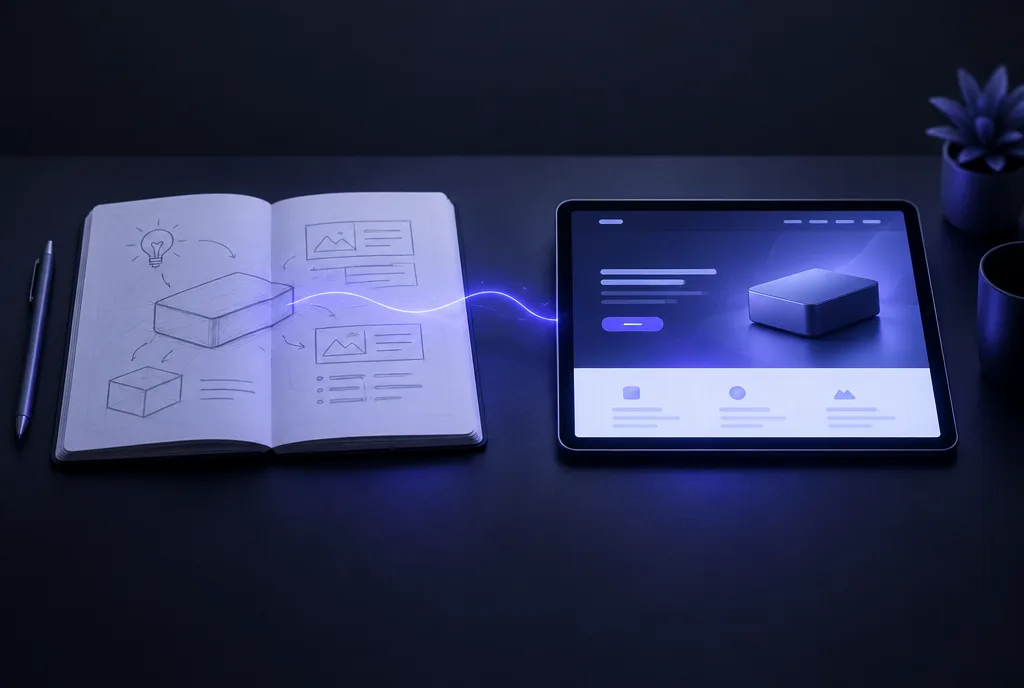
The key property: it's instructions, not pixels. A Figma file shows what the product looks like; a design.md tells an agent how to make more of it. That distinction is the entire reason it works — AI coding tools can't open your Figma file mid-session, but they can read a markdown file in milliseconds and obey it for the rest of the conversation.
Why AI-Generated UI Drifts Without One
When a model writes UI with no design context, it isn't being careless — it's doing exactly what it was trained to do: produce the most statistically typical interface for the request. That means the median of every dashboard, landing page, and settings screen on the internet. Generic blue accents, default shadcn spacing, a gradient hero if you're unlucky.
Worse, the guess is re-rolled every session. Monday's chat picks #3B82F6 for buttons; Wednesday's picks #2563EB; the agent fixing a bug on Friday introduces a third. None of these are wrong in isolation. Together they're visual debt, and it compounds with every AI-touched PR.
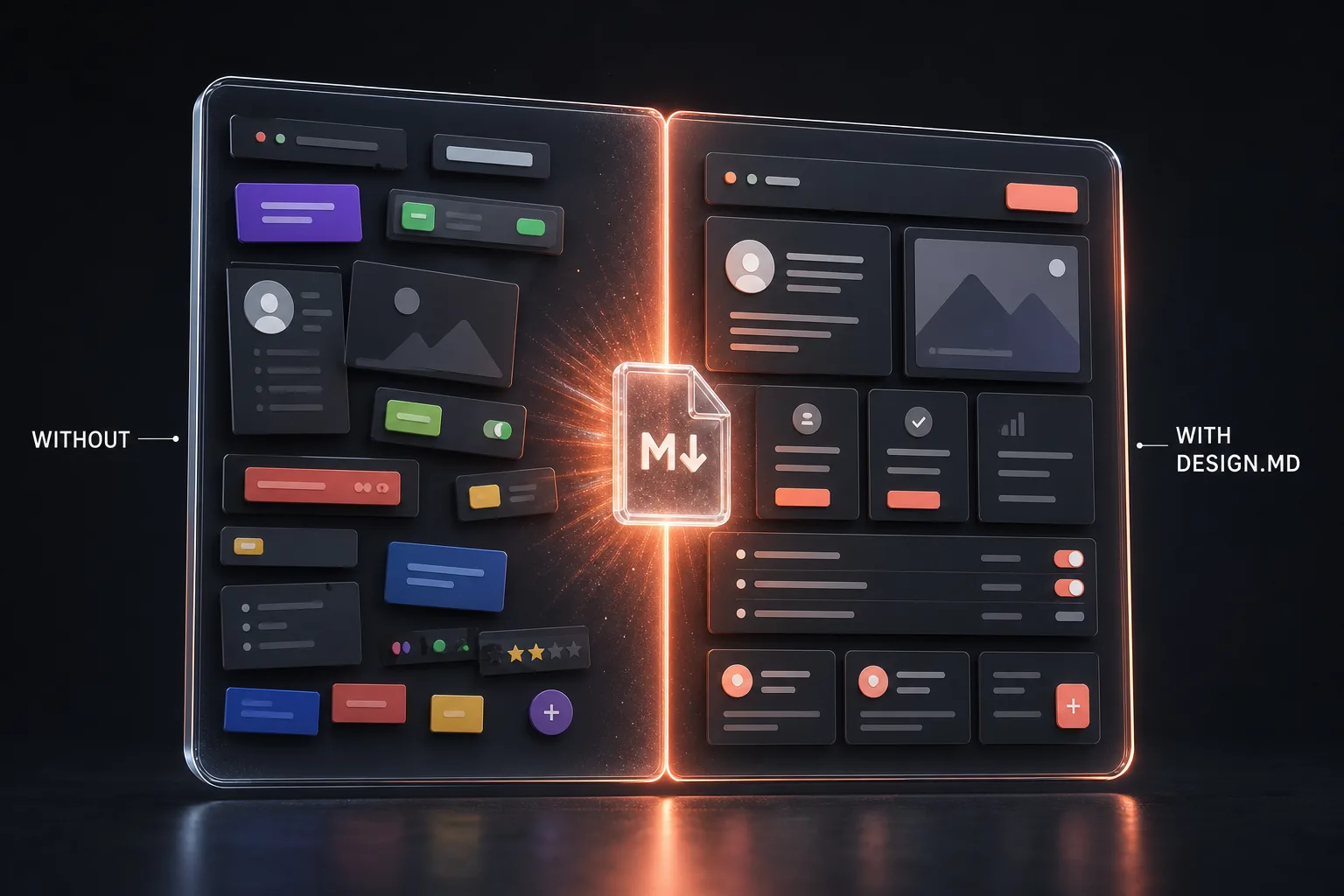
The failure mode isn't ugly output — modern models produce pretty output. The failure mode is output that's pretty in a different way every time. Consistency is the one design property a model cannot supply on its own, because consistency lives across sessions, and a model's memory ends when the chat does.
The Five Mechanisms Behind the Improvement
Adding a design.md changes model behavior through five distinct mechanisms. Understanding them matters, because each one tells you something about what to put in the file.
1. Lookup replaces guessing
Every visual decision a model makes is either retrieved from context or sampled from training data. A design.md moves hundreds of decisions — every color, every spacing value, every radius — from the second category to the first. The model stops asking "what would a button typically look like?" and starts asking "what does this file say buttons look like?" Retrieval is deterministic; sampling is not. That single shift is where most of the consistency gain comes from.
2. A smaller decision space means better decisions elsewhere
Models have a finite reasoning budget per response. Every token spent deliberating between two shades of gray is a token not spent on state management, accessibility, or the actual logic of your feature. A design.md prunes the decision tree before generation starts — the visual questions are pre-answered, so the model's effort concentrates on the code that has no lookup table. In practice we see this as fewer logic bugs in UI-heavy PRs, which sounds unrelated to a design file until you think about where the saved attention goes.
3. Reuse beats reinvention
Left alone, a model writes a new card component for every feature that needs a card. A design.md that lists your existing components — "we have Button, Card, Badge, EmptyState; reuse before creating" — turns the model from a component factory into a component consumer. Less duplicate code, smaller diffs, and new UI that automatically inherits fixes made to the shared pieces.
4. Review gets an objective anchor
"This doesn't feel right" is not actionable feedback, for humans or models. With a design.md, review becomes mechanical: does this diff use tokens from the file, or did it hardcode values? Did it reuse the listed components? Violations are findable by grep, and — more usefully — by the model itself. The design review prompt later in this post turns the file into an automated compliance check.
5. Memory that survives the session
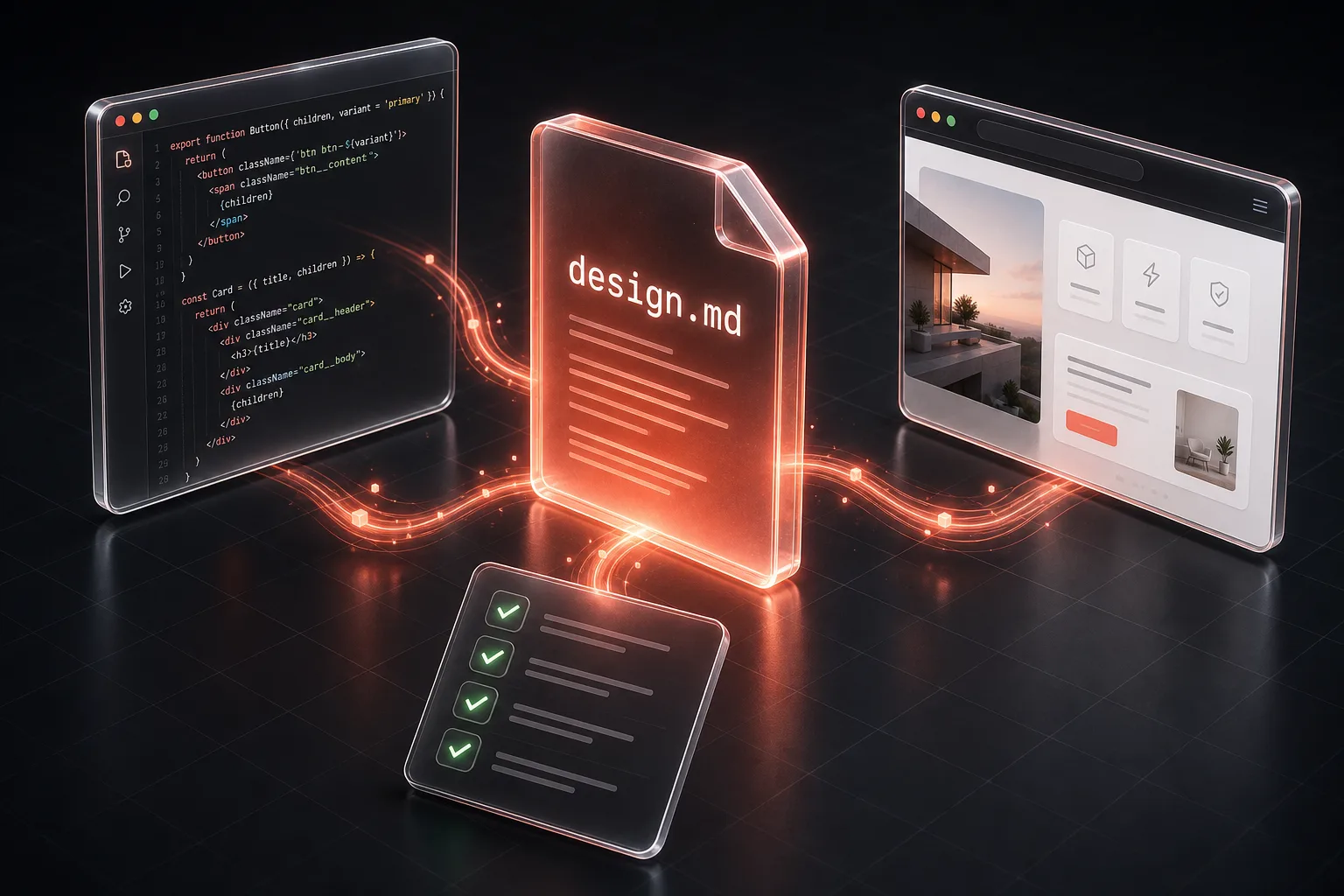
This is the quiet one. A design.md is cross-session, cross-tool, and cross-teammate memory. The agent that scaffolds a feature today, the one that fixes a bug next month, and the contractor's Cursor session in between all read the same file and land on the same look. No other artifact in the AI workflow does this for design — conversation history dies, and system prompts don't travel between tools. A markdown file in the repo does.
What Goes Into a Design.md That Works
The mechanisms above only fire if the file contains the right things in the right form. Four sections do the work:
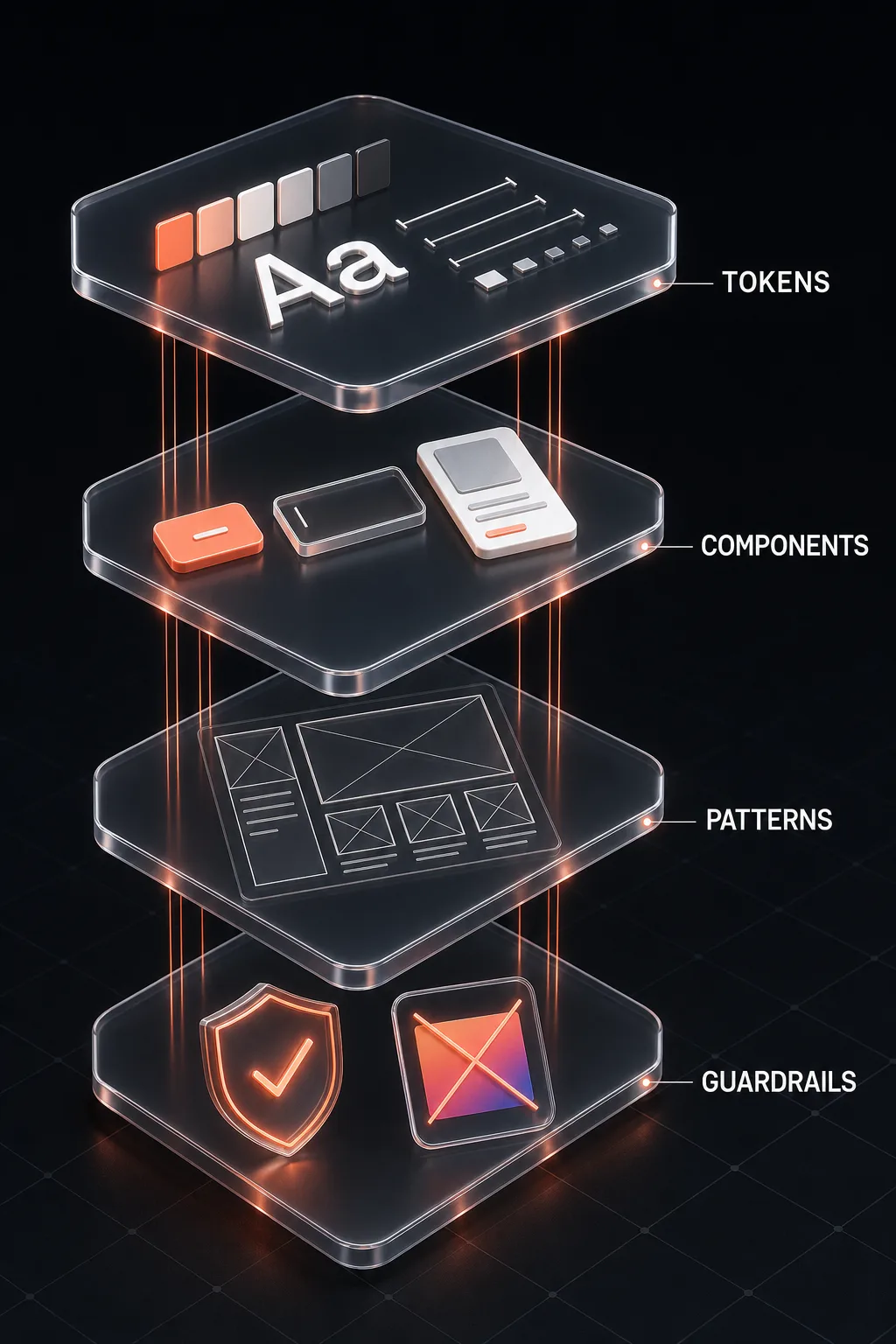
- Tokens — exact values, never adjectives.
#6366F1beats "vibrant indigo"; an 8-point spacing scale beats "generous whitespace". If a value isn't written down, the model will invent it (mechanism 1). - Components — an inventory of what already exists, with variants and when to use each. This is what powers reuse (mechanism 3).
- Patterns — page-level rules: how forms are laid out, where primary actions sit, how empty states behave. This is the layer that makes five screens feel like one product.
- Guardrails — explicit don'ts. "No gradients on text. No more than one accent color per view. Never introduce a new font size." Models respect prohibitions far more reliably than they infer taste, and every banned anti-pattern is one less way to drift.
Our full breakdown with a copy-paste template is in how to write better design.md files. If you're starting from an existing codebase, don't write the file by hand at all — extract it:
Generate a design.md From Your Existing Codebase
Read this codebase and produce a design.md that captures the design system as it actually exists.
Extract: color tokens with hex values and their semantic roles, the typography scale, spacing and radius values, shadow styles, and the recurring component patterns (buttons, cards, forms, navigation) with their variants.
Where the code is inconsistent, pick the majority pattern, list the deviations in a Cleanup section, and never invent values that appear nowhere.
Add a Guardrails section: five do rules and five don't rules inferred from what the code deliberately avoids.
Keep the whole file under 300 lines — an agent should read it in one pass.
[POINT AT THE REPO, OR PASTE YOUR THEME FILE + THREE REPRESENTATIVE COMPONENTS]
The "never invent values" line is doing real work — without it, models pad the extraction with plausible tokens your codebase has never used, and the file starts lying on day one.
Using It Day to Day
A design.md improves nothing from inside a folder nobody reads. Three ways to wire it into the loop, in ascending order of automation:
- Reference it manually — "read design.md first, treat it as binding" at the top of any UI prompt. Works in every tool, costs one line.
- Point your agent config at it — a line in
CLAUDE.md(or your Cursor rules) saying "all UI work must comply with design.md" makes the instruction automatic for every session in the repo. - Package it as a Skill — the agent auto-invokes the design system whenever it touches UI, no prompting at all. Full walkthrough in our UI Design Skill tutorial, and if Skills are new to you, start with what AI Skills are.
Whichever wiring you choose, the implementation prompt should make compliance checkable, not just requested:
Build UI That Honors design.md
Before writing any UI code, read design.md and treat it as binding.
Build: [DESCRIBE THE FEATURE OR SCREEN].
Rules: use only tokens defined in design.md — no new hex values, font sizes, or spacing numbers. Reuse the components it lists before creating new ones. If the feature needs something design.md does not cover, stop and propose the addition as a design.md diff first instead of improvising.
After the code, list every token and component you used so I can verify nothing was invented.
That closing audit line is the enforcement mechanism. A model that has to enumerate its tokens can't quietly slip in a hardcoded hex value — and when the list is short and familiar, your review is thirty seconds instead of ten minutes.
The Design Review Pass
The final mechanism — review anchoring — deserves its own prompt. Run this on any UI diff before merge, in a fresh conversation so the reviewer doesn't inherit the author's assumptions:
Review a UI Diff Against design.md
Review this UI diff against design.md like a design-system maintainer.
Flag every violation: hardcoded colors or spacing that bypass tokens, near-duplicate components that should reuse existing ones, typography outside the scale, and interaction patterns that contradict the guardrails.
For each violation give the file and line, the rule it breaks, and the compliant rewrite.
End with a verdict — clean, minor drift, or reject — and if the same violation appears three or more times, suggest the design.md clarification that would prevent it.
[PASTE THE DIFF + THE design.md]
The last instruction is the one that compounds: repeated violations are almost never the model being sloppy — they're the file being ambiguous. Each review pass that feeds a clarification back into design.md makes every future session better. The file becomes self-sharpening.
Mistakes That Neutralize the Whole Thing
- Adjectives instead of values. "Modern and clean" gives the model nothing to look up, so it falls straight back to sampling. Every mechanism above depends on the file being concrete.
- The museum piece. A design.md that doesn't change when the product does is worse than none — the model will confidently apply your 2024 palette to your 2026 redesign. Update it in the same PR that changes the system.
- The novel. Past a few hundred lines, agents skim and consistency drops. If your file is growing, tighten the prose and cut the philosophy; keep values and rules.
- No guardrails section. Positive rules alone leave infinite room to improvise. The don'ts close it.
- Writing it aspirationally. Describing the design system you wish you had, while the codebase disagrees, forces the model to choose between the file and the code — and you won't like either choice. Document what's real; put ambitions in a Cleanup section.
What We've Seen in Practice
On our own App Router projects, the before/after looks like this: UI review comments dropped by roughly half, almost entirely in the "wrong color / wrong spacing / why is this a new component" category. First-try acceptance of AI-generated screens went from rare to routine. And onboarding a second AI tool stopped being a re-teaching exercise — Cursor read the same file Claude Code did and produced compatible output on day one.
None of this required a better model. It required giving the model the one thing it cannot generate: your decisions, written down.
Pro tip: Pair design.md with the spec-first workflow from our Fable 5 prompts for Next.js developers — the spec settles architecture before code, design.md settles appearance before code. Together they eliminate the two biggest rework loops in AI-assisted development.
The Verdict
Design.md works because it converts taste into lookup. Models are extraordinary at following explicit rules and unreliable at inferring implicit ones — a design.md simply moves your design system from the second category into the first. The result is consistency across sessions, reviews that anchor to something objective, and an AI that reuses your components instead of reinventing them.
Write one this week. Extract it from your codebase with the first prompt, wire it into your agent config, and run the review prompt on your next UI diff. The file takes an hour; the drift it prevents was costing you that every few days.
Keep Building
Next in the design.md series: how to write better design.md files (the template), turning it into a UI Design Skill (the automation), and 25+ working Claude Design prompts. Or browse all guides, prompts, and AI models on PromptsRush.
Frequently Asked Questions
9 questions answered