Loading model...
Best Nano Banana 2 prompts
124 prompts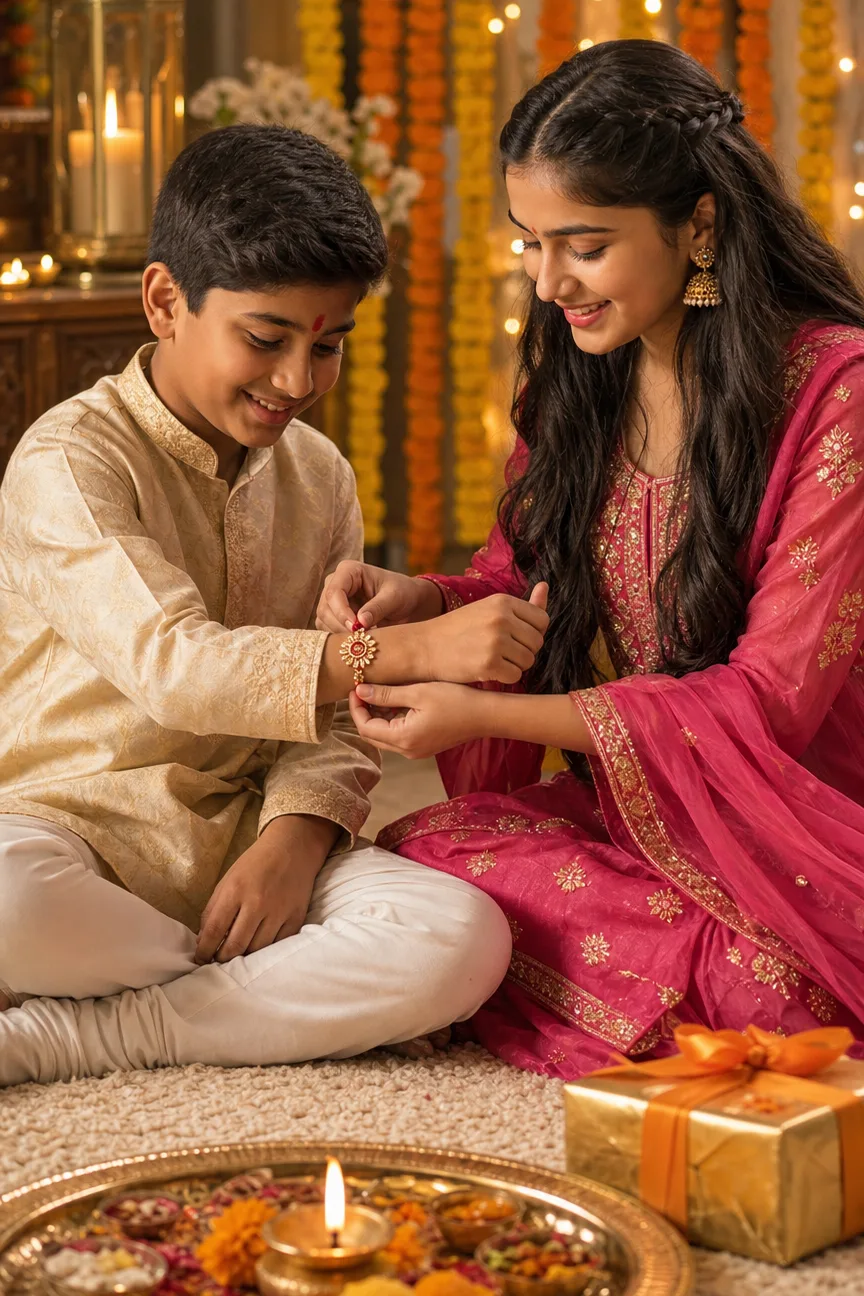
Image
Portrait & Character
Raksha Bandhan AI Photo Prompt
A Raksha Bandhan AI photo prompt that turns two sibling photos into one festive portrait — rakhi tying, marigold garlands, and warm golden light. Upload the brother's photo first and the sister's second — each is a strict identity source, so both faces come through unchanged while the outfits, the moment, and the backdrop are rebuilt around them. The fixed craft is the warm early-evening lamplight grade and the brass puja thali with a lit diya anchoring the foreground. What you can customize The Moment — four rituals: Tying the Rakhi, Aarti Blessing, Sweet Exchange (feeding the first laddoo), or Gift Surprise with the rakhi already tied. Festive Outfits — four coordinated pairs: Kurta & Pink Anarkali, Royal Blue & Golden Saree, Pastel Pair, or White & Red Classic. Festive Backdrop — four settings: Marigold & Fairy Lights, Home Mandir Corner, Sheer Drapes & Florals, or a Rangoli Courtyard at dusk. Brother Photo and Sister Photo — two required uploads, one clear solo photo of each sibling. Best for Rakhi cards, WhatsApp statuses, and Instagram posts. The frame renders deliberately text-free, so festival greetings can be added on top in any editor. Tips for the best results Use clear, well-lit solo photos of each sibling — group shots confuse the identity lock. Avoid sunglasses, hats, or heavy filters in either source photo. Keep the upload order consistent: brother first, sister second, so each identity lands on the right figure. Pick an outfit pair and backdrop that share a palette; the marigold backdrop and cream-gold kurta are the signature combination.
357 ViewsTemplate
Image
Social Media
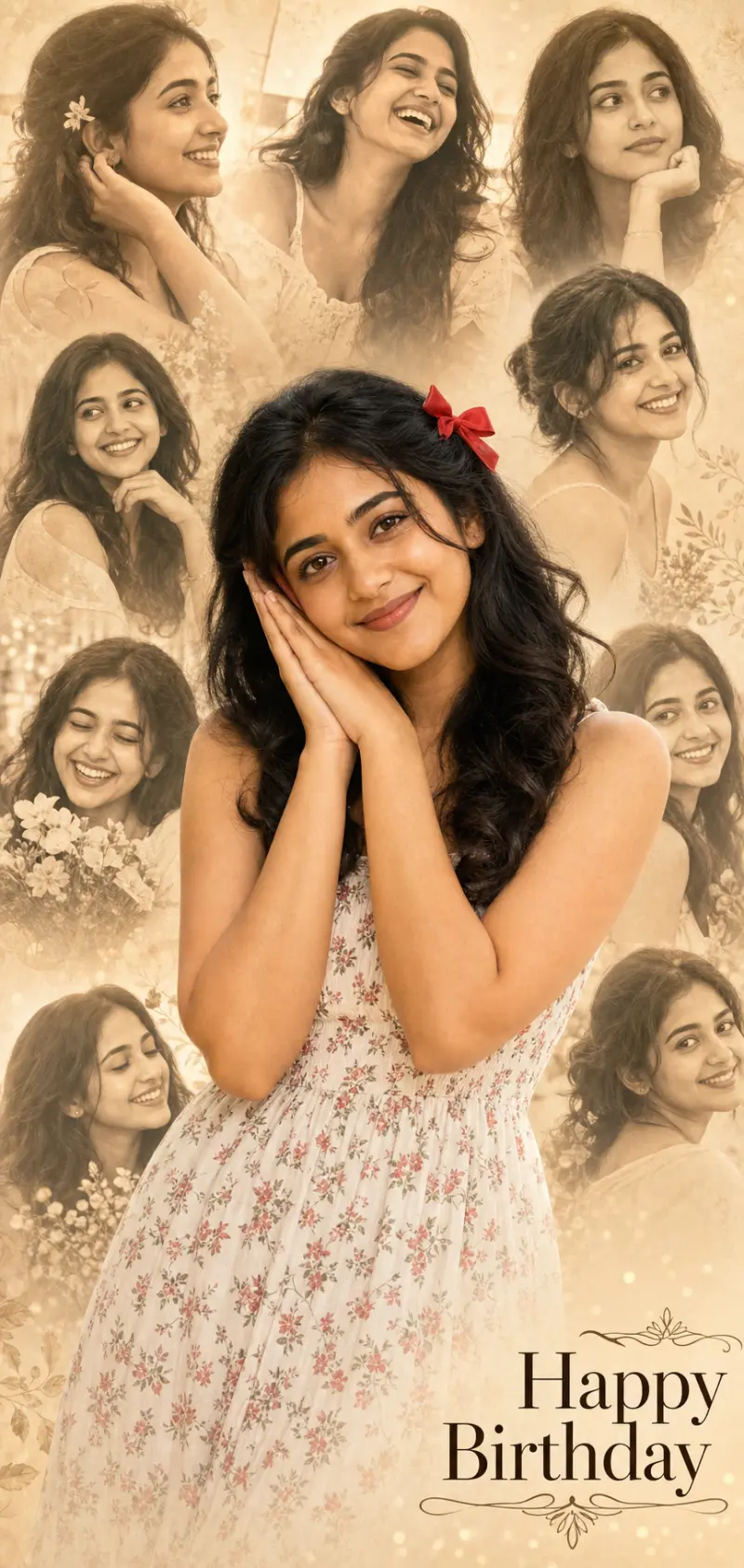
Birthday Photo Collage Portrait
A birthday collage prompt that turns one photo into a heartfelt tribute poster — the person sharp in front, a soft faded montage of happy moments behind. Upload a single photo and the template builds the whole collage: a color foreground subject and six to eight faded candid portraits of the same person arranged behind, finished with an elegant greeting like "Happy Birthday". It is the loving edit people make for a friend or partner's special day. What you can customize Greeting Text — a short two-to-three-word message such as Happy Birthday. Subject Description — free text for the outfit, hair and look of the foreground figure. Foreground Pose — five choices, including Hands to Cheek, Blowing a Kiss, Arms Crossed Smiling and Hands Near Heart. Collage Tone — five treatments for the montage: Warm Sepia, Soft Grayscale, Gentle Color, Vintage Film or Dreamy Pastel. Background Wash — four washes: Warm Cream, Soft Grey, Blush Pink or Golden Glow. Model Photo — an optional upload used for the color foreground and every faded portrait. Best for Birthday and anniversary posts, status and story wishes, printed cards and gifts, and fan or tribute edits. Because the greeting is a field, the same layout works for congratulations or any celebration. Tips for the best results Attach one clear, well-lit photo so every face in the collage matches; group or low-quality sources make the tiles look like different people. Describe the outfit and hair so the foreground looks styled. Keep the greeting to two or three words so the text stays crisp and correctly spelled — long messages degrade. A sweet, warm foreground pose sells the sentiment. Avoid busy real backgrounds; the montage should be the backdrop.
Image
Cinematic & Film
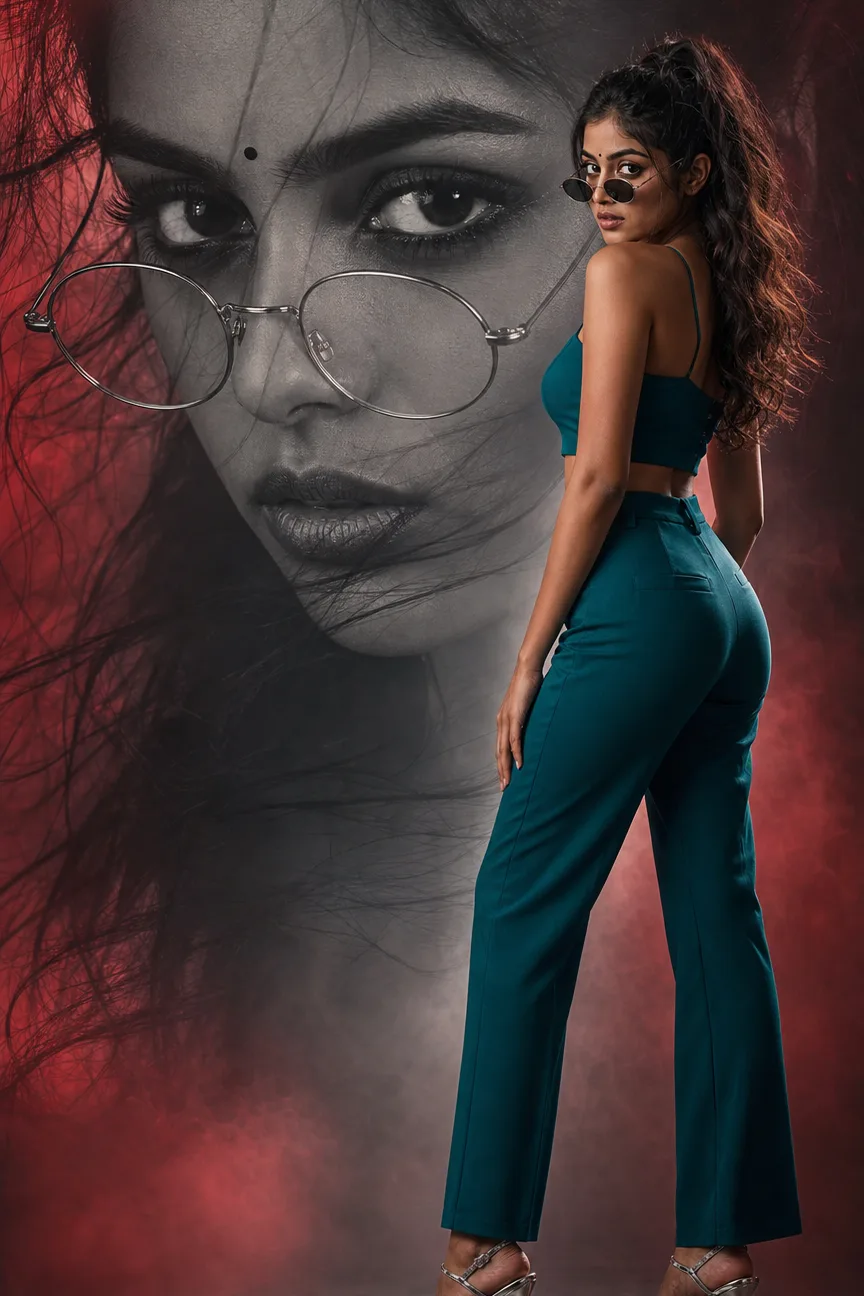
Cinematic Double Exposure Poster Prompt
A double exposure AI prompt that turns one photo into a cinematic poster — a giant monochrome portrait behind your full-color figure, four duotone moods. Both layers are the same person: the attached photo drives a huge desaturated close-up that fills the backdrop and a small full-color figure standing in front of it, rim-lit with the crisp edge separation of a composited film poster. The result renders deliberately text-free, ready for your own title typography. What you can customize Portrait Mood — four treatments for the giant face: Glasses & Bindi, Bare & Windswept, Half-Shadow Noir, or Serene Eyes Closed. Duotone Backdrop — four color stories bleeding around the portrait: Crimson & Smoke, Teal & Charcoal, Amber & Black, or Violet Noir. Figure Outfit — four looks for the foreground figure, from a tailored Teal Co-ord and Black Leather Edge to Saree Glam and White Minimal. Figure Pose — four stances: Over-Shoulder Glance, Walking Stride, Arms Crossed, or Hands in Pockets. Reference Photo — a required upload that drives both the monochrome backdrop and the color figure. Best for Film-style posters, profile visuals and personal-branding graphics where one face carries the whole frame. Drop your own title on top in any editor to finish the poster. Tips for the best results Use a sharp, well-lit source photo — the face has to survive being blown up to fill the frame. Avoid sunglasses or heavy filters in the source; the template adds its own eyewear styling. Change one field per generation to keep the duotone coherent. Pair a moody Portrait Mood with a matching backdrop — Half-Shadow Noir sits naturally in Violet Noir or Teal & Charcoal.
Image
Fashion & Beauty
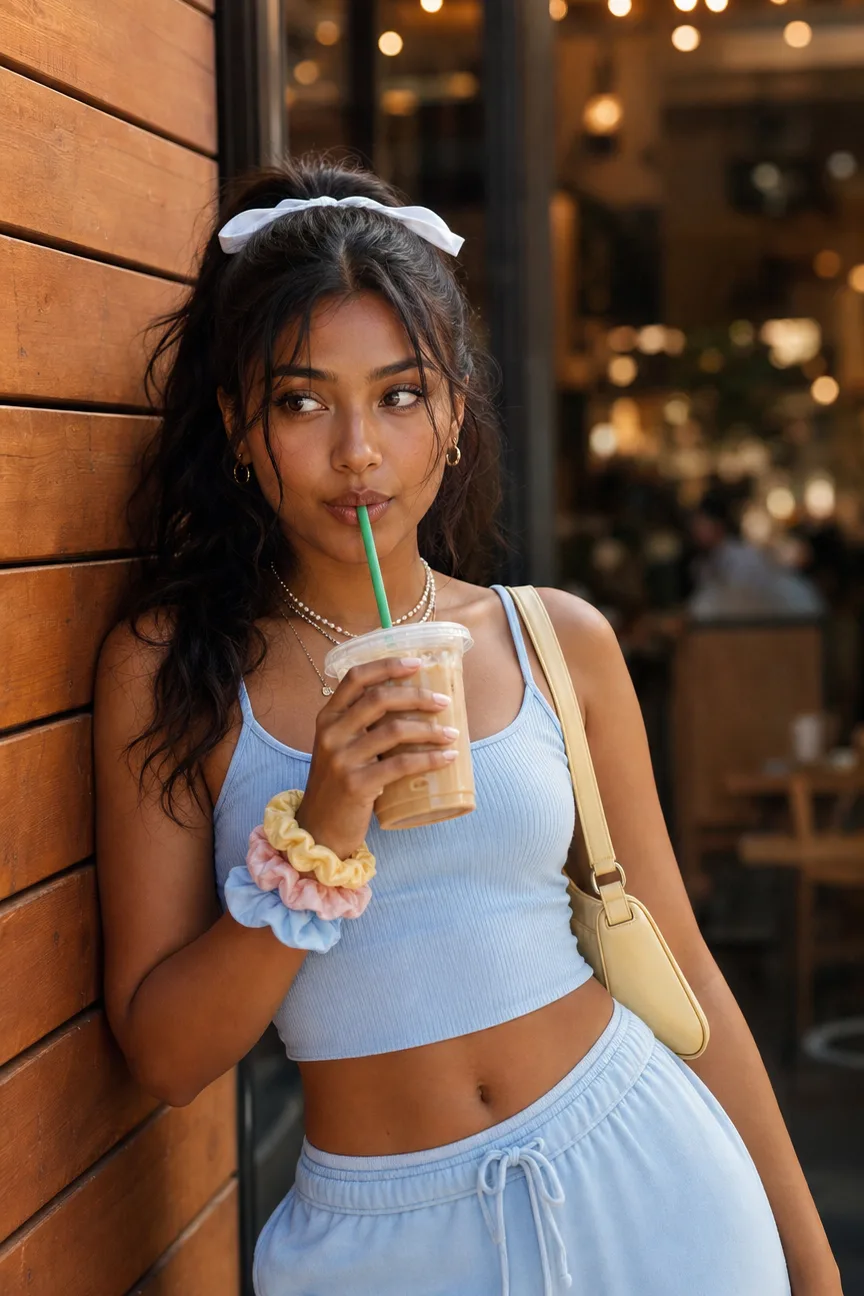
Coffee Run Street Style Prompt
A street style photoshoot prompt for the coffee-run aesthetic — pastel sets, iced drinks, cafe bokeh, and golden grades, with or without your photo. Attach a clear photo and your exact face and hair are preserved while the outfit, drink, scene, and grade are restyled around you — or skip the upload and describe any subject from scratch. The pose is the fixed craft: the relaxed shoulder lean, hips angled away, soft off-camera gaze that makes the frame read as caught rather than posed. What you can customize Subject — a free-text description of the person, used when no photo is attached. Outfit Palette — four color stories: the signature Pastel Blue Set with scrunchie stack and butter-yellow bag, Cream & Beige, Y2K Pink, or Sage Minimal. Drink — Iced Coffee Sip, Iced Matcha, Bubble Tea, or No Drink; every cup stays deliberately unbranded. Backdrop — Cafe Exterior with golden bokeh, City Crosswalk, Brick Lane mural, or Shopfront Glass. Vibe & Grade — Warm Golden Soft, Bright & Airy, 35mm Film, or Dusk Blue Hour. Reference Photo — optional; preserves face, skin tone and hair texture. Best for Instagram feed and story content, outfit posts, cafe and lifestyle creator shoots, and mockups for fashion or beverage-adjacent brands that want the coffee-run look without a location day. Tips for the best results Use a sharp, well-lit reference without sunglasses, hats, or heavy filters. Change one field at a time so the palette stays coherent. Keep cups unbranded — logos render as garbled artifacts. Let the Vibe & Grade set the hour: Warm Golden Soft for late afternoon, Dusk Blue Hour for glowing shop lights.
Image
Portrait & Character
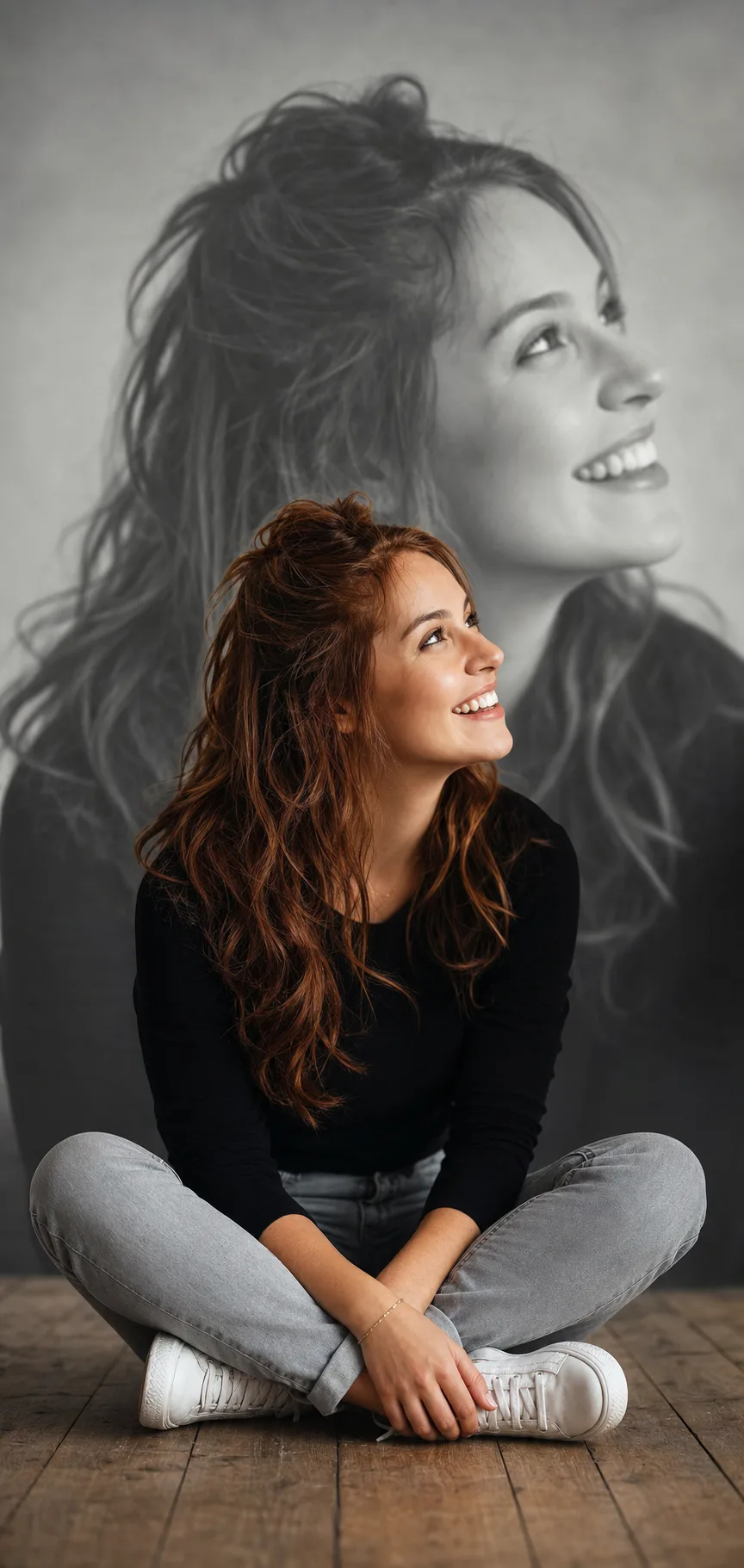
Self-Portrait Backdrop Effect
A self-portrait backdrop prompt for the popular double-layer edit — you in sharp color up front, a giant faded portrait of yourself on the wall behind. Upload one photo and the template renders both layers of the same person: a vivid color foreground subject and a large soft-focus close-up of you as a dreamy printed backdrop. It is the eye-catching "two of me" studio look creators use for profile pictures, posters and aesthetic posts. What you can customize Subject Description — free text for hair, outfit and overall look of the foreground figure. Foreground Pose — five options: Sitting Cross-Legged, Knees Hugged, Standing Hands in Pockets, Leaning on Knee, or Chin on Hand. Background Portrait — five expressions for the giant backdrop, including Smiling Profile Looking Up, Serene Straight-On, Eyes Closed Peaceful and Laughing Candid. Backdrop Tone — Faded Black & White, Warm Sepia, Soft Color Wash, Moody Dark, or Cool Blue Tint. Setting — four spaces: Wooden Floor Studio, Concrete Loft, Soft Grey Studio, or Warm Beige Room. Model Photo — an optional upload used for both layers. Best for Profile pictures, phone wallpapers, prints, birthday and milestone posts, and personal-branding visuals that want depth and story in a single frame. Tips for the best results Attach one clear, well-lit photo so both versions of the face read consistently, and describe the outfit and hair so the foreground looks styled. Pick a foreground pose and background portrait that contrast — a laughing look up front against a serene profile behind works beautifully. Use the Backdrop Tone to set the mood of the giant portrait. Avoid busy real backgrounds, tiny group photos as the reference (crop to just you), and heavy filters that make the two faces look like different people.
Image
Cinematic & Film
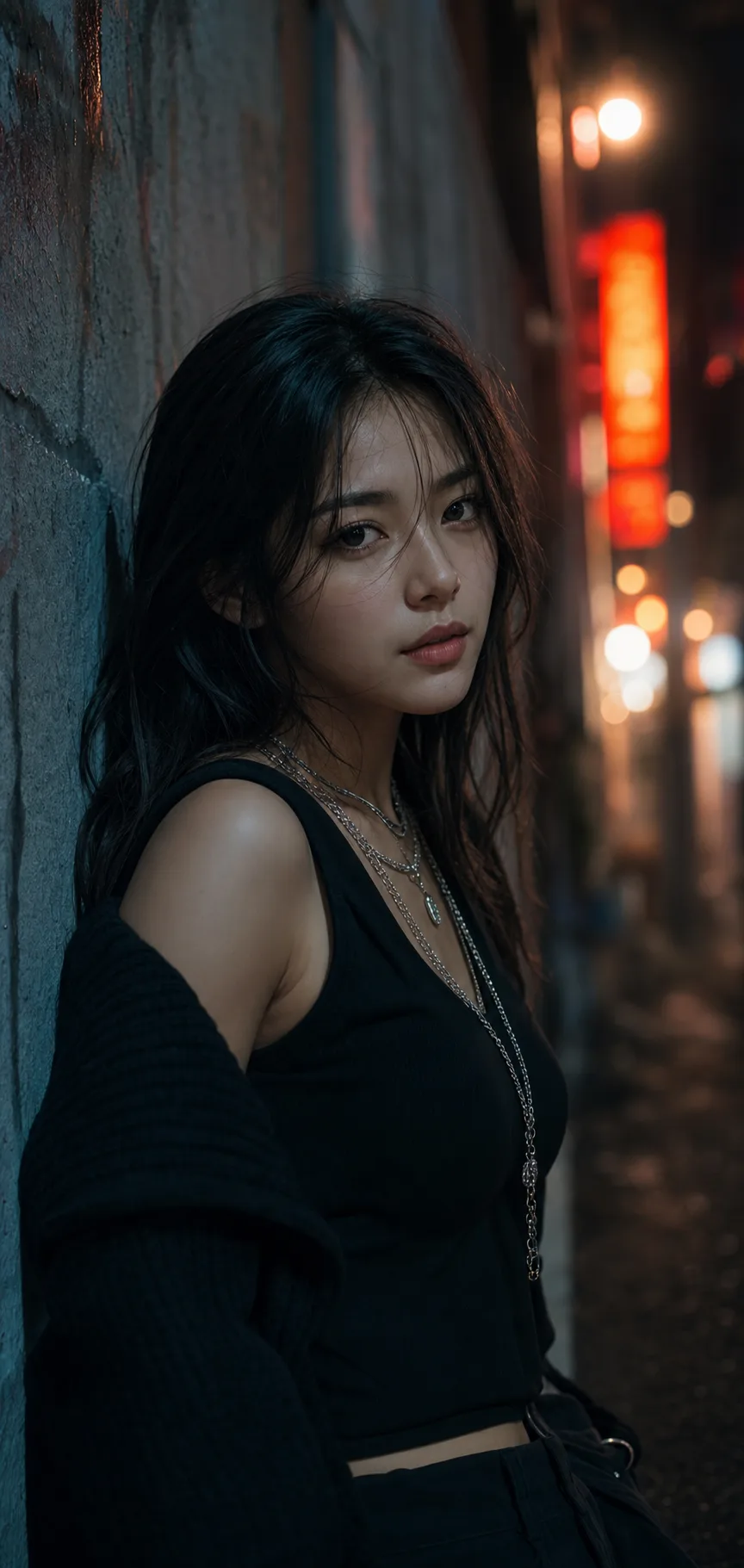
Cinematic Neon Night Portrait
A cinematic night portrait prompt that recreates the moody, film-graded look — dramatic neon street light, deep shadows, rich bokeh and a confident gaze. The template captures the exact vibe of a still from a stylish film: a subject lit by colored light against a dark urban night, with strong directional key light, atmospheric haze and a teal-and-orange grade. The drama comes from deep shadows and a single strong light on the face. What you can customize Subject Description — free text for the person, hair and features. Outfit / Styling — free text; streetwear and layered jewellery suit the look. Pose — five stances: Leaning on Wall, Hand in Hair, Over-the-Shoulder, Hands in Pockets, or Looking Up. Setting — five night locations: Dim Neon Alley, Rain-Slicked Street, Subway Platform, Rooftop at Night, or Neon Bar Doorway. Lighting & Color Grade — Teal & Orange, Cyberpunk Purple, Warm Amber Night, Moody Green, or Red Neon Noir. Model Photo — an optional upload to carry a real likeness. Best for Profile pictures, music and artist visuals, streetwear and personal branding, and moody creator content that stands out from bright everyday selfies. Tips for the best results Describe the person and outfit clearly, and attach a photo if you want a real likeness. Lean into the dark, colored-light default — a moody setting and a calm, confident expression sell it best. Avoid bright flat lighting, which kills the cinematic mood, and busy backgrounds that compete with the bokeh. Skip heavy skin smoothing; it flattens the filmic texture. The template is tuned for a stylish, tasteful portrait — revealing or suggestive framing requests are not supported.
Image
Portrait & Character
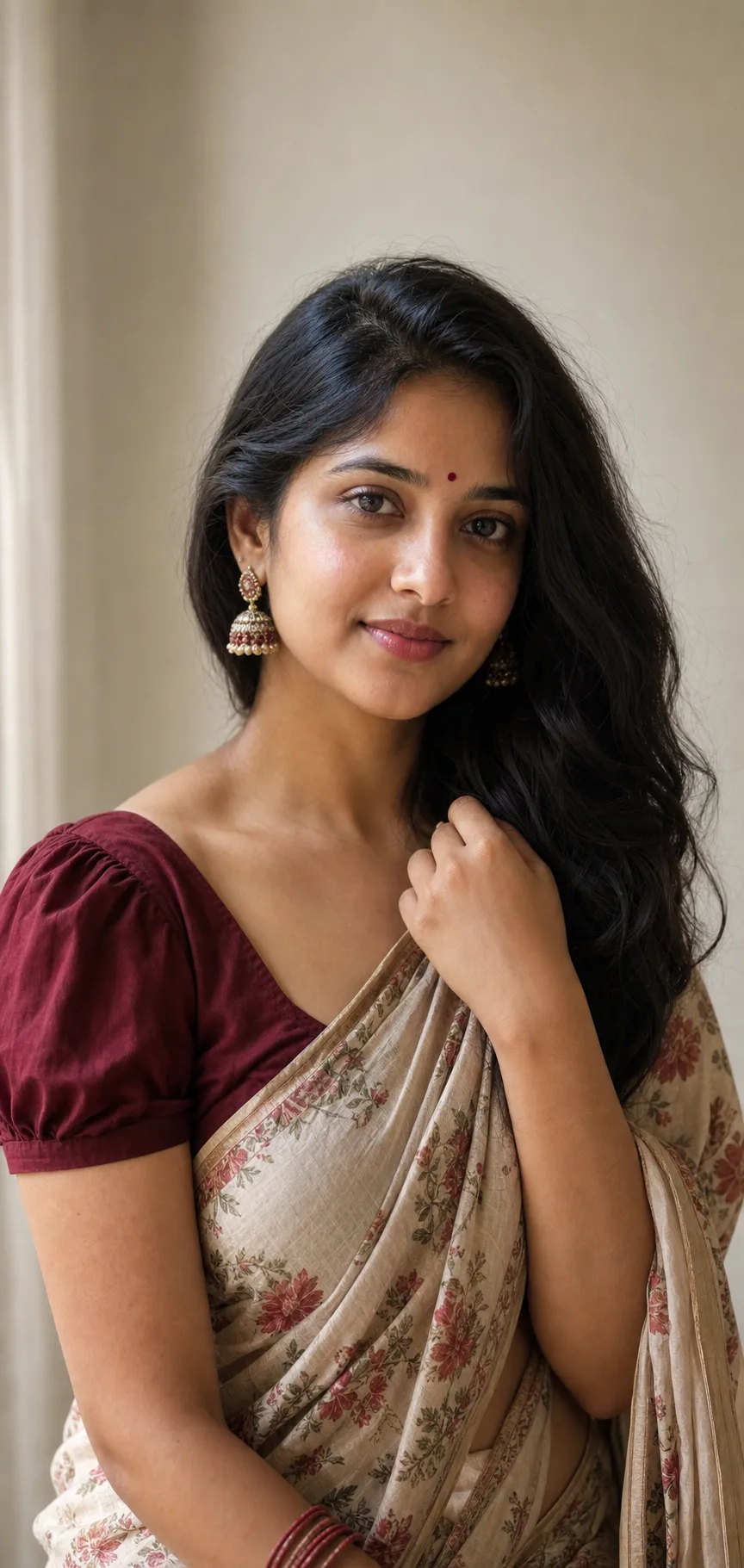
Traditional Saree Portrait
A saree portrait prompt that creates elegant, natural traditional Indian portraits — a graceful drape, classic jewellery, soft light and realistic skin. The template composes a tasteful waist-up portrait with the timeless ethnic-wear aesthetic, rendered with realistic skin rather than an over-smoothed finish. The same look works for a cream cotton saree against a soft indoor wall, a rich silk saree in a temple courtyard, or a festive drape in a marigold-lit setting. What you can customize Subject Description — free text for hair, features and expression. Saree & Blouse — six drapes: Cream Floral Cotton, Red Silk Kanjivaram, Royal Blue Banarasi, Pastel Georgette, Green Kerala Kasavu, or Black & Gold Festive. Jewellery & Details — five sets, from Jhumkas, Bindi & Bangles and Minimal Gold Studs to a Temple Jewellery Set and a Bridal Heavy Set. Setting — six backdrops including Soft Indoor Wall, Temple Courtyard, Heritage Doorway and Festive Marigold. Lighting Style — Soft Indoor Daylight, Warm Golden Hour, Diffused Studio, Festive Warm Glow, or Moody Low-Key. Model Photo — an optional front-facing upload to carry a real likeness. Best for Festival and wedding-season posts, profile pictures, gifts and keepsakes, boutique and saree-brand lookbooks, and personal branding with a cultural touch. Tips for the best results Describe the person clearly and attach a photo if you want a real likeness. Choose a saree, jewellery set and setting that suit each other, and lean into the natural-light default. Loose or gently styled hair and classic jhumka earrings translate especially well. Avoid heavy beauty filters and plastic skin smoothing — they undercut the realism — and busy backgrounds that distract from the subject. The template is tuned for a graceful, tasteful portrait; revealing or suggestive framing requests are not supported.
Image
Portrait & Character
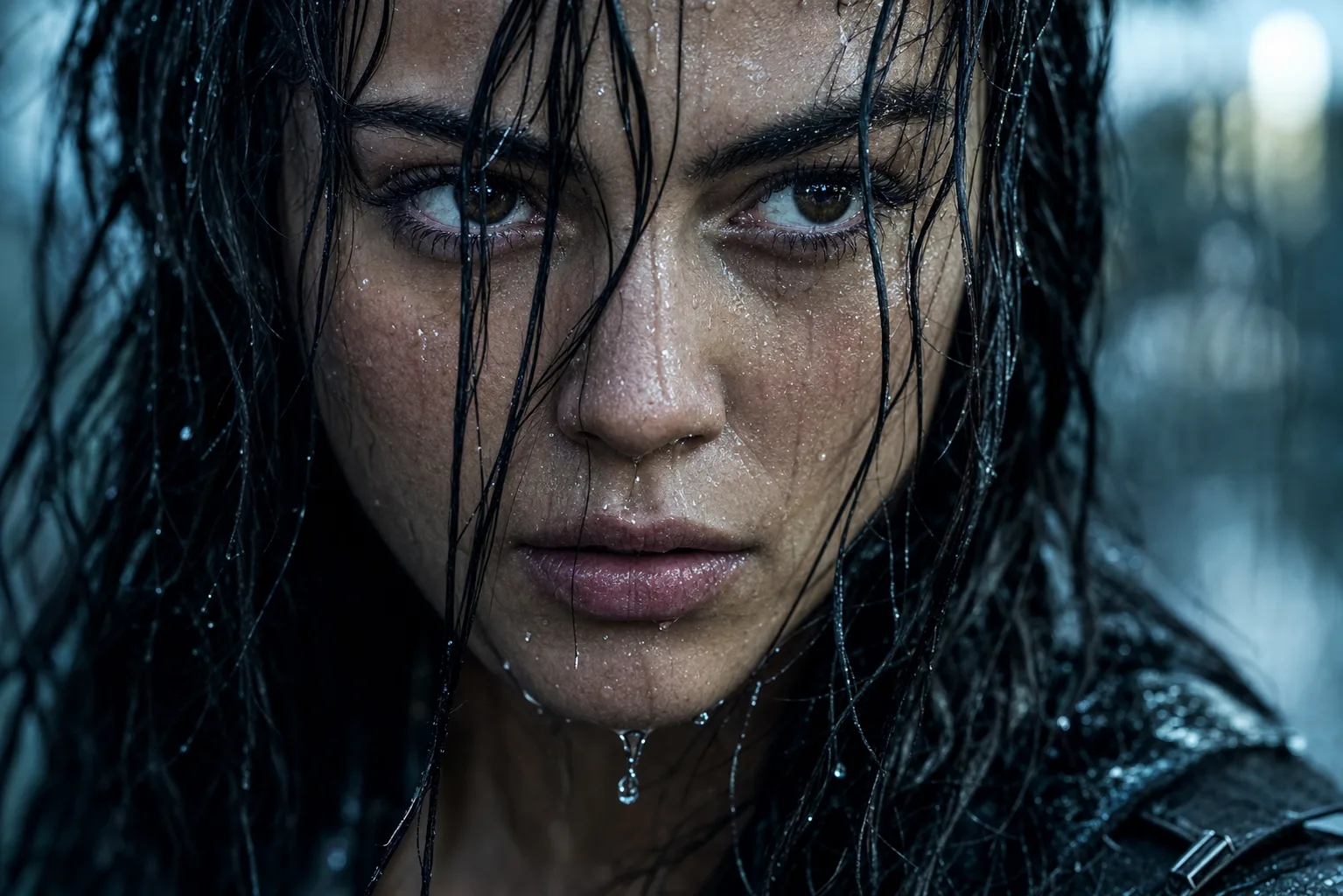
Rain-Soaked Cinematic Portrait Prompt
A rain portrait AI prompt that drenches your photo in cinematic downpour — droplet-traced skin, wet hair strands, four grades and moods. The template turns a reference photo into the kind of frame that opens an action film's third act: your exact face, rain-soaked, rendered with hyperreal water physics — droplets frozen mid-trace, individual beads on the lashes, wet strands plastered across the skin. It is composed at movie-still quality on an 85mm lens. What you can customize Expression — four moods: Intense Resolve, Soft Smile, Tearful, or Eyes Closed with the face tilted up in peace. Color Grade — Cool Thriller teal-and-steel, Golden Hour Rain, Neon Night reflections, or Desaturated Drama. Drench Level — Fully Drenched, First Drops, or Fine Mist. Framing — Tight Close-Up, Head & Shoulders, or Off-Center Profile. Reference Photo — a required sharp, front-facing upload; the rain is added by the prompt. Best for Dramatic profile pictures, actor and model portfolio frames, film-look Instagram posts, YouTube thumbnails with emotional punch, and album art. Tips for the best results Use a sharp, well-lit, front-facing reference — the source photo should be dry and clear, since the rain is generated. Avoid sunglasses and hats; the wet hair is half the drama. Pick one expression per generation rather than describing complex emotions — a single readable feeling is what makes the still cinematic. Nano Banana Pro renders water physics on a preserved face most convincingly; ChatGPT Image 2 is a strong alternative.
Image
Fashion & Beauty
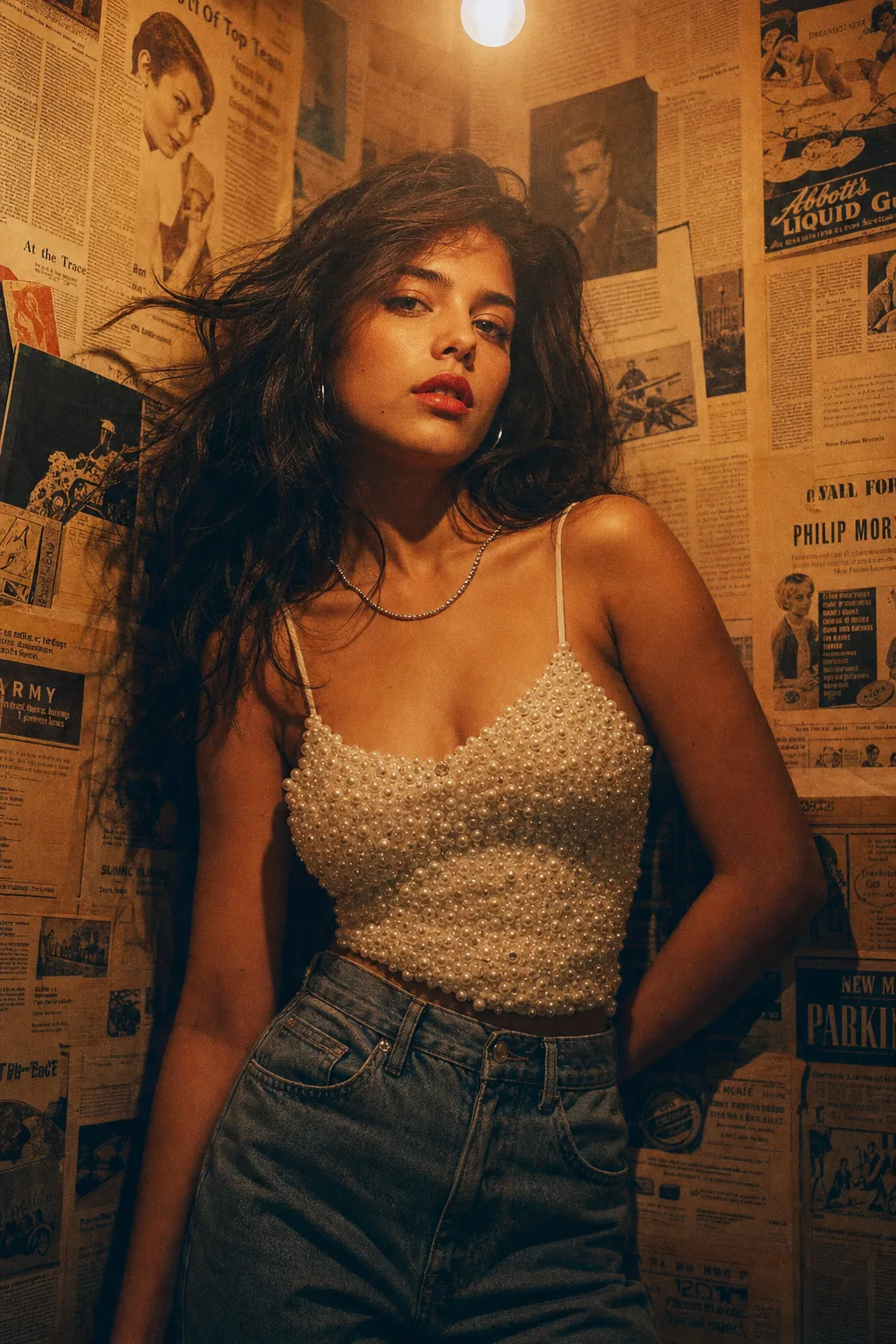
Vintage Editorial Photoshoot Prompt
A vintage editorial photoshoot AI prompt — newspaper-wall backdrops, 90s film grades and magazine poses, with or without your reference photo. The template recreates the retro-editorial look that dominates fashion moodboards: a styled subject against a collaged vintage wall, a single warm practical bulb overhead, and a film grade that makes the frame feel pulled from a 90s magazine archive. It works two ways — attach a photo to keep your exact face and hairstyle, or describe any subject from scratch. What you can customize Subject & Styling — free text; the default pairs a pearl-embellished camisole with high-waisted vintage denim and classic red lips. Backdrop Wall — five options: Vintage Newspaper Wall, Retro Film Posters, Vinyl Record Wall, Polaroid Collage, or Peeling Paint & Tiles. Film Grade — four grades: 90s Tungsten with halation, Faded Kodak greens, Noir Contrast, or VHS Haze. Pose — Leaning Corner Gaze, Profile Look-Away, Seated on Stool, or Mid-Turn with hair in motion. Reference Photo (optional) — upload a clear photo and the styling, wall and grade art-direct around your real likeness. Best for Fashion creators and models refreshing portfolios, brand lookbooks with a nostalgic angle, album and EP cover art, and Instagram carousels that need one strong editorial opener. Tips for the best results Nano Banana Pro renders the film grain and paper textures most convincingly; ChatGPT Image 2 is a strong alternative. Avoid bright modern clothing with visible logos — it breaks the era. Do not request clean studio light; the single-bulb falloff is the look. Let the wall stay busy. The collage is the co-star, not clutter.
Image
Fashion & Beauty
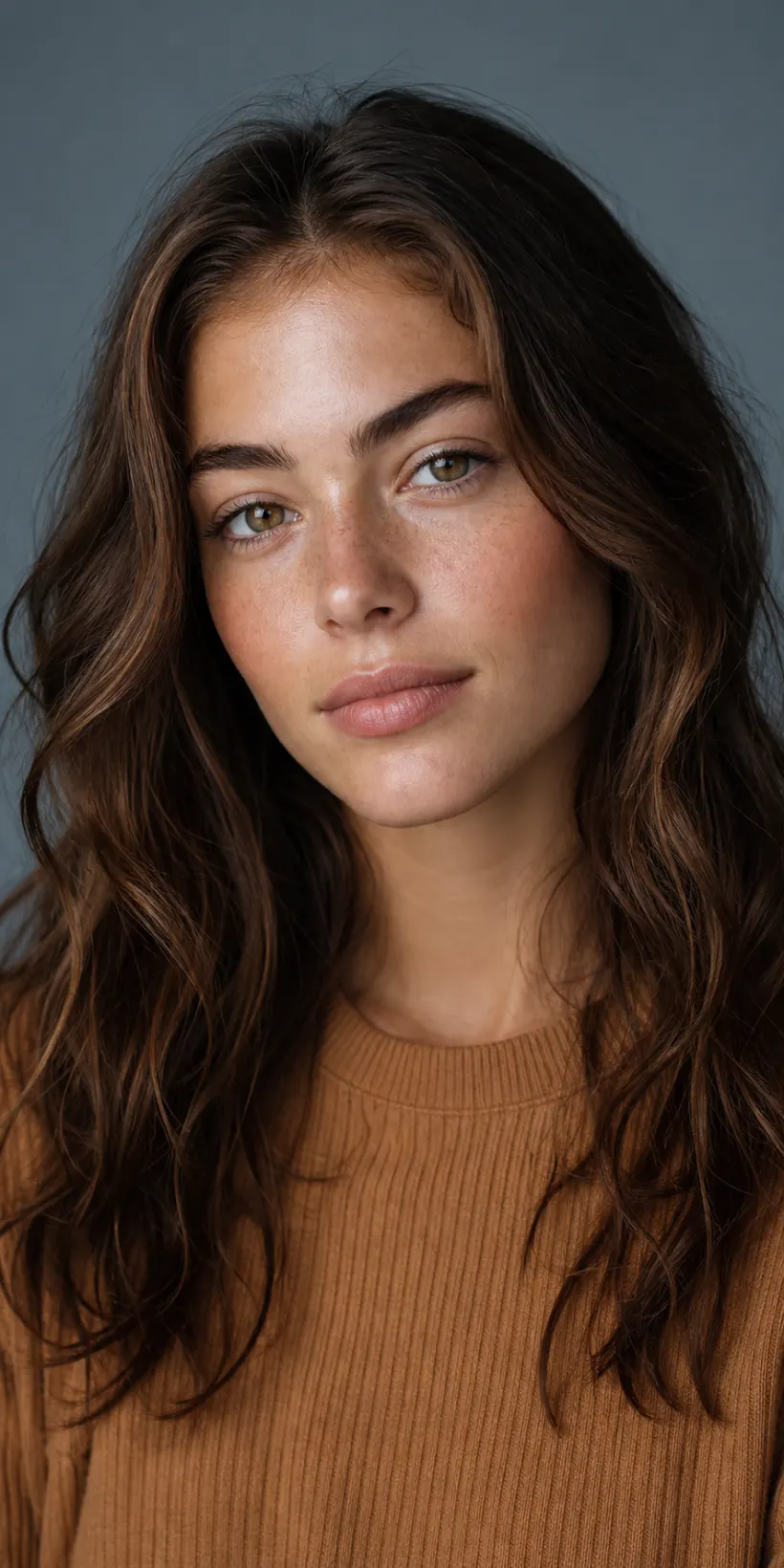
Natural Beauty Studio Portrait
A natural beauty portrait prompt that creates a soft, editorial close-up celebrating real skin — dewy texture, light freckles and fresh minimal makeup. The template renders a refined head-and-shoulders beauty shot on a clean neutral backdrop under flattering studio light, with authentic skin detail rather than an over-smoothed plastic finish — the way skincare and beauty brands actually shoot. The same natural aesthetic works for a glowing no-makeup look, soft glam, a warm golden mood or a cool editorial grey. What you can customize Subject Description — free text for hair, features and expression. Makeup Look — five options: Fresh Natural, No-Makeup Look, Soft Glam, Warm Bronze, or Bold Editorial. Styling / Wardrobe — a short text line; the default is a modest ribbed knit crew-neck in warm caramel. Backdrop Color — six colors including Muted Blue-Grey, Warm Beige, Deep Charcoal and Sage Green. Lighting Style — Soft Diffused Studio, Warm Golden, Bright Beauty Dish, Moody Low-Key, or Window Daylight; plus an optional Model Photo upload to carry a real likeness. Best for Profile pictures, model and portfolio shots, skincare and beauty content, personal branding and headshots — a polished, natural-looking beauty portrait without a studio session. Tips for the best results Describe the person clearly (hair, features) and attach a clear front-facing photo if you want your own face. Pick a makeup look and backdrop that match the mood, and lean into the natural-skin default — the look depends on real texture. Soft, even light flatters the face most. Avoid heavy beauty filters, plastic skin smoothing and busy backgrounds that distract from the face. Skip revealing or suggestive framing requests; the template is tuned for a tasteful, face-focused portrait.
Image
Portrait & Character
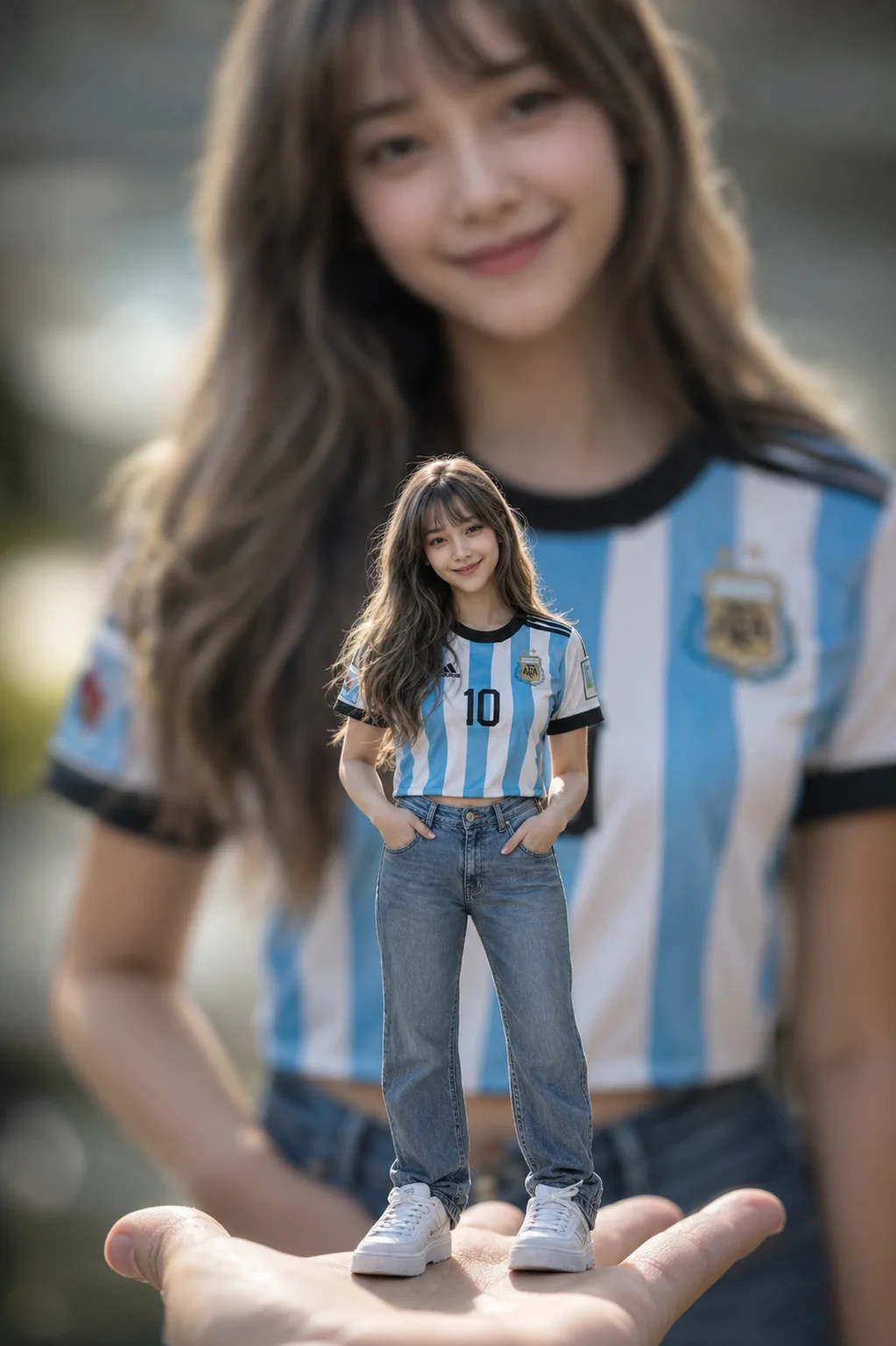
Miniature Forced Perspective Prompt
A miniature forced perspective AI prompt — a tiny you standing on a palm or desk, giant blurred self behind, from one reference photo. The template builds the viral scale illusion with the photography that sells it: the miniature figure rendered full-body in tack-sharp focus at 85mm f/1.4, everything around it melting into creamy bokeh, HDR fabric detail down to denim folds and skin pores. Your identity is preserved at miniature scale, and in the signature variant a giant, softly blurred version of you in the identical outfit fills the background. What you can customize Outfit — free text worn by both the mini and the giant self; sporty fits like a striped football jersey with jeans read brilliantly. Perch — Palm of a Hand, Wooden Desk beside towering mugs, Bookshelf Edge, or Teacup Rim. Mini Pose — Relaxed Pockets, Waving Hello, Sitting Edge with legs dangling, or Victory Celebration. Backdrop — Giant Self Blurred, Cozy Room Bokeh, Stadium Lights, or Window Daylight. Reference Photo — required; a clear full-body or half-body shot whose face and hairstyle carry onto the miniature (and the giant self). Best for Scroll-stopping Instagram posts and reels covers, fan-jersey matchday content, birthday edits, and playful profile pictures. Tips for the best results Use a clear full-body or half-body reference with the outfit visible; avoid group photos. Keep the outfit description to one complete look — the mini and giant must match for the illusion to land. A negative-prompt block is included for models that support it; Midjourney and Stable Diffusion users can paste it directly. Nano Banana Pro holds identity at doll scale most faithfully; ChatGPT Image 2 is a strong alternative.
Image
Portrait & Character
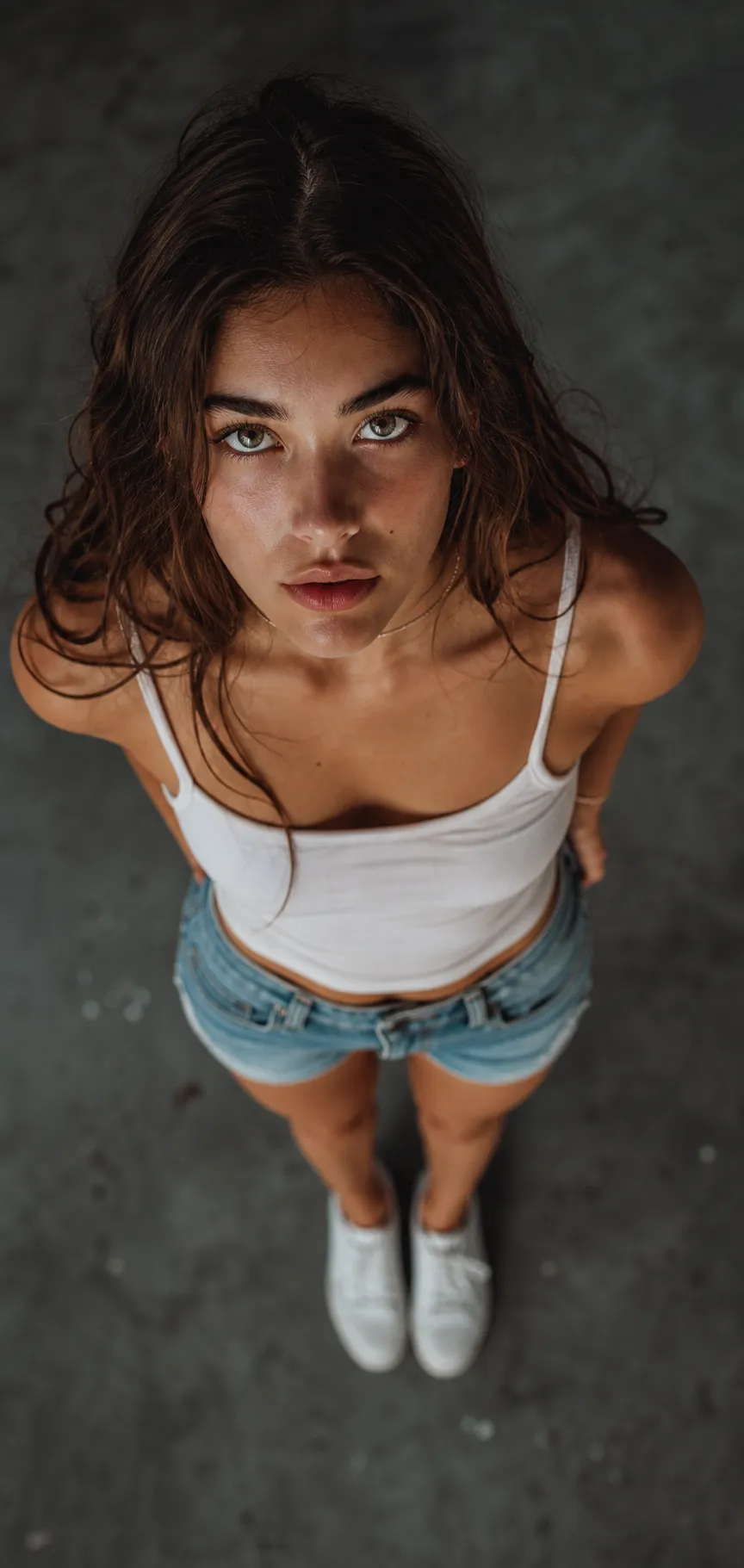
Top-Down Overhead Portrait
A top-down portrait prompt that creates a dramatic overhead shot — camera directly above, subject looking up into the lens with wide-angle foreshortening. The template nails the viral bird's-eye perspective: an upturned face large in the frame, the body tapering below, a moody blurred floor and a cinematic grade that makes the shot feel like a magazine cover. The same bold angle works over concrete, grass, sand, tiles or autumn leaves, in a cinematic, bright or black-and-white finish. What you can customize Subject Description — free text for hair, features and expression. Outfit — a short text line; the default is a white tank top, denim shorts and white sneakers. Ground / Setting — six surfaces: Moody Concrete Floor, Green Grass, Sandy Beach, Autumn Leaves, Wooden Deck, or Patterned Tiles. Mood / Style — five finishes: Cinematic Muted, Bright & Airy, Warm Film, Black & White, or Moody Neon. Model Photo — optional upload to carry a real likeness into the overhead portrait. Best for Instagram and dating profiles, personal branding, editorial-style photos and creator content — a scroll-stopping portrait that stands out from ordinary eye-level selfies. Tips for the best results Describe the person and outfit clearly, and attach a photo if you want your own face. Choose a ground and mood that fit the vibe — moody concrete for cinematic, grass or leaves for a softer editorial look. The expression selector sets the intensity, from a calm intense gaze to a playful smile up at the camera. Avoid busy backgrounds that fight the subject, and do not ask for eye-level or low-angle framing — the steep overhead view is the point. Skip heavy beauty smoothing; the cinematic look depends on natural skin texture.