Loading elite prompt experience...
Example Output
 Open in Gallery
Loading elite prompt experience...
A curated stack for turning ideas into production-ready video, ads, and art.
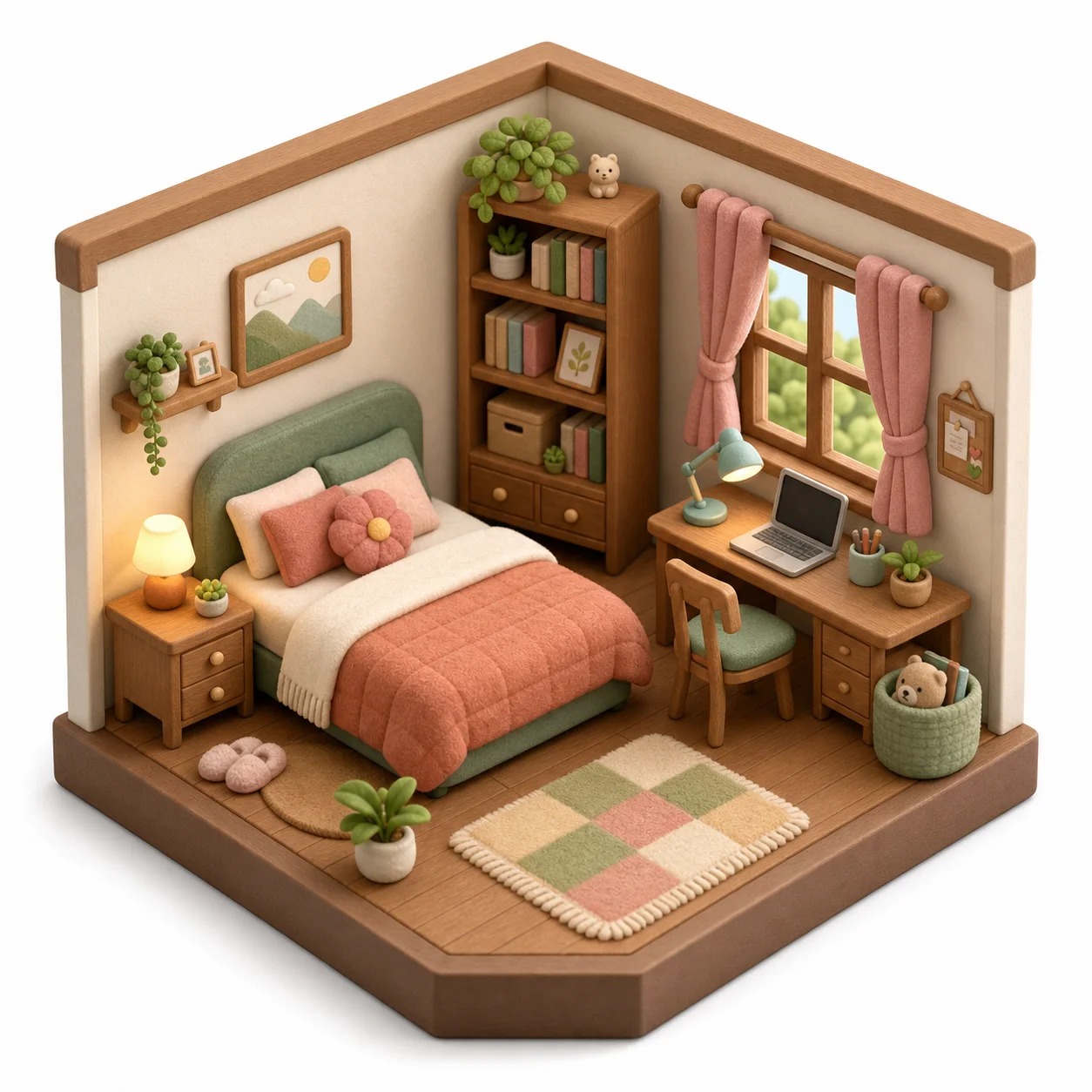
Open in GalleryAn isometric diorama prompt that turns a photo of any room into an adorable 3D miniature — the viral toy-like cutaway diorama, built from your own space.
Upload a picture of a bedroom, living room, office or cafe and the template rebuilds it as a stylized orthographic diorama: the same layout and furniture reimagined as cute rounded miniatures in soft felt-and-wood textures, warm diffuse light and a cozy palette, centered on a clean background. The same room can become a felt toy set, a smooth low-poly model, a claymation scene or a LEGO-style build.
Interior designers and realtors who want a delightful way to present a space, and anyone who wants a keepsake miniature of their room, a gift, a profile visual or a fun social post.
Upload a clear corner photo of the room — its layout and furniture are rebuilt as the diorama.
Click the "Copy" button above to copy the complete prompt text to your clipboard. This will copy all the text including any placeholders.
If you see placeholders like {{topic}} or {{style}} in the prompt, click "Customize & Use" to open the customization dialog. Fill in your specific values to personalize the prompt for your needs.
Optional: "Room Photo" (image). Have these files ready before proceeding to the AI tool.
Go to gemini.google.com and sign in to your Google account. Make sure you have access to the image generation feature.
In Gemini, look for the "Create image" or image generation option. If available, switch to Gemini Pro or Advanced mode for higher quality outputs.
Before or along with your prompt, upload the required files. Most AI tools have an attachment/upload button near the prompt input area.
Paste the copied prompt (Ctrl/Cmd + V) into the AI tool's text input field. Make sure your attachments are uploaded, then click the send/generate button to create your image.
Review the generated image. If it doesn't match your expectations, try regenerating or adjusting the prompt with more specific details. Most AI tools allow multiple generation attempts.
Upload a clear corner photo of the room — its layout and furniture are rebuilt as the diorama.
Generate with
prompt auto-copiesAffiliate links · We may earn a commission at no cost to you
Tested by the PromptsRush team
Advertisement