Loading model...
Best Nano Banana 2 prompts
124 prompts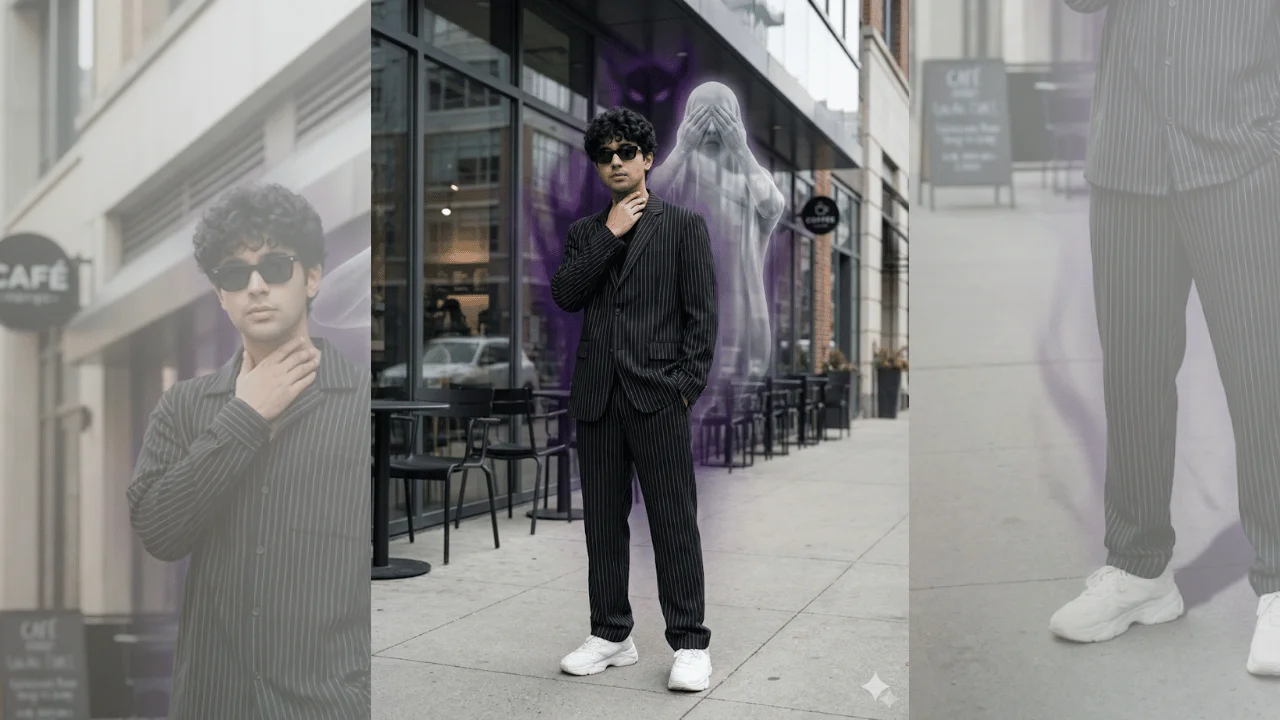
Image
Fashion & Beauty
Luxury Street Portrait – See No Evil Spectral Aura
This template creates an ultra-realistic outdoor luxury portrait that blends high-end street fashion with subtle supernatural symbolism. It is designed for creators who want a premium editorial look with a mysterious, cinematic edge—without compromising facial identity or realism.The subject remains completely unchanged: exact face, skin texture, proportions, and pose are preserved with zero reshaping or beautification. The environment is a modern urban café setting, styled like a luxury fashion shoot. Supernatural elements are introduced tastefully as translucent, atmospheric layers that enhance mood rather than overpower the portrait.Ideal for fashion editorials, high-end profile images, cinematic branding visuals, or luxury social content with a dark, symbolic twist.
205 Views
Image
Portrait & Character
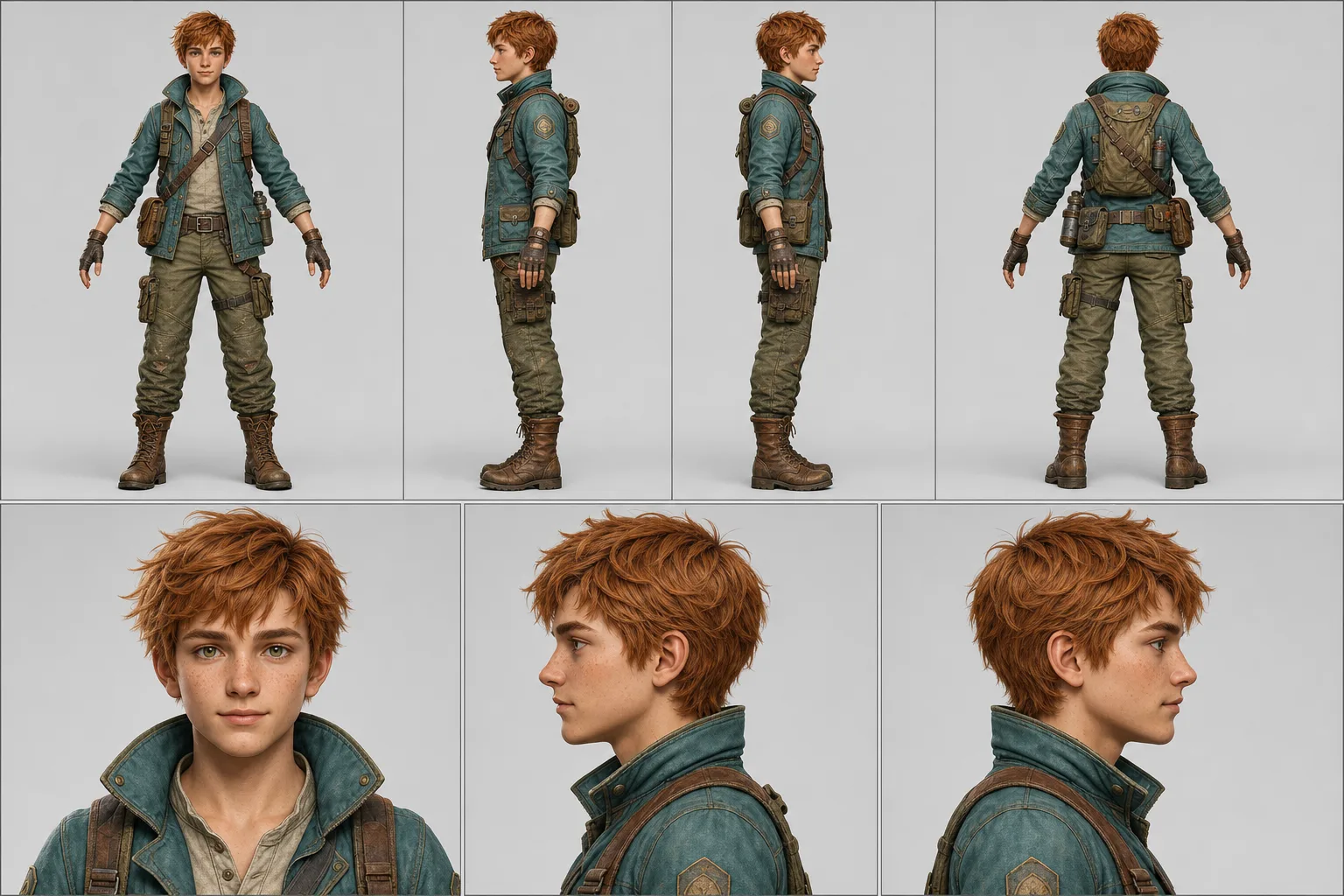
Character Turnaround Sheet Prompt
A character turnaround prompt that turns one uploaded image into a print-ready model sheet — four full-body views, three portraits, exact style match. The template converts a single finished character design into the standardized reference document production actually uses: a two-row technical layout with a full-body turnaround (front, left, right, back) above an aligned portrait row. Every panel is locked to the reference image's identity, proportions, textures and rendering style, with identical lighting and uniform scale across the lineup. Why the character stays consistent The prompt instructs the model to match the reference's realism level, rendering approach and color treatment strictly, then enforces the same head height, framing and light direction in all seven panels. Nano Banana Pro reproduces identity and style across panels most faithfully; ChatGPT Image 2 is a strong alternative. What you can customize Character Reference Image — required upload of the finalized character; a full-body shot on a simple background works best Pose Set — three options: Relaxed A-Pose for general reference, T-Pose (Rigging) for the rigging standard, or Natural Stance for pitch decks Background Tone — Light Neutral gray, Pure White, or Dark Charcoal for light-colored characters Sheet Extras — None, a five-expression Expression Strip, a Color Palette swatch block, or zoomed Costume Callouts Best for Character artists and commission work, game developers and riggers, animators, VTuber and mascot pipelines, and AI-video creators who need a character lock so their subject stays consistent across every scene of a series. Tips for the best results Upload a clean single-character reference at the design's final quality; avoid multi-character images. Avoid heavily cropped references — the model has to invent whatever it cannot see. Do not ask for new costume variations in the same sheet; generate one sheet per outfit so every panel stays on-model. Pick Dark Charcoal when the character is mostly light or white so silhouettes stay readable.
Image
Cinematic & Film
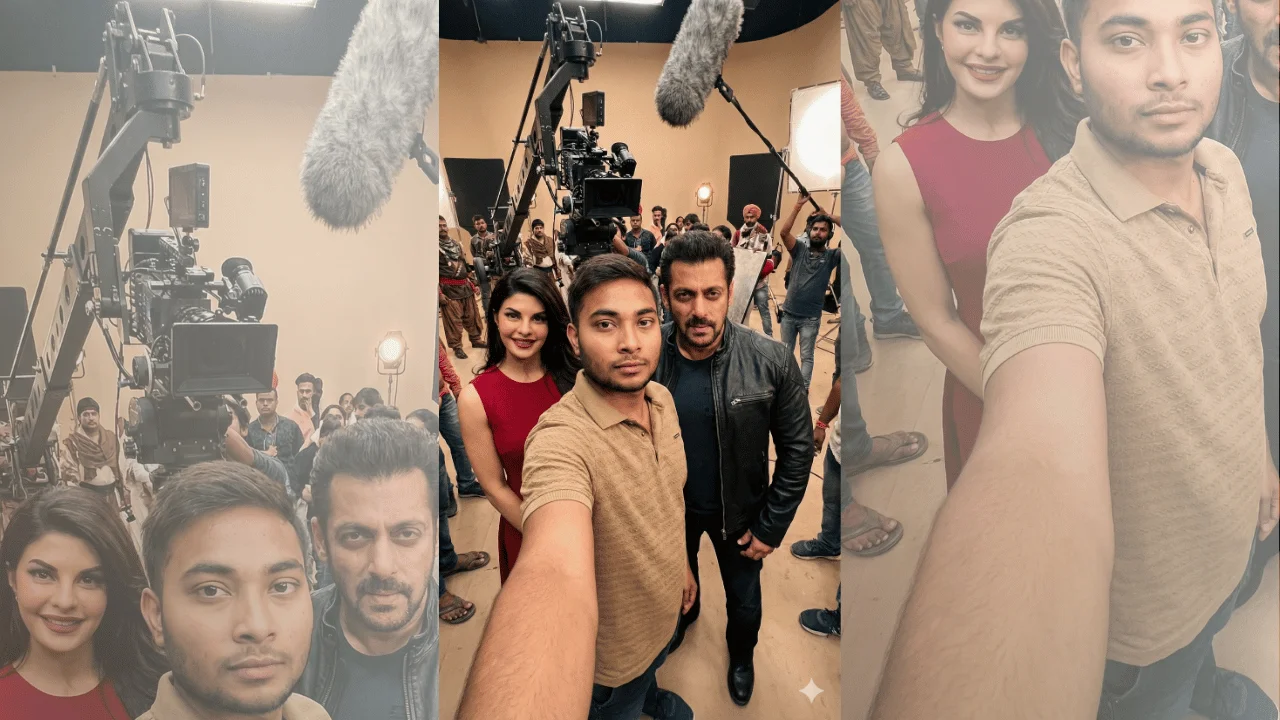
Cinematic BTS Self-Portrait with Film Actor
This template creates a hyper-realistic, cinematic behind-the-scenes self-portrait using an uploaded selfie as the primary subject. It places you inside a real movie set alongside a named actor in their exact on-screen look from a specific film. The output prioritizes one-to-one facial identity matching, professional film-set lighting and live-action realism, so the image reads as a movie still captured mid-production, never a phone screenshot or casual selfie. What you can customize Reference Selfie — the upload that defines your facial structure, proportions, skin tone and natural features; only lighting and color grading are adjusted to fit the scene Movie Name — sets the film whose set design, architecture, props and surroundings build the environment Actor Name — the performer who appears beside or just behind you, clearly visible in frame Character Name — locks the actor to that role's age appearance, hairstyle, grooming, costume, footwear and body language, with no modern drift Best for Cinematic fan moments, immersive film experiences, and realistic visual storytelling where authenticity, physical accuracy and production-grade realism are essential. The scene includes visible crew elements — cinema camera on tripod or crane, boom mic, light stands, reflectors, extras in the background — so it feels like a real production in progress. Tips for the best results Use a sharp, well-lit selfie that shows your face clearly; the prompt forbids beautification, so natural asymmetry and skin texture carry over as-is. Name the movie, actor and character precisely so costume, grooming and set design match the film rather than an "inspired by" version. Expect arm's-length selfie framing with a wide-angle lens look and softly blurred background; your face sits near center frame. The prompt excludes phones, visible cameras in hand, UI, borders, text and watermarks — do not request them.
Image
Anime & Manga
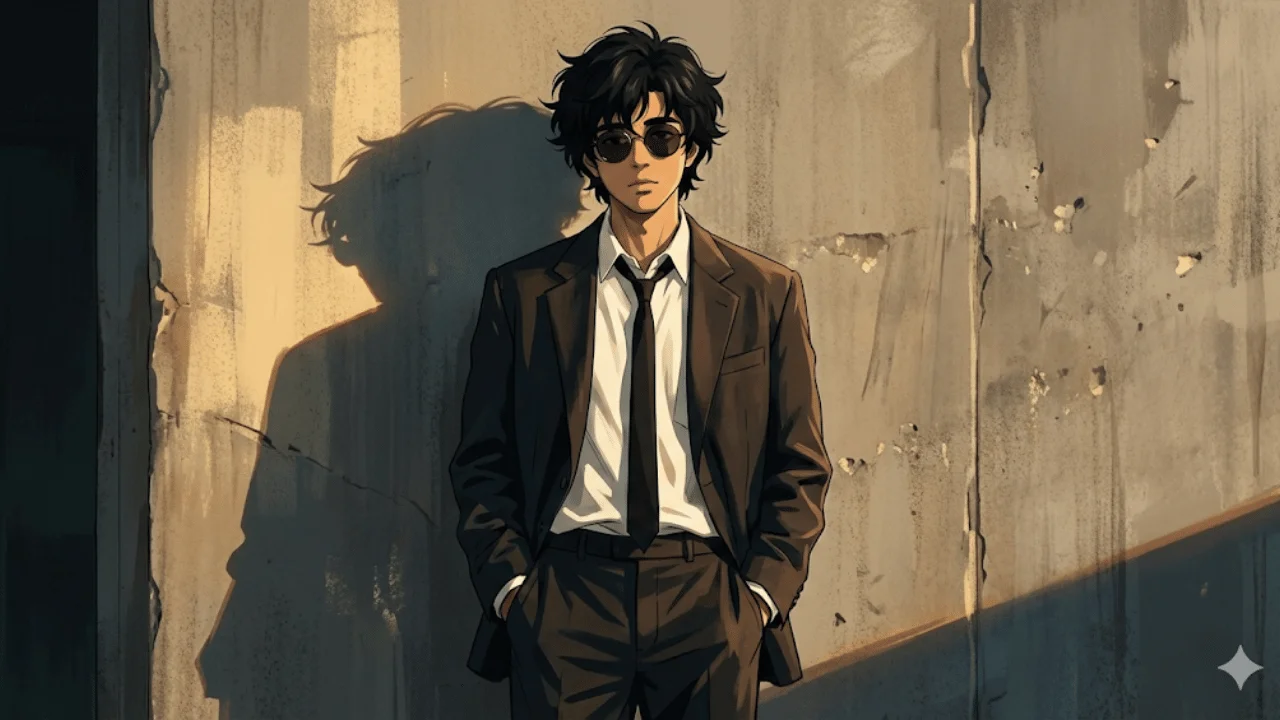
Cinematic Anime-Noir Portrait
This template transforms an uploaded photo into a cinematic anime-noir style illustration with a grounded, stylish, and emotionally restrained tone. The subject becomes a cool, detached figure in a modern noir outfit, standing casually against a worn concrete wall with hands in pockets. Warm golden-hour side light carves a long dramatic silhouette while clean line control and painterly shading keep facial structure recognizable. The result feels like a still frame from an animated neo-noir film rather than a stylized caricature. What you can customize Subject Photo — the single upload that defines facial structure, proportions and overall identity; the illustration preserves these while applying the anime aesthetic Wardrobe lines in the prompt — the dark oversized suit jacket, loose shirt, narrow tie and round dark glasses are written into the prompt text and can be edited if you want a different noir look Framing and environment lines — full-body or mid-length framing and the textured concrete wall can be swapped for another gritty urban surface Best for Profile art, character concepts, cinematic posters, or personal branding visuals where atmosphere, attitude and visual discipline matter more than exaggeration or fantasy elements. Tips for the best results Upload a clear, front-facing or slightly angled photo so the illustrated face keeps a recognizable likeness. Keep the controlled color palette — warm highlights, muted shadows — rather than adding bright accent colors that fight the noir mood. The prompt rejects exaggerated anime features and cartoon proportions; do not request chibi or oversized-eye styling. Avoid adding background props or text; the composition relies on negative space and a clean silhouette.
Image
Fantasy & Sci-Fi
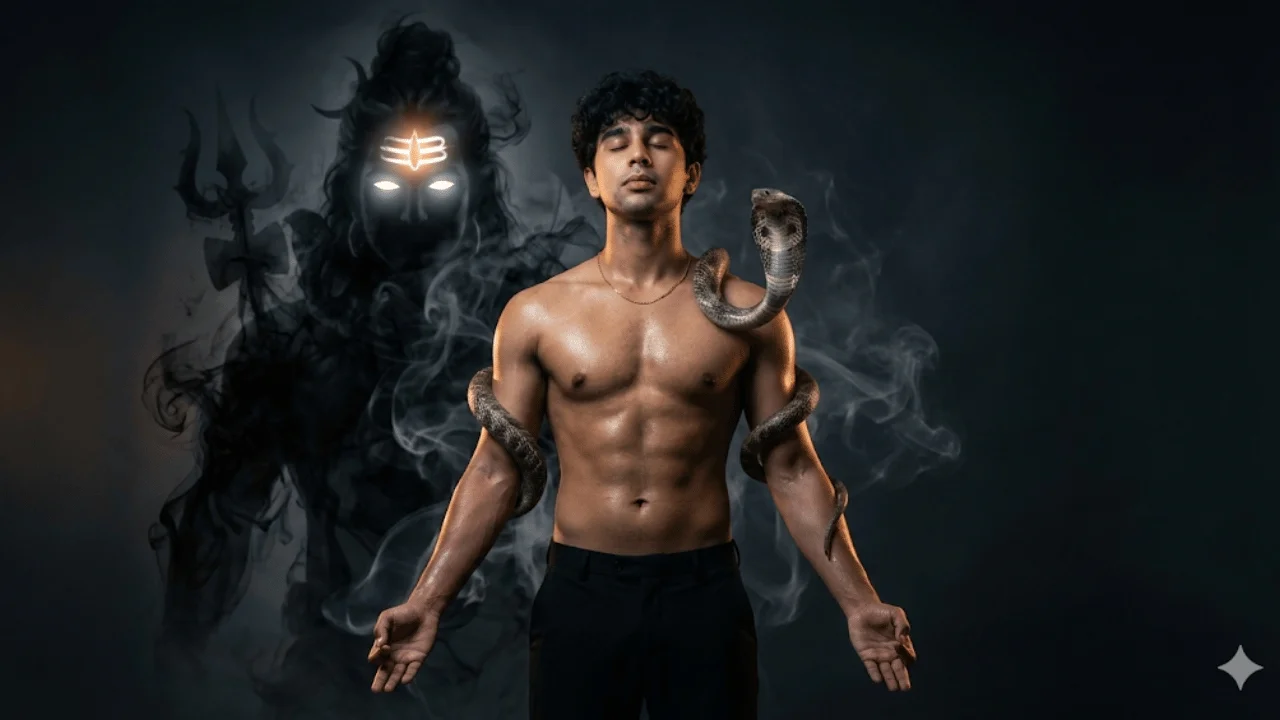
Modern Mythological Fantasy Portrait
This template generates an ultra-realistic, dark cinematic fantasy portrait rooted in modern Indian mythological symbolism. It is designed for creators who want a powerful yet restrained divine aesthetic—blending high-end fashion editorial realism with spiritual fantasy.The subject remains fully grounded in reality: accurate anatomy, natural skin texture, believable lighting, and physical presence. The mythological elements (Shiv Ji, smoke, divine light) are treated as atmospheric manifestations rather than literal characters, ensuring elegance instead of excess.The result resembles a luxury fashion campaign or cinematic poster—Vogue-level polish with spiritual gravitas. Ideal for modern mythology visuals, devotional fantasy art, character posters, or premium cinematic portraits where realism and symbolism must coexist seamlessly.
Image
Fashion & Beauty
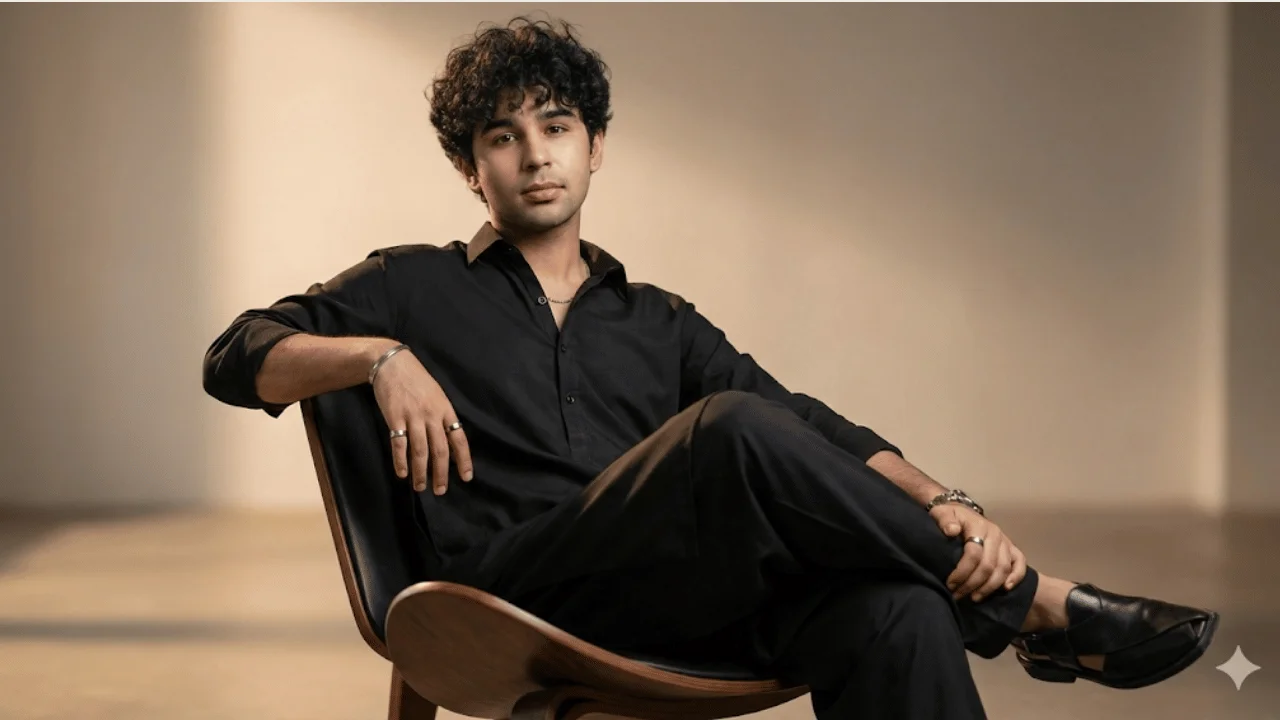
Luxury Cinematic Editorial Portrait
This template creates an ultra-realistic, high-fashion cinematic portrait based on an uploaded photo, blending traditional South Asian attire with modern editorial styling. It is designed for users who want a refined, premium look suitable for magazine covers, fashion campaigns, or personal branding visuals.The subject is presented in an elegant seated pose with confident body language, subtle luxury accessories, and controlled cinematic lighting. Emphasis is placed on realism, fabric detail, grooming, and posture, ensuring the result feels like a professional fashion shoot rather than a stylized illustration.Ideal for editorial portraits, luxury profile images, cultural fashion concepts, or cinematic studio photography where polish, realism, and timeless sophistication are essential.
Image
Cinematic & Film
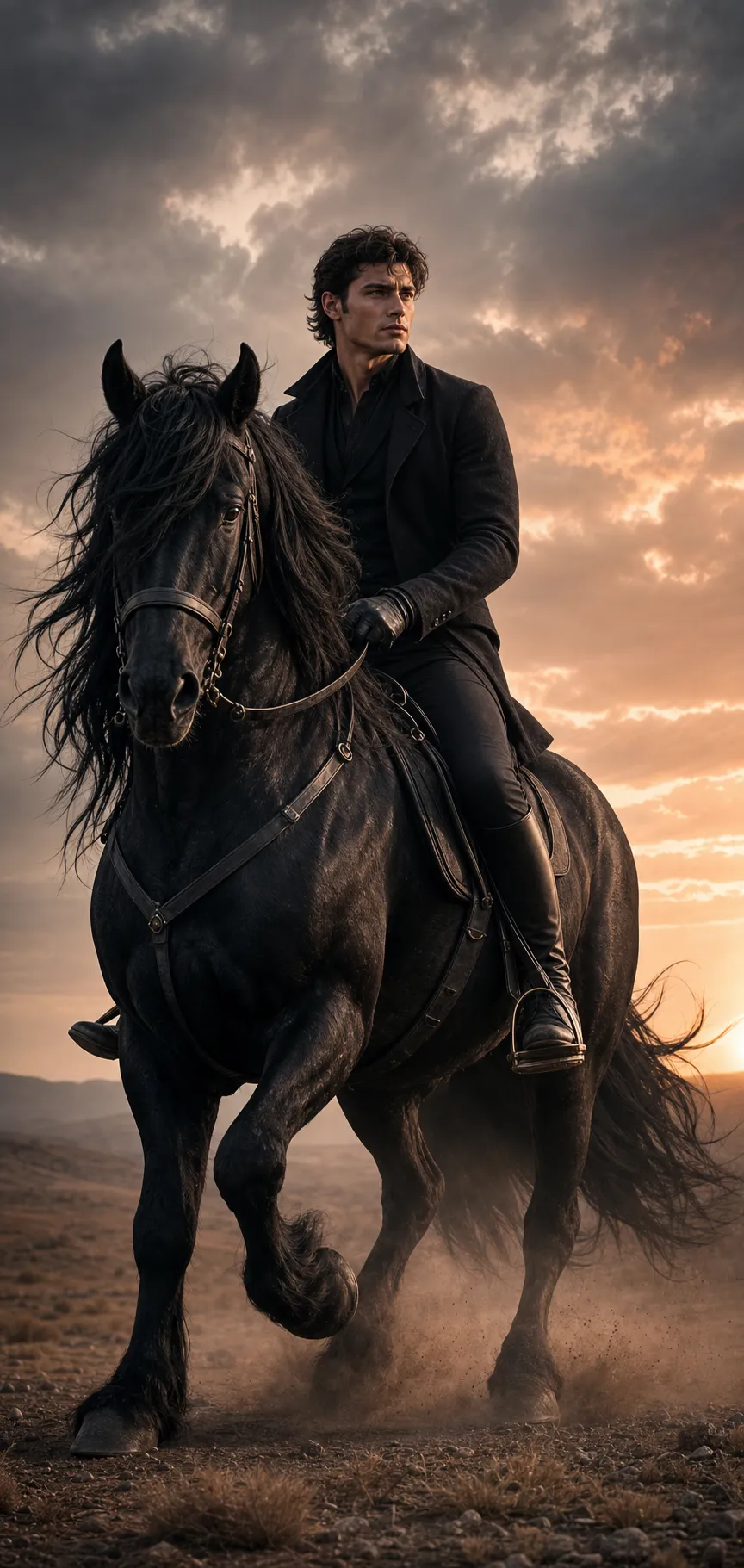
Cinematic Horseback Portrait
This template creates a powerful cinematic portrait of a young man riding a majestic horse, designed for heroic, historical, or epic visual storytelling. It emphasizes strong presence, controlled motion and strict facial identity accuracy based on the uploaded reference image. A low three-quarter frontal angle enhances stature and authority while keeping the face fully visible, and the horse is captured mid-stride with flowing mane and tail so the frame carries real momentum. What you can customize Subject Reference Image — optional upload that defines exact facial identity, proportions and realism baseline; the face is preserved with no beautification or stylization Rider (used if no photo is attached) — a free-text description of the rider the model depicts when no reference is uploaded Riding Outfit — the costume, rendered with leather riding boots and gloves and no modern logos Horse — five options including Powerful Black Horse, White Stallion, Chestnut Brown, Dappled Grey and Golden Palomino Environment — five settings such as Dusty Plain at Dusk, Misty Grassland, Desert at Golden Hour, Mountain Ridge and Snowy Field Best for Cinematic posters, epic character visuals, historical fantasy concepts, or dramatic personal portraits where motion, strength and realism are essential. The template prioritizes anatomical accuracy, natural physics and cinematic directional lighting without stylization or exaggeration. Tips for the best results Upload a sharp, evenly lit reference photo; the identity lock is only as good as the face it is given. Describe the outfit in period-appropriate terms (fabric, color, layers) so the silhouette stays clean and cinematic. Pair the horse color with the environment for separation — a black horse reads best against a misty or snowy field. The prompt calls for a composed, fearless expression glancing slightly to the side; do not request smiles or camera-facing poses that break the mood.
Image
Cinematic & Film
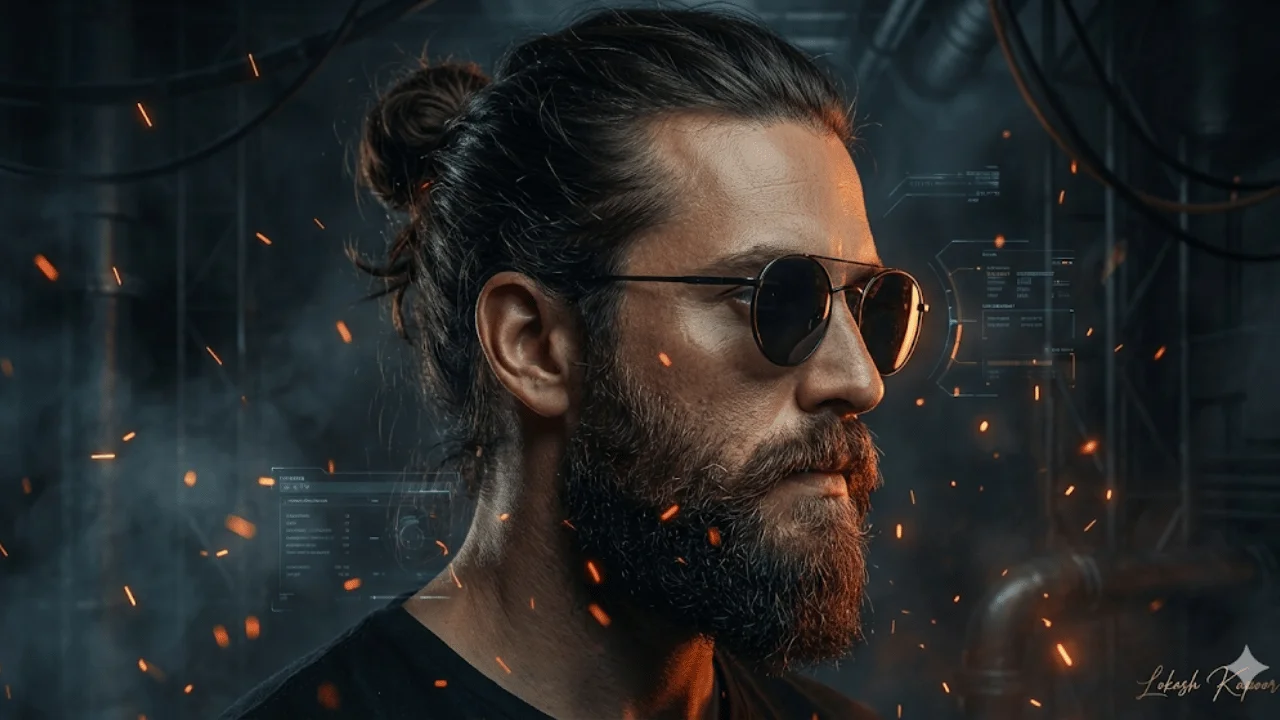
Cyber-Industrial Cinematic Profile Portrait
This template creates a high-impact cinematic side-profile portrait with a dark cyber-industrial aesthetic. It blends rugged masculinity, futuristic atmosphere, and luxury editorial polish into a photorealistic visual suitable for premium posters, profile art, album covers, or cinematic branding.The subject is portrayed with strong character definition—beard, man bun, sunglasses—lit with dramatic low-key lighting and surrounded by industrial smoke, glowing embers, and subtle futuristic HUD elements. The overall look is grounded and realistic, avoiding sci-fi excess while maintaining a powerful, modern edge.A custom handwritten gold signature is added as a finishing touch, reinforcing exclusivity and authorship without distracting from the image. Best used when you want a bold, cinematic identity visual with controlled futurism and luxury appeal.
Image
Fashion & Beauty
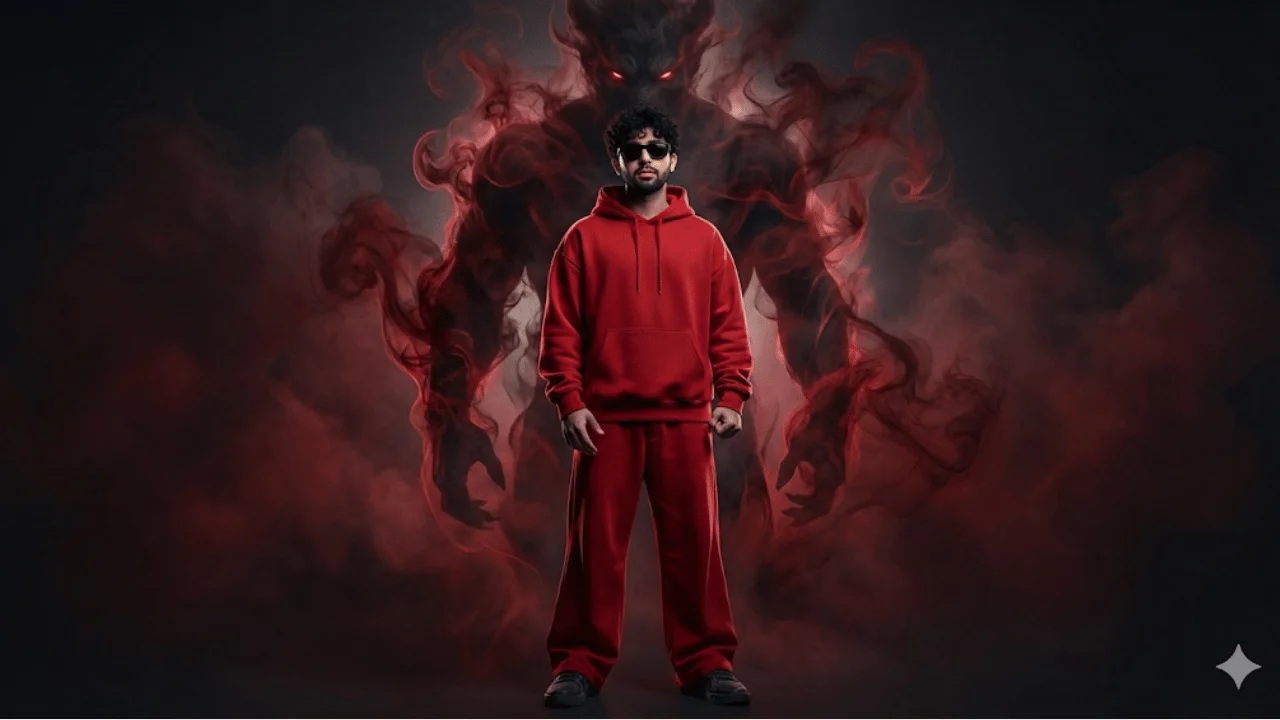
Cinematic Streetwear Portrait – Smoke Demon Presence
This template generates a high-impact photorealistic cinematic portrait that combines luxury streetwear fashion with dark fantasy symbolism. It is designed for users who want a dominant, confident modern look enhanced by an imposing supernatural presence—without sacrificing realism or identity accuracy.The subject remains fully grounded in reality: exact facial identity, sharp detail, and believable lighting. The smoke demon is treated as a large-scale atmospheric entity formed from realistic volumetric smoke, acting as a symbolic extension of power rather than a cartoon creature.The final image feels like a premium fashion campaign or cinematic poster—bold color control, strong posture, and dramatic contrast—ideal for branding visuals, posters, or striking profile art.
Image
Fantasy & Sci-Fi
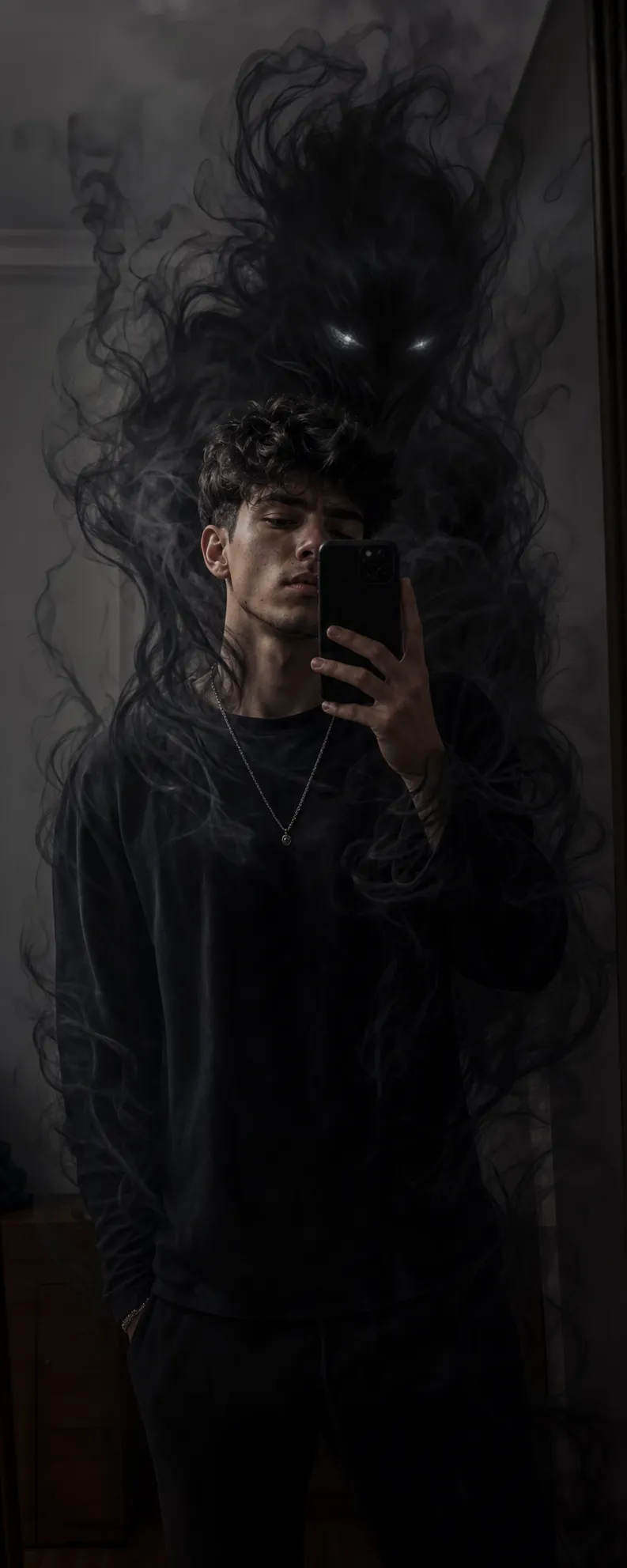
Dark Cinematic Fantasy Portrait
This template transforms an existing mirror selfie into a dark, cinematic fantasy scene while preserving the subject exactly as captured. The person's face, pose, outfit, lighting, background and camera angle remain completely unchanged. A smoke-based supernatural entity emerges from directly behind the subject, semi-transparent with layered volumetric depth and glowing eyes, wrapping around the body and reacting to the existing light sources so it feels physically present rather than overlaid. What you can customize Mirror Selfie — the locked base image that defines identity, pose, lighting, background and camera angle Entity Type — five presences: Shadow Smoke Demon, Ghostly Wraith, Fiery Ember Demon, Frost Specter or Angelic Light Being Entity Glow / Color — five palettes including Black Smoke with White Eyes, Blood Red, Electric Blue, Toxic Green and Purple Void Intensity — Subtle & Restrained, Looming & Aggressive, or Dramatic Reveal, which scales how much of the frame the entity claims Best for Fantasy edits, cinematic profile visuals, or dramatic storytelling images where identity preservation and realism are non-negotiable. The output is moody and high-contrast, blending grounded realism with subtle supernatural tension. Tips for the best results Start from a mirror selfie with clear space behind your back; the entity needs room to emerge and flow into the environment. Match the glow color to the room's existing light for the most integrated look, or pick a contrasting color for a deliberate reveal. Choose Subtle & Restrained when you want the selfie to stay the focus; Dramatic Reveal pushes the entity forward. The prompt forbids solid body parts and exaggerated monster anatomy; do not request a fully rendered creature.
Image
Product & Commercial
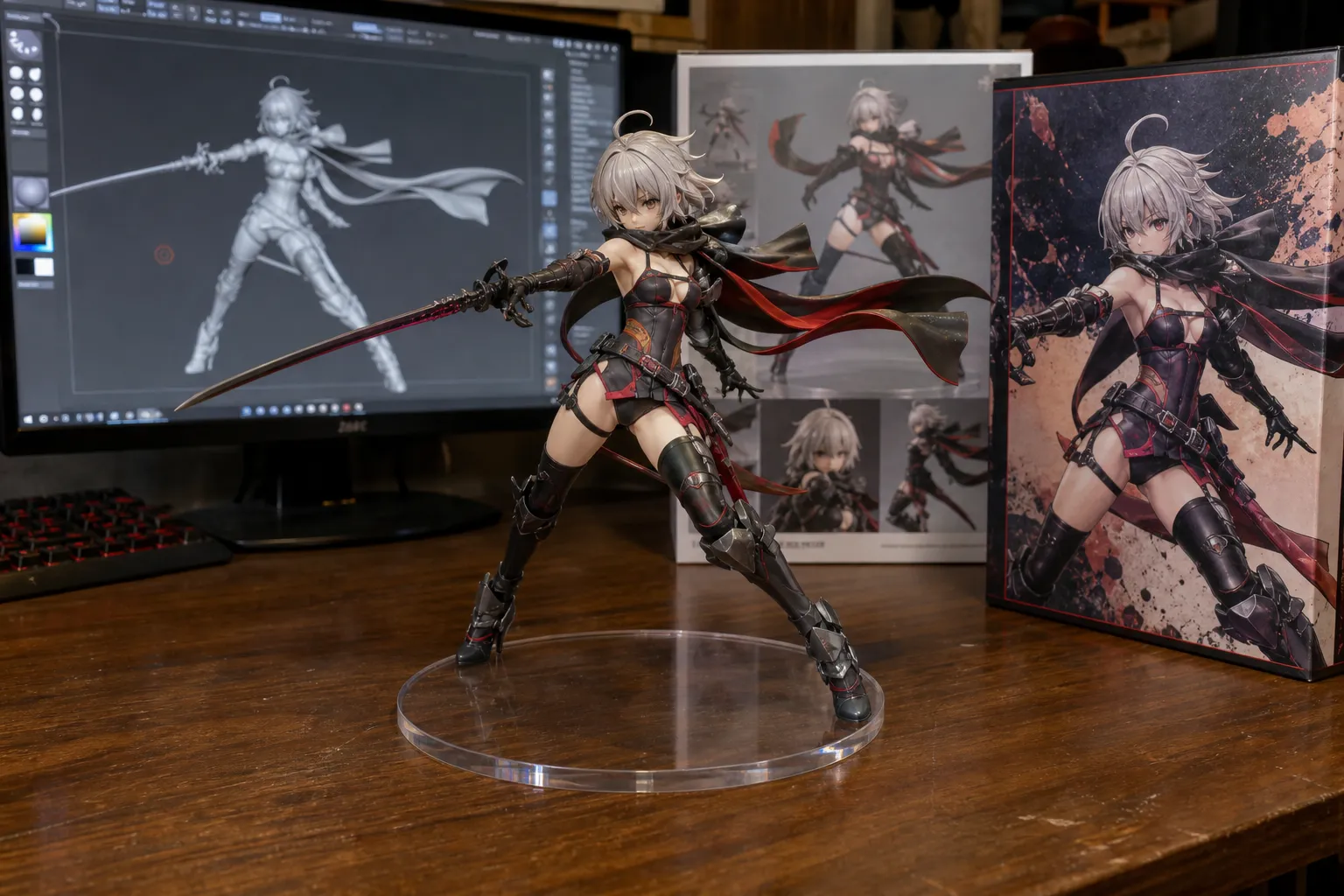
1/7 Scale Figurine Desk Display
This template generates a highly realistic product-style scene featuring a 1/7 scale PVC figurine displayed on a computer desk. The figurine is treated as a physical object with accurate scale, realistic plastic texture, clean sculpted detail and a painted finish. A monitor beside it shows the 3D sculpting process of the same figurine as a grey clay model inside modeling software, and two packaging boxes complete a professional, non-branded toy-brand setup inspired by BANDAI-style presentation. What you can customize Character Reference — optional image upload the figurine is sculpted from; leave it empty to use the text field instead Character (used if no photo is attached) — a free-text description of the character when no reference is uploaded Display Base — four options: Clear Round Acrylic, Black Round Base, Themed Diorama Base or White Pedestal Desk Setting — four environments: Wooden Computer Desk, Gaming Desk with RGB, Clean Studio Desk or Cozy Creator Desk Best for Collectible concept visualization, toy photography mockups, and product presentation visuals. The final image feels like a premium behind-the-scenes showcase rather than a stylized illustration. Tips for the best results Upload a full-body character reference with a clear pose so the sculpt, paint and packaging art all match. Pick Clear Round Acrylic when you want visible reflections on the base; the prompt renders them realistically. Keep the character description focused on costume, colors and pose — the prompt handles scale, materials and lighting. Expect no text, logos or engravings on the figurine or box art; the packaging uses original illustrated covers only.
Image
Portrait & Character
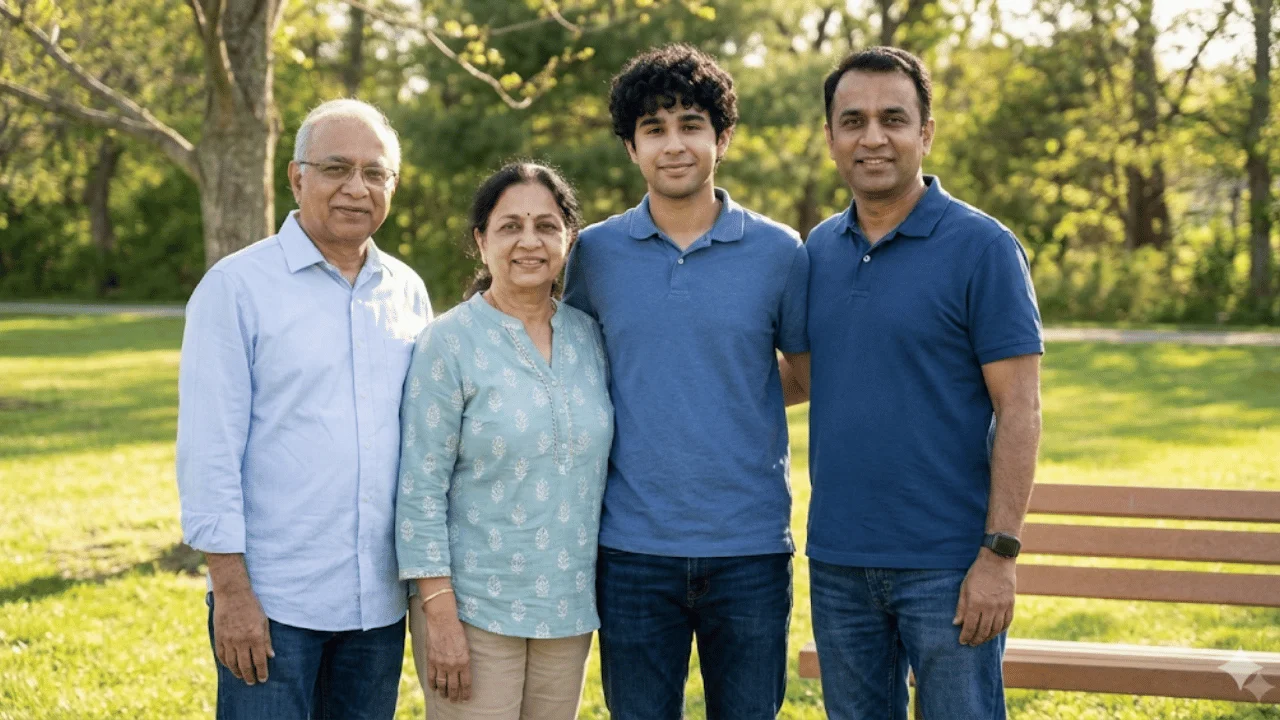
Seamless Family Photo Integration
This template seamlessly integrates an uploaded individual into an existing family photograph so it looks shot at the same moment with the same camera. It prioritizes natural realism: matched lighting direction and softness, accurate color tone and white balance, correct perspective and scale, and believable contact and cast shadows. The subject's facial identity stays intact while clothing and placement are adjusted to harmonize with the family's style, formality and setting, with zero visual seams. What you can customize Family Photo — the base image that defines lighting, composition, color tone and group arrangement; existing family members are never changed Person to Add — the individual whose face is preserved and whose expression is kept natural and matched to the photo's mood Clothing and placement guidance — the prompt's styling and placement rules can be edited to specify an occasion (casual, formal, traditional) or a position within the group Best for Family portraits, missing-member photo restoration, memorial images, or group photo completion where authenticity and emotional credibility are critical. Tips for the best results Choose a photo of the person to add that roughly matches the family photo's camera angle and lighting; the model has less to correct. Use a relaxed, natural expression in the source portrait — the prompt forbids beautification and artificial expressions. Leave a plausible gap or edge position in the family photo; correct depth placement prevents anyone looking cut out or floating. Check the result for cutout edges, mismatched skin tones or an artificial glow and regenerate if any appear.