Loading model...
Best Midjourney prompts
25 prompts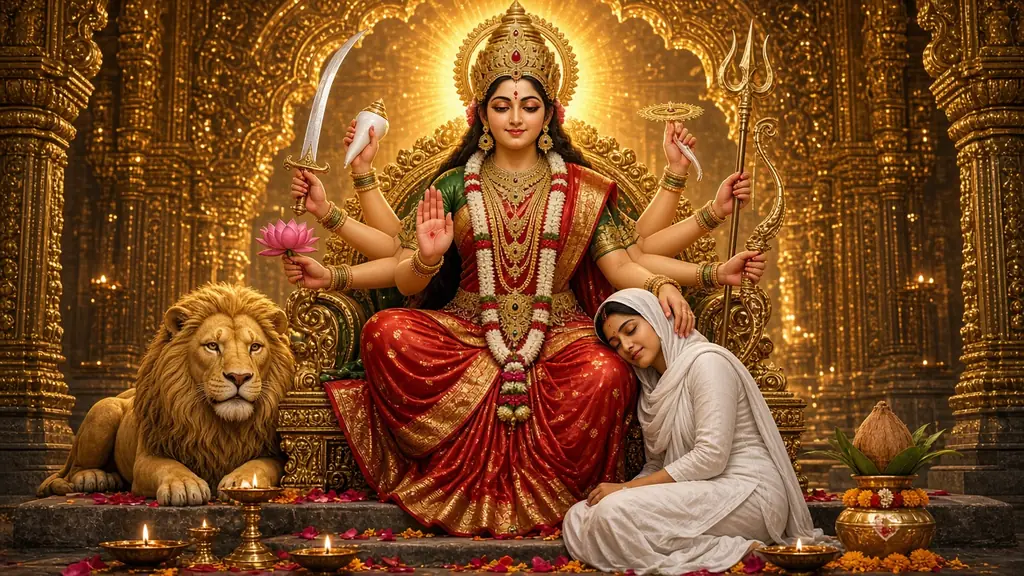
Image
Portrait & Character
Maa Durga Blessing AI Image Prompt
A Maa Durga AI image prompt that generates the Divine Mother on her temple throne blessing a devotee at her feet, with control over form, pose and style. This template creates a vertical 9:16 divine mother's blessing scene: a giant, serene goddess on a golden throne rests one hand on the head of a small devotee at her feet. The contrast in scale feels safe, tender and deeply emotional, and every form carries her full traditional iconography. What you can customize Goddess Form: Maa Durga, all nine Navadurga forms, Maa Parvati or a gentle, motherly Maa Kali, each with her own weapons, mudras and vahana. Devotee: anyone of any age or gender in modest traditional clothes; the default wears a white salwar suit. Devotee's Pose: head in her lap, asleep at her feet, folded hands, touching her feet, offering a diya or holding her hand. Temple Setting: golden temple arches, a Durga Puja pandal, a Himalayan shrine, a rock cave shrine, a lotus-pond garden, a cosmic throne or a home mandir. Festival / Occasion: Navratri, Durga Puja, Diwali, Vijayadashami or a quiet everyday prayer. Light & Mood: a warm temple glow, dawn rays, diya flame-light, moonlit silver, a divine aura burst or monsoon and lamps. Colour Palette: red & green, red & gold, saffron & marigold, ivory & gold, royal blue & silver or pastel lotus. Art Style: photoreal cinematic, Raja Ravi Varma oil, Pichwai, 3D animated, watercolour, Tanjore gold-leaf or Indian miniature. Extra Details: optional touches such as petals on the steps, lit diyas or a glow where her hand rests. Reference Photo (optional upload): add your own photo to become the devotee in her lap. Best for Navratri and Durga Puja stories, reel covers and WhatsApp status images, mobile wallpapers, a devotional post for each of the nine days, and framed gifts for family. Tips for the best results Choose the goddess form first; the vahana and weapons come with it, so keep extra details free of other animals. Keep the devotee description to age, clothing and hair; the pose field handles the body. For the Reference Photo, use a clear front-facing photo and a model that accepts image input. Head in Her Lap and Asleep at Her Feet give the most emotional result. Add greetings later in an editor, not in the prompt.
23 ViewsTemplate
Image
Portrait & Character
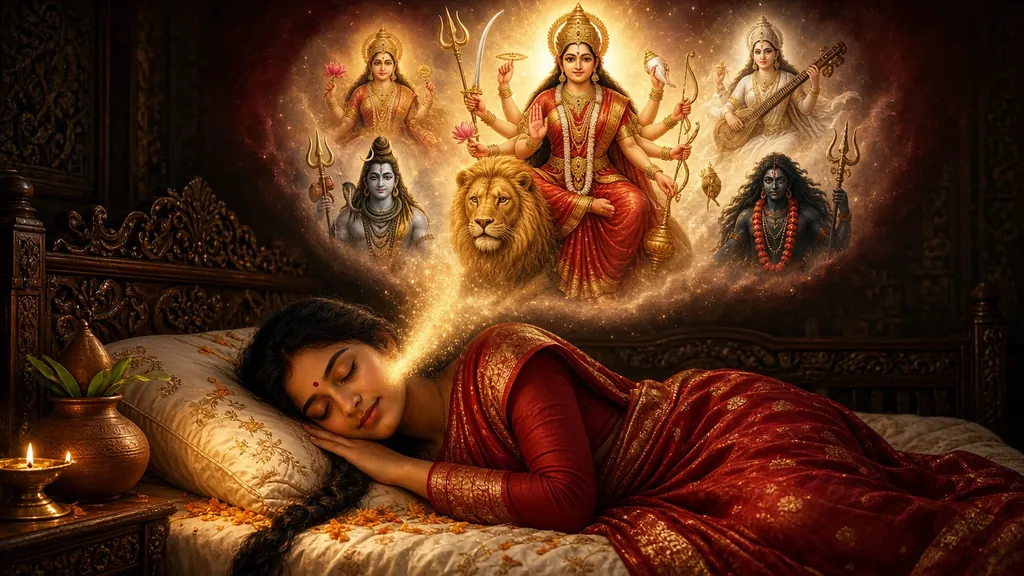
Navratri Goddess Dream AI Image Prompt
A Navratri AI image prompt that generates a devotee peacefully dreaming of Maa Durga or a Navadurga goddess, with full control over form, scene and style. This template creates a two-tier devotional dream scene: a devotee sleeps peacefully in a lamp-lit room while a glowing cloud above reveals the goddess they are dreaming of, surrounded by other deities. Every goddess option carries her complete traditional iconography, so the arms, weapons, mudras and vahana come out right. What you can customize Goddess in the Dream: Maa Durga, all nine Navadurga forms from Shailaputri to Siddhidatri, Maa Lakshmi or Maa Saraswati. Sleeping Devotee: describe anyone, of any age or gender, in modest traditional attire; the default is a young woman in a red-and-gold saree. Deities Around Her: a divine pantheon, the Navadurga circle, the Tridevi, Shiva's family, rishis and devas, or a simple lotus halo. Setting: a carved wooden bedroom, a village home, a modern apartment, beside the home altar, a rooftop under the stars or a palace chamber. Festival / Occasion: Navratri, Durga Puja, Diwali, Vijayadashami dawn or everyday devotion, each with its own ritual props. Dream Mood & Light: a warm golden aura, moonlit calm, pre-dawn brahma muhurta, a cosmic starfield, a petal shower or diya glow. Colour Palette: red & gold, saffron & marigold, ivory & pearl, emerald & gold, royal blue & silver or pastel lotus. Art Style: photoreal cinematic, Raja Ravi Varma oil, Pichwai, 3D animated, watercolour, Tanjore gold-leaf or Indian miniature. Extra Details: optional touches such as a bedside diya, petals on the pillow or light rising into the dream. Reference Photo (optional upload): add your own photo to appear as the sleeping devotee. Best for Navratri and Durga Puja greetings, WhatsApp status and Instagram stories, devotional phone wallpapers, a new post for each of the nine nights, and prints for the home mandir. Tips for the best results For a nine-night series, change only the goddess and keep every other field the same so the posts match. Keep the devotee description short and concrete: age, attire, hair and sleeping pose. For the Reference Photo, use a clear front-facing photo and a model that accepts image input. If a companion repeats the main goddess, switch to the lotus halo or the rishis instead. Add greetings later in an editor, not in the prompt.
Image
Portrait & Character
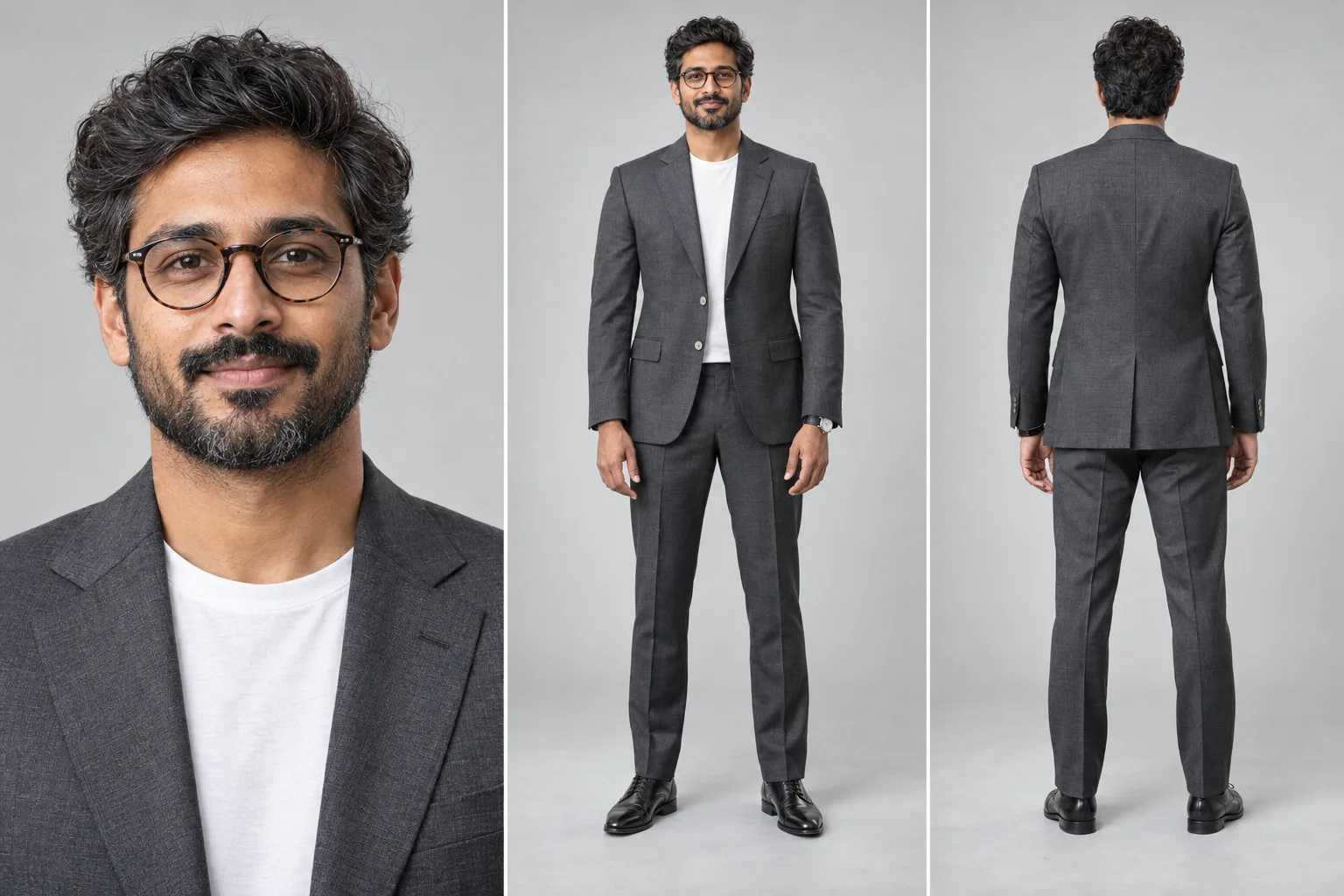
Character Reference Sheet Prompt
A character reference sheet prompt that builds a multi-panel studio sheet of one person — close-up, full-body front and back, perfectly consistent. It produces the sheet artists, studios and brand teams actually use: equal side-by-side panels on one seamless backdrop, the same face, wardrobe and proportions in every view, and the rear panel showing real back tailoring rather than a mirrored copy of the front. Why every panel shows the same person Multi-view sheets usually fail by producing three similar-looking strangers. The prompt names consistency as its most important requirement — identity, age, hair, glasses, proportions, fabric and accessories locked across panels, all views on one baseline at matching scale — and bans the specific drift modes that ruin a sheet. What you can customize The Subject — who the sheet is of, in your own words: age, hair, facial hair, glasses and expression Panel Layout — close-up with front and back, front and back only, a four-view turnaround, a portrait trio, close-up plus turnaround, or a hero portrait beside a full-body pair Wardrobe — charcoal suit with a white tee, navy suit and tie, black tuxedo, smart casual blazer, bandhgala, streetwear, shirt and trousers, or a fantasy adventurer outfit Studio Backdrop — light grey seamless, white cyclorama, warm beige, deep charcoal, blue gradient, or a technical grid board Lighting — soft even studio, high-key, Rembrandt key, dramatic low-key, window daylight, or beauty ring light Render Style — ultra-photorealistic, cinematic film still, 3D character render, stylized illustration, anime model sheet, or comic ink Extra Details — watches, shoes, props or anything else to carry across panels Best for Character design and concept art, game and animation asset references, brand and founder photo kits, actor and model comp cards, tailoring and lookbook mockups, and keeping one character consistent across a series. Tips for the best results Describe the subject precisely and give one age, since conflicting ages are the fastest way to get different faces per panel. Attach a photo when you need a real likeness; skip it to invent a character from the description alone. Fewer panels hold identity better, so use two or three views when the face matters most and reserve four-view layouts for full-body wardrobe checks. Match the render style to the use: photoreal for people, 3D or anime for production assets. The sheet renders deliberately text-free, so add panel labels or annotations in any editor afterward.
Image
Portrait & Character
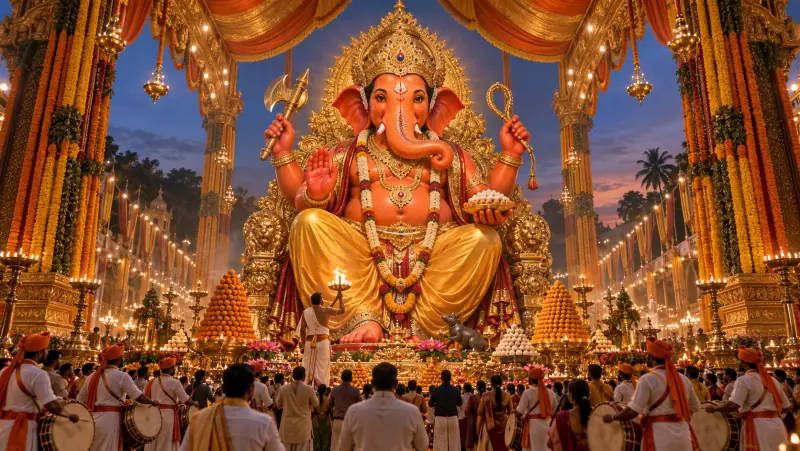
Ganesh Chaturthi Murti AI Image Prompt
A Ganesh Chaturthi AI image prompt that generates a colossal Lord Ganesha murti in a grand public pandal, with eight divine forms and soaring scale. It recreates the spectacle of the biggest public pandals: a towering murti as the undisputed focal point, devotees and dhol-tasha drummers small at its base, and open, spacious composition that makes the scale feel immense rather than cluttered. Why the murti comes out right Deity art fails most often on iconography, so each Murti Form option carries a complete, self-contained description — crown, ornaments, what each hand holds, the vahana. The fixed tail then guards the details models usually get wrong: a single correctly curved trunk and the right number of arms for the chosen form. What you can customize Murti Form — royal seated king, gold ornament splendor, eco shadu clay, dancing Nritya Ganapati, Panchmukhi on a lion, standing protector, Bal Ganesha, or white marble Pandal Setting — a grand street pandal, temple replica, royal palace durbar, floral mandap, eco bamboo and jute, seaside visarjan float, or village chowk Scene — who and what surrounds the murti, in your own words Festive Moment — evening aarti, night light spectacle, morning sthapana, gulal celebration, monsoon night, golden hour, or visarjan farewell Camera & Scale — low-angle heroic, symmetrical aisle, aerial drone view, close divine portrait, wide street panorama, or three-quarter side Decor Palette — saffron and gold, royal red, pastel floral, emerald, royal blue and silver, or ivory and gold Art Style — photorealistic, cinematic film still, 3D render, classical oil painting, watercolor, or traditional miniature Extra Details — offerings, flowers, an aura, or anything else to add Best for WhatsApp status and display pictures, Instagram festival posts, Ganesh Chaturthi greeting cards, pandal committee posters, phone and desktop wallpapers, and thumbnails for festival videos. Tips for the best results Choose the form first and leave arms and hand objects out of the Scene field — the form already defines them, and repeating them causes conflicts. For the most spacious feel, pair Low-Angle Heroic or Symmetrical Aisle with a grand pandal; use Aerial Drone View to show crowd scale. Keep the Scene to three or four elements, since a crowded foreground shrinks the murti. If the trunk or arm count comes out wrong, regenerate rather than editing. The image is deliberately text-free, so add greetings such as Ganpati Bappa Morya in any editor afterward.
Image
Social Media
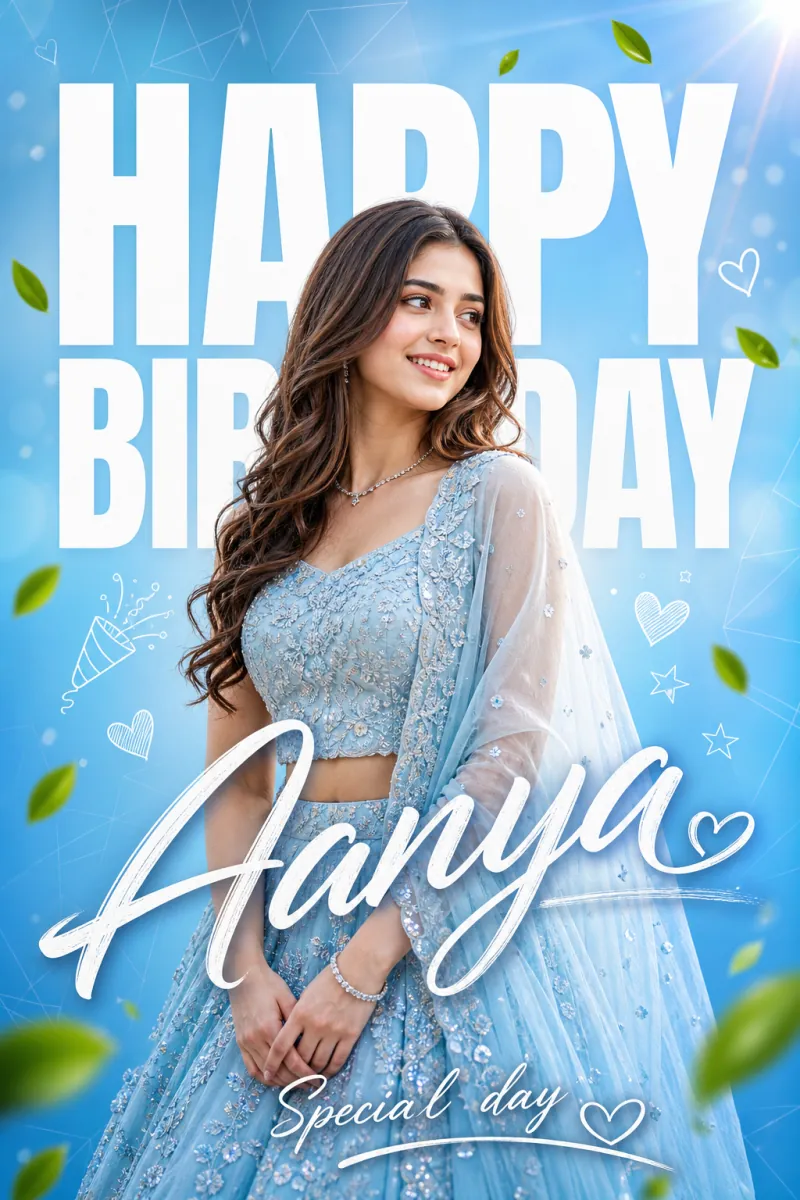
Happy Birthday Poster Design
A happy birthday poster prompt that generates stunning birthday graphics with the name spelled perfectly, in any style, color theme, and setting. It recreates the polished, designer-made look of premium social-media birthday posts: a sharp portrait fused with bold layered typography, the giant HAPPY BIRTHDAY sitting partly behind the subject for depth, the name in flowing script, and a small wish line beneath. Why the lettering comes out right Most image prompts garble text. Here the name and wish line are dedicated text fields that the prompt quotes verbatim and instructs the model to spell exactly, so Nano Banana Pro, GPT Image, and Midjourney render them crisp and correct. What you can customize Name and wish line — spelled exactly as you type them Subject and outfit — with an optional photo upload so the poster shows the real birthday person 10 poster styles — bold typographic overlay, luxury black-and-gold, neon night, cinematic movie poster, floral watercolor, retro vintage, double-exposure echo, and more 8 typography treatments, 10 color themes, 12 backgrounds — from a soft gradient studio and balloon wall to a beach sunset, grand ballroom, or starry galaxy 8 expressions and 10 decorative-element sets — leaves and hearts, balloons, glitter, fireworks, or clean Best for Instagram stories and posts, WhatsApp status images, reel covers, party invitations, printed banners, and surprise-wish videos. Tips for the best results Keep the wish line to two to four words — short lines render cleanest. Describe the outfit in the same palette as your color theme. If you upload a photo, use a sharp, front-facing one, and only of people who are happy to be featured. Avoid more than three distinct text lines; that is where any model starts to garble letters.
Image
Portrait & Character
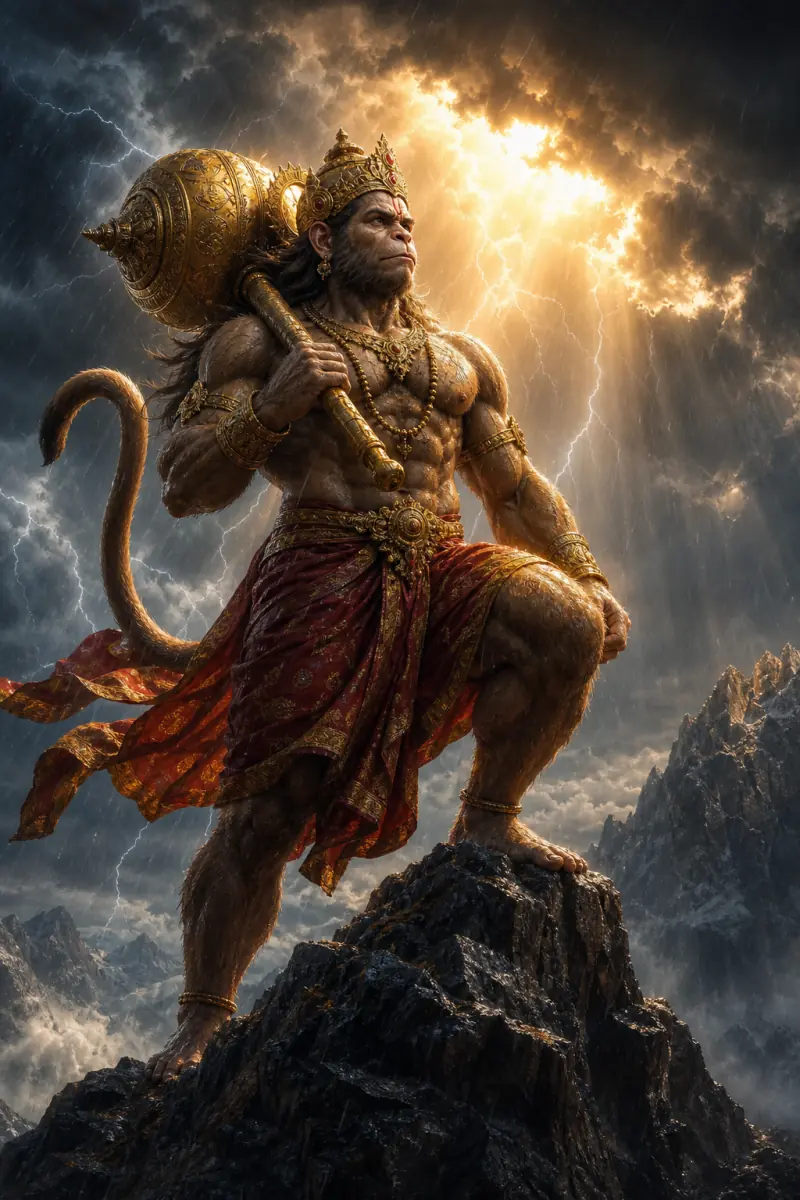
Lord Hanuman Epic Divine Portrait
A Lord Hanuman AI image prompt that generates jaw-dropping, crisp devotional portraits of Bajrangbali across his divine aspects, moods, and epic settings. It is the most extensively customizable deity template on PromptsRush, with nine controls for the full sweep of Hanuman imagery. Every selector carries a complete, self-contained description, so the output stays crisp and coherent across more than two million combinations. Why every aspect stays iconographically correct The Divine Aspect selector holds ten complete manifestations: the mighty warrior with the golden gada, the Sanjeevani flight bearing the mountain in one palm, the humble Bhakt of Shri Ram, the five-faced Panchmukhi form, a colossal cosmic form, the burning-Lanka leap with tail aflame, the protective Sankat Mochan blessing, the meditating mountain yogi, a dark obsidian guardian at dusk, and the vanguard on the shores of Ram Setu. Because each is written out in full, the gada, sindoor, mane and sacred name राम appear where they belong for that form. What you can customize Divine Aspect — ten manifestations, from Mighty Warrior Bajrangbali and Sanjeevani Flight to Panchmukhi Hanuman and Ram Setu Vanguard Scene & Action — free text describing what he is doing Physique & Fur — six treatments: Golden-Brown Realism, Deep Reddish-Brown, Obsidian Black, Radiant Golden Light, Sindoor Vermilion and Silver-White Sage Attire & Ornaments — eight sets, from Crimson-Gold Royal and War Armor Kavach to Simple Ascetic rudraksha and the Ram-Naam Shawl Location / Background — twelve settings including Storm Mountain Peak, Ocean Cliff & Lightning, Fiery Sacred Sky, Burning Lanka at Night, Himalayan Sunrise and Ram Setu Shoreline Mood, Art Style, Light & Extras — ten expressions from Fierce Unshakable Resolve and Roaring War Cry to Serene Devotion and Meditative Bliss; six art styles from Epic Cinematic Photorealism to Classical Devotional Painting; eight light palettes; and a free-text field for sacred extras like a saffron banner or drifting embers Best for Devotional wallpapers, Hanuman Jayanti and Tuesday-post content, YouTube bhajan and Ramayana-story visuals, thumbnails, and art prints. Tips for the best results Keep one register per image: pair wrathful aspects with storm light and devotional aspects with dawn gold. Let the aspect lead; choose attire, location and palette that agree with it. Use Scene & Action for concrete posture and movement, and the extras field for one sacred detail. Let awe, not shock, carry the power; keep the description reverent.
Image
Portrait & Character
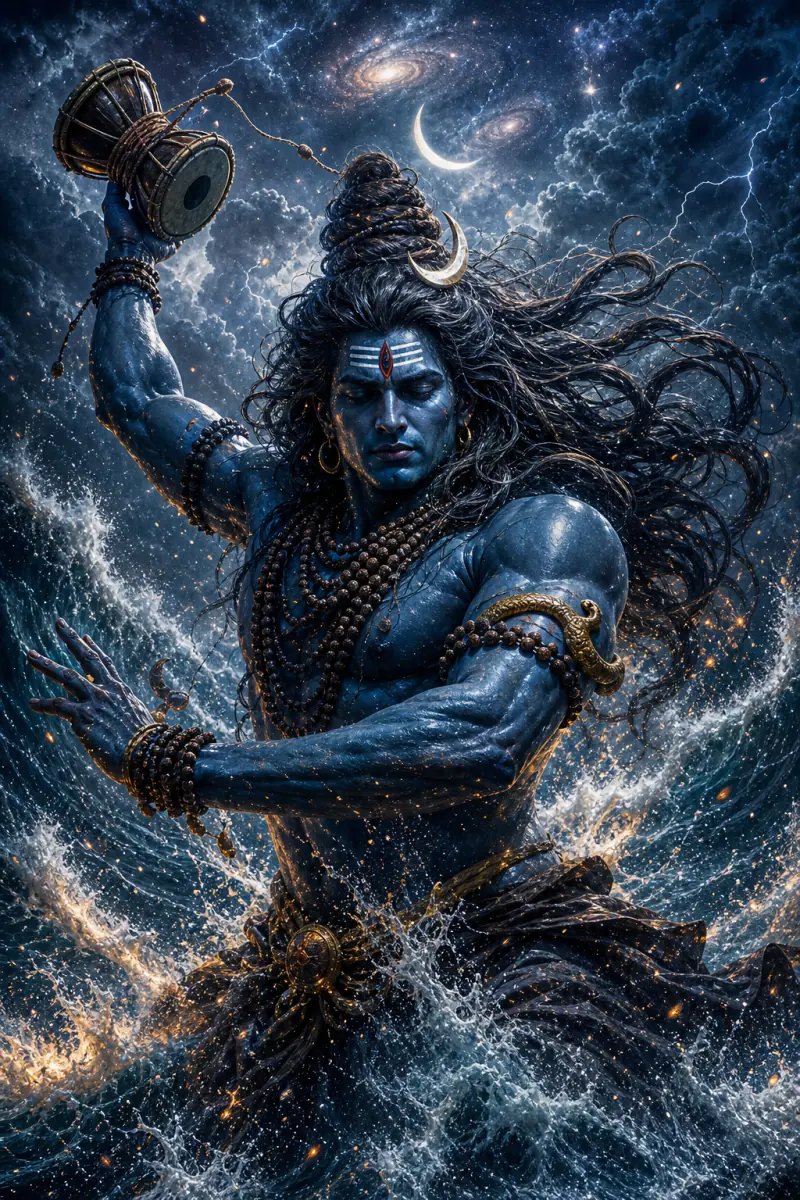
Lord Shiva Epic Divine Portrait
A Lord Shiva AI image prompt that generates jaw-dropping, crisp devotional portraits of Mahadev across his many divine forms, moods, and settings. Its heart is the Divine Form selector, backed by six more controls for scene, setting, mood, art style, light and sacred extras. The result is epic, reverent imagery in which the crescent moon, tripundra, rudraksha, serpent and Ganga always land where they belong. Why every form stays iconographically correct The selector holds ten complete manifestations, each carrying its own full description: Mahadev in serene meditation on Kailash, the fiery Third Eye awakening, Rudra in the fury of the Tandava, Nataraja dancing within the ring of cosmic fire, Neelkanth with the blue throat after drinking the halahala, the ash-smeared Ascetic Yogi of the high Himalayas, gentle smiling Bholenath granting blessings, the formless radiant Jyotirlingam, the monumental black Adiyogi statue, and the cosmic protector wielding the trishul. Because each form is self-contained, the iconography never blurs between them. What you can customize Divine Form / Avatar — ten forms, from Rudra — Tandava Fury and Nataraja — Cosmic Dance to Bholenath — Gentle Blessing and Formless Jyotirlingam Scene & Action — free text describing the moment being depicted Setting / Background — ten epic settings including Mount Kailash, Storm-Churned Cosmic Ocean, Moonlit Ganges Ghat, Himalayan Cave Shrine and Monsoon Lightning Sky Mood & Expression — ten moods from Perfect Serenity and Transcendent Bliss to Blazing Wrath and Ecstatic Dance Trance Art Style, Light & Palette and Extra Sacred Elements — six styles (Epic Painterly Concept Art, Cinematic Photorealistic, Ethereal Luminous Fantasy, Dark Moody Concept Art, Classical Devotional Painting, Monumental Statue Photography), seven palettes such as Indigo Storm & Ember Gold, Sacred Golden Dawn and Diya Flame & Smoke, plus optional extras like Nandi, the trishul planted in rock, or drifting vibhuti ash Best for Devotional wallpapers and posts, Mahashivratri and Sawan content, YouTube bhajan visuals, and epic art prints. Tips for the best results Match mood, form and palette to one register per image: serene forms with soft light, wrathful forms with storm light. Write the Scene & Action concretely so the chosen form has something specific to do. Use the extras field sparingly; one sacred element reads more clearly than several. Let the description stay reverent; the power of this imagery comes from awe, not shock.
Image
Portrait & Character
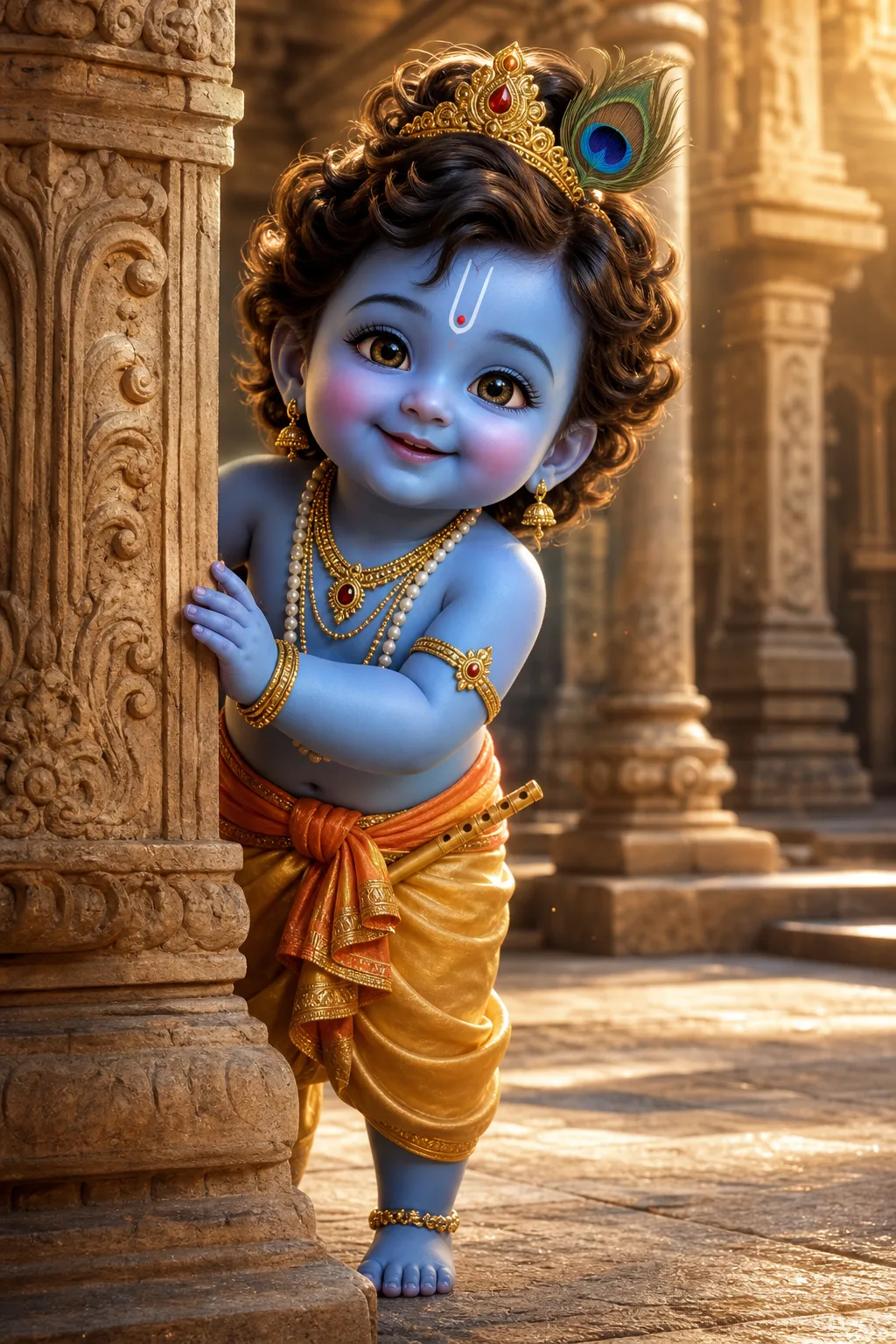
Little Krishna 3D Story Scene
A little Krishna prompt that generates divine, consistent 3D scenes of the beloved child form of Krishna for YouTube devotional videos and festival art. It captures the modern animated-film treatment of Bal Krishna: luminous blue skin, sparkling eyes, curly hair under a tiny golden crown with its peacock feather, and every traditional ornament from the U-shaped tilak to the anklets. Six controls around the character shape the scene, styling, location, expression, lighting and props. Why the character stays consistent All of those features are pinned inside a fixed character lock, so he remains perfectly consistent across an entire channel of uploads. That is what separates a beloved recurring character from a series of lookalikes. What you can customize Scene & Action — free text describing what little Krishna is doing Dhoti & Styling — six variations, from Classic Golden-Yellow Silk pitambar to Festive Red & Gold, Peacock Blue & Silver and Flower-Adorned Pastel Location — ten settings including Carved Temple Courtyard, Yamuna Riverbank at Dawn, Vrindavan Forest Glade, Gokul Butter Kitchen, Holi Courtyard and Rain-Washed Palace Veranda Expression & Emotion — ten moods from Sweet Mischievous Smile and Guilty Butter-Thief to Wide-Eyed Innocence, Serene & Peaceful and Joyful Laughter Lighting & Mood and Extra Props — seven lighting options such as Radiant Divine Glow, Warm Diya Evening, Bright Holi Midday and Silver Moonlight, plus optional touches like an overturned pot of makhan Best for Devotional Shorts and story videos, Janmashtami and festival posts, bhajan visuals, thumbnails, and wallpapers. Tips for the best results Describe the action concretely; the scene field is where each frame gets its story. Pair location and lighting that belong together, such as a diya-lit evening in the temple courtyard or Holi's bright festival light in the Holi courtyard. Pick one expression that fits the moment rather than stacking moods. Keep the tone warm and reverent; the genre lives on innocence and charm, and the template is built to keep it there.
Image
Portrait & Character
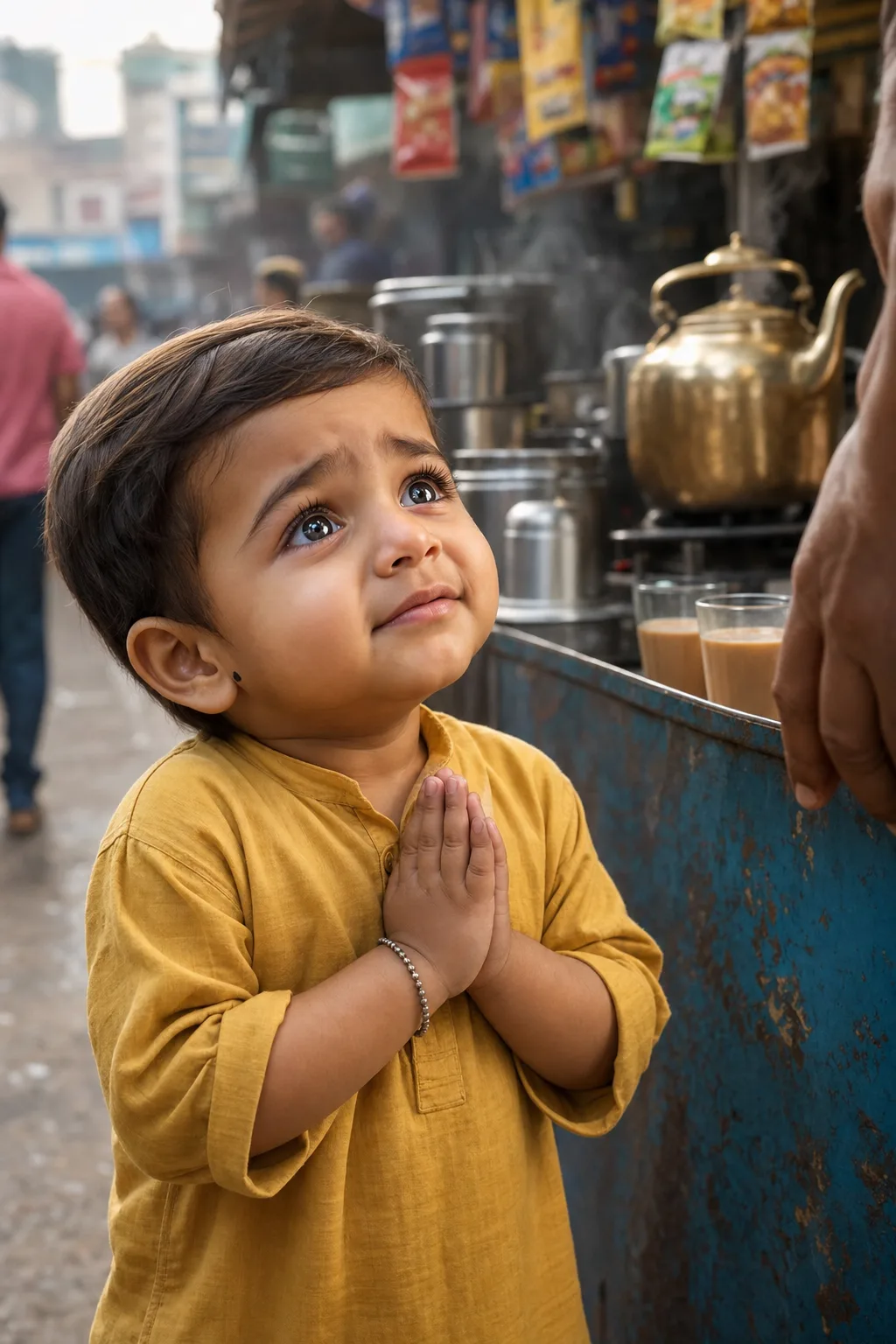
AI Indian Kid 3D Story Scene
An AI Indian kid prompt that generates consistent, cinematic scenes of an adorable toddler for YouTube storytelling videos with full scenario control. It is built for the hugely popular AI-baby story genre: a chubby-cheeked little boy with big expressive eyes living small emotional moments on Indian streets, from pleading for chai with folded hands to flying kites on a rooftop. Six controls around the character set the scene, outfit, location, expression, lighting and props. Why the character stays consistent Like every serial-character template, its heart is a fixed character lock: the boy's face, hair, skin tone, proportions and his little silver bracelet are pinned precisely and never change. He stays the same recognizable child across an entire channel rather than morphing between uploads. What you can customize Scene & Action — free text describing the moment Outfit — six options: Mustard Cotton Kurta, Festive Kurta-Pajama with a Nehru jacket, School Uniform, Winter Sweater & Monkey Cap, Play Tee & Shorts and Yellow Raincoat Location — ten Indian settings from Roadside Chai Stall, Sabzi Market and Village Courtyard to Temple Steps, Mithai Shop, Railway Platform, Mustard Field, Rooftop Kite Festival and Village Mela Expression, Lighting & Extra Props — ten moods across the storytelling arc, from Pleading & Hopeful, Teary & Crying and Pouting & Sulky to Wide-Eyed Wonder, Mischievous Grin, Proud and Beaming Toothy Smile; seven lighting moods such as Golden Hour, Monsoon Grey, Warm Evening Bulbs and Diya & Fairy Lights; and optional props for the scene Best for Shorts and long-form storyboards, thumbnails, and channel art. Frame in 9:16 or 2:3 for Shorts. Tips for the best results Describe the action concretely; a specific gesture or object gives the frame its story. Keep one light source per scene and choose a lighting mood that matches the location. Pick the expression that carries the beat of the story rather than a neutral default. This template renders its own fixed fictional character: it is not designed to reproduce any real child, and works best kept that way.
Image
Portrait & Character
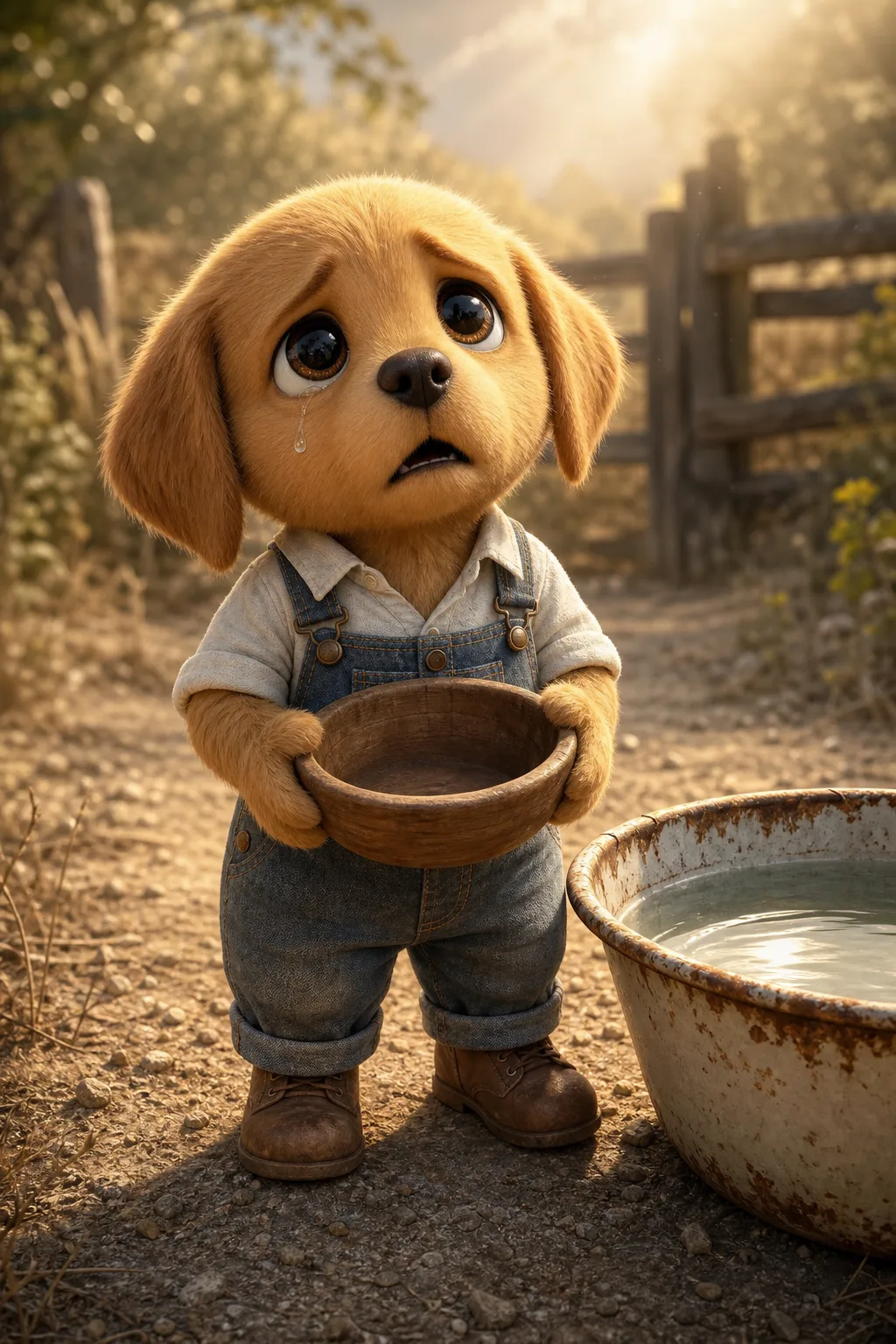
AI Sad Dog 3D Story Scene
An AI sad dog prompt that generates consistent, cinematic 3D scenes of an adorable teary-eyed puppy for YouTube storytelling videos. It produces a heart-melting golden puppy with huge glossy eyes, standing upright in tiny clothes, living through hardship and hope one frame at a time. The render style is modern animated feature film: detailed fur groom, subsurface scattering on the ears, cinematic depth of field and a 4k octane render finish, with no text anywhere in the image. Why the character stays consistent The template solves the problem that kills most of these channels: character drift. A fixed character lock describes the puppy's fur, eyes, proportions and toddler-like stance precisely, so he stays the same recognizable character across every scene of a video. What you can customize Scene & Action — free text for what he is doing, such as holding an empty wooden bowl and looking up hopefully. Outfit — six options including Denim Overalls, Yellow Raincoat, Ragged & Patched, Winter Scarf & Hat, Little Schoolkid and Cozy Pajamas. Location — ten settings from a Dusty Farmyard and Rainy Night Street to a Deep Forest, Old Barn, Snowy Field, Campfire at Night, Sunflower Meadow, Junkyard and Beach at Sunset. Expression & Emotion — ten states covering the full arc: Heartbroken, Sobbing, Scared & Trembling, Exhausted & Weak, Brave & Determined, Joyful Relief and Peaceful & Content. Lighting & Mood — seven looks such as Morning God-Rays, Overcast Rain, Cold Blue Dusk, Golden Sunset, Soft Moonlight, Warm Firelight and Harsh Midday Sun. Extra Props & Details — optional text for touches like a single tear or tiny pawprints in the dust. Best for The expression range is deliberate: a story needs the tearful beginning, the struggle and the happy ending, and all of them come from this one template. Use it for YouTube Shorts and long-form storyboards, thumbnails and channel art. Tips for the best results Frame in 9:16 or 2:3 for Shorts. Describe the action concretely — what he holds, where he looks. Pick one light source per scene. Avoid crowding scenes with other characters; the genre works because the little dog carries the frame alone.
Image
Architecture & Interior
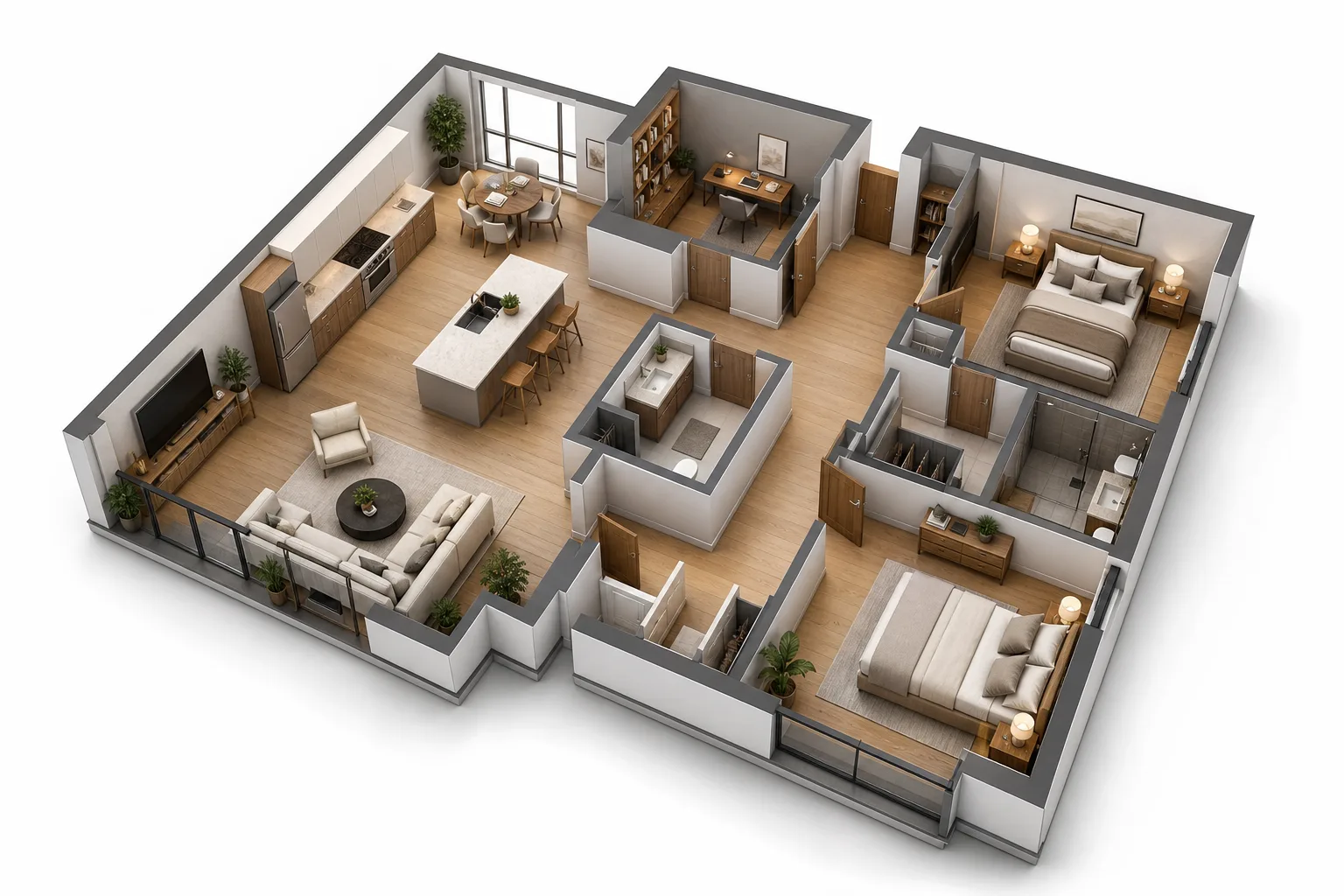
3D Real Estate Floor Plan Render
A 3D floor plan prompt that renders photorealistic cutaway property visualizations for real estate listings, with full control over layout and style. It produces the premium dollhouse archviz look: walls cut at waist height, every room staged and visible at once, floating on a clean white background. This is the visualization listing portals, developers and interior designers pay studios to produce, rendered with soft even studio lighting, crisp shadows and fine material detail. What you can customize Layout & Rooms — the property described in plain language, room by room; any property works, from a studio flat to a 4-bedroom villa, penthouse or office suite. Design Style — eight interiors: Modern Minimalist, Scandinavian, Luxury Contemporary, Industrial Loft, Japandi, Warm Traditional, Coastal and Bohemian. Camera View — four angles: 45° Isometric Aerial, Straight Top-Down, Dollhouse Perspective and Dramatic Corner Close-Up. Materials & Palette — six combinations such as Light Oak & White, Dark Walnut & Charcoal, Marble & Gold and Polished Concrete & Black. Furnishing Level — from Fully Furnished & Staged through Lightly Furnished and Fixtures Only to Empty Shell. Extra Features — optional text for balconies, terraces, pools or gardens. Best for Property listings and brochures, Airbnb and rental presentations, renovation and staging proposals, architecture portfolio pieces, and interior design client mockups. Tips for the best results Describe the layout the way an estate agent would — name each room and how spaces connect, such as an open-plan kitchen flowing into the living room. Keep room counts realistic for a single floor; one level per image renders most cleanly. Generate multi-storey homes as one image per floor. Avoid asking for dimension labels or room names in the image itself. Models garble embedded text, which is why this template explicitly excludes it and leaves annotation to your listing software.
Image
Portrait & Character
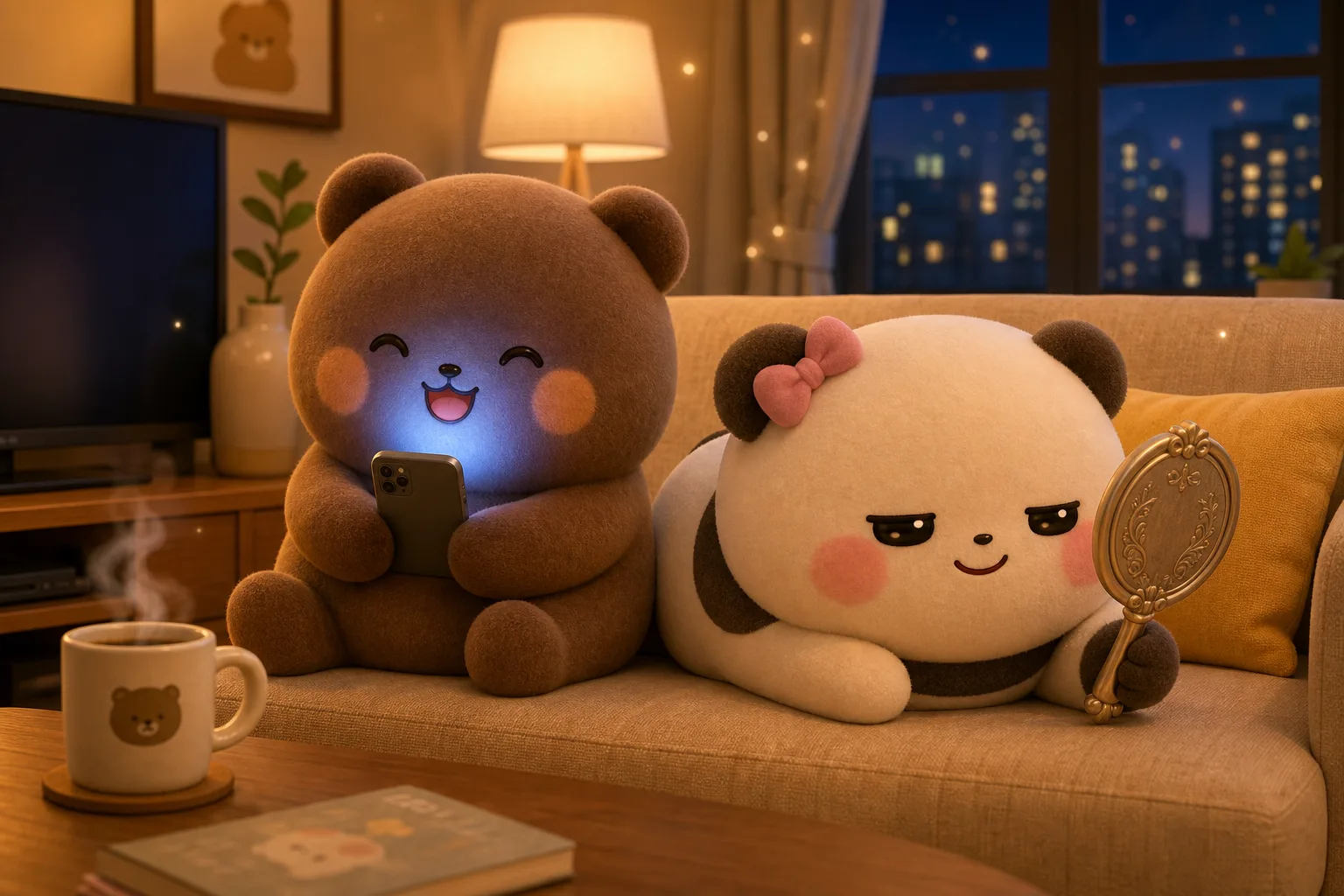
Dudu & Bubu 3D Cute Scene
A Dudu and Bubu prompt that generates adorable 3D plush-style scenes of the bear-and-panda duo, with control over scene, location, expressions, and light. It renders the pair as premium collectible toys with a fuzzy flocked-velvet texture, soft matte finish and a warm pastel palette. Shallow depth of field and Pixar-like subsurface scattering give every frame a soft, cozy, wholesome feel. Why the pair stay consistent The template is built around a fixed character lock — a precise description of both characters, their proportions, blush placement, ear shape and plush texture — that stays identical in every generation. The two look like the same characters across an entire series rather than drifting from image to image. What you can customize Scene & Action — free text for what each character is doing and holding. Location — twelve settings including Cozy Living Room at Night, Sunny Kitchen, Bubbly Laundry Room, Rainy City Street, Park Picnic, Seaside Beach, Cute Cafe, Campsite Under Stars and Snowy Winter Street. Brown Bear — Expression — eleven kawaii emotions such as Happy & Giggling, Sleepy, Sulking & Grumpy, Crying, Shocked, Love-Struck and Panicked & Sweating. White Panda — Expression — the same eleven emotions, chosen independently, with Smug & Mischievous as the default. Lighting & Mood — eight looks from Warm Lamp Glow (Night) and Soft Morning Sunlight to Cozy Candlelight, Cool Screen Glow and Playful Neon Night. Extra Props & Details — optional text for a steaming mug, a cushion or floating sparkles. Best for Because the two expressions are set separately, you can build the little comedic beats the duo are loved for — one panicking while the other looks smug. It is ideal for sticker packs, reels and shorts, chat stickers, greeting cards, phone wallpapers and children's content. Tips for the best results Describe the action concretely: who is holding what, who is standing where. Keep one clear light source. Avoid crowding the frame with too many props; the charm of this style lives in soft, clean, uncluttered composition.