Loading elite prompt experience...
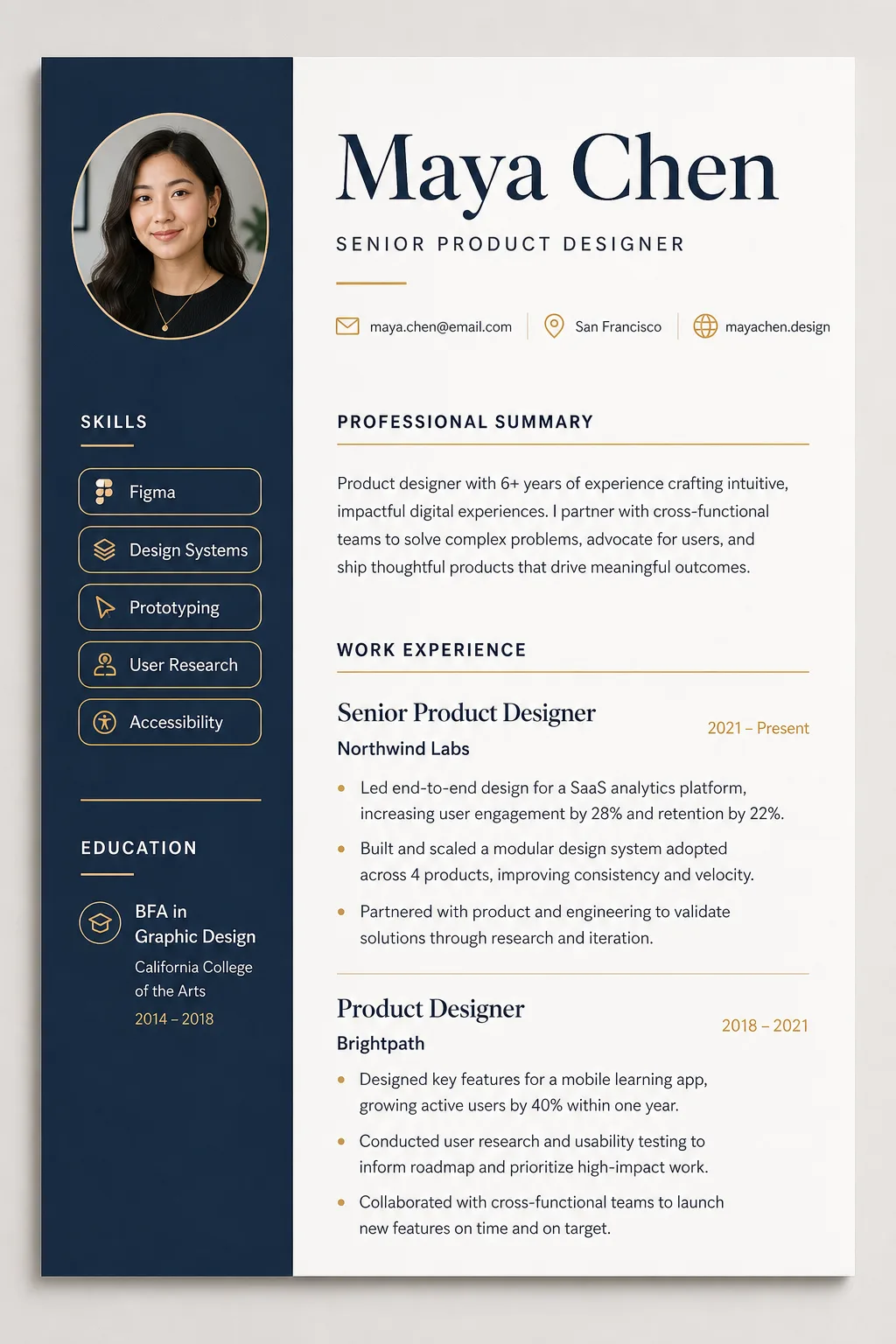
Example Output
 Open in Gallery
Loading elite prompt experience...
A curated stack for turning ideas into production-ready video, ads, and art.
Open in GalleryAn AI resume builder prompt that turns your career details into a designer-quality CV mockup — clean typography, real layout craft, print-ready polish.
Instead of a generic document layout, the template renders your resume as a premium design-studio mockup: a one-page document shown flat-on with subtle paper depth and a soft studio shadow on a warm-gray backdrop. Expect an elegant serif name treatment, a structured grid with generous white space, skills as clean rounded tags, hairline section rules and an optional circular headshot in the header.
Job seekers who want a CV that looks art-directed, and designers, career coaches and template sellers who need resume mockups for portfolios, LinkedIn carousels, Etsy listings or client previews without laying out a document by hand.
Optional: upload a well-lit chest-up portrait to integrate as a circular headshot in the resume header.
Click the "Copy" button above to copy the complete prompt text to your clipboard. This will copy all the text including any placeholders.
If you see placeholders like {{topic}} or {{style}} in the prompt, click "Customize & Use" to open the customization dialog. Fill in your specific values to personalize the prompt for your needs.
Optional: "Headshot Photo" (image). Have these files ready before proceeding to the AI tool.
Go to gemini.google.com and sign in to your Google account. Make sure you have access to the image generation feature.
In Gemini, look for the "Create image" or image generation option. If available, switch to Gemini Pro or Advanced mode for higher quality outputs.
Before or along with your prompt, upload the required files. Most AI tools have an attachment/upload button near the prompt input area.
Paste the copied prompt (Ctrl/Cmd + V) into the AI tool's text input field. Make sure your attachments are uploaded, then click the send/generate button to create your image.
Review the generated image. If it doesn't match your expectations, try regenerating or adjusting the prompt with more specific details. Most AI tools allow multiple generation attempts.
Optional: upload a well-lit chest-up portrait to integrate as a circular headshot in the resume header.
Generate with
prompt auto-copiesAffiliate links · We may earn a commission at no cost to you
Tested by the PromptsRush team
Modern Workspace Ambience for Focus
Advertisement