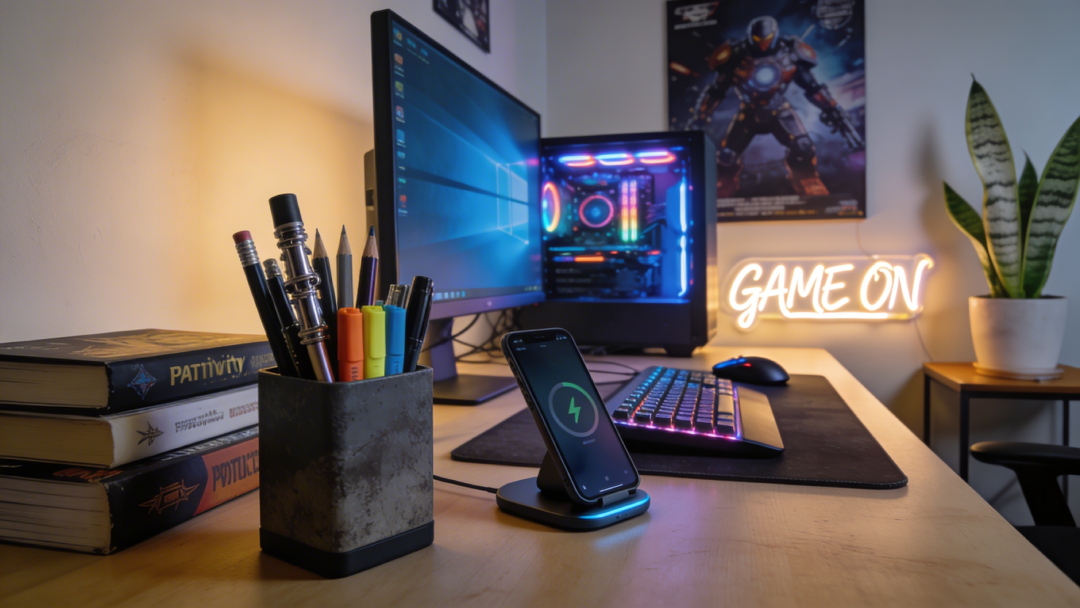
Generate continuous, relaxing, highly aesthetic video loops of modern workspaces or study environments designed to evoke deep focus and productivity.
The prompt renders a cozy desk scene with a large window view, animated by subtle ambient motion that keeps the loop alive without pulling attention. The lo-fi, "study core" aesthetic and highly detailed rendering are built for long viewing sessions.
What you can customize
Desk Setup Details — the objects on the desk; the default is a mechanical keyboard, an open glowing laptop, and a steaming mug of tea
Window View — what lies beyond the glass, such as a Tokyo cityscape during a heavy rainstorm
Ambient Motion — the gentle movements in the scene, such as raindrops streaming down the glass and steam rising from the cup
Time of Day / Lighting — three options: Cozy Night, Rainy Afternoon, or Golden Sunrise
Best for
Backgrounds for "Study With Me" or lo-fi hip hop YouTube channels, ambient screens in real-world offices, and the core visual loop for focus and pomodoro timer apps. YouTubers, live streamers, remote workers wanting a virtual body-doubling environment, and developers building productivity or wellness apps will all find it useful.
Tips for the best results
Atmosphere first. The aesthetic choice (cozy, futuristic, minimalist) dictates the mood, so align it with your audience's preferences.
Keep motions subtle: rain falling outside, coffee steam rising gently, or dust motes catching the light add life without distraction.
Twilight, golden hour, and rainy afternoon settings are universally recognized as cozy and naturally focus-inducing.
Avoid jarring or fast-moving elements like frantic traffic or sudden lighting changes that pull viewers away from their work.
Skip fluorescent or harsh lighting; keep tones warm, moody, or neutrally cool for eye comfort over hours of viewing.
Related Tags
#Ambience#Lo-fi#Productivity#Study
Video PromptCustomizable Template
1
Copy the Prompt
Click the "Copy" button above to copy the complete prompt text to your clipboard. This will copy all the text including any placeholders.
The prompt will be copied exactly as shown
2
Customize the Variables
If you see placeholders like {{topic}} or {{style}} in the prompt, click "Customize & Use" to open the customization dialog. Fill in your specific values to personalize the prompt for your needs.
Replace all placeholders with your specific content
Be descriptive for better AI results
You can copy the customized version after filling in values
3
Open your preferred AI video tool
Open your preferred AI video generation tool (like Runway, Pika, or similar) and navigate to their video generation feature.
Create an account if you don't have one
Check if you have generation credits available
4
Paste & Generate
Paste the copied prompt (Ctrl/Cmd + V) into the AI tool's text input field. click the send/generate button to create your video.
Double-check the prompt for any unfilled placeholders
Generation may take a few seconds to a few minutes
5
Review & Refine
Review the generated video. If it doesn't match your expectations, try regenerating or adjusting the prompt with more specific details. Most AI tools allow multiple generation attempts.
Add more descriptive details if results are too generic
Specify style, mood, or composition for better control
Try different variations to find the best result
Save outputs you like immediately
Advanced Pro Tips
Save prompts that work well for you by adding them to your Wishlist.
Experiment with different AI tools — each produces radically different compositions and intrinsic visual styles.
Be extremely specific with lighting, camera angles, and color grading for high-fidelity yields.
Prompt4 fields
A beautiful, continuous looping video of a cozy workspace desk. The view includes {{desk_setup}}. Through a large nearby window, we see {{window_view}}. The atmosphere features subtle, calming movements like {{ambient_motion}}. The lighting feels like {{time_of_day}}. Lo-fi aesthetic, highly detailed rendering, calming, study core.