Loading model...
Best Nano Banana Pro prompts
153 prompts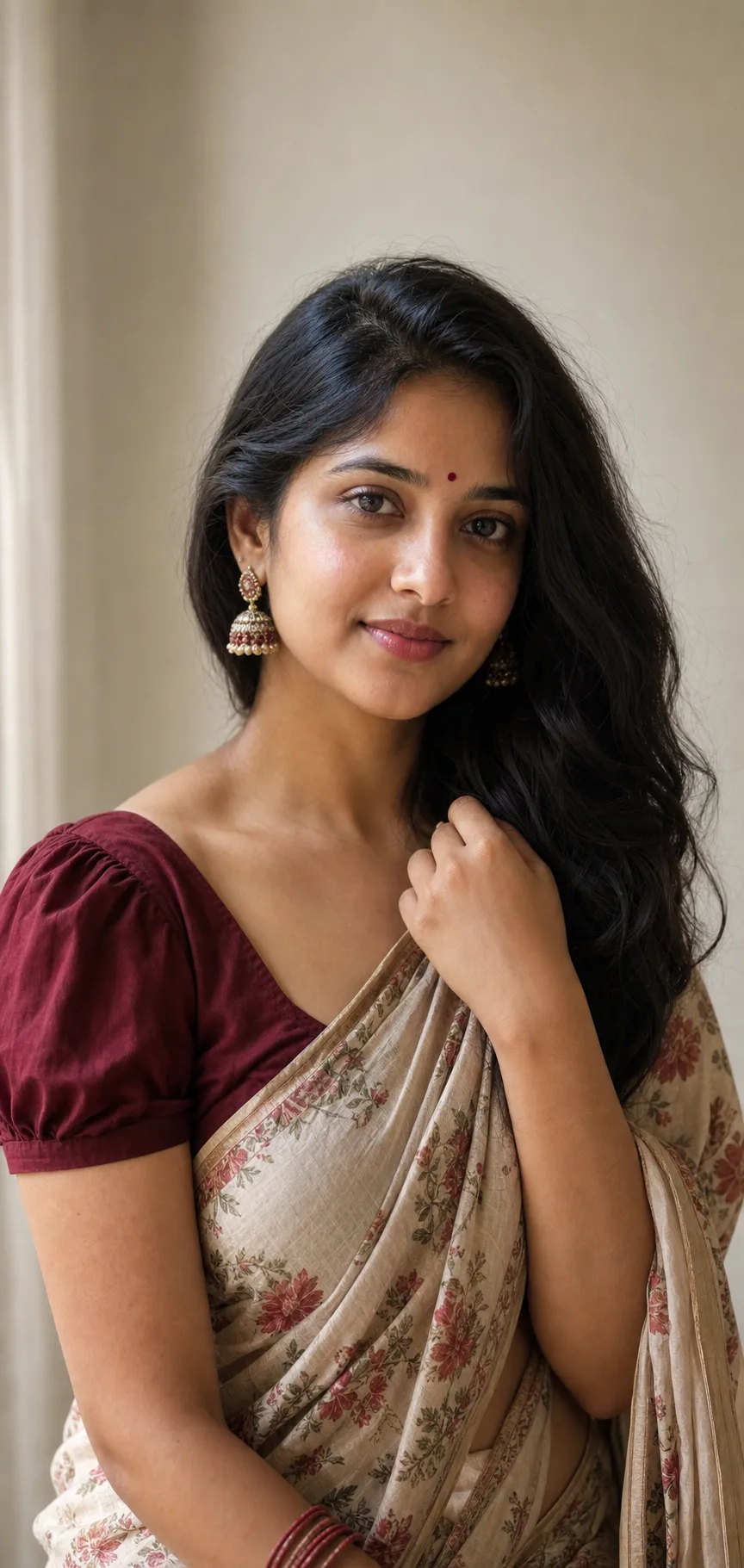
Image
Portrait & Character
Traditional Saree Portrait
A saree portrait prompt that creates elegant, natural traditional Indian portraits — a graceful drape, classic jewellery, soft light and realistic skin. The template composes a tasteful waist-up portrait with the timeless ethnic-wear aesthetic, rendered with realistic skin rather than an over-smoothed finish. The same look works for a cream cotton saree against a soft indoor wall, a rich silk saree in a temple courtyard, or a festive drape in a marigold-lit setting. What you can customize Subject Description — free text for hair, features and expression. Saree & Blouse — six drapes: Cream Floral Cotton, Red Silk Kanjivaram, Royal Blue Banarasi, Pastel Georgette, Green Kerala Kasavu, or Black & Gold Festive. Jewellery & Details — five sets, from Jhumkas, Bindi & Bangles and Minimal Gold Studs to a Temple Jewellery Set and a Bridal Heavy Set. Setting — six backdrops including Soft Indoor Wall, Temple Courtyard, Heritage Doorway and Festive Marigold. Lighting Style — Soft Indoor Daylight, Warm Golden Hour, Diffused Studio, Festive Warm Glow, or Moody Low-Key. Model Photo — an optional front-facing upload to carry a real likeness. Best for Festival and wedding-season posts, profile pictures, gifts and keepsakes, boutique and saree-brand lookbooks, and personal branding with a cultural touch. Tips for the best results Describe the person clearly and attach a photo if you want a real likeness. Choose a saree, jewellery set and setting that suit each other, and lean into the natural-light default. Loose or gently styled hair and classic jhumka earrings translate especially well. Avoid heavy beauty filters and plastic skin smoothing — they undercut the realism — and busy backgrounds that distract from the subject. The template is tuned for a graceful, tasteful portrait; revealing or suggestive framing requests are not supported.
236 ViewsTemplate
Image
Portrait & Character
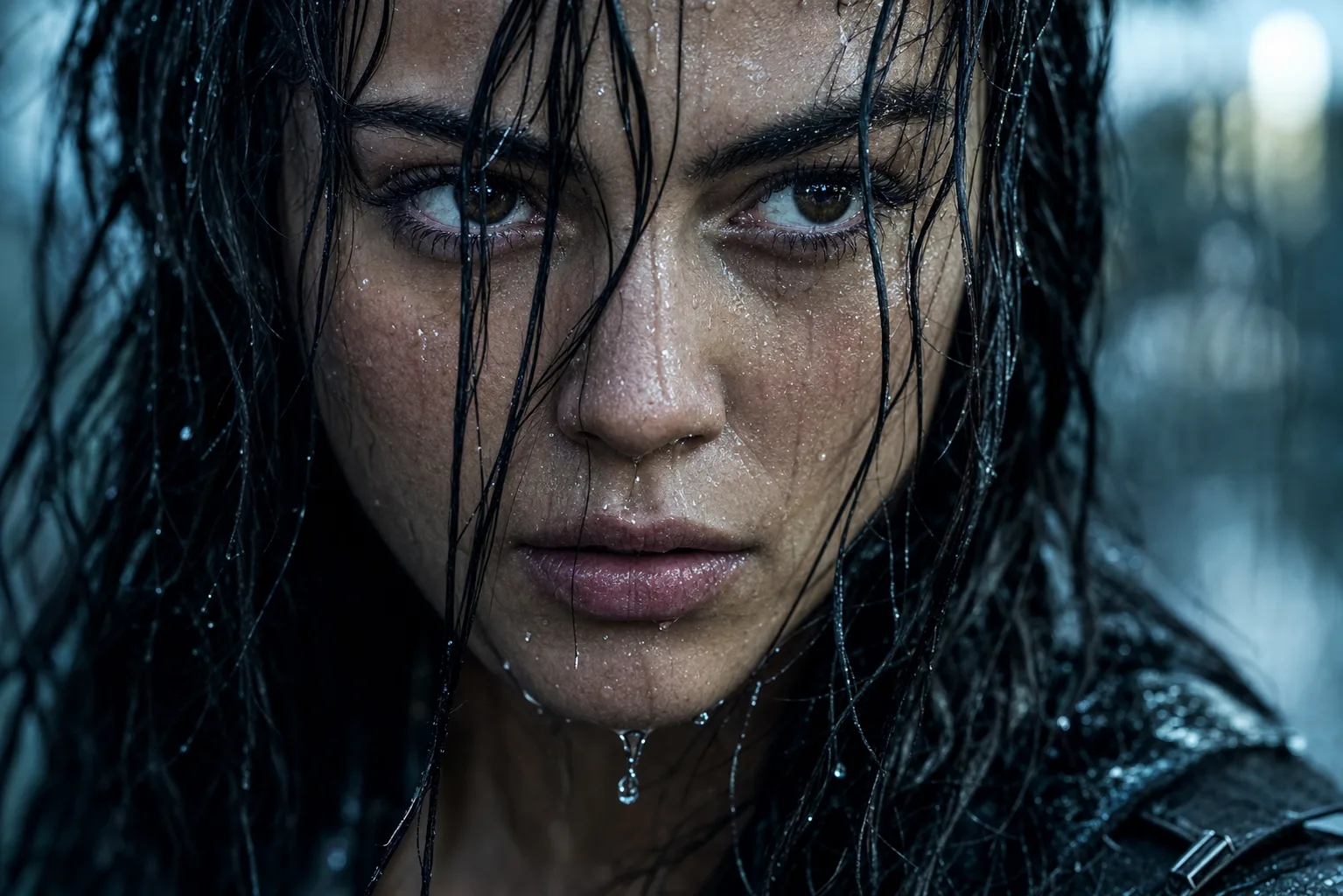
Rain-Soaked Cinematic Portrait Prompt
A rain portrait AI prompt that drenches your photo in cinematic downpour — droplet-traced skin, wet hair strands, four grades and moods. The template turns a reference photo into the kind of frame that opens an action film's third act: your exact face, rain-soaked, rendered with hyperreal water physics — droplets frozen mid-trace, individual beads on the lashes, wet strands plastered across the skin. It is composed at movie-still quality on an 85mm lens. What you can customize Expression — four moods: Intense Resolve, Soft Smile, Tearful, or Eyes Closed with the face tilted up in peace. Color Grade — Cool Thriller teal-and-steel, Golden Hour Rain, Neon Night reflections, or Desaturated Drama. Drench Level — Fully Drenched, First Drops, or Fine Mist. Framing — Tight Close-Up, Head & Shoulders, or Off-Center Profile. Reference Photo — a required sharp, front-facing upload; the rain is added by the prompt. Best for Dramatic profile pictures, actor and model portfolio frames, film-look Instagram posts, YouTube thumbnails with emotional punch, and album art. Tips for the best results Use a sharp, well-lit, front-facing reference — the source photo should be dry and clear, since the rain is generated. Avoid sunglasses and hats; the wet hair is half the drama. Pick one expression per generation rather than describing complex emotions — a single readable feeling is what makes the still cinematic. Nano Banana Pro renders water physics on a preserved face most convincingly; ChatGPT Image 2 is a strong alternative.
Image
Fashion & Beauty
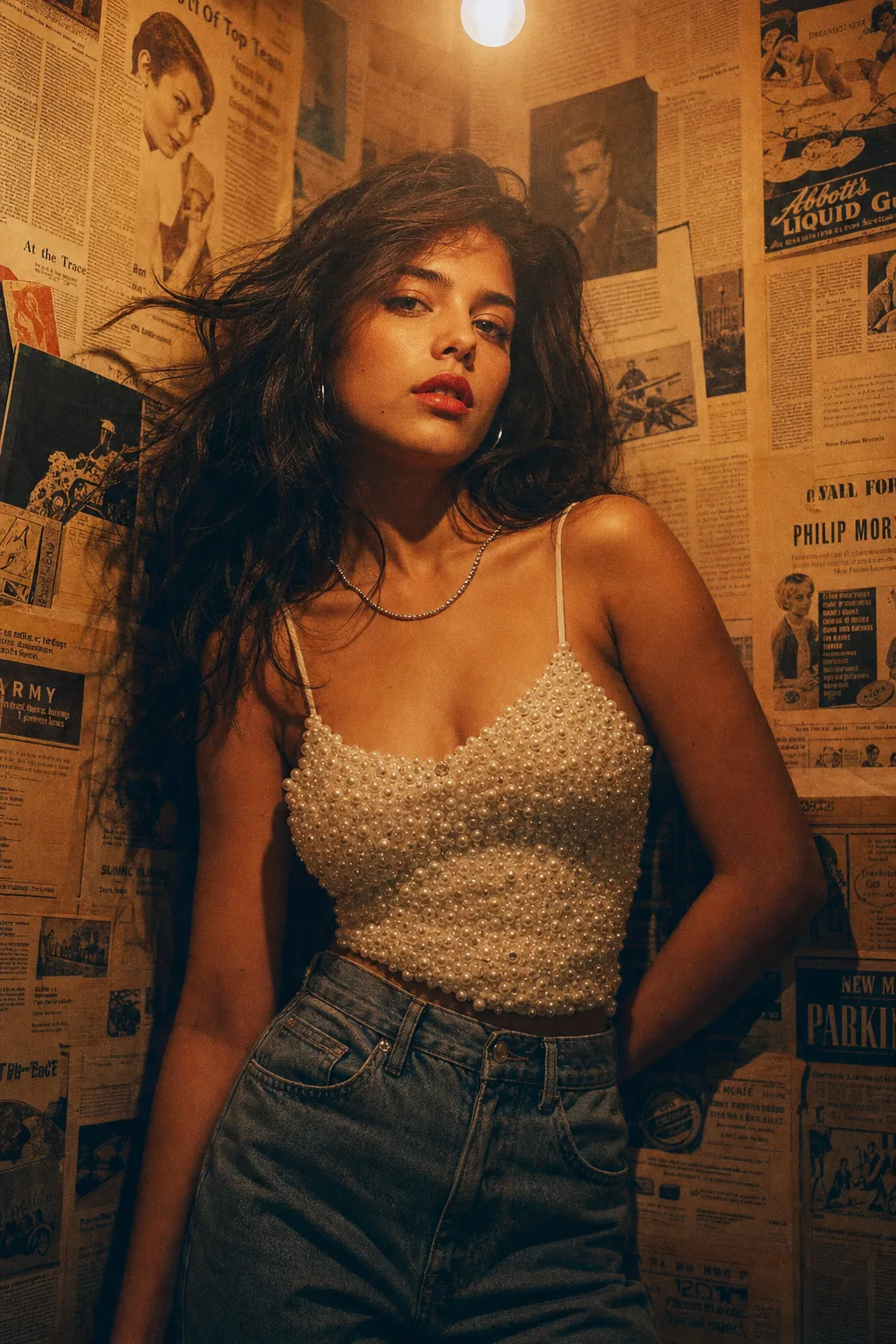
Vintage Editorial Photoshoot Prompt
A vintage editorial photoshoot AI prompt — newspaper-wall backdrops, 90s film grades and magazine poses, with or without your reference photo. The template recreates the retro-editorial look that dominates fashion moodboards: a styled subject against a collaged vintage wall, a single warm practical bulb overhead, and a film grade that makes the frame feel pulled from a 90s magazine archive. It works two ways — attach a photo to keep your exact face and hairstyle, or describe any subject from scratch. What you can customize Subject & Styling — free text; the default pairs a pearl-embellished camisole with high-waisted vintage denim and classic red lips. Backdrop Wall — five options: Vintage Newspaper Wall, Retro Film Posters, Vinyl Record Wall, Polaroid Collage, or Peeling Paint & Tiles. Film Grade — four grades: 90s Tungsten with halation, Faded Kodak greens, Noir Contrast, or VHS Haze. Pose — Leaning Corner Gaze, Profile Look-Away, Seated on Stool, or Mid-Turn with hair in motion. Reference Photo (optional) — upload a clear photo and the styling, wall and grade art-direct around your real likeness. Best for Fashion creators and models refreshing portfolios, brand lookbooks with a nostalgic angle, album and EP cover art, and Instagram carousels that need one strong editorial opener. Tips for the best results Nano Banana Pro renders the film grain and paper textures most convincingly; ChatGPT Image 2 is a strong alternative. Avoid bright modern clothing with visible logos — it breaks the era. Do not request clean studio light; the single-bulb falloff is the look. Let the wall stay busy. The collage is the co-star, not clutter.
Image
Fashion & Beauty
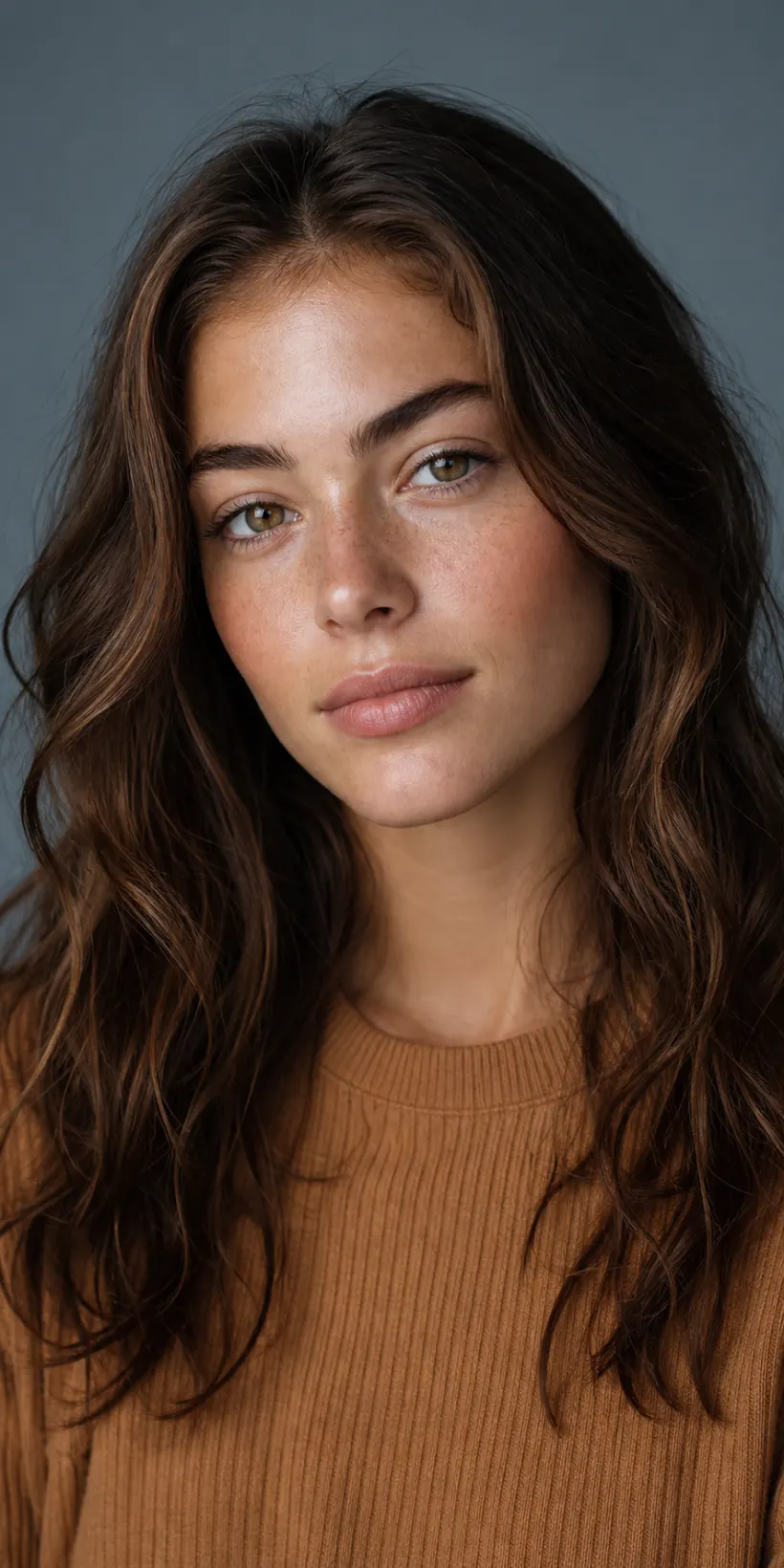
Natural Beauty Studio Portrait
A natural beauty portrait prompt that creates a soft, editorial close-up celebrating real skin — dewy texture, light freckles and fresh minimal makeup. The template renders a refined head-and-shoulders beauty shot on a clean neutral backdrop under flattering studio light, with authentic skin detail rather than an over-smoothed plastic finish — the way skincare and beauty brands actually shoot. The same natural aesthetic works for a glowing no-makeup look, soft glam, a warm golden mood or a cool editorial grey. What you can customize Subject Description — free text for hair, features and expression. Makeup Look — five options: Fresh Natural, No-Makeup Look, Soft Glam, Warm Bronze, or Bold Editorial. Styling / Wardrobe — a short text line; the default is a modest ribbed knit crew-neck in warm caramel. Backdrop Color — six colors including Muted Blue-Grey, Warm Beige, Deep Charcoal and Sage Green. Lighting Style — Soft Diffused Studio, Warm Golden, Bright Beauty Dish, Moody Low-Key, or Window Daylight; plus an optional Model Photo upload to carry a real likeness. Best for Profile pictures, model and portfolio shots, skincare and beauty content, personal branding and headshots — a polished, natural-looking beauty portrait without a studio session. Tips for the best results Describe the person clearly (hair, features) and attach a clear front-facing photo if you want your own face. Pick a makeup look and backdrop that match the mood, and lean into the natural-skin default — the look depends on real texture. Soft, even light flatters the face most. Avoid heavy beauty filters, plastic skin smoothing and busy backgrounds that distract from the face. Skip revealing or suggestive framing requests; the template is tuned for a tasteful, face-focused portrait.
Image
Portrait & Character
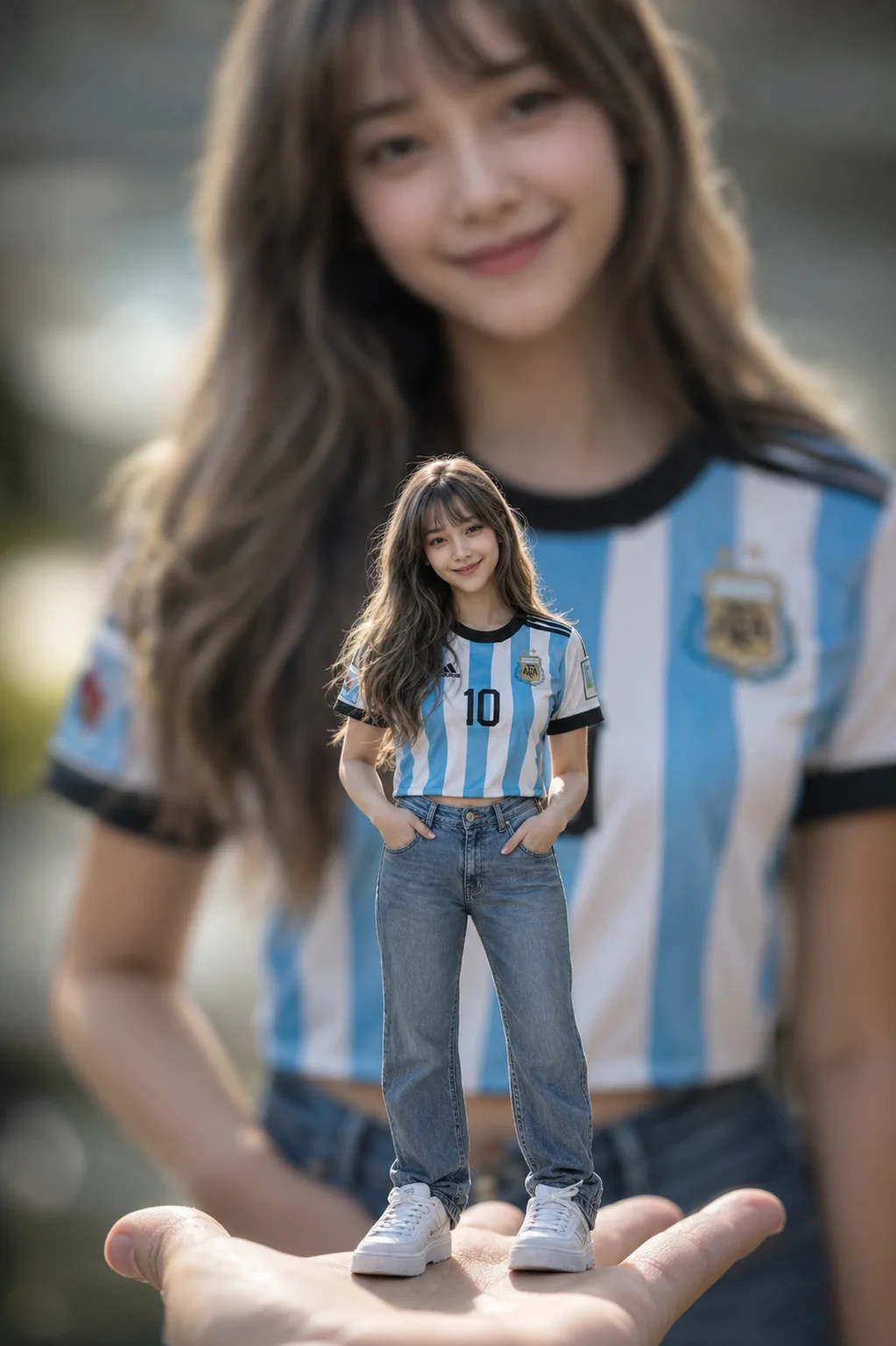
Miniature Forced Perspective Prompt
A miniature forced perspective AI prompt — a tiny you standing on a palm or desk, giant blurred self behind, from one reference photo. The template builds the viral scale illusion with the photography that sells it: the miniature figure rendered full-body in tack-sharp focus at 85mm f/1.4, everything around it melting into creamy bokeh, HDR fabric detail down to denim folds and skin pores. Your identity is preserved at miniature scale, and in the signature variant a giant, softly blurred version of you in the identical outfit fills the background. What you can customize Outfit — free text worn by both the mini and the giant self; sporty fits like a striped football jersey with jeans read brilliantly. Perch — Palm of a Hand, Wooden Desk beside towering mugs, Bookshelf Edge, or Teacup Rim. Mini Pose — Relaxed Pockets, Waving Hello, Sitting Edge with legs dangling, or Victory Celebration. Backdrop — Giant Self Blurred, Cozy Room Bokeh, Stadium Lights, or Window Daylight. Reference Photo — required; a clear full-body or half-body shot whose face and hairstyle carry onto the miniature (and the giant self). Best for Scroll-stopping Instagram posts and reels covers, fan-jersey matchday content, birthday edits, and playful profile pictures. Tips for the best results Use a clear full-body or half-body reference with the outfit visible; avoid group photos. Keep the outfit description to one complete look — the mini and giant must match for the illusion to land. A negative-prompt block is included for models that support it; Midjourney and Stable Diffusion users can paste it directly. Nano Banana Pro holds identity at doll scale most faithfully; ChatGPT Image 2 is a strong alternative.
Image
Portrait & Character
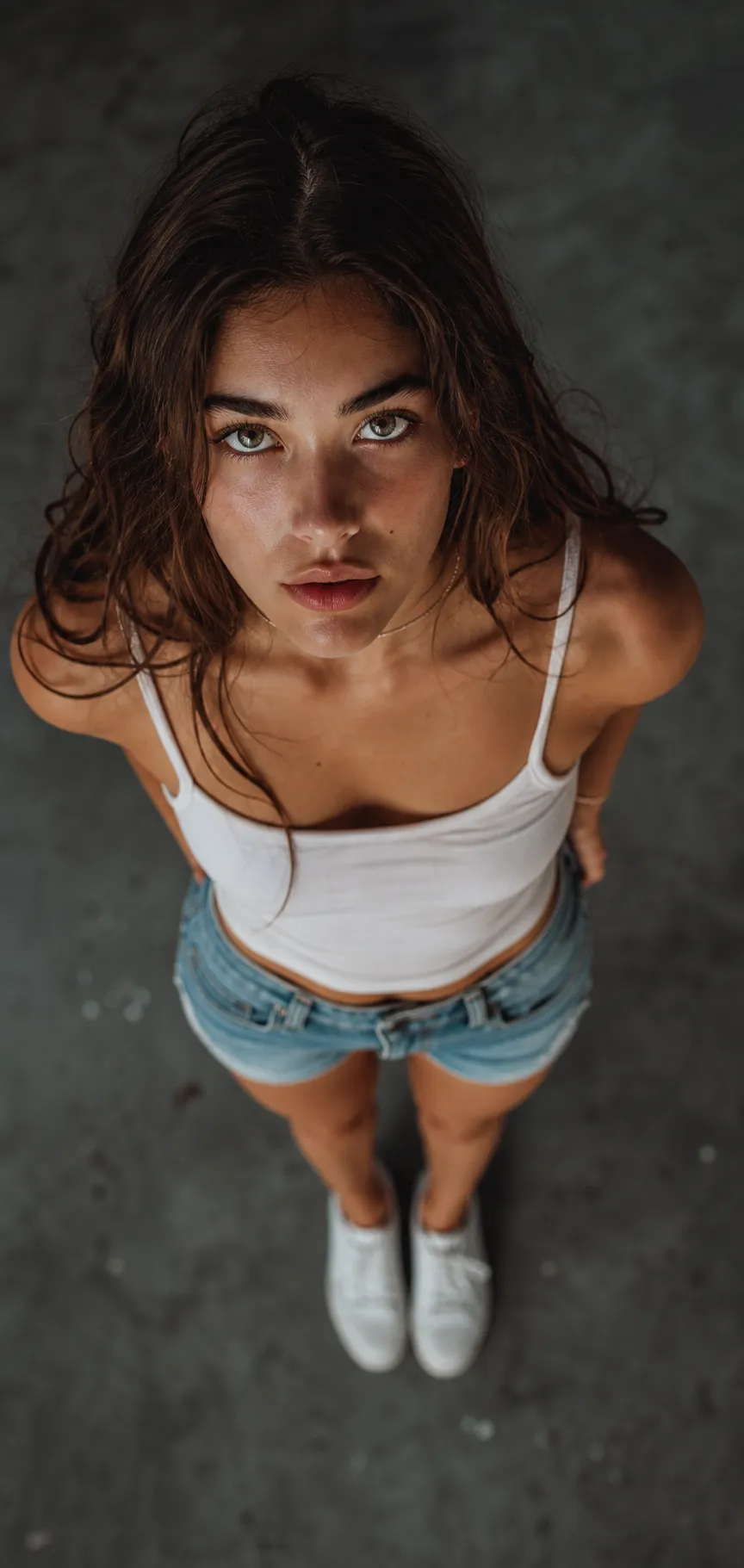
Top-Down Overhead Portrait
A top-down portrait prompt that creates a dramatic overhead shot — camera directly above, subject looking up into the lens with wide-angle foreshortening. The template nails the viral bird's-eye perspective: an upturned face large in the frame, the body tapering below, a moody blurred floor and a cinematic grade that makes the shot feel like a magazine cover. The same bold angle works over concrete, grass, sand, tiles or autumn leaves, in a cinematic, bright or black-and-white finish. What you can customize Subject Description — free text for hair, features and expression. Outfit — a short text line; the default is a white tank top, denim shorts and white sneakers. Ground / Setting — six surfaces: Moody Concrete Floor, Green Grass, Sandy Beach, Autumn Leaves, Wooden Deck, or Patterned Tiles. Mood / Style — five finishes: Cinematic Muted, Bright & Airy, Warm Film, Black & White, or Moody Neon. Model Photo — optional upload to carry a real likeness into the overhead portrait. Best for Instagram and dating profiles, personal branding, editorial-style photos and creator content — a scroll-stopping portrait that stands out from ordinary eye-level selfies. Tips for the best results Describe the person and outfit clearly, and attach a photo if you want your own face. Choose a ground and mood that fit the vibe — moody concrete for cinematic, grass or leaves for a softer editorial look. The expression selector sets the intensity, from a calm intense gaze to a playful smile up at the camera. Avoid busy backgrounds that fight the subject, and do not ask for eye-level or low-angle framing — the steep overhead view is the point. Skip heavy beauty smoothing; the cinematic look depends on natural skin texture.
Image
Portrait & Character
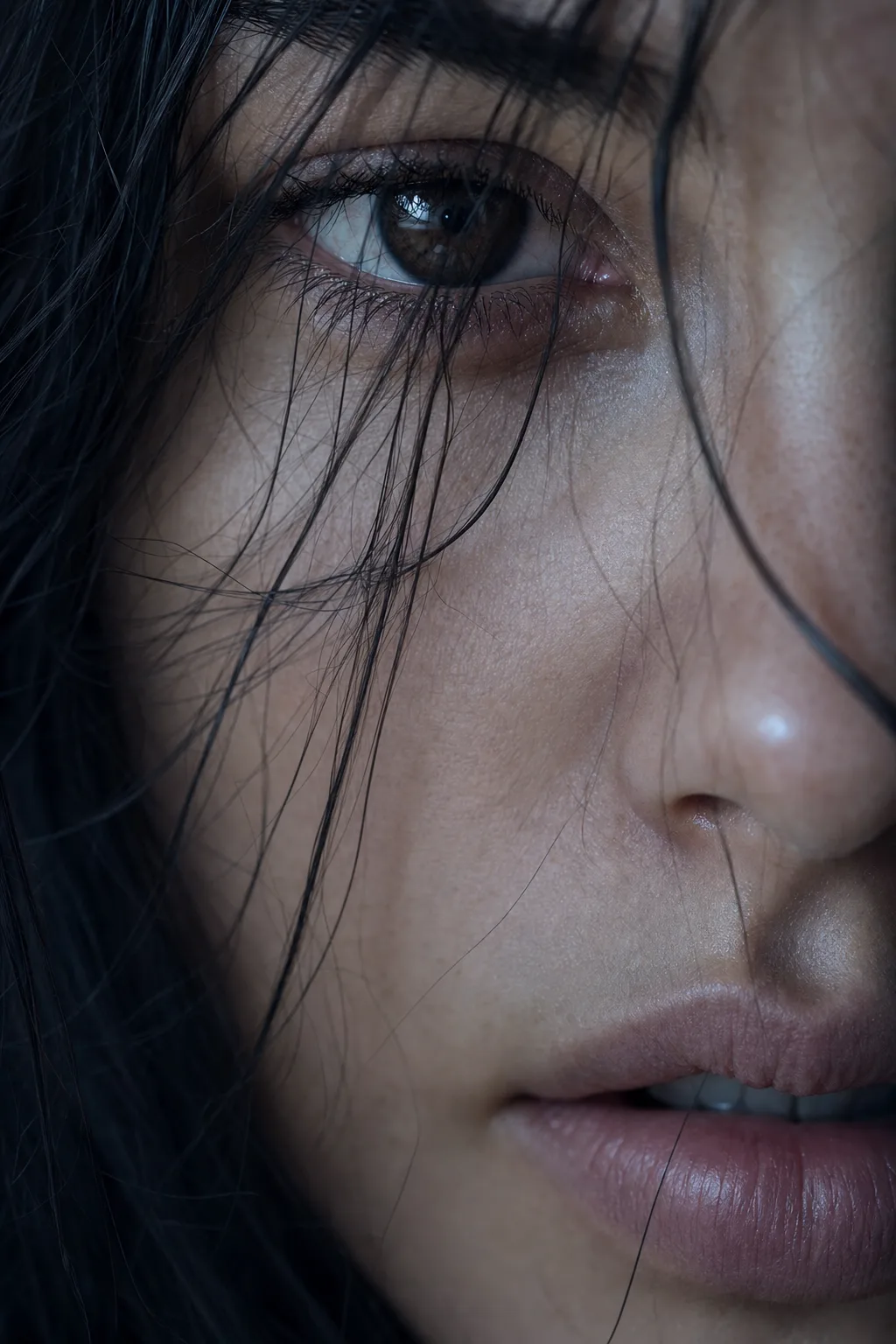
Extreme Macro Portrait AI Prompt
A macro portrait AI prompt for extreme close-ups from your photo — razor-thin focus on the eye, pore-level skin detail, four crops and light grades. The template turns a reference photo into the kind of frame beauty campaigns and cinema title sequences are built on: a partial facial view at the closest possible macro distance, your identity held with zero deviation while the 100mm-macro rendering brings out pores, lashes and a crisp catchlight the original photo never showed. What you can customize Focal Crop — Eye Dominant with the far side of the face falling out of frame, Lips & Jawline, Both Eyes Band, or Profile Sliver. Lighting — Cool Cinematic, Golden Warmth, Rembrandt Shadow, or Clean Beauty. Skin Mood — Dewy Natural with no heavy makeup, Rain-Kissed droplets, Golden Shimmer on the cheekbone, or Matte Editorial. Detail Accent — Loose Hair Strands across the eye, Clean View, Tear Glint, or Freckles Forward. Reference Photo — required; the strict identity source for the whole frame. Best for Profile pictures with cinematic weight, beauty and skincare content, photography portfolio pieces, album and podcast cover art, and editorial mood boards. Tips for the best results Use a sharp, well-lit, front-facing photo — macro reconstruction amplifies whatever it is given. Avoid blurry or heavily filtered references, and avoid sunglasses entirely. Pick one accent per generation; stacking hair strands, tears and shimmer in one frame breaks the quiet intimacy that makes the format work. Nano Banana Pro holds identity at macro distances most faithfully; ChatGPT Image 2 is a strong alternative.
Image
Food & Culinary
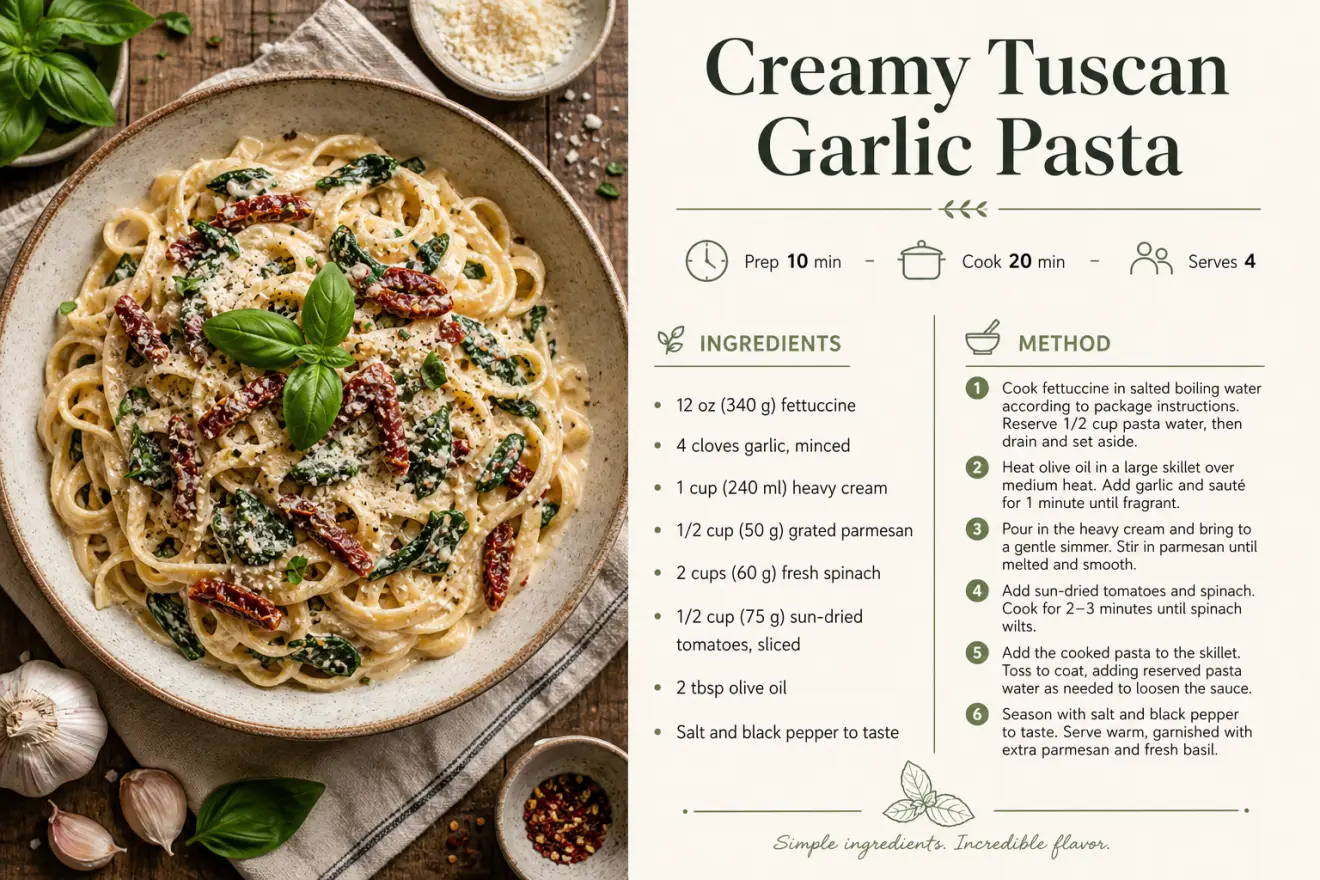
Recipe Card Designer
A recipe card prompt that turns your recipe into a polished, print-ready card — appetizing food photography paired with a clean, professional layout. Instead of fighting with a design tool, you enter the dish name, ingredients and steps and the template composes a magazine-quality card: a styled hero food photo, an elegant title, an icon meta row for prep, cook and servings, a tidy ingredients list and a numbered method. The same recipe can look modern and minimal, warm and rustic, elegant editorial or bright and playful. What you can customize Dish Name, Meta Row, Ingredients and Method — the recipe copy itself; the layout follows the structure you type. Food Photography Framing — five options: Overhead Flat-Lay, Close-Up Hero, 45-Degree Plated, Rustic Moody, or Bright Airy. Card Layout — Photo Left / Recipe Right, Photo Top / Recipe Below, Full Photo with Recipe Card, or Two-Column Classic. Design Style and Color Palette — five styles (Modern Minimal, Rustic Farmhouse, Elegant Editorial, Vibrant Playful, Vintage Cookbook) and five palettes such as Cream & Sage, Warm Terracotta and Bold Tomato Red. Dish Photo — optional upload of your actual dish to use as the card's food photography. Best for Food bloggers, home cooks, recipe sellers, cafes and creators who want shareable recipe cards, printables, blog graphics, cookbook pages and Pinterest pins without hiring a designer or booking a food shoot. Tips for the best results Write ingredients as short lines with real measurements, one per line, and the method as concise numbered steps — clear amounts render as convincing recipe copy. Keep the dish name short and the meta row to prep, cook and servings. Stay under about ten ingredients and eight steps per card; long paragraphs compress and text degrades. Match style and palette to the mood of the food, and avoid clashing combinations. Text-in-design is demanding — regenerate once if any line renders soft or a measurement looks off.
Image
Product & Commercial
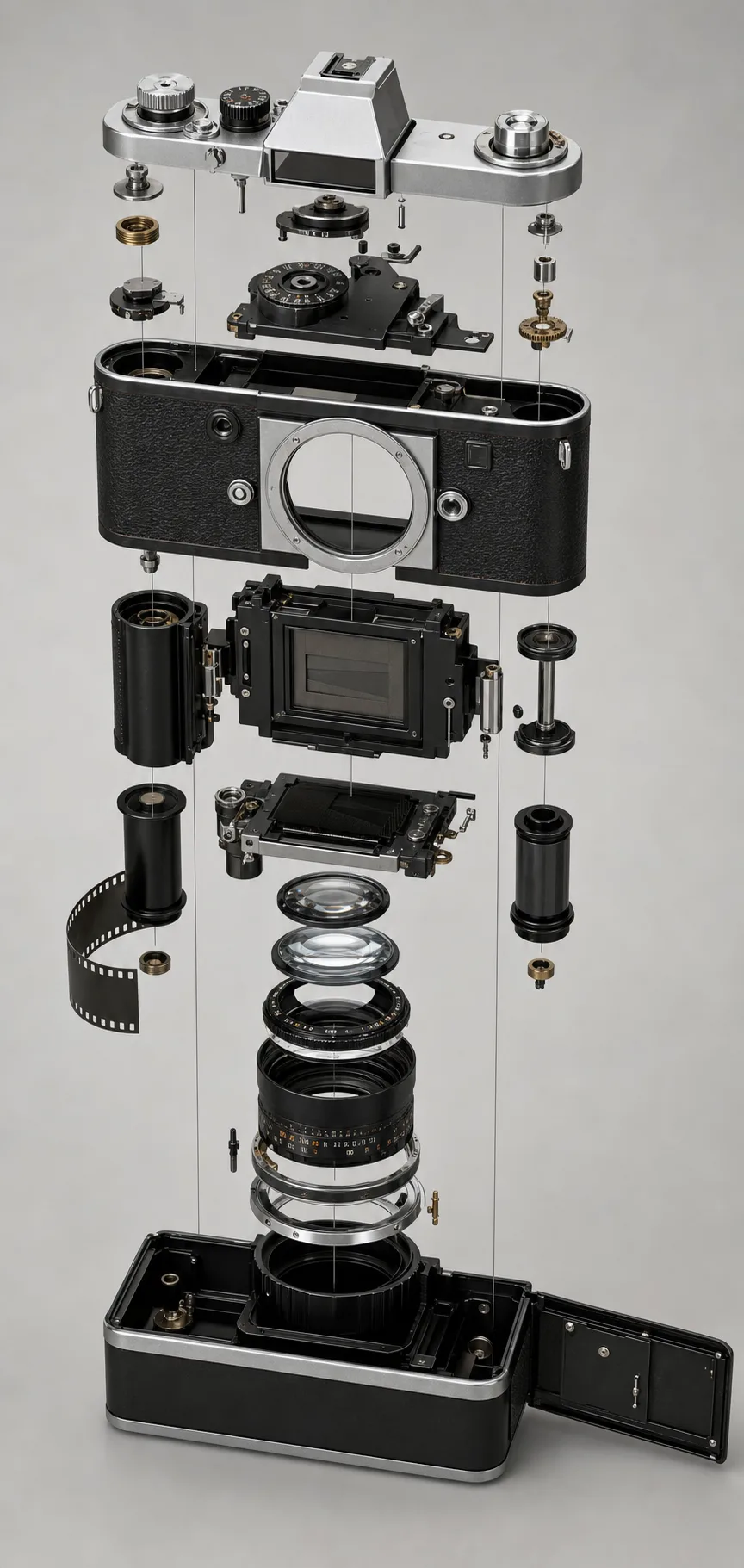
Exploded View Diagram AI Prompt
An exploded view AI prompt that disassembles any product photo into a floating-parts diagram — four styles from studio render to blueprint. Upload a photo of almost anything — a camera, sneaker, watch, headphone, coffee machine, even a burger — and the template separates it into its genuine components along a clean axis. Every part keeps the original's exact materials and finish, with the even spacing and alignment guides that make real industrial-design presentations read as engineered rather than scattered. What you can customize Diagram Style — Studio Product Render, Engineering Blueprint with fine linework, Retro Technical Manual with halftone shading, or Neon Hologram. Explosion Direction — Vertical Stack, Diagonal Axonometric at 45 degrees, Radial Burst, or left-to-right Assembly Order. Annotations — Clean with No Labels, Numbered Callouts with leader lines, Named Labels, or a slim Specs Panel. Background — Light Studio, Blueprint Blue with a faint grid, Matte Black with rim light, or Paper White. Reference Image — required; a clear photo of a single object whose design, materials and colors are preserved across every part. Best for Product designers and engineers presenting concepts, e-commerce brands making scroll-stopping product posts, tech reviewers and teardown channels, portfolio pieces, and educators explaining how things work. Tips for the best results Use a clear, well-lit photo of one object; avoid cluttered scenes with multiple products. Avoid soft organic subjects with no real parts — a pillow has nothing to explode. Start with the no-text annotation option on a new object; label accuracy improves once the part layout looks right. Nano Banana Pro reconstructs plausible internal parts from a single photo most convincingly; ChatGPT Image 2 is a strong alternative.
Image
Abstract & Artistic
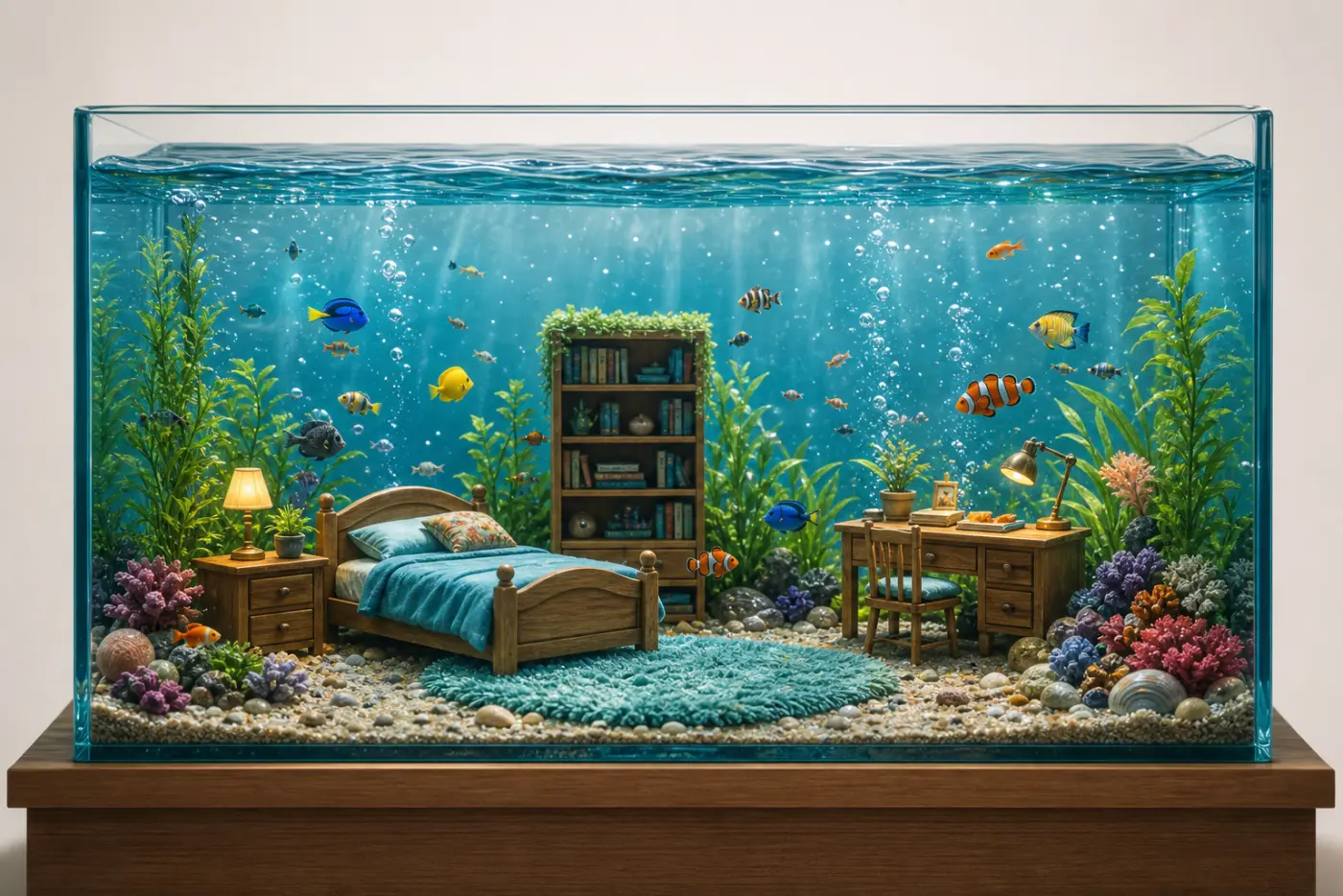
Aquarium Room From Photo
An aquarium room prompt that transforms a photo of any room into a magical underwater fish tank — furniture shrunk and submerged, fish swimming through. Upload a picture of a bedroom, living room or office and the template rebuilds it inside a glass aquarium: the recognizable furniture arranged on the sandy floor, colorful fish weaving between the pieces, bubbles rising and caustic light rays filtering down. The room's walls and ceiling are removed so only the submerged scene remains, and the same room can become a tropical reef, a calm freshwater tank, a glowing jellyfish scene or a moody deep-sea display. What you can customize Water Tone — five tones: Clear Blue, Tropical Teal, Warm Sunlit, Deep Sea, or Crystal Clear. Aquatic Life — Colorful Tropical Fish, Goldfish, Glowing Jellyfish, Exotic Reef Fish, or Betta & Guppies. Tank Style — Frameless Glass on Wood Stand, Rounded Fishbowl, Black-Rimmed Modern Tank, Vintage Brass Tank, or Cube Nano Tank. Aquascape Decor — Coral, Plants & Pebbles, Lush Green Planted, Minimal Sand & Rocks, Treasure & Shipwreck, or Neon Reef. Background — Clean Neutral, Soft Gradient, Cozy Room Corner, or Dark Showcase; plus the Room Photo upload the tank is built from. Best for A delightful, shareable reimagining of your space — a fun social post, a gift, a profile visual or a piece of playful wall art. Tips for the best results Upload a clear, well-lit photo taken from across the room so the furniture and layout read clearly — the tank is built from what it can see. Match the water tone and fish to the mood you want, and pick a decor and background that frame the tank cleanly. Cozy, characterful rooms with distinct furniture translate best. Avoid very dark or cluttered photos and tight close-ups that hide the room. Do not expect exact text or brand details to survive — the charm is the playful underwater reinterpretation, not a literal copy.
Image
Portrait & Character
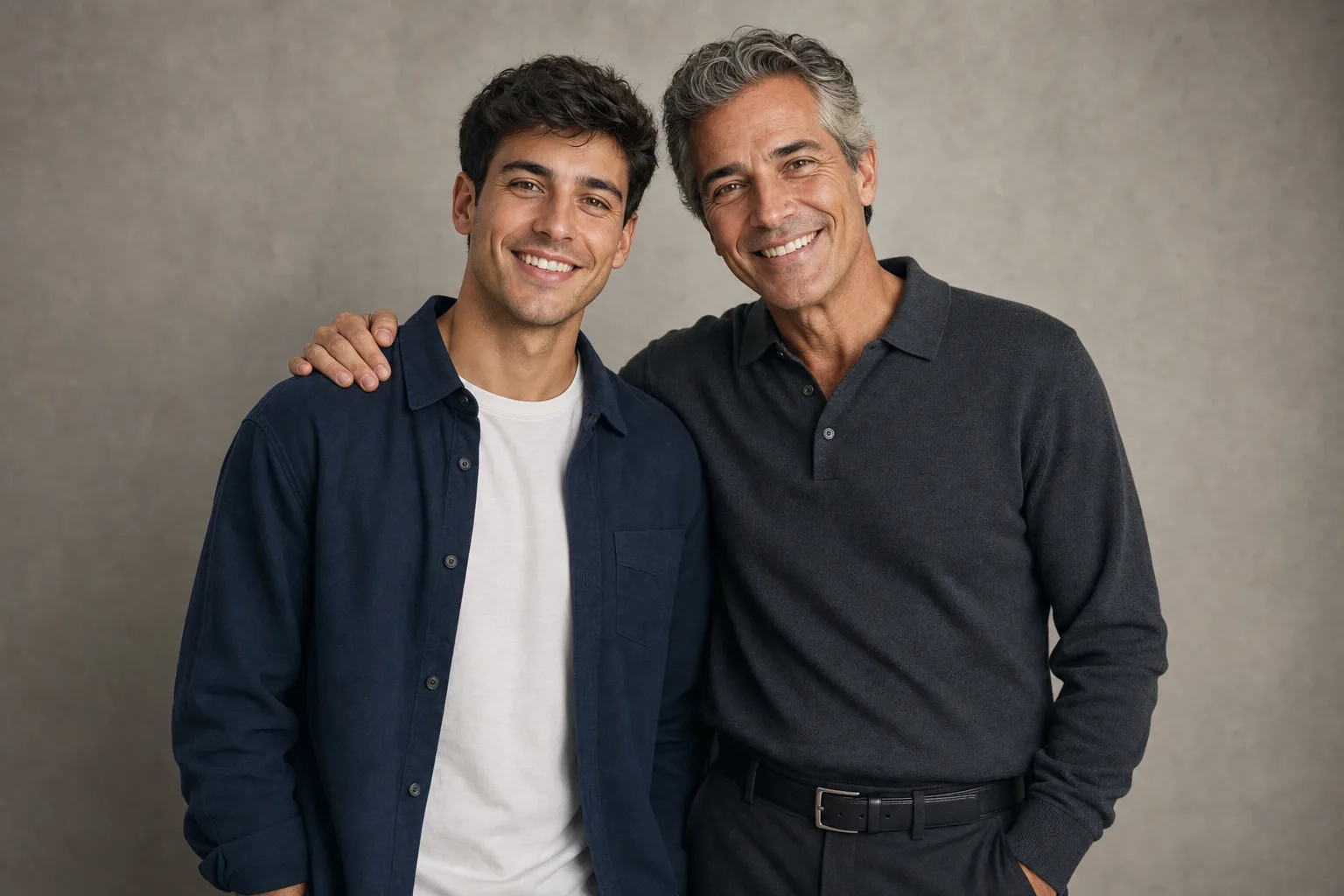
Meet Your Future Self AI Prompt
A future self AI prompt that puts you and your aged self in one photo — pick +10 to +50 years, the pose, the setting and the future wardrobe. The template stages the viral time-travel portrait: you exactly as you are in your reference photo, standing beside the same person decades on — same bone structure, same eyes, same smile, naturally aged with silvering hair and earned lines. Matched studio-quality light makes the composite read as one real photograph. What you can customize Years Ahead — +10 subtle, +20 settled, +30 silver-streaked, or +50 fully white-haired and wise. Pose — Heads Tilted Together, Arm Around Shoulder, Sharing a Laugh across time, or a Passing the Torch handshake. Future Wardrobe — Age-Appropriate Match that pairs with your current outfit, Same Outfit Aged, or Elegant Formal. Setting — Studio Portrait, Family Living Room with framed photos, Sunlit Park, or a softly blurred hint of your Life's Work. Reference Photo — required; one clear, front-facing photo in even light that the aging is built from. Best for Birthday and New Year posts, graduation and career-milestone content, motivational "letter to my future self" videos, retirement-planning and life-coach content, and gifts that make parents cry. Tips for the best results Good, even light on the reference helps the aging read as the same person. Avoid group photos, sunglasses or heavy makeup that hide the facial structure the aging is built from. Do not ask for a different pose and setting than the fields provide — the fixed emotional framing is what makes it moving rather than gimmicky. Nano Banana Pro holds identity across both ages most faithfully; ChatGPT Image 2 is a strong alternative.
Image
Abstract & Artistic
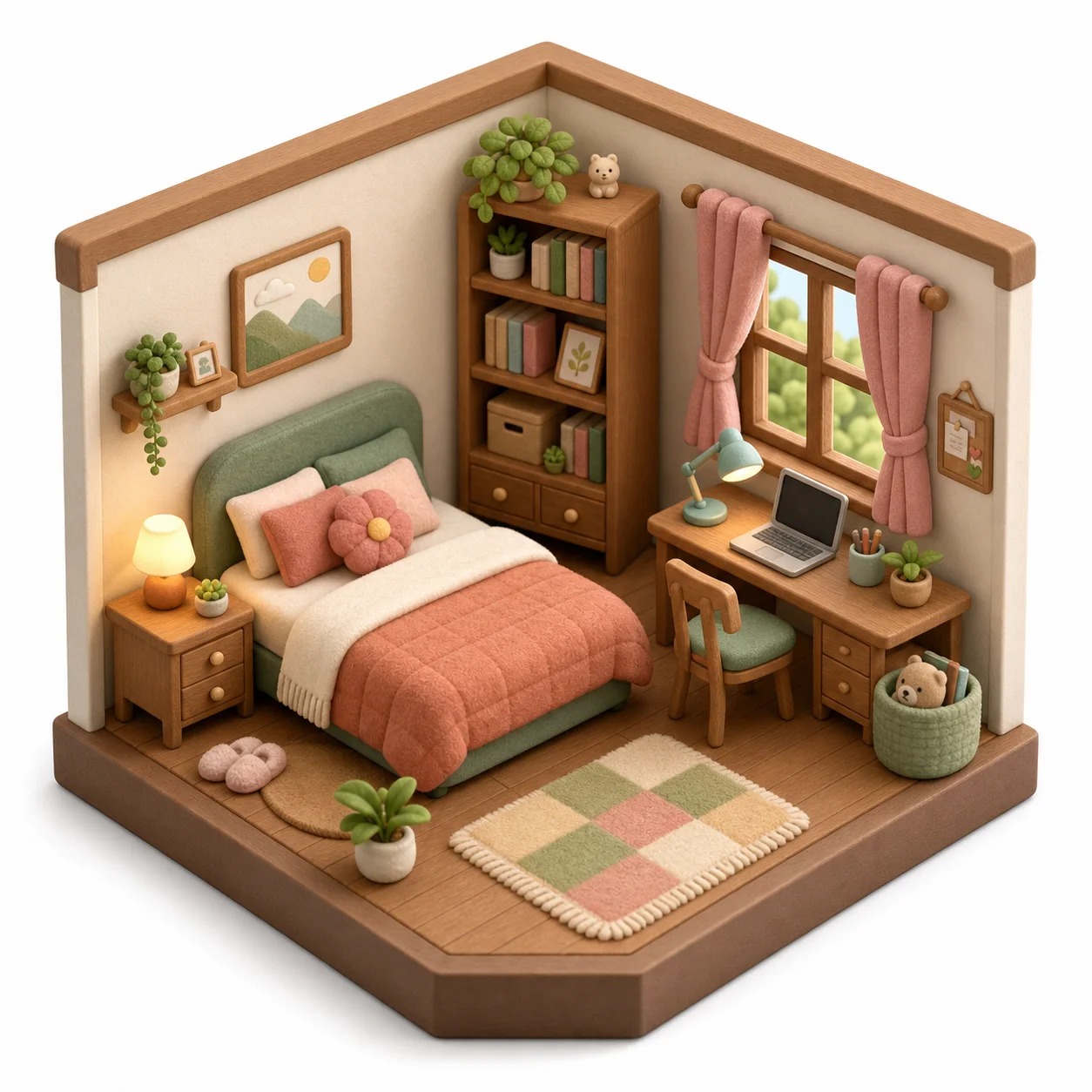
Isometric 3D Room Diorama
An isometric diorama prompt that turns a photo of any room into an adorable 3D miniature — the viral toy-like cutaway diorama, built from your own space. Upload a picture of a bedroom, living room, office or cafe and the template rebuilds it as a stylized orthographic diorama: the same layout and furniture reimagined as cute rounded miniatures in soft felt-and-wood textures, warm diffuse light and a cozy palette, centered on a clean background. The same room can become a felt toy set, a smooth low-poly model, a claymation scene or a LEGO-style build. What you can customize Diorama Style — five styles: Soft Felt & Wood Toy, Smooth Low-Poly, Claymation, LEGO-Style Build, or Paper Craft. Material Finish — Matte Felt, Smooth Matte Plastic, Natural Wood, or Glossy Ceramic. Color Palette — Cozy Pastels, Warm Earthy, Vibrant Playful, Muted Scandinavian, or Cool Calm. Detail Level — Add Cute Extra Props, Faithful & Minimal, or Add Tiny Characters; this controls how toy-like or refined it looks. Background — Clean White, Soft Pastel, Gradient Studio, or Dark Showcase; plus the Room Photo upload the diorama is built from. Best for Interior designers and realtors who want a delightful way to present a space, and anyone who wants a keepsake miniature of their room, a gift, a profile visual or a fun social post. Tips for the best results Upload a clear, well-lit photo taken from a corner so the layout and main furniture are visible — more of the room in frame means a richer model. Cozy, characterful rooms translate especially well. Avoid extremely cluttered or dark photos and tight close-ups that hide the room shape. Do not expect exact brand or text details to survive — the charm is the stylized reinterpretation, not a literal copy.