Loading model...
Best Nano Banana 2 prompts
124 prompts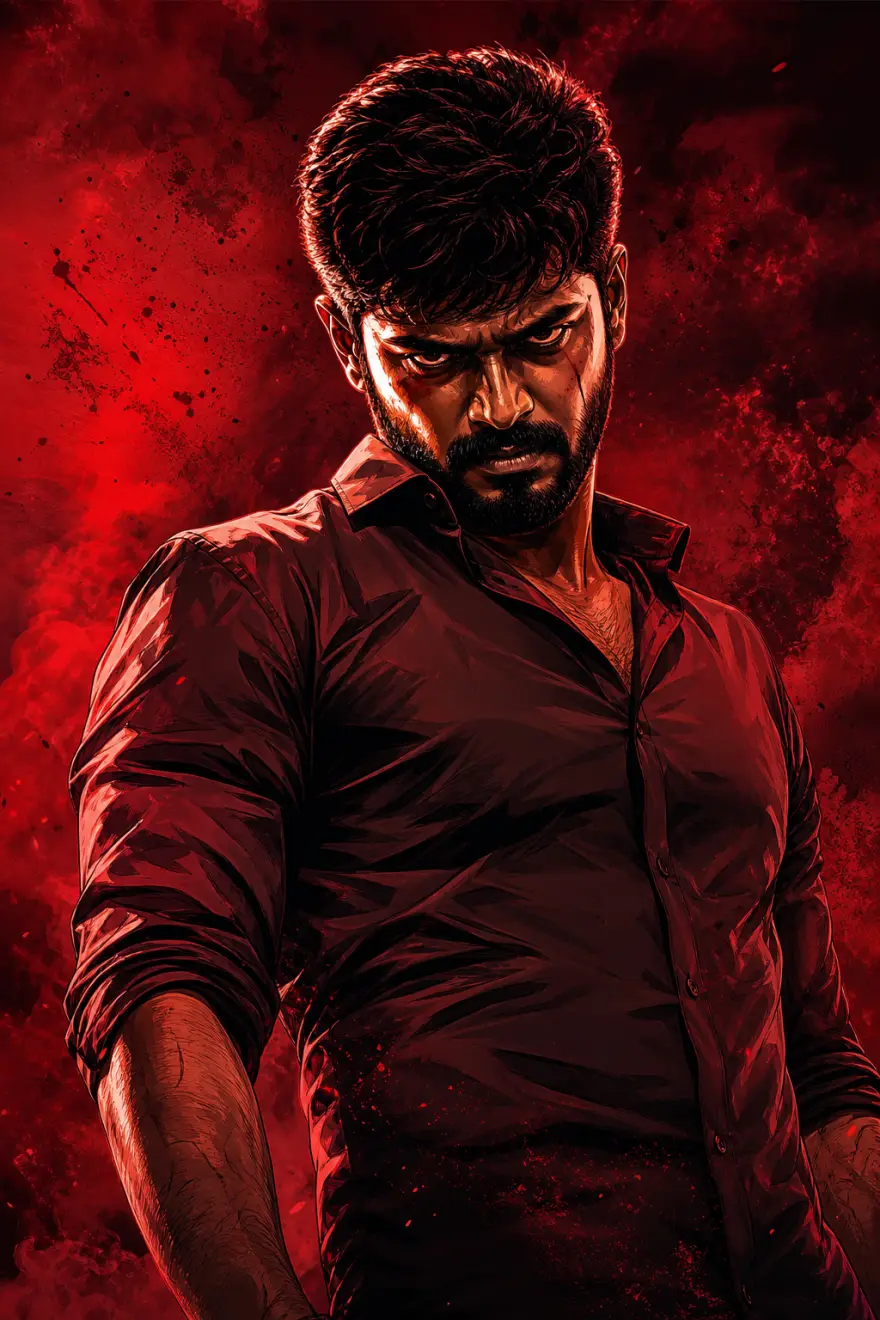
Image
Cinematic & Film
Tamil Gangster Movie Poster Prompt
This prompt template transforms a reference photo into a bold, cinematic Tamil gangster movie poster. It blends high-contrast digital illustration with a deep-red, gritty aesthetic to create a powerful character-driven visual.Core Aesthetic: "The Mass Look"Inspired by modern South Indian action cinema, this style focuses on dramatic tension and graphic intensity.Color Palette: Dominated by deep crimsons, charcoal blacks, and high-contrast warm highlights.Art Style: A hybrid of hyper-realistic digital painting and sharp, comic-book-inspired shading.Atmosphere: Gritty, smoke-filled, or textured backgrounds that add weight and "attitude" to the subject.Identity Protection (No Distortion)The template is engineered for absolute fidelity. While the environment and lighting change, the following remain locked and identical to your reference:Face & Expression: Precise facial features and the original mood/gaze.Anatomy: Exact hairstyle, skin tone, and body pose.Zero AI Warp: Enhances the aesthetic without altering the person's core identity.Ideal Use CasesMovie-Style Posters: Create professional-grade promotional art.Personal Branding: High-impact profile visuals for creators and influencers.Digital Fan Art: Elevate standard portraits into "Larger Than Life" cinematic characters.
2,020 Views
Image
Cinematic & Film
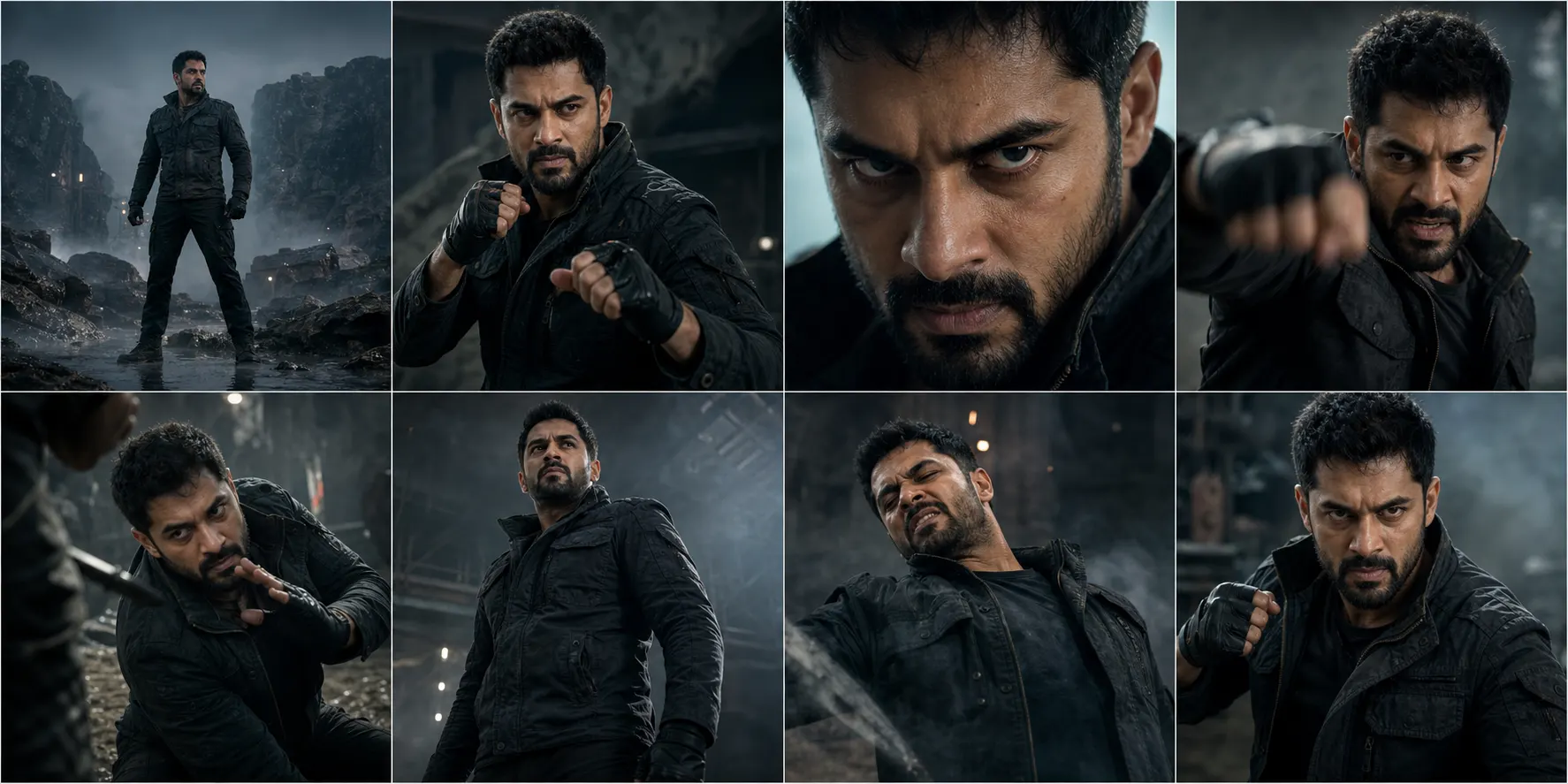
Cinematic 8-Shot Character Action Sequence
This template generates a cohesive 8-shot cinematic action sequence using an uploaded character image as the single source of truth. Each shot functions like a carefully directed movie still with controlled camera language, dramatic lighting and believable motion. The face, body proportions, skin tone, hairstyle and outfit remain identical across every frame under an absolute identity lock, with consistent color grading and 4K-level detail. What the eight shots cover An establishing wide shot, a waist-up preparation shot, a tight close-up on the eyes, a strike with motion blur limited to limbs, a defensive block or dodge, a low-angle hero shot, an impact reaction, and a final battle-ready dramatic pose. What you can customize Character Reference Image — the sole upload, defining exact facial identity, body proportions, hairstyle, outfit and realism baseline Shot descriptions in the prompt — each of the eight shot blocks can be edited to change environment, combat style or emotional beat while keeping the sequence structure Style lines — the ultra-realistic action-film grading and contrast rules can be adjusted if a different cinematic look is needed Best for Trailers, action reels, character showcases and cinematic tests where identity continuity across multiple shots is non-negotiable. Tips for the best results Upload a sharp, full-body reference showing the outfit clearly; costume and hairstyle must not vary between shots. Keep the character in one outfit per sequence — the prompt forbids costume changes, so generate a separate run for alternate looks. Expect motion blur only on limbs during the strike shot; faces and torsos stay sharp throughout. Do not request text, logos, subtitles or UI; the prompt restricts output to clean cinematic framing.
Image
Cinematic & Film
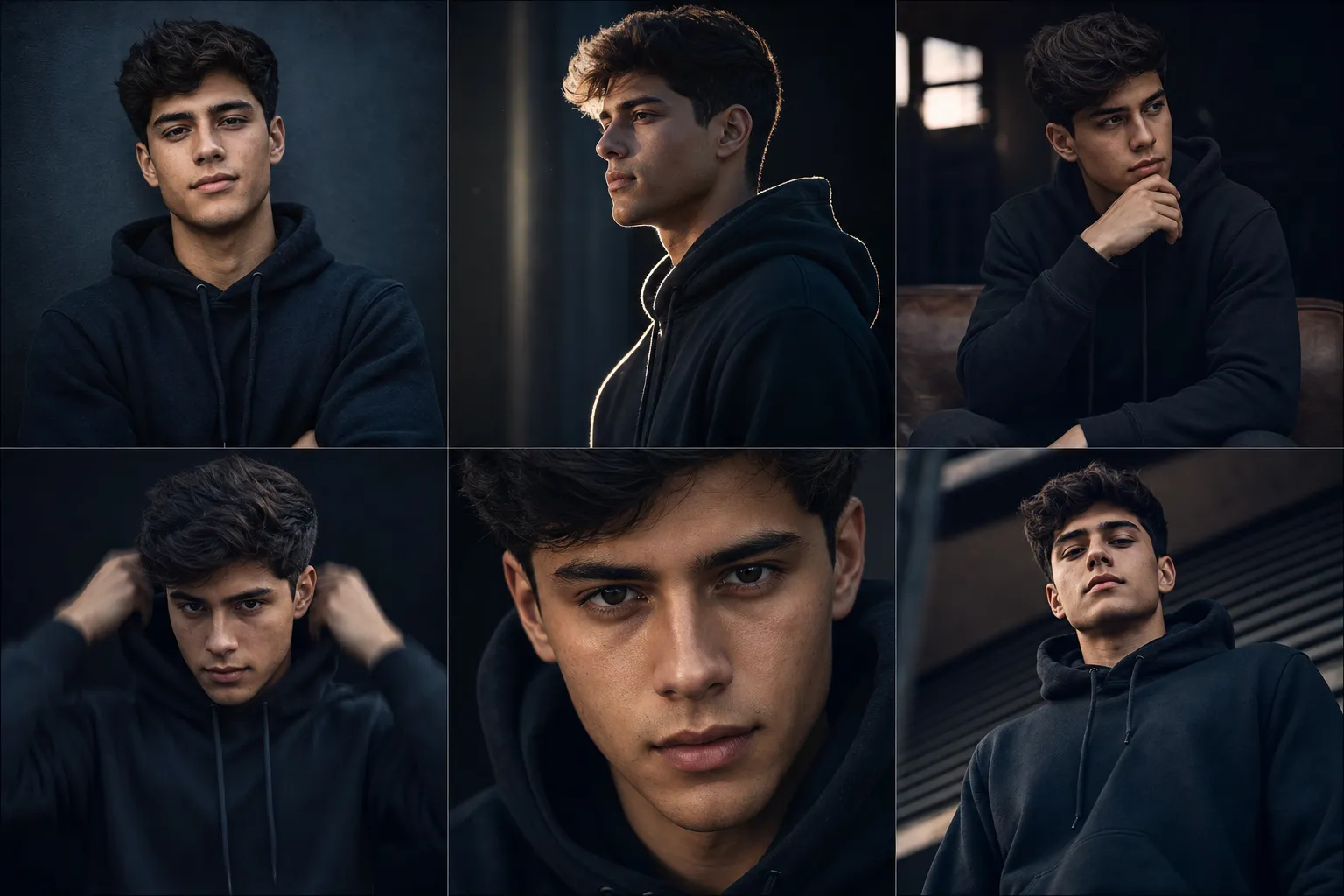
Cinematic Character Variations
This template generates multiple highly creative, cinematic image variations using one consistent character identity derived from a single reference image. It is built for creators, influencers, and personal brands who need diverse visual content without losing recognizability. Each variation explores a different pose, angle, and emotional tone while maintaining strict continuity of face, hairstyle, clothing, and proportions. The result feels like a professional photoshoot with multiple setups, with cinematic lighting, dramatic shadows, and shallow depth of field rather than a set of unrelated images. Why the character stays consistent The prompt enforces an absolute identity lock: same face, facial structure, skin tone, hairstyle, and body proportions in every frame, with no beautification drift or redesign. It then renders six defined setups, including a front pose, a three-quarter profile with rim light, a seated introspective pose, a subtle action pose with motion blur on the body only, a tight close-up, and a low-angle stance. What you can customize Character (used if no photo is attached) — a text description of the person, used only when no reference image is supplied Outfit — the wardrobe, kept identical across every variation (default is a clean modern dark hoodie) Setting & Mood — 5 options that set the environment and lighting, such as Dark Studio, Urban Night, Warm Golden Hour, and Neon Moody Character Reference Image — an optional clear, face-visible photo that defines identity, hairstyle, clothing, and proportions Best for Profile picture sets, branding visuals, content libraries, video thumbnails, and character portfolios where consistency and polish are critical. Tips for the best results Attach a sharp, well-lit reference photo with the full face visible; it overrides the text description and gives the strongest likeness. Keep the outfit description simple and specific so it can be reproduced identically in all six frames. Pick one Setting & Mood per run; the prompt applies consistent color grading, so mixing moods belongs in separate generations. The prompt already excludes extra people, text, logos, and watermarks, so avoid adding conflicting instructions in the character field.
Image
Social Media
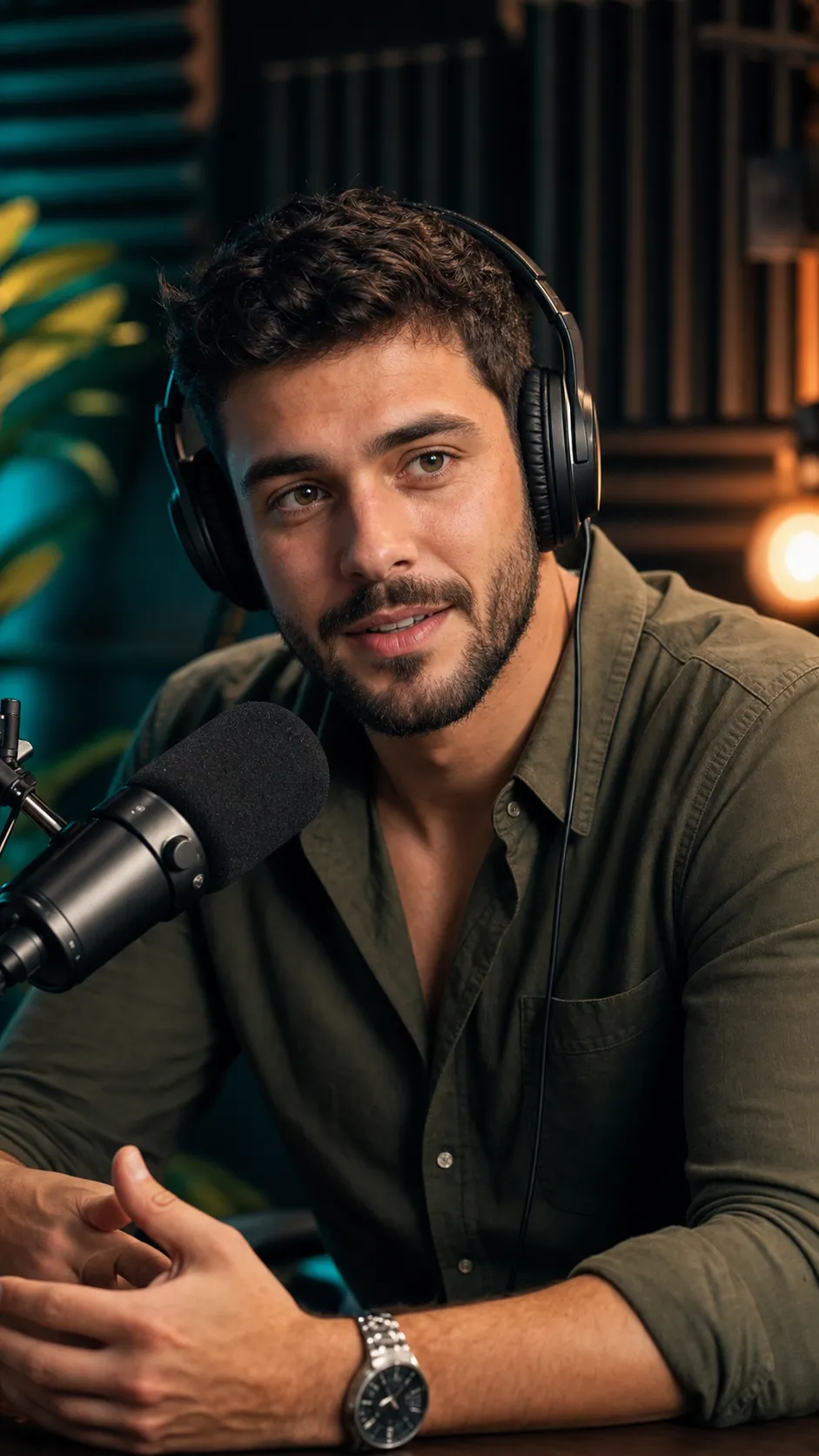
Podcast Thumbnail Portrait
This template repurposes an existing image of a person into a high-quality YouTube podcast thumbnail portrait. The focus is an exceptionally crisp, expressive face that reads instantly at small sizes, paired with a relaxed, natural podcast posture. The subject appears seated and leaning slightly forward as if mid-conversation, with an engaged, approachable expression, rendered in a vertical 9:16 frame with medium-close head-and-upper-torso framing. The image stays brand-safe with no text, watermark, or UI elements, so creators can add titles or graphics externally later. What you can customize Subject (used if no photo is attached) — a text description of the person, used only when no source image is supplied Podcast Setup — 4 options for props and staging: Mic + Headphones, Mic Only, Clean Portrait (no props), or Two-Mic Interview Studio Background — 5 softly blurred settings, including Moody Teal & Warm Studio, Warm Cozy Set, Neon Modern Studio, and Bookshelf Backdrop Source Image — an optional photo that defines the person's facial identity and likeness, preserved strictly with no changes to structure, skin tone, or expression style Best for Podcast episode thumbnails, YouTube channel visuals, Reels and Shorts covers, and creator branding where facial clarity, authenticity, and clean composition are essential. Tips for the best results Upload a sharp, front-facing source photo; the prompt prioritizes the face above everything else, and a blurry input limits the final detail. Choose Clean Portrait (no props) when you plan to add your own microphone graphics or text overlays afterwards. Match the background to your channel palette, since each option carries its own lighting color, from warm amber to teal or neon accents. Keep the subject description short and physical (hair, beard, shirt) rather than describing a scene; setup and background are handled by their own controls. The output is vertical 9:16, so crop or reframe if you need a landscape YouTube thumbnail.