The PromptsRush journal
AI Tools40+ Best Prompts for Gemini 3.6 Flash
42 copy-paste prompts built for Gemini 3.6 Flash — million-token retrieval, native video and audio, computer use, and the high-volume work this model is priced for.

Advertisement
Gemini 3.6 Flash is the best cheap model anyone has shipped. Google released it on July 21, 2026 at $1.50 in / $7.50 out per million tokens — a third of what frontier flagships charge — and then did the thing nobody expected: it got better at the hard stuff too. Long-context retrieval jumped from 77.3% to 91.8% on GDM-MRCR v2 at 128k. Coding went 55.1% → 58.7% on SWE-Bench Pro. Computer use hit 83% on OSWorld Verified. It even uses about 17% fewer output tokens than 3.5 Flash to say the same thing.
That combination — million-token context, native video and audio input, real retrieval accuracy, and pricing that lets you run it on everything — shapes every prompt below. These 42 templates are not generic "AI prompts"; they are built for the workloads where 3.6 Flash beats paying five times more. Copy them, replace the [BRACKETS], ship.
If you are coming from the previous generation, this supersedes our Gemini 3.5 Flash cheat sheet — most of those prompts still run, but the long-context and computer-use sections below are new territory.
What Changed in 3.6 Flash
| Spec | Gemini 3.6 Flash | vs 3.5 Flash |
|---|---|---|
| Price (per 1M tokens) | $1.50 in / $7.50 out | Output down from $9.00 |
| Cached input | $0.15 per 1M | 90% discount on repeated context |
| Context window | 1,048,576 in / 65,536 out | Unchanged |
| Long-context retrieval (MRCR v2 @128k) | 91.8% | Up from 77.3% |
| Coding (SWE-Bench Pro) | 58.7% | Up from 55.1% |
| Computer use (OSWorld Verified) | 83% | Up from 78.4% |
| Knowledge cutoff | March 2026 | Moved forward |
| Output efficiency | ~17% fewer tokens | Cheaper per answer |
It takes text, image, video, audio, and PDF as input and is available day one in Google AI Studio, the Gemini API, the Gemini app, Android Studio, Antigravity, and Vertex AI. Figures as of late July 2026.
How to Prompt 3.6 Flash
Five rules run through all 42 prompts:
- Fill the context window — that is what you are paying for. The retrieval jump is the headline improvement. Attach the whole corpus rather than the excerpt you think is relevant; 3.6 Flash finds the needle now.
- Structure the stable part first. Cached input costs $0.15 per million — a tenth of fresh input. Put your unchanging context (the codebase, the policy set, the transcript archive) at the top of every prompt in the same order, and put the variable question last.
- Ask for the output contract explicitly. Flash-tier models reward format specificity: name the columns, the counts, the ordering. You get compliance and you stop paying for prose you did not want.
- Cite or say unsure. Cheap models are tempting to over-trust at volume. Every extraction prompt below demands a source pointer, which makes verification a scan rather than a re-read.
- Route down, not up. 3.6 Flash is the volume tier. When a task genuinely needs frontier reasoning, escalate — our Opus 5 vs 3.6 Flash comparison covers exactly where that line sits.
Long-Context and Document Prompts

The category where 3.6 Flash improved most, and the one that justifies the model on its own.
1. The Whole-Corpus Question
Stop excerpting. Attach everything and ask.
I am attaching [N] complete documents totaling roughly [SIZE]: [ATTACH THE FULL SET].
Question: [WHAT YOU NEED TO KNOW]
Answer from the attached material only. For every claim, cite the document name and the section or page it came from. If the answer requires combining facts from multiple documents, show the chain. If the corpus does not contain the answer, say so plainly rather than reasoning from general knowledge.
2. The Contradiction Finder
Where does your own documentation disagree with itself?
Read this complete document set: [ATTACH ALL].
Find every place where two documents state incompatible things: different numbers for the same metric, conflicting policies, dates that cannot both be true, procedures that contradict each other.
Output a table: claim A (with source), claim B (with source), type of conflict, and which one is more likely authoritative based on recency or document status. Do not report differences that are just different levels of detail — only genuine contradictions.
3. The Needle Audit
Verify that a fact appears where you think it does.
Search this entire corpus for every mention of [SPECIFIC TERM, CLAUSE, NUMBER, OR CONCEPT]: [ATTACH CORPUS].
For each occurrence: the document, the location, the exact quoted sentence, and how it is being used (defined, referenced, contradicted, obsoleted).
Then tell me: is there a single authoritative definition, or does the meaning drift across documents? Exhaustiveness matters more than brevity here — list every hit.
4. The Contract Set Reader
Master agreement plus every amendment, one answer.
Here is a complete contract set — master agreement, all amendments, side letters, and exhibits: [ATTACH ALL].
Question: [E.G. WHAT ARE OUR ACTUAL TERMINATION RIGHTS TODAY?]
Rules: the most recent executed document controls; quote the governing clause verbatim with document name and section number; flag any place where amendments conflict and no clean answer exists. Separate what the documents say from what you infer.
This is preparation for legal review, not a substitute — mark anything needing counsel.
5. The Codebase Cartographer
A million tokens holds most repositories.
Here is a codebase you have not seen: [ATTACH THE REPOSITORY OR ITS SOURCE DIRECTORIES].
Map it: entry points, the files where the core logic actually lives, the data flow from request to persistence, the conventions the authors followed (naming, error handling, testing), and the parts that look abandoned or dangerous.
Cite file paths for every claim. Output a brief a new senior engineer could work from on day one.
6. The Meeting Archive Synthesizer
A quarter of transcripts, one picture.
Here are all our [MEETING TYPE] transcripts from [PERIOD]: [ATTACH ALL].
Extract the through-lines: themes that recur across meetings, decisions that keep getting re-litigated without resolution, commitments made repeatedly but never closed, and how stated priorities drifted over the period.
Quote the specific moment that proves each pattern, with date and speaker. End with the three process changes the evidence actually supports.
7. The Policy Compliance Sweep
Stated policy versus documented practice.
Here is our policy set: [ATTACH]. Here is what we actually do: [ATTACH SOPs, PROCESS DOCS, EXAMPLES].
Find every gap: requirements with no implementing process, processes that contradict policy, and ambiguities where compliance cannot be verified either way.
Table: policy clause (quoted), practice reality (quoted), gap severity, remediation. Quote both sides for every finding — no paraphrase-based accusations.
8. The Change Tracker
What actually changed between two large versions?
Here are two versions of the same document set: [ATTACH VERSION A] and [ATTACH VERSION B].
Produce a substantive diff — not a text diff. Group by: material changes (obligations, numbers, dates, rights), clarifications that do not change meaning, and pure formatting.
For each material change: old text, new text, and one line on who it favors or what it costs. Ignore reordering that preserves meaning.
Multimodal Prompts
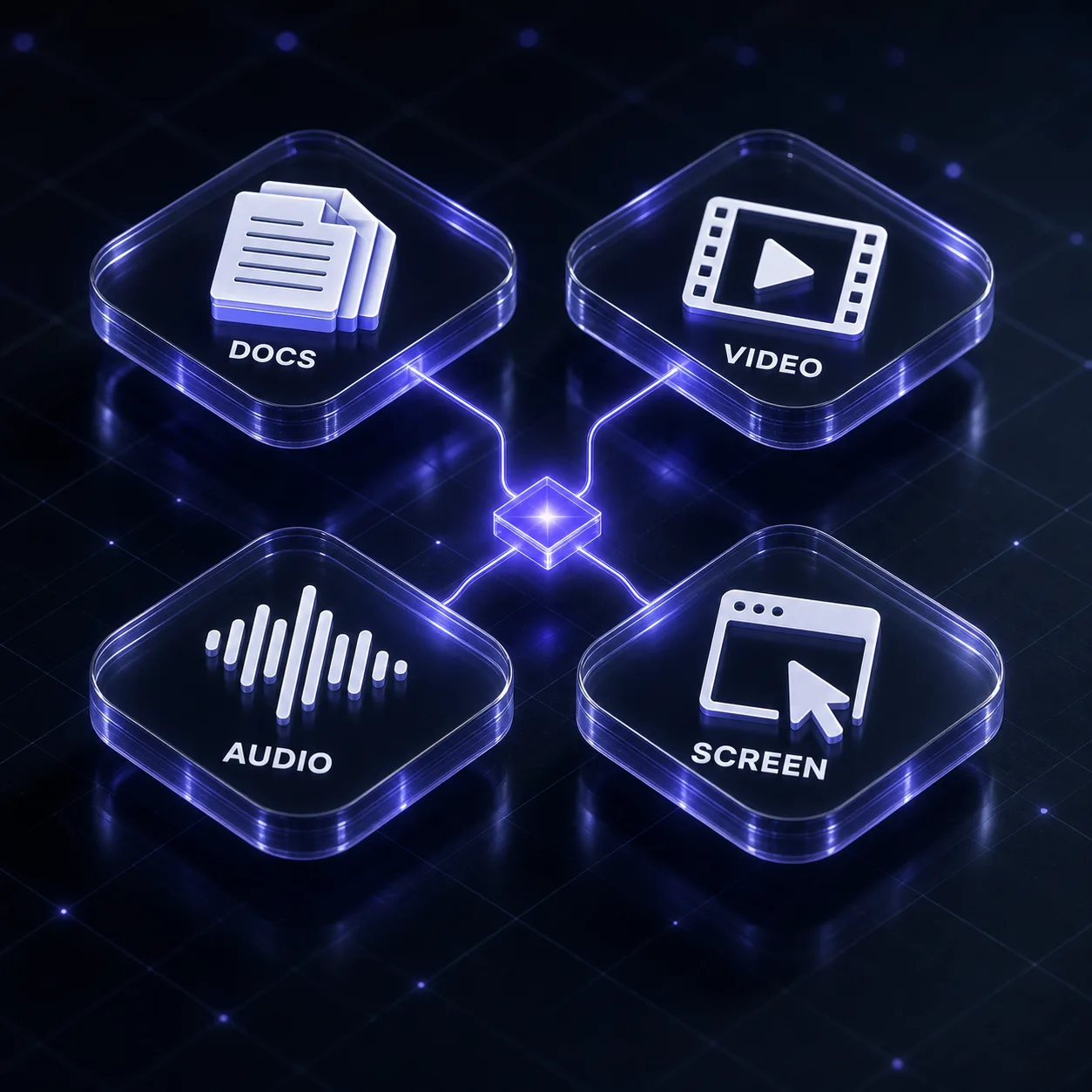
Native video, audio, image, and PDF input at Flash pricing is the most underused capability in this model.
9. The Video Digest
Watch this video and produce a working digest: [ATTACH VIDEO].
Deliver: a one-paragraph summary, a timestamped outline of the major sections, every claim or number stated on screen or in narration (with timestamp), any on-screen text worth capturing, and the three moments most worth watching directly.
Timestamps must be accurate — I will spot-check them.
10. The Recording-to-Actions Pipeline
Here is a recording of a [MEETING / INTERVIEW / CALL]: [ATTACH AUDIO OR VIDEO].
Output: decisions made with who made them, action items as a table (owner, task, deadline, blocked-by), open questions raised but not resolved, and anything said that contradicts a prior decision.
Attribute by speaker where distinguishable, and mark uncertain attributions as uncertain. Skip the pleasantries entirely.
11. The Demo Walkthrough Extractor
This is a screen recording of a product demo or bug reproduction: [ATTACH VIDEO].
Write out the exact steps performed, in order, as a numbered list a person could follow to reproduce it. Note every UI element interacted with, every value typed, and the point at which behavior diverges from expectation (with timestamp).
End with what the recording does not show that a reproducer would need to know.
12. The Scanned-Document Rescue
These are scanned or photographed documents of variable quality: [ATTACH IMAGES OR PDF].
Transcribe them faithfully, preserving structure — headings, tables (as markdown tables), lists, and footnotes. Where text is illegible, mark it as [ILLEGIBLE] rather than guessing. Where a number is partially readable, give your best read and flag the uncertainty.
Then list the specific pages or fields where a human should verify the transcription.
13. The Chart Reader
Extract the underlying data from these charts and figures: [ATTACH IMAGES].
For each: the chart type, axis labels and units, and the data series as a table with your best-read values. State the read precision (exact if labeled, estimated if read off the axis).
Then tell me what the chart is doing to the reader: any truncated axis, cherry-picked range, misleading scale, or omitted baseline.
14. The Screenshot Bug Report
Here are screenshots of a UI problem: [ATTACH IMAGES]. Expected behavior: [DESCRIBE].
Write the bug report: what is visibly wrong, where exactly on screen, what the screenshots let us rule in or out about the cause, and what additional evidence (console output, network tab, a specific screen) would confirm the diagnosis.
Separate what you can see from what you are inferring.
15. The Lecture-to-Notes Converter
Convert this recorded [LECTURE / TALK / TRAINING SESSION] into study notes: [ATTACH AUDIO OR VIDEO].
Structure: the core thesis in one paragraph, the argument broken into its steps, every definition given (quoted), examples used, and the questions the speaker raised but did not answer.
Add timestamps to each section so I can jump back. Flag anything the speaker stated as fact that would be worth verifying independently.
16. The Multimodal Cross-Check
I am giving you the same subject in two formats: [ATTACH THE DOCUMENT] and [ATTACH THE VIDEO / SLIDES / RECORDING].
Compare them: what appears in one but not the other, where the two disagree on a fact or number, and which one is more current or more authoritative based on internal evidence.
Output a reconciliation table. This is a consistency audit, not a summary — do not just describe each source separately.
Computer Use and Automation Prompts
83% on OSWorld Verified means agentic browser and desktop work is now genuinely viable at Flash prices. These assume a harness with screen access.
17. The Bounded Browser Task
Complete this task in the browser: [DESCRIBE THE TASK].
Done means: [MEASURABLE END STATE — e.g. the form is submitted and the confirmation number is captured].
Rules: take a screenshot before any irreversible action and describe what you are about to do. Never enter payment details, delete data, or send anything without explicit confirmation. If a page differs from what you expected, stop and describe the difference rather than improvising.
Report the confirmation evidence at the end, not just a claim of success.
18. The Web Research Sweep
Research [TOPIC] across the live web and return a sourced brief.
For each finding: the claim, the URL it came from, the publication date, and whether it is primary (the source itself) or secondary (someone reporting on it). Prefer primary.
Flag disagreement between sources rather than averaging it. Mark anything you could not verify as unverified. Stop after [N] sources or when findings start repeating.
19. The Repetitive Workflow Runner
Repeat this workflow for every item in the list: [DESCRIBE THE WORKFLOW STEPS]. Items: [LIST OR ATTACH].
For each item: perform the steps, capture the result, and record any item where the workflow deviated or failed.
Output a table: item, outcome, evidence, notes. Do not stop the whole run on a single failure — record it and continue. Summarize failures at the end.
20. The Form-Filling Pipeline
Fill this form using the data provided: form at [URL OR DESCRIBE], data: [ATTACH SOURCE].
Map each form field to its data source before typing anything, and show me the mapping for approval. Flag any required field the data does not cover, and any field where the format needs converting (dates, phone numbers, currencies).
Stop before final submission and show me a screenshot of the completed form.
21. The Site Audit Crawl
Audit [SITE OR SECTION] as a user would experience it.
Check and report: broken links, pages that fail to load, forms that error on valid input, missing or duplicate page titles, and any user-facing text that is obviously wrong (placeholder copy, wrong year, broken formatting).
For each issue: the URL, what is wrong, what you did to trigger it, and severity. Screenshots for anything visual.
22. The Competitive Monitoring Run
Check these competitor pages and report what changed since [DATE OR PREVIOUS SNAPSHOT]: [LIST URLS]. Previous state: [ATTACH IF AVAILABLE].
Report per site: pricing changes with old and new values, new or removed features, messaging or positioning shifts, and anything new on the changelog or blog.
Ignore cosmetic redesigns unless they signal a strategy change. Cite the specific page and quote the changed text.
Coding Prompts
23. The Full-Repo Bug Hunt
Here is the complete repository: [ATTACH]. Symptom: [WHAT HAPPENS]. Expected: [WHAT SHOULD HAPPEN].
Trace the actual execution path through the real code — not a plausible one. Identify the exact file and line where behavior diverges from intent, explain why, and give the minimal fix.
If multiple causes are consistent with the symptom, rank them and give the one-line check that distinguishes them. Do not propose rewriting modules that are not implicated.
24. The Test Suite Generator
Write tests for this code using [FRAMEWORK]: [PASTE CODE OR ATTACH MODULE].
Cover: the happy path, every documented edge case, invalid inputs, and one failure mode the author probably did not consider.
Name each test after the behavior it proves, not the function it calls. Mock only at external boundaries — never the code under test. Flag anything untestable as written and say what small change would fix that.
25. The Migration Mapper
Plan the migration of this codebase from [OLD] to [NEW]: [ATTACH THE CODEBASE].
Produce: a file-by-file map of what changes, the order to do it in so each step ships independently, the behavior changes that need manual testing, and the parts that cannot be mechanically converted.
Estimate effort per group (S/M/L). Then implement the first group only, so we can validate the approach before committing to the rest.
26. The Dependency Risk Audit
Audit the dependencies in this project: [ATTACH MANIFEST AND LOCKFILE].
For each direct dependency: what it is used for in this codebase (cite the import sites), how current it is, whether it looks maintained, and how hard it would be to replace.
Rank by risk = (importance to us) x (fragility of the dependency). Flag anything unused, anything duplicated by another dependency, and anything doing far more than we need.
27. The Code Explainer
Explain this code to a competent developer seeing it for the first time: [PASTE CODE].
Structure: one paragraph on what it does and why it exists, then a walkthrough of only the non-obvious parts, then the landmines — places where an innocent-looking edit would break something subtle.
Skip the self-evident lines entirely. End with the one question you would ask the original author.
28. The Performance Trace
Find the performance problem in this code: [ATTACH CODE AND, IF AVAILABLE, PROFILING OUTPUT OR TIMINGS].
Identify the actual hot path, not the code that looks slow. Rank findings by expected time saved, and for the top three give the concrete diff.
State your assumptions about input size and call frequency explicitly — if those assumptions are wrong the ranking changes, and I need to know that.
High-Volume and Batch Prompts
The economics of this model make per-item processing at scale genuinely cheap. These are written to run identically across thousands of items.
29. The Structured Extractor
Extract structured data from the following item: [PASTE OR ATTACH ITEM].
Return JSON matching exactly this shape: [PASTE YOUR SCHEMA].
Rules: never invent a value — use null for anything not present in the source. For every extracted field, the value must be traceable to specific text in the input. If the input appears to be a different document type than expected, return {"error": "unexpected_type"} and nothing else.
30. The Consistent Classifier
Classify this item into exactly one category: [PASTE ITEM].
Categories and their definitions: [LIST EACH CATEGORY WITH A ONE-LINE DEFINITION AND ONE EXAMPLE]
Return only: {"category": "...", "confidence": "high|medium|low", "evidence": "the specific phrase that decided it"}
If it fits none of the categories, return "category": "other" rather than forcing the closest match. Consistency across items matters more than cleverness on any single one.
31. The Bulk Quality Gate
Review this item against our standards before it ships: [PASTE ITEM].
Standards: [PASTE THE RULES]
Return: {"verdict": "pass|fix|reject", "violations": [{"rule": "...", "location": "...", "fix": "..."}]}
Be strict — a false pass costs more than a false flag. If the item is fine, return an empty violations array rather than inventing minor nitpicks.
32. The Feedback Miner
Here is a batch of customer feedback: [ATTACH REVIEWS, SURVEY RESPONSES, OR SUPPORT TICKETS].
Extract: recurring themes ranked by frequency (with counts and representative quotes), the specific outcomes customers say they value (in their own words), objections that appear more than once, and the five strongest quotable lines.
Ignore praise generic enough to be about any product. Distinguish what customers asked for from what they actually needed.
33. The Normalizer
Normalize this messy data into a consistent format: [PASTE OR ATTACH].
Target format: [DESCRIBE OR PASTE SCHEMA]
Handle: inconsistent date formats, name variants for the same entity, unit mismatches, and duplicate records that are not exact duplicates.
Output the normalized data plus a change log listing every transformation applied and every row you could not confidently normalize (with reason). Do not silently drop anything.
34. The Translation Pass
Translate this content into [LANGUAGE], preserving meaning and register: [PASTE CONTENT].
Rules: keep product names, code, and identifiers untranslated. Preserve formatting and structure exactly. Where an idiom does not carry, use the closest natural equivalent rather than a literal rendering, and note the substitution.
Flag any sentence where the source is ambiguous enough that the translation had to commit to one reading.
Research and Analysis Prompts
35. The Sourced Research Brief
Research this question and build a brief: [THE QUESTION]. Decision it informs: [WHY IT MATTERS].
Structure: what is established (with source type), what is contested (both positions, one line each), what is unknown, and your synthesis with a confidence level.
Every number gets a source. Separate facts from your inference explicitly. Where you are unsure, write "unsure" — do not fill the gap with plausible filler. I would rather have six solid facts than twenty vibes.
36. The Data First-Look
I am about to analyze this dataset: [ATTACH THE FULL EXPORT — not a sample].
Before any conclusions: profile it. Rows, nulls, duplicates, outliers, suspicious values, unit inconsistencies, and columns that could confound the question I care about: [YOUR QUESTION].
Then state what could make an analysis of this data wrong, and propose the three-step analysis plan. Show supporting numbers rather than asserting them.
37. The Metric Interrogator
Our metric [METRIC] moved [DIRECTION AND MAGNITUDE] over [PERIOD]. Data: [ATTACH].
Try to explain the movement away before accepting it: measurement changes, mix shifts, seasonality, one-off events, denominator effects.
For each alternative: does the attached data support or kill it, with the specific numbers. Only if the alternatives die may you conclude the movement is real. End with a confidence level and what evidence would raise it.
38. The Steelman
My position: [STATE IT PLAINLY].
Argue the strongest version of the opposing case — the one a smart, informed person would actually hold, not a caricature.
Then: the two points where my position is genuinely weakest, the evidence that would change my mind if it existed, and whether the disagreement is really about facts or about values. Do not soften the attack to be agreeable.
Content and Communication Prompts
39. The Voice-Matched Draft
First, read these samples of my writing and describe the voice in six observable rules — sentence length, how pieces open, vocabulary, structural habits, and what this writer never does: [PASTE 2-3 SAMPLES].
Wait for my confirmation of the rules. Then draft: [THE PIECE].
Banned: filler openings, "in today's world", rhetorical questions as transitions, and any sentence that could appear unchanged in an article on a different topic.
40. The Ruthless Edit
Edit this draft as an editor who did not write it and has no attachment to it: [PASTE DRAFT].
Pass 1: does it deliver what the title promises? Flag every section that does not earn its place.
Pass 2: cut 25%, kill hedges and throat-clearing, tighten every sentence over 25 words.
Pass 3: list every factual claim that should be verified before publishing.
Return the edit plus the fact-check list. Do not add new content.
41. The Repurposing Fan-Out
Repurpose this into five platform-native formats: [PASTE THE SOURCE PIECE].
1. LinkedIn post — hook in line one, under 200 words, ends on a question.
2. X thread — six posts, each quotable standalone, no "1/6" throat-clearing.
3. Newsletter blurb — 80 words plus a curiosity-gap CTA.
4. Two 20-second vertical video scripts — hook, one insight, payoff.
5. Five short-form captions with keywords.
Match each platform's native tone. Do not paste the same paragraph five times at different lengths.
42. The Hard Message
Draft a message where I need to [DECLINE / PUSH BACK / RENEGOTIATE / DELIVER BAD NEWS] to [WHO AND RELATIONSHIP].
Context: [2-3 LINES OF BACKGROUND]
Constraints: the point lands in the first two sentences, respectful without groveling, one constructive path forward offered, under 150 words.
Give me two versions — one warmer, one firmer — and tell me which fits this relationship better and why.
Chaining Them
Three pipelines we run on 3.6 Flash specifically, because the economics allow the extra passes:
- Document intelligence: Whole-Corpus Question (#1) → Contradiction Finder (#2) → Needle Audit (#3) on anything the first two flagged. Three full passes over a million tokens still costs less than one flagship pass.
- Multimodal to action: Recording-to-Actions (#10) → Structured Extractor (#29) → Bulk Quality Gate (#31). Raw meeting audio to validated task records with no human in the middle.
- Volume content: Voice-Matched Draft (#39) → Ruthless Edit (#40) in a fresh chat → Repurposing Fan-Out (#41). The edit pass matters more on a cheap model, not less.
Common Mistakes
- Excerpting when you could attach. Pre-summarizing throws away the retrieval accuracy you are paying for — and 3.6 Flash is now genuinely good at finding things in the full corpus.
- Ignoring the cache. At $0.15 per million, cached input is nearly free. If your prompt prefix changes every call, you are paying ten times more than you need to.
- Skipping verification because it is cheap. Low cost per call makes it tempting to run more and check less. Every extraction prompt here demands citations for exactly this reason.
- Using it for the hardest 20%. Flash is extraordinary value on volume work and merely fine on deep reasoning. Know where your line is.
- Vague output contracts. "Summarize this" gets you prose you have to re-read. Name the columns and you get a table you can act on.
Where to Go From Here
For the escalation question — when Flash is enough and when it is not — read Claude Opus 5 vs Gemini 3.6 Flash. Running a multi-model stack? The companion sheets are Claude Opus 5, Claude Sonnet 5, and GPT-5.6 Sol. And if you are still on the previous generation, our Gemini 3.5 Flash cheat sheet remains live.
Keep Building
Browse the full prompt library, compare AI models, or explore more guides on PromptsRush.
Frequently Asked Questions
8 questions answered