ProductivityAI Resume Builder Prompt
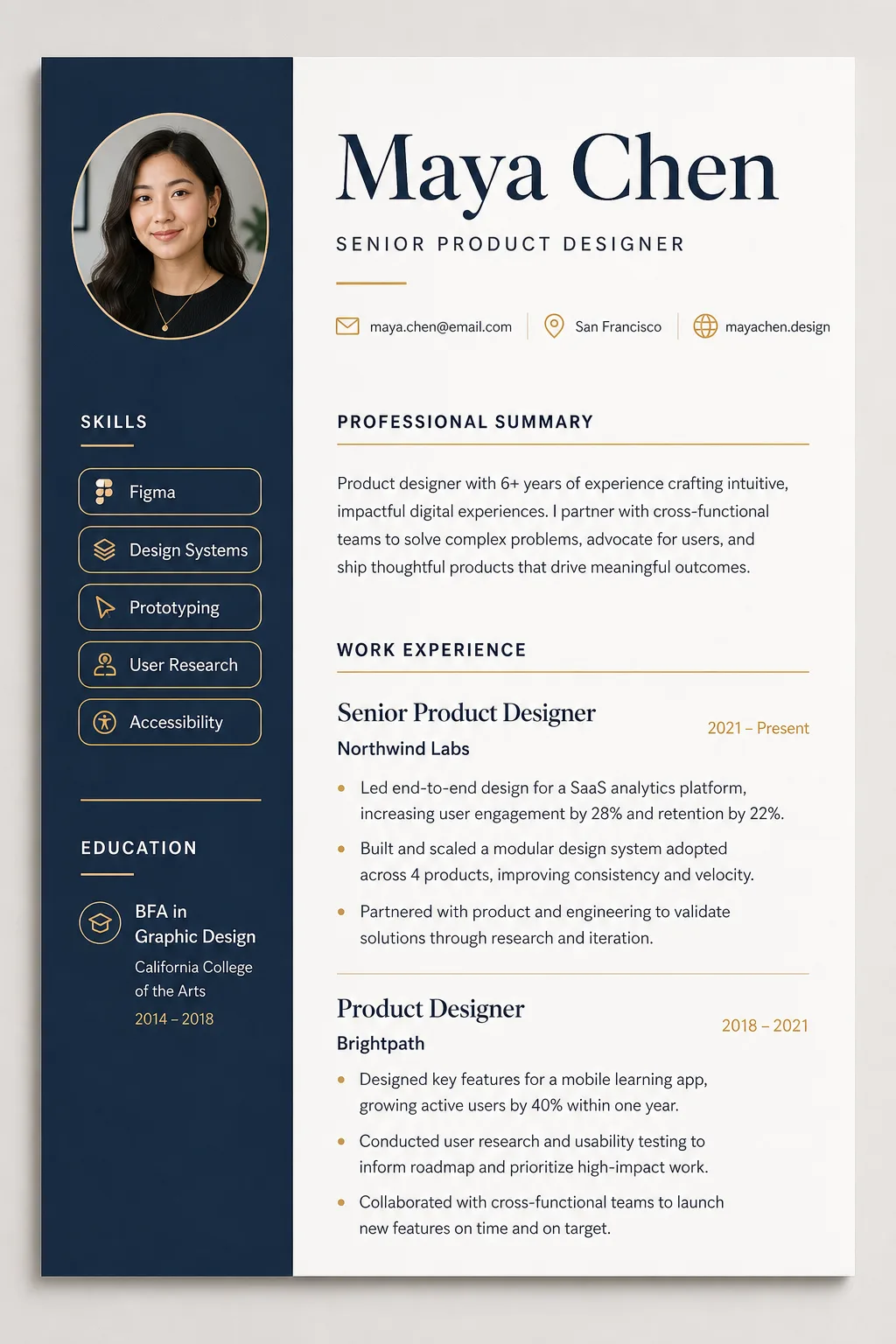
An AI resume builder prompt that turns your career details into a designer-quality CV mockup — clean typography, real layout craft, print-ready polish. Instead of a generic document layout, the template renders your resume as a premium design-studio mockup: a one-page document shown flat-on with subtle paper depth and a soft studio shadow on a warm-gray backdrop. Expect an elegant serif name treatment, a structured grid with generous white space, skills as clean rounded tags, hairline section rules and an optional circular headshot in the header. What you can customize Full Name — set large in the heading typeface at the top. Professional Title — placed beneath the name in a lighter weight. Contact Line — a slim row with minimalist line icons; three or four items separated by dots. Professional Summary — two sentences work best. Work Experience — one role per block: title, company, dates, then bullet points. Education & Certifications — degrees and credentials, one per line. Skills — comma-separated, rendered as tags; 5–8 works best. Layout Style — four options: Two-Column Modern, Single-Column Minimalist, Executive Classic or Creative Portfolio. Color Theme — four palettes: Navy & Amber, Forest & Cream, Monochrome Ink or Charcoal Dark. Headshot Photo — optional upload, integrated as a circular portrait framed to match the theme. Best for Job seekers who want a CV that looks art-directed, and designers, career coaches and template sellers who need resume mockups for portfolios, LinkedIn carousels, Etsy listings or client previews without laying out a document by hand. Tips for the best results Give each field one job. Keep the contact line to three or four items and the summary to two sentences. In Work Experience, put title, company and dates on the first line of each role, then two or three metric-driven bullets; concrete numbers ("lifted activation 23%") render as convincing resume copy. If you attach a headshot, a well-lit chest-up photo on a simple background integrates most cleanly. Avoid pasting more than one page of content (the layout compresses and text degrades), and avoid extremely long job titles or company names that break the grid. Do not expect pixel-perfect spelling on every small line; regenerate once if a detail line renders soft.